Open-source maintainers
An open-source maintainer runs a public project and its community.
Independent software developers and indie hackers
A developer working alone uses Magpie in Personal. A collaborator can join one repository in a team.
Get started free
Git Repositories hosts your code. You clone and push over HTTPS with an access token, for reading or writing. A public repository has a page anyone can read.
The repository's page shows the files, the README and the commits. A push can publish a website, copied as it is or built from Markdown.
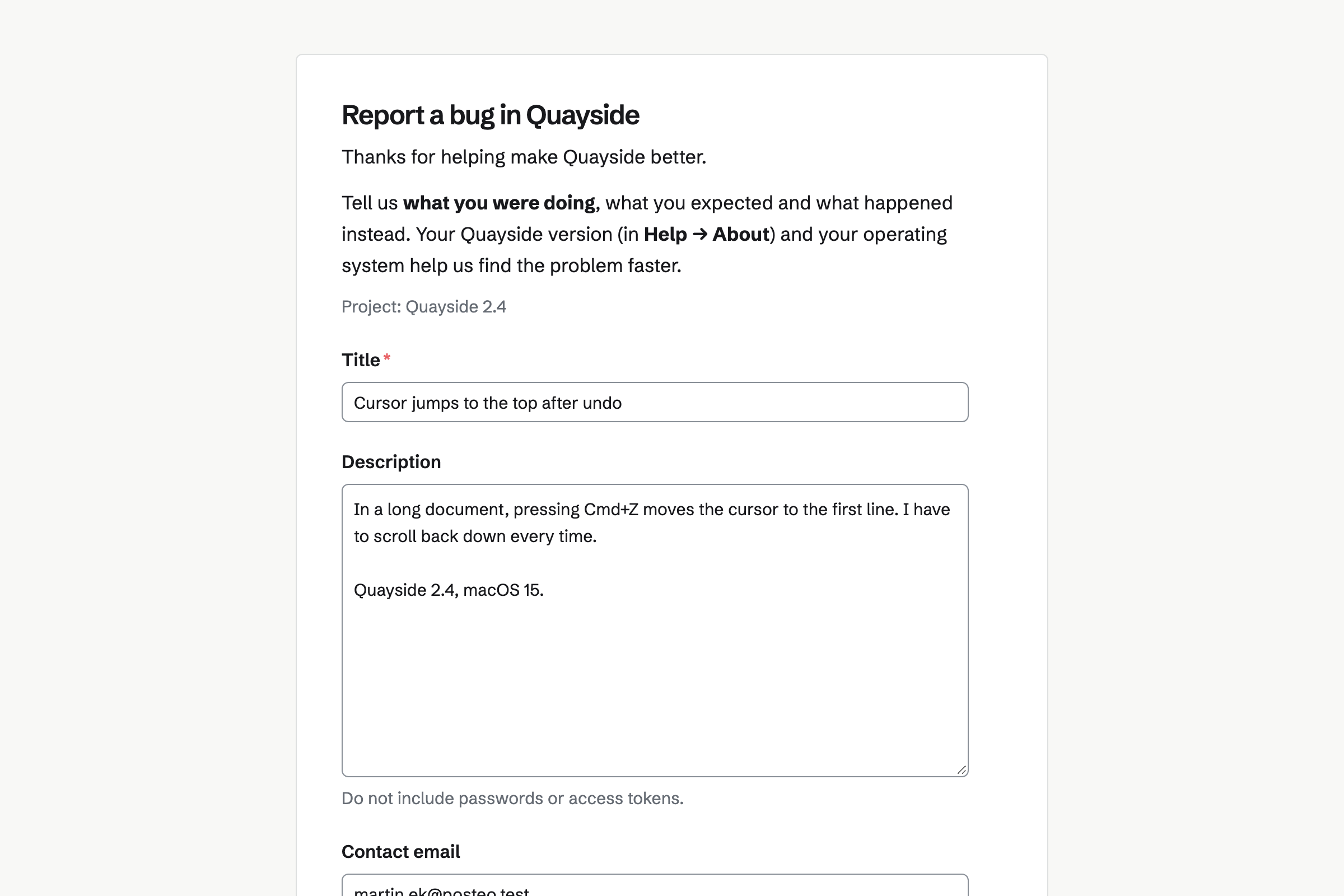
Issues tracks bugs and features, each with an ID such as QYS-12, a priority and labels. A public bug form takes reports from anyone, into Triage or a chosen project.
Signed webhooks tell your other tools when an issue changes. The REST API can create issues. A GitHub commit or pull request link can sit on an issue.
Websites serves the HTML, CSS and JavaScript of a site you built, exactly as they are. You drop a folder or a ZIP on its page, and every change is a version.
A site built from Markdown in a repository also gets a feed of your posts. Magpie gets the certificate for your domain.
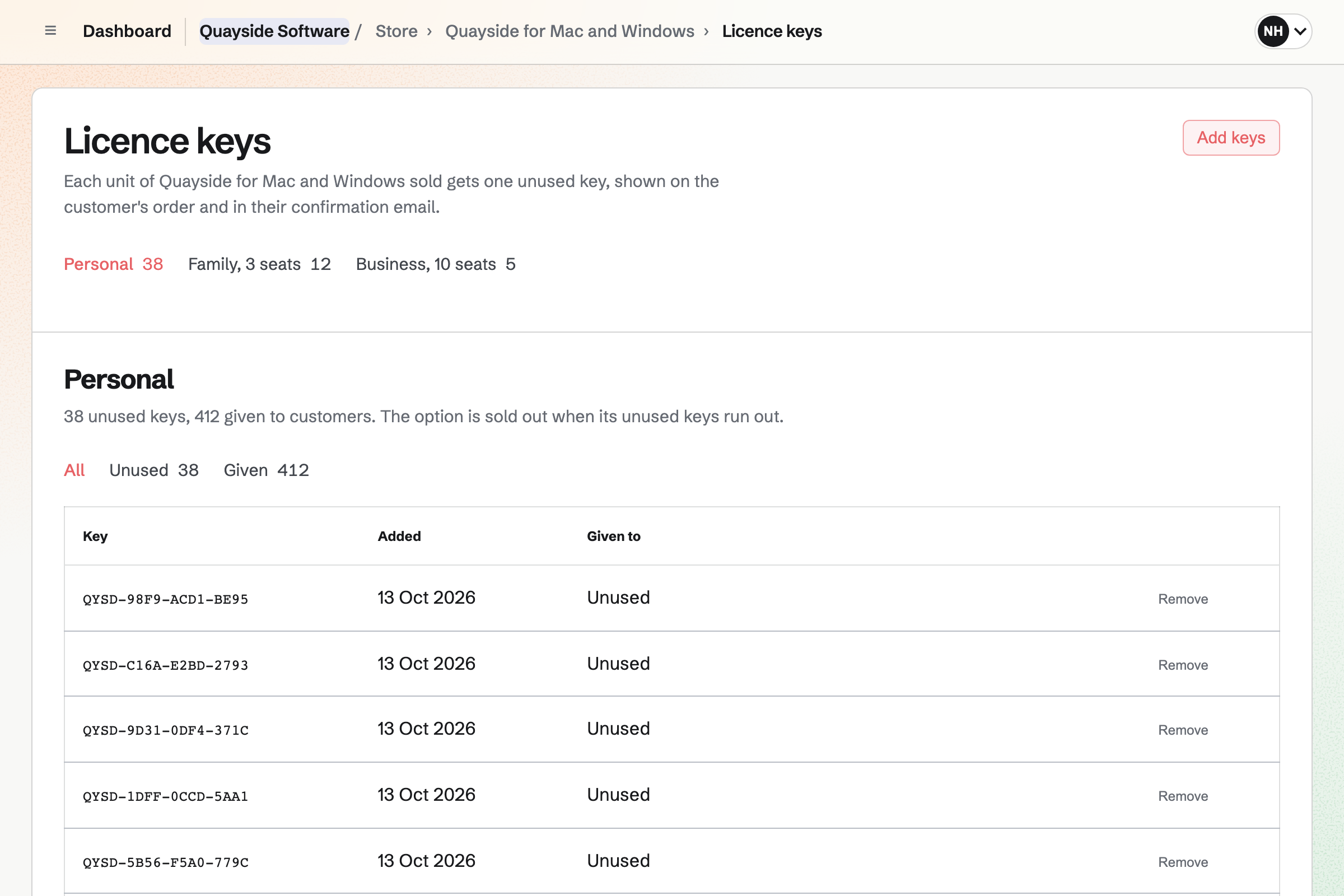
Store sells your app as a ZIP download, one file for Mac and one for Windows. You add the licence keys you already have, and each sale takes one.
The key shows on the order page and in the confirmation email. When you replace a file, you can email every buyer who can still download it.
Newsletter keeps your mailing list, with double opt-in on its sign-up page. Checkout can ask buyers to join.
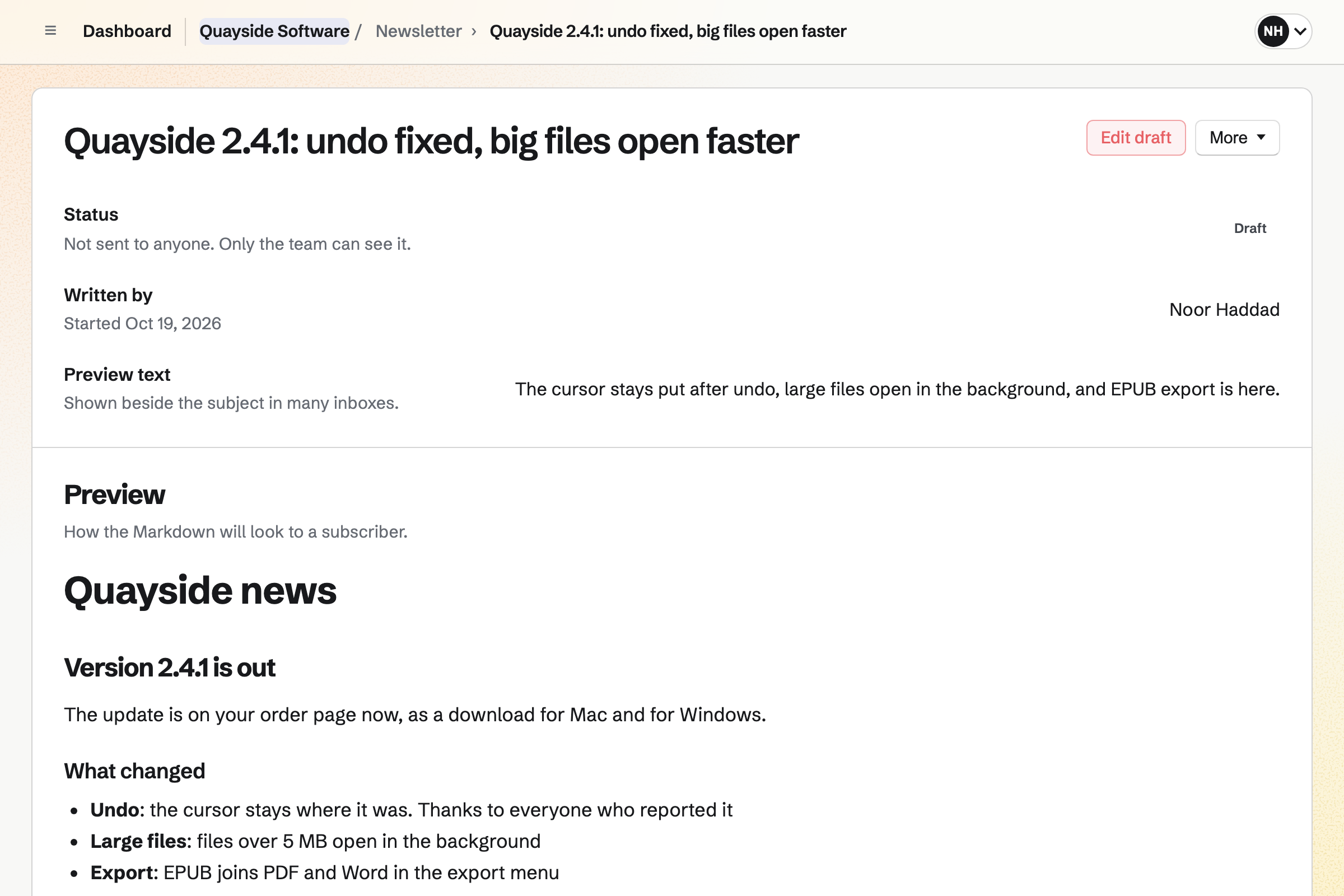
You write each issue in Markdown, send yourself a test and schedule it. A sent issue has a web copy you can link from your release notes.
Supporters gives you a public page with a free tier and monthly paid tiers. Supporters pay by card, into your own Stripe account.
Posts can go to everyone, or only to paying supporters, such as an early build's notes.
A user fills in your public bug form.
You accept it into a project, with a priority.
You push the fix to your repository.
The new ZIP replaces the old one in your shop, and buyers can be emailed.
The newsletter tells your users what changed.
You make it private or public, and push your code. Help: Git Repositories.
You choose the project its reports go to. Help: Triage and public issue forms.
You upload the ZIP and add your licence keys. Help: Sell digital products, files and licence keys.
You connect your Stripe account, so buyers can pay by card. Help: Connect Stripe to receive money.
A developer working alone fits Pro, for your own work in Personal. The REST API and API keys need Pro.
Magpie adds no fee to your shop's sales. Magpie's fee on supporters' payments is 3%. Stripe's processing fee is taken from each card payment. Prices are on the Pricing page.
An open-source maintainer runs a public project and its community.
An indie game developer builds a game and its community.
A software startup plans, builds and ships as a small team.
A web designer builds clients' websites and hands them over.
A digital product seller sells templates, presets and downloads.
Yes. A repository is private to you or your team, or public. A public repository has a page with its files, commits and clone address. Anyone can read and clone it.
You clone and push over HTTPS with an access token. A token can be for reading, writing or both. It can be saved straight to Password Vault.
Yes. A public bug form asks for a title, a description and an optional email. Reports go to Triage, or to the project the form names. Only editors see the reporter's email.
Yes. Issues imports a GitHub Issues export made with GitHub CLI, or a CSV file. An import holds up to 200 issues. Issues export as CSV or JSON.
Yes. Signed webhooks send seven kinds of event, verified with HMAC-SHA256. A failed delivery is tried up to 5 times.
Yes. You add the keys you already have to a download product. Each sale takes one unused key. An option's stock is its count of unused keys. Keys are stored encrypted.
Yes. When you replace a file, buyers get the new one from their order page. You can email every buyer who can still download it.
Yes. A download period sets how many days buyers can download. A second limit sets how many times for each file. Both can be left empty.
Yes. A files website serves your HTML as it is. It can also build the site from Markdown in a repository. A site can be at your own domain.
Yes. Mail gives your domain mailboxes, addresses such as support@, and a catch-all. Magpie lists the SPF, DKIM and DMARC records your domain needs.
Yes. Design System documents your colours, type and components. Your coding assistant can import them from your codebase. It exports a DESIGN_SYSTEM.md file for assistants.
Magpie adds no fee to your shop's sales. Supporters' payments carry Magpie's 3% fee. Stripe's processing fee is taken from each card payment.
Create a Magpie account and push your first repository.