Podcasters
A podcaster records, publishes and grows a show.
YouTubers, streamers and video creators
A creator working alone uses Magpie in Personal. A channel with an editor and a producer can work in one Magpie team.
Get started free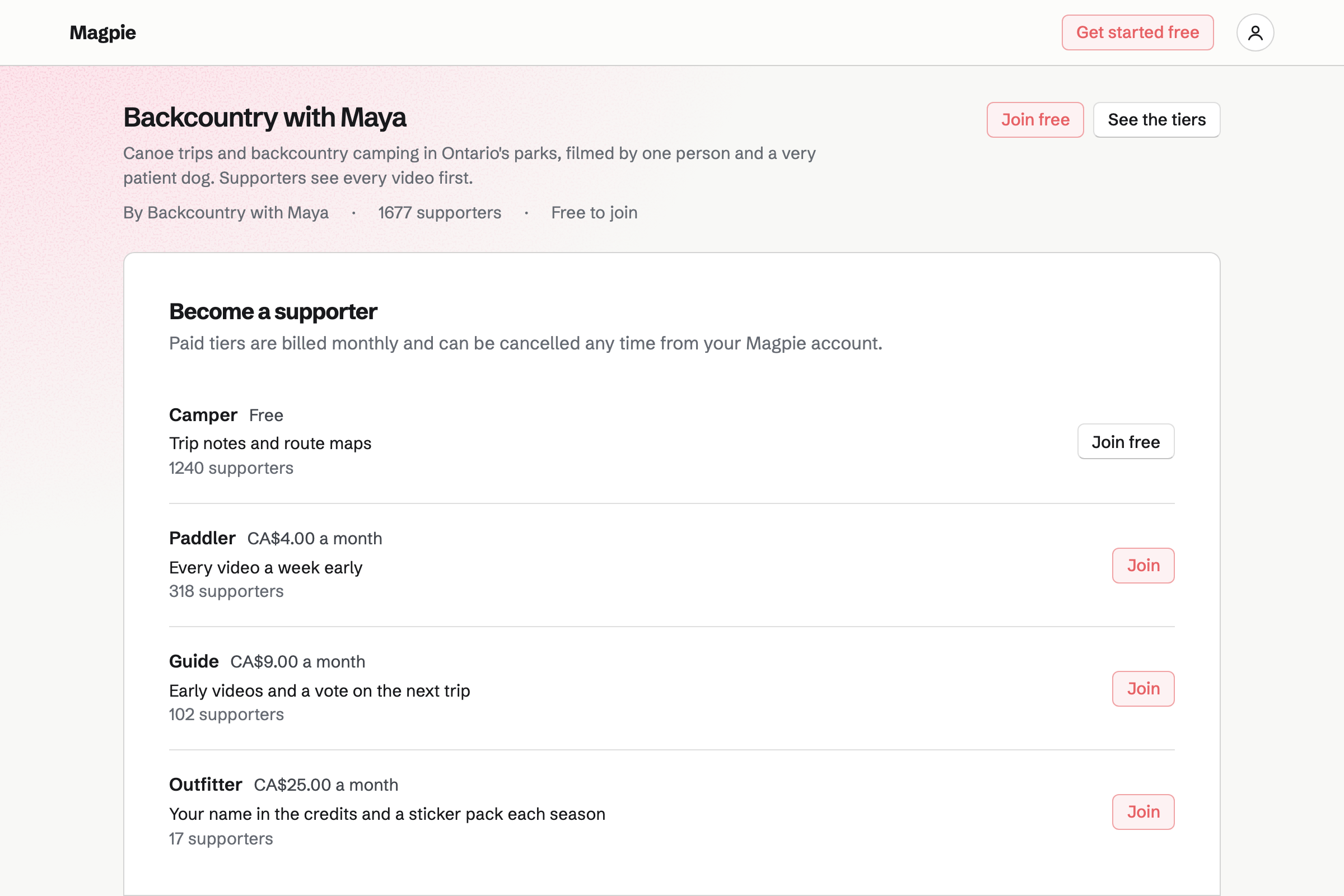
Screen Recorder records your screen, a window or a tab, with your camera beside it. The teleprompter scrolls your script from a Document as you talk.
The editor trims the start and end, cuts out mistakes and adds images over the video. The download is an MP4 with your edits, ready to upload.
Supporters gives you a public page with a free tier and monthly paid tiers. Supporters pay by card, and the money goes to your own Stripe account.
You post updates, photos and videos for everyone, or only for paying supporters. A poll lets them choose the next video's topic.
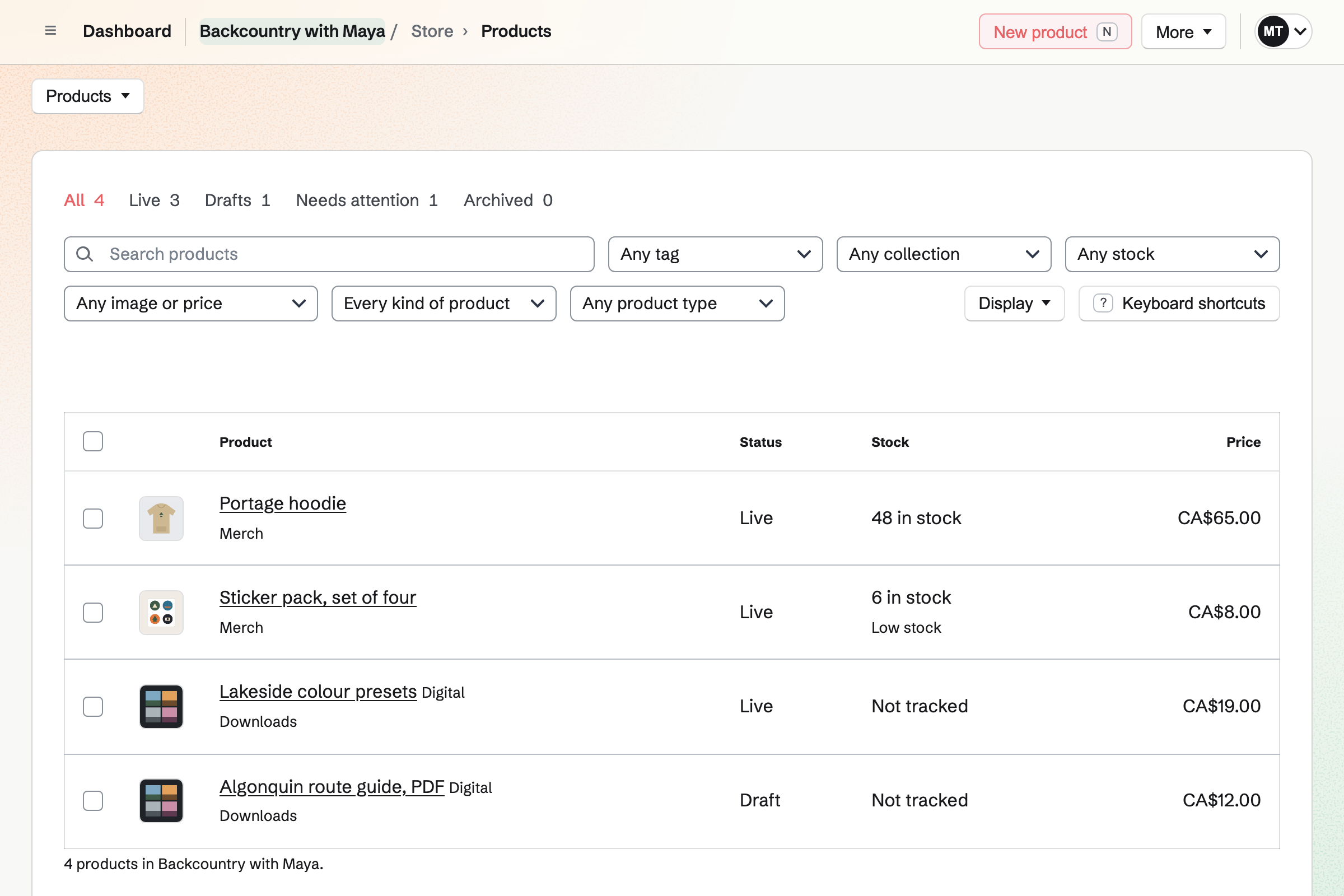
Store is your online shop. A hoodie comes in sizes, each with its own stock. A preset pack or a guide sells as a download.
A drop can go live at the hour you announce. Buyers pay by card into your own Stripe account, with no Magpie fee.
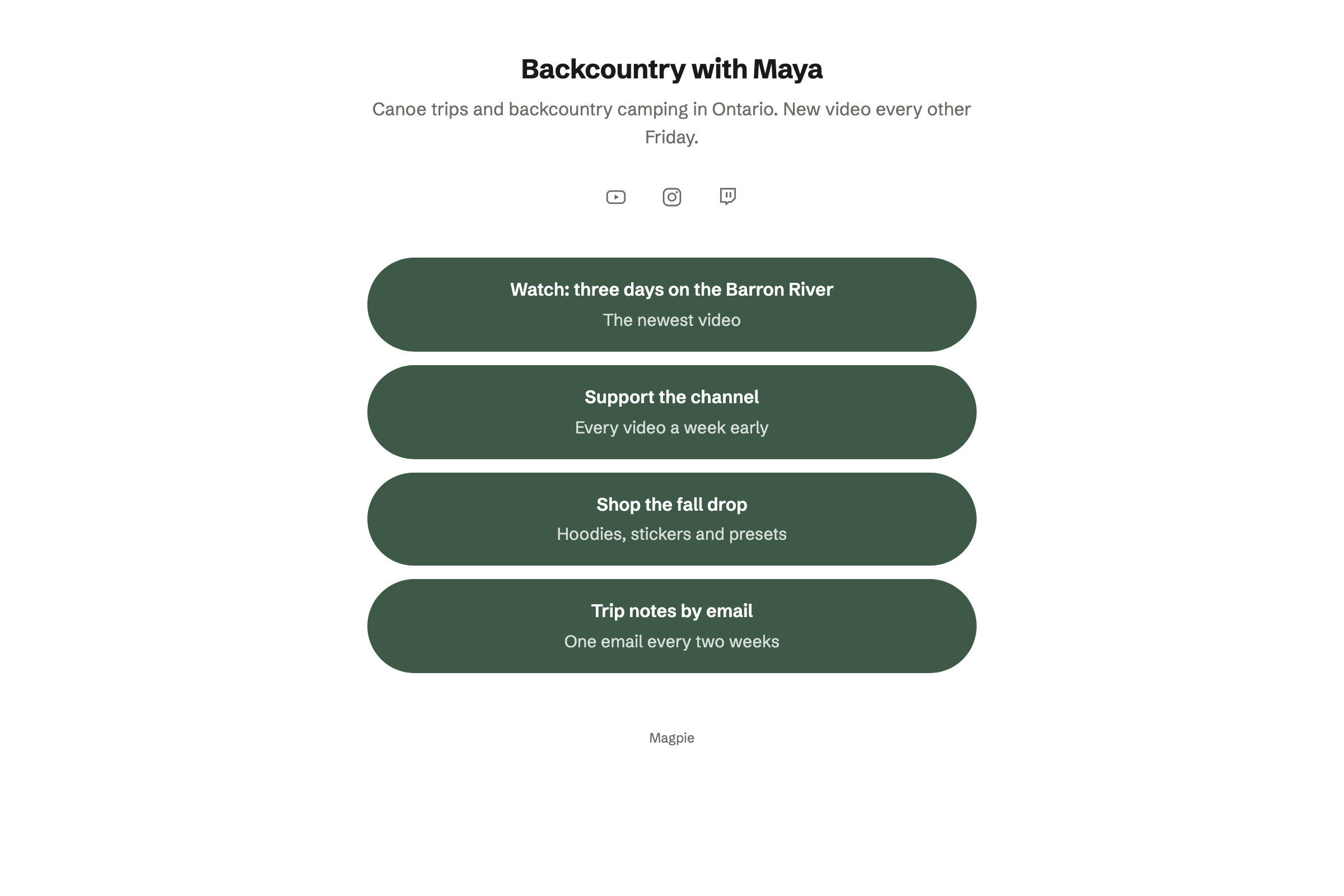
Link-In-Bio List is a page of links. YouTube, Twitch and Instagram show as icons. A block links to your shop or supporters page.
Analytics shows the page's views and the clicks on each link. It can use your own domain.
Social Media posts to Bluesky, Mastodon and LinkedIn at their time. For Instagram and X, Magpie reminds you and opens the post filled in.
A campaign holds a video's posts, from the teaser to release day. Design Canvas has a video thumbnail starter at 1280 by 720.
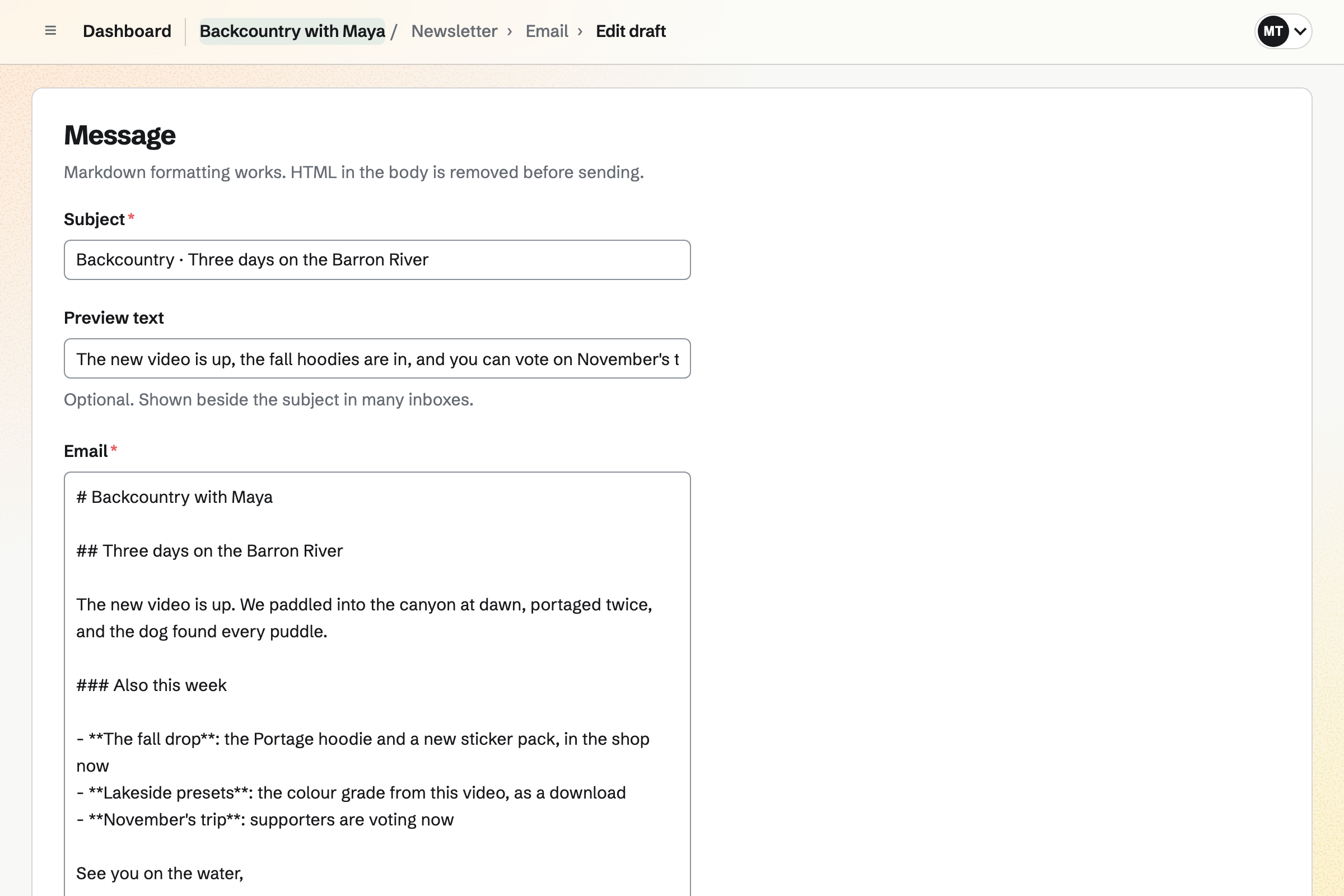
Newsletter gives you a sign-up page with double opt-in, and checkout can ask buyers to join. You write each issue, send yourself a test and schedule it.
A sent issue has a web copy, which can start a social media post.
Each step starts from what the last one made.
You write the script in a Document.
You record, reading the script from the teleprompter.
You trim the take, cut the mistakes and download the MP4.
Paying supporters see the video in a post before you publish it elsewhere.
A campaign of posts and the newsletter announce it.
The new hoodie goes live in the shop the same hour.
You choose your screen, camera and microphone, and record. Help: Record your screen.
You set your free and monthly tiers. Help: Set up Supporters.
You add your merch and downloads, and publish it. Help: Set up and publish a Store.
You connect your Stripe account, so your audience can pay by card. Help: Connect Stripe to receive money.
A creator working alone fits Pro, for your own work in Personal. Recordings run up to 30 minutes on a paid plan, and 3 minutes on the free plan.
Magpie adds no fee to your shop's sales. Magpie's fee on supporters' payments is 3%. Stripe's processing fee is taken from each card payment. Prices are on the Pricing page.
A podcaster records, publishes and grows a show.
A social media manager runs several clients' accounts and campaigns.
An indie game developer builds a game and its community.
Yes. The teleprompter scrolls your script from a Document, or text you type. You set its text size, its pace and a target length. It can be mirrored for a glass teleprompter, or popped out.
Yes. Your camera can sit in a corner bubble, or beside the screen in a split view. The microphone and the tab's audio are recorded too.
Yes. You split the timeline at a mistake and remove the segment. Trimming the ends and adding images over the video work the same way. The original file is never changed.
You download the MP4, with your edits, and upload it to YouTube yourself. A recording's own share page also has a link anyone can watch.
Up to 30 minutes on a paid plan, and 3 minutes on the free plan.
Yes. A post can hold a video for paying supporters only, or for chosen tiers. The video is a recording or an uploaded file from Screen Recorder. Others see the post's title and excerpt.
Yes. A download product holds the files, each up to 500 MB. Buyers download them from the order page and the confirmation email.
Yes. Design Canvas has a video thumbnail starter at 1280 by 720. It has a photo and a bold title to change. Image Converter crops stills to 16:9 and converts them.
Magpie adds no fee to your shop's sales. Supporters' payments carry Magpie's 3% fee. Stripe's processing fee is taken from each card payment.
Create a Magpie account and record your first take.