Bike shops and repair workshops
A bike shop books services the same way. It also sells bikes online and hires out a fleet.
Auto repair garages and detailers
The garage, its mechanics and the front desk work in one Magpie team.
Get started free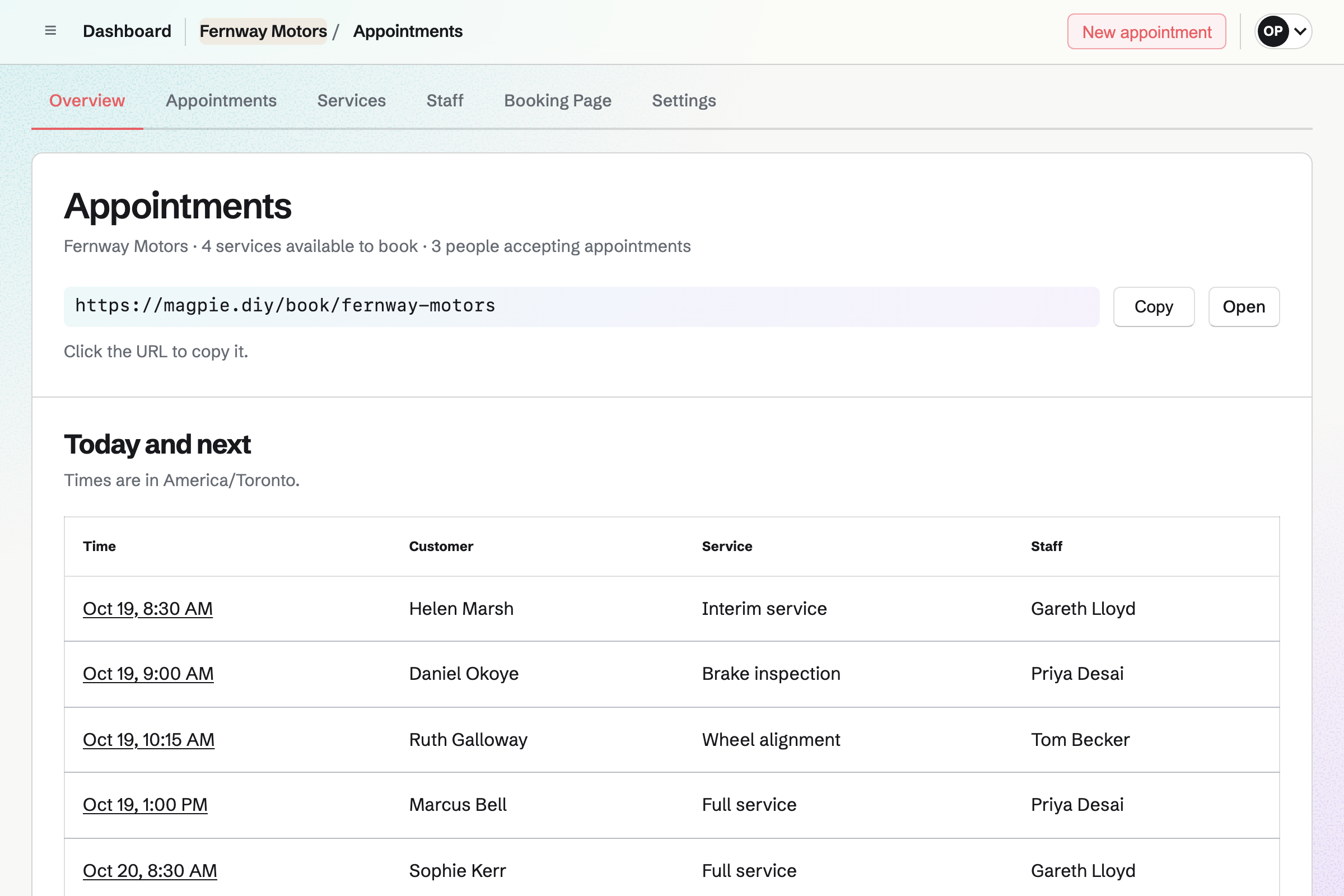
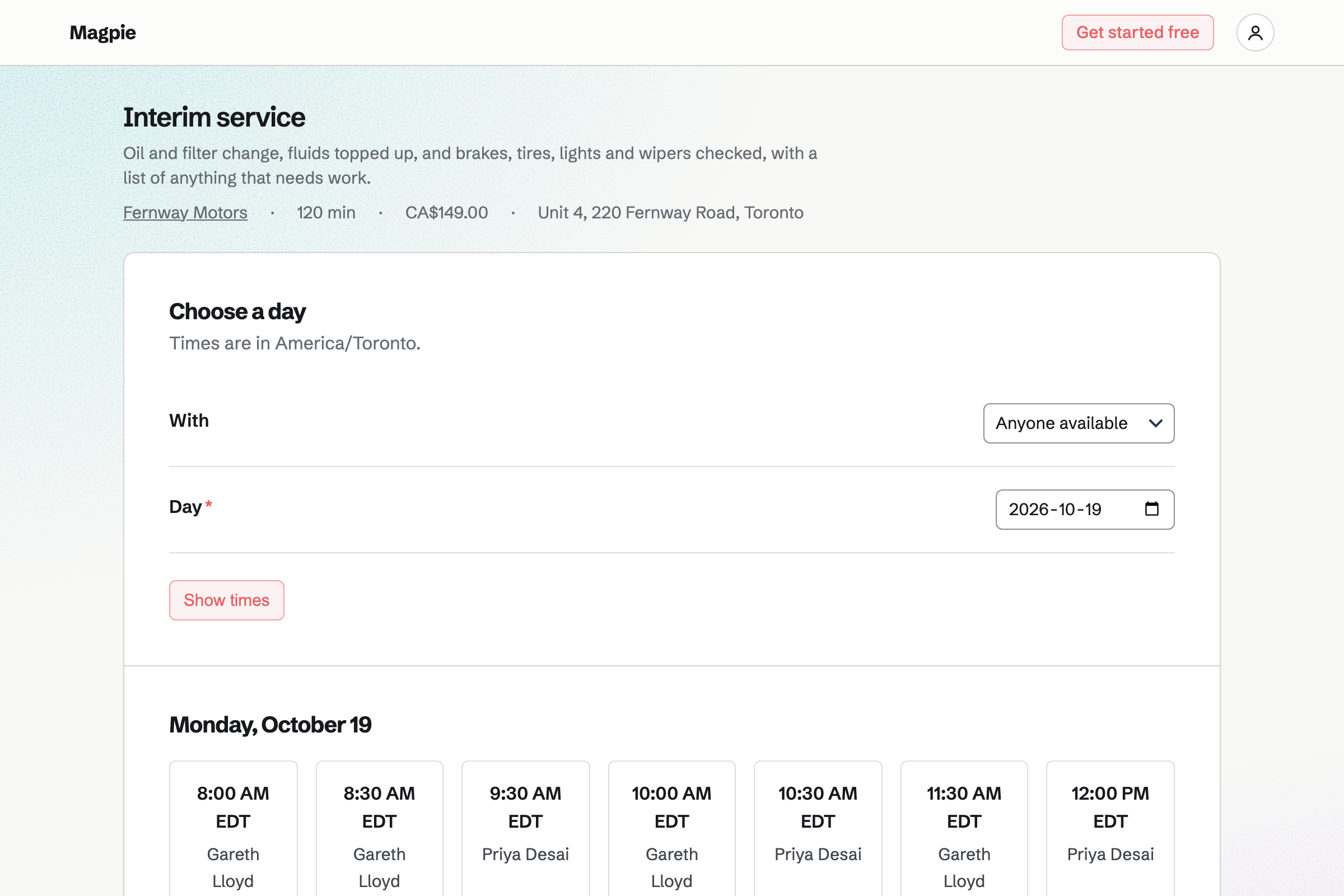
Appointments gives the garage a booking page. Each service has its length, its price and the mechanics who do it. Customers choose a service and a free time, with no Magpie account.
A time is offered only when the mechanic is free. You can add phone and walk-in bookings, checked by the same rules. Each booking will be added to the mechanic's Calendar.
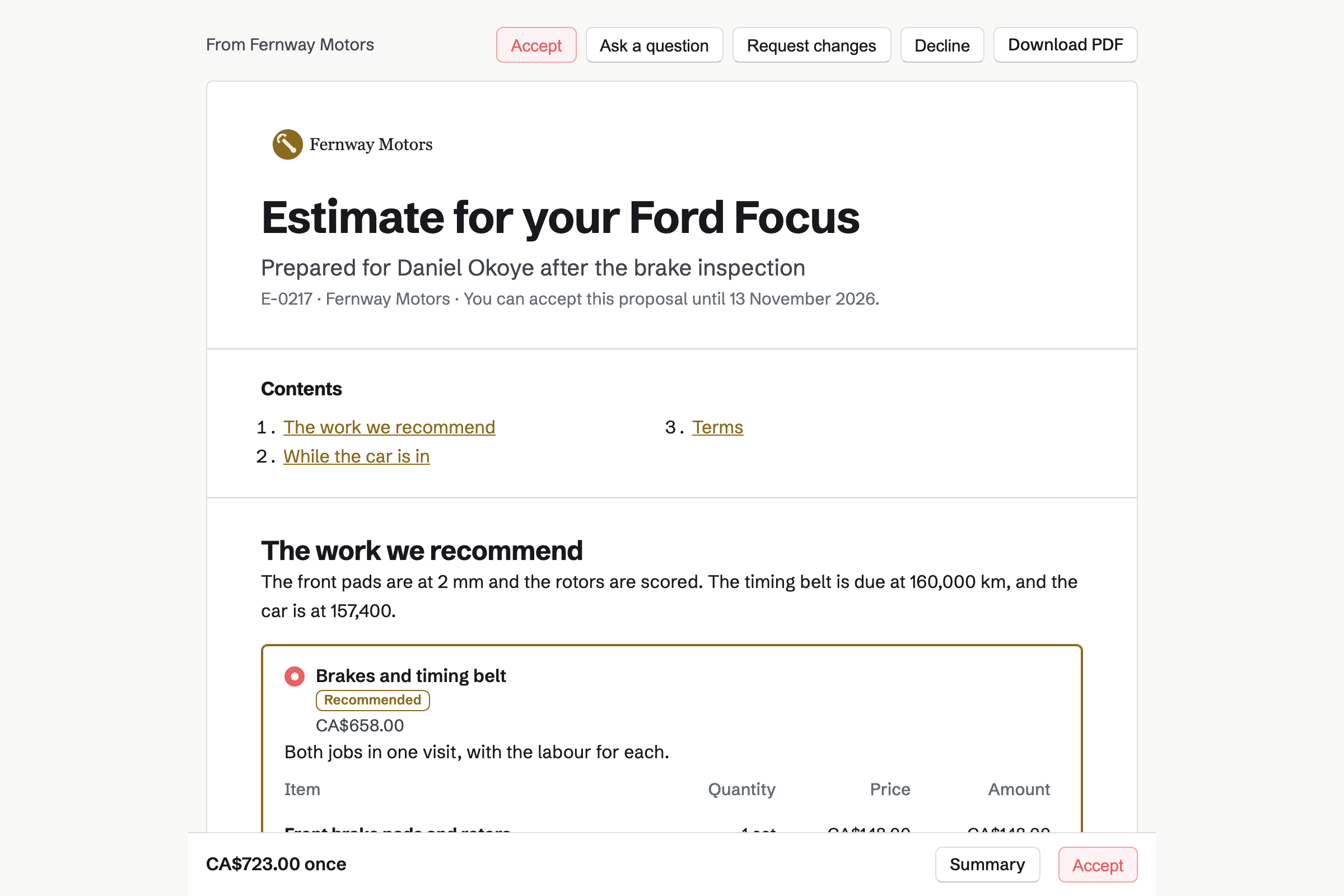
Proposals turns a bigger job into an estimate the customer opens from their own link. Each line has its labour or part and its price. A line can be optional, such as new wiper blades, for the customer to add.
The customer signs with a finger or a mouse, and needs no Magpie account. You will see when they open it. When the work is done, the final payment becomes an invoice.
Inventory lists the parts you keep, such as oil filters, brake pads and wiper blades. Each can carry its part number and barcode, and search finds either. A part below its minimum is marked Low.
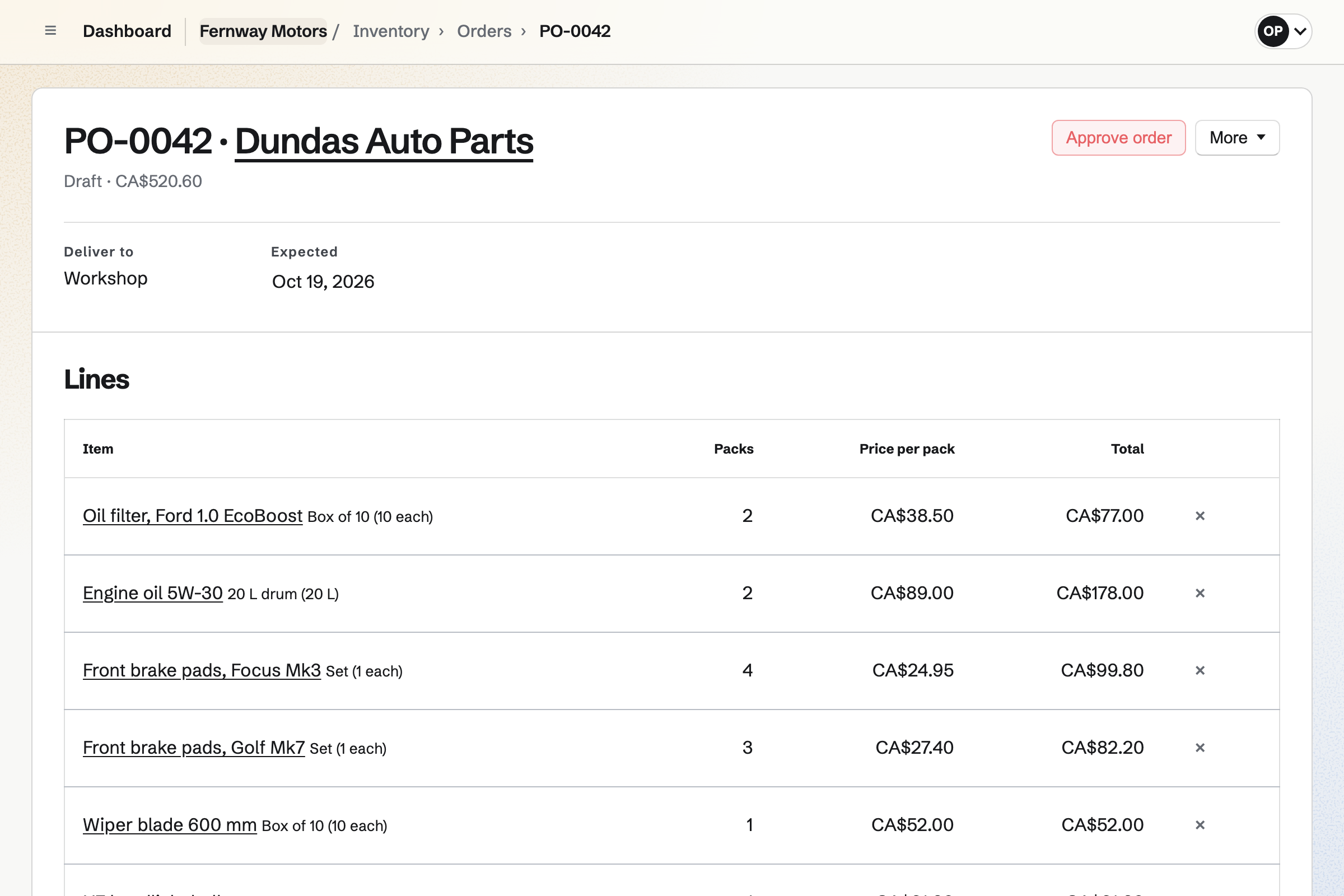
From the list of what is running low, you start an order for each parts supplier. You can email it from Magpie. Receiving the delivery will add the parts to stock at the price charged.
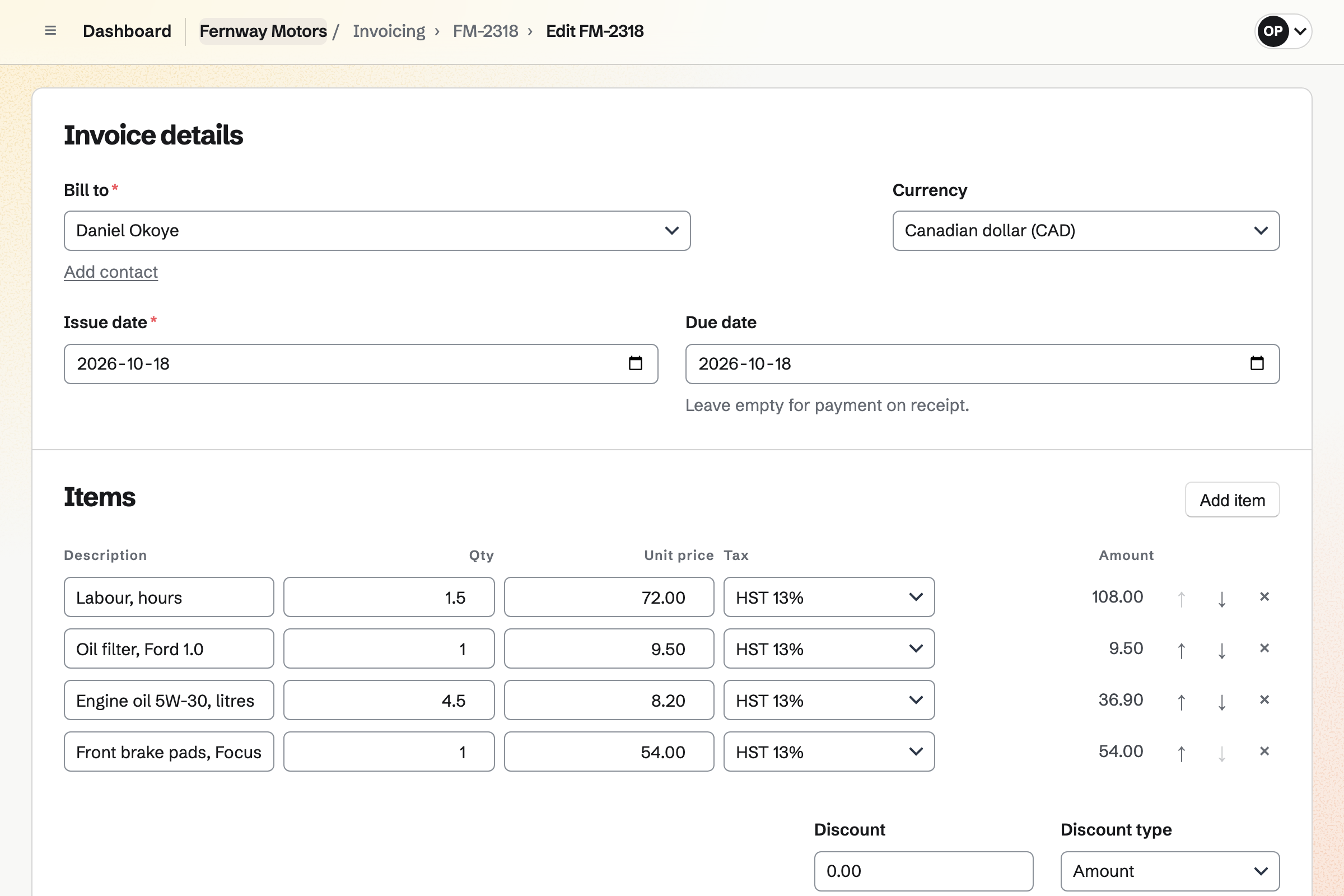
Invoicing bills the customer's contact. The labour can be 1.5 hours at your rate, with a line for each part. Each line has its own tax rate.
The email carries the PDF and a Pay online button. The customer pays by card, into your own Stripe account. When they pay at the counter, you record the cash or the card payment.
Contacts keeps your customers. Each booking links the customer to their contact by email address, or adds one. The contact's history lists their appointments, estimates and invoices.
A pinned note can hold the car's make, model and registration. A follow-up reminds you when their next service is due. Follow-ups lists every open one.
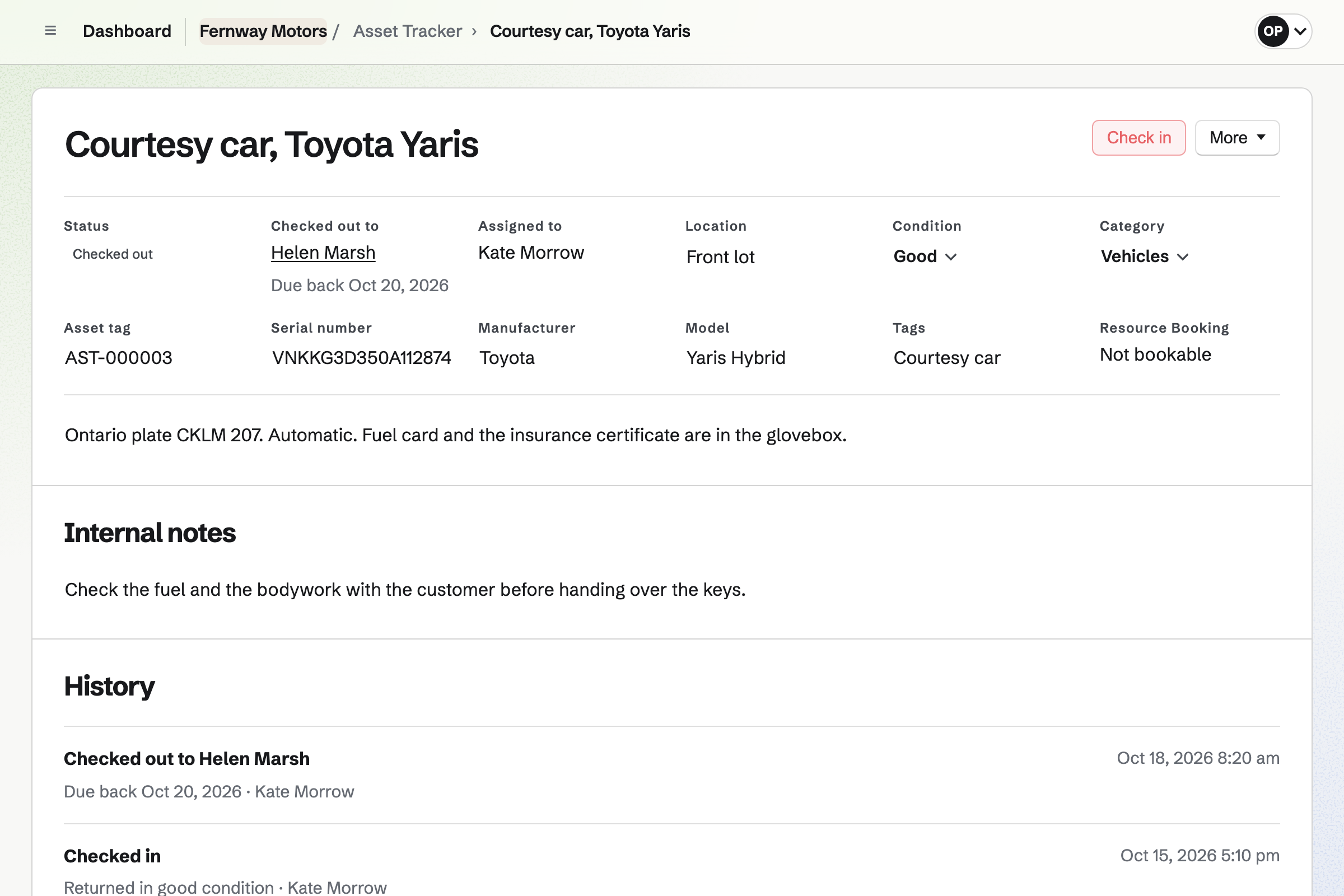
Asset Tracker keeps the garage's own equipment: the courtesy car, the lifts and the scanner. Each has its tag, serial number, photos and manuals. You check the courtesy car out to the customer's contact, with a due-back date.
Checking it in records the condition it came back in. A lift can go into maintenance with a reason. Its history lists every checkout and every repair.
The customer's details are typed once, when they book.
They choose a service and a time, and get a confirmation email. The booking will be added to the mechanic's Calendar.
The booking links them to their contact by email address, or adds one.
For a bigger job, you send an estimate to that contact. They accept and sign it online.
You take the parts the job used out of stock, with a note of the car.
You bill the accepted estimate's final payment. A smaller job gets an invoice of its own. The customer pays by card from the email.
The payment will be added to the books, with Stripe's fee. The contact will list the appointment, the estimate and the paid invoice.
You create a team and invite the mechanics and the front desk. Help: Create and manage a team.
You add each service with its length and price, and give each mechanic weekly hours. Help: Set up Appointments.
You connect your Stripe account, so invoices and estimates can be paid by card. Help: Connect Stripe to receive money.
You add each part with a minimum, then record what is in stock now. Help: Keep track of stock.
You add each as an asset, with its tag and serial number. Help: Track individual assets.
A garage with mechanics is a team. The Team plan is one price for the whole team, with 25 member places. It has no limit on contacts, invoices or estimates. Appointments, Inventory and Asset Tracker are on every plan.
A free team has 3 member places and 100 contacts. It creates 5 invoices and sends 5 estimates a month. Magpie adds no fee to card payments; Stripe's fee is taken from each. Prices are on the Pricing page.
A bike shop books services the same way. It also sells bikes online and hires out a fleet.
A driving instructor books lessons, bills them each month and shares theory decks with learners.
Yes. Your booking page lists each service with its length and price, such as an oil change. Customers choose a mechanic or Anyone available, then a day and a free time. They enter their name and email address, with no Magpie account. The confirmation email lets them reschedule or cancel until the notice you set.
Yes. You type a service's length as you would say it, such as 4 hours. The appointment and its buffers have to fit inside the detailer's hours. A buffer keeps time free before or after, such as for drying.
Yes. You add the rig as a resource, with its open hours. A service such as a wheel alignment can require it. Times are then offered only while the rig is free, and each booking reserves it. A mechanic's own appointments never overlap either.
Yes. New appointment books a service for a customer who calls or walks in. It is checked against the same hours and rules as the booking page. The customer will get the same confirmation email, with the link to reschedule or cancel.
Yes. You send the estimate, and the customer opens it from their own link. They can add or leave out optional lines, then sign with a finger or a mouse. Everyone will be emailed the signed PDF. The customer needs no Magpie account.
Yes. An estimate's payment schedule can start with a deposit. It will be invoiced when the customer accepts. They can pay it by card from their page. The rest is billed on a date, at a milestone or as the final payment.
You invoice the customer's contact, with a line for the labour and one for each part. Each line uses one of your named tax rates, such as VAT. Sending emails the PDF with your own message and a Pay online button. Reminders will go out until it is paid.
Yes, once you connect your Stripe account. The invoice email has a Pay online button. The customer pays the balance without a Magpie account. The money goes to your Stripe account. Magpie adds no fee, and Stripe's processing fee is taken from each payment.
Yes. You record the payment on the invoice as cash, card, transfer or cheque. It can be part of the balance. The invoice moves to Paid when payments reach its total. Each payment is added to the books.
Yes. Each booking links the customer to a contact by email address. The contact's history lists every appointment, estimate and invoice, with notes of your own. A pinned note can hold the car's make, model and registration.
Yes. A follow-up on the customer's contact has a date and a reason. The reason can be their next oil change. It becomes a To-do, with reminders for you. Follow-ups lists every open one, with the overdue ones first.
Yes. Each part has a minimum, and it is marked Low below it. Running low lists the packs to order from each part's usual supplier. Draft orders turns the list into an order for each supplier. You email it from Magpie, and receiving it adds the parts at the price charged.
You take them out of stock, with a reason. The note can name the car's registration. History lists every change, with who made it. A count corrects a shelf's stock to what is really there.
Yes. Asset Tracker keeps the courtesy car as an asset. You check it out to the customer's contact, with a due-back date. A car not back by then is listed under Overdue. Checking it in records its condition, and its history lists every checkout.
Yes. Each lift or tool is an asset, with its serial number, photos, receipts and manuals. Start maintenance takes it out of use with a reason. End maintenance records what was done. Its history lists every maintenance, with who did it and when.
Yes. You plan the week's shifts and publish them. Each person will see their own shifts, with a reminder before each one. They can swap with a coworker, ask for cover or ask for time off.
Yes. A Form can ask for the car, the work needed and photos of the damage. You put its link on your website or share it. Each request will be emailed to you, and Export CSV downloads them all.
Yes. You build the website from sections, and write your services, hours and address. It can link to your booking page and your quote request. The website will be at a Magpie address, or at the garage's own domain.
Create a Magpie account and make a team for the garage.