Families and households
A family shares a calendar, lists and a family chat.
Caring for a family member
You and your brothers and sisters work in one Magpie team for the care. A neighbour or a carer can be given just one list.
Get started free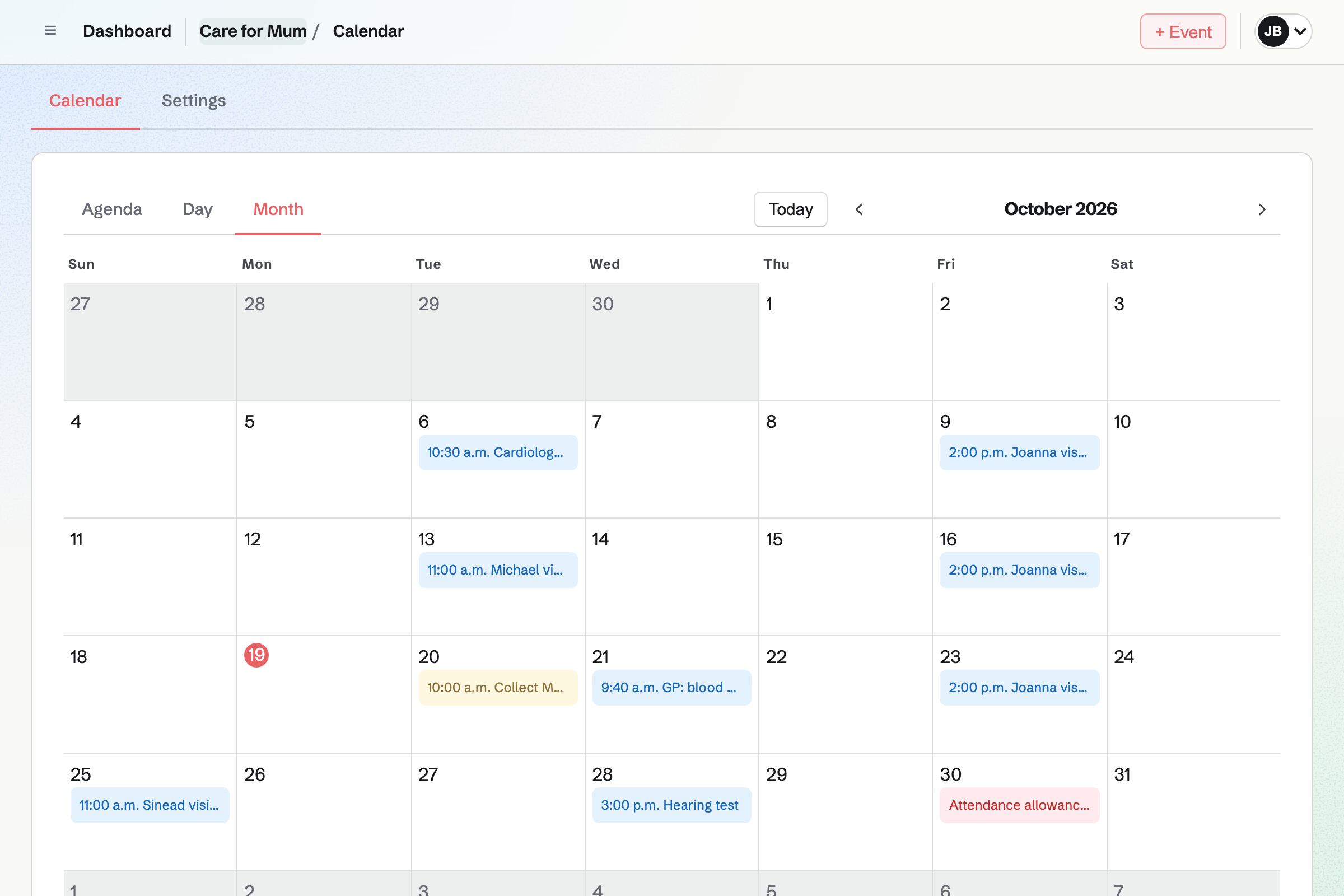
Calendar shows the care team's events to everyone in it, from appointments to each person's visits. To-dos with a date show on it too.
Your own meetings and work stay on your own calendar.
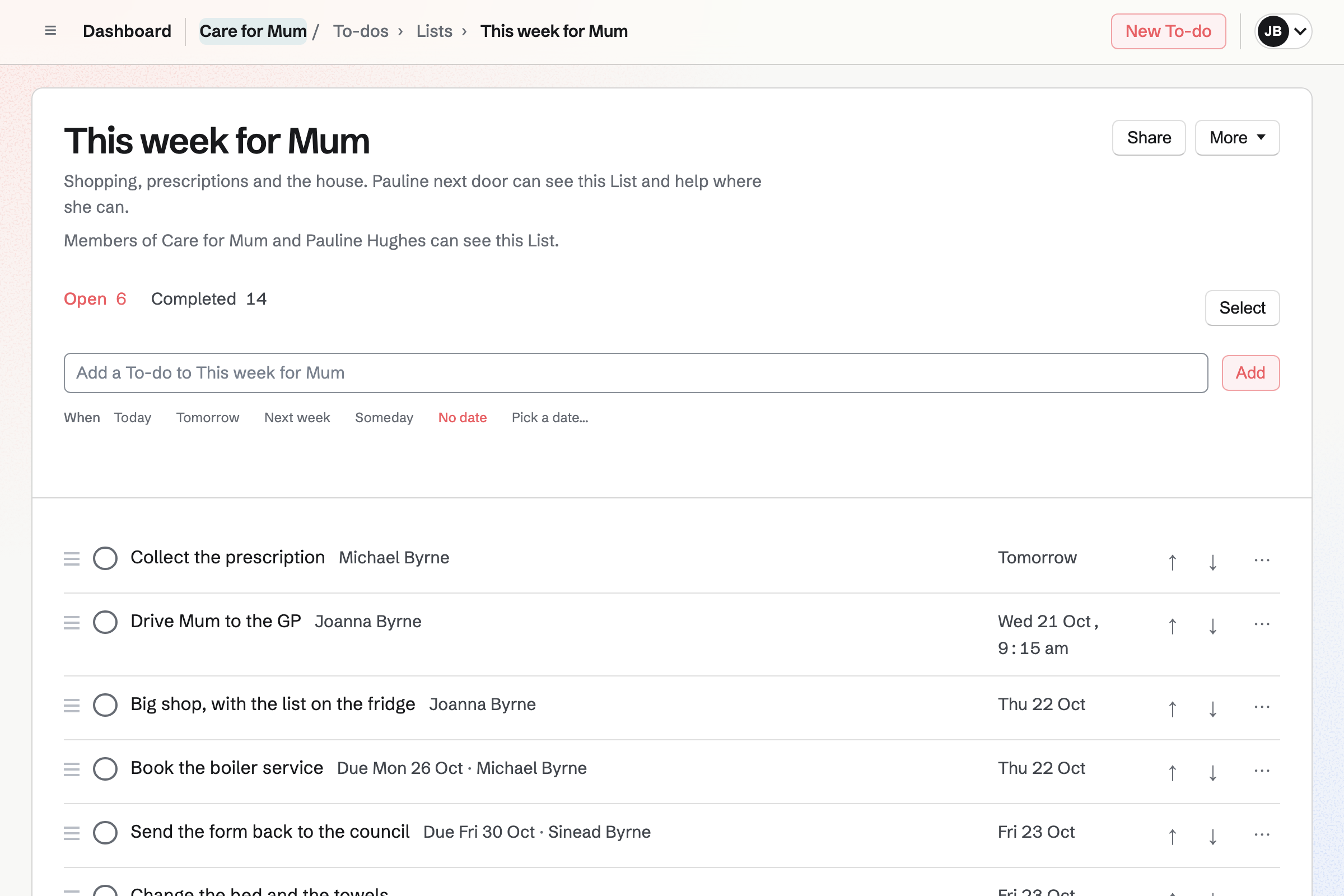
To-dos holds the week's jobs, each given to one of you, with a reminder by email. A To-do can repeat every two weeks, such as collecting a prescription.
A List can be shared with a neighbour or a carer, by their handle. They see that List and nothing else.
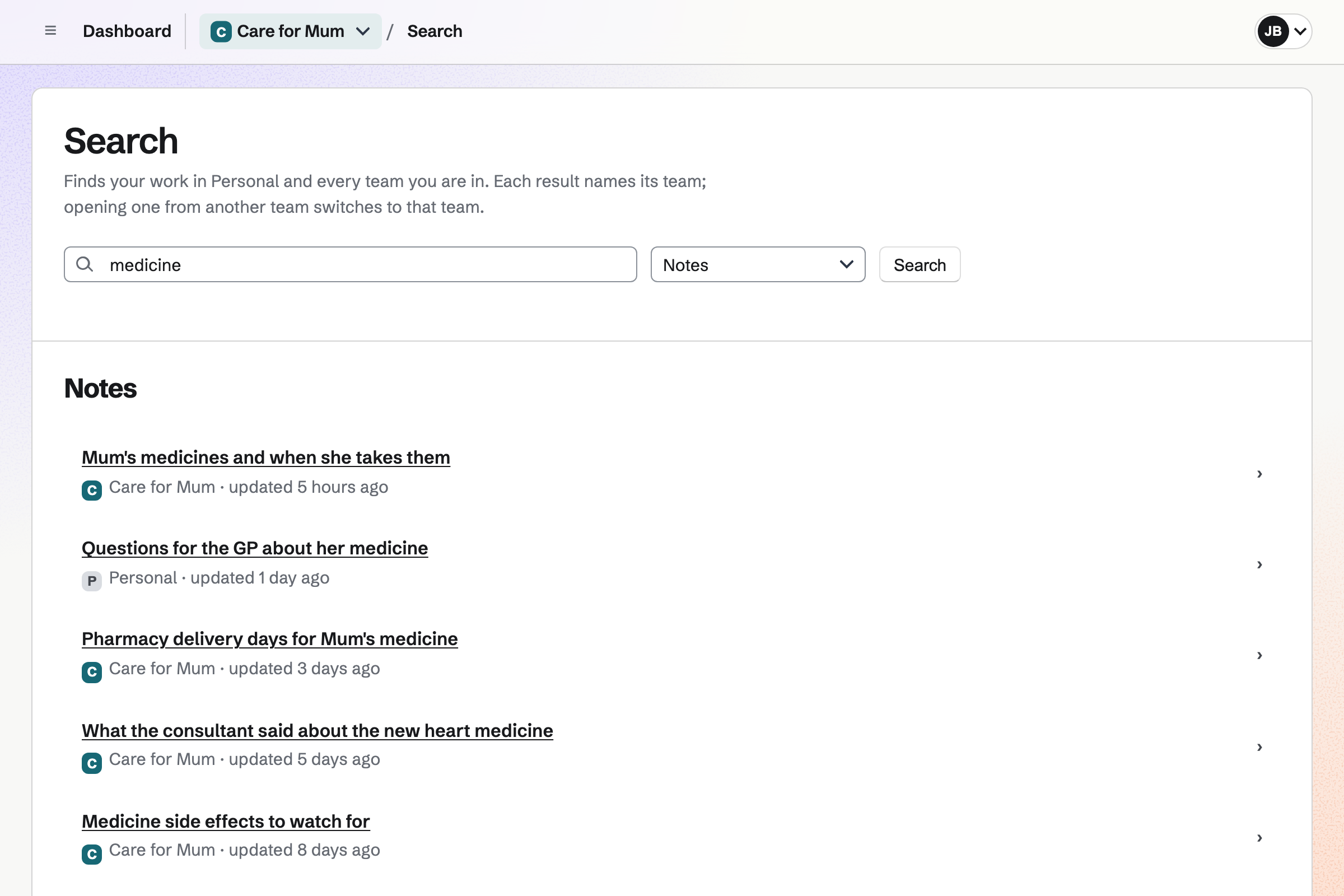
Notes keeps the care notes, open to everyone in the care team. Each note is saved as you type, with checklists.
Search finds a note by its words, such as the name of a medicine.
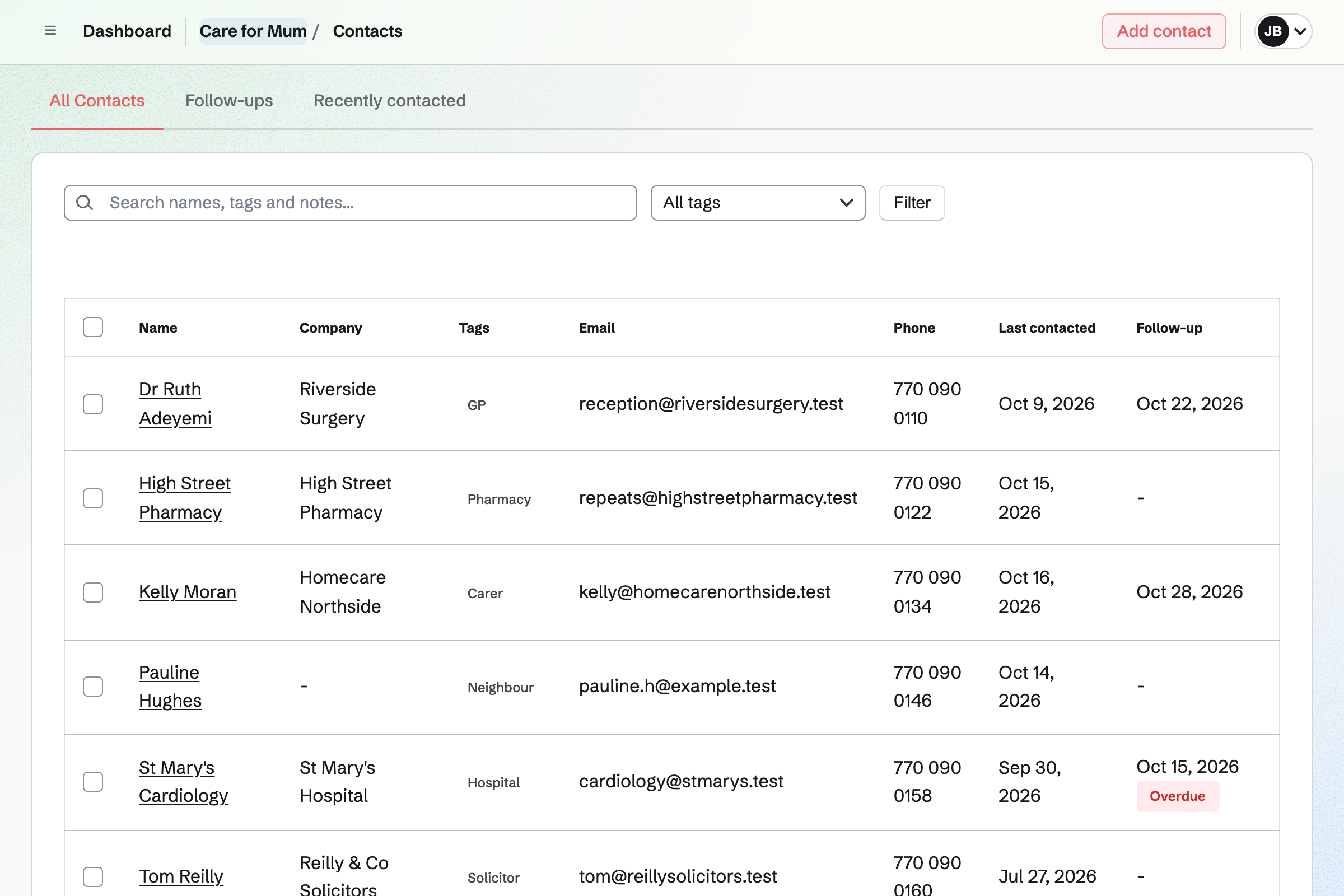
Contacts keeps everyone involved, with their numbers and notes on each call. A follow-up becomes a To-do, such as ringing about test results.
Everyone in the care team sees the same list.
Team chat gives the care team channels, such as one for the hospital. You can reply in a thread and add pictures.
Everyone sees the same messages, so nobody has to pass them on.
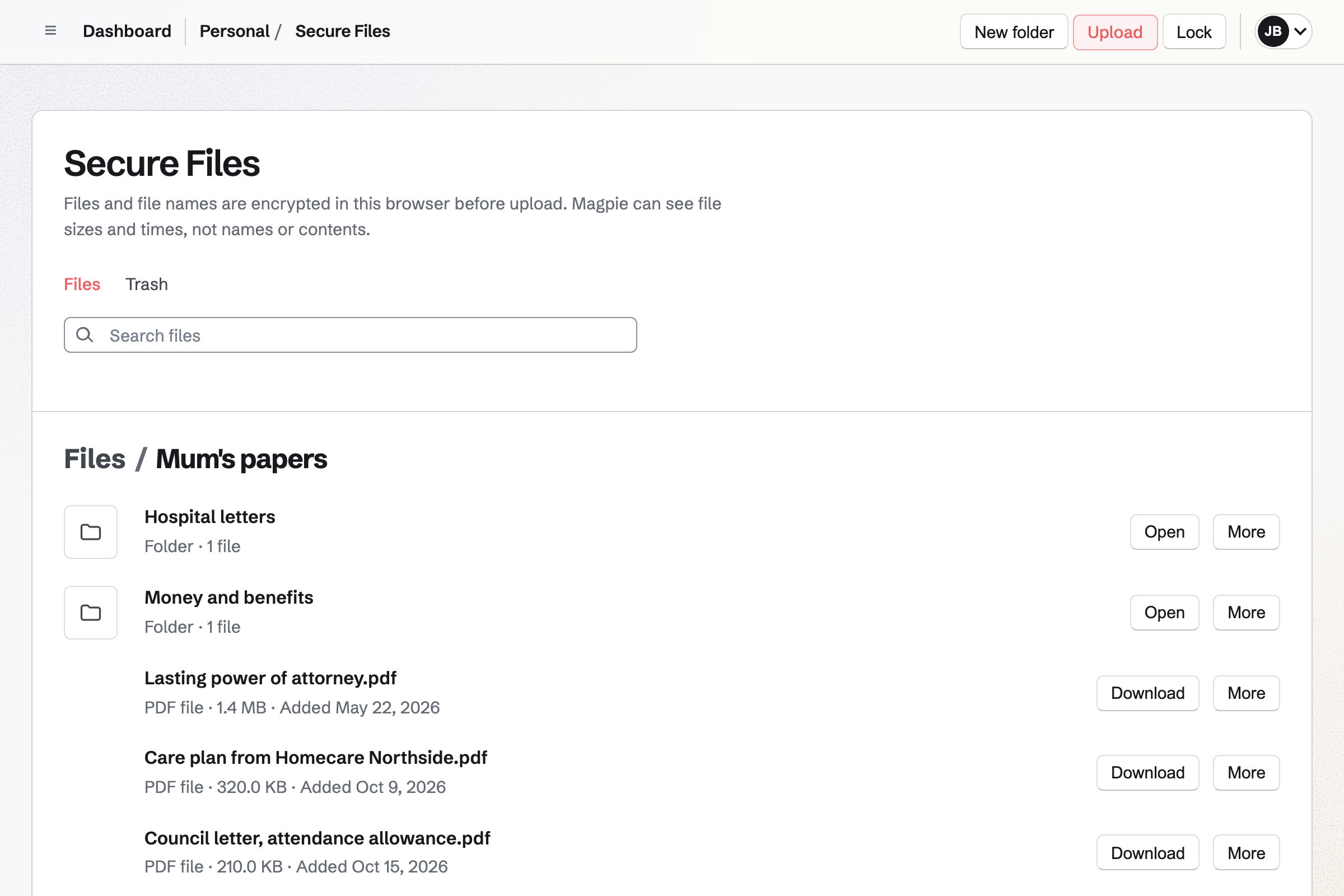
Secure Files keeps your copies of papers, such as the power of attorney, encrypted. Each person's files are their own.
A secure link sends one file to someone, such as a sister or the bank. It expires when you choose.
The appointment goes on the calendar.
A To-do says who is driving.
What the consultant said goes in a note.
The family hears the news in the hospital channel.
A follow-up reminds you to ring about the results.
You invite your brothers and sisters by their handles. Help: Create and manage a team.
Each one goes on the calendar. Help: Use Calendar.
Each To-do goes to one of you. Help: Use To-dos.
Each of you keeps your own copies. Help: Secure Files.
A care team on the free plan has places for 3 people, and the Team plan for 25. A neighbour or a carer can be a guest with only one List. A guest takes no place.
Secure Files is on every plan. Prices are on the Pricing page.
A family shares a calendar, lists and a family chat.
Someone leaving Big Tech moves their email, calendar and files.
Yes. Events in the care team show to everyone in it, with To-dos that have a date. A private event is seen only by the person who made it.
Yes. Each To-do can be given to one of you, with a reminder by email. The team's To-dos list shows who is doing what.
Yes. A To-do can repeat every week, every two weeks or every month. The next one is scheduled when you tick off the current one.
Yes. A List can be shared with them by their handle. They see that List and nothing else of the care team's.
Yes. Notes keeps them, open to everyone in the care team. Search finds a note by its words.
Yes. Secure Files keeps your copy encrypted in your browser. A secure link can send it to someone, expiring when you choose.
Create a Magpie account and make a team for the care.