Families and households
A family shares a calendar, lists and a family chat.
Renovating your home
You plan the work in one Magpie team for the house, with your partner. Tradespeople get your details and your messages, not your plans.
Get started free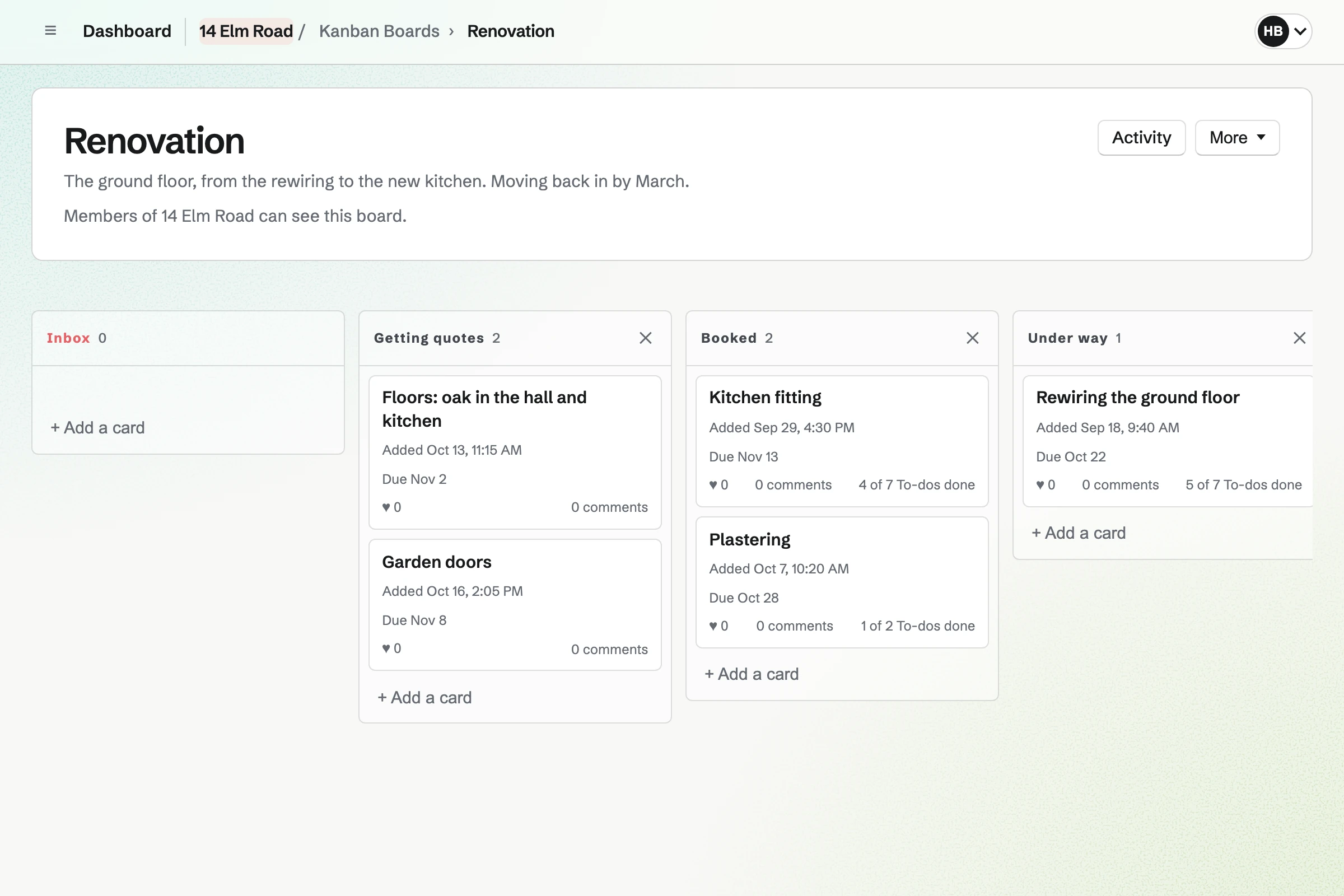
Kanban Boards holds each job as a card, such as the rewiring and the kitchen. Each card has who is handling it, a due date and To-dos.
Quotes, photos and comments stay on the card. You find them when the plumber calls.
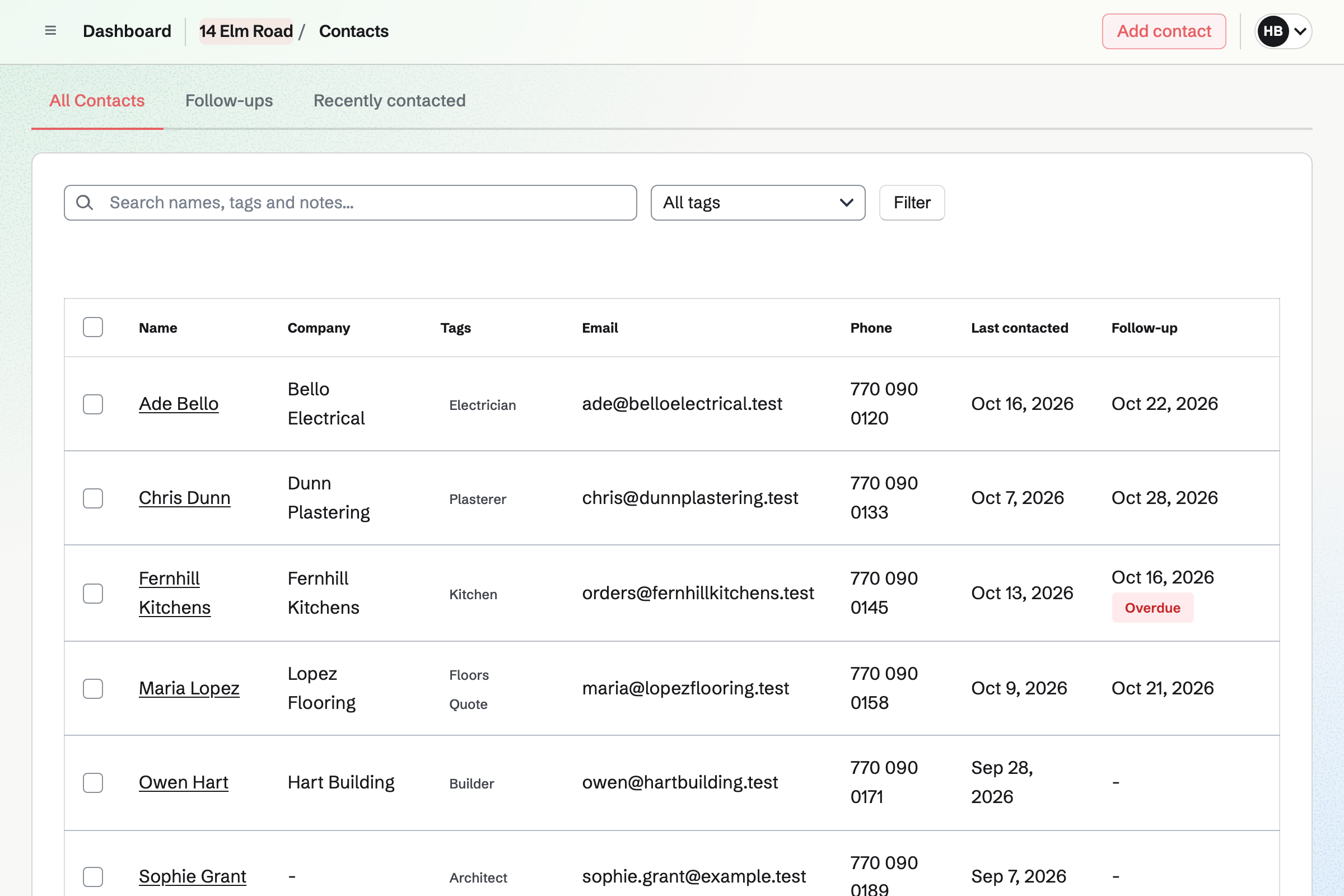
Contacts keeps each tradesperson, with tags such as Electrician and notes on what you agreed. A follow-up becomes a To-do, such as chasing a quote.
The follow-ups list shows who you are waiting to hear from.
Idea Boards holds pictures, notes and links on a canvas, such as tiles and paint colours. You arrange them as you like.
A board exports as a PNG image or a PDF, to show the kitchen fitter.
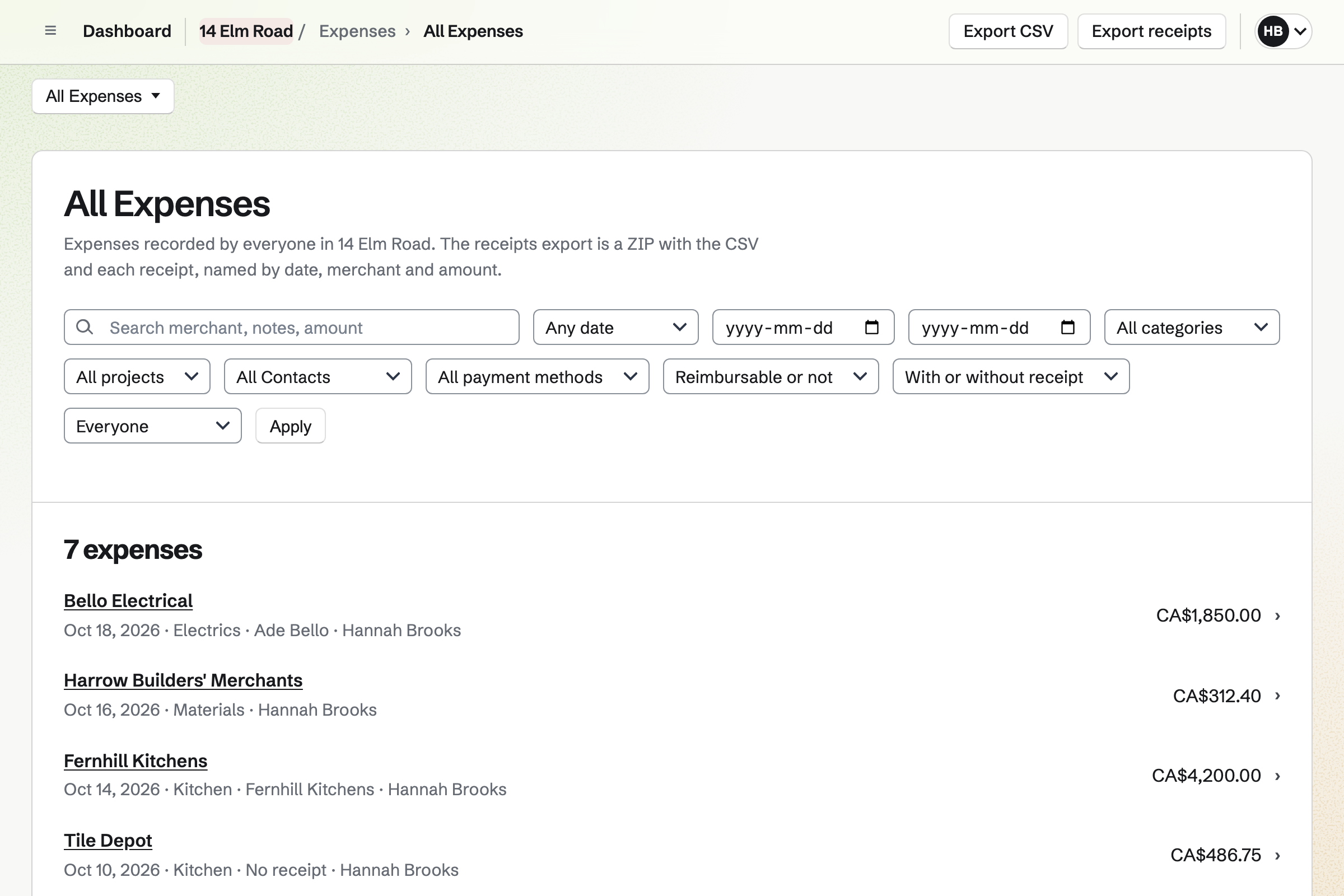
Expenses keeps each payment with its receipt, from the builders' merchant to the electrician. Each one has a category, such as the kitchen.
Reports total what was spent by category or by tradesperson, for any dates. You can export them as CSV, with the receipts.
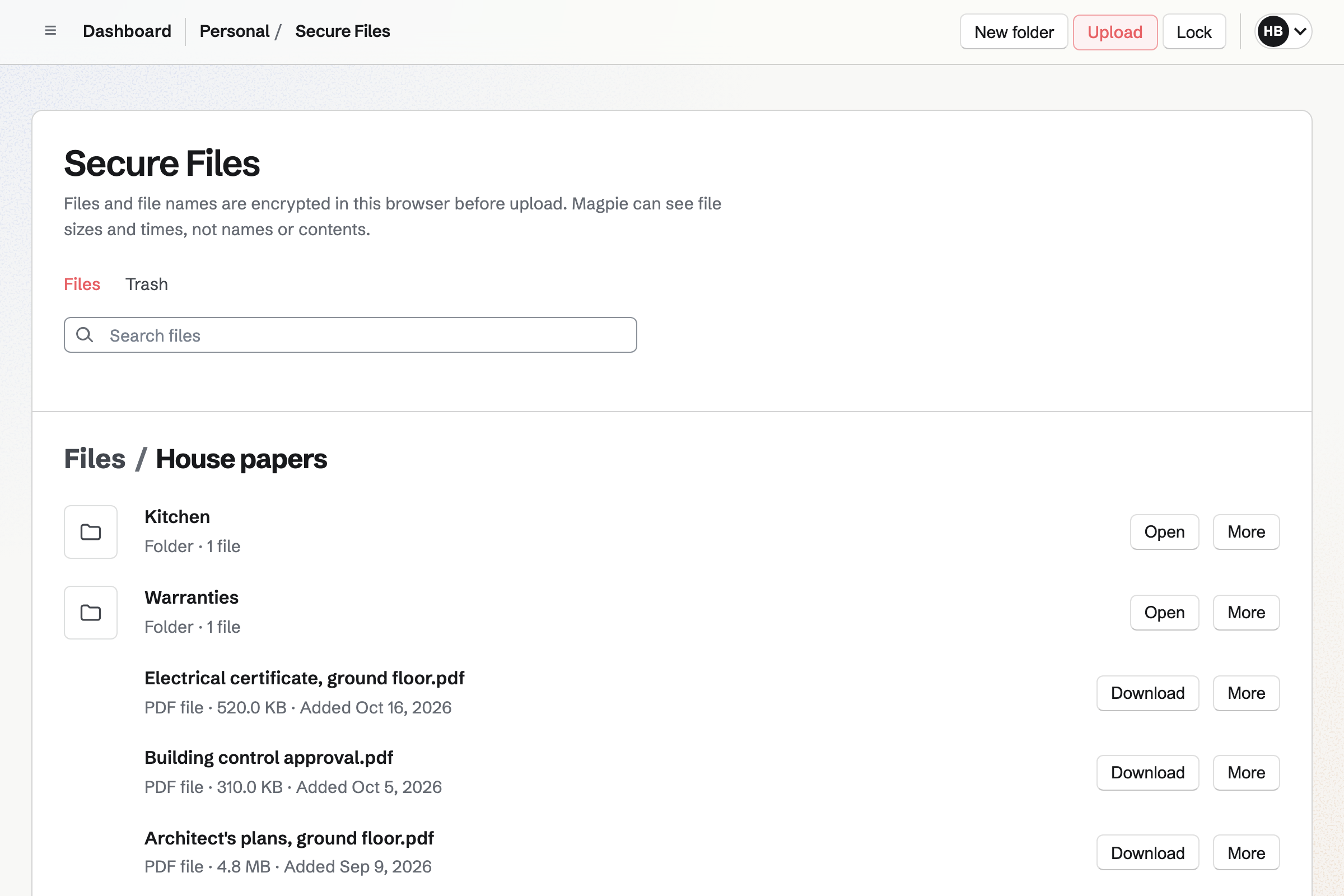
Secure Files keeps the boiler's warranty, the electrical certificate and the plans, encrypted in your browser. Folders keep each room's papers together.
A secure link sends one file to someone, such as your insurer.
Spreadsheets keeps the budget, with a row for each job and formulas for what is left. Expenses can be exported as CSV to compare.
A filter view of your own shows one room at a time.
The tiles and taps go on the idea board.
Each fitter's quote goes on the kitchen's card.
The card moves along as the trades come and go.
Each payment goes in Expenses, with its receipt.
The oven's warranty goes in Secure Files.
You set its columns once. Help: Track work with Kanban boards.
Each one gets notes and follow-ups. Help: Keep notes and follow-ups on a contact.
A photo of it is enough. Help: Track expenses and receipts.
Each file is encrypted as it uploads. Help: Secure Files.
A house team on the free plan has places for 3 people. Tradespeople are not added to it.
Secure Files is on every plan, and your files are your own. Prices are on the Pricing page.
A family shares a calendar, lists and a family chat.
A builder quotes jobs, plans the crew and invoices each stage.
A tradesperson books jobs, quotes and invoices.
Yes. Each job is a card on the renovation board. It shows who is handling it and its due date. Columns show what is quoted, booked, under way and done.
Yes. A card keeps files, comments and To-dos. The kitchen's quotes stay on the kitchen's card.
Yes. Expenses totals what was spent by category or by tradesperson, for any dates. It exports as CSV, with the receipts.
Yes. A receipt can be a photo, saved as JPG with its expense. Receipts can also be uploaded first and filled in later.
Yes. Secure Files keeps them encrypted, in folders. Asset Tracker can also record each appliance's warranty end date.
Yes. A document can be shared by a link anyone can read, or downloaded as a PDF. An idea board exports as an image or a PDF.
Yes. Each tradesperson can have a follow-up, which becomes a To-do on the day you choose.
Create a Magpie account and make a team for the house.