Students
A student keeps notes, flashcards and papers in one place.
Job seekers and career changers
You search in your own Personal space, with nobody else's work in the way.
Get started free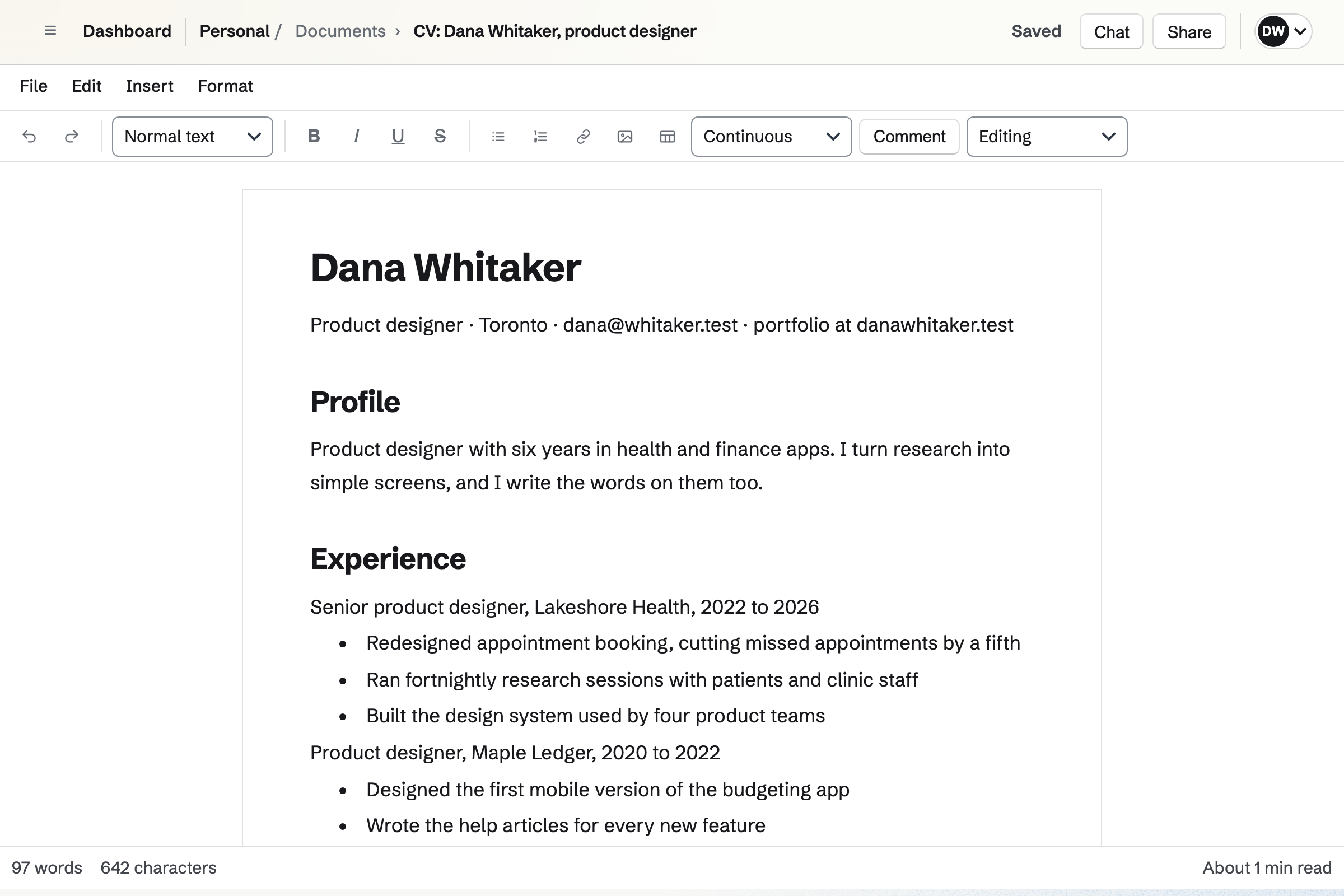
Documents holds your CV and cover letters, with headings, tables and page layout. Duplicate copies one, so each job gets its own version.
Each one downloads as a PDF or a Word file. A friend can comment and suggest changes first.
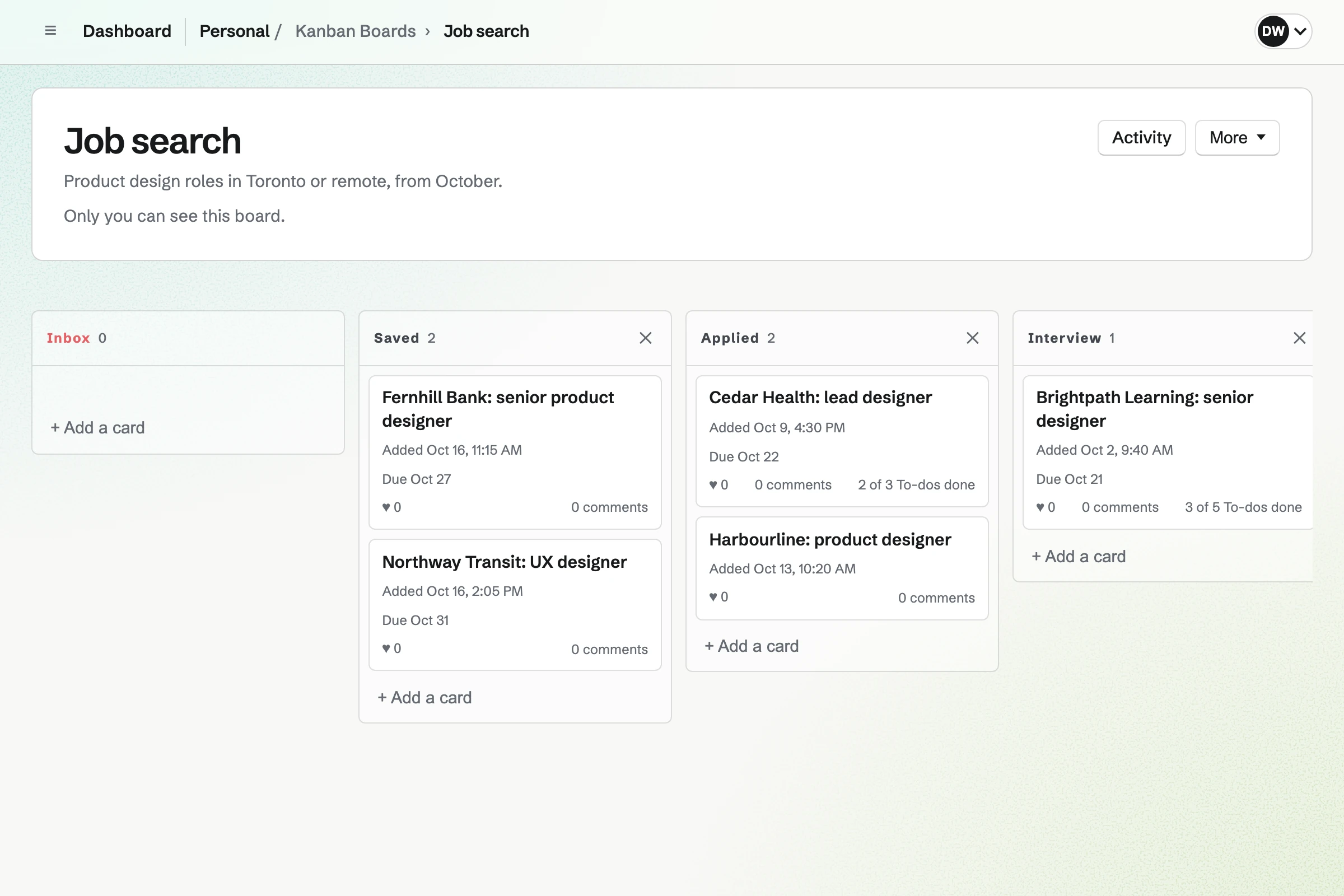
Kanban Boards holds each application as a card, in columns such as applied, interview and offer. Each card has a due date and To-dos, such as sending thanks.
Comments and files stay on the card, such as the job advert and your letter.
Contacts keeps recruiters and people you met, with tags and notes. A follow-up becomes a To-do on the day you choose.
The follow-ups list shows who is due a call or an email.
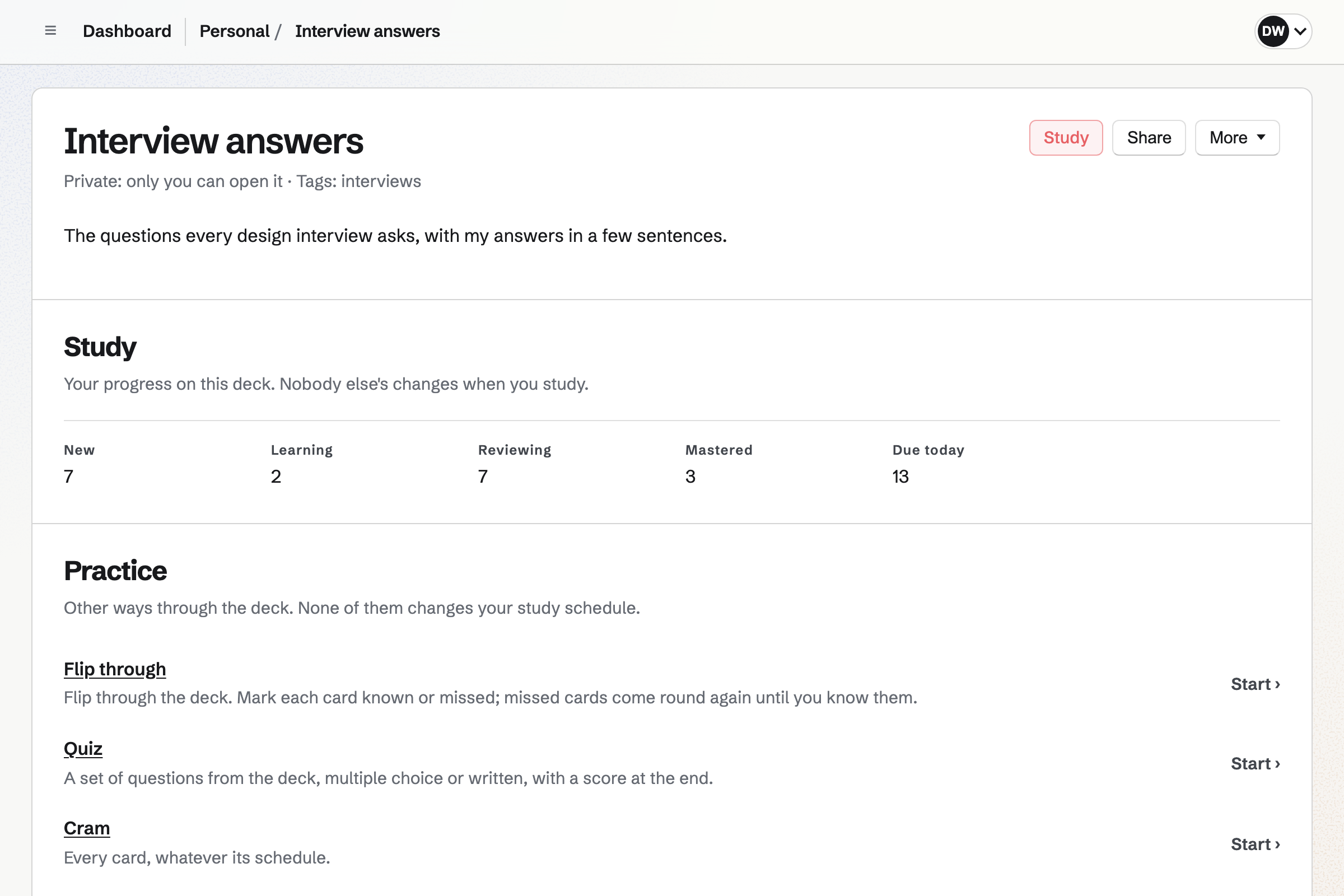
Flashcards holds interview questions on one side and your answer on the other. A card can ask you to type the answer.
Each card comes back on a spaced repetition schedule, so the hard ones come up most.
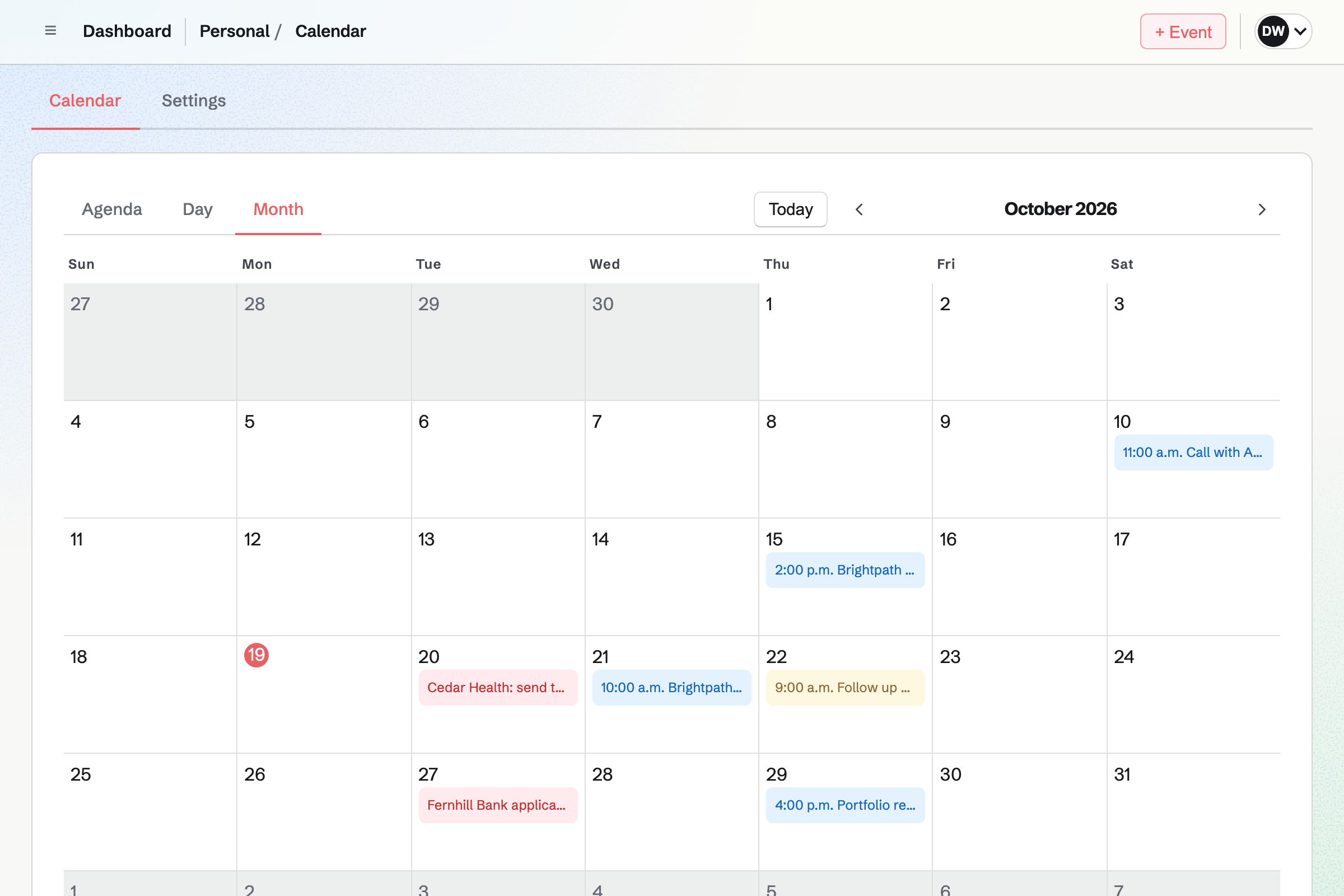
Calendar holds each interview, with its time and where it is. To-dos with a date show on it too, such as an application's closing date.
Google Calendar can show on it, if you already use one.
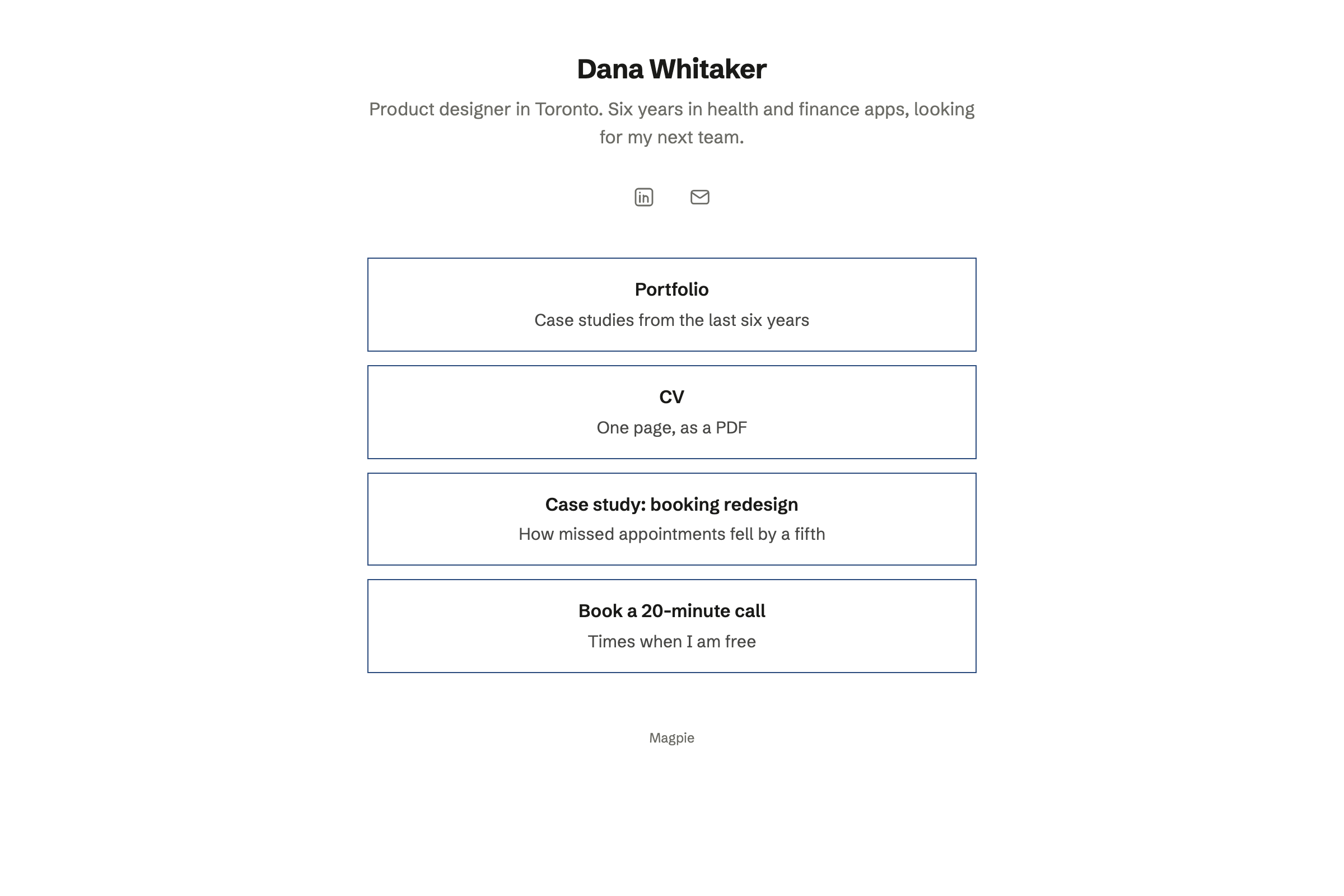
Link-In-Bio List gives you a public page of links, such as your portfolio and profiles. You choose its colours and button shapes.
Its address goes in your email signature and your applications.
It goes on your board as a card, with the closing date.
You duplicate your CV and tailor it.
A reminder comes a week after you apply.
You practise your answers the night before.
The card moves to the last column.
A Word file comes in with its headings and tables. Help: Write documents.
You set its columns once. Help: Track work with Kanban boards.
Each one gets a follow-up. Help: Keep notes and follow-ups on a contact.
You write a question and your answer on each card. Help: Study with Flashcards.
The free plan suits a job search, with 1 board and up to 200 notes. Pro raises those limits and your storage, from 1 GB to 20 GB.
Pro also includes Data Removal for one person. Prices are on the Pricing page.
A student keeps notes, flashcards and papers in one place.
Someone with a side business sells, invoices and keeps the books.
Someone leaving Big Tech moves their email, calendar and files.
Yes. Documents imports a Word file, with its headings, lists and tables. You can then export it as a PDF or a Word file again.
Yes. Duplicate makes a copy of a document, which you then tailor. Each copy keeps its own name.
Yes. Each application is a card on your board, in columns such as applied, interview and offer. A card keeps its due date, To-dos and notes.
Yes. A contact's follow-up becomes a To-do on the day you choose. Its reminder can be emailed to you.
Yes. A deck holds a question on each card and your answer on the back. Spaced repetition brings back the ones you find hard.
Yes. Link-In-Bio List gives you a public page of links. It can hold your portfolio, your CV and your profiles.
Yes. Meetings gives you a page where they choose a time when your calendar is free. Busy times in a connected Google Calendar are left out too.
Create a Magpie account and make your applications board.