Planning a wedding or a big party
A couple plans their wedding, from RSVPs to the budget.
Planning a group trip
You plan in a Magpie team for the trip. Friends join the chat from a link, and read the plan without signing in.
Get started free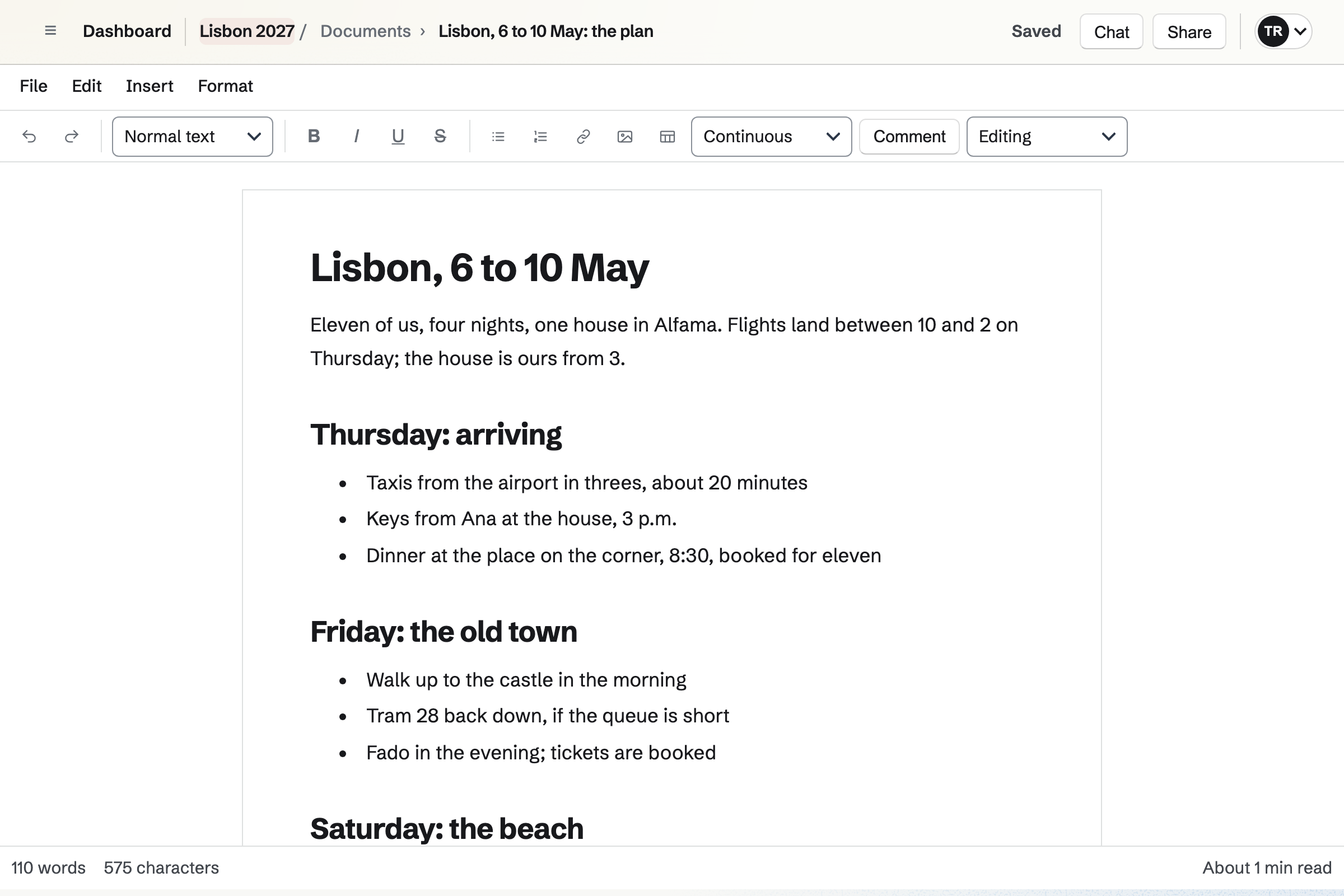
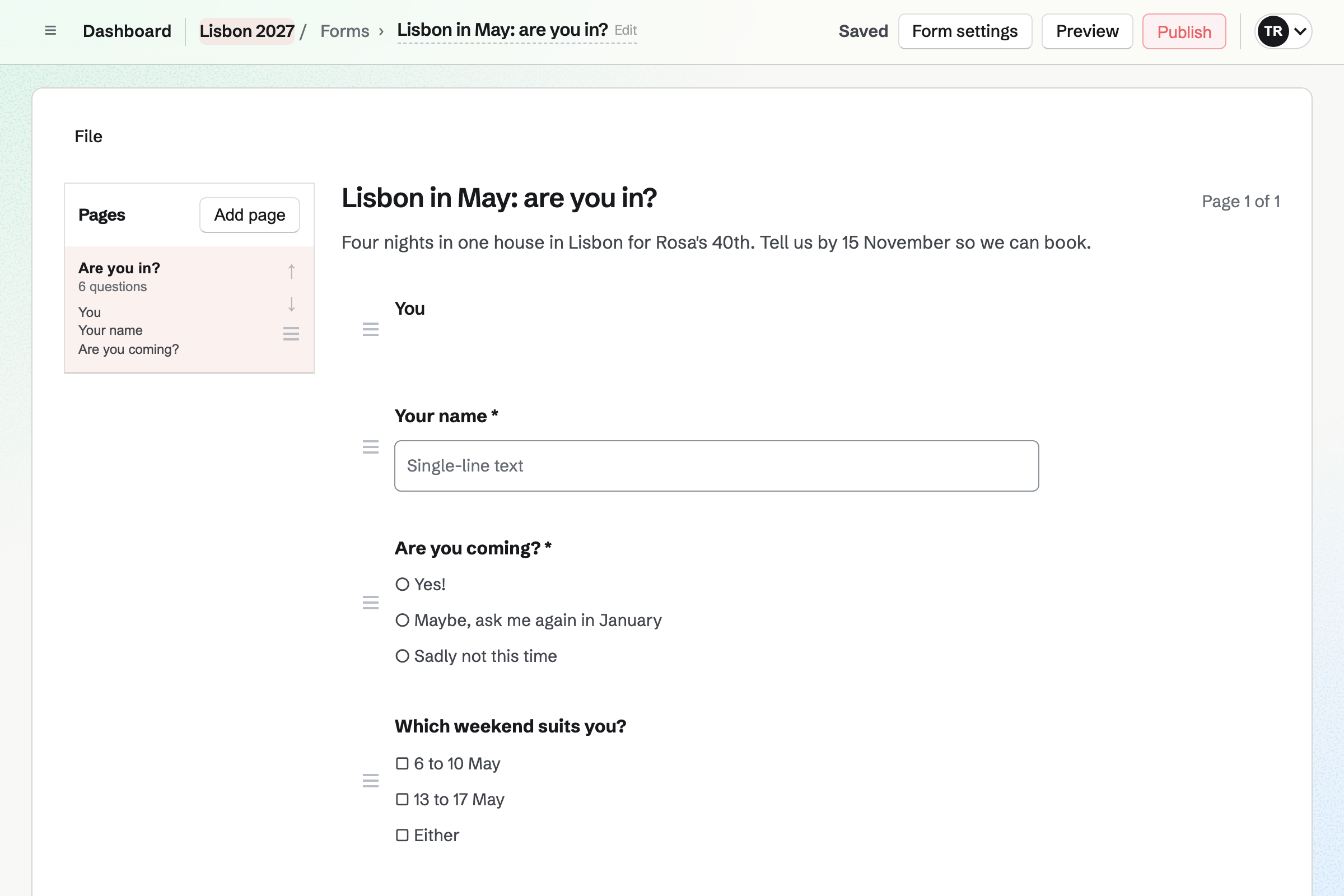
Forms asks your questions, such as which weekend suits and who wants a single room. Friends answer from a link, without signing up first.
Every answer comes into one list, and you get an email for each one.
Documents holds the itinerary, day by day, with times, addresses and links. A link lets anyone read it without signing in.
When the plan changes, the link shows the new version. It also downloads as a PDF for the journey.
Spreadsheets keeps the budget, with a row for each cost and formulas to divide it. A friend can be given one spreadsheet to view or edit.
You record who has paid as the money comes in.
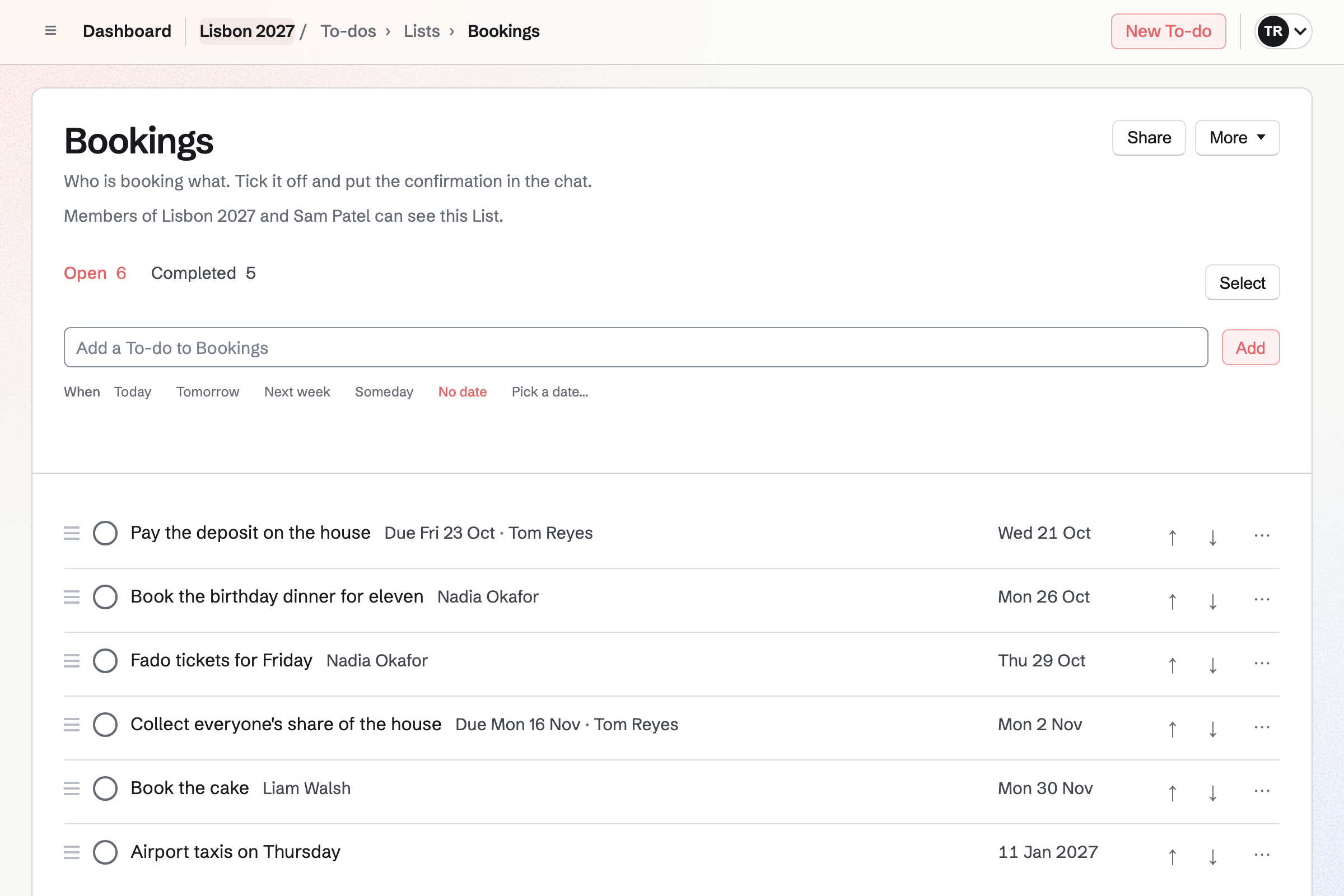
To-dos holds each booking, such as the flights, with who is doing it and by when. A reminder can be emailed before the deadline.
A List can be shared with a friend by their handle.
Idea Boards holds links, pictures and notes on a canvas, such as the villa. Comments sit beside them.
A board exports as a PNG image or a PDF, to send round.
Team chat gives the trip a channel, with threads, reactions and pictures. An invite link lets friends join that channel as guests.
Each guest sees that channel and nothing else of the trip's team.
Friends say which weekend suits on the form.
Places to stay go on the idea board.
The organisers split them up on a List.
The budget shows what each person owes.
The itinerary goes round as one link.
You invite the other organisers. Help: Create and manage a team.
You ask who is coming and when. Help: Build, publish, and share a form.
You turn on its link once. Help: Share and review a document.
Friends join it from a link. Help: Use Team chat.
A trip team on the free plan has places for 3 organisers. Friends who answer the form or read the itinerary are not added to it.
Friends in the chat join as guests and take no place. Prices are on the Pricing page.
A couple plans their wedding, from RSVPs to the budget.
A family shares a calendar, lists and a family chat.
An event organizer sells passes and runs the event's site.
Yes. A form opens from its link, without signing up first. Every answer comes into one list.
Yes. The itinerary's link lets anyone read it without signing in. When you change it, the link shows the new version.
Yes. A spreadsheet can divide each cost between the people sharing it. You record payments in it as they come in.
Yes. Each booking is a To-do given to one organiser, with a deadline. The List shows who is doing what.
Yes. A channel's invite link lets friends join that channel as guests. They see it and nothing else.
Yes. Secure Files keeps your tickets encrypted in your browser. A secure link can send one to a friend.
Create a Magpie account and make a team for the trip.