Real estate agents and small brokerages
A real estate agent lists homes and follows each sale.
Landlords and small property managers
A landlord working alone uses Magpie in Personal. A small management company works in one Magpie team.
Get started free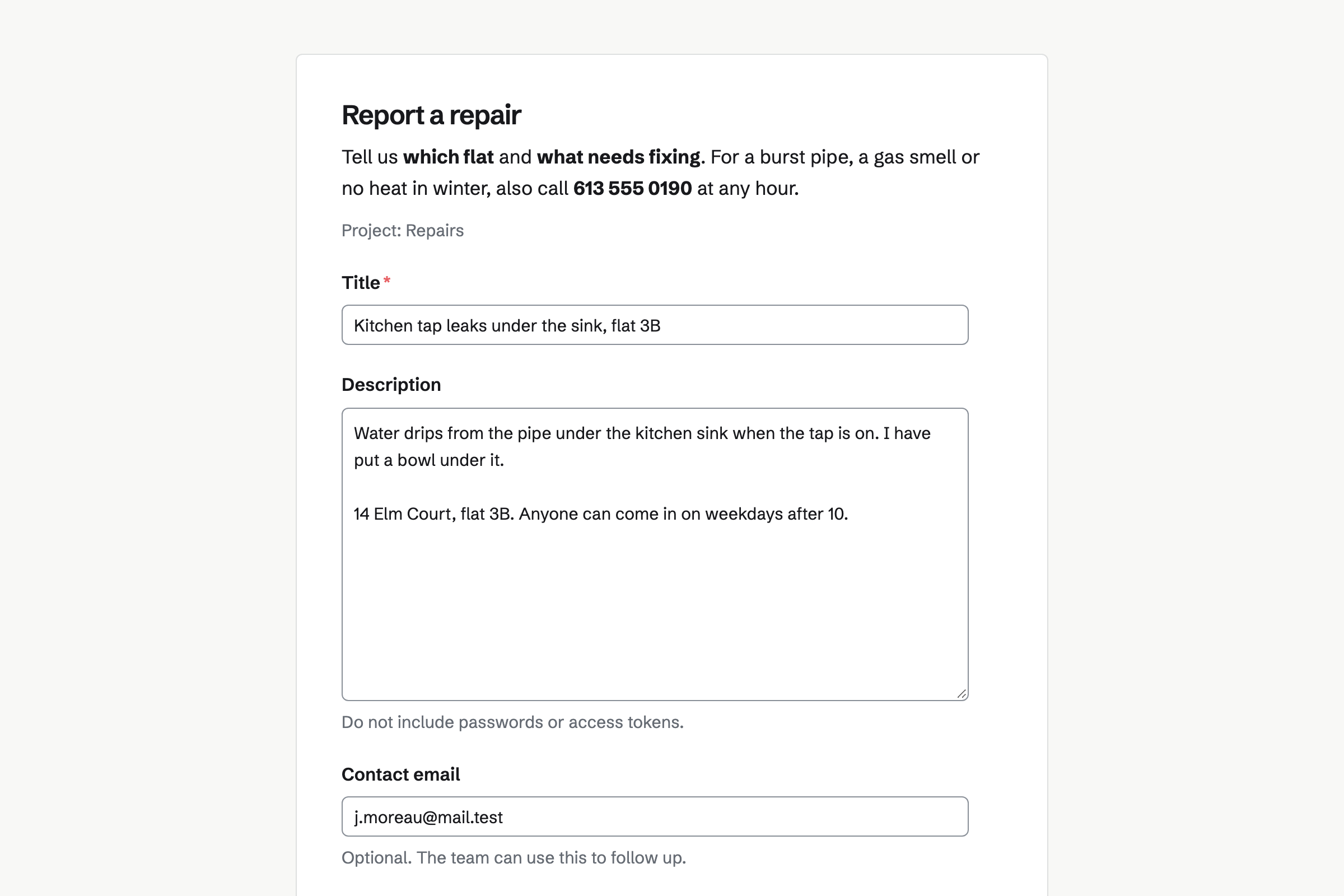
Issues takes requests from a form, with the tenant's email, into Triage. You accept each one into a project, such as Repairs, with a priority.
Each request has its own status, assignee and due date. Labels can name the building.
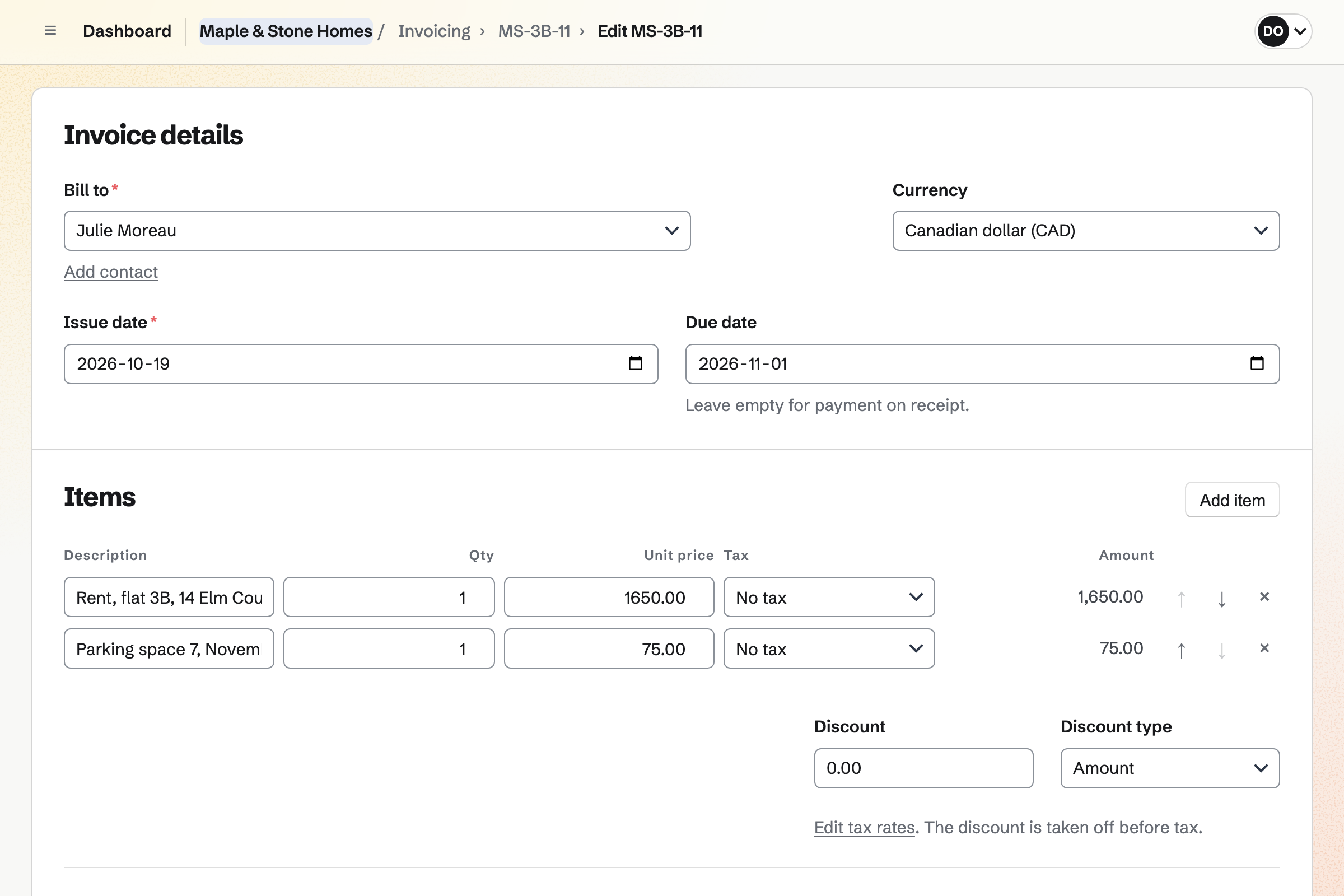
Invoicing repeats a tenant's rent and parking as a recurring invoice. It is issued and emailed on its date. Tenants pay by card from the email.
Payments go into your own Stripe account, with no Magpie fee. A payment by bank transfer can be recorded on the invoice.
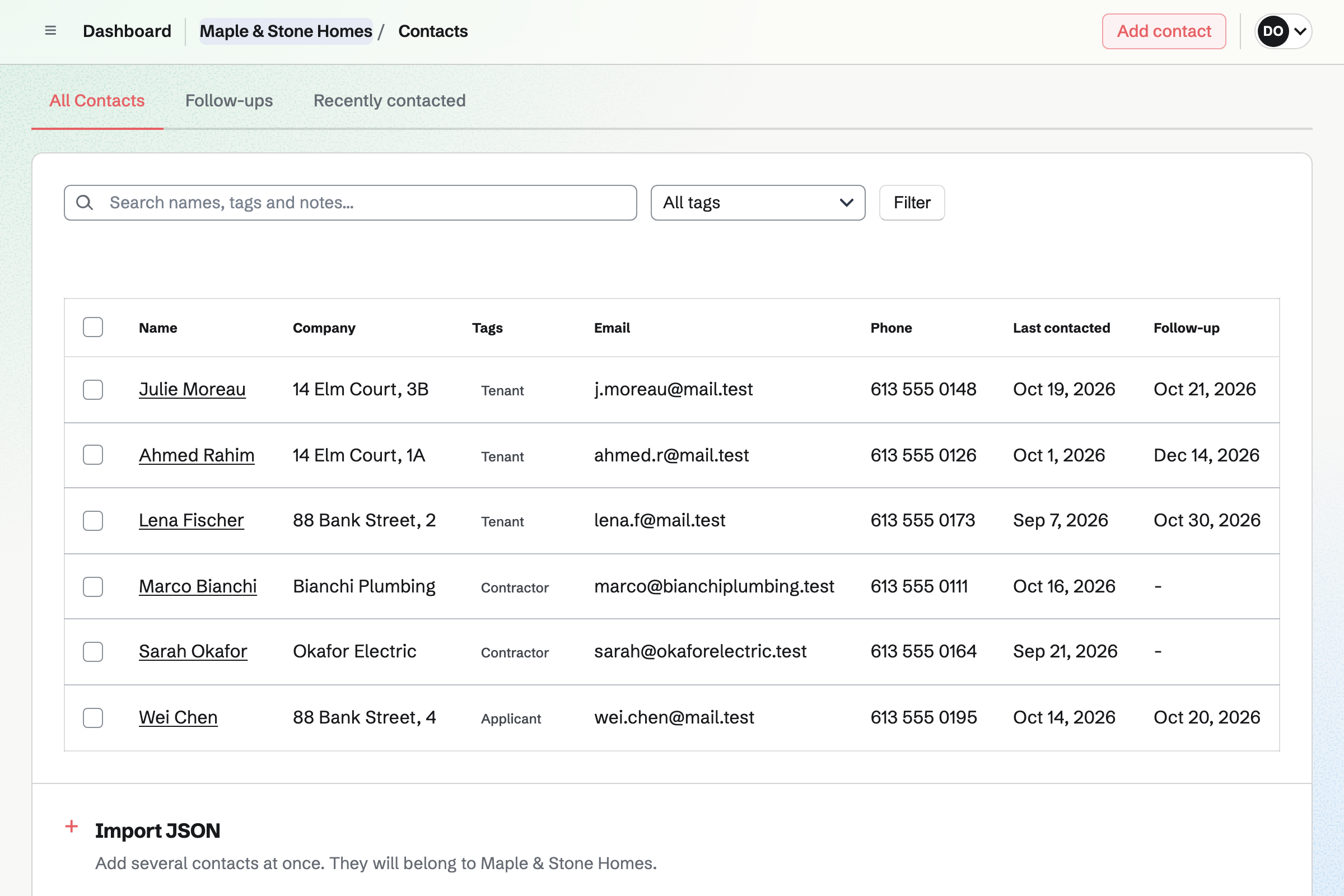
Contacts keeps each person with their flat or company, tags and notes. A follow-up is a To-do with a date, such as a lease renewal.
A tenant's invoices and signed documents show on their page.
E-Signatures sends your own lease PDF, with fields placed for each signer. A starter keeps the lease, so the next one needs only names and emails.
Reminders go out every 3 or 7 days. Everyone gets the signed PDF and a certificate of completion.
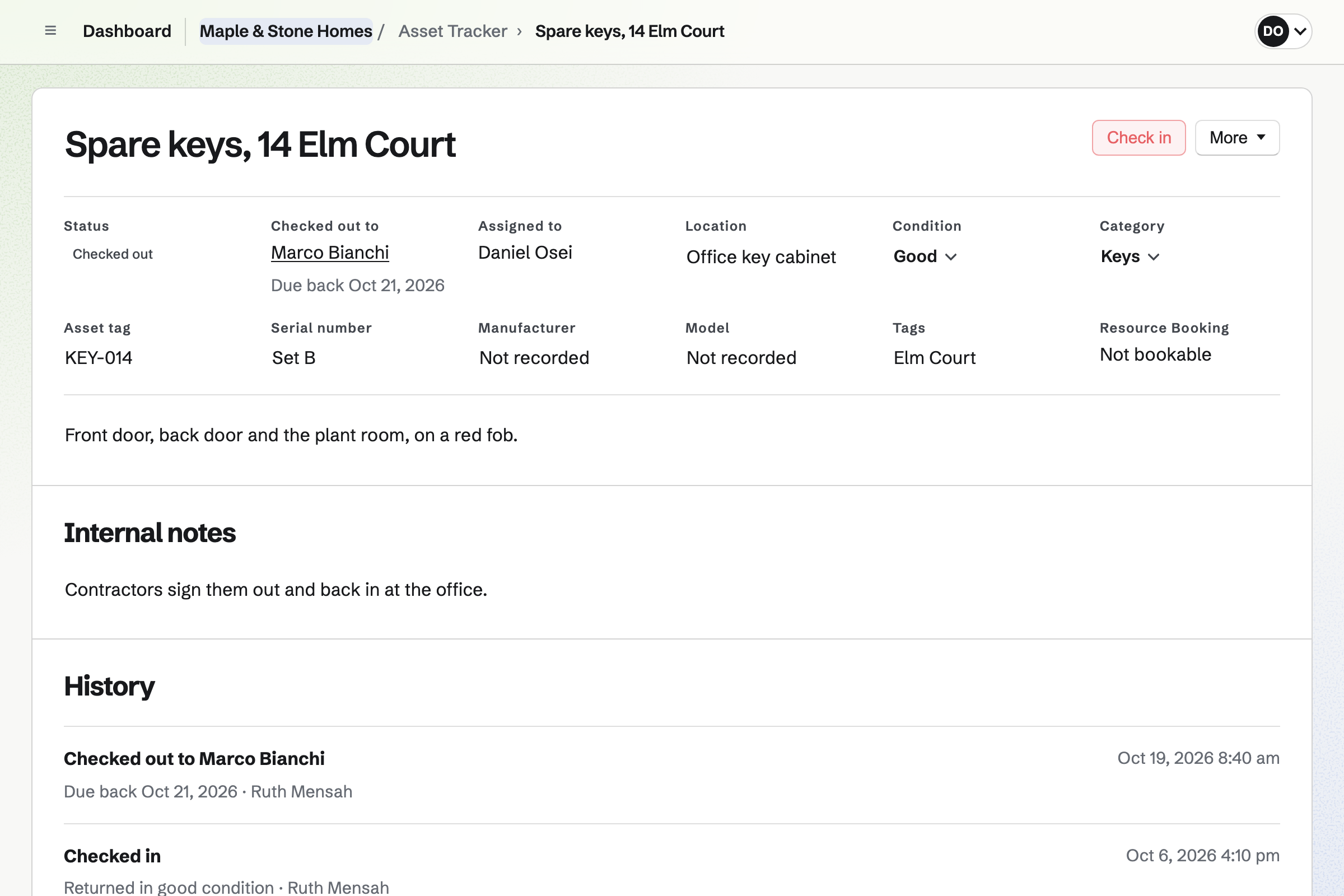
Asset Tracker keeps each appliance and set of keys with its location and condition. Purchase and warranty details are seen by admins only.
You sign keys out to a contractor with a due date. Overdue keys have their own list.
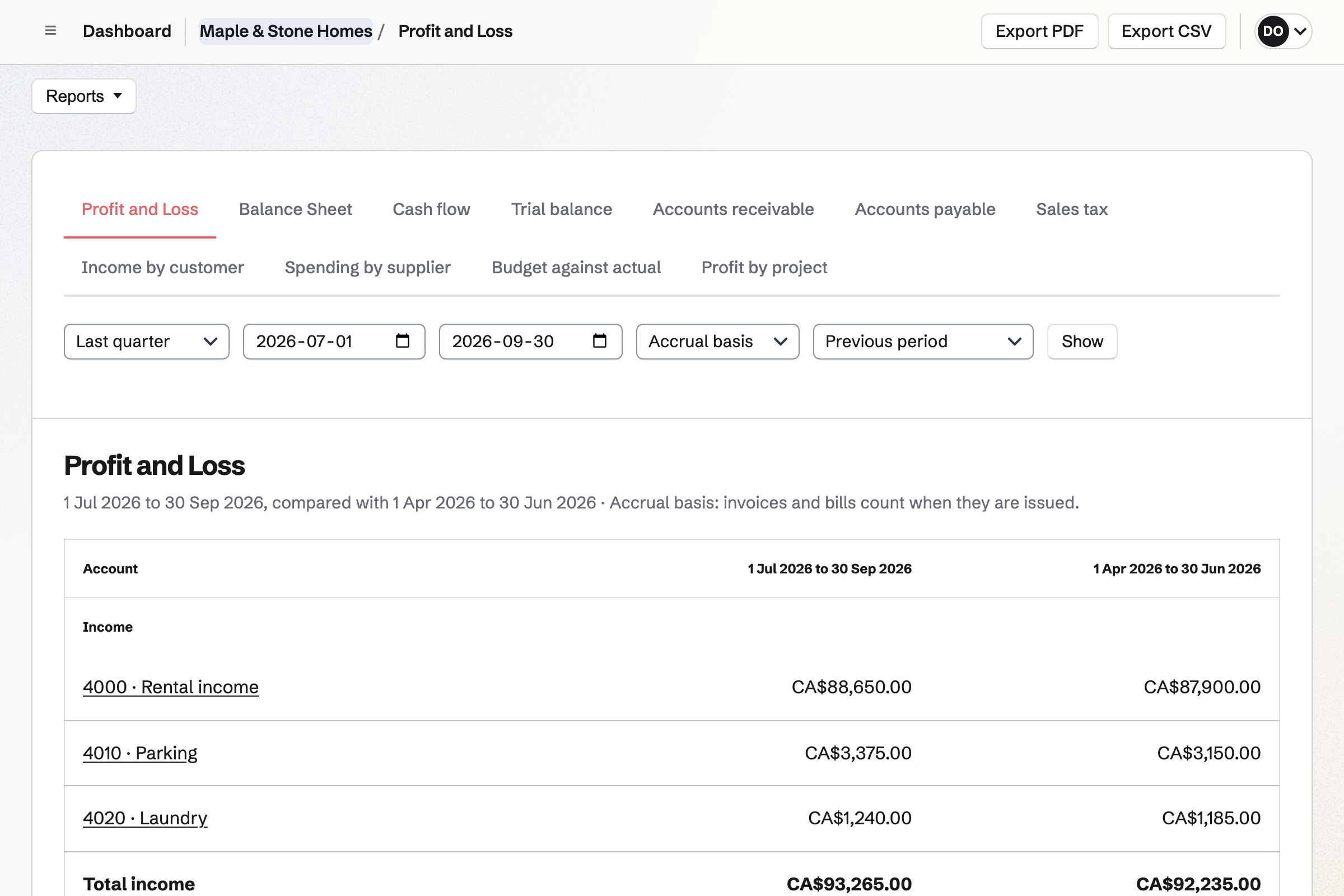
Accounting keeps double-entry books, with invoice payments and Stripe payouts posted automatically. Bank statements import as CSV files.
The profit and loss, balance sheet and cash flow are ready when your accountant asks. Check the rules where you file.
The tenant reports the leak on your form.
You accept it into Repairs, with a priority.
The plumber signs out the building's keys.
The plumber's invoice goes into Expenses, against the building.
The request is closed, and a follow-up checks with the tenant.
You choose the project its requests go to. Help: Triage and public issue forms.
You add each tenant as a contact. Help: Keep a contact list.
You make each tenant's first invoice repeat each month. Help: Recurring invoices.
You place the signers' fields on your lease once. Help: Signing starters.
A landlord working alone fits Pro, for your own work in Personal. A management company with staff fits the Team plan.
Tenants who send requests, pay or sign are not added to your team. Magpie adds no fee to rent payments, and Stripe's processing fee applies to each card payment. Prices are on the Pricing page.
A real estate agent lists homes and follows each sale.
A builder quotes, schedules and bills each job.
A cleaning company runs crews, checklists and invoices.
Yes. A repair form takes the title, the details and the tenant's email. Each request waits in Triage until you accept it.
Yes. A saved view lists the open requests, with their status, assignee and due date. Labels can name each building.
Yes. A recurring invoice repeats each tenant's rent every month and emails it on its date. Tenants pay by card from the email.
Yes. E-Signatures sends your lease PDF with the signers' fields placed. Everyone gets the signed PDF and a certificate of completion.
Yes. You sign each set of keys out to a contractor, with a due date. Overdue keys have their own list.
Yes. Accounting keeps double-entry books, with rent payments and Stripe payouts posted automatically. An accountant can be invited as a guest.
Yes. A form asks the questions you choose, with file uploads for documents. Every application comes into one list.
Create a Magpie account and turn on your repair form.