Landlords and small property managers
A property manager bills rent every month and takes maintenance requests from tenants.
Real estate agents and small brokerages
A solo agent uses Magpie in Personal. A brokerage and its agents can work in one Magpie team.
Get started free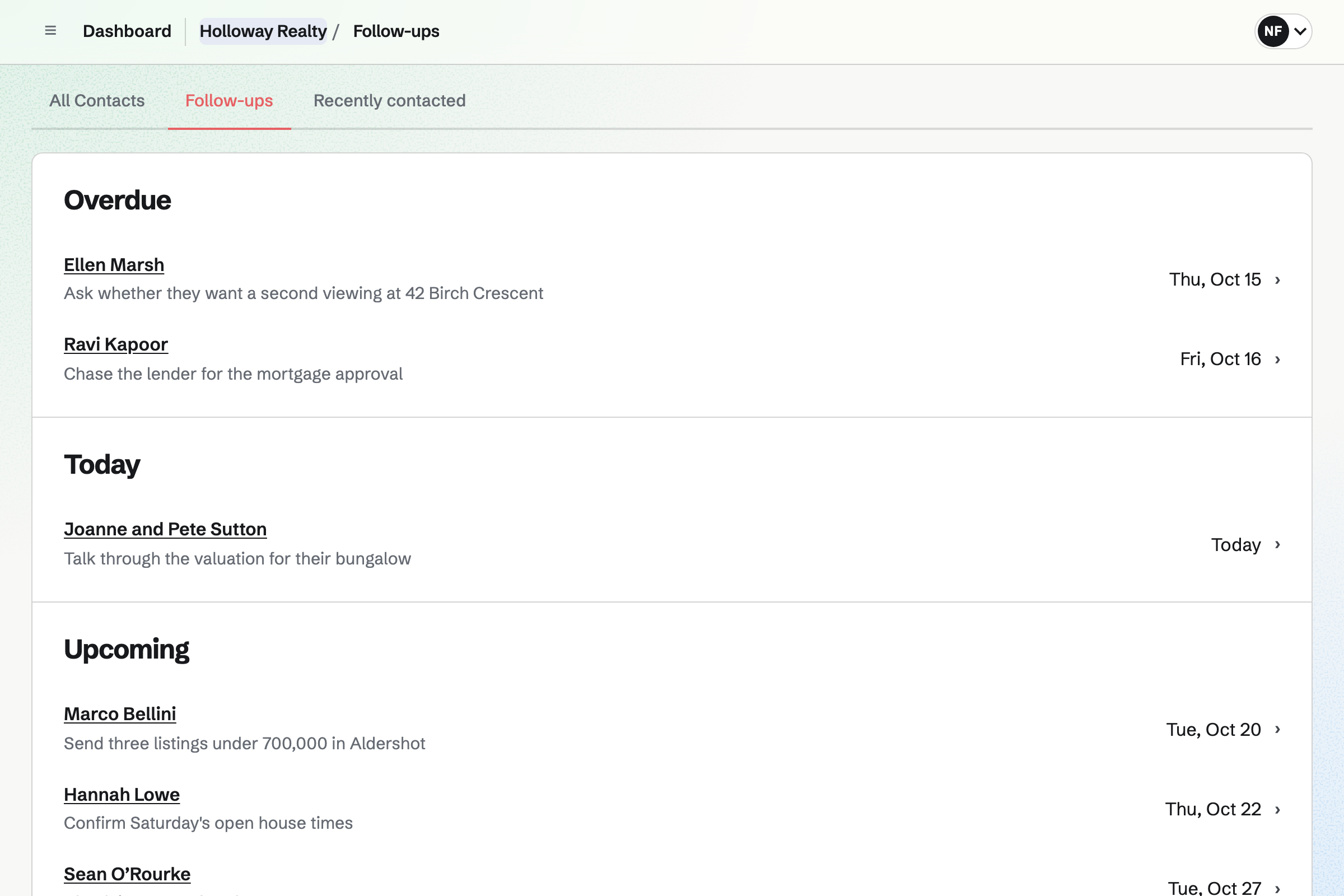
Contacts gives every buyer, seller and lender a page, with tags such as Buyer or Seller. You log each call, email and note there. Last contacted moves forward as you do.
A follow-up has a date and a reason, such as a second showing. It becomes a To-do with an email reminder. Follow-ups lists every open one, with the overdue ones first.
Meetings gives you a page where people book time with you. You choose the kinds of meeting, from 15 minutes to 2 hours, and your weekly hours. Times busy in Google Calendar are not offered.
Each booking adds the meeting to your calendar. With Zoom connected, a call gets its own Zoom link. You can email someone your page for one kind of meeting, such as a listing appointment.
E-Signatures sends a PDF you already use, such as a listing agreement, to sign. You place each signer's signature, initials and date fields. They can sign in any order, or one after another.
Unsigned signers get a reminder every 3 or 7 days. When everyone has signed, Magpie will email them the signed PDF and a certificate of completion.
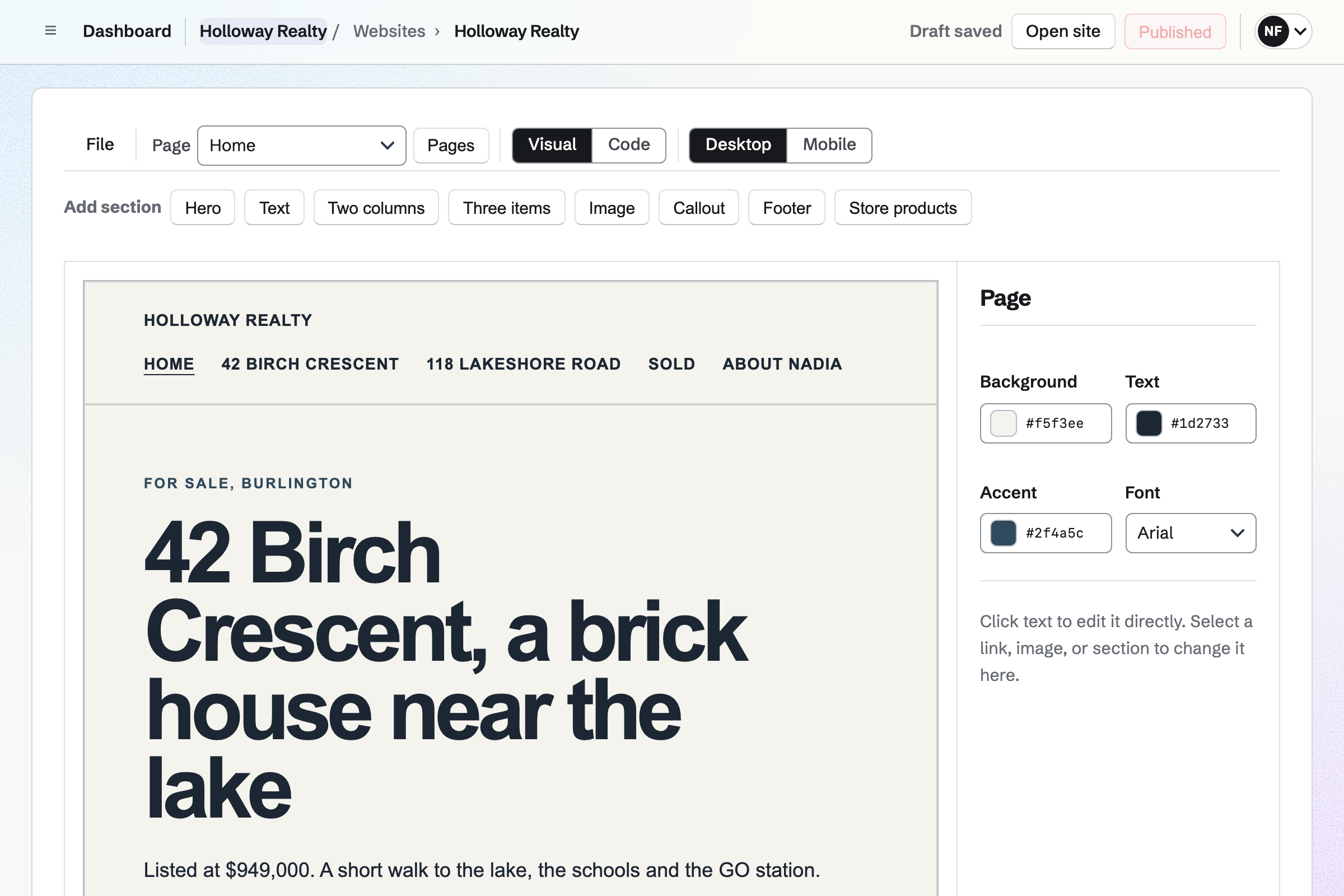
Websites gives you a site of up to 50 pages, built from sections. A listing's page can hold its photos, the list price and the open house times. When it sells, you change the page or take it down.
Publishing puts the changes online at once, and each version is kept. The site can be at your own domain.
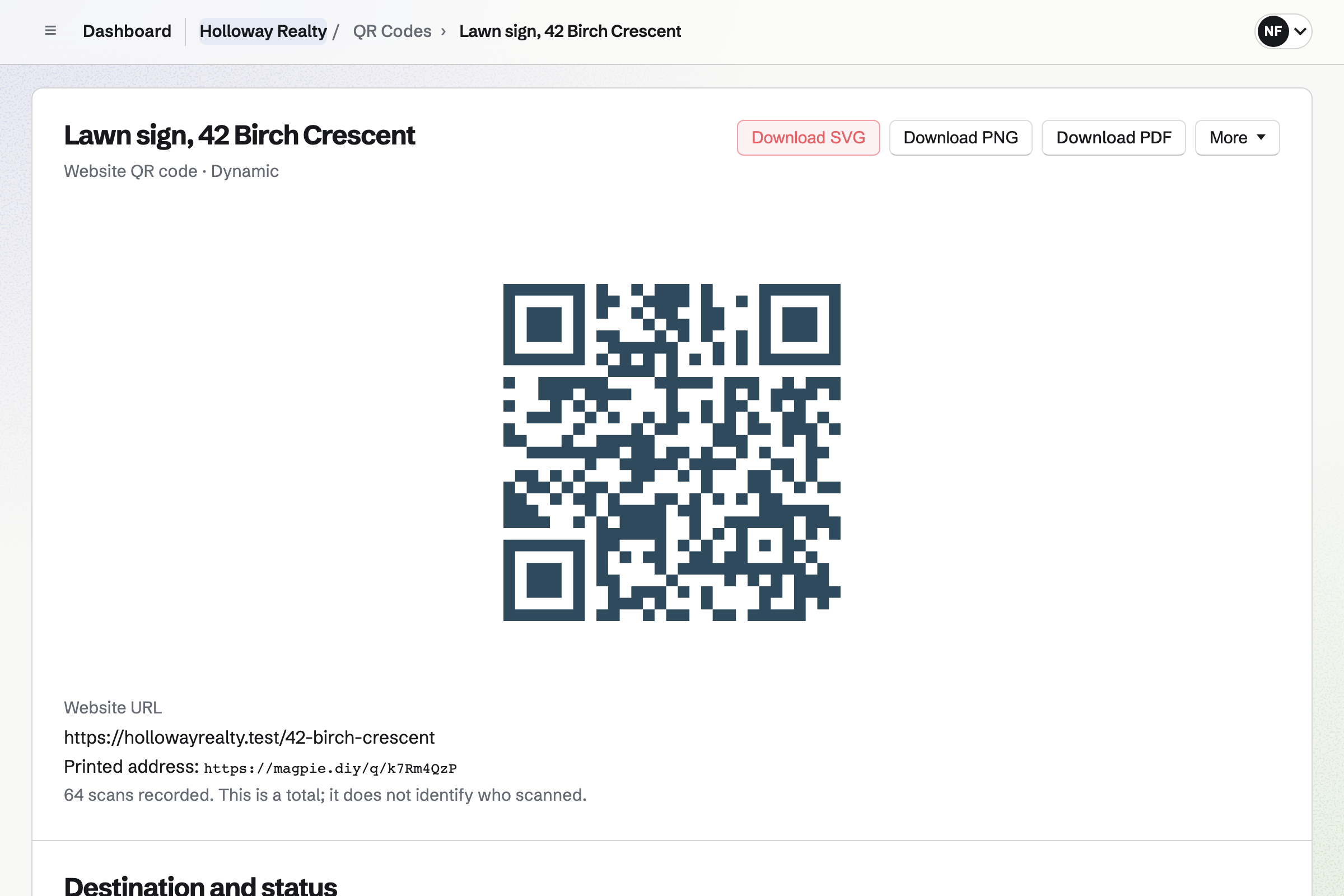
QR Codes makes a code for a lawn sign that opens the listing's page. You can download it as an SVG for the printer.
A dynamic code keeps working when you point it somewhere new, such as the next listing. Each one counts its scans, without knowing who scanned.
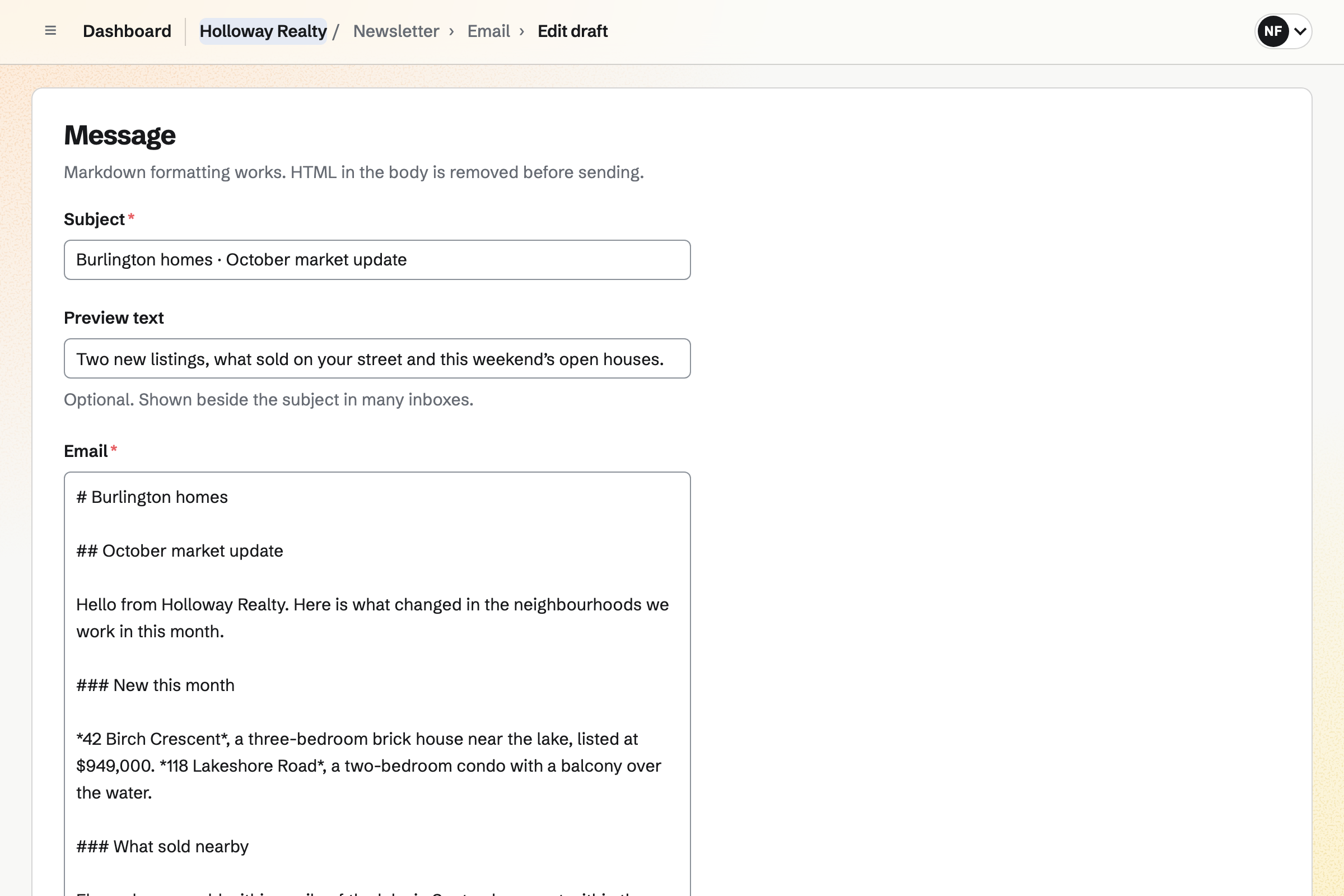
Newsletter gives you a sign-up page and sends each issue to every subscriber. You write it, send yourself a test, then send it now or at a set time.
People confirm their address before they are added. You can import a list you already have, with where it came from. Each issue can also be a page on the web.
Each step is kept on the buyer's contact page.
A buyer scans the code on your lawn sign. It opens the listing's page on your website.
They answer the enquiry Form linked from the page. Magpie will email you their answers.
You send them your meeting page, and they book a time. The meeting goes on your calendar.
You add them as a contact, with a note and a follow-up date. The follow-up reminds you when to call.
You send the offer as a PDF to sign. It is listed on the buyer's contact page once it is signed.
The QR code can then point to your next listing. The buyer can sign up for your newsletter.
You add your buyers and sellers, by hand or by pasting them as JSON. Help: Add contacts by pasting JSON.
You set your weekly hours and the kinds of meeting people can book. Help: Availability and Meeting Types.
You upload each standard form you send often and place its fields. Then you save it as a starter. Help: Signing starters.
You build the site from sections, add a page for each listing and publish it. Help: Build and publish a website.
You make a dynamic code that opens a listing's page. Help: Create and scan QR codes.
A solo agent fits Pro, for your own work in Personal. It has no limit on contacts or kinds of meeting, and up to 20 websites. Mail at your own domain needs Pro or the Team plan.
A brokerage fits the Team plan, one price for up to 25 agents and staff. On the free plan, you can keep 100 contacts, offer 2 kinds of meeting and publish 1 website. Prices are on the Pricing page.
A property manager bills rent every month and takes maintenance requests from tenants.
A consultant quotes each engagement with a proposal and bills the hours.
A photographer quotes shoots, takes the deposit and delivers the photos in a portal.
Yes. On the buyer's contact page, you set a follow-up with a date and a reason. It becomes a To-do on that date, with an email reminder. Follow-ups lists every open one as Overdue, Today, Upcoming or No date.
Yes. A contact's activity lists your notes and calls, newest first. It also lists the documents they signed, your meetings with them and any invoices or proposals. Last contacted shows when you last spoke.
Yes. Tags are your own words, made as you edit a contact. You can filter the list by a tag. Search covers names, companies, tags and your notes.
Yes. Your meeting page lists the kinds of meeting you offer, each with its length. A buyer chooses a day and a free time, and enters their name and email. Times busy in your Google Calendar are not offered.
Yes, with a US or Canadian mobile number. When texting is on, the person can ask for a reminder when they book. It goes out at the time you choose, such as an hour before. Up to 50 text reminders go out each month.
Yes, with Appointments. Each agent has their own weekly hours, and their calendar events block their times. A client chooses an agent, or anyone available. They can reschedule or cancel from their confirmation email.
Yes. You upload the PDF, up to 25 MB, and add each person who signs. You place their signature, initials, date and text fields. Each signer gets their own link by email. When everyone has signed, Magpie will email them the signed PDF and a certificate.
Yes. In the order listed emails the first signer. Each next signer is emailed once the one before signs. You can also send to everyone at once. A request can expire after the days you choose, and you can extend it.
Yes. A starter keeps the document with its signer roles, fields and email text. A new request starts from it, and you add the people who sign.
It lists each signer's name, email address, signing time, IP address and browser. It records how they were verified and the consent they accepted. It also holds the activity list and a fingerprint of the original and signed files.
Yes. You build the site from sections, with a page for each listing and its photos. Changes stay drafts until you publish. The site can be at your own domain, with email at that domain still working.
Yes. A dynamic code opens a web address you can change at any time. Printed signs keep working. Its history lists each address it pointed to. Its scan count shows how often it was opened.
Yes. An enquiry Form asks the questions you choose, such as price range and pre-approval. A question can appear only after an earlier answer. Magpie will email you each response, and you can download them all as a CSV file.
Yes. Newsletter sends each issue to every subscriber, now or at a time you set. New subscribers confirm their address first. You can import a list you already have, saying where it came from.
Yes. A Calendar event can be on your public calendar, with its time and place. People can say they are going, and you can set a capacity. The public calendar is at your meeting page's address.
Yes. You write the post with up to 20 photos and choose its time. Posts to Bluesky, Mastodon and LinkedIn will go out then. For Instagram, Magpie will email you a reminder and prepare each photo in Instagram's shape.
Yes. Secure Files sends a file of up to 2 GB by a link. The link expires after 1 hour, 1 day, 7 days or 30 days. It can allow one download and need a passphrase. The file is encrypted in your browser before it is stored.
Yes. You connect the domain to Mail and add a mailbox for each agent. Each has 5 GB of storage. Aliases such as info@ deliver to one or several mailboxes. A team mailbox opens for every member unless you make it private.
Create a Magpie account and add your buyers and sellers.