Graphic and brand designers
A brand designer hands over a client's identity as a site, with every logo and colour.
Web designers and developers
A developer working alone uses Magpie in Personal. A studio and its developers can work in one Magpie team.
Get started free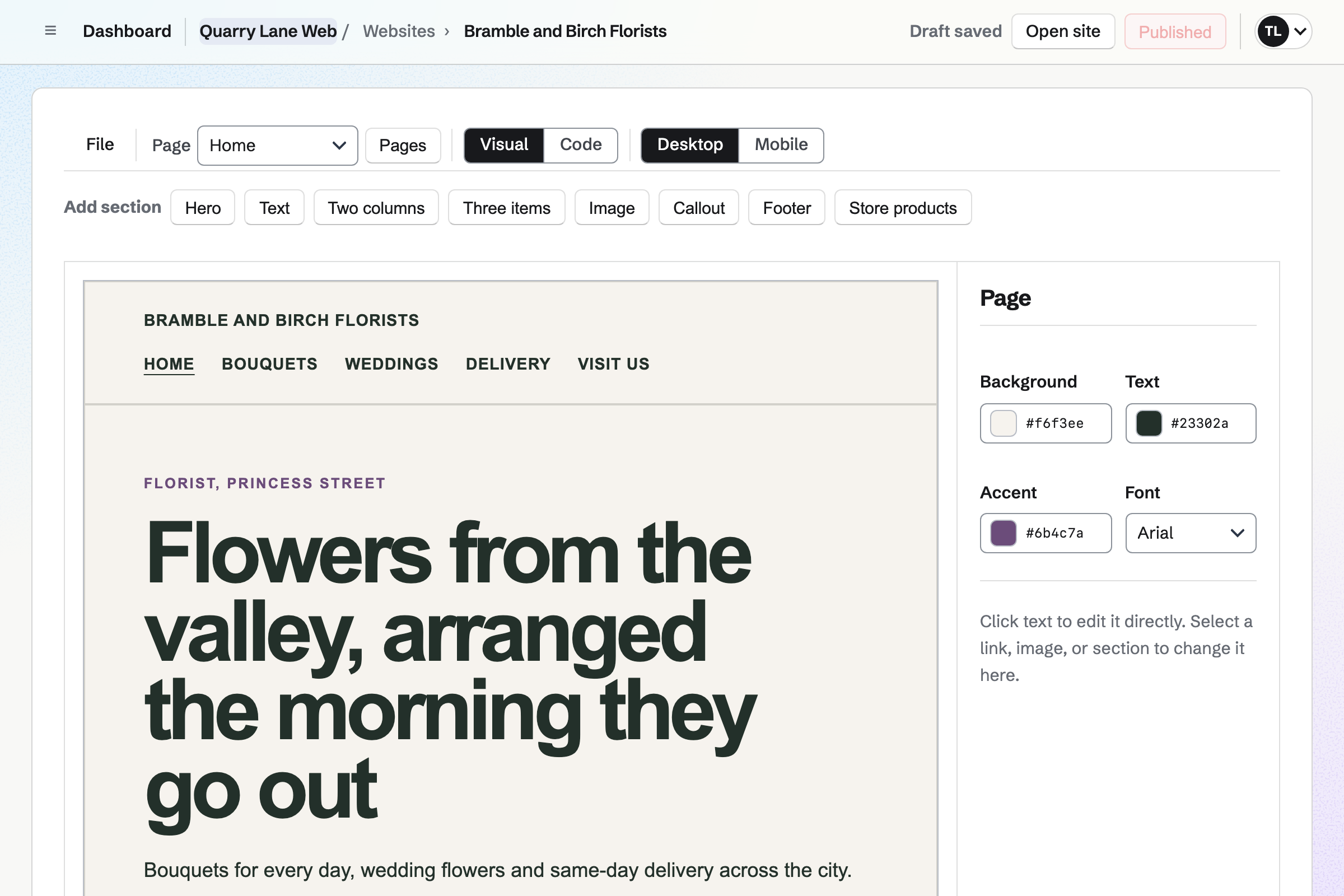
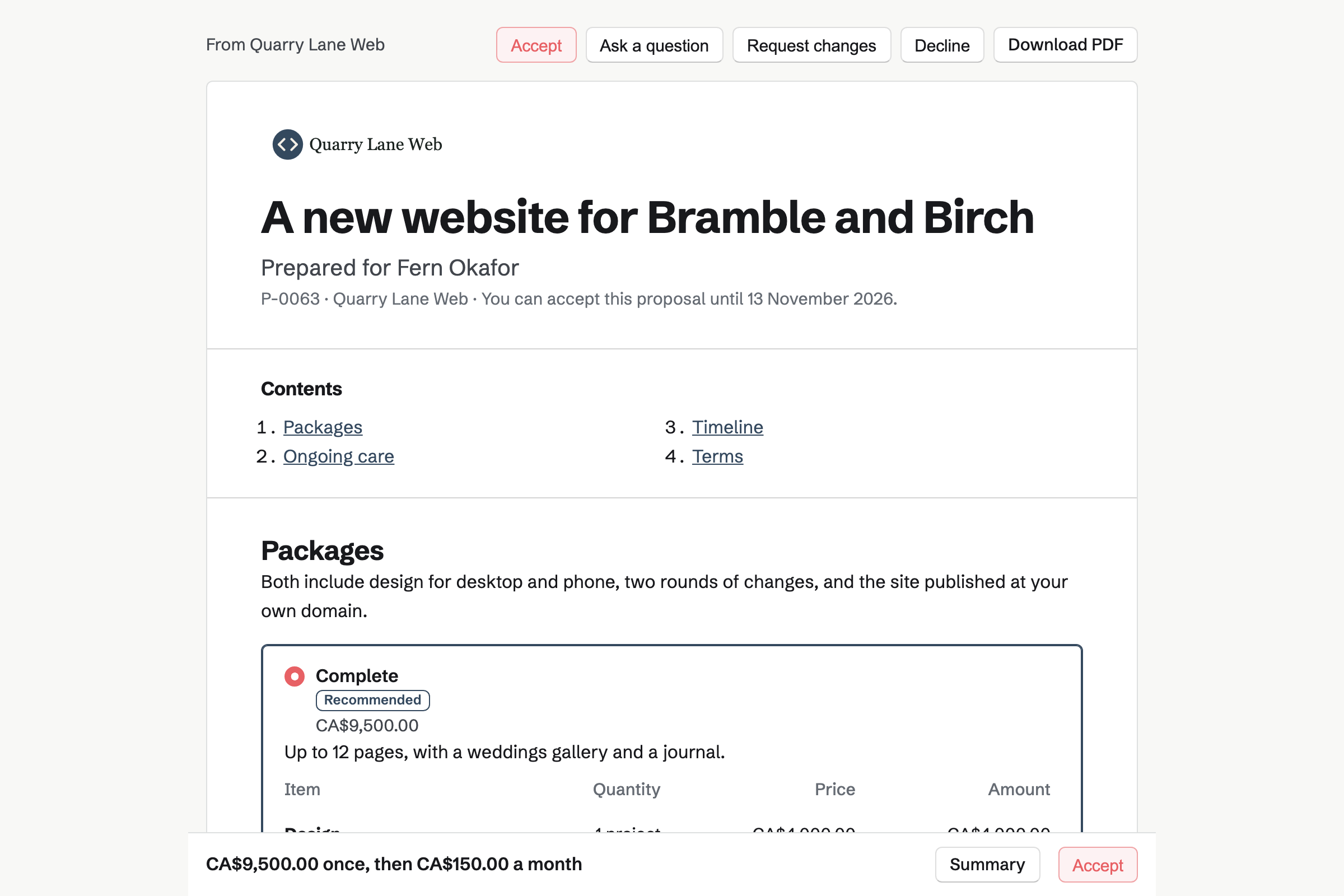
Proposals turns your fees into a quote the client signs online. Magpie's website starter offers a five-page brochure site or a larger one with a blog. Hosting and maintenance are an optional monthly line.
The starter asks for a 30% deposit at signing and the balance at launch. When the client accepts, Magpie can make a Time Tracking project. It can start the monthly care invoices too.
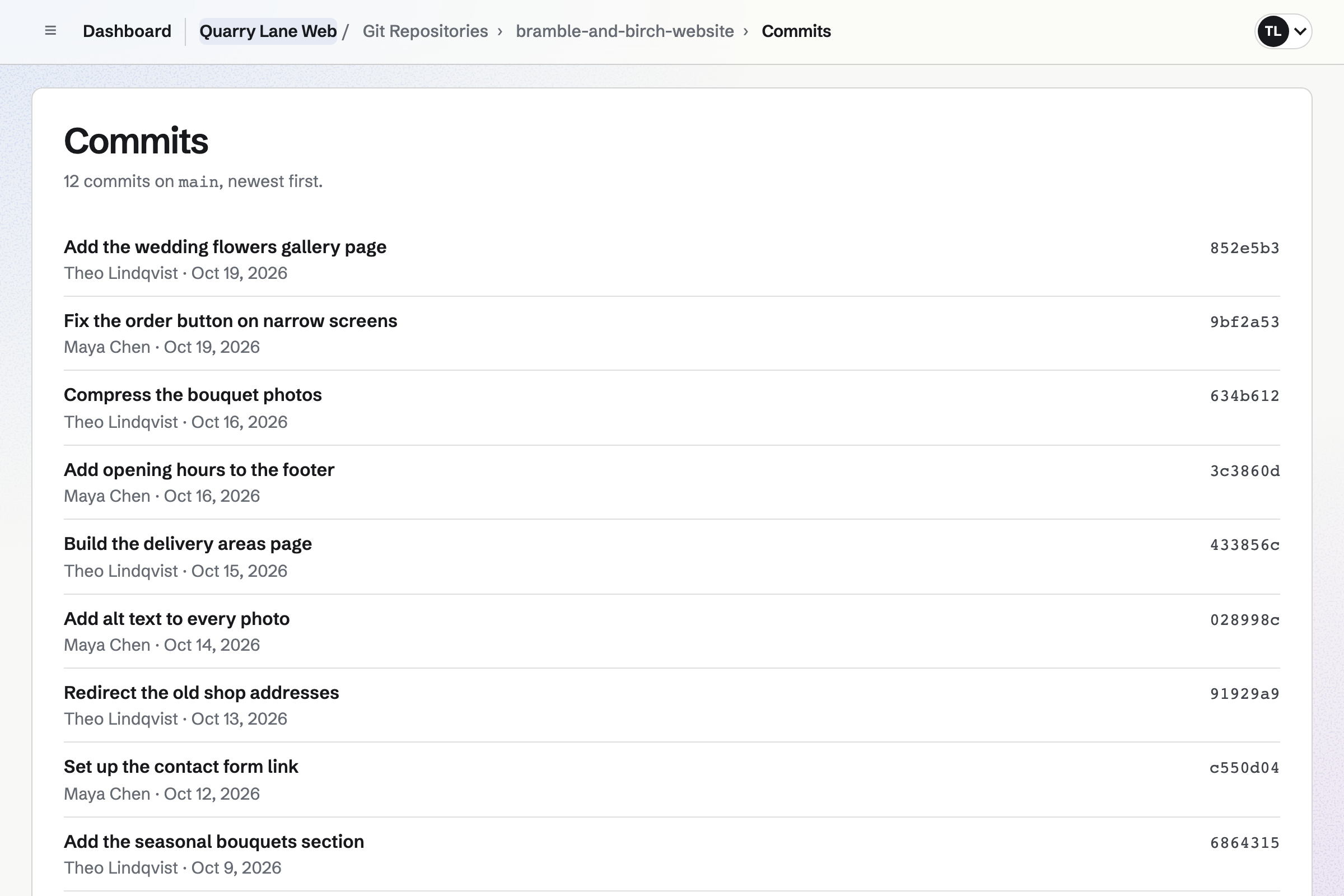
Git Repositories gives each project a repository, cloned and pushed over HTTPS with an access token. The browser shows the default branch's files, its README and the commit history.
A repository can be private or public. Anyone can read and clone a public one, from its own page.
Websites hosts a site built from your files or from a Git repository's branch. Each push rebuilds it, and a failed build keeps the live version. The last 50 versions are kept, and you can roll back to any one.
You connect the client's domain with a few DNS records, and Magpie gets the SSL certificate. A client who wants to edit the copy themselves gets an editor website instead.
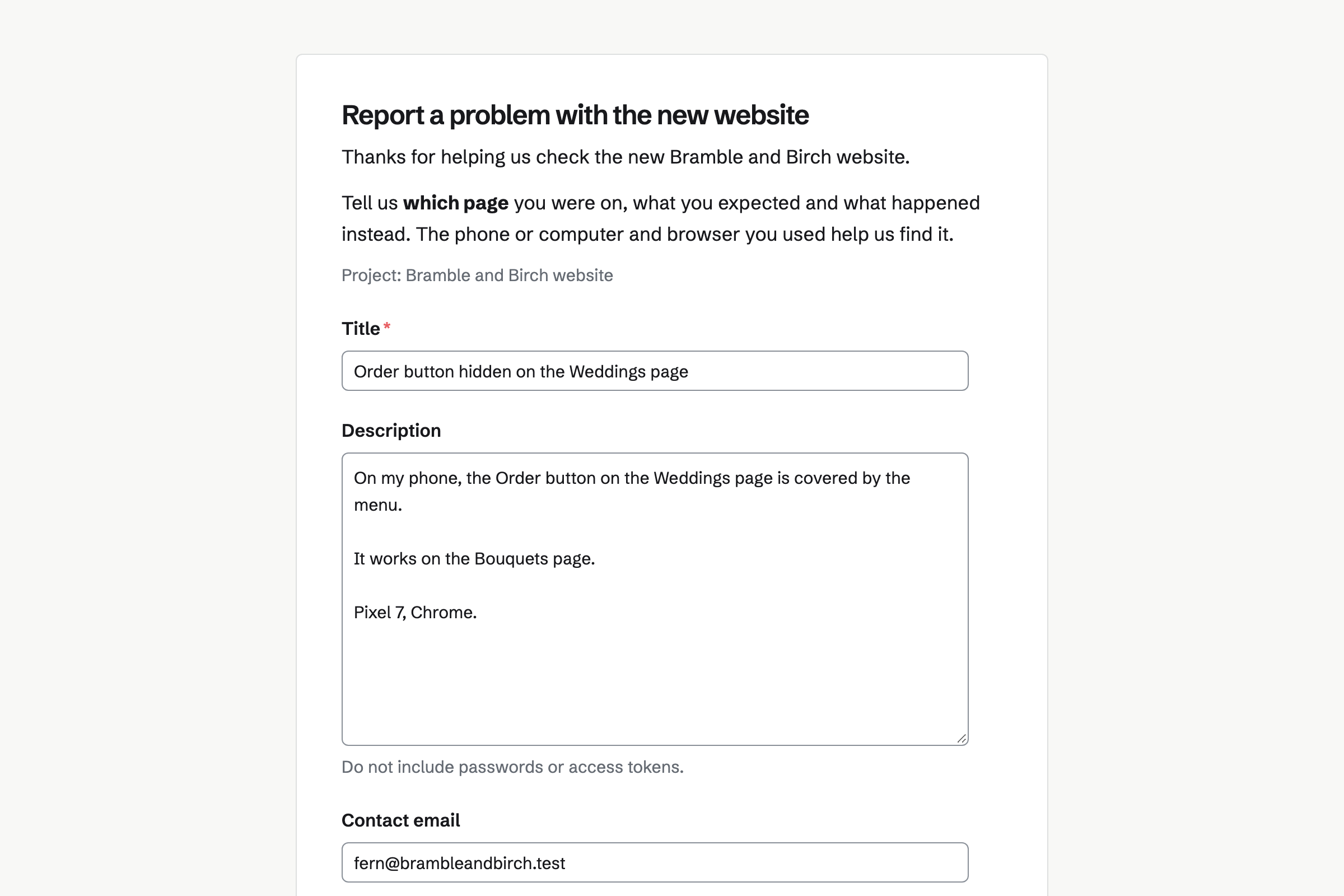
Issues gives each project its issues, with a prefix, a lead and a target date. A public form takes bug reports, each with a title, a description and an email address.
Each report waits in triage, where you accept it, mark it a duplicate or cancel it. Cycles plan the fixes in one- or two-week sprints. Webhooks send each change to another service.
Client Portal gives each client a private page of their own. A plan lists the steps of the build, such as sending the copy and photos. The client ticks theirs and uploads their files.
A shared project shows its status and target date. Their Overview lists their open steps, the invoices to pay and the documents to sign.
Invoicing turns each payment of the proposal into an invoice. The last one takes the balance. A care plan accepted in the proposal becomes a recurring invoice.
Hours for out-of-scope work go on the next invoice from Time Tracking. Clients pay by card, into your own Stripe account.
The client's contact page lists the proposal and every invoice.
The client chooses the larger site, adds the care plan, signs and pays the deposit.
Magpie makes the Time Tracking project, with its hours budget, and a To-do for each phase.
You push to the client's repository. Each push rebuilds and deploys the site.
You point the client's domain at the site, and Magpie gets its SSL certificate.
The client reports a bug on the public form. You accept it and fix it in the next cycle.
The care plan's invoice is issued on its date, with a Pay online button.
You add your studio's name, address and logo for invoices. Help: Send and configure invoices.
You connect your Stripe account, so clients can pay by card. Help: Connect Stripe to receive money.
You set your packages and care plan in the website starter. Then you save it as your own. Help: Proposal starters, saved sections and the price list.
You make an HTTPS access token to clone and push. Help: Clone and push with a token or SSH key.
You add a public form to your client's project and enable it. Help: Triage and public issue forms.
A developer working alone fits Pro, for your own work in Personal. It hosts up to 20 websites, and has no limit on proposals or invoices. Site files count toward your storage, 20 GB with Pro.
A studio fits the Team plan, one price for up to 25 members and 20 websites. Mail at a domain needs Pro or the Team plan. The free plan hosts 1 website.
Magpie adds no fee to invoice payments. Stripe's processing fee is taken from each. Prices are on the Pricing page.
A brand designer hands over a client's identity as a site, with every logo and colour.
An independent developer sells their own software, with licence keys and supporters.
An agency runs several clients at once, with retainers, boards and a team in chat.
A blogger writes their own site and newsletter, with email at their own domain.
Yes. A files website can take its files from a repository's branch, and each push rebuilds it. A repository with a content folder is built from Markdown, with a feed and a sitemap. A failed build keeps the live site and logs the error.
Static sites: HTML, CSS, JavaScript and their assets, up to 5,000 files and 200 MB each. You upload what a build tool produces. A site is served on its own address, and its scripts cannot read the Magpie account.
Yes. You add a verification record and an address record at the client's DNS host. Magpie gets the SSL certificate. If Magpie hosts the domain's DNS, it can add the records for you. Email at that domain keeps working.
Yes. Every change to a files website is a version, with who made it and when. The latest 50 are kept. Restore makes an earlier version live again, and any version downloads as a ZIP.
Yes. DNS hosts the domain's A, AAAA, CNAME, MX, TXT, CAA and SRV records. You import the current records, then change the nameservers. Connected services lists the website, mail and shop on the domain, and whether each is live.
Yes. You make a token with read or write access. It is the password over HTTPS. A token can be saved to your Password Vault. A public repository can be read and cloned by anyone.
Yes. A public bug form takes a title, a description and an email address. Each report waits in triage. You accept it into the project, mark it a duplicate or cancel it.
Yes. A webhook sends issue, comment and project events to an HTTPS address. Each one is signed. Issues also imports from CSV or GitHub, and exports CSV or JSON.
Yes. A monthly line in the proposal starts a recurring invoice when the client accepts. The proposal can ask the client to save a card. Each invoice is then charged to it. You can change the lines, pause or end the plan.
Yes. The website starter asks for a 30% deposit at signing and the balance at launch. The deposit's invoice is issued when the client signs. You bill the last payment when you choose, and it takes whatever is left.
Yes. Screen Recorder records your screen and camera. A share page plays it for anyone with the link, and can offer a download. Analytics show views and how far people watched.
Yes, on Pro or the Team plan. You connect the domain to Mail, with records or nameservers, and add mailboxes of 5 GB each. Aliases such as hello@ deliver to one or several mailboxes.
Your Password Vault keeps logins, API keys and recovery codes, encrypted in your browser. It is your own vault, and it can import from Chrome, Bitwarden or 1Password. Two-factor codes can be kept beside each login.
Magpie adds no fee to deposits or invoice payments. Stripe's processing fee is taken from each card payment. The rest goes to your own Stripe account.
Create a Magpie account and add your studio's details.