Lawyers and small law practices
A law practice reviews drafts with clients and bills the hours on each matter.
Consultants
A consultant working alone uses Magpie in Personal. A firm and its consultants can work in one Magpie team.
Get started free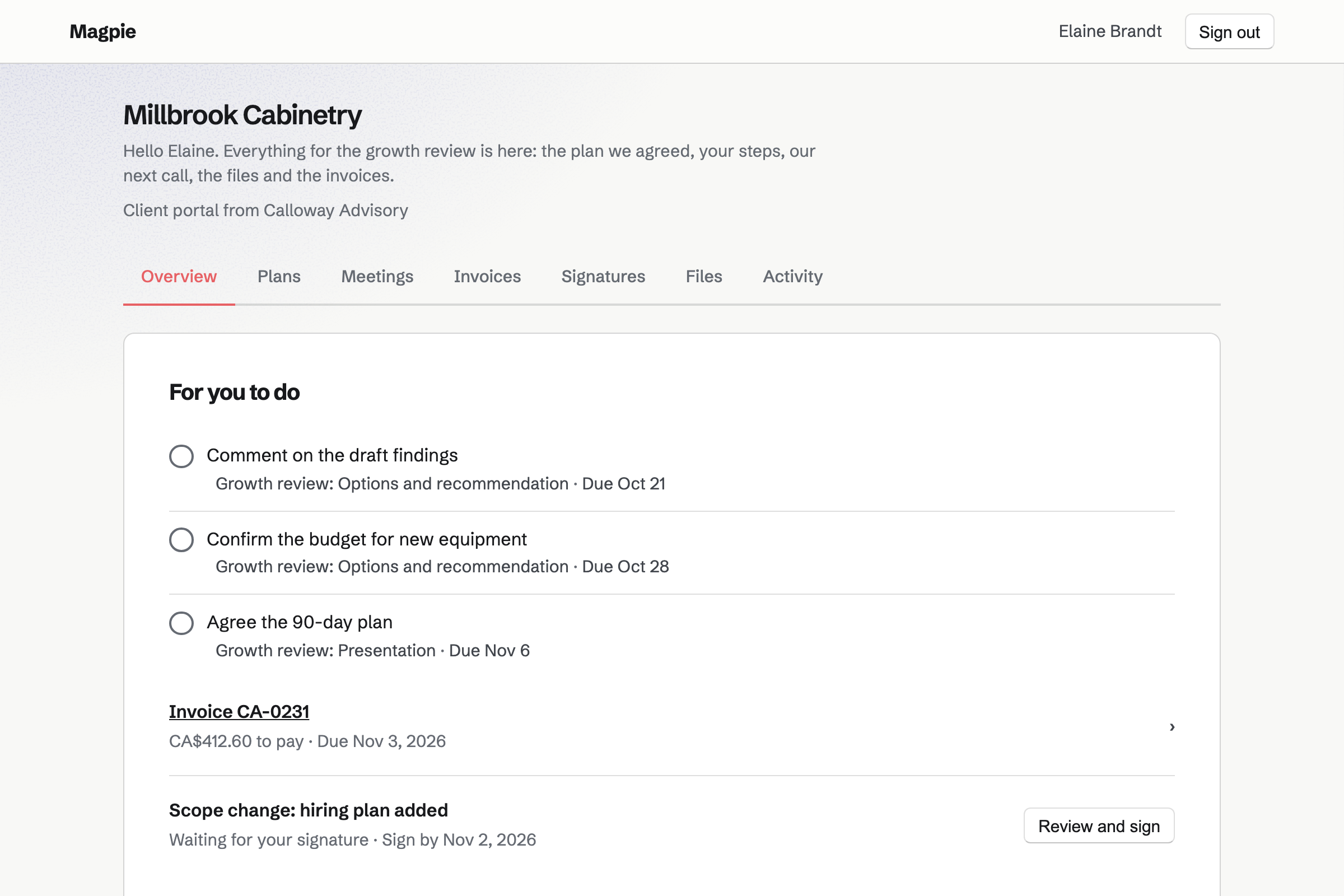
Meetings is your own meeting page. It offers a Meeting Type such as a 30-minute discovery call, in the hours you set. Prospects choose a time in their own time zone.
Times that clash with your calendar or a connected Google Calendar are not offered. With Zoom connected, each call gets its own Zoom link.
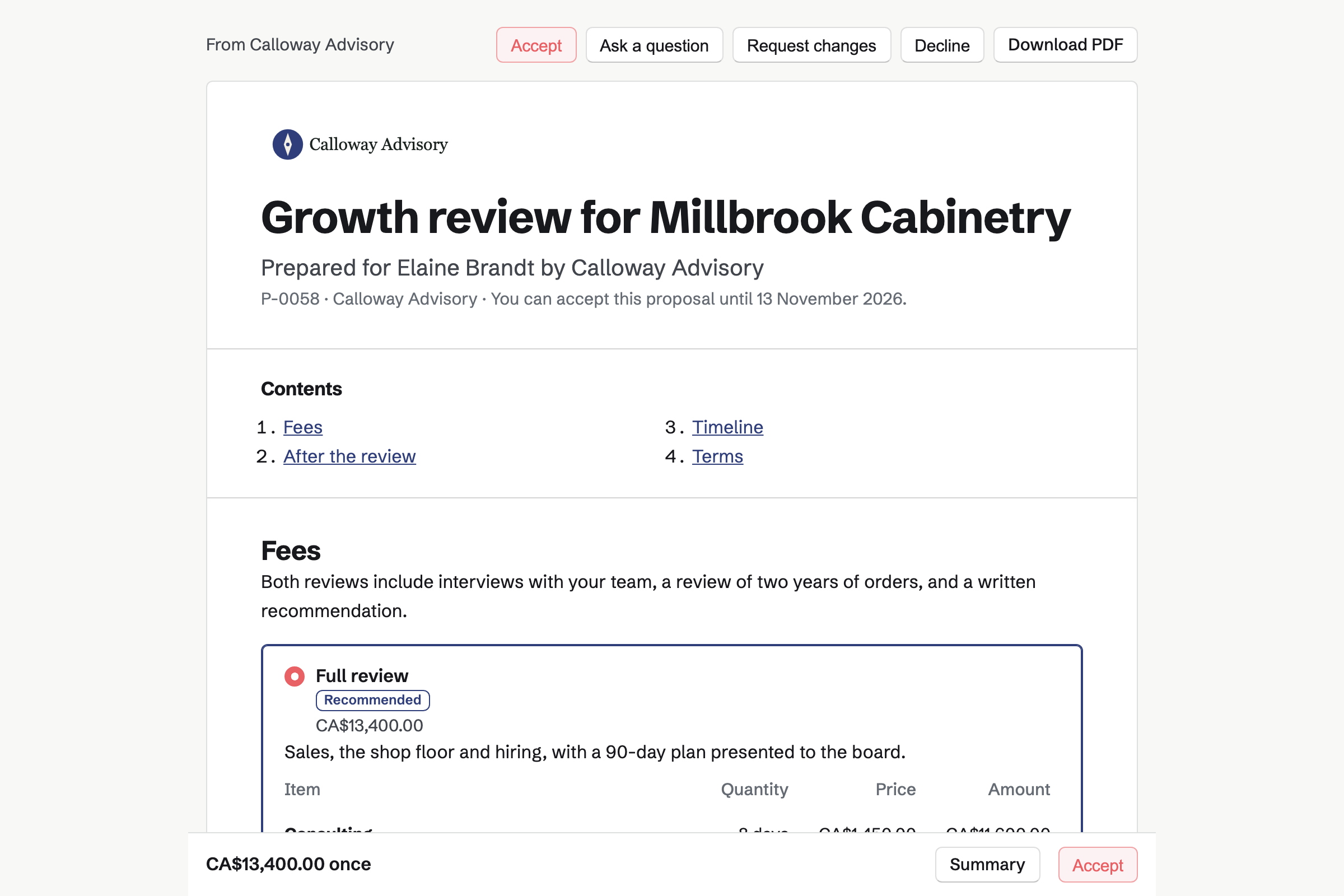
Proposals turns your scope and fees into a proposal the client signs online. Magpie's consulting starter prices the days at your day rate. The written recommendation is its own line. The client can add follow-up sessions by the hour.
You can see each time the proposal is opened. When the client signs, the deposit invoice is issued, and they can pay it by card.
Client Portal gives each client a private page. A plan sets out the engagement's goals, such as a revenue target. Its stages hold the steps to reach them, each for you or for the client.
The client ticks their own steps and can record where a goal stands. You can save your process as a starter for the next engagement.
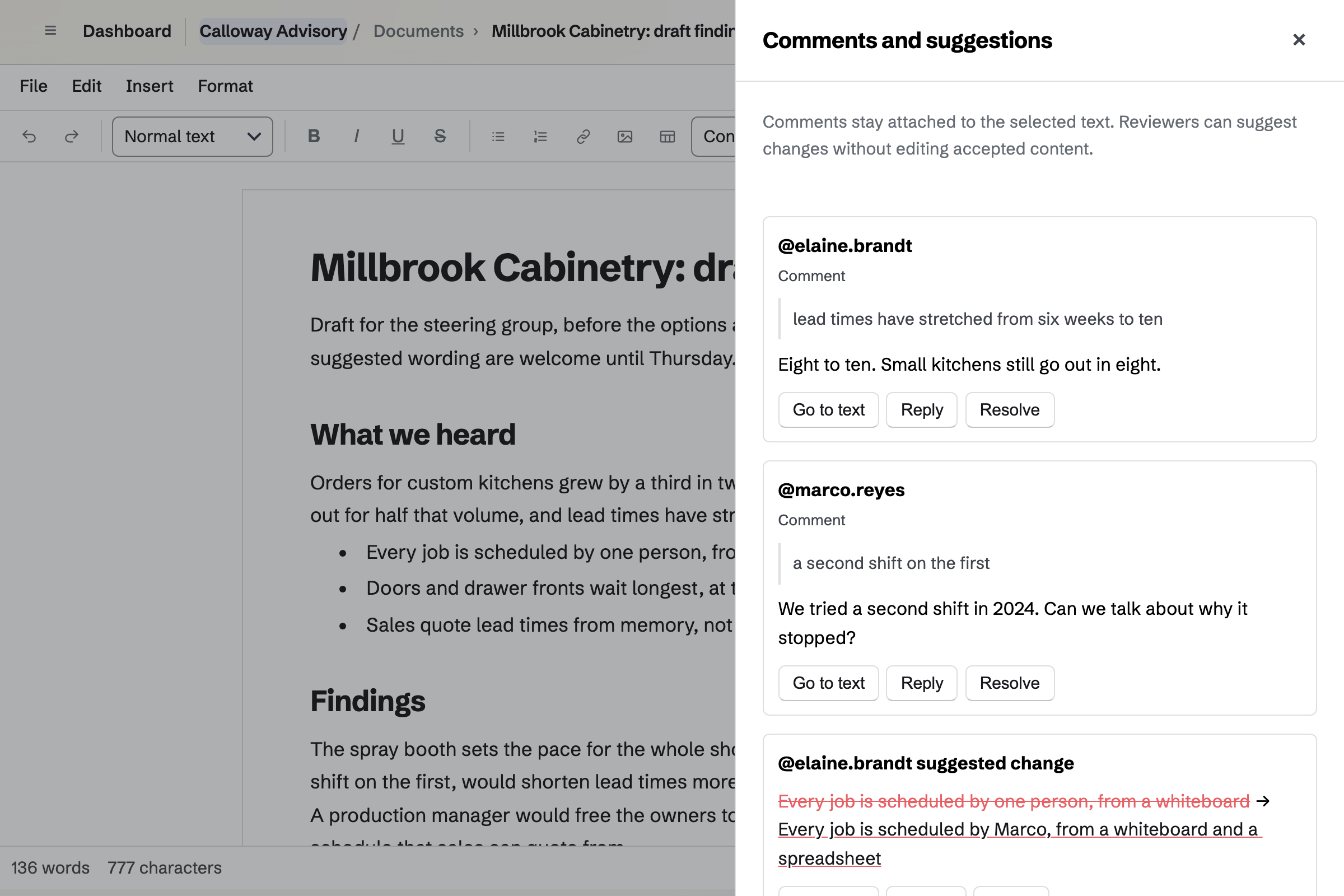
Documents is where you write the report. You share the draft with the client's stakeholders to review. They comment on your findings and suggest new wording, and nothing changes until you accept it.
A named version, such as Draft for the steering group, can be restored later. Word files keep their comments and tracked changes, in and out.
Presentations builds the deck for the leadership team, with text, images, shapes and arrows. Present opens it full screen in a new tab, without editing controls.
Publishing fixes a version that anyone with the link can read, without signing in. Export PDF makes a PDF to send after the meeting.
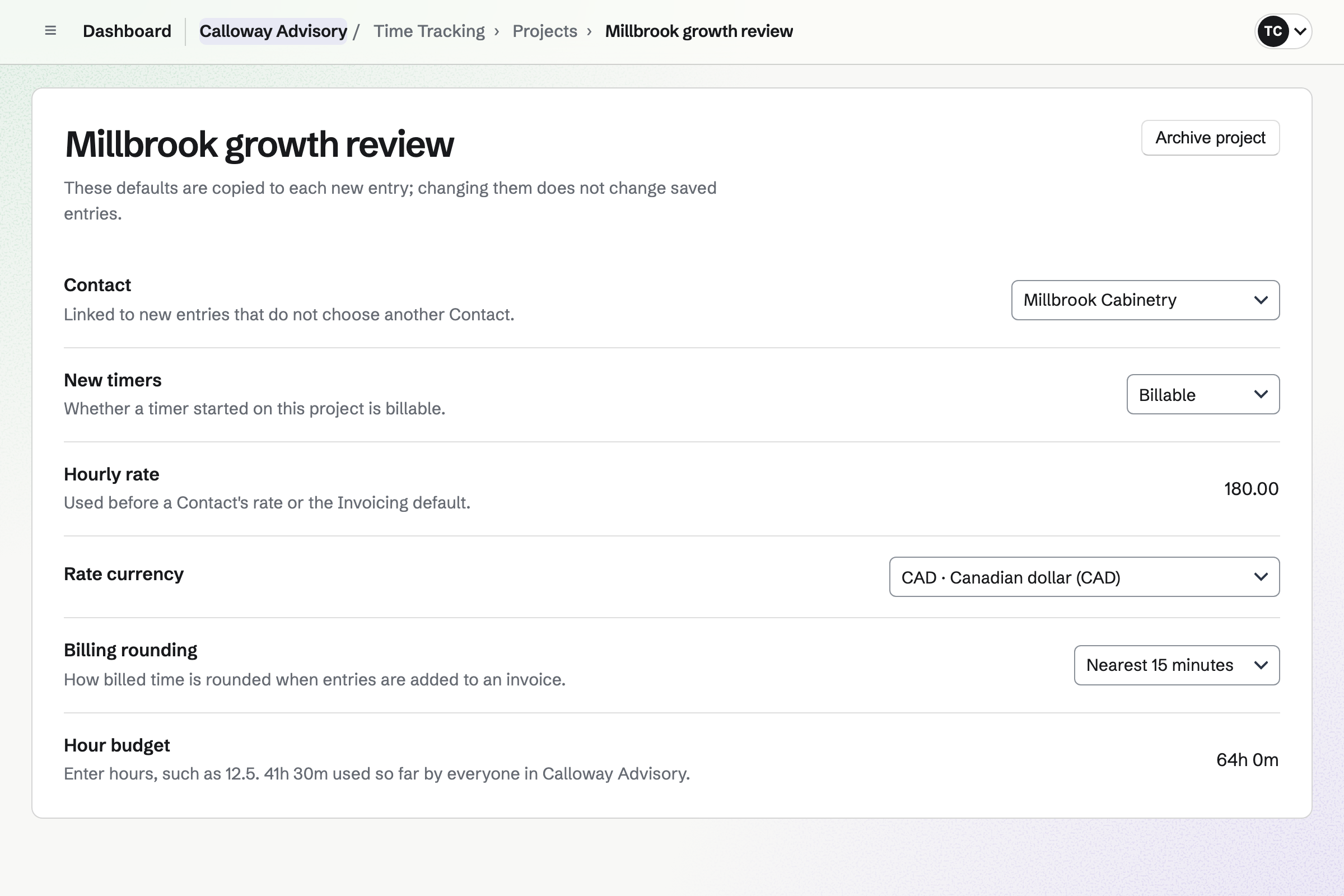
Time Tracking records your hours on each client's project, with a timer or by hand. When the client signs, Magpie can make the engagement's project. Its hourly lines set the rate and the budget.
Each project shows the hours used against its budget. Reports total the billable amount by client, and export as CSV.
Invoicing bills the proposal's final payment when you choose, for whatever is left. Follow-up sessions you record go on an invoice with Add unbilled time.
Travel you record as a reimbursable expense can go on it too. Clients pay by card into your own Stripe account, with no Magpie fee.
The client's portal shows them where the engagement stands.
A prospect books a discovery call on your meeting page.
You send the engagement proposal, and the client signs it online.
The deposit invoice is issued on signing, and the client pays it by card.
Magpie can make the project, share the proposal in their portal and offer a kickoff call.
You share the action plan, and the client ticks off their steps.
The client's people review your report, and you present the deck.
You bill the final payment, and the client pays it by card.
You set your weekly hours and add a discovery call. Help: Set up and share your meeting page.
You connect Zoom, so each call gets its own link. Help: Connect Zoom.
You connect your Stripe account, so clients can pay by card. Help: Connect Stripe to receive money.
You open the consulting starter, set your day rate and deposit, and save it. Help: Proposal starters, saved sections and the price list.
You make a starter plan with your stages, steps and goals. Help: Reuse your process with starter plans.
A consultant working alone fits Pro, for your own work in Personal. A firm fits the Team plan, one price for up to 25 members.
On the free plan, you can offer 2 Meeting Types, send 5 proposals and create 5 invoices a month.
Magpie adds no fee to invoice payments. Stripe's processing fee is taken from each. Prices are on the Pricing page.
A law practice reviews drafts with clients and bills the hours on each matter.
An accounting practice bills a monthly fee and works in clients' books.
An agency runs several clients' projects at once, with a team.
Yes. Your meeting page lists your Meeting Types, such as a 30-minute discovery call. Prospects choose one of your free times in their own time zone. Times taken in your calendar or a connected Google Calendar are not offered. Each call can get its own Zoom link.
Yes. The consulting starter prices the engagement in days at your day rate. The written recommendation is a line of its own, and follow-up sessions an hourly option. The starter asks for half as a deposit when the client signs. You can change every line and the deposit.
Yes. The client chooses any options, then signs with a drawn or typed signature. Magpie emails everyone the signed PDF and a signing certificate. Several people at the client can each sign.
Yes. The proposal's activity lists each time it was opened, and by whom. Questions, changed choices and signatures are listed there too.
Yes. Agreements has mutual NDAs from Common Paper, Bonterms and oneNDA. You answer its questions, and the publisher's text fills in. Send for signature sends it to each party to sign. Magpie is not a law firm, so have a lawyer review it.
Yes. A plan in the client's portal has goals, such as a revenue target or a launch. Its stages hold the steps, each for you or the client, with a due date. The client ticks their steps and records where a goal stands.
Yes. You save a plan as a starter, with its goals, stages and steps. A new plan from it sets each due date that many days from today. Changing a starter leaves the plans already made from it as they are.
Yes. You share the document with the client's people as reviewers. They comment on the text and suggest new wording. You accept or reject each suggestion, and save named versions as you go.
Yes. Importing a Word file brings its comments in as comments and its tracked changes as suggestions. Export DOCX writes the comments back into the Word file. Export clean DOCX leaves them out.
Yes. Present opens the deck full screen in a new tab, and hidden slides are skipped. Once you publish the deck, its link opens for anyone without signing in. Export PDF makes one page for each slide.
Yes. You share a meeting in their portal, and it shows under Meetings with its time. The next one is on their Overview too. Join meeting appears beside a call with a Zoom or Google Meet link.
Yes. You record the sessions in Time Tracking, on the client's project, at its rate. Add unbilled time puts them on an invoice as lines. Time on an issued invoice is locked.
Yes. A monthly line in an accepted proposal starts a recurring invoice. The client can save a card when they sign, and each invoice is charged to it.
Yes. You record the cost in Expenses, mark it reimbursable and choose the client. Add unbilled expenses puts it on their invoice. It is marked billed when the invoice is issued.
Magpie adds no fee to invoice payments. Stripe's processing fee is taken from each card payment. The rest goes to your own Stripe account.
Create a Magpie account and add your discovery call.