Massage therapists, estheticians and small spas
A massage studio books treatments with the room they need. It sells oils and gift cards online.
Therapists and counsellors
You can practise on your own. A shared practice's therapists can work in one Magpie team.
Get started free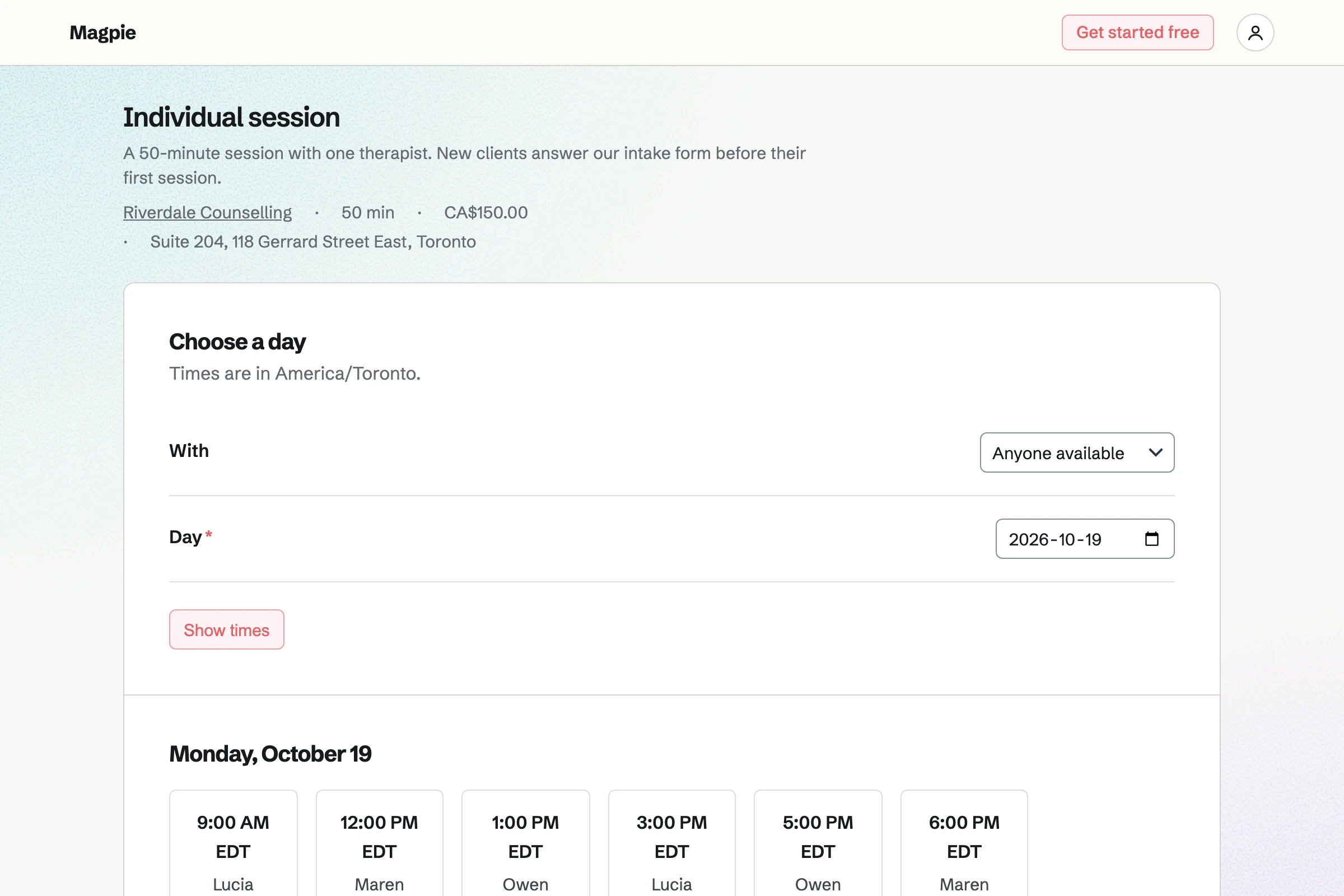
Appointments gives your practice a booking page. Each kind of session has its own length and price, such as 50 minutes. Time kept free after each one leaves a break before the next client.
Clients choose a session and a free time, and give their name and email address. Magpie will email them a confirmation with a link. From it they can move or cancel, until the notice you set.
Meetings is your own meeting page for sessions by video. With Zoom connected, each booking gets a Zoom call. The client's confirmation email carries the join link.
Clients see your times in their own time zone. You will get an email for each booking. A time taken by an appointment, or busy in your Google calendar, cannot be booked.
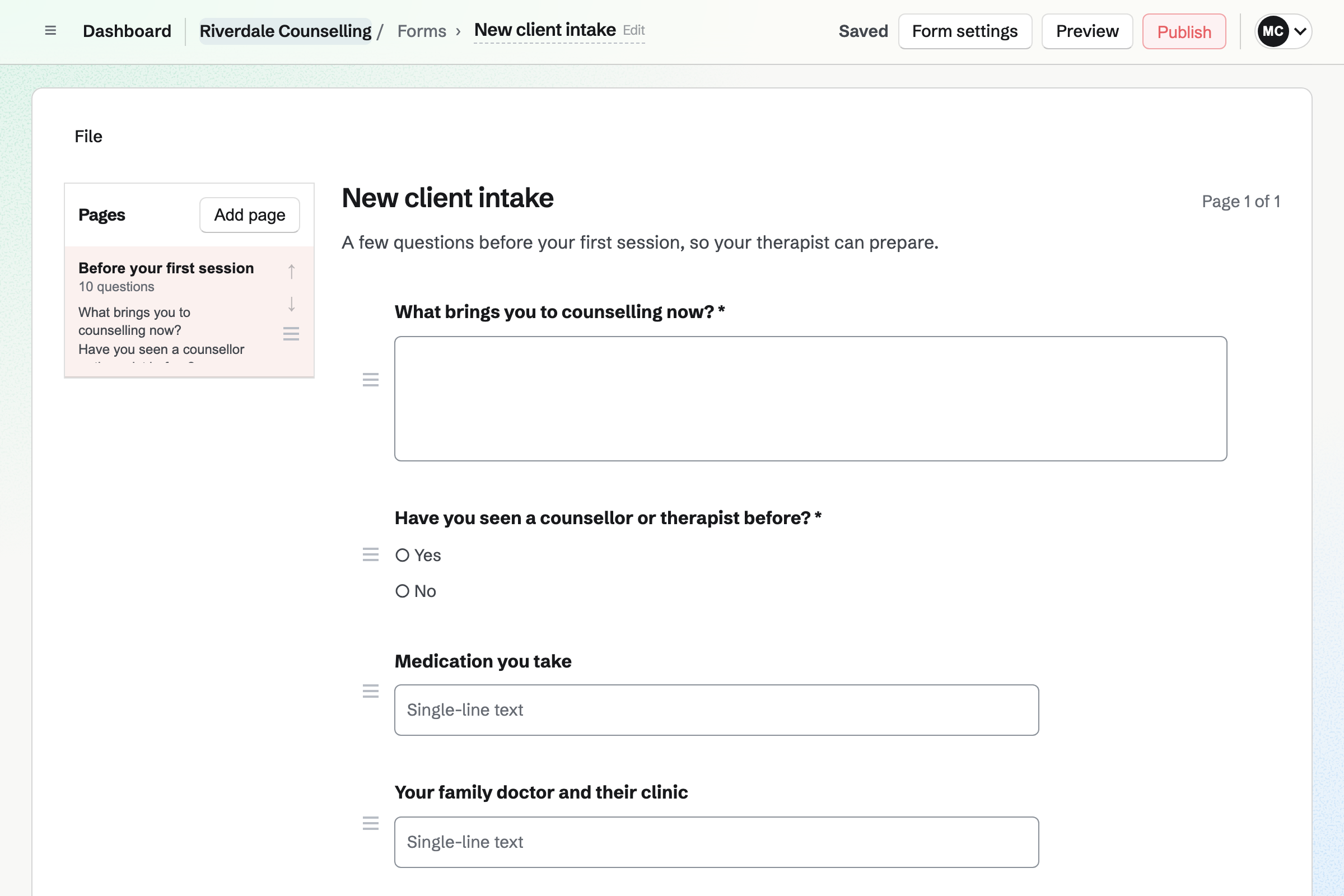
Forms builds your intake form from the questions you ask before a first session. A question can appear only after an answer that calls for it. A required question must be answered before the form is sent.
You send the form's link once a client books. Each response will arrive by email. In Personal, only you and anyone you add can read the answers.
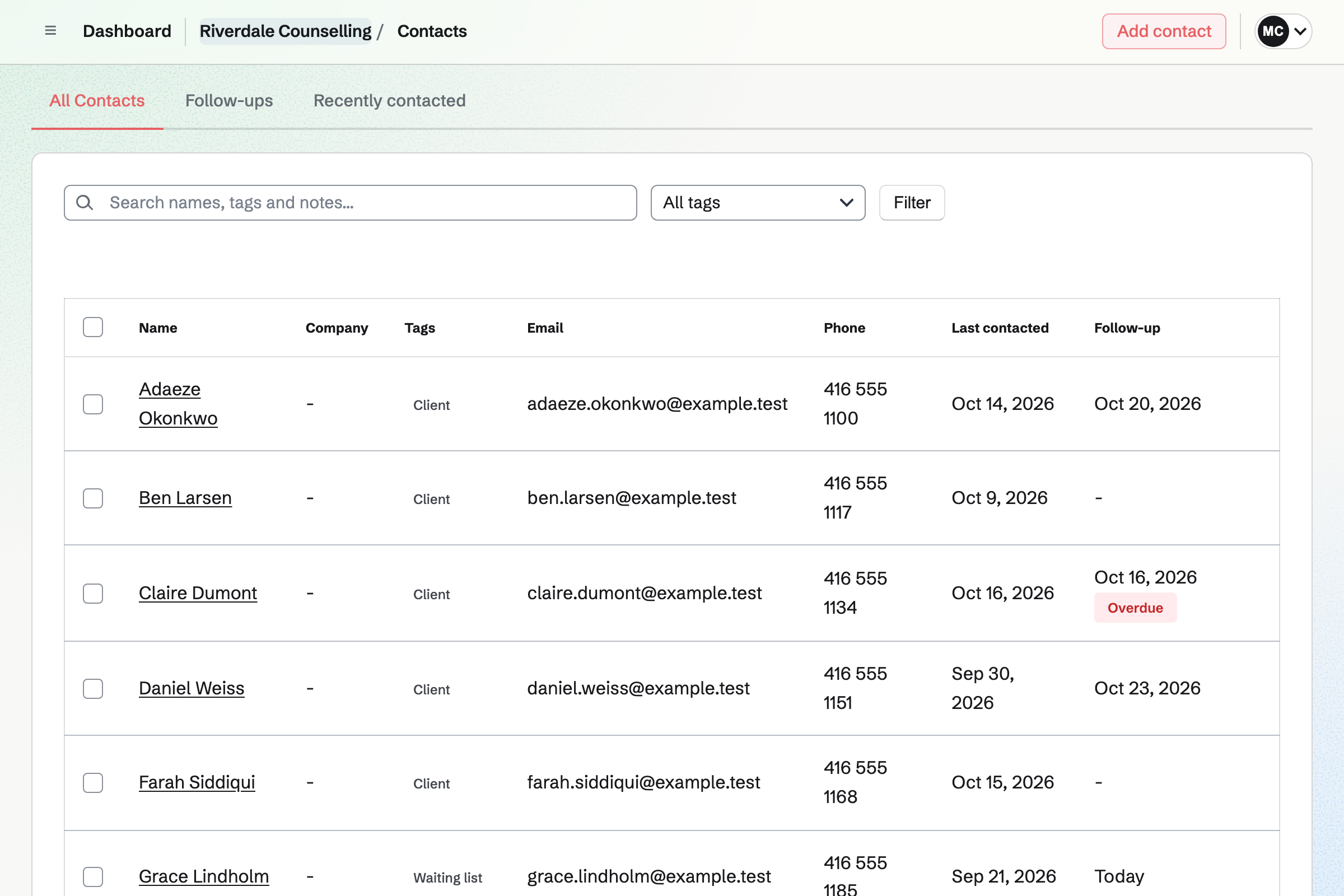
Contacts is your client list. A first booking adds the client by their email address. Their page lists every session, in the room or by video.
After each session you can write a dated note. A pinned note stays at the top. In Personal, only you see a client's page. In a practice's team, every therapist who uses Contacts sees it.
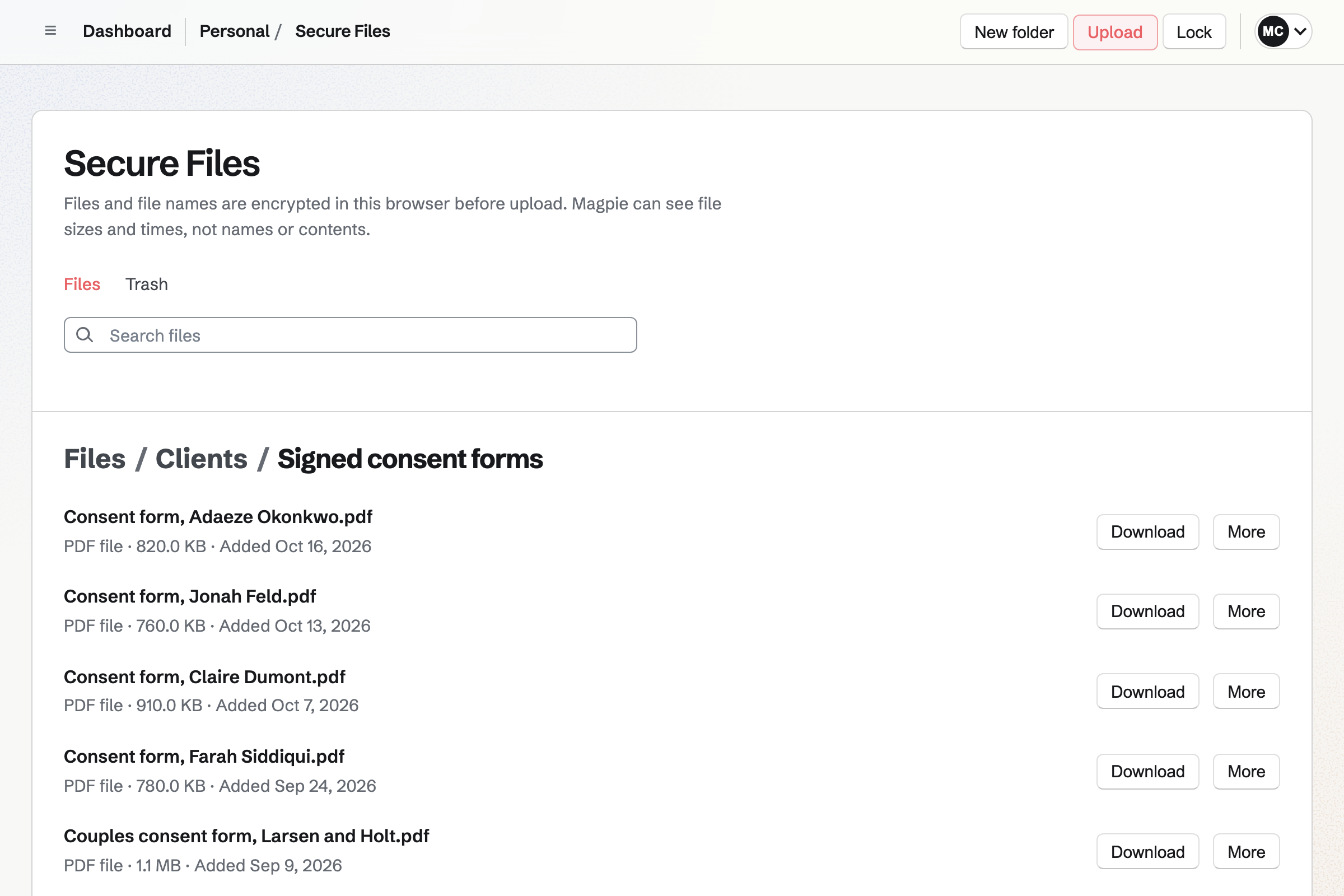
Secure Files encrypts each file and its name in your browser, with your Password Vault key. Magpie stores only data it cannot read. It can hold a scanned consent form or a letter from a client's doctor.
The files belong to your account, not to a team. You can send one through a secure link that expires, such as after a day. A link can allow one download and ask for a passphrase.
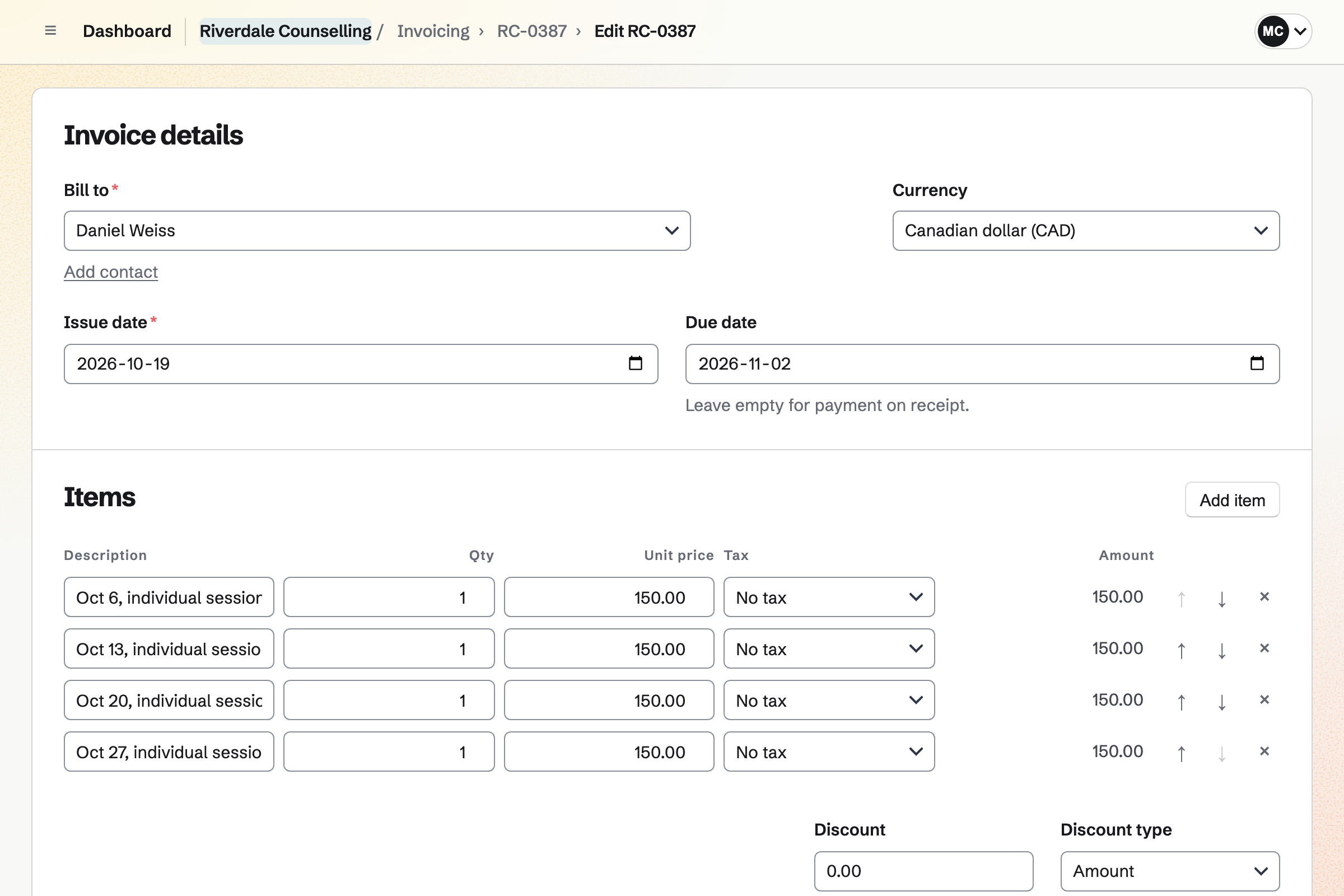
Invoicing bills a session to the client, with its date in the line. With Stripe connected, the email has Pay online, and clients pay by card. The money goes to your own Stripe account.
Cash or a bank transfer is recorded against the invoice. Reminders will go to the client until the invoice is paid. A client seen every week can have one recurring invoice a month.
They choose a 50-minute session and a free time. Magpie emails them a confirmation.
The session is added to your Calendar. That time is no longer offered on either booking page.
You send the form's link. Their answers arrive by email before the session.
The booking adds them to your client list. Your notes go on the same page after each session.
You invoice the session. A card payment is recorded on the invoice by itself.
Each invoice and its payments will be added to the books.
You choose a business type and your time zone. Then you add your sessions, their prices and your hours. Help: Set up Appointments.
You add a Meeting Type for sessions by video, set your hours and connect Zoom. Help: Set up and share your meeting page.
You write your questions and publish the form. Help: Build, publish, and share a form.
You set up Password Vault and keep its recovery key. Help: Secure Files.
You connect your Stripe account, so clients can pay invoices by card. Help: Connect Stripe to receive money.
Working alone, you use Personal, and Pro is its paid plan. The Free plan keeps 100 contacts and makes 5 invoices a month. It has 2 Meeting Types. Pro has no limit on any of them.
A shared practice is a team. Each therapist who takes bookings takes a member place. A free team has 3, counting you; the Team plan has 25.
Mail at your own domain needs Pro, or the Team plan for a practice. Secure Files uses your own storage: 1 GB free, 20 GB on Pro. Magpie adds no fee to invoice payments; Stripe's fee applies.
A massage studio books treatments with the room they need. It sells oils and gift cards online.
A trainer gives each client a training plan to tick off, and bills monthly clients.
Clients open your booking page and choose a session, a day and a free time. They enter their name and email address, and a phone number if they like. Magpie checks the time again as they book. It then emails a confirmation with the session, the time and the place.
A session booked in the room has a link in its confirmation email. From it the client can choose another free time, or cancel. Both work until the notice you set, such as 48 hours. For a video session, the email asks the client to write to you instead.
Each kind of session can keep time free before and after it, such as 10 minutes. The booking page then offers only times with room for the break. A 50-minute session with 10 minutes after it fills an hour.
Sessions in the room are booked on your booking page. Sessions by video are booked on your meeting page. With Zoom connected, each one gets its own Zoom call. With Google Calendar connected instead, it gets a Google Meet link.
Your meeting page shows times in the client's own time zone, taken from their browser. It names their zone, and yours when it differs. The confirmation shows the time in both zones. Their email uses their zone, and yours uses your own.
New appointment books it for the client. You choose the session, the date and a start time. Then you enter their name and email address. You can add internal notes the client never sees. The client gets the same confirmation email, with the link to change it.
You build the form once, with questions such as their doctor's details. A question can be required, or appear only after an answer that calls for it. You send its link after they book. Each response arrives by email, with a link to read it.
The people who can see the form can read its responses. A form you make in Personal is seen by you and anyone you add to it. In a practice's team, the members who use Forms can see it. Files a client uploads open only for someone signed in who can see the form.
You write a dated note on the client's page, which also lists every session. Each note shows who wrote it and when. A pinned note stays near the top, for what you need before the next session. Internal notes on a booking are never shown to the client.
In Personal, the notes on a client's page are yours alone. In a practice's team, every therapist who uses Contacts can read them. For files only you should open, Secure Files encrypts them in your browser. Magpie stores those files as data it cannot read.
Secure Files encrypts each file and its name in your browser before upload. Only your Password Vault password opens them. If you forget it, the recovery key from setup lets you choose a new one. Magpie keeps no copy of that key.
You choose one of your secure files and make a link for it. It expires after an hour, a day, 7 days or 30 days. It can allow one download, and ask for a passphrase. Revoke stops the link at any time.
You send the client an invoice for the session. With Stripe connected, the email has Pay online, and they pay by card. The money goes to your own Stripe account, and the payment is recorded on the invoice. Magpie takes no fee; Stripe's processing fee applies.
Record payment records it on the invoice, with the date, the method and a reference. A part payment leaves the invoice Partly paid, with the balance shown. Reminders go to the client on the due date, then 7 and 14 days after, and stop once the invoice is paid.
An invoice can hold a line for each session, such as four 50-minute sessions. Make recurring then sends it every month, from the date you choose. You can change the lines before a month with more or fewer sessions. Pause stops the invoices over a break.
Client Portal gives the client a page with a plan of goals and steps. A step can be theirs, and they tick it off when it is done. You can share files with them, and they can share files with you. A draft stays hidden until you show it.
Mail adds mailboxes at your domain, each with 5 GB of storage. An alias can deliver to one or several mailboxes. In a practice's team, a mailbox can be open to everyone or private to one therapist. A private mailbox stays closed even to the team's admins.
You can connect Google Calendar. Your sessions will then be copied to it within about a minute. Times busy in Google cannot be booked on your meeting page. Your Google events appear on your Personal Calendar, seen only by you.
A follow-up on the client's page has a date and a reason. It becomes a To-do with the usual reminders. Contacts lists every open follow-up as Overdue, Today or Upcoming.
A practice works as one team, and each therapist takes bookings within their own weekly hours. A client chooses a therapist by name, or Anyone available. Each session goes on that therapist's Calendar. You can give a receptionist Appointments without Contacts, where the notes are.
Create a Magpie account for your practice.