Gyms, climbing gyms and boxing clubs
A gym runs classes beside a gym floor. It keeps its equipment in Asset Tracker and does daily safety checks.
Yoga, pilates, dance and martial arts studios
The studio and its teachers work in one Magpie team.
Get started free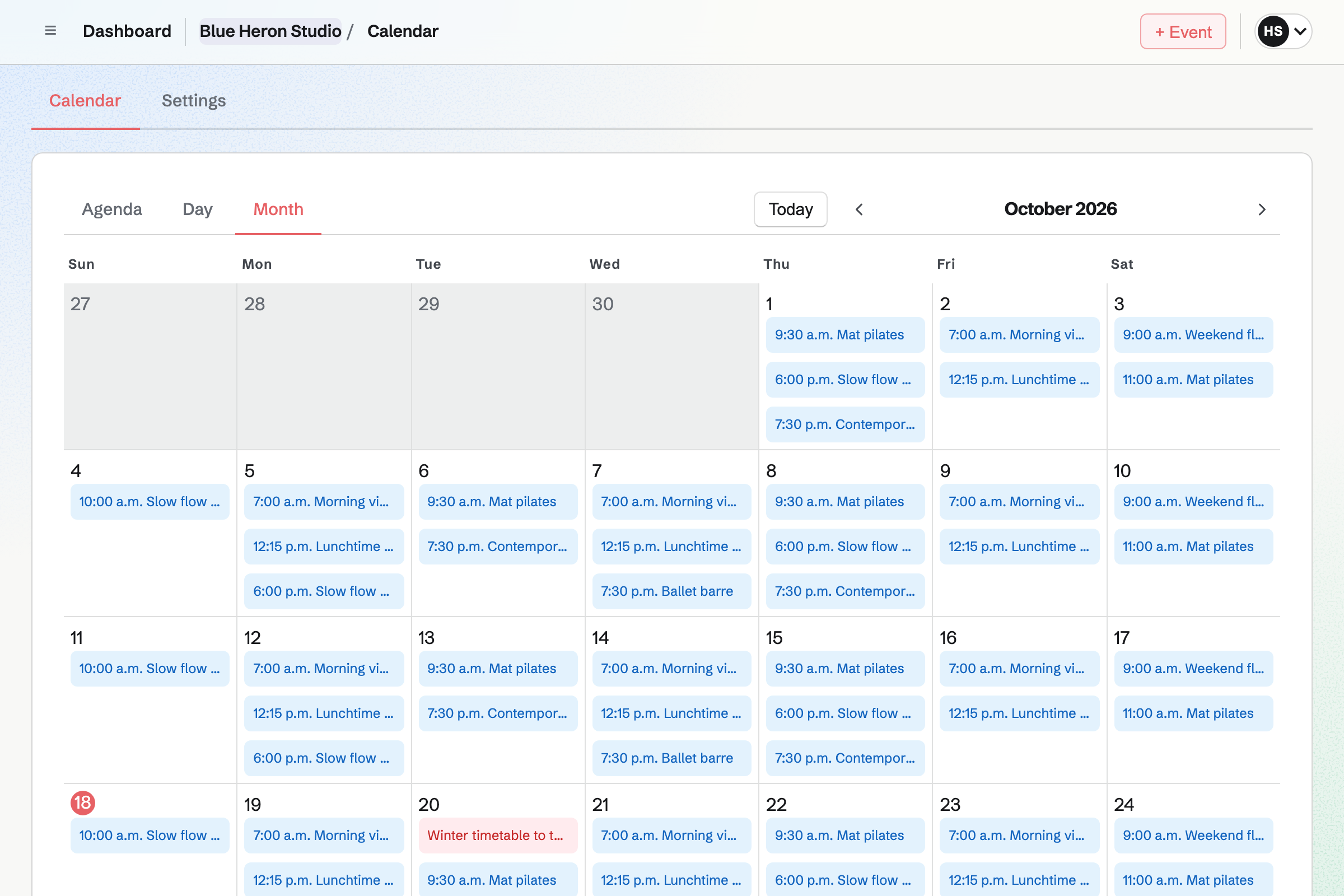
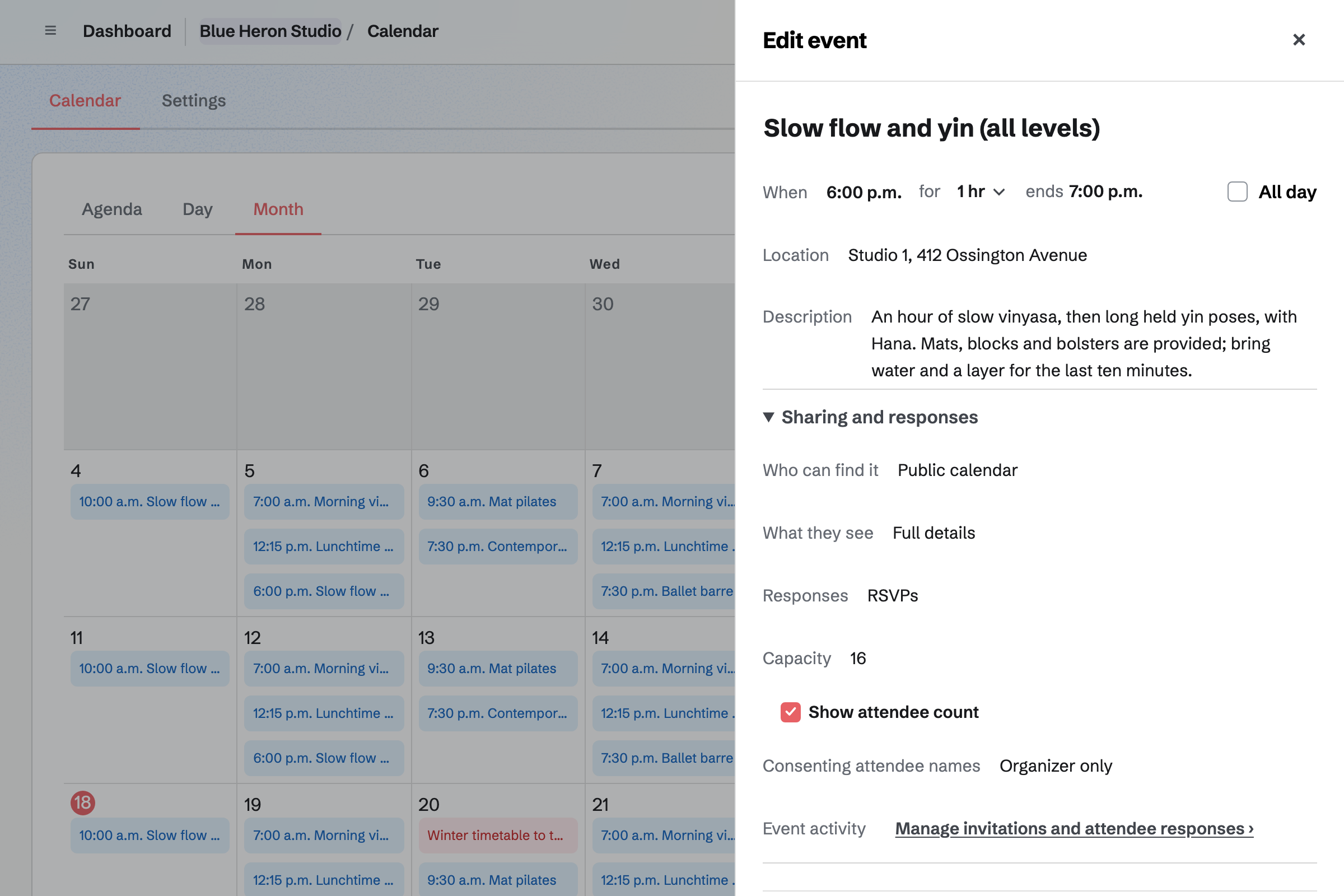
Calendar gives the studio a public timetable of its classes. Each class date is its own event, with its room, style and teacher. You set a capacity, such as 16 mats. The class's page can show how many are going.
Students answer Going on the class's page. Someone without a Magpie account creates one from that page first. Once the class is full, RSVPs stop and the page says so. A student who changes their answer to Not going gives the place back.
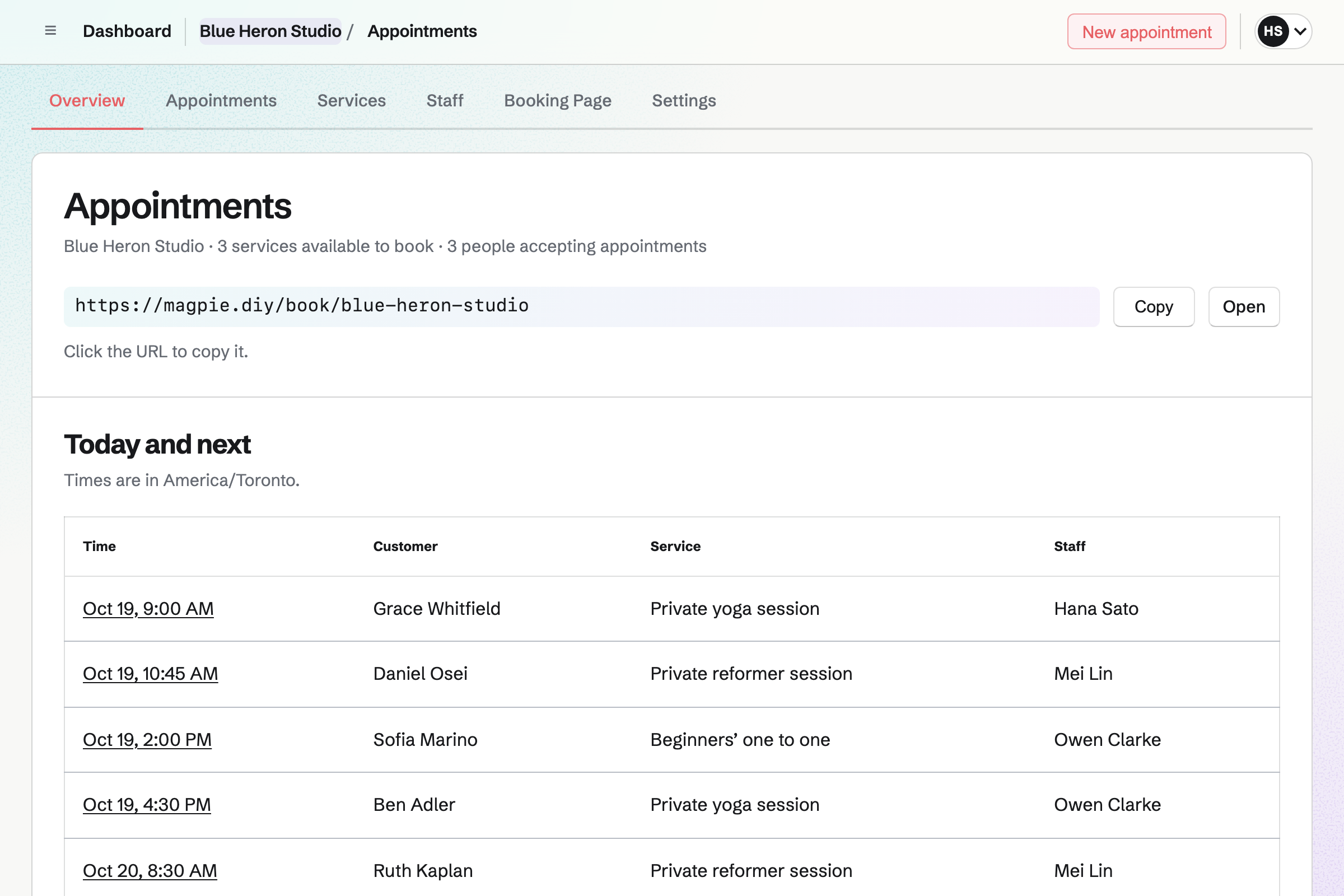
Appointments gives the studio a booking page for private lessons. Each lesson, such as a 55-minute reformer session, has its own price and teachers. Students choose a teacher or Anyone available, then a free time.
Magpie offers only times the teacher's hours, calendar and other lessons leave free. A lesson can also need a room, such as Studio 2, which must be free too. Each booking will add an event to the teacher's calendar and the student to your contacts.
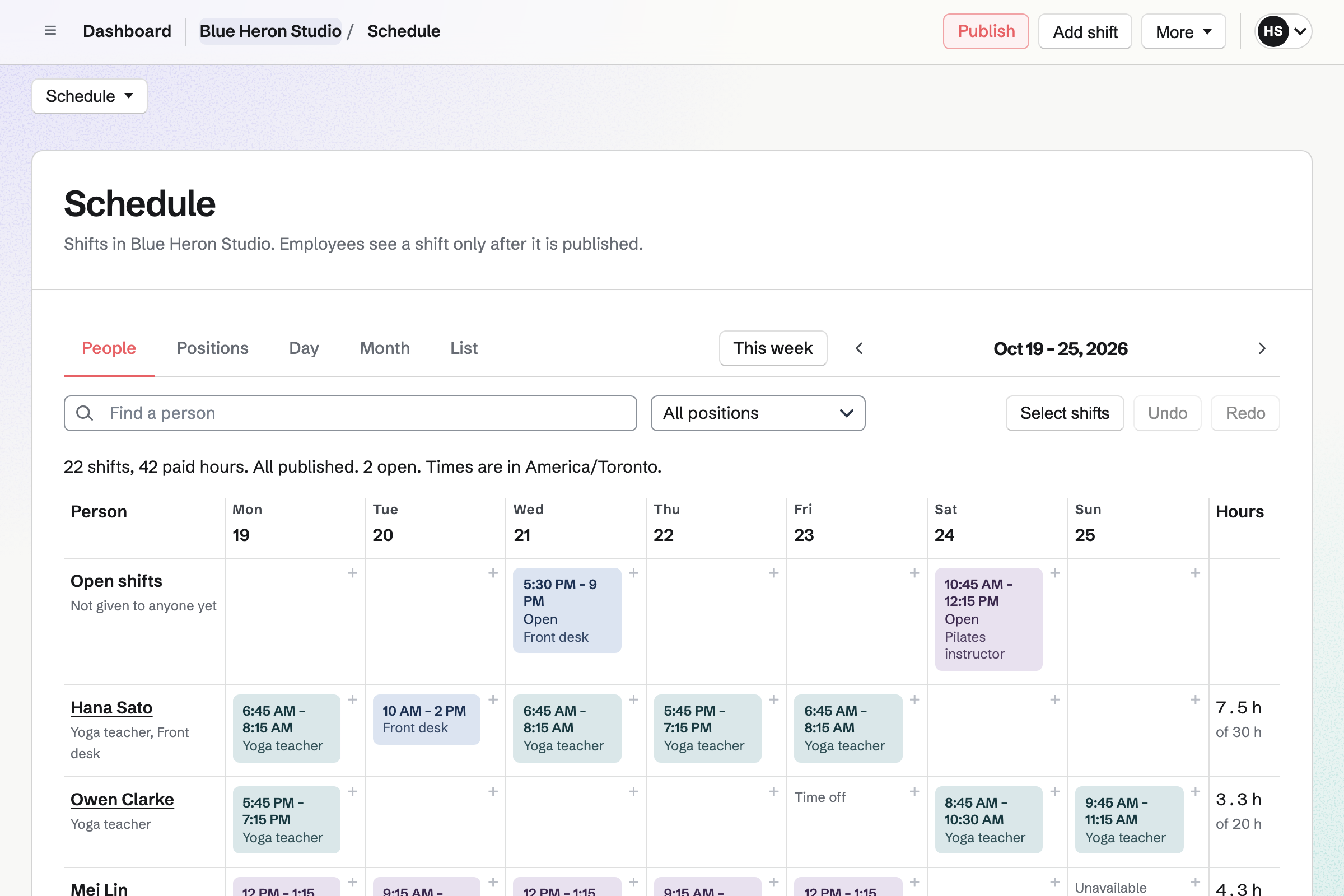
Staff Scheduling gives the studio a rota with positions such as Yoga teacher and Front desk. Each shift's instructions can name the class, such as Vinyasa in Studio 1. You can copy last week, or repeat a shift up to 12 weeks ahead.
Shifts stay drafts until you publish the week. Then each teacher you invited will see their own shifts. They can swap with a colleague, ask for cover or ask for time off. Your settings decide which requests a manager approves.
E-Signatures sends your waiver to each new student to sign online. You save it once as a signing starter, then add each student's name and email. Until they sign, Magpie will email a reminder every 3 or 7 days, as you choose.
The student signs from the link in their email. Magpie will then email you both the signed PDF and a certificate of completion. The certificate says who signed and when.
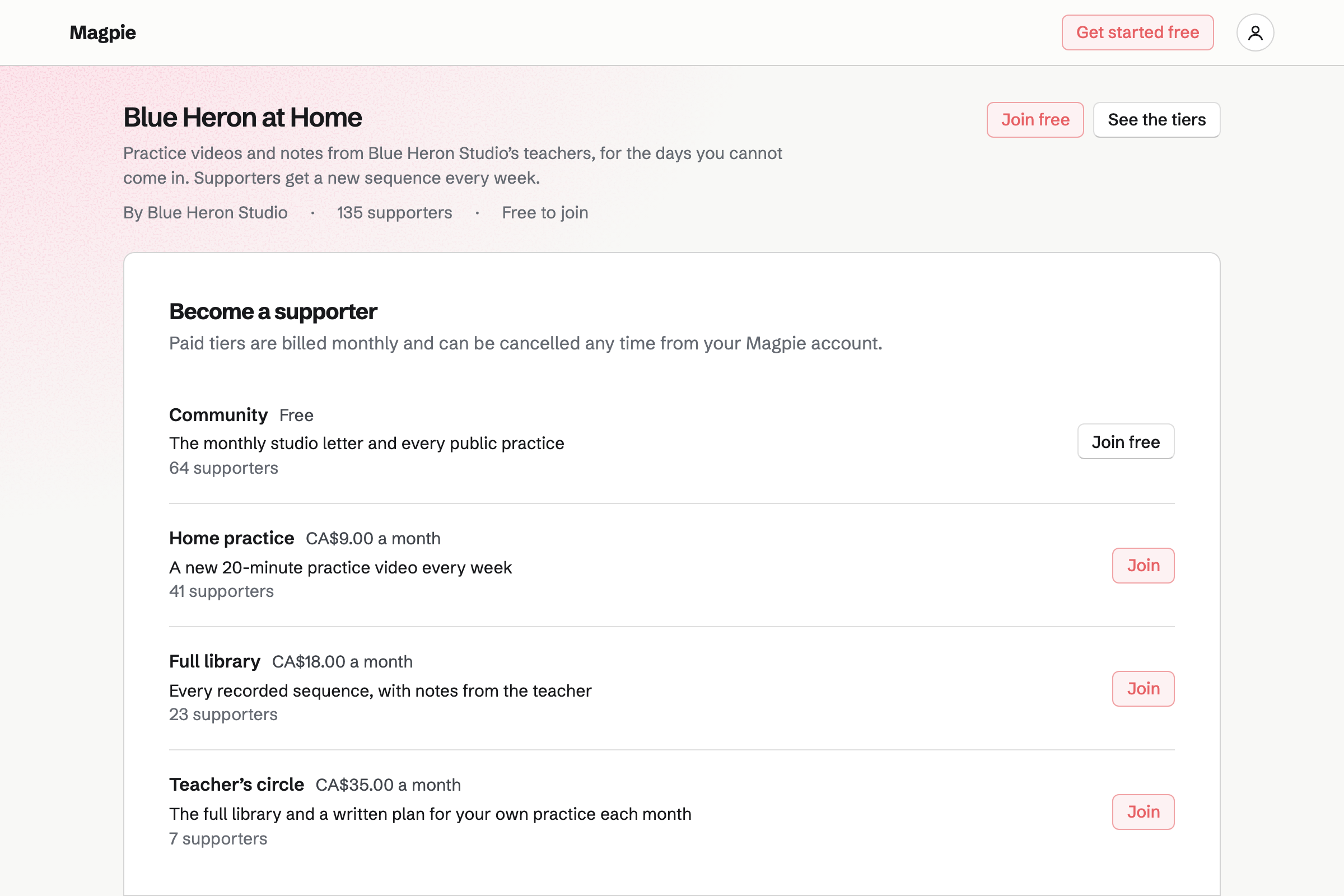
Supporters gives the studio a page with a free tier and monthly paid tiers. One tier can have a weekly practice video, and another every recorded sequence. Students join with their Magpie account, and pay by card into your own Stripe account.
You can write posts with text, images and videos you record or upload. Each post can be for everyone, for paying supporters or for the tiers you pick. A post can include a poll, such as which class to add on Sundays.
Classes and tiers use the student's Magpie account. The waiver goes to their email address, and lessons and invoices use their contact.
They open your public calendar from your website, your Link-In-Bio List or a social post. Then they choose a class.
They answer Going on the class's page, and the count goes up. Once the class reaches its capacity, it will show as full.
You send the waiver from your starter to their email address. Once they sign, you will both get the signed PDF and its certificate.
They choose a teacher and a time on your booking page. The lesson will go on the teacher's calendar and reserve any room it needs. The student will be added to your contacts.
A paid tier gives them the posts and videos you publish for it. They pay each month until they cancel.
You create a team and invite the teachers who give private lessons. Help: Create and manage a team.
You add each class to Calendar, set to Public calendar, with RSVPs and its capacity. Help: Create public and private calendar events.
You plan the teachers' first week on the rota, then publish it. Help: Plan and publish a staff schedule.
You save your waiver as a signing starter. Help: Signing starters.
You add your private lessons and each teacher's weekly hours. Then you publish the booking page. Help: Set up Appointments.
A studio with teachers is a team. The Team plan is one price for the whole team, with 25 member places and 5,000 Calendar events. Each class date counts as one event, past classes included.
Each teacher who gives private lessons or sees their shifts takes a member place. A teacher on the rota by name alone takes none. A free team has 3 member places, counting you, and 100 events.
Supporters has a 3% fee, and paid Forms a 1% fee. Magpie adds no fee to Store sales or invoice payments. Stripe's processing fee is taken from each card payment.
A gym runs classes beside a gym floor. It keeps its equipment in Asset Tracker and does daily safety checks.
A personal trainer works on their own. Each client has a training plan in Client Portal and a monthly invoice.
Yes. Classes set to Public calendar are listed on your public calendar. It shows each class's date, time and attendee count. Its address is your meeting page's address followed by /calendar. Each class also has its own page, with its time, room and description.
Yes. You turn on RSVPs for the class and set its capacity. Students answer Going on the class's page. Once that many are going, RSVPs stop and the page shows the class as full. A student can change their answer later, which gives the place back.
They open the class's page and answer Going. A student without a Magpie account creates one from that page first, then answers. They use the same account for your other classes and your supporter tiers.
Yes. The class's page in Magpie lists everyone who answered and their email address. It shows whether each one is going. Each student chooses whether their name may be shown. You choose whether other students see the names of those who agreed.
Yes. You set the class to Anyone with the link, or to Team members. You can then email an invitation to each student from its page. Or you can share one link, with the number of uses you choose and an expiry. Invited students answer like anyone else.
Yes. You add each private lesson with its length, price and teachers, and publish your booking page. Students choose the lesson, a teacher or Anyone available, a day and a free time. Their confirmation email has a link to move or cancel the lesson. They can do so until the notice you set.
Yes. Each teacher has their own weekly hours, such as 7am to 11am on weekdays. Their own Calendar events block those times. You can set the name students see for each teacher. A teacher can be booked only for the lessons they are chosen on.
Yes. You add each room to Resource Booking with its open hours. Then you choose it as the room a private lesson needs. A time is offered only when the room is free, and each booking reserves it. Moving the lesson moves the reservation, and cancelling frees the room.
Yes. A teacher you invited sees their published shifts. They can swap one with a colleague, ask for cover or take an open shift. Each request is checked against time off and availability. Your settings decide whether a manager approves it.
Yes. You save your waiver PDF as a signing starter, with its fields placed. You send it to each new student, who signs from the link in their email. A reminder will go every 3 or 7 days until they sign. Then you both get the signed PDF and a certificate of completion.
Yes. You build a Form with your questions, such as injuries and how long they have practised. It can include a required tick box for your terms. Students answer from its link or a QR code. You get an email for each response, and can download them all as a CSV file.
Yes. You make a paid Form with the price and your questions, such as dietary needs. The student pays the fixed amount by card when they send it. The money goes to your Stripe account, and you get an email for each response. You close the Form when the places are taken.
Yes. You invoice the student's first month from their contact, then choose Make recurring. The same invoice will be issued and emailed every month until you pause or end it. The student can pay each one online by card, into your Stripe account. Magpie takes no fee on invoice payments.
Yes. You record or upload a video in Screen Recorder and add it to a Supporters post. A video can run up to 30 minutes on a paid plan. You choose which tiers can read the post. Supporters on other tiers see only its title, cover and excerpt.
Yes. A gift card has fixed amounts and, if you choose, a custom range. It is emailed to the person it is for, on the day the buyer chooses. A bought card never expires, and pays for products and shipping in your shop. Mats and clothing are products too, paid into your Stripe account with no Magpie fee.
Yes. Newsletter gives you a sign-up page where people subscribe and confirm by email. You can also import an existing list as a CSV file, with a record of consent. You write the email with a link to your public calendar. Then you send it now or schedule it.
Yes. You build the studio's website with your classes, prices, teachers and address. Buttons on it can open your public calendar and your booking page. The website is at a Magpie address. You can also put it at the studio's own domain.
Yes. Share event on a class starts a Social Media post with its address. Share booking page does the same for private lessons. For Instagram and X, you post from your phone's share sheet when the reminder comes. Posts to Bluesky, Mastodon and LinkedIn will be published at the time you choose.
Create a Magpie account and make a team for the studio.