Wedding and event planners
An event planner runs the whole wedding, with each couple's plan, budget and timeline.
Photographers
Magpie follows a shoot from the first booking to the final invoice. A studio and its photographers can work in one Magpie team.
Get started free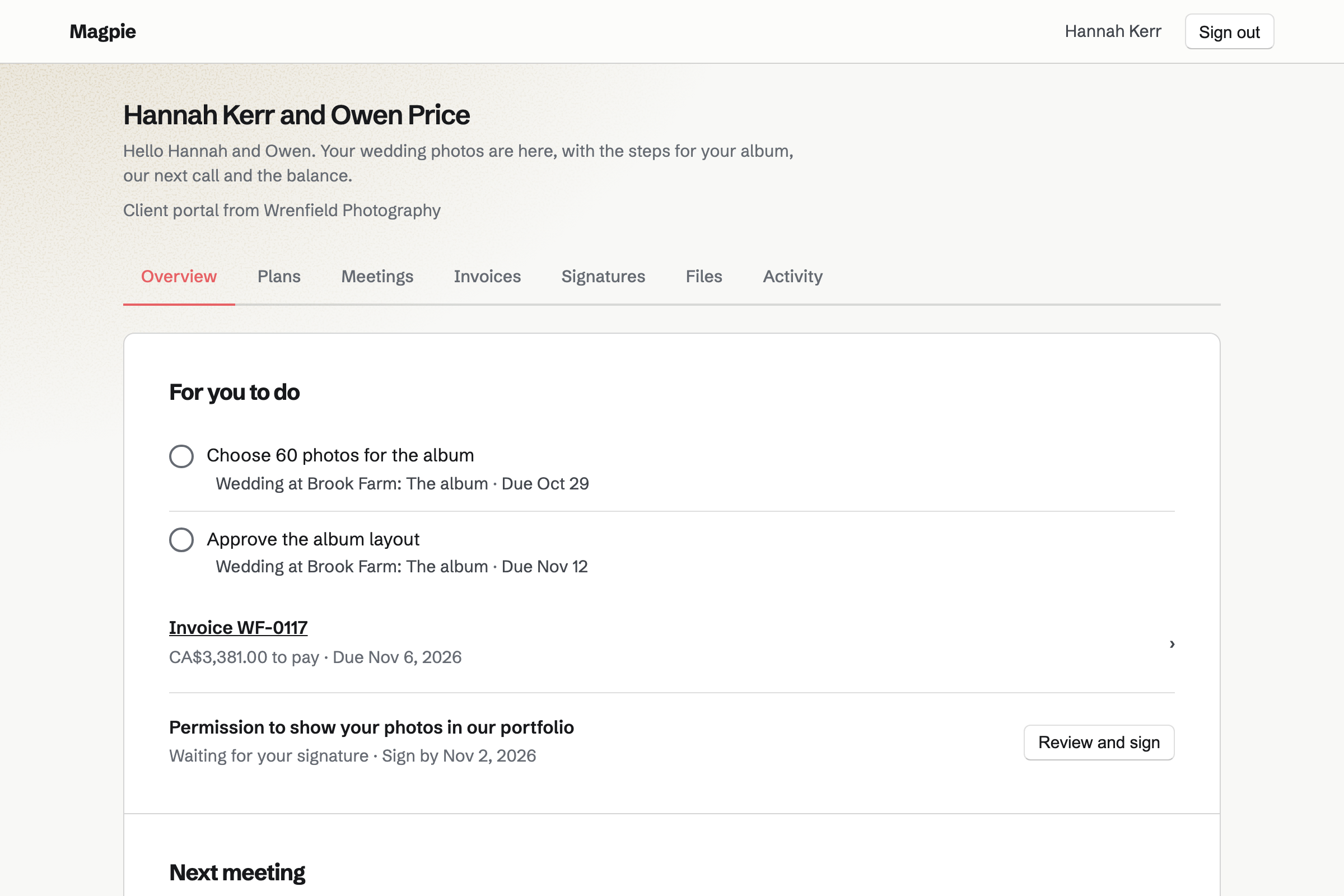
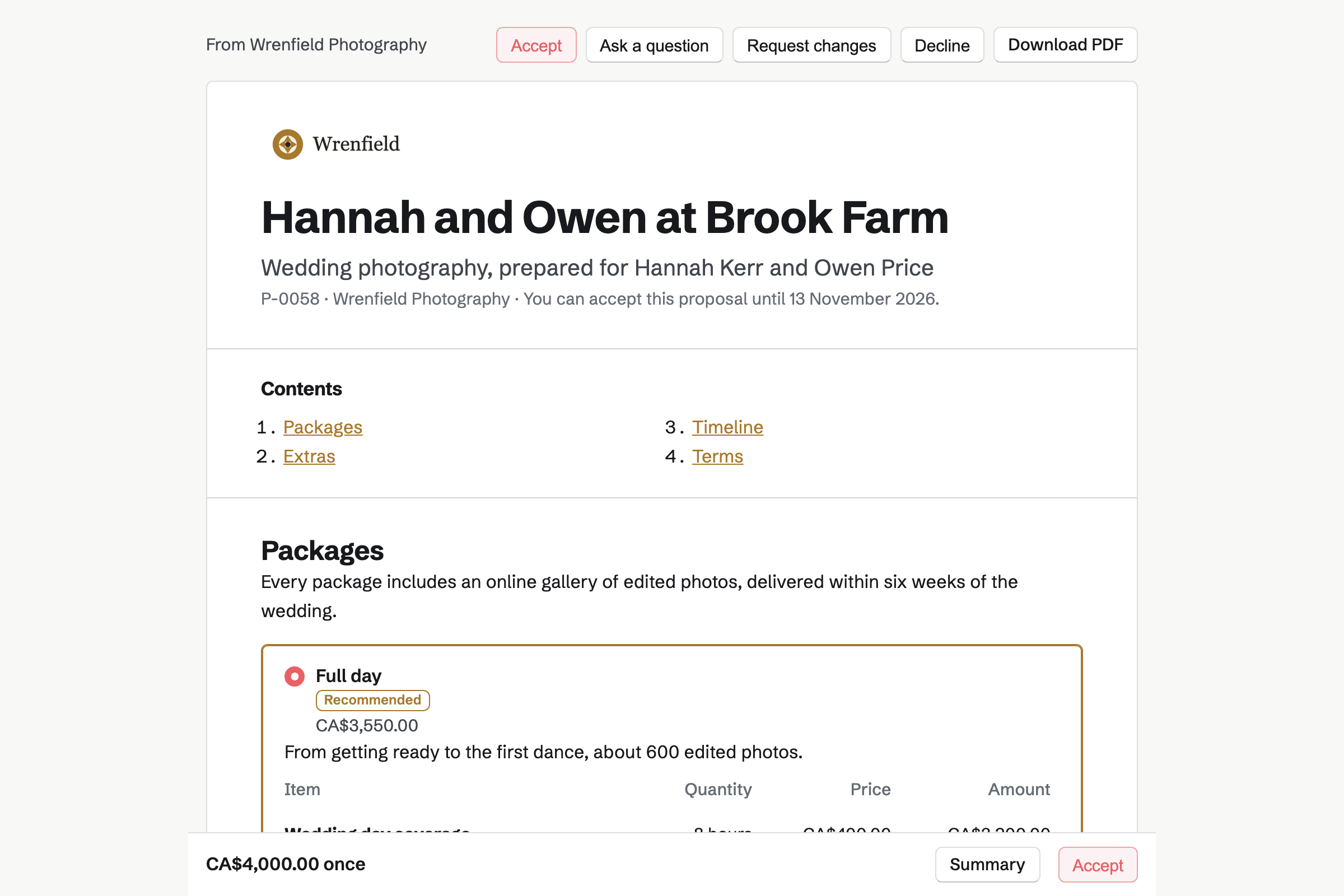
Proposals turns your packages into a quote the client reads and signs online. Magpie has a photography starter to begin from. It offers half-day, full-day and two-day packages. Its extras are a second photographer, prints and faster delivery.
The client chooses a package and any extras, and the totals change with each choice. They sign with a drawn or typed signature. The deposit's invoice will be issued at signing, and they can pay it by card.
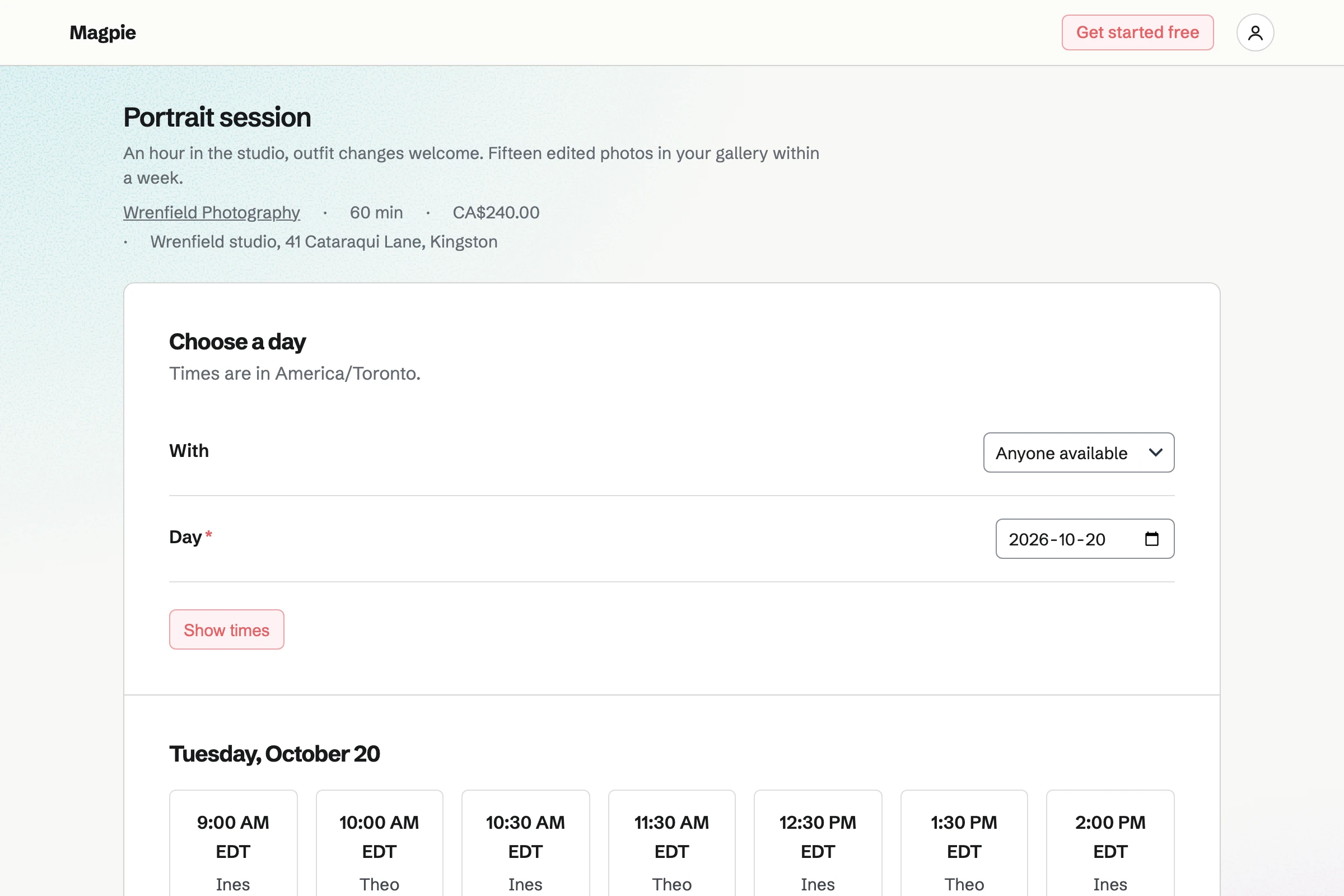
Appointments gives you a booking page for sessions. Set up for a photographer, it starts with portrait, family and consultation sessions. You set each session's length and price, and the time kept free after it.
Clients choose a session, a day and an open time. Magpie will email them a confirmation with a link to reschedule or cancel. In a studio, each photographer has their own hours, and clients can choose who.
E-Signatures sends a PDF you already use, such as a model release, to sign. You place their signature, date and name fields. Saved as a starter, the release is ready for the next shoot.
Each signer gets their own link by email. When everyone has signed, Magpie will email them the signed PDF and a certificate of completion.
Client Portal gives each couple or company a page of their own. You share the finished photos there, 20 files at a time. Each file can be up to 500 MB, so a full gallery can go as ZIP files.
A plan lists the steps before and after the day, such as sending the shot list. The client ticks their own steps. Their Overview also lists the invoices to pay and the documents to sign.
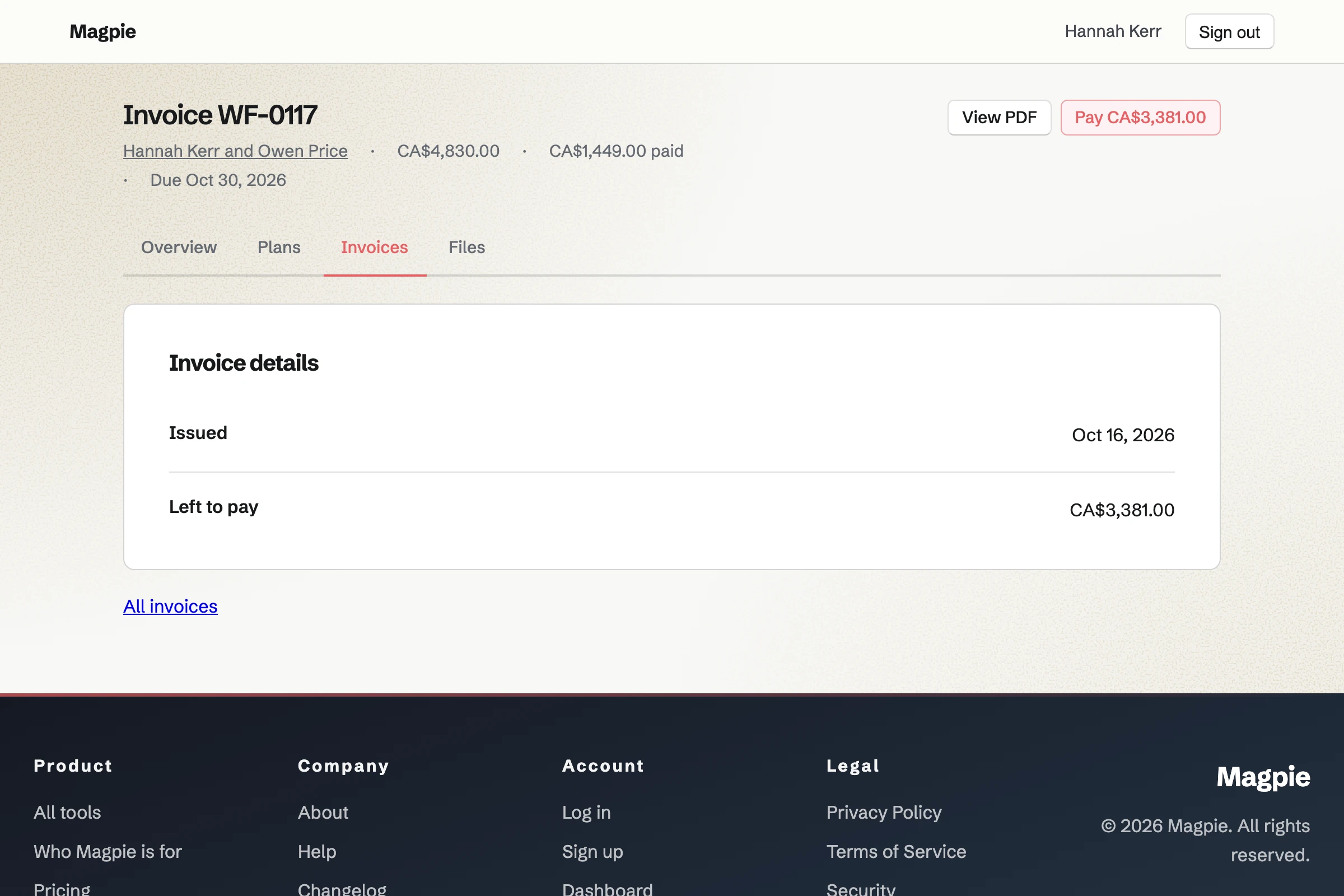
Invoicing turns each payment in a proposal into an invoice. The final payment takes whatever is left of the accepted total. Clients pay by card from the email or from their portal.
Until an invoice is paid, Magpie will send reminders on the due date, then 7 and 14 days after. Card payments go to your own Stripe account. Each one is added to the books.
Contacts gives every client, venue and planner a page. It lists their bookings and the proposals you sent, with when each was opened. Their invoices and signed documents are listed too.
You can log calls and notes on the page. You can also set a follow-up, such as an anniversary session. It will become a To-do on that date.
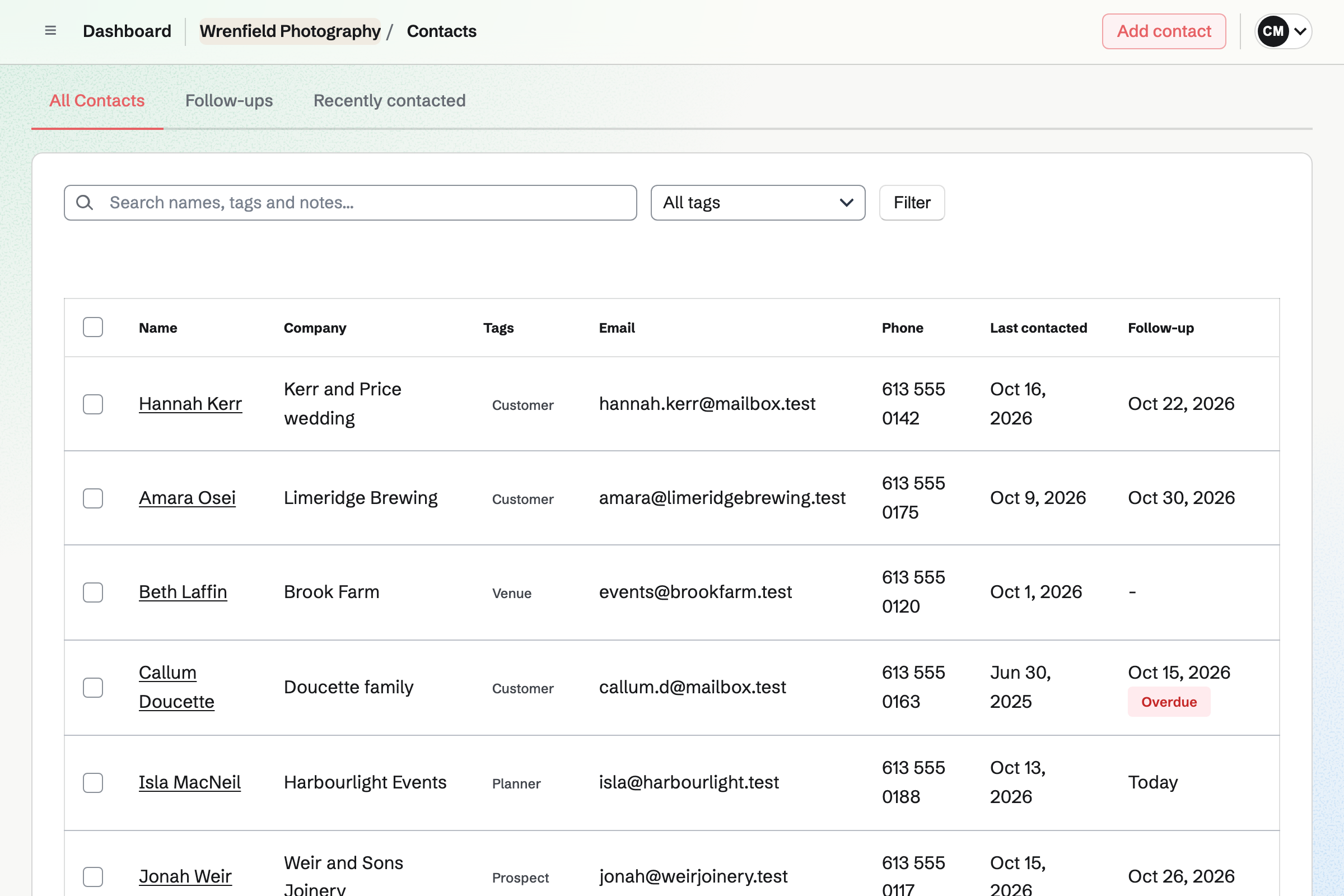
The couple's contact lists every step as it happens.
You start it from your own starter, with your packages and terms. You send it with a valid-until date. Magpie will email you when the couple first opens it.
The couple chooses a package and extras, then signs. Magpie will email everyone the signed PDF and issue the deposit's invoice.
When the work starts, Magpie can share the proposal and its invoices in the couple's portal. It invites them first if they have no portal yet.
The accepted proposal can offer one of your meeting types. The couple books the planning call from it.
The portal's plan lists the steps before the wedding, such as the shot list. The couple ticks theirs.
After the wedding, you share the photos in the portal. Magpie will email the couple a list of the files.
You bill the final payment, and its invoice takes whatever is left. Each payment will be added to the books.
You add your business name, address and logo in Invoicing settings. Proposals use them too. Help: Send and configure invoices.
You connect your Stripe account, so clients can pay deposits and invoices by card. Help: Connect Stripe to receive money.
You open the photography starter and replace its example prices with yours. Then you save it as your own starter. Help: Proposal starters, saved sections and the price list.
You choose Photographer, set each session's price and your hours, then publish. Help: Set up Appointments.
You create the portal and invite the client by email. Help: Create a Client Portal.
A photographer working alone fits Pro, for your own work in Personal. Pro has no limit on proposals, invoices or contacts. It raises your file storage from 1 GB to 20 GB, and portal files count toward it.
A studio with associates fits the Team plan, one price for up to 25 members. File storage stays each person's own. A portal file counts toward the person who shared it.
On the free plan, you can send 5 proposals and create 5 invoices a month. The invoices a proposal makes do not count.
Magpie adds no fee to deposits or invoice payments. Stripe's processing fee is taken from each. Prices are on the Pricing page.
An event planner runs the whole wedding, with each couple's plan, budget and timeline.
An illustrator quotes commissions, tracks the hours and sells prints and downloads online.
Yes. A proposal offers 2 to 4 packages, and you can mark one Recommended. The couple opens it from their own emailed link and chooses one. They sign with a drawn or typed signature, on a phone or a computer. Everyone will be emailed the signed PDF and a signing certificate.
Yes. The first payment in the schedule can be a deposit, as a percentage or an amount. Its invoice will be issued when the couple signs. They can pay it by card straight away. The photography starter asks for 50% at acceptance and the rest on delivery.
Yes. A payment can be due on a date, or a number of days after acceptance. Its invoice will be issued and emailed then. The final payment takes whatever is left when you bill it. The invoices then add up exactly to the accepted total.
Yes. Extras are optional lines the client adds or removes before signing. A line can let them choose a quantity, such as 1 to 50 prints. The totals change with each choice. The photography starter's extras are a second photographer, fine art prints and delivery within 3 days.
Yes. Activity lists each time a recipient opens it, and whether on a phone, tablet or computer. Reading time shows how long each person spent on each section. Magpie will email you when it is first opened, signed or accepted. The client's page tells them that you can see this.
They can ask a question about the proposal or one section, or request changes. You are emailed, and your reply shows on their page. You then revise the proposal and send the new version with a note on what changed. Earlier versions stay readable.
Yes. Appointments gives you a booking page with your sessions, each with its length, price and description. Clients choose a session, a day and an open time. Magpie will email them a confirmation with a link to reschedule or cancel. You set how much notice a booking needs and how far ahead it can be.
Yes. Each session can keep time free before and after it, such as 15 minutes. A time is offered only when the photographer's hours and their Calendar leave room. Other appointments are counted too.
Yes. Meetings gives you a page where people book a call with you. With Zoom connected, each new meeting gets a Zoom call. With Google Calendar connected, your busy times are not offered.
Yes. You upload your release as a PDF, up to 25 MB, and add each person who signs. You place their signature, date and name fields. Each signer gets their own link by email. When everyone has signed, Magpie will email them the signed PDF and a certificate of completion.
You share the photos in the couple's portal, 20 files at a time, each up to 500 MB. A large gallery goes as several ZIP files. Only the portal's clients can download them. Magpie will email the couple a list of the files you shared.
Yes. Secure Files sends a file of up to 2 GB by a link. The link expires after 1 hour, 1 day, 7 days or 30 days. It can allow only one download, and need a passphrase. The file is encrypted in your browser before it is stored.
Yes. Image Converter takes a whole folder of photos and scales each to the size you set. It can convert them to JPEG, PNG, WebP or AVIF, with a maximum file size. It removes camera and location details, and can number the files. You download the result as one ZIP file.
Yes. Clients upload files on their portal's Overview or Files section. Their files are listed beside yours, with who uploaded each. Each upload shows in the portal's activity.
Yes. Archive portal signs out every client and keeps the plans, files and history. Restore portal lets them sign in again, for an anniversary shoot. Delete removes a file for good, and frees its storage.
Yes. Notes on a contact stay inside your team, and a portal never shows them. Clients see only what you share with them: files, invoices, proposals, meetings and documents to sign. Each portal shows its own client's work and nothing else.
Yes. You invoice the company's contact, with a line for each part of the shoot. Each line uses one of your tax rates, such as VAT or HST. Sending it will email the PDF with a Pay online button. Reminders go out until it is paid.
Magpie adds no fee to deposits or invoice payments. Stripe's processing fee is taken from each card payment. The rest goes to your own Stripe account, and Stripe pays it out to your bank. Each payment and its fee are added to the books.
Yes. Websites builds a site from sections, including image sections with your photos. You can also upload the files of a portfolio site you already have. Either can be at a Magpie address or at your own domain.
Yes. You write the post in Social Media with up to 20 photos. Posts to Bluesky, Mastodon and LinkedIn will go out at the time you choose. For Instagram, Magpie will email you a reminder. On a phone, it copies the text and opens the share sheet with the photos.
Yes. The studio works in one team. Each photographer can take bookings, with their own weekly hours. Clients choose who, or anyone available. Proposals, portals and invoices belong to the studio's team, not to one photographer.
Yes. On a client's contact page, you set a follow-up with a date and a reason. It becomes a To-do on that date, with the usual reminders. Follow-ups lists every open one, overdue first.
Create a Magpie account and add your business details.