Hair salons and barbershops
A hair salon books cuts and colour with several stylists. It has a rota for the desk, and sells hair products at the desk and online.
Massage therapists, estheticians and small spas
A therapist working alone can use Magpie without a team. A studio and its therapists work in one Magpie team.
Get started free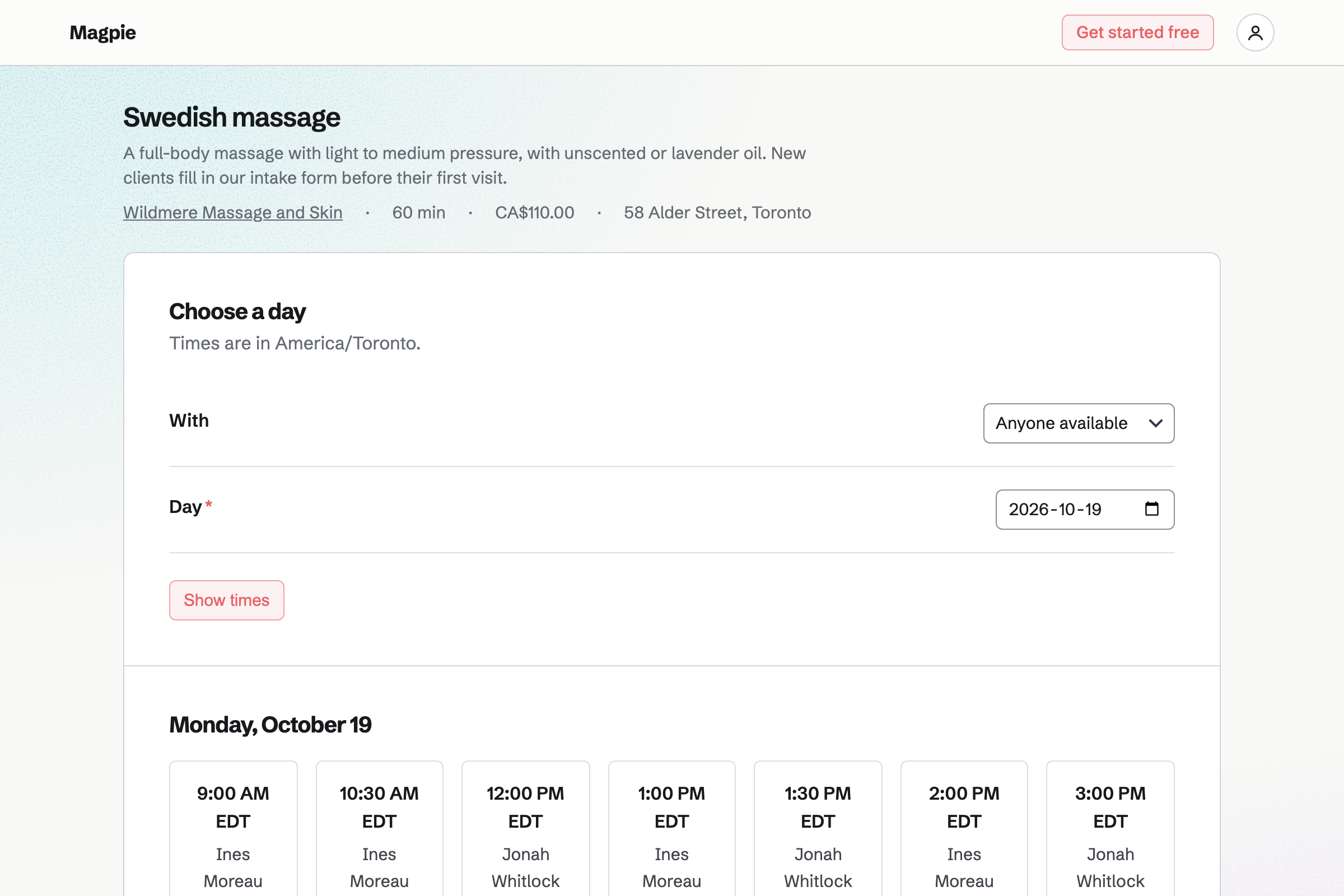
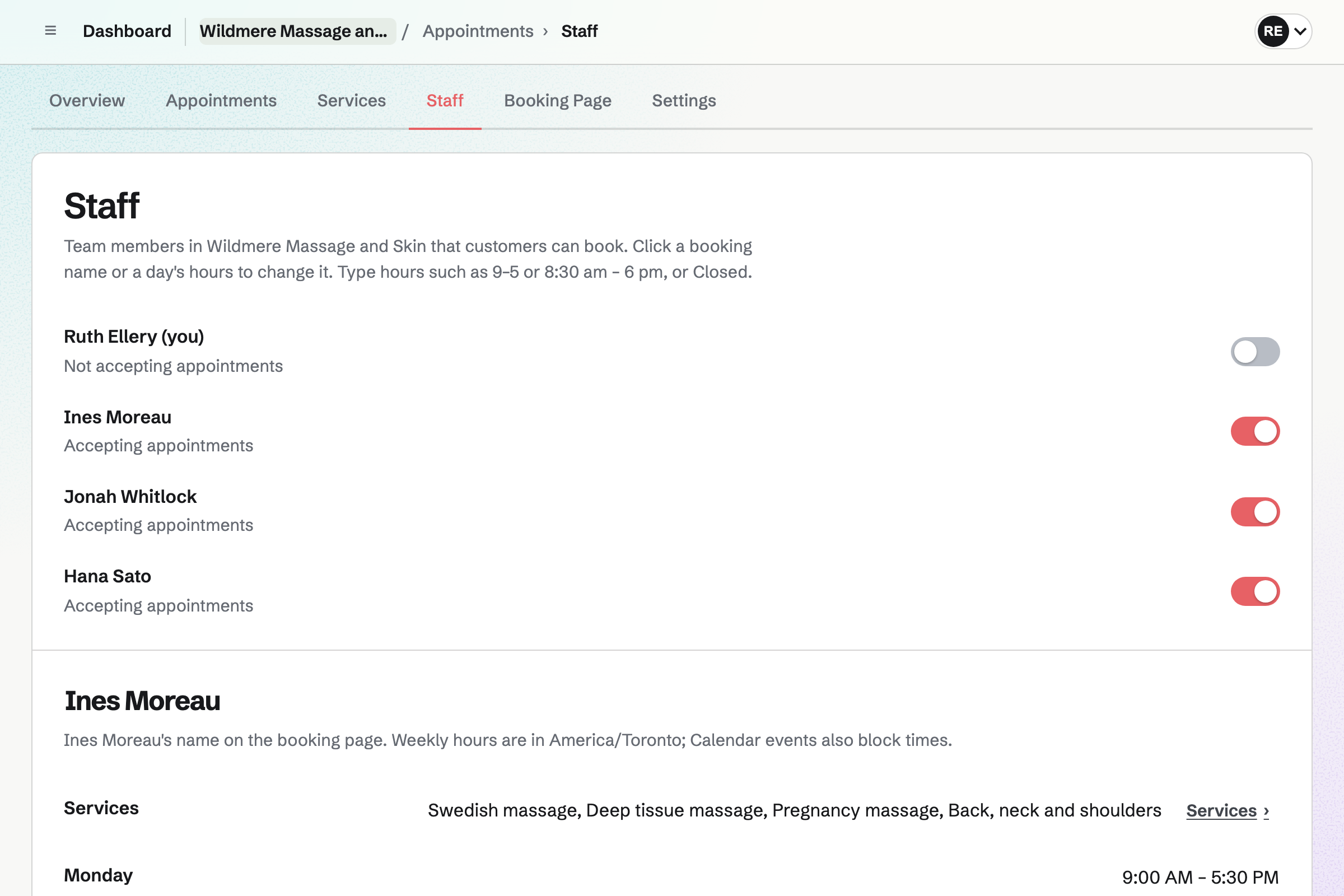
Appointments gives the studio a booking page for its treatments. A massage or wellness studio starts with a 60-minute Massage and a 30-minute Consultation. You can add your own, such as a facial. Each has its length, its price and the therapists who give it.
Clients choose a therapist, or Anyone available, and a free time. A treatment that needs a room is offered only when the room is free. The booking will reserve it. Their confirmation email lets them move or cancel until the notice you set.
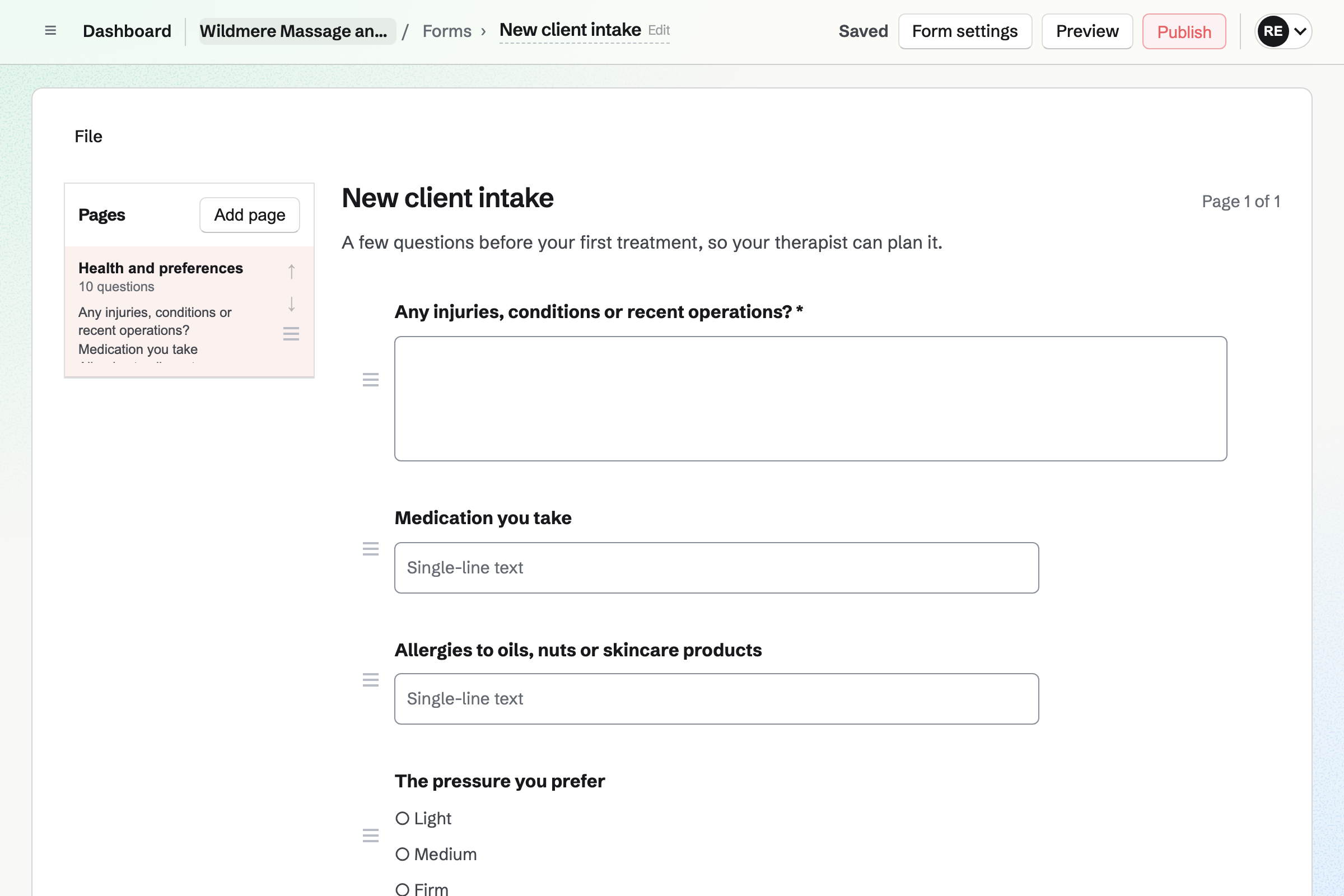
Forms gives the studio an intake Form for new clients. It can ask about injuries, medication and allergies to oils. A question can depend on an earlier answer, such as weeks of pregnancy. A File question takes a doctor's note of up to 10 MB.
You send its link to new clients, or show its QR code at the front desk. Clients answer without signing up first, and Magpie will email you each response. Only people who can see the Form's responses see the answers.
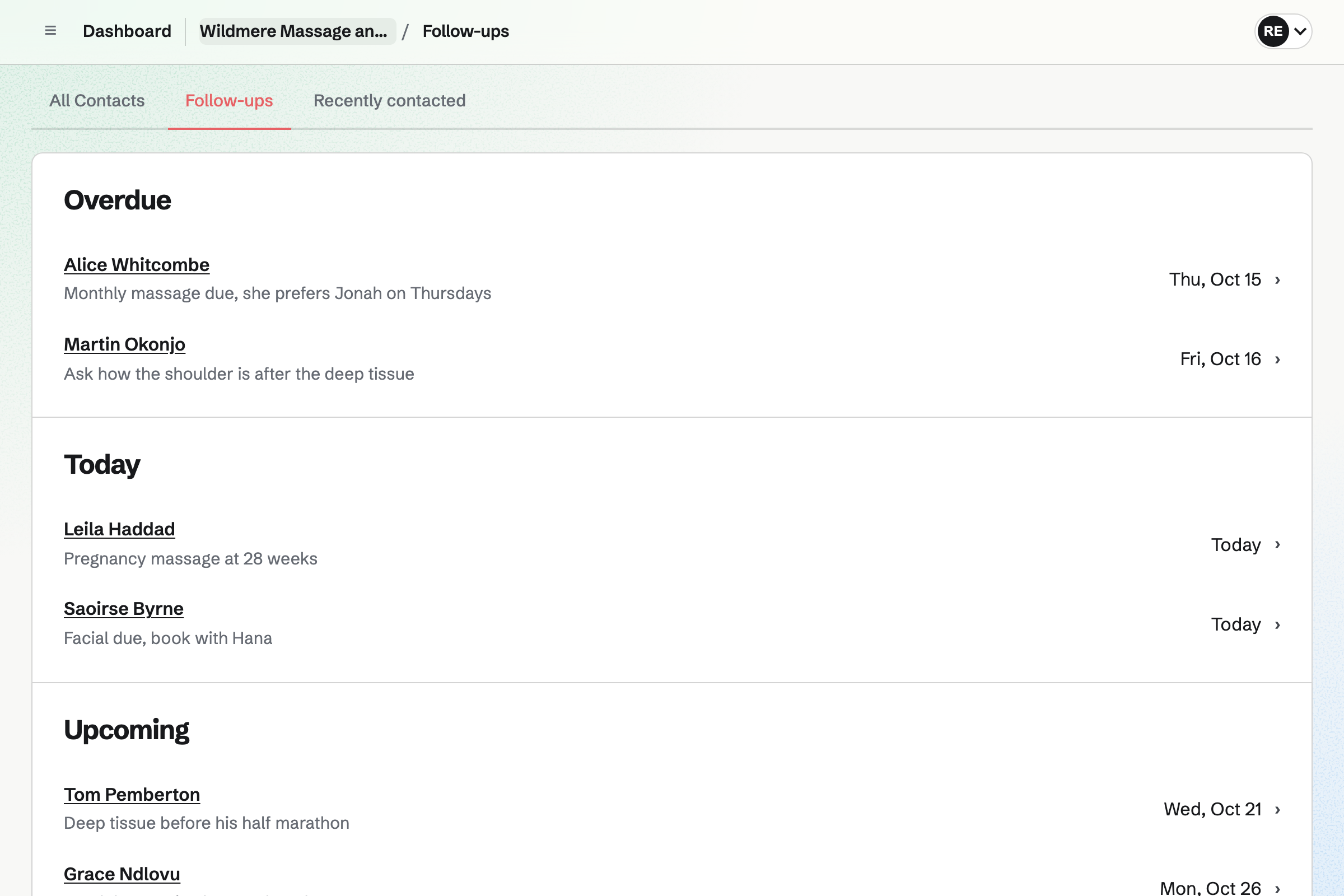
Contacts keeps one contact for each client, with every treatment they have booked. Their first booking will add them, matched by email address. Each booking shows whether it was completed, cancelled or a no-show.
A note you pin stays near the top, such as an allergy to nut oils. After each treatment, you add a dated note. A follow-up, such as a facial due in four weeks, becomes a To-do with a reminder.
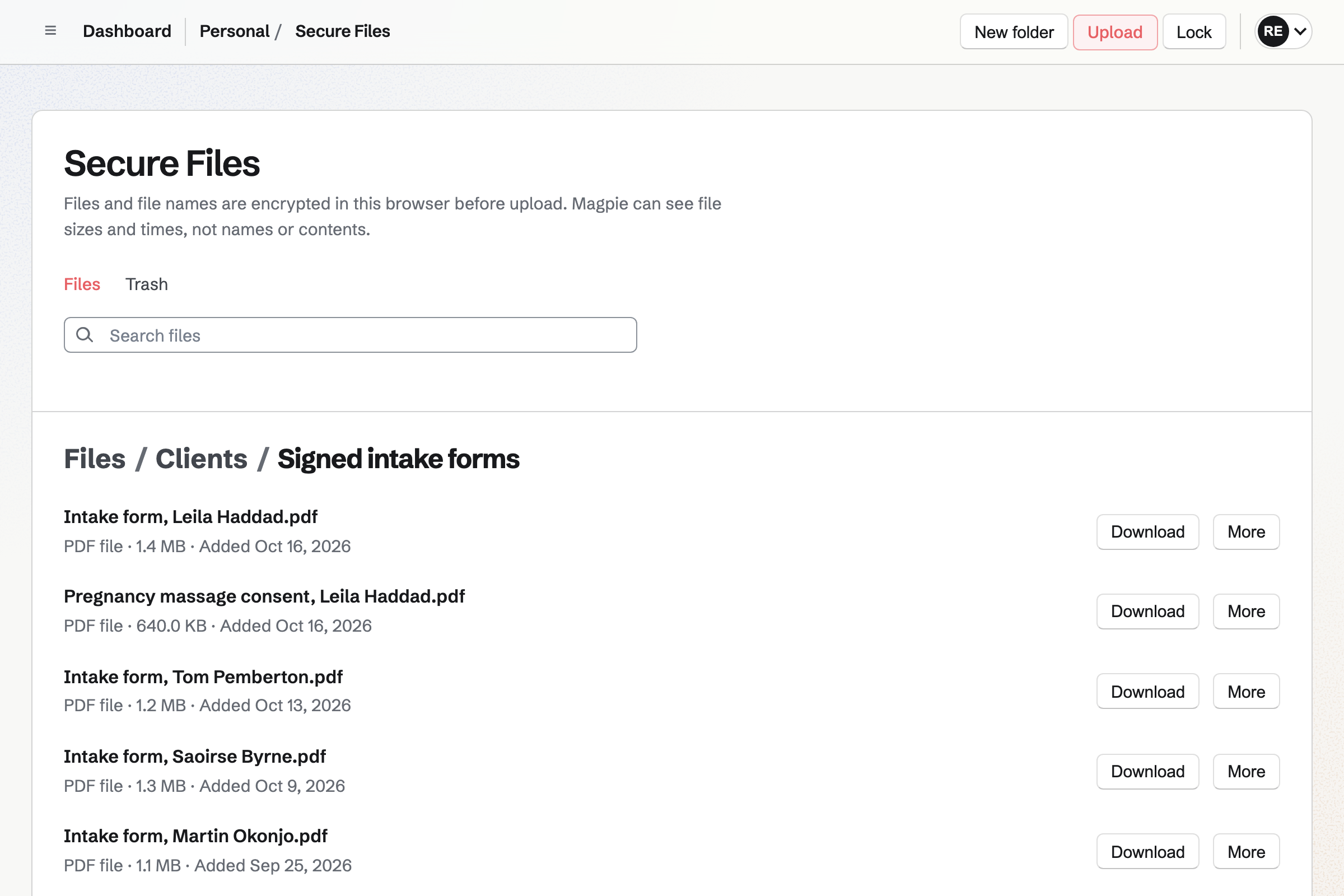
Secure Files keeps scans of signed paper intake forms and letters from clients' doctors. Your browser encrypts each file and its name with your Password Vault key. Magpie stores only data it cannot read. You can keep them in folders by client or by year.
The files are stored in your own account, not the team's. They open only with your Password Vault password. You can share one by secure link, with a passphrase if you like. The link expires after an hour, a day, 7 days or 30 days.
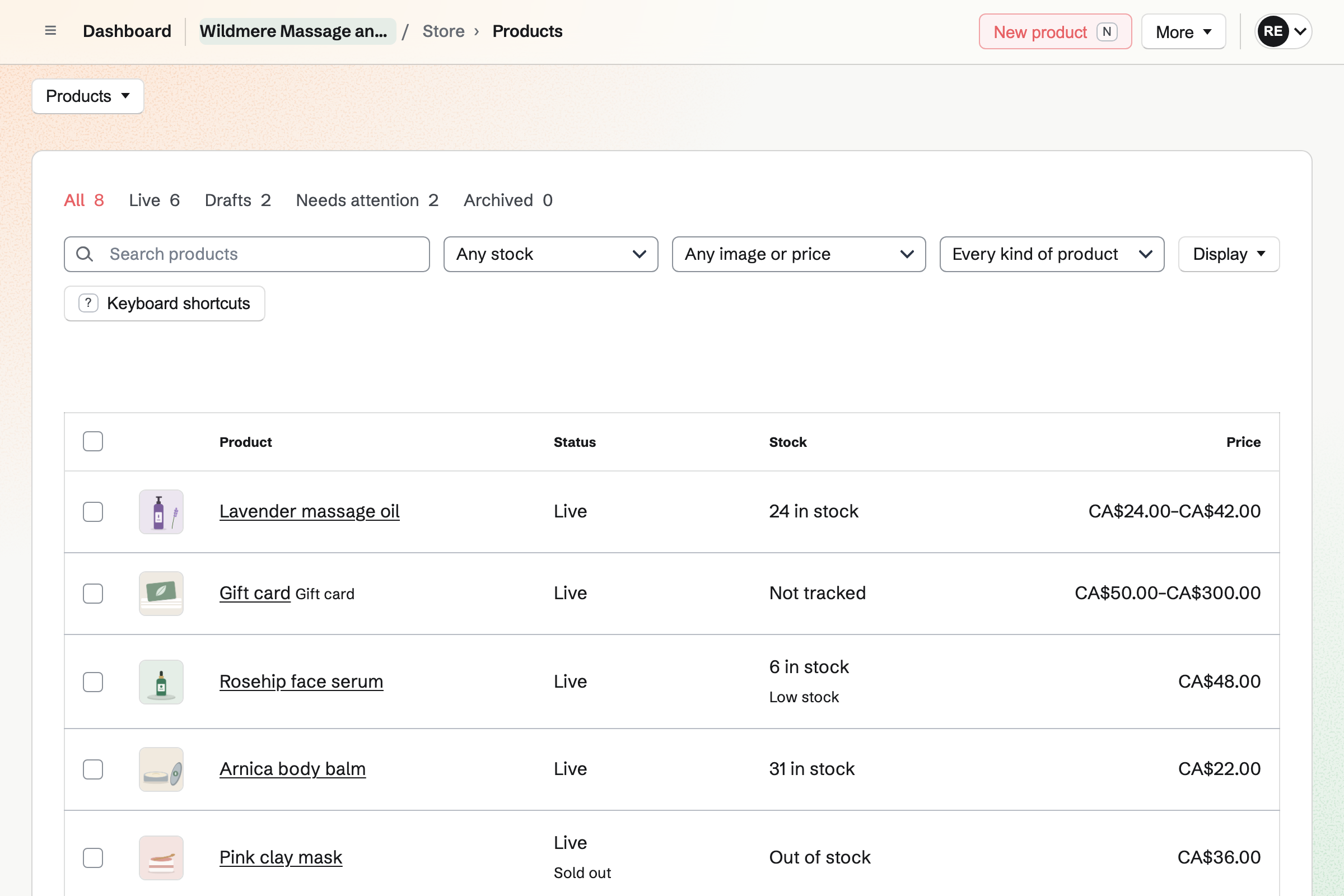
Store gives the studio an online shop for oils, skincare and gift cards. A 100 ml and a 250 ml bottle can each have their own price and stock. Clients pay on Stripe's checkout page, into your own Stripe account.
Clients can collect their order at the studio. Magpie will email them when it is ready. A gift card is emailed on the date the buyer chooses. A bought card never expires, and pays for products in your online shop.
The client types their name and email address once, when they book.
The client chooses a treatment, a therapist and a time on your booking page. You can add a phone booking yourself. Magpie will email them a confirmation.
The booking will add an event to the therapist's calendar. It is named after the treatment and the client. A room the treatment needs will be reserved.
Magpie matches the client to their contact by email address, or adds one. The treatment will appear on it, under your pinned notes.
You mark the appointment Completed or No-show, and add a note of what you did.
You bill the treatment from the client's contact. The client pays by card from the invoice email. You can also record cash, or a payment on your own card terminal.
The invoice will be added to the books as Services income. Each payment is recorded against it.
You create a team and invite each therapist who takes bookings. A therapist working alone can use Magpie without a team. Help: Create and manage a team.
You choose Massage or wellness and add your treatments. Then you add each therapist's hours and any room a treatment needs. You preview the booking page and publish it. Help: Set up Appointments.
You write the questions and publish the Form. Help: Build, publish, and share a form.
You set up Password Vault and keep its recovery key. Then you upload your files. Help: Secure Files.
You connect Stripe, so clients can pay invoices online. Then you add your products and a gift card. Help: Connect Stripe to receive money.
Appointments, Forms, Contacts, Secure Files and Store are on every plan. On the Free plan, you can keep up to 100 contacts, one for each client who books. You can create up to 5 invoices a month.
Pro removes both limits for a therapist working alone. The Team plan removes them for a studio, and has 25 member places. Each therapist who takes bookings uses one. A team on the Free plan has 3 member places, counting you.
Secure Files counts toward your own account's storage, 1 GB on the Free plan and 20 GB on Pro. Magpie adds no fee to online sales or invoice payments. Stripe's processing fee is taken from each card payment.
A hair salon books cuts and colour with several stylists. It has a rota for the desk, and sells hair products at the desk and online.
A personal trainer's clients book training sessions and tick off a training plan. Monthly clients get a recurring invoice.
A counsellor holds sessions by video and in the room, with intake Forms and invoices.
Yes. Clients choose a treatment, a therapist or Anyone available, and a free time. They enter their name and email address, and a phone number if they like. Magpie checks the time again as they book. It will email them a confirmation with the treatment, the therapist, the time and the location.
Yes. When more than one therapist gives a treatment, the client chooses one by name. They can also choose Anyone available. That gives each start time to the first therapist who is free. A client who moves the appointment from their own link keeps the same therapist.
Yes. You type each treatment's length as you would say it, such as 75 min. Its price is shown on the booking page. You can keep time free around it, to change the linen and air the room. A time is offered only when the treatment and its free time fit the therapist's hours.
Yes. You add the room to Resource Booking and choose it for the treatment. A time is offered only when the room is open and free. Each booking will reserve the room. Moving the appointment moves the reservation, and cancelling frees it.
Yes. You set how much notice a client must give to cancel, such as 24 hours. Before then, the link in their confirmation email lets them cancel or choose another time. After it, the page asks them to contact you instead. Minimum notice also stops bookings made too close to the start.
Yes. You can book a client yourself when they call or come in. You choose the treatment, the therapist and the time, and enter their name and email address. The time has to be one the booking page would offer. The client will get the same confirmation email.
You build the intake Form once and publish it. You send its link to each new client after they book, or show its QR code. They answer on their phone or computer, without signing up first. Required questions must be answered before they can submit. Magpie will email you a link to each response.
The people who can see the intake Form see its responses and the files in them. In a team, that means the members who can use Forms. Anyone you add as a collaborator can see them too. If you work alone, you can make the Form without a team. Then only you and the collaborators you add see the responses.
A pinned note on the client's contact stays near the top. It can say firm pressure, a recent knee operation and an allergy to nut oils. After each treatment, you add a dated note with what you did. Search matches the words in every note. Internal notes on an appointment are seen by your team, never by the client.
Yes. The client's contact lists each appointment, and whether it was completed, cancelled or a no-show. Your notes and their invoices are listed beside them. Your list of past appointments shows each one's client, treatment and therapist.
Yes. Secure Files encrypts each scan and its name in your browser before it is uploaded. Magpie stores the encrypted data and cannot read it. The files open only with your Password Vault password. Password Vault's recovery key lets you choose a new password if you forget it.
Yes. You make a secure link to a file in Secure Files. It expires after an hour, a day, 7 days or 30 days. It allows one download or any number, and can ask for a passphrase. You can revoke the link at any time.
You send an invoice for the treatment from the client's contact. With Stripe connected and card payments turned on, the email has Pay online. The client pays by card into your Stripe account, without signing up first. Magpie takes no fee. You record a payment in cash or on your own card terminal.
Yes. A 50 ml and a 100 ml jar can each have their own price and stock. Clients pay on Stripe's checkout page into your Stripe account, with no Magpie fee. They can collect at the studio or have the order shipped. A sale at the front desk, recorded with New order, comes out of the same stock.
Yes. You set amounts such as 50, 75 and 120, and a custom range if you like. The buyer can keep it, or have it emailed to someone on a date they choose. Its holder spends it on products in your online shop. A bought gift card never expires and has no fee.
Yes. You set a follow-up on the client's contact, with a date. You give it a reason, such as Monthly massage due. It will become a To-do with the usual reminders. Contacts lists every open follow-up as Overdue, Today, Upcoming or No date.
An event on your calendar for the time away keeps the booking page from offering it. Appointments already booked stay booked, and you can move each to another free time. Magpie will email the client the new time.
Yes. You can use Appointments, Forms, Store and Secure Files without a team. The booking page is named after you, and only you take bookings. Your clients are added to your own contacts. If you take on another therapist later, you can make a team then.
The booking page has its own address, which you can copy. Share booking page starts a Social Media post with it. A button on your website can lead to it. So can a Link-In-Bio List, or a QR code on a card at the desk.
Yes. Clients subscribe on your newsletter's sign-up page and confirm by email. They will get each newsletter you send, at once or at the time you choose. You can send yourself a test first. Its page counts the copies delivered.
Create a Magpie account and add your treatments.