Videographers and video editors
A videographer films clients' events and delivers the edit.
Independent film productions and small crews
A production works in one Magpie team. The producer plans the shoot, and the crew open what they need.
Get started free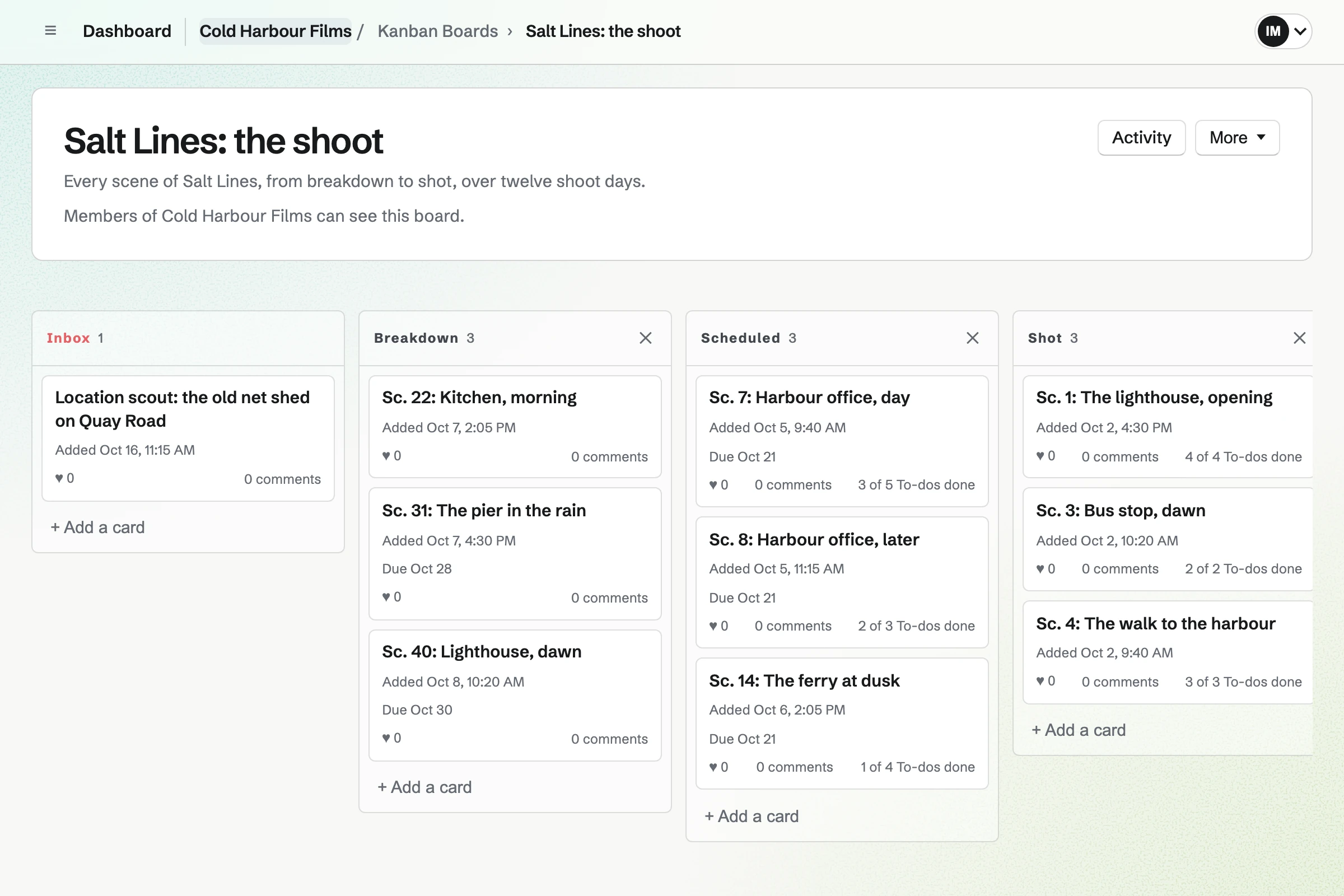
Kanban Boards holds the shoot as cards in columns, such as Breakdown, Scheduled and Shot. Each scene's card has its notes, pictures and a due date.
A card can hold the To-dos each department owns. Cards move between columns by dragging, and each one keeps its comments.
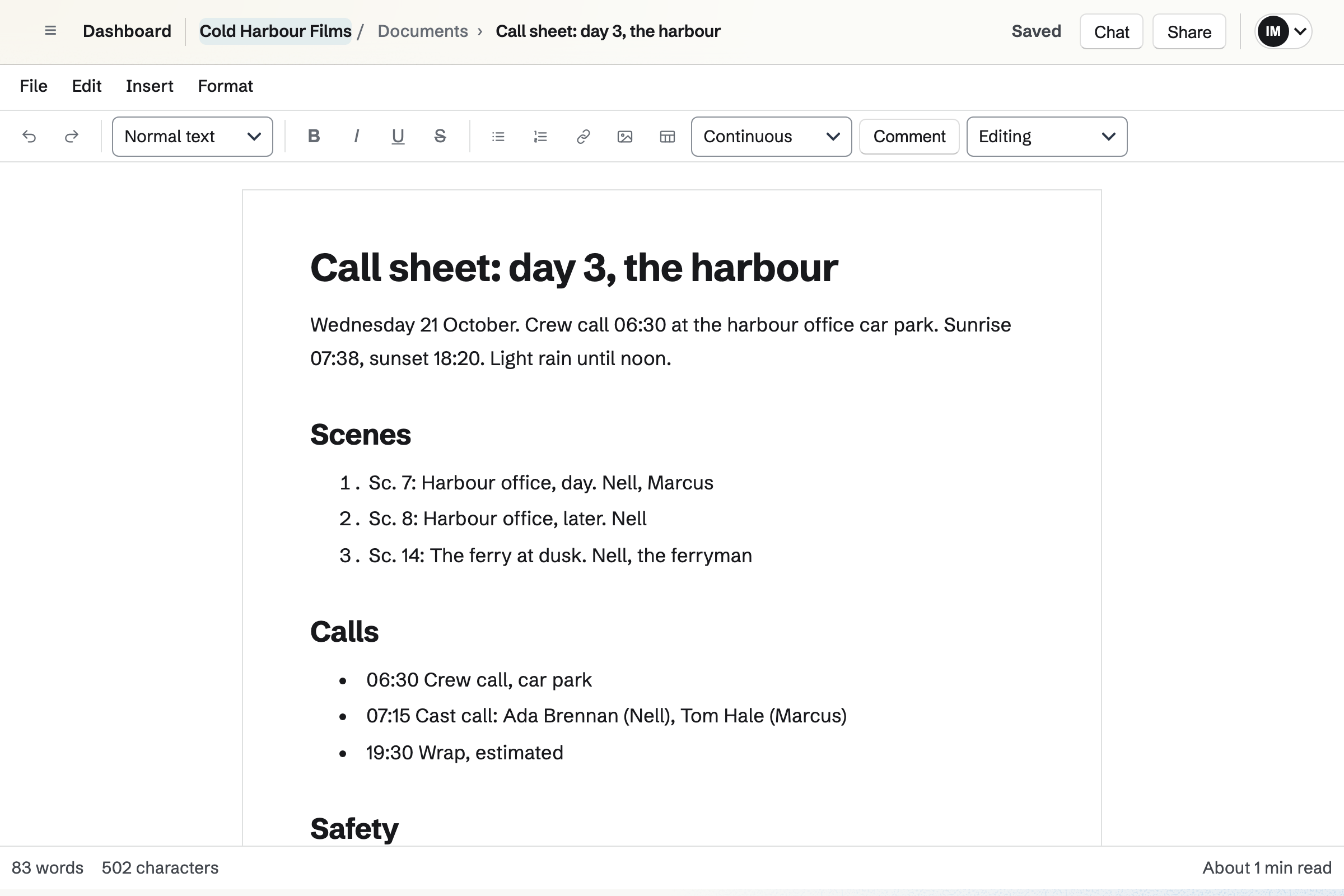
Documents holds the production's writing: the treatment, the call sheets and the location notes. Headings, tables and lists lay out each shoot day.
A document can be shared by link, or with someone outside the team to review. It exports as PDF or DOCX for printing.
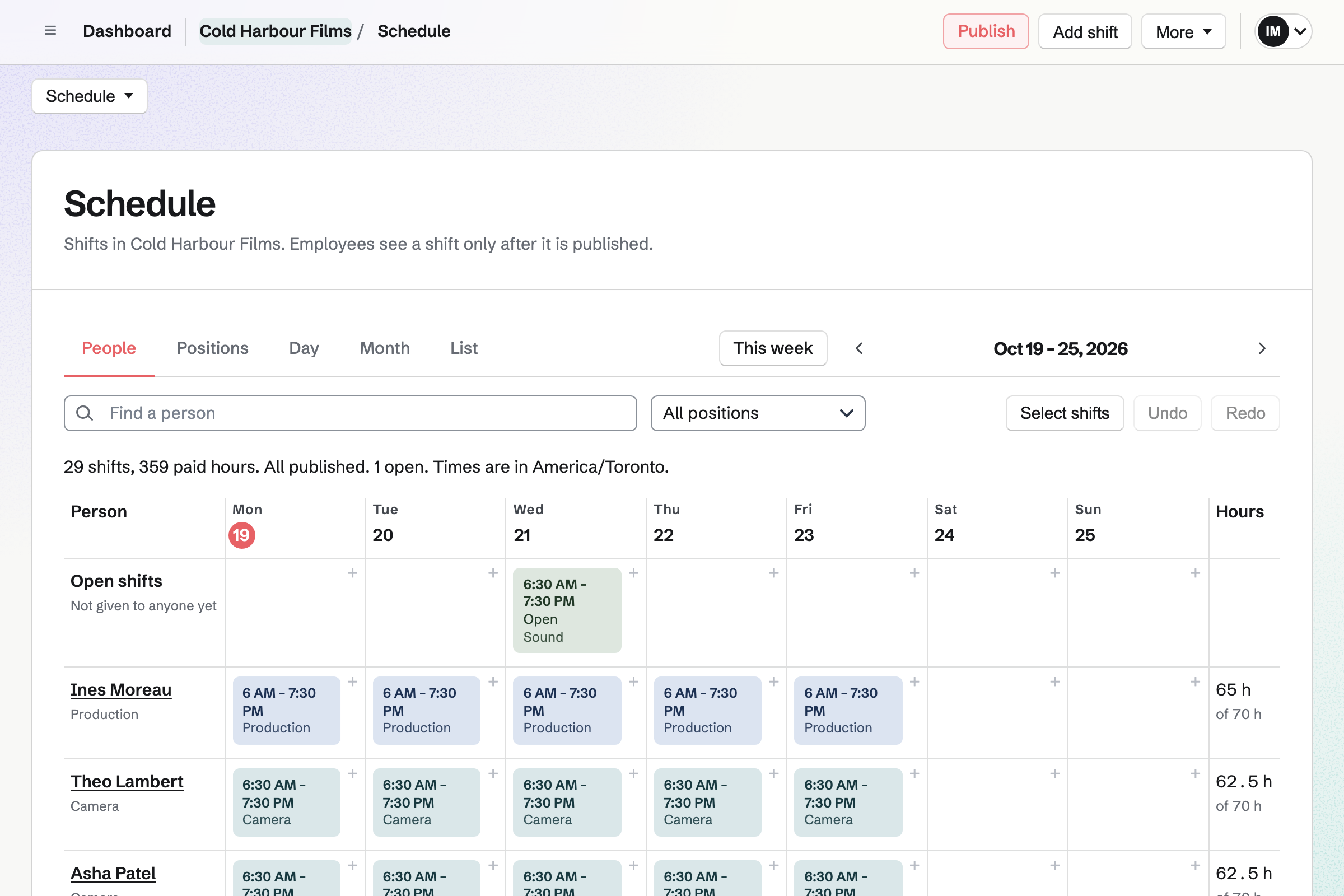
Staff Scheduling plans the crew by department, such as camera, sound and art. You publish the week, and each person you invite sees their own shoot days.
An open shift shows a day you still need someone for. A qualification, such as a first-aid certificate, can carry its expiry date.
E-Signatures sends a PDF for signature, with fields placed for each signer. A starter keeps your release with its fields. The next one needs only a name and an email.
Reminders go out every 3 or 7 days until it is signed. Each signer gets the signed PDF and a certificate of completion.
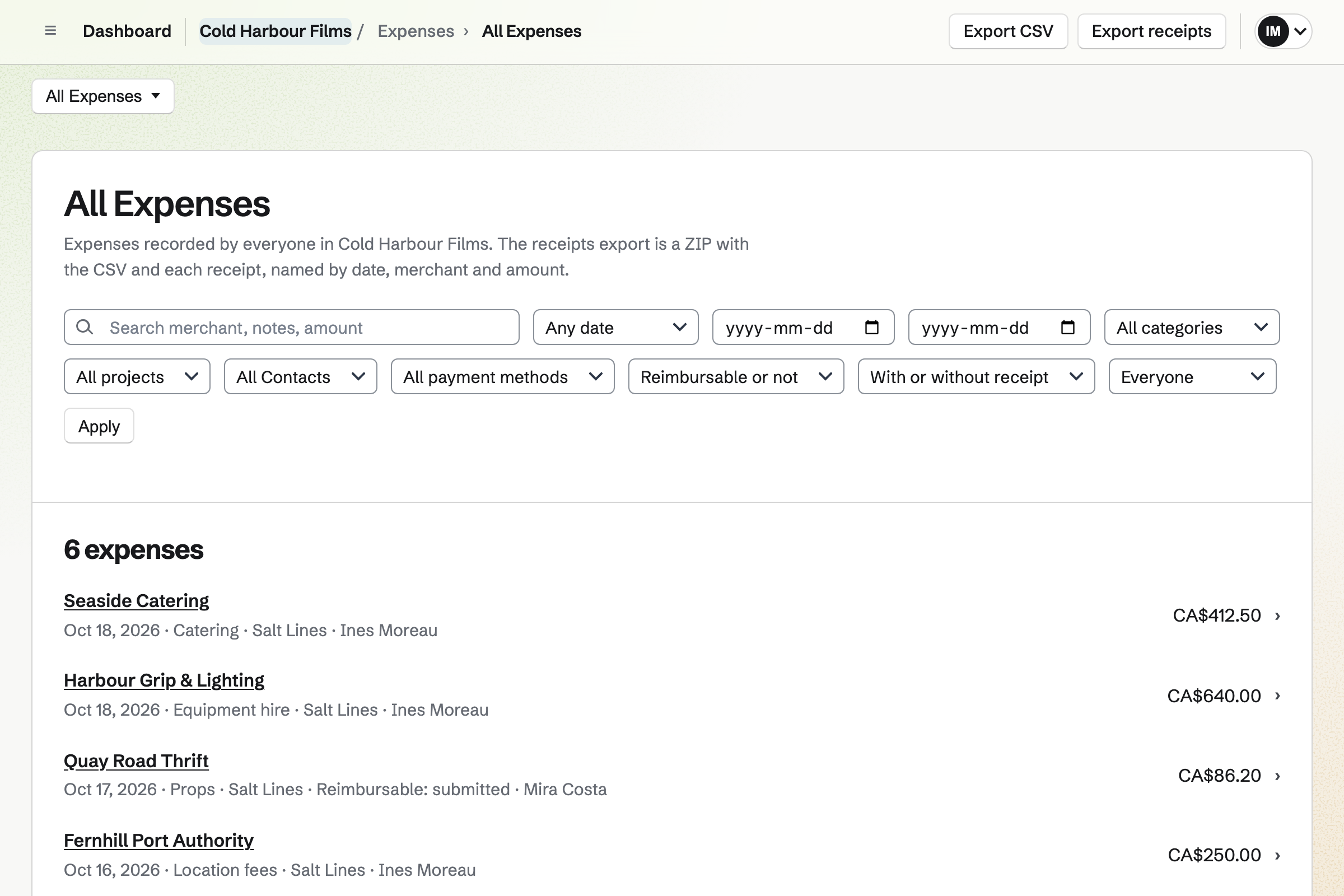
Expenses records each purchase with its receipt, category and project. Receipts can wait in Receipt Inbox until someone enters their amounts.
Crew who paid out of pocket put their receipts on an expense report. An admin approves it, and you record when they were paid back.
Each scene is a card on the board.
You publish the week, and each person sees their days.
The day's call sheet is a document the crew opens.
Actors and location owners sign by email.
The day's receipts are filed against the film.
The day's scenes move to Shot.
You invite your heads of department. Help: Create and manage a team.
You add a column for each stage and a card for each scene. Help: Track work with Kanban boards.
You add each person with their department, and invite them to see their days. Help: Add staff and invite them to see their shifts.
You place the signer's fields on your release once. Help: Signing starters.
A production fits the Team plan. Crew you invite to see their shifts join the team, each taking a member place. A crew profile without an invitation takes none.
Prices are on the Pricing page.
A videographer films clients' events and delivers the edit.
A video creator records, edits and sells to an audience.
An arts group puts on its shows, rehearsals and classes.
Yes. Each scene is a card on a Kanban board, in columns from Breakdown to Shot. A card has notes, pictures, a due date and To-dos.
Yes. You publish the week in Staff Scheduling. Each person you invite sees their own published days and hours. They can ask for a swap or time off.
Yes. An open shift shows the day, the hours and the department. Someone who can work in that department can take it.
Yes. A qualification, such as a first-aid certificate, is recorded with its expiry date. A shift that needs it is checked against it.
Yes. A call sheet is a document, with headings, tables and lists. The crew open it in the team, and it exports as PDF.
Yes. E-Signatures sends the release PDF to each signer by email. They draw or type their signature. Everyone gets the signed PDF and a certificate of completion.
Yes. A starter keeps the release with its signer roles, fields and email. Each new request needs only the signer's name and email address.
Yes. They put their receipts on an expense report for an admin to approve. You record when each one is paid back.
Yes. Reports total the spending by category, project, merchant and contact. Expenses export as a CSV file, or a ZIP with the receipts.
Yes. A spreadsheet holds the budget, with formulas such as XLOOKUP and FILTER. You can bring a budget in from a CSV file.
Yes. An Idea Board holds pictures, notes and columns on one canvas. It exports as PNG or PDF.
Create a Magpie account and make a team for the production.