Small nonprofits and charities
A nonprofit runs its programmes, volunteers and fundraising.
Clubs, meetups and community groups
The organizers work together in one Magpie team. Everyone who comes along uses the event pages, forms and boards you publish.
Get started free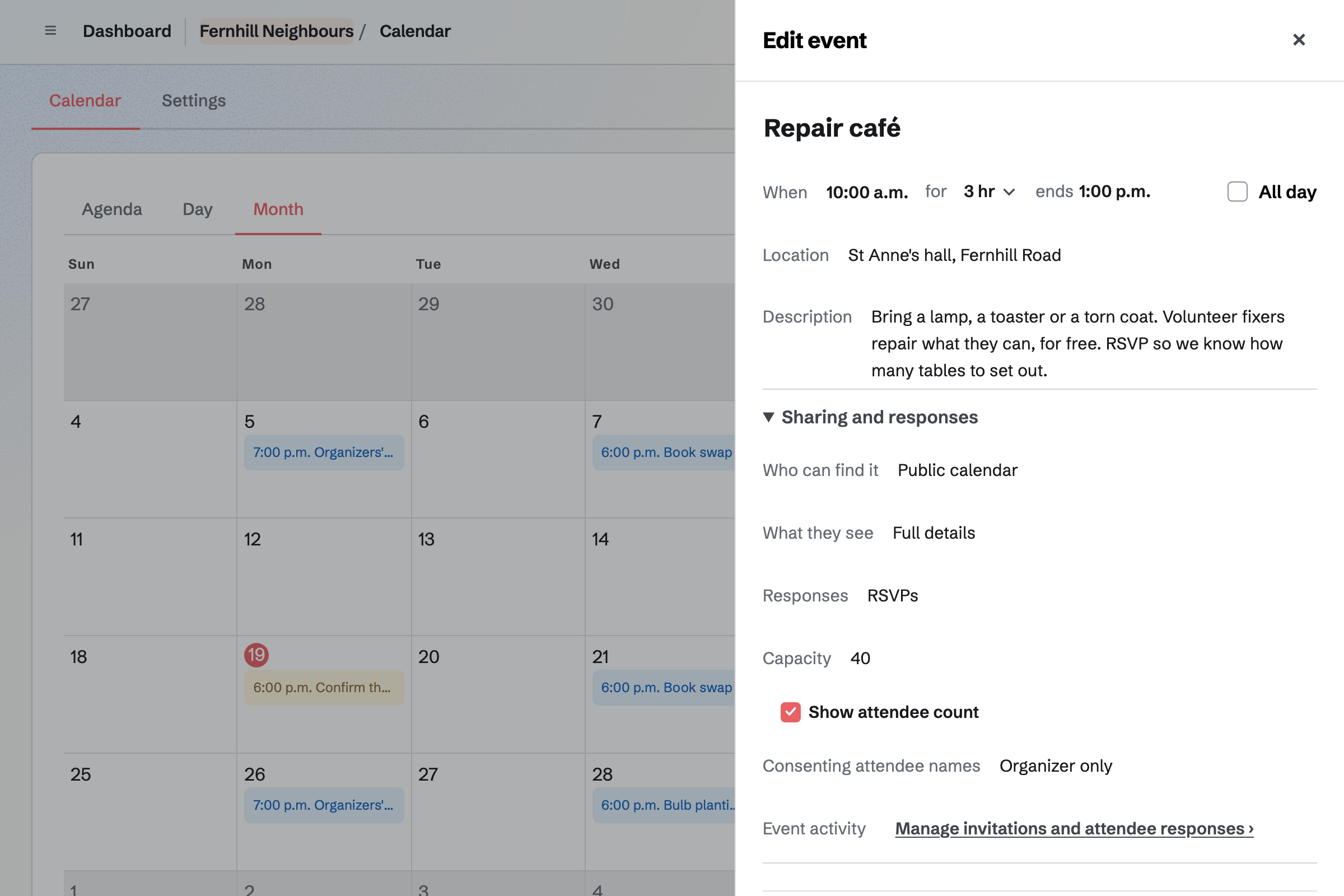
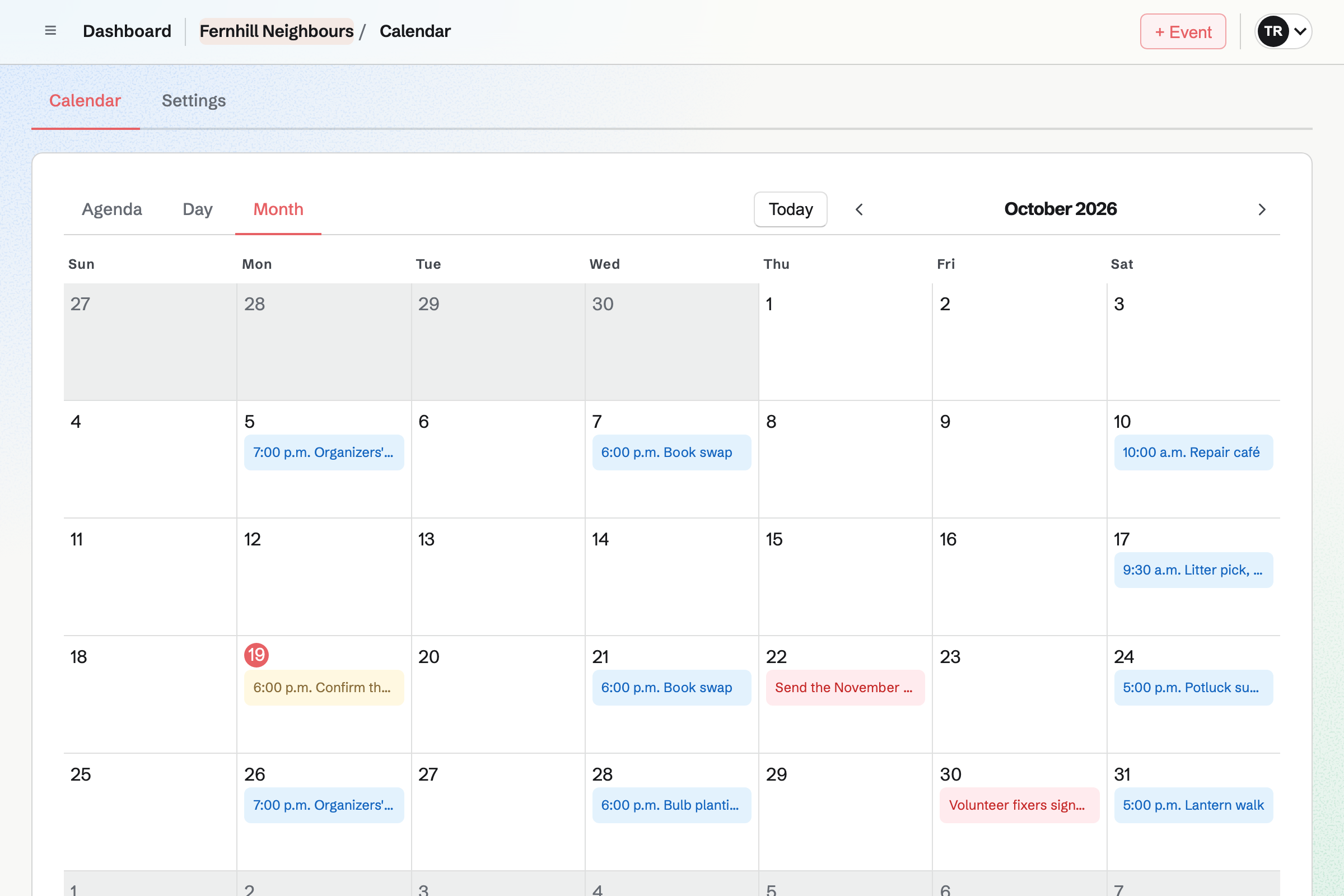
Calendar holds the group's events. Each one can be private, open to anyone with its link, or on your public calendar. RSVPs stop when the event is full.
You can invite people by email, or share a link with a set number of uses. You see every response, and attendees choose whether their names are shown.
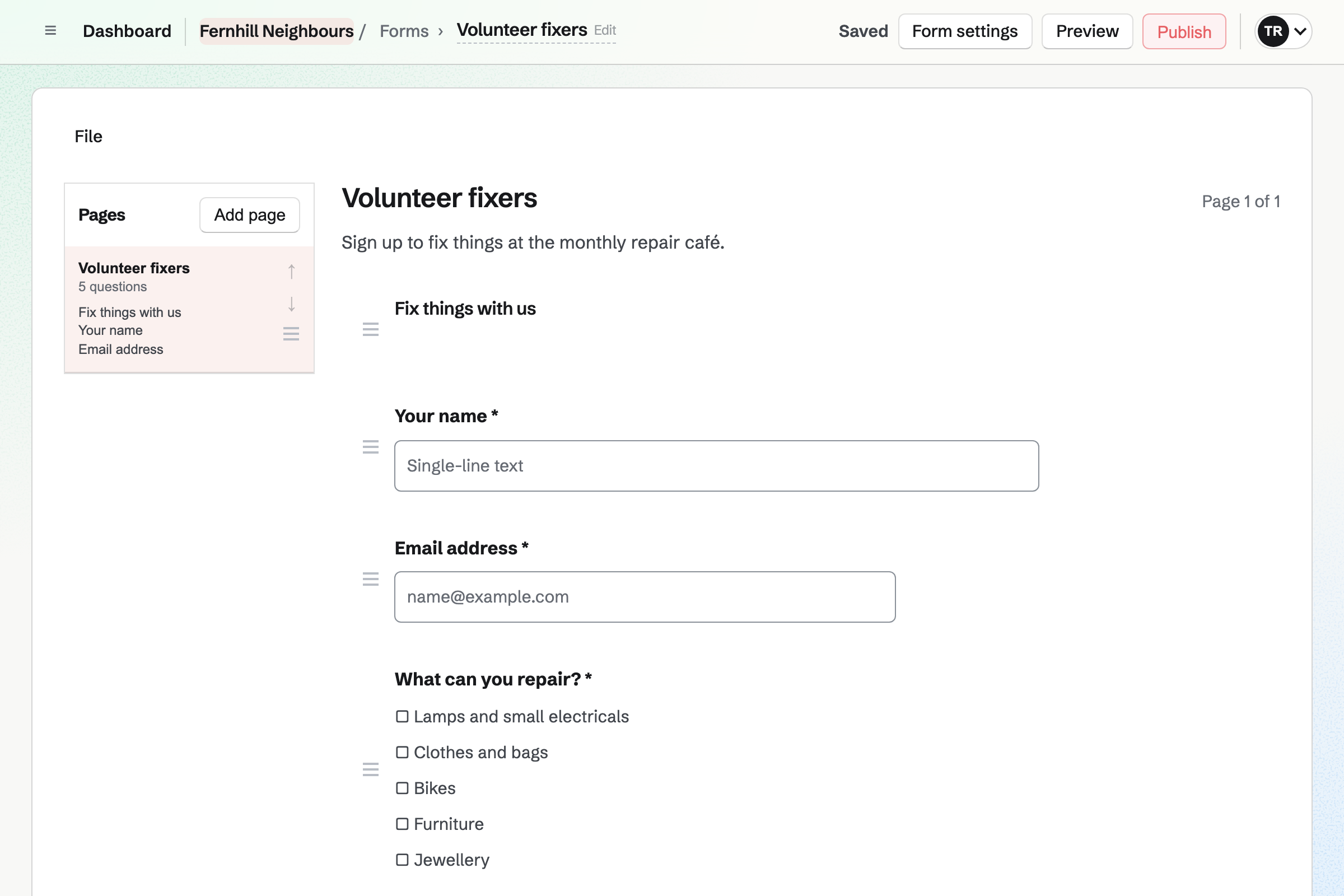
Forms builds sign-up forms, from starters such as Registration and RSVP. Questions can be text, choices, dates or file uploads. Responses come into one list.
A form can require a payment, the same amount for every response. People pay by card into the group's own Stripe account.
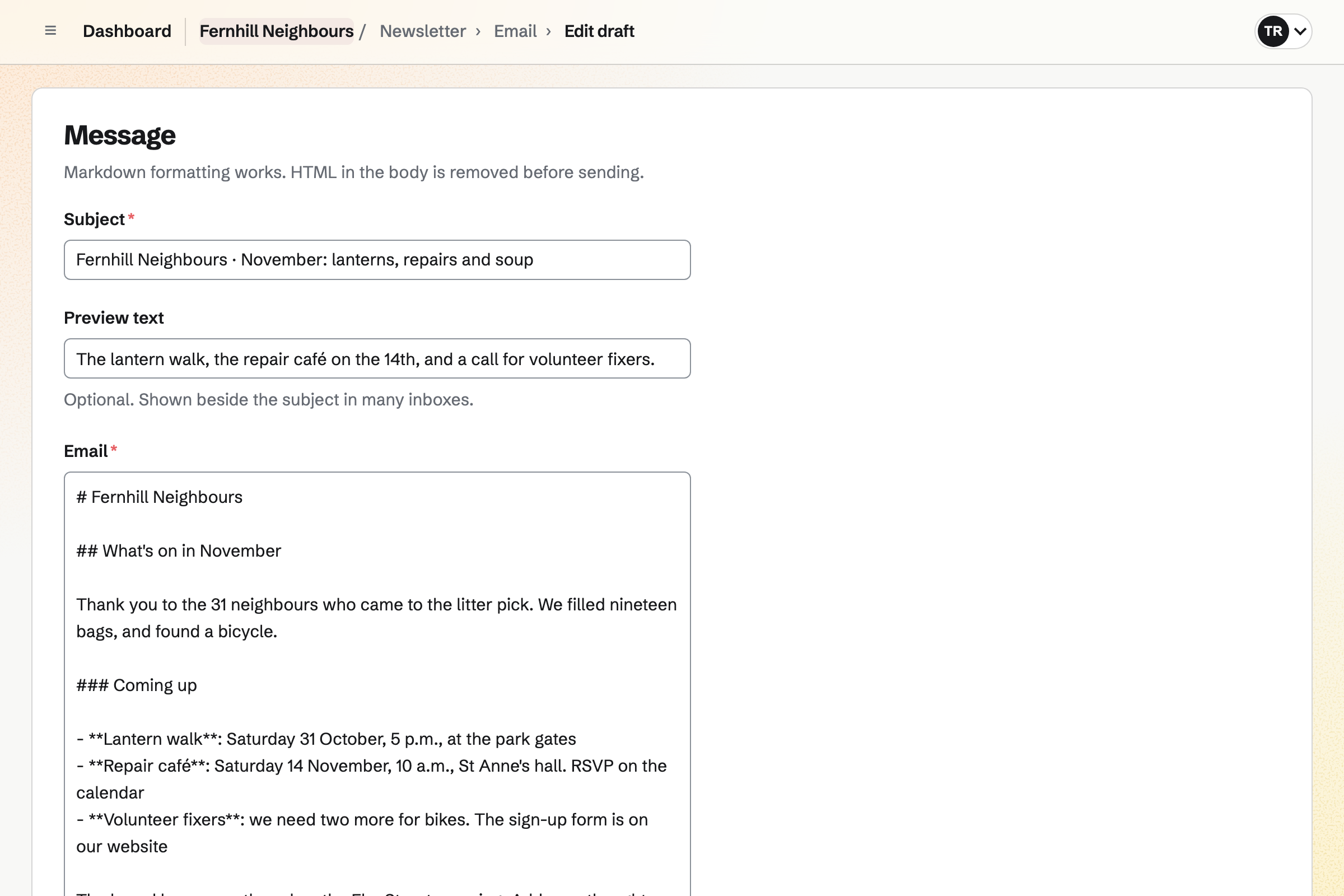
Newsletter keeps your mailing list. People join from its sign-up page with double opt-in. You write each issue, send yourself a test and schedule it.
With web copies on, each issue has its own page. A QR code on a flyer can open the sign-up page.
Message Boards gives the group a board of posts and replies. A private board is for your team, and anyone can read a public one.
People post, reply and vote, and Hot, New and Top sort the posts. A post's author, the board's creator and your admins can remove it.
Team chat gives your organizers channels, threads and direct messages. Admins create the channels.
Someone from outside the team can join one channel as a guest. They see that channel and nothing else in the team.
Organizers agree the date in a channel.
You add it to your public calendar, with RSVPs and a capacity.
Volunteers sign up on a form.
The newsletter and a flyer's QR code point people to it.
You see who is going, up to the room's capacity.
The conversation carries on on the board.
You invite your fellow organizers. Help: Create and manage a team.
You choose who can find it, and turn on RSVPs. Help: Create public and private calendar events.
You start from Registration, and publish it. Help: Build, publish, and share a form.
You name it, describe it and share its sign-up page. Help: Start and configure a newsletter.
The organizers fit the Team plan, with each organizer a member of the team. People who RSVP, fill in a form or read a public board stay outside the team.
Magpie's fee on a paid form is 1%, and on supporters' payments 3%. Stripe's processing fee is taken from each card payment. Prices are on the Pricing page.
A nonprofit runs its programmes, volunteers and fundraising.
A sports club organizes its teams, fixtures and members.
A faith community plans its services, groups and volunteers.
An arts group puts on its shows, rehearsals and classes.
An event organizer sells tickets and runs the day.
Yes. People choose Going or Not going on the event's page. You can set a capacity. Once that many are going, RSVPs stop and the page says the event is full. The page can show how many are going.
Yes. An event can be open only to people with its link. You send invitations by email, or make a reusable link with a set number of uses. It can have an end date. Revoke stops a link working.
Yes. A form can ask for each volunteer's name, email, skills and the dates they can come. Every response comes into one list, which you can export.
Yes. A form can require a payment, the same amount for every response. People pay by card through Stripe, into the group's own account.
Yes. Newsletter keeps your mailing list, with double opt-in on its sign-up page. You write each issue, send yourself a test and schedule it.
Yes. A Message Board holds posts, replies and votes. A public board can be read by anyone; a private one is for your team.
Yes. A team admin can invite someone into one channel as a guest. They see that channel and nothing else in the team.
Yes. Supporters gives you a public page with a free tier and monthly paid tiers. Payments go to the group's own Stripe account.
Yes. QR Codes makes a code for your published form or newsletter. You download it as SVG, PNG or PDF, ready to print.
Create a Magpie account and make a team for the group.