Auto repair garages and detailers
A garage repairs cars instead of bikes. It looks after its lifts and tools, and takes quote requests before the work.
Bike shops and repair workshops
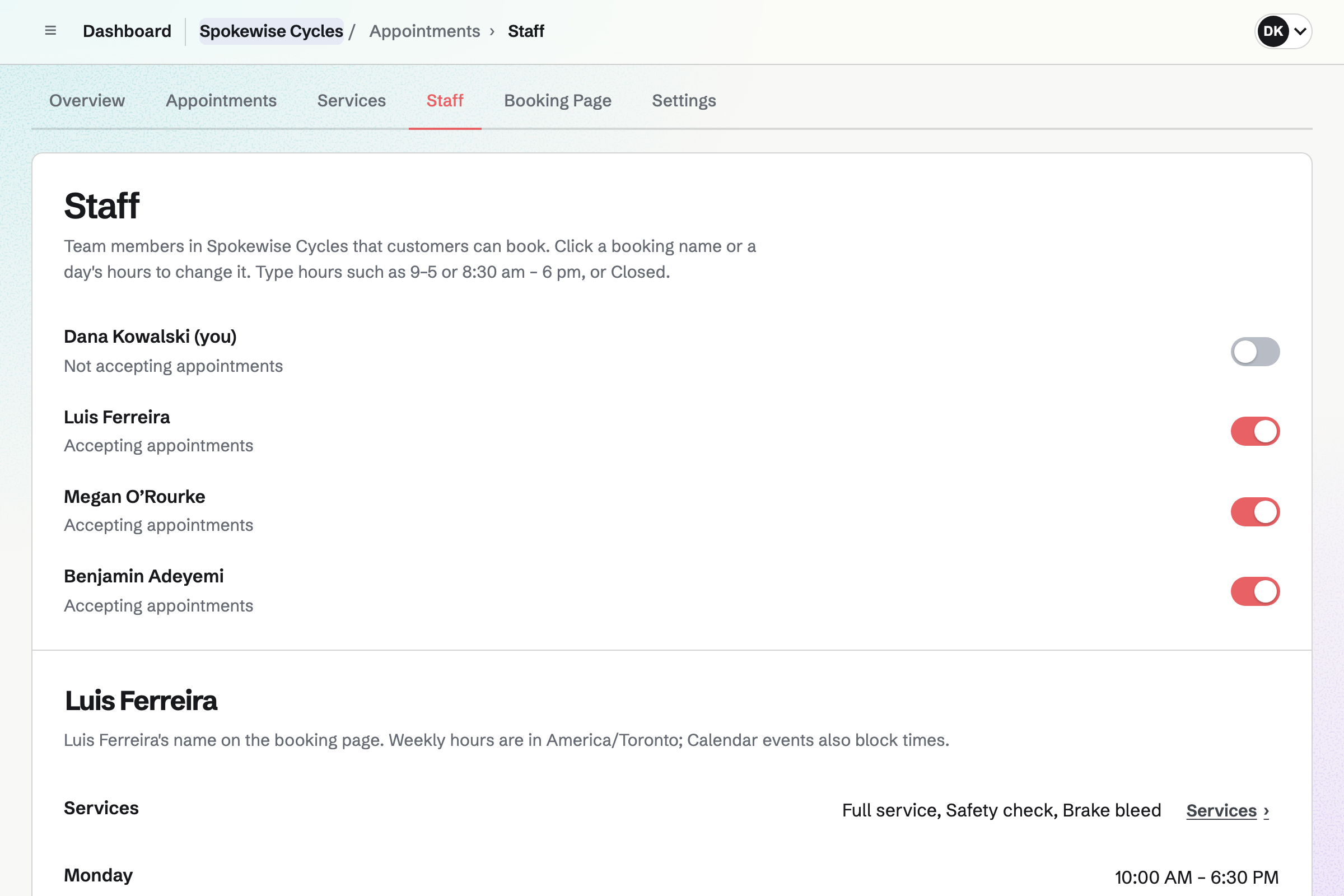
The shop, its mechanics and its counter staff work in one Magpie team.
Get started free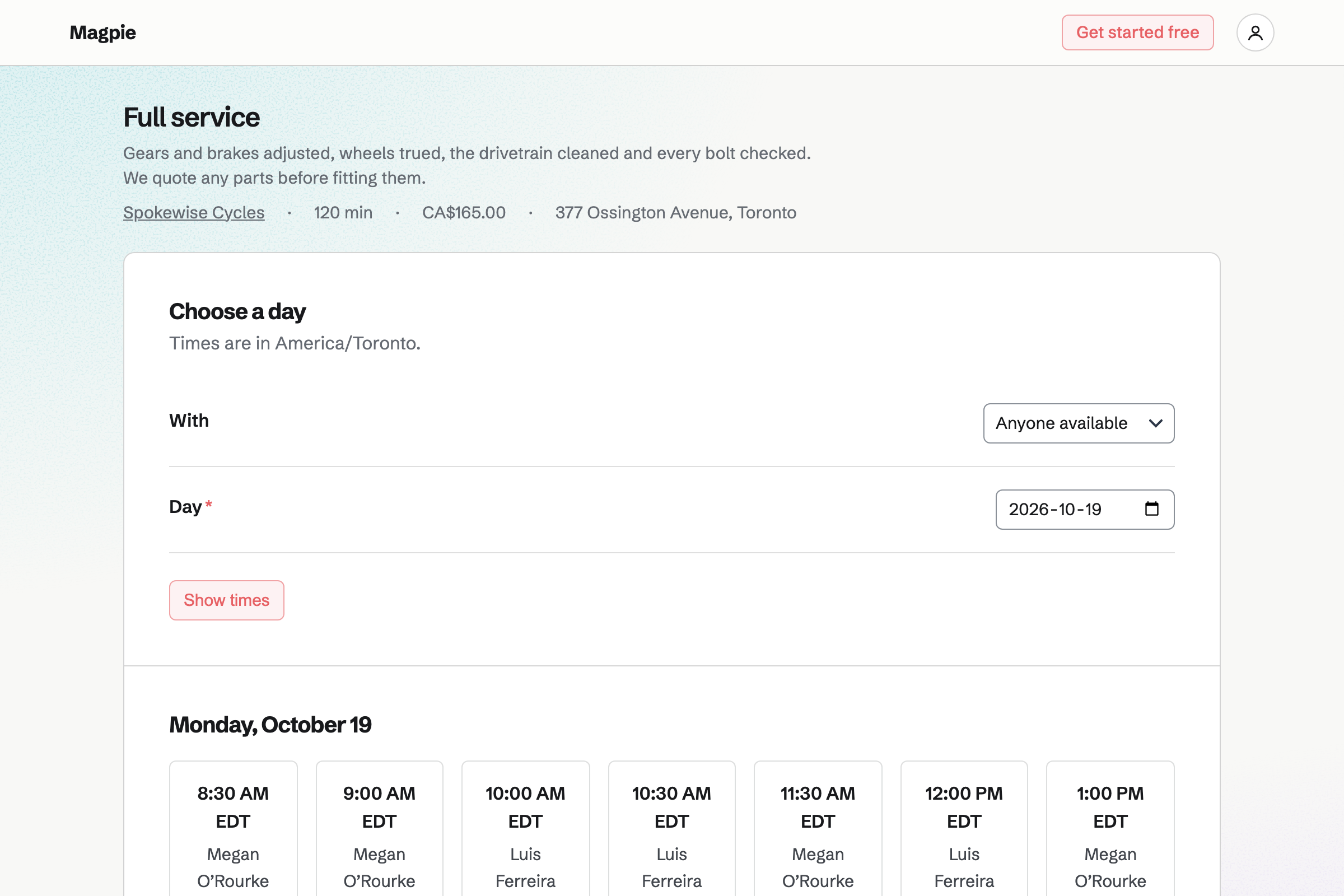
Appointments gives the shop its own booking page. Each service has its length, its price and the mechanics who do it. Customers choose a service, a mechanic and a free time, without signing up first.
A time is offered only when the mechanic is free. Magpie checks their weekly hours, their calendar and their other appointments. A service can also need a workstand, which each booking will reserve. You can add phone and walk-in bookings too.
Inventory counts the workshop's parts, such as inner tubes, brake pads and chains. You take the parts a repair used out of stock, with a note of the job. A part you also sell online comes out of the same stock with each sale.
Each part has a minimum you set. Below it, the part is listed as running low, with the packs to order. From that list, you start an order for each supplier and email it from Magpie.
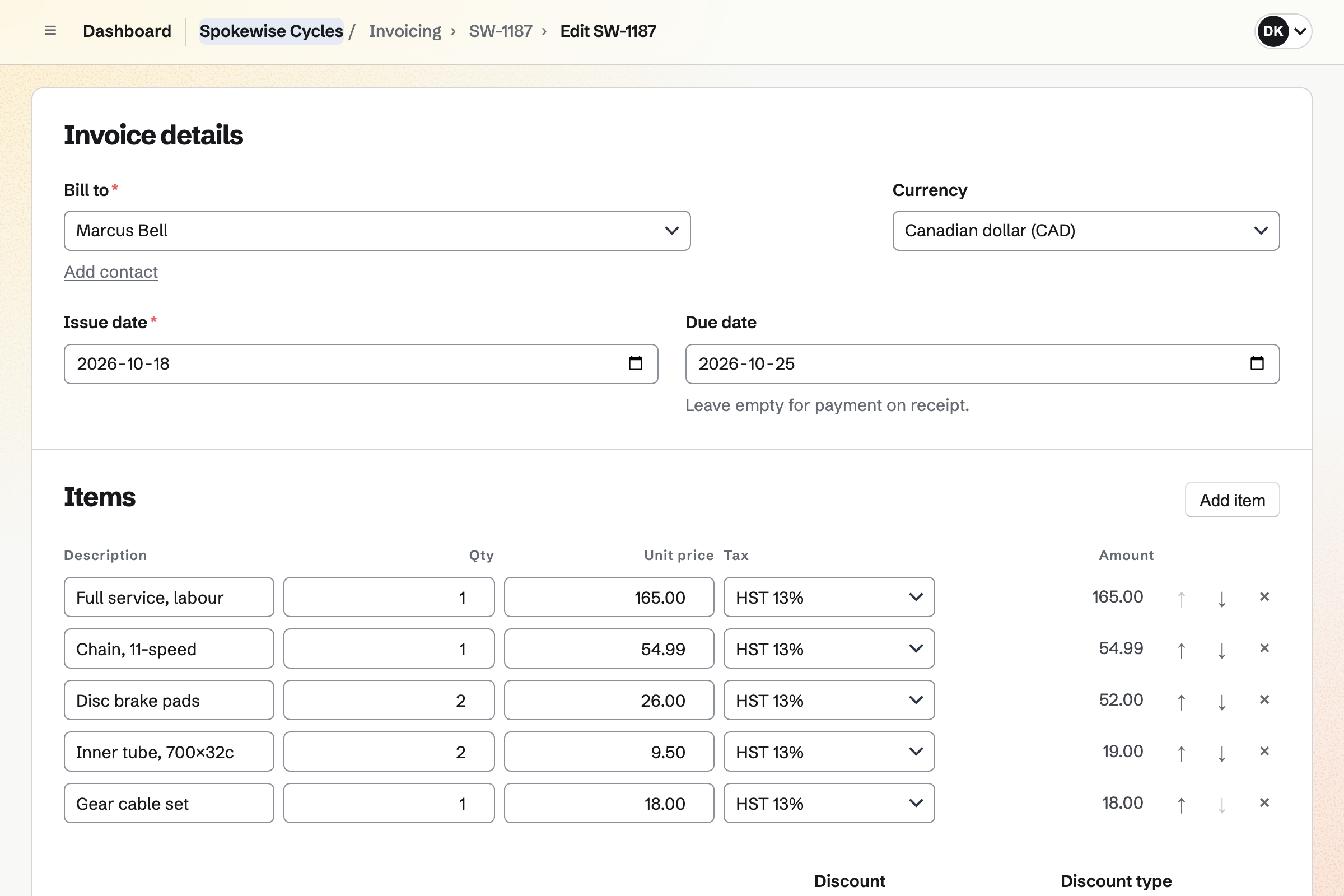
Invoicing bills each repair to the customer's contact. The labour is one line, and each part has a line of its own. Each line has a tax rate. You email the invoice as a PDF, with your own message that the bike is ready.
The customer pays by card from the email, into your own Stripe account. You record a counter payment as cash or a card on your own terminal. Reminders will go out until the invoice is paid.
Contacts keeps a contact for each customer, with their bookings and invoices. A booking links the customer to their contact by email address, or adds one. A note of your own can say which bike they ride.
You can set a follow-up for when a customer's fork is due its service. It is a To-do with a date and a reason. Follow-ups lists every open one.
Store gives you an online shop for bikes and accessories. A bike in several frame sizes and colours has a variant for each. Each variant has its own price, barcode and stock.
Buyers pay on Stripe's checkout page, without signing up first. Local pickup lets them collect from the shop, with no shipping address to give. Boxed bikes can have shipping methods of their own.
You can record counter sales too, paid in cash or on your own card terminal. Each sale's items will come out of stock.
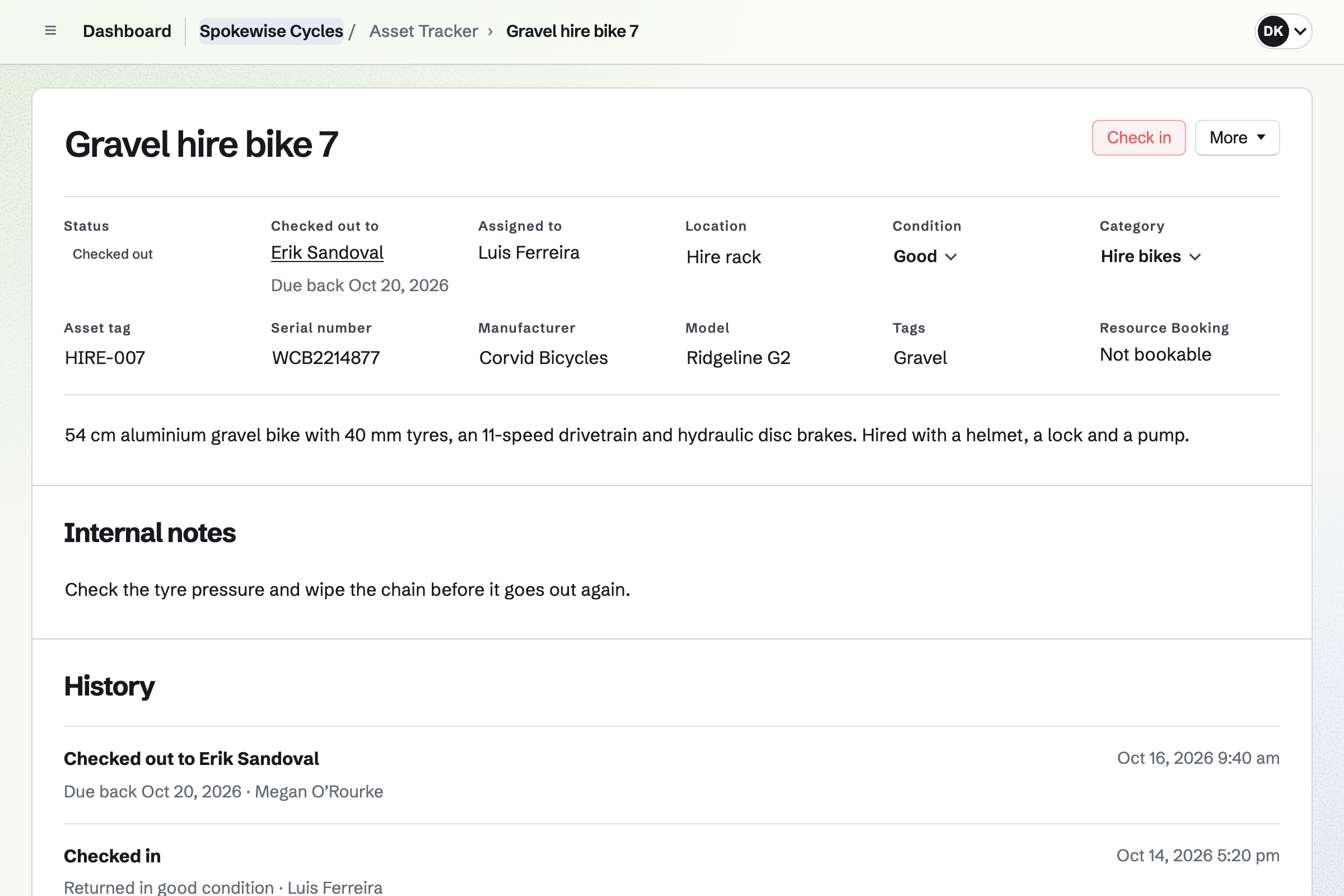
Asset Tracker records each hire bike, with its tag, serial number and photos. You check a bike out to the customer's contact, with a due-back date. One not back by then is listed under Overdue.
Checking a bike in records the condition it came back in. Starting maintenance takes it off hire until the work is done. Its history lists every checkout, check-in and maintenance.
Magpie adds each booking to the mechanic's calendar and the customer's contact. You record the parts used and send the invoice.
They choose a full service and a time on the booking page. Magpie will email them a confirmation.
The booking will add an event to the mechanic's calendar. It will reserve the workstand the service needs. The customer will be linked to their contact.
You take the repair's parts out of stock, with a note of the job.
You bill the labour and the parts, with a message that the bike is ready. The customer pays by card online, or at the counter.
You mark the appointment Completed. The customer's contact will list the appointment and the paid invoice. The payment will be added to the books.
You create a team and invite the mechanics who take appointments. Help: Personal and team work.
You choose General appointments and add each service with its length and price. You also give each mechanic their weekly hours. Help: Add and edit appointment services.
You connect your Stripe account, so invoices and online orders can be paid by card. Help: Connect Stripe to receive money.
You add each part with its pack size and a minimum. Then you record what is on the shelf now. Help: Keep track of stock.
You add each hire bike as an asset, with its tag and serial number. Help: Track individual assets.
The Team plan is one price for the whole team, with 25 member places. It has no limit on contacts or invoices. Appointments, Inventory, Store, Asset Tracker and Resource Booking are on every plan.
A free team has 3 member places, 100 contacts and 5 invoices a month. Magpie adds no fee to invoice payments or online sales. Stripe's processing fee is taken from each card payment.
A garage repairs cars instead of bikes. It looks after its lifts and tools, and takes quote requests before the work.
A pet shop and groomer books grooming appointments and sells pet supplies. Each owner's visits are listed on their contact.
Yes. Your booking page lists each service with its length and price. Customers choose a mechanic or Anyone available, then a day and a free time. They enter their name and email address, without signing up first. The confirmation email has a link to reschedule or cancel, until the notice you set begins.
Yes. Times come from each mechanic's weekly hours, the service's length and any buffers. A mechanic's appointments never overlap. A service can also need a workstand, and each booking will reserve it. A time is then offered only while that stand is free.
Yes. You type a service's length as you would say it. It can be 90 min, 2 hours or 1 day. The appointment and its buffers have to fit in the mechanic's hours. A drop-off service can be short, with the work done on the stand afterwards.
Yes. You book a service for a customer who calls or walks in. It is checked against the same hours and rules as the booking page. The customer will get the same confirmation email, with the link to reschedule or cancel.
Yes. Each booking links the customer to a contact by email address. Their contact lists every appointment, completed and cancelled. It also lists every sent, paid or voided invoice. A note on the contact can say which bike they ride.
Yes. You set a follow-up on the customer's contact, with a date and a reason. The reason can be that their fork is due its service. It is a To-do, and Follow-ups lists every open one.
You invoice the customer's contact, with a line for the labour and one for each part. Each line uses one of your named tax rates. Sending it will email the PDF, your message and a Pay online button. The customer pays the balance by card, without signing up first.
Yes. You record the payment on the invoice, in full or in part. It can be cash, a card on your own terminal, a bank transfer or a cheque. The invoice moves to Paid when payments reach its total. Each payment will be added to the books.
Yes. Running low lists each part below its minimum. It gives the packs to order from the usual supplier, counting what is already on order. Draft orders turns the list into an order for each supplier. You email it from Magpie, and receiving it will add the parts at the price charged.
Yes, once you link the part to its online product. Each sale will then come out of the stock the workshop uses. A delivery or count will update what your online shop shows.
Yes. You add local pickup with the shop's address, times and instructions. Buyers who choose it are not asked for a shipping address. When you mark the bike ready for pickup, Magpie will email them. A shipping profile can give boxed bikes methods of their own.
Yes. You check each hire bike out to the customer's contact, with a due-back date. One not back by then is listed under Overdue, and checking it in records its condition. Resource Booking can also reserve a bike for a customer's dates. A booked bike cannot be checked out over that booking.
Yes. You start maintenance with a reason and an expected return date. The bike cannot be checked out or booked until you end it. You end it with a note of what was done. Its history lists every checkout, check-in and maintenance.
Yes, when more than one mechanic does a service. Customers choose one, or Anyone available. Magpie gives Anyone available bookings to the first eligible mechanic who is free. You set how each mechanic's name appears on the booking page.
Yes. You plan a weekly rota for the mechanics and the counter staff. Each shift is checked against the rules you set. Staff can swap shifts and ask for time off.
Yes. You record it as an order, paid in cash or on your own card terminal. Its items will come out of stock. The money is held in Undeposited funds in the books until you record the deposit.
Yes. Customers book, reschedule and cancel without signing up first. They pay an invoice and check out from your online shop the same way. A customer signed in to Magpie can also keep their orders under Your orders.
Create a Magpie account and make a team for the shop.