Thrift and vintage shops
A thrift or vintage shop sells second-hand pieces, one of each and sold once. Volunteers are on its rota.
Clothing boutiques and gift shops
The shop and its staff work in one Magpie team. Sales in the shop and online come out of the same stock.
Get started free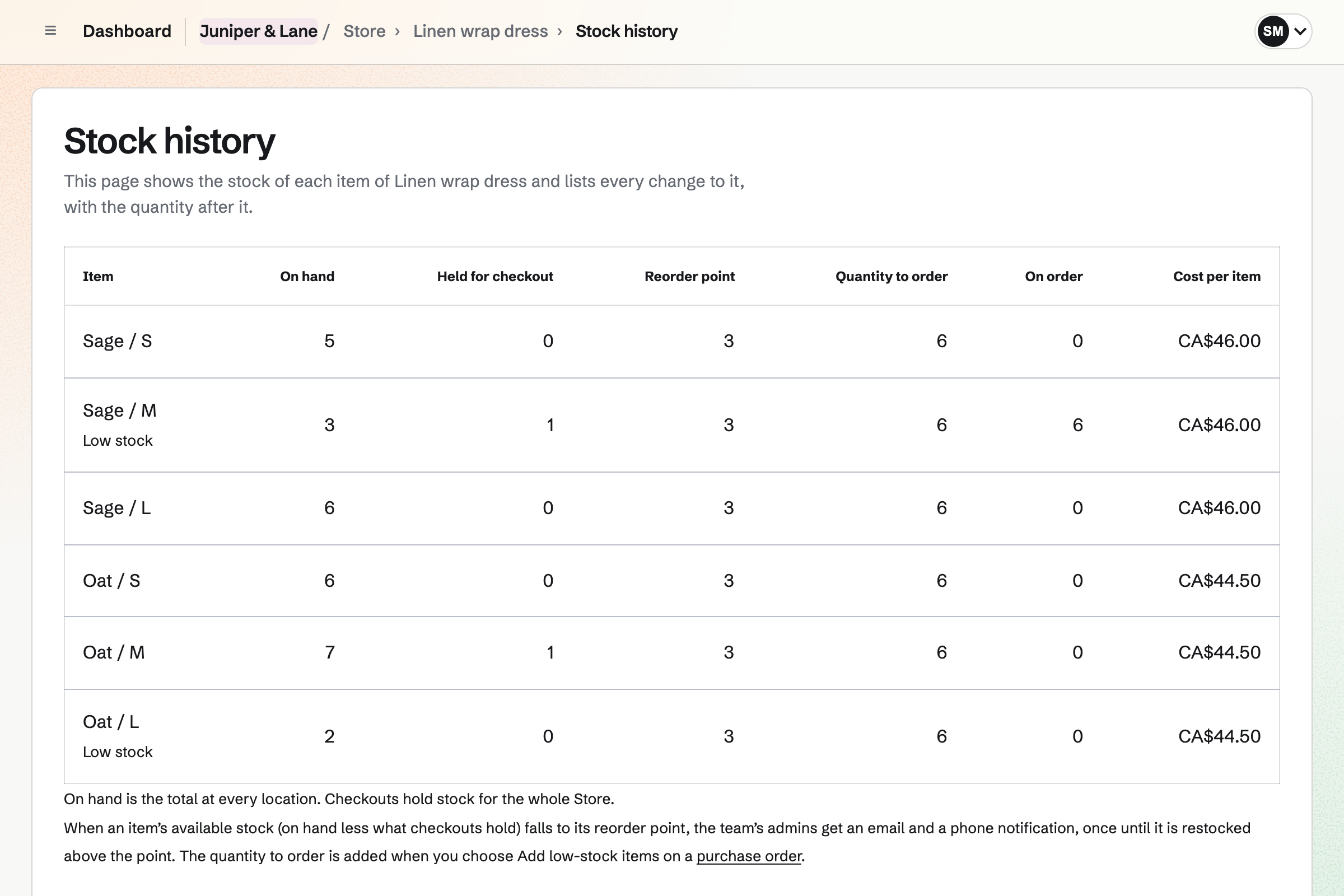
Store gives each size and colour its own stock, price and barcode. You can see what each location has on hand, held for checkout and on order. A transfer moves stock from the back room to the shop floor.
A purchase order lists the sizes you need and their cost. It goes to the supplier as a PDF. When a size falls to its reorder point, Magpie will email you. You can then add every low size to the next order at once.
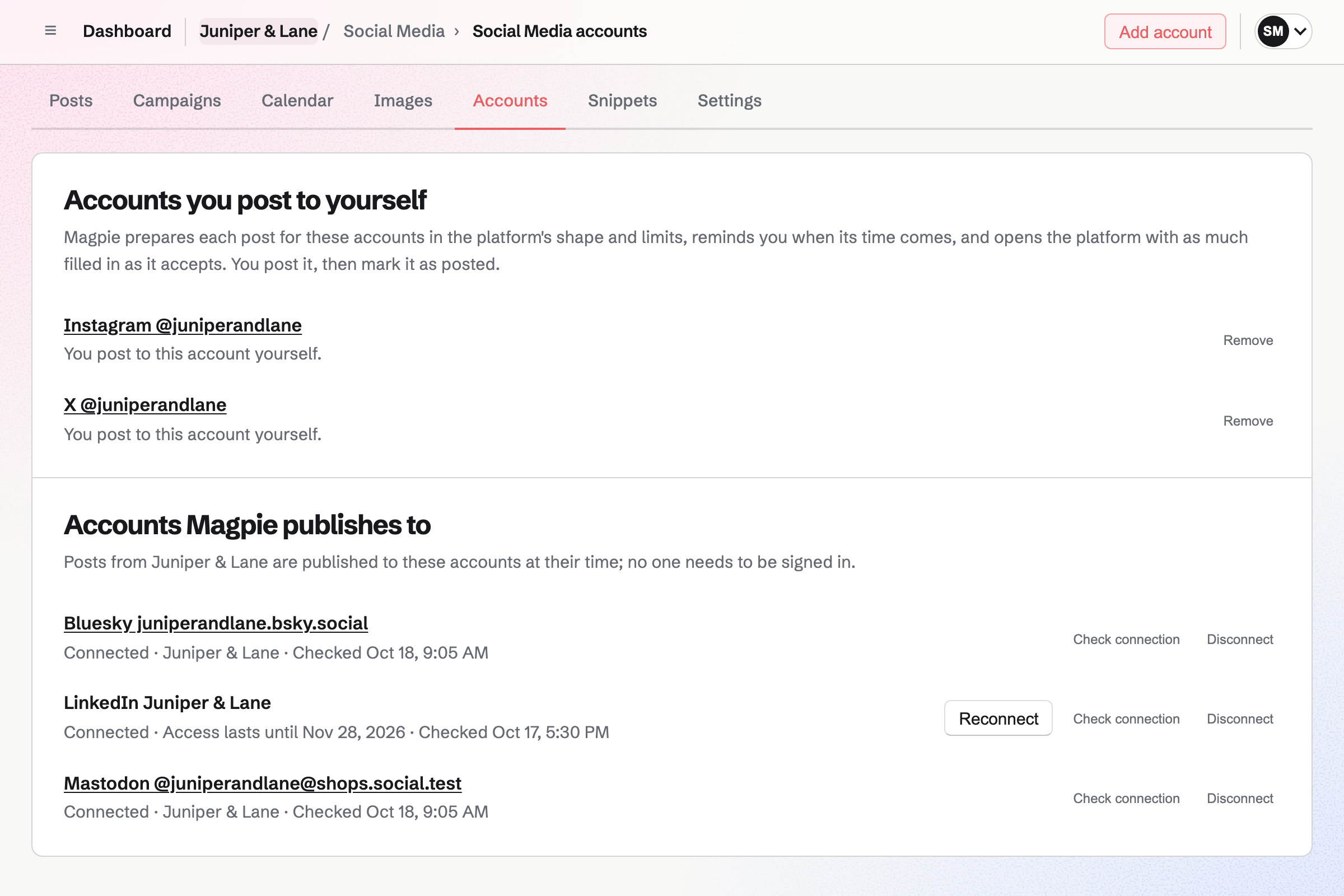
Social Media starts a post from a live product, with its name and first four photos. You can add photos of the other colours, up to 20 for Instagram. Magpie crops each one for Instagram around the point you choose.
Posts to Bluesky, Mastodon and LinkedIn will be published at the time you choose. For Instagram and X, Magpie will email you a reminder. On your phone, Magpie copies the text and opens the share sheet with the images.
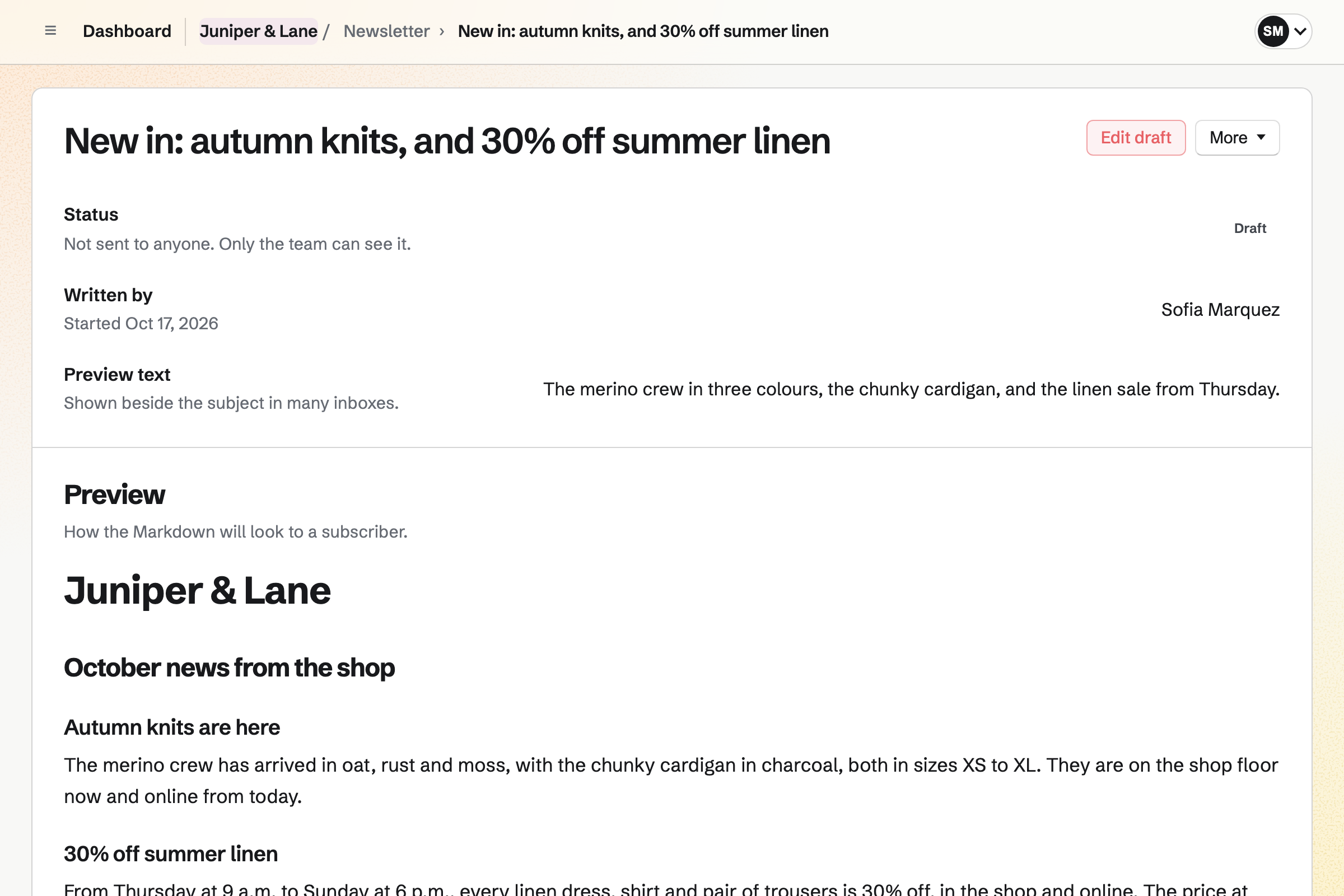
Newsletter keeps the list of customers who asked for news and offers. Checkout can show an unticked box for it. A buyer who ticks it will join once their order is paid. A QR code on the counter can open your signup page.
You can send yourself a test of each email. You send it at once, or schedule it for the morning the sale starts. Each email's page counts the copies delivered. You can share its web copy in a social post.
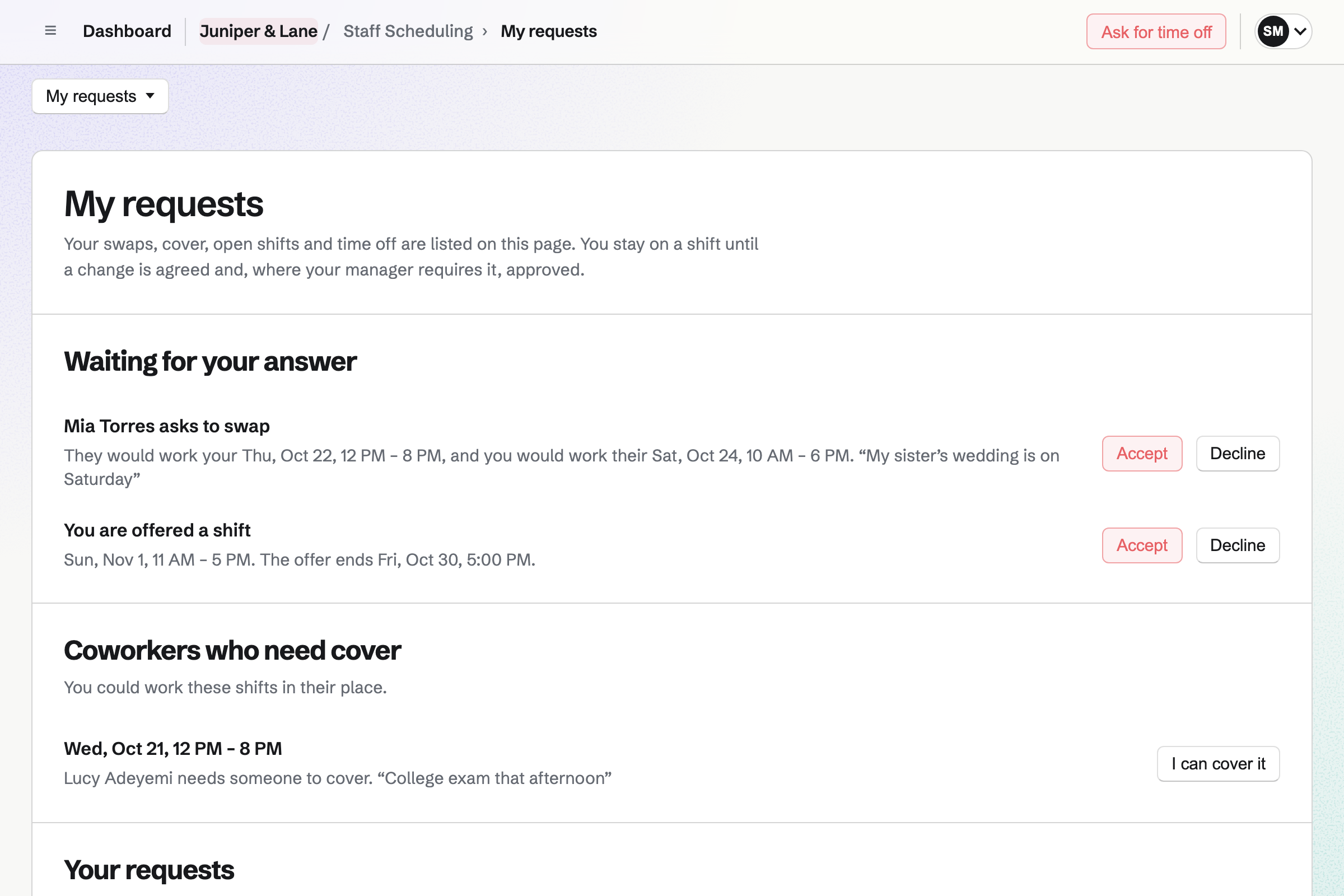
Staff Scheduling gives the shop its rota, with starter positions such as Cashier and Sales. You add each person by name, as an employee, casual or seasonal worker. After their last day, they get no more shifts.
People you invite will see their published shifts. They can swap them, ask for cover and ask for time off. A blackout period, such as a holiday rush, marks any time off asked for in it. Magpie checks every change against your rules.
Each size and colour has one stock count, and the next order starts from it.
You receive the purchase order at the back room or the shop floor. The sizes will be added to stock at their cost.
You make the style live online. A collection of recently published products will list it as new in. You can start its social post from the product.
You record the sale, paid in cash or on your own card terminal. Its items leave the stock at the location you choose.
The buyer pays on Stripe's checkout page without signing up first. Checkout holds the size until they have paid.
When a size falls to its reorder point, Magpie will email you. You can put it on the next purchase order with the other low sizes.
You can enter the received order as the supplier's bill. Each sale moves its cost to Cost of goods sold.
You create a team and invite whoever runs the shop with you. Help: Personal and team work.
You name the online shop and add its contact email and local pickup. Then you connect Stripe. Help: Set up and publish a Store.
You add the sizes and colours, then each one's price, barcode and stock. You can import a CSV file instead. Help: Create products, options, and inventory.
You add each supplier with its lead time. A location can be the back room or a second shop. Help: Suppliers and purchase orders.
You choose the Shop business type and add each person by name. Then you publish a first week. Help: Plan and publish a staff schedule.
A shop with staff is a team. The Team plan is one price for the whole team, with 25 member places. A free team has 3. Someone on the rota takes a place only after accepting an invitation to see their shifts.
Magpie adds no fee to online sales. Stripe's processing fee is taken from each card payment.
A thrift or vintage shop sells second-hand pieces, one of each and sold once. Volunteers are on its rota.
A bookshop sells books, records or games. People RSVP to its readings and launches on a public calendar.
An online store sells its own brand at its own domain, with no shop floor.
A plant nursery sells plants and garden supplies that change with the seasons. People sign up for its workshops.
A maker with a shop sells what they make, from their own materials and batches. Its stock is not bought from other brands.
Each size and colour has one stock count. An online checkout holds what it takes until the buyer has paid. A size that reaches zero stops selling online. A sale in the shop takes its items from the location you choose.
You record the sale as a new order, paid by Card, outside Stripe. That option is for a payment on your own card terminal. The order is created as paid, and its items leave stock. The books hold the money in Undeposited funds until you record the deposit. Cash sales work the same way.
Yes. Each size and colour has its own stock. One that reaches zero cannot be bought, unless you let it sell on back order. Shoppers can filter your online shop by an option such as size. They can also tick In stock only.
Yes. When a size with tracked stock sells out, its page asks for an email address. Magpie will send one email when it can be bought again. You see how many people are waiting for each sold-out size. Their addresses are used for that one email only.
An automatic discount takes a percentage or an amount off a collection or chosen products. It runs between the start and end times you set. It applies to every cart it fits. A size with a compare-at price above its price counts as on sale. A collection with the Is on sale rule will list it.
Yes. Personalisation fields on a product ask for them when it is bought. A choice from a list, such as Gift wrap, can add to the price. A long text field takes the message. What the customer entered is shown on the order, the packing slip and the order emails.
Yes. You add local pickup with the shop's address, pickup times and instructions. Buyers who choose it are not asked for a shipping address. When you mark the order ready, Magpie will email them.
You choose how long after shipping customers can ask: 14, 30, 60 or 90 days. They ask from their order page. You approve the return, record what arrived and choose where it goes back into stock. You refund it the way they paid, or as store credit. Store credit is a gift card emailed to them.
Reports show sales, Stripe fees, margins and stock for any dates. Each table downloads as a CSV file. Margins use each size's cost per item. Receiving a purchase order keeps that at the average cost. A weekly summary can be emailed to you.
Setting a size's stock to what you counted is recorded as a stock count correction. You can also add stock received, or remove damaged, lost or returned items. Each change is in the stock history, with who made it.
Yes, with a discount code only they can use. A customer segment saves a filter, such as a number of orders or an amount spent. You can limit a discount code to that segment. Checkout checks each buyer's email address against it.
Yes. A gift card sells fixed amounts and, if you choose, a custom amount in a range. The buyer can have it emailed to someone on a date they choose. It pays for items and shipping in your online shop. A bought card never expires and carries no fee.
Yes. You can paste a size chart from a spreadsheet. It is shown under its own heading on the product page. Specifications such as Material: linen are listed as name and value pairs. Shoppers can filter by product type, brand and tags.
Yes. Each product can list up to 8 products that go with it. Its page shows up to 4 of them that are live. The cart suggests the ones chosen for the products in it.
Yes. Magpie gives you feed addresses for Google Merchant Center and a Meta catalog. Facebook and Instagram shopping use the Meta catalog. Each live size and colour with an image and a price is listed, with its availability. The feeds update as your products change.
Yes. You give them only the Manage stock permission. It covers stock counts, received stock, suppliers and purchase orders. Reports, refunds and products are separate permissions. Only you and any other admins see the payment account and payouts.
Each person sees their published shifts under My shifts on the website. Magpie will email them about changes. Their shifts also appear on their personal calendar in Magpie. A subscription address works with Google Calendar, Apple Calendar and Outlook.
Yes. Buyers pay on Stripe's checkout page and get a private link to their order by email. A buyer signed in to Magpie can keep the order under Your orders. They can also reuse a saved address and save products to a wishlist.
Create a Magpie account and make a team for the shop.