Thrift and vintage shops
A thrift or vintage shop sells second-hand stock, and each piece is one of a kind.
Bookshops, record shops and game shops
The shop and its staff work in one Magpie team.
Get started free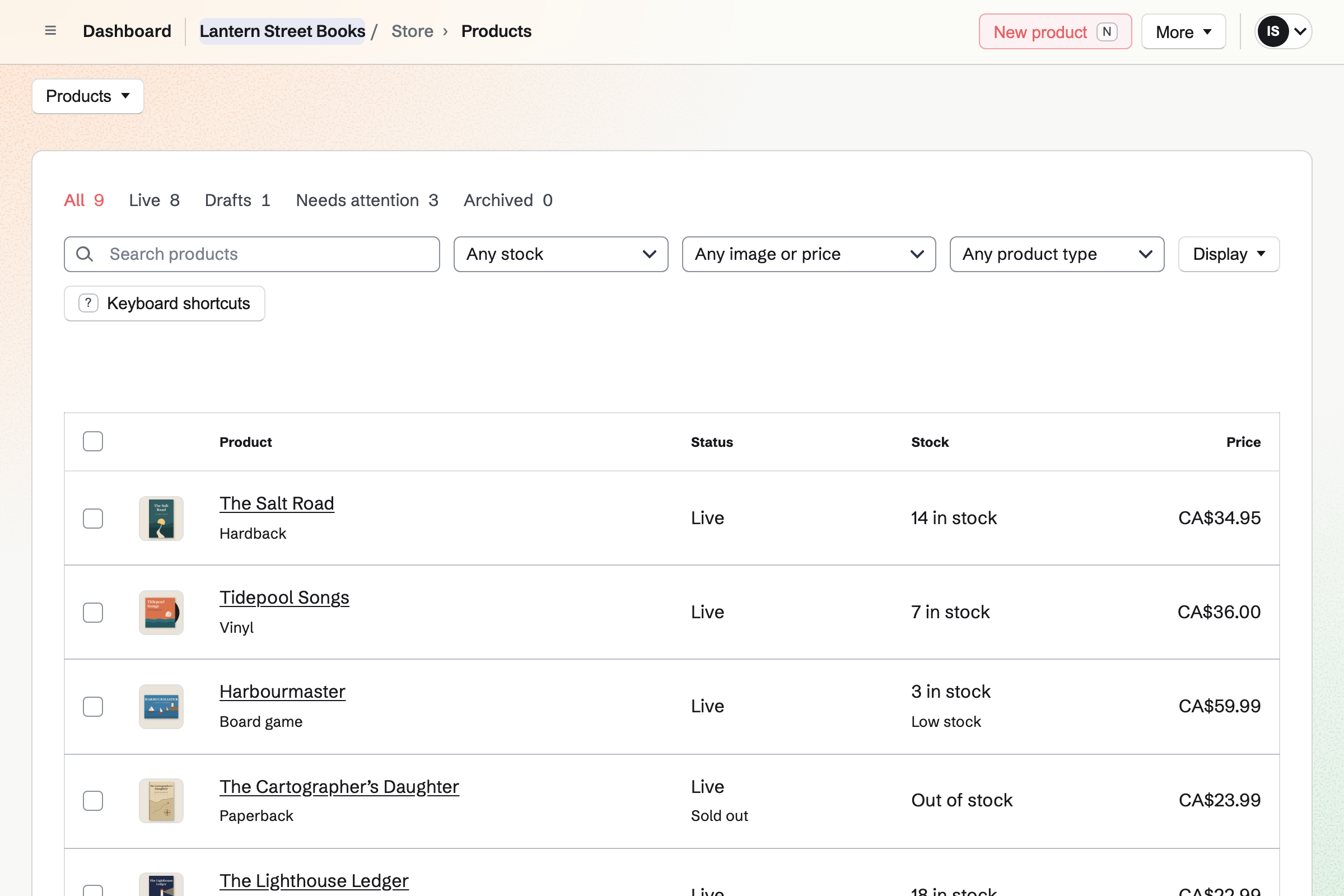
Store keeps the shop's catalogue and sells it online. Each title has its barcode, such as an ISBN, UPC or EAN. It can also have a type, such as Hardback or Vinyl. A CSV file adds the whole catalogue at once, with prices and stock.
You can sell a title before it is released. Its expected ship date will show from the product page to the order emails. The customer pays when they order. Pre-orders are listed on their own tab of your orders.
The stock page lists the titles at or below their reorder point. You will get an email when a title reaches it.
You can fill a purchase order with what is low and not already on order. You download it as a PDF, or email it to the distributor from Magpie.
Receiving the delivery will add the titles to stock. Each title's average cost will move toward the order's cost. Pre-orders already came out of stock, so those titles count up from below zero.
You turn the order into the distributor's bill for what arrived. It stays in Accounts payable until you pay it.
Each sale, online or at the counter, moves the title's cost to Cost of goods sold.
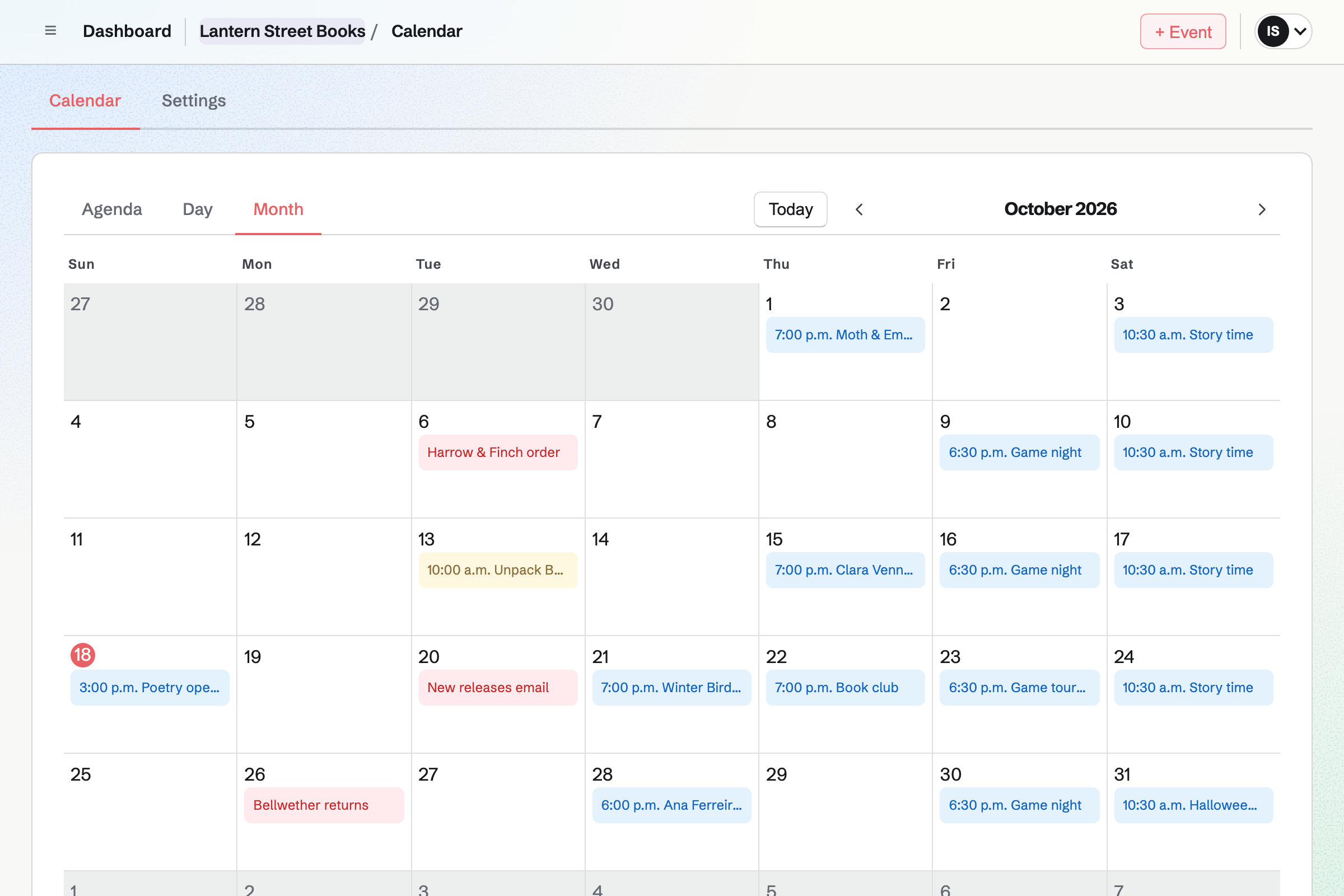
Calendar gives the shop a public calendar of its events. You can turn on RSVPs and set a capacity. The event's page will say when it is full. People RSVP while signed in to Magpie, and can sign up from the event's page.
The event's page and the calendar can show how many people are going. Sharing an event will start a social media post about it. A paid Form takes the entry fee for a tournament or a ticketed evening. People pay without signing up first.
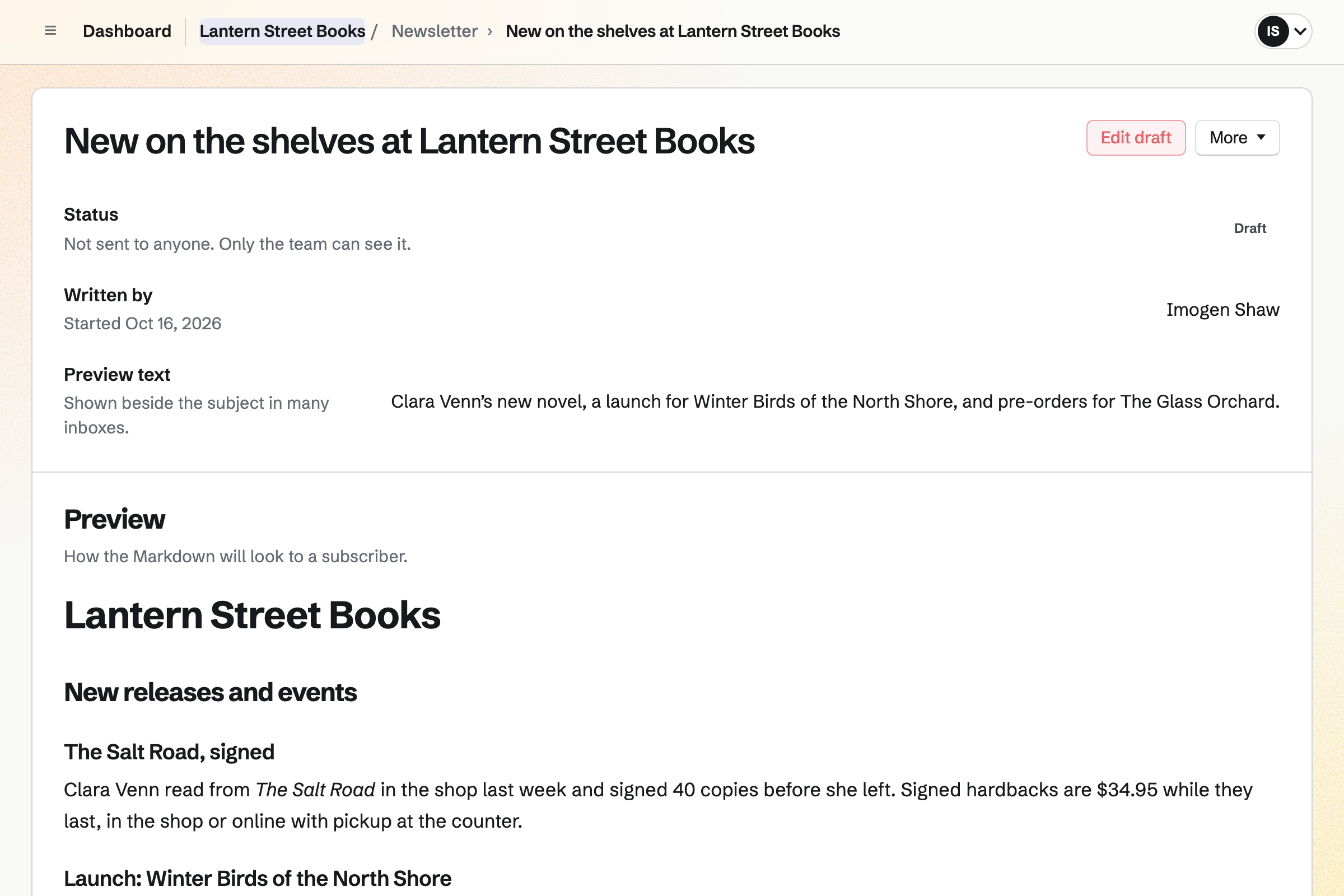
Newsletter gives the shop its own mailing list. People join on its signup page, or by ticking a box at checkout. You can import a list from Mailchimp, Substack or a CSV file. Magpie keeps a record of how the people on it agreed.
You write each email in Markdown and can send yourself a test. It goes out now, or at a time you schedule. With web copies on, each sent email is listed on the signup page. You can share it to your social accounts.
Staff Scheduling gives the shop its rota, with Cashier, Sales, Supervisor and Stock positions to start. You can add your own, such as Events. A staff profile needs only a name. Shifts stay drafts until you publish the week.
A launch evening can go on the rota as an open shift. Once it is published, staff who could work it can take it. Each person will see their own shifts. They can swap them, ask for cover and ask for time off.
You name the shop, add its contact email and connect Stripe. Help: Set up and publish a Store.
You import a CSV file of your titles. Each row has a title's barcode, vendor, type, tags, price and stock. Help: Import and export products as CSV.
You add each distributor as a supplier with its lead time. Then you give your steady sellers a reorder point. Help: Suppliers and purchase orders.
You add each event with RSVPs and a capacity. Help: Create public and private calendar events.
A shop with staff fits the Team plan, at one price for the whole team. It has 25 member places, room for 5,000 calendar events and higher newsletter limits. Someone on the rota takes a member place only once they accept an invitation.
Magpie adds no fee to your shop's sales. Stripe's processing fee is taken from each payment. On a paid Form for an event, Magpie's fee is 1% of each payment.
A thrift or vintage shop sells second-hand stock, and each piece is one of a kind.
A boutique sells clothes, gifts and homeware in sizes and colours, with photos for each platform.
A plant nursery sells plants and garden stock by the season. It runs workshops and a newsletter of what is in.
Yes. Each title's barcode can be an ISBN, a UPC, an EAN or your own code. The CSV import reads a Barcode column. The stock page and a purchase order find a title by its barcode.
Stock goes below zero as pre-orders sell. The delivery you receive counts up from there. Your orders list keeps them under Pre-orders until they ship. When you mark a pickup order ready, Magpie will email the customer the address and times.
Yes. You add the title as a draft product that can sell when out of stock. You record the order with New order, which lists drafts too. You choose how they paid, or send a payment link that holds the order until payment. The title can go on your next purchase order.
Yes. You issue store credit, a kind of gift card, for the amount you agree. Magpie will email the customer its code to spend in your online shop. You add the traded-in copy to stock as received, at the cost you gave.
Yes. When a title with counted stock sells out, its product page asks for an email address. Magpie will send one email when it can be bought again. You will see how many people are waiting, without their addresses.
You choose New order, pick the titles and record how the customer paid. It can be cash, a card on your own terminal, a bank transfer or a cheque. The order is created paid, and the titles leave stock. The books hold the money in Undeposited funds until you record the deposit.
Yes. You add local pickup with the shop's address and pickup times. Buyers who choose it give no shipping address. When you mark their order ready, Magpie will email them the address, times and any instructions.
You can make a Form for the event that charges one amount. Each person answers its questions and pays by card on Stripe's page, without signing up first. Their response will then show Paid. You close the Form when the event is full, and its responses are kept. Magpie's fee on a paid Form is 1% of each payment.
Yes. A public Message Board can be read without an account. Anyone signed in to Magpie with a handle can post, reply to comments and vote. Readers sort posts by Hot, New or Top. You and the board's creator can remove any post or comment.
Yes. Your customer list shows each buyer's orders and spending. You can save a filter, such as more than five orders, as a segment. Then you limit a discount code to that segment. You can find customers who agreed to marketing email the same way.
Yes. A gift card can have fixed amounts and, if you choose, a custom range. The buyer can have it emailed to someone on a date they pick, or keep it. The holder spends it in your online shop. A bought card never expires and carries no fee.
Yes. Your shop has a feed address for Google Merchant Center and one for a Meta catalog. Facebook and Instagram shopping use the Meta catalog. Each feed lists every live title with an image. Its price, availability and link are read from your shop each time the feed is fetched.
Yes. Your shop's reports list each title's units sold, sales and margin for any dates. Sell-through shows units sold as a share of those units plus what is on hand. Stock value is what is on hand times its average cost. Each table downloads as a CSV file.
Create a Magpie account and make a team for the shop.