Small food and drink brands
A small food brand makes jams and sauces in batches, from recipes. It sells them online and wholesale to shops.
Farms and market growers
You and whoever runs the farm with you work in one Magpie team.
Get started free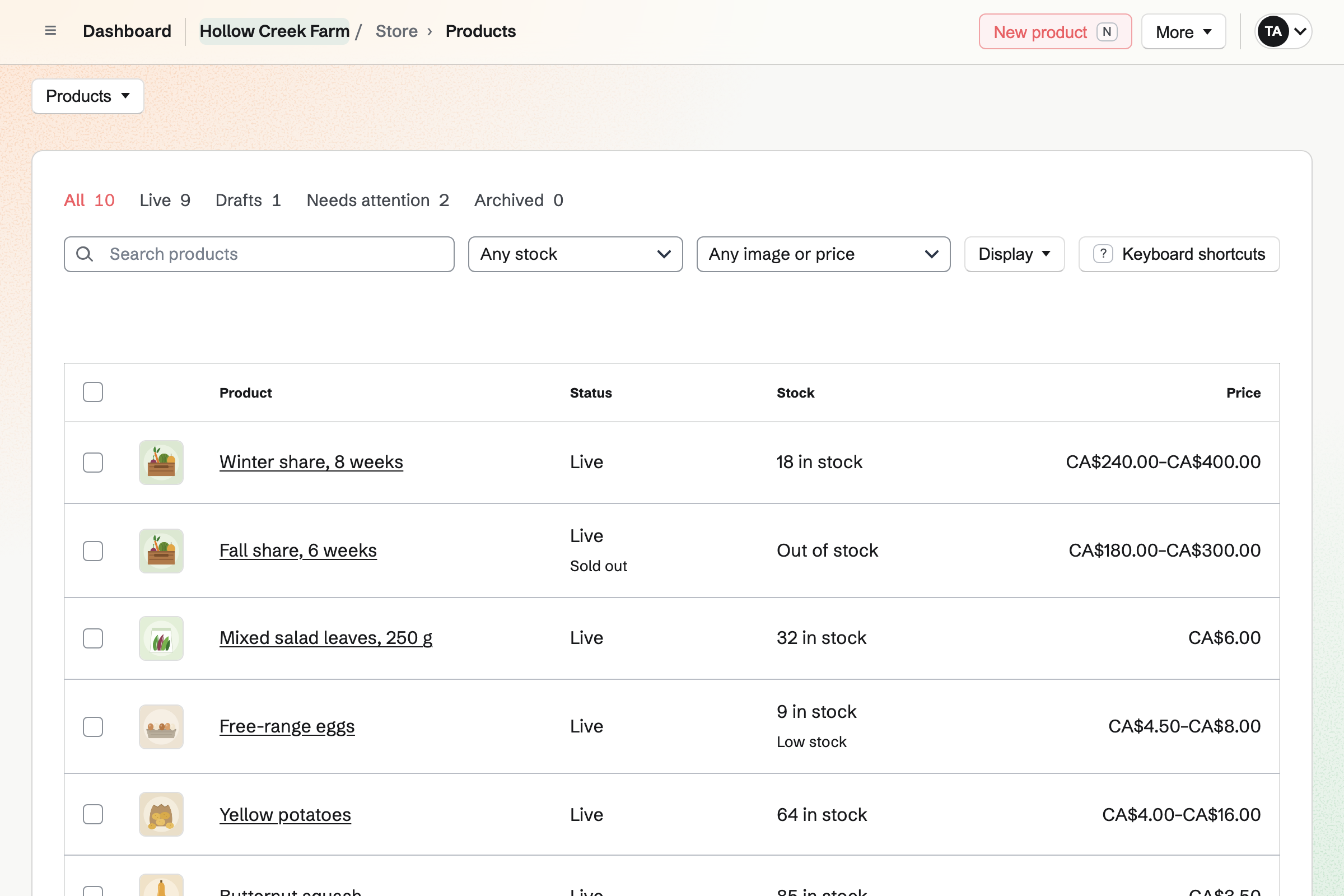
Store gives the farm an online shop for CSA shares, the week's produce and eggs. Each share size is an option with its own price. You set the stock to the shares you can fill. When they are gone, the share will show Sold out.
Buyers can collect their order at a market or at the farm. Each has its own address and pickup times. Local delivery is offered on the weekdays you deliver. Buyers pay into your own Stripe account.
Inventory keeps each crop in the unit you weigh or count it in. Tomatoes are kept in kilos, and eggs one by one, in packs of a dozen. You add each picking to the cooler's stock. You log what spoils as waste, with its reason.
You link each product in the shop to its crop. A 250 g bag of leaves uses 250 g. The shop will then offer as many bags as the cooler holds. Each sale, online or at the market, will come out of that stock.
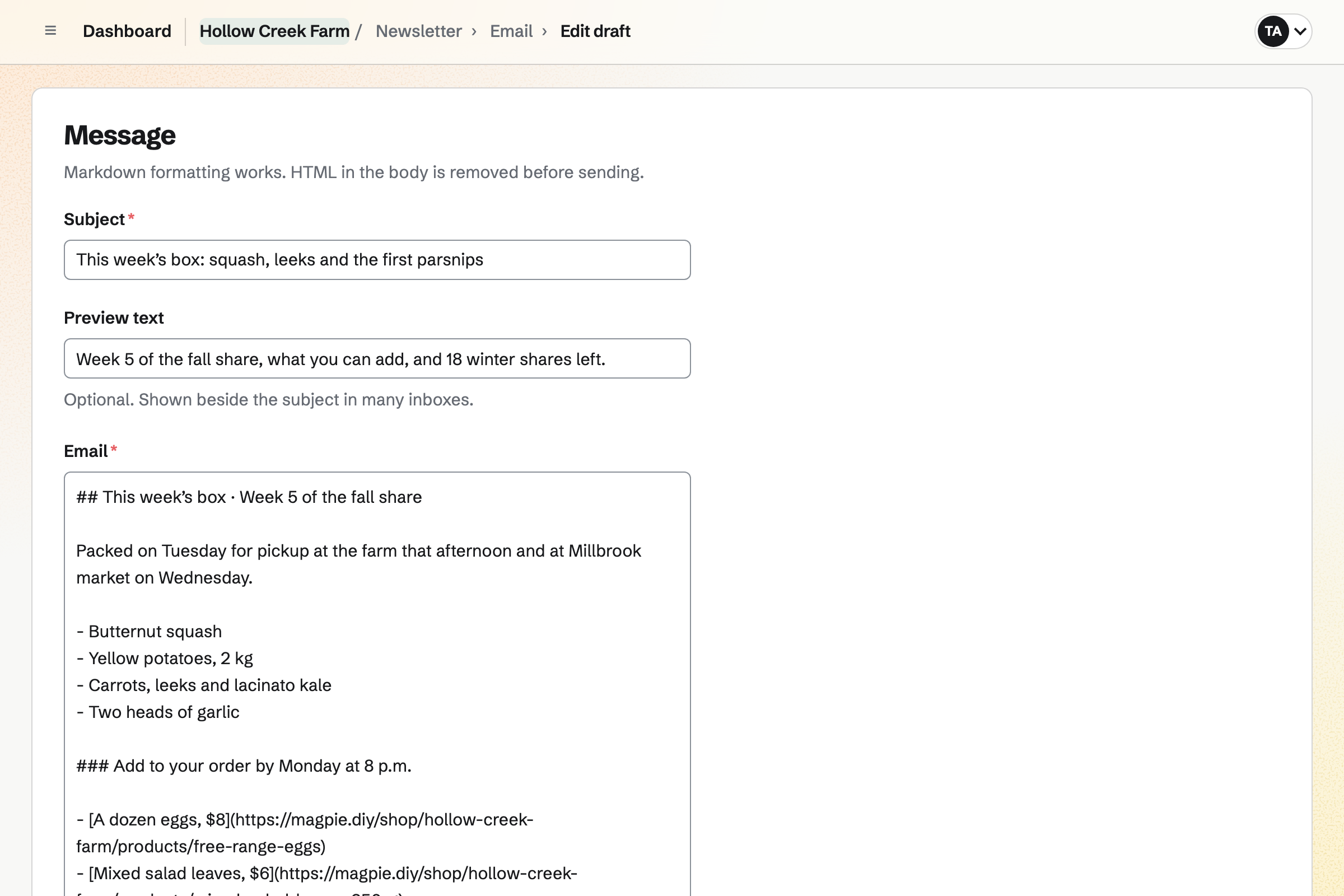
Newsletter gives the farm a list of subscribers and an email you write each week. Each email can say what is in the box, with a link to each product. You send yourself a test, then schedule it for the time you choose.
People join on the newsletter's signup page and confirm by email. A buyer who ticks the box at checkout will be added once the order is paid. Each sent email can also have a public web copy, listed on the signup page.
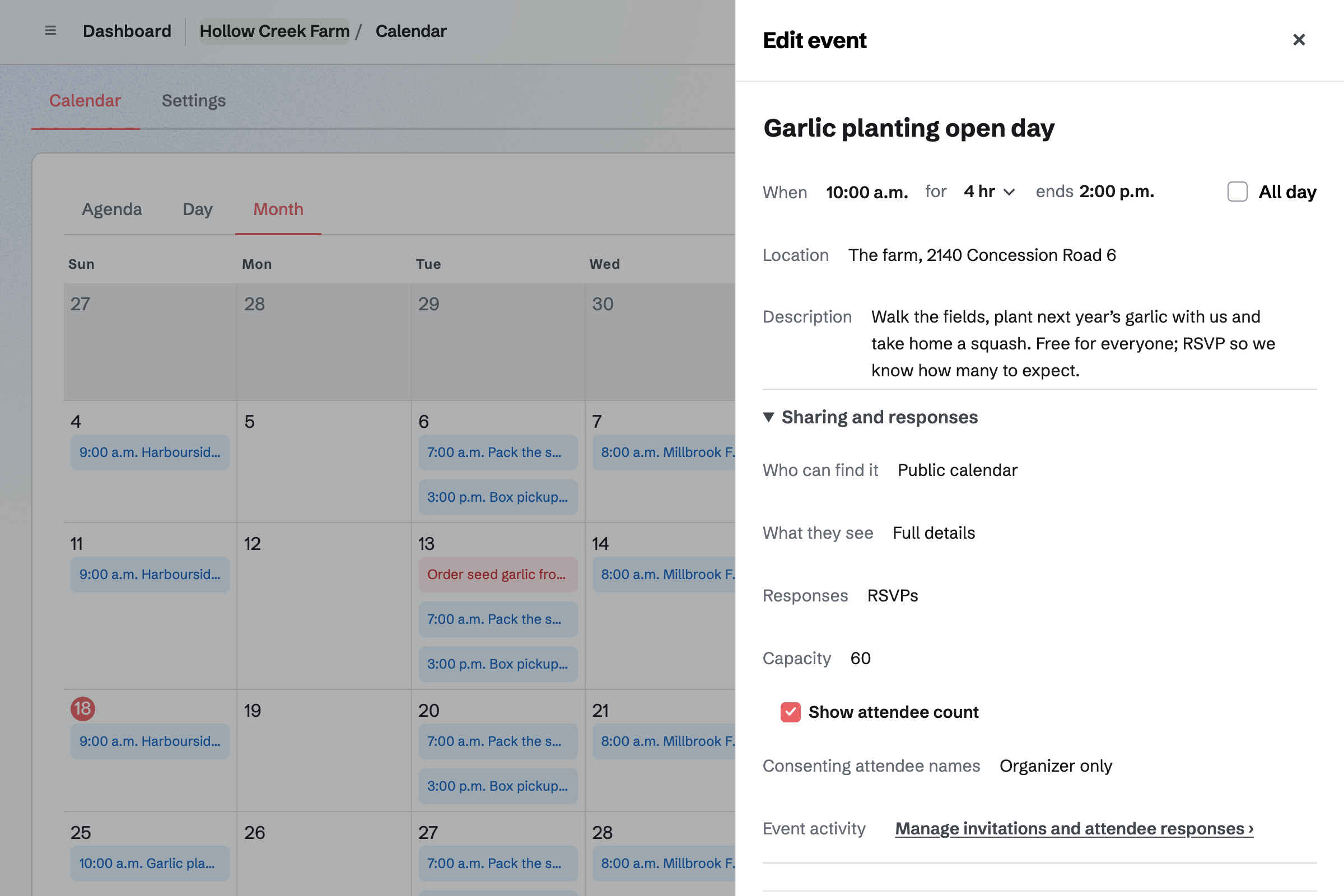
Calendar lists the farm's market days on a public calendar. Each market day is an event with the market's name, address and times. It also has its own page to share.
A farm open day can take RSVPs, up to a capacity you set. Once that many people are going, the event's page will say it is full. People answer while signed in to Magpie.
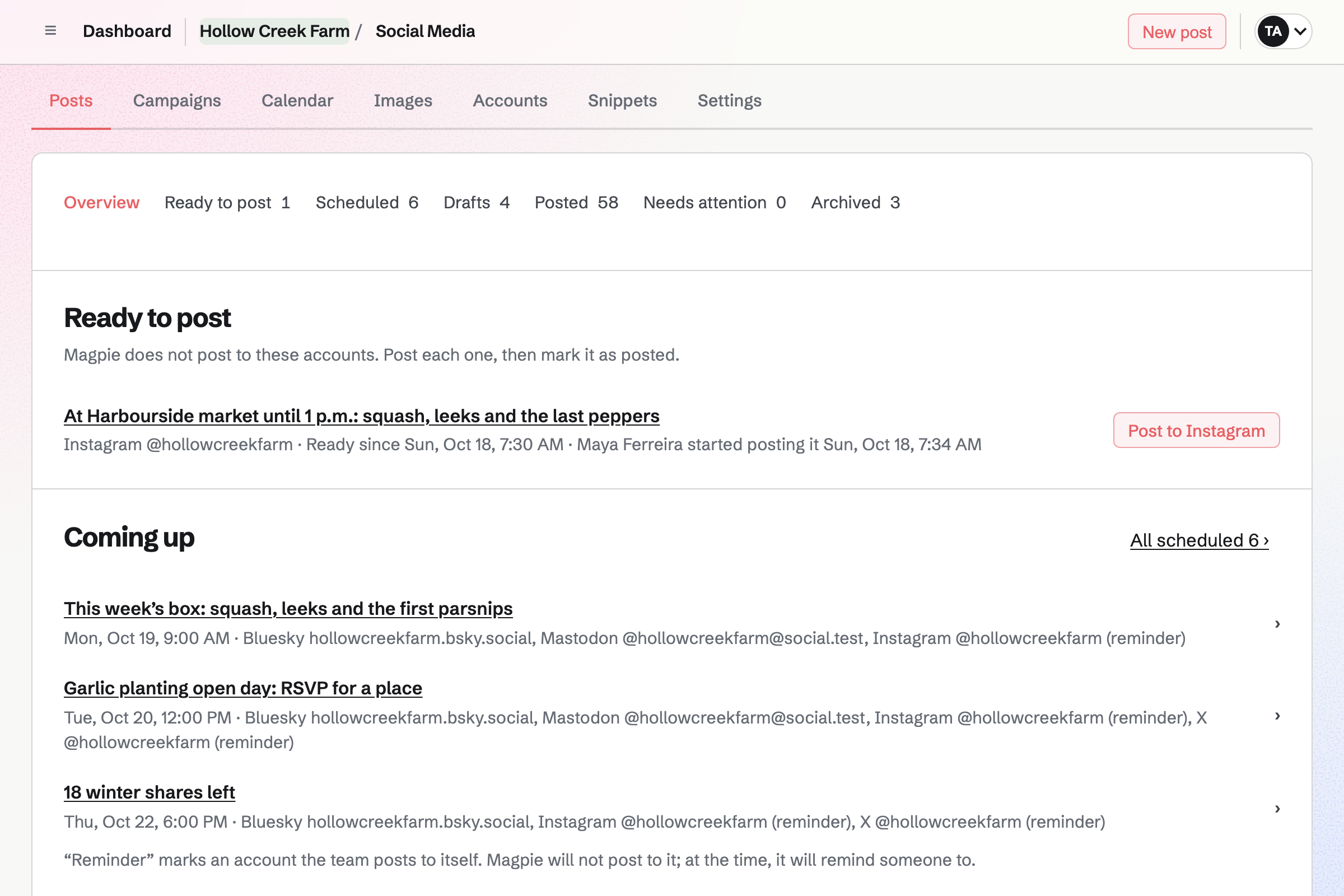
Social Media publishes each post to Bluesky, Mastodon and LinkedIn at the time you choose. For Instagram and X, Magpie will email you a reminder. On a phone, Magpie copies the text and opens the share sheet with every image.
You can start a post from a live product. It will have the product's name, web address and images. You can start one from a market day or a sent box email too.
Inventory and Accounting both take each sale from your shop's orders.
You add what was picked to the cooler's stock. Each linked product in the shop will offer as many as the cooler holds.
You schedule the email saying what is in the box and what can be added. You can share its web copy as a social post.
Checkout holds the products while the buyer pays. Each order shows where it will be collected, or the day it will be delivered.
You can print a slip for each order you tick, without prices. A pick list totals every item across them.
When you mark an order ready, Magpie will email the buyer the pickup address and times. A list of local deliveries shows what is still to deliver, soonest first.
You record a cash sale at the stall as a new order. It will come out of the same stock as online orders.
Each paid order will be added to the books, with its Stripe fee and payout. Market cash is held in Undeposited funds until you record the deposit.
You create a team and invite whoever runs the farm with you. Help: Create and manage a team.
You give the shop the farm's name and connect the farm's Stripe account. Help: Set up and publish a Store.
You add a pickup method for each market and for the farm. Then you add local delivery, with your postal codes and delivery days. Help: Collections and shipping.
You add the CSA share with an option for each size and its stock. It can ask each member for their pickup site. Then you add the week's produce. Help: Create products, options, and inventory.
You start the farm's newsletter with a name and share its signup page. Help: Start and configure a newsletter.
A farm run by more than one person fits the Team plan. It is one price for the whole team, with 25 member places. A free team has 3 member places. Seasonal staff who are only on the rota take no member place.
The Team plan has higher limits on newsletter subscribers and on email sent each month. A grower working alone can use Magpie without a team, where Pro raises the same limits.
Magpie adds no fee to your shop's sales. Stripe's processing fee is taken from each payment.
A small food brand makes jams and sauces in batches, from recipes. It sells them online and wholesale to shops.
A craft or pop-up seller travels to fairs and markets. Their stall has a QR code and a Link-In-Bio List.
A florist delivers bouquets on the day the buyer picks, with a card message. Weddings are quoted in a proposal with a deposit.
A garden centre has staff on a rota and counts its plants and supplies. Its workshops take RSVPs.
Yes. Each share size, such as Half share, is an option with its own price and stock. You can limit how many shares one email address can buy. A required question asks each member for their pickup site. Members pay on Stripe's page without signing up first.
Each size stops selling when its stock reaches zero. Its page will then show Sold out, with Email me when it is back in stock. You can see how many people are waiting for each size, but not their addresses. When you add shares or return a refunded one, each person waiting will get one email.
Yes. You can take a percentage or an amount off the share. It can be a code the buyer types in the cart, or an automatic discount. It can have an end time and limits on total uses and on each customer. A checkout that ends unpaid gives its use back.
Yes. You add a pickup method for each market and one for the farm. Each has its address, pickup times and instructions, such as which stall to come to. Buyers who choose one are not asked for a shipping address. When you mark an order ready, Magpie will email them the address, times and instructions.
Yes. You list the postal codes you reach, up to 500, and choose the weekdays you deliver. M5V, for example, covers every code that starts with M5V. Buyers pick one of the next 14 delivery days. You set a cutoff time and a fee, and can make delivery free above an amount.
You tick this week's produce on the Products list and choose Make live. Remove from store takes last week's off and keeps it as a draft. You can set the stock of every chosen product at once, in a table. A product can also be published automatically at the date and time you choose. A collection with the Is in stock rule lists only what can be bought.
Yes. Each option of a product has its own price. Potatoes can come in 1 kg and 5 kg, and salad in a 250 g bag. You link each option to the crop's stock, kept in kilos, with what one sale uses. Every size then sells from the same weighed harvest.
People subscribe on the newsletter's signup page and confirm by email. Buyers who tick the box for news at checkout join once they have paid. Each email goes to every active subscriber, now or at the time you schedule. Every email has an unsubscribe link.
Yes. You can import a Mailchimp, Substack or other CSV export, or paste addresses one per line. You record where the list came from and how its people agreed. Addresses the export marks as unsubscribed or bounced are left out. The rest become active without confirming.
Yes. Buyers check out on Stripe's page and get a private link to their order by email. A buyer who is signed in to Magpie keeps the order under Your orders. They can reuse a saved address too.
Magpie adds no fee to your shop's sales. Stripe's processing fee is taken from each payment. Each order shows the fee and the net amount. The rest goes to your own Stripe account, which is the seller.
You record each sale as a new order. You choose the products and quantities, and say how it was paid. You can change a price if you charged another. The order is created paid, and its items leave the same stock as online orders. Accounting holds the money in Undeposited funds until you record the deposit.
Yes. Market days set to Public calendar are listed on your public calendar. Each shows its date, time and location. The calendar is at your meeting page's address followed by /calendar. Each event has its own page to share, and can start a social post.
Yes. Daily Operations records readings for each cooler or fridge, on their own or in a checklist. Each has a target range and critical limits that you set. A reading out of range will open an incident with what to do next. You can download the readings as a CSV file, with who recorded each one.
Yes. A staff profile needs only a name, so you can plan shifts for everyone. People you invite to the team see their published shifts under My shifts. When you publish, they will get one notification listing what changed. They can swap with a coworker or ask for time off.
Yes. You approve the business as a wholesale customer, and they sign in to Magpie to shop. Only they see the prices and minimum quantities of their price list. They pay at checkout or by invoice, due on receipt or 7, 14, 30, 45, 60 or 90 days later. The order is marked paid when the invoice is paid in full.
Yes. A dynamic QR code sends each scan to the address you set, such as your shop. You can change where it goes later, without reprinting, and each scan is counted. Each live product also has a buy link with a QR code, as PNG or SVG. The link opens checkout with that product.
Yes. Your shop's reports list each product, or each option, for any dates you choose. Each shows its units sold, sales after discounts, page views, cost of goods and margin. Each table downloads as a CSV file.
Create a Magpie account and make a team for the farm.