Makers with a shop
A maker with a studio shop or storefront has staff and opening checks too. One stock list covers the shop and the online shop.
Etsy and handmade sellers
You can run the shop on your own. A helper who packs and ships can work with you in a Magpie team.
Get started free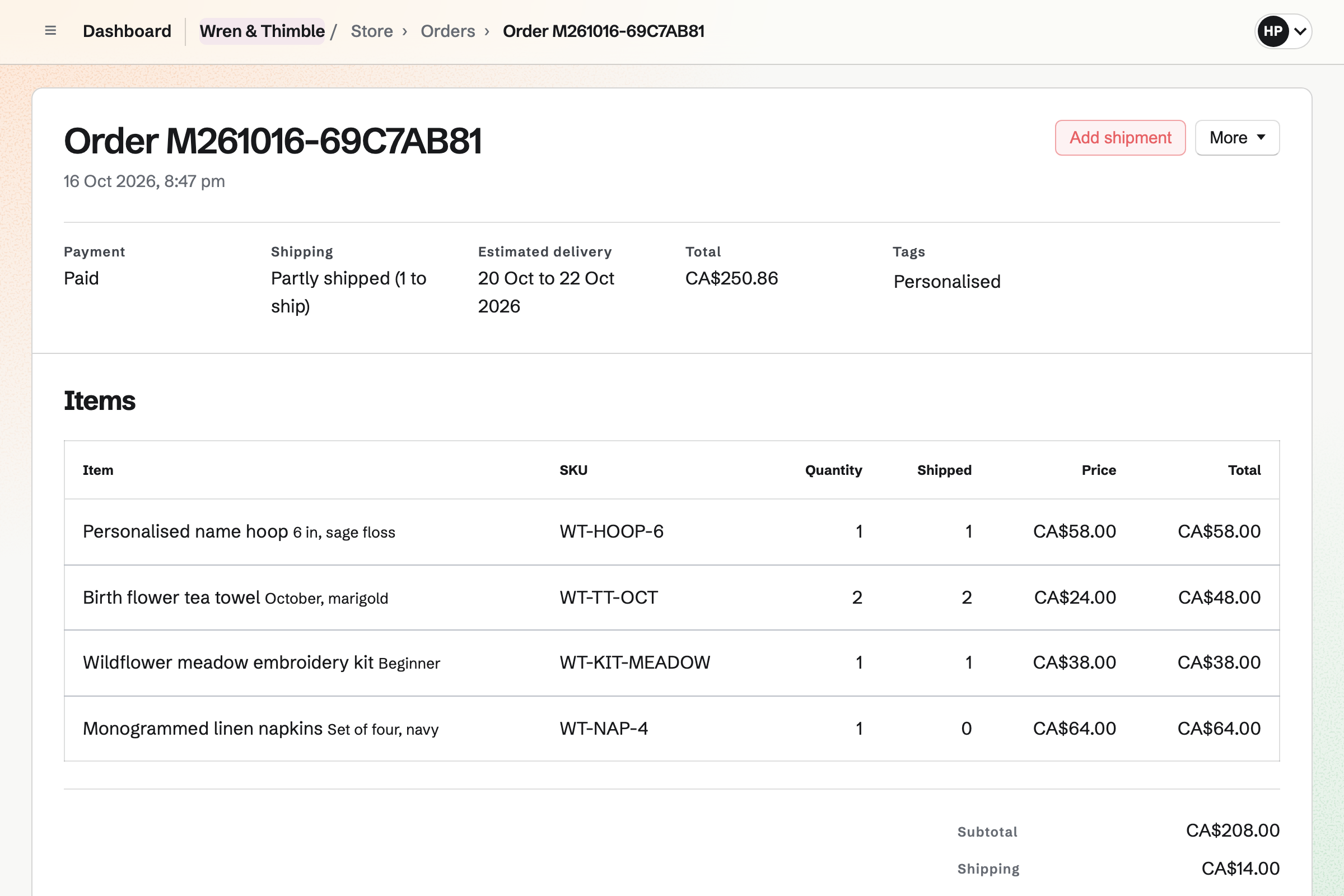
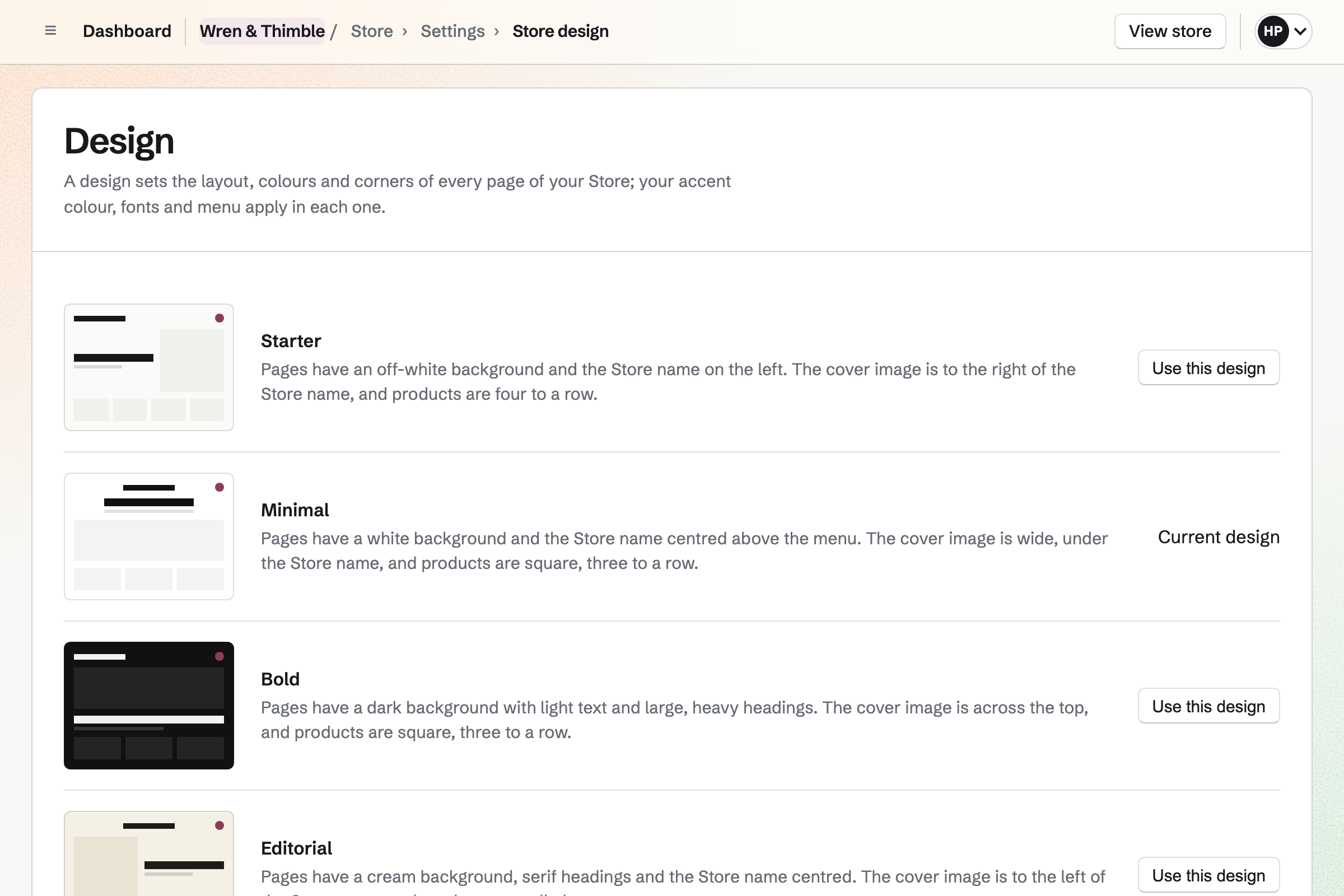
Store gives you a shop at its own Magpie address, or at a domain you own. You choose its design (Starter, Minimal, Bold, Editorial and Boutique) and add your logo and accent colour. Each size or colour of a piece has its own price and stock.
A listing can ask the buyer for a name, a colour or a date. The order and its packing slip will show what they entered. A pattern or printable sells as a download. You set how many days and times buyers can download it.
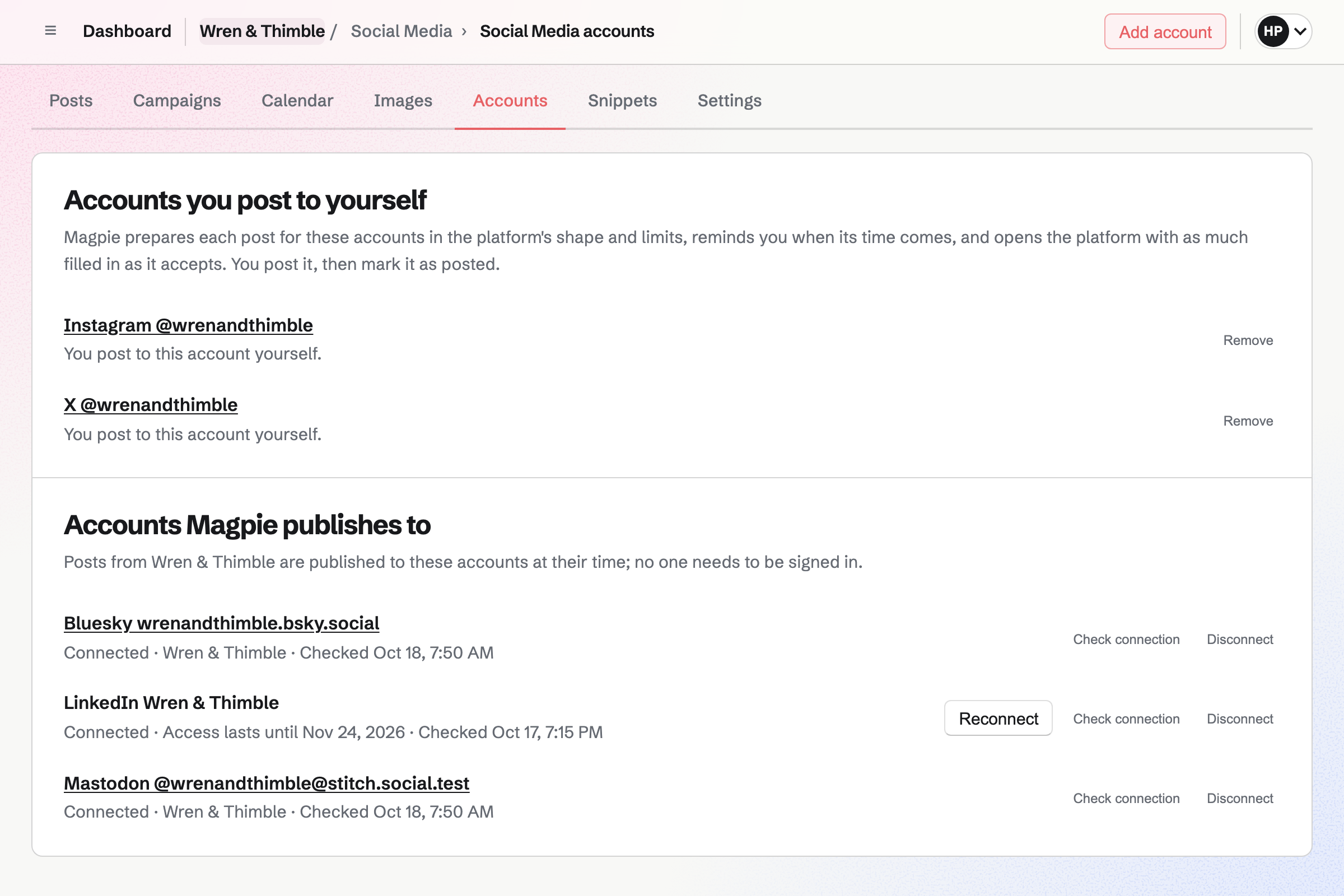
Social Media starts a post from a live listing, with its name, address and images. You write the post once for every account. Bluesky, Mastodon and LinkedIn will receive it at the time you schedule.
For Instagram and X, Magpie will email you a reminder at the post's time. On a phone, Magpie copies the text and opens the share sheet with the images. Each image for Instagram is cropped to the account's shape, around the point you choose.
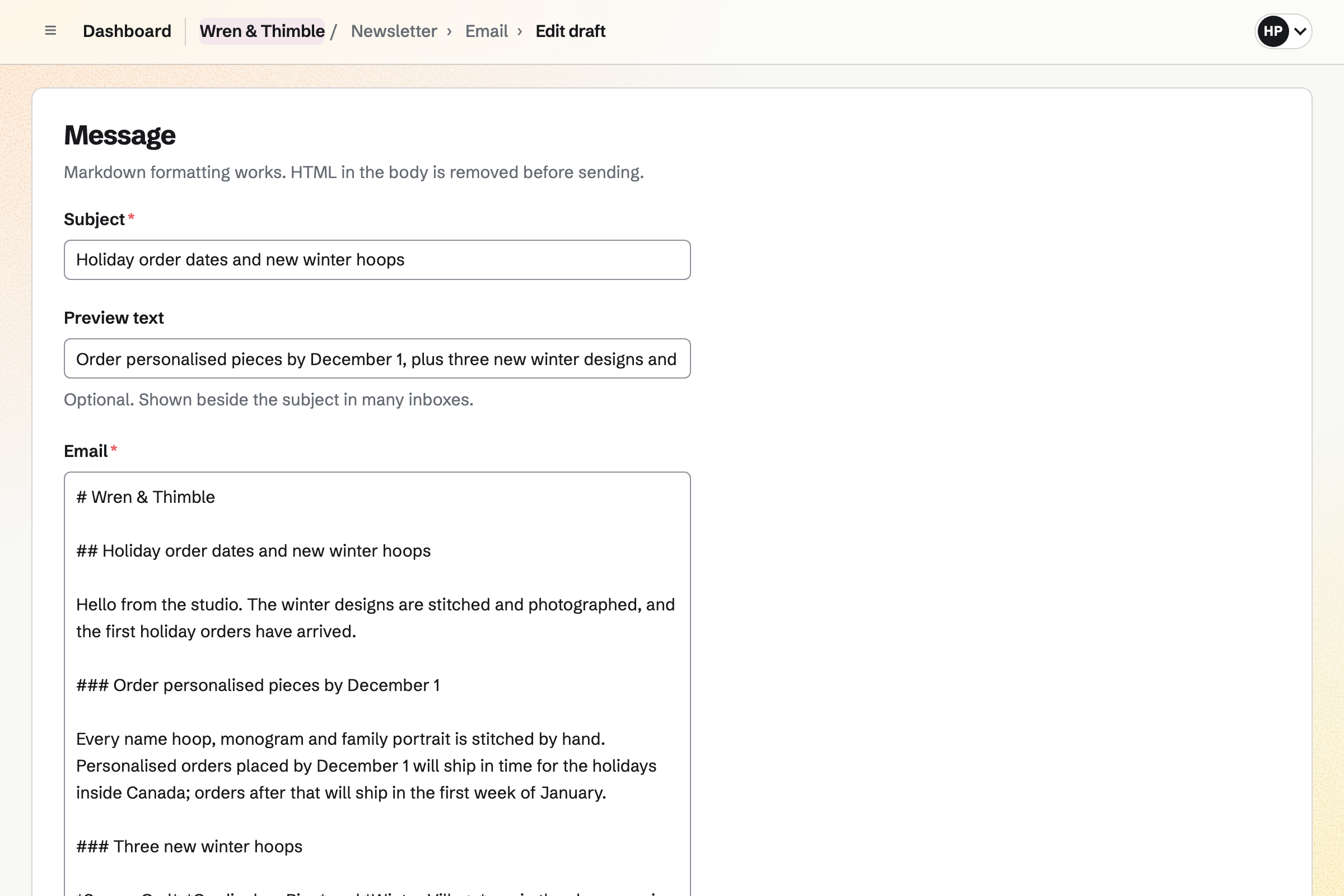
Newsletter gives your shop an email list for news of new work. Checkout can show an unticked box for news and offers. A buyer who ticks it will be added once the order is paid. An address that unsubscribed before is not added again.
You write each email in Markdown and send it to every active subscriber. It can go now or at a time you schedule. You can import a list from Mailchimp, Substack or a CSV file. Each import records how its people agreed.
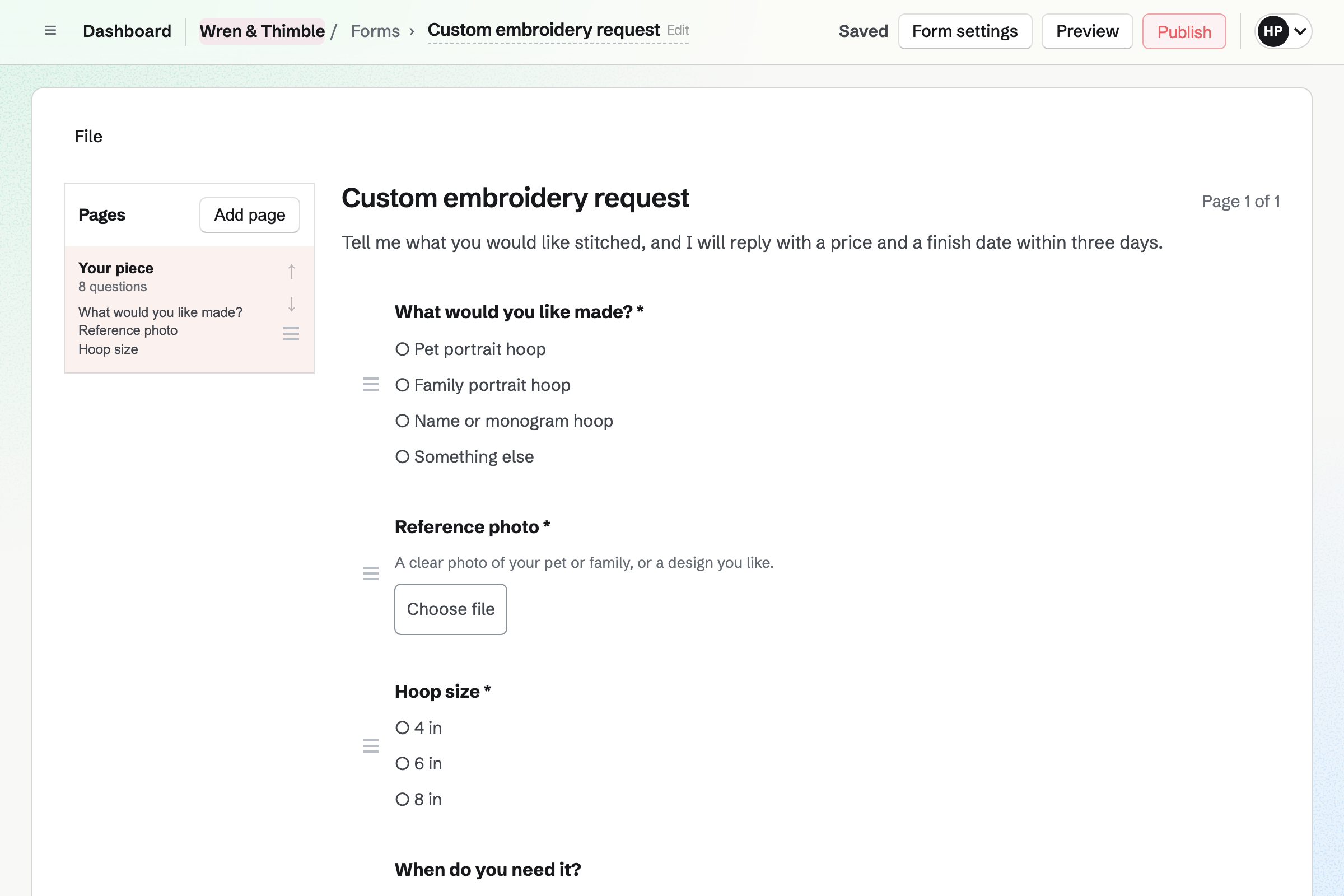
Forms gives you a custom order form at its own address. It asks the customer for the piece, the size and the date they need it. They can attach one reference photo of up to 10 MB. You will get an email for each response.
Once you agree a price, you record the order and send a payment link. Magpie will make a Stripe payment page for the total. The items are held until the order is paid, and the link works for 24 hours.
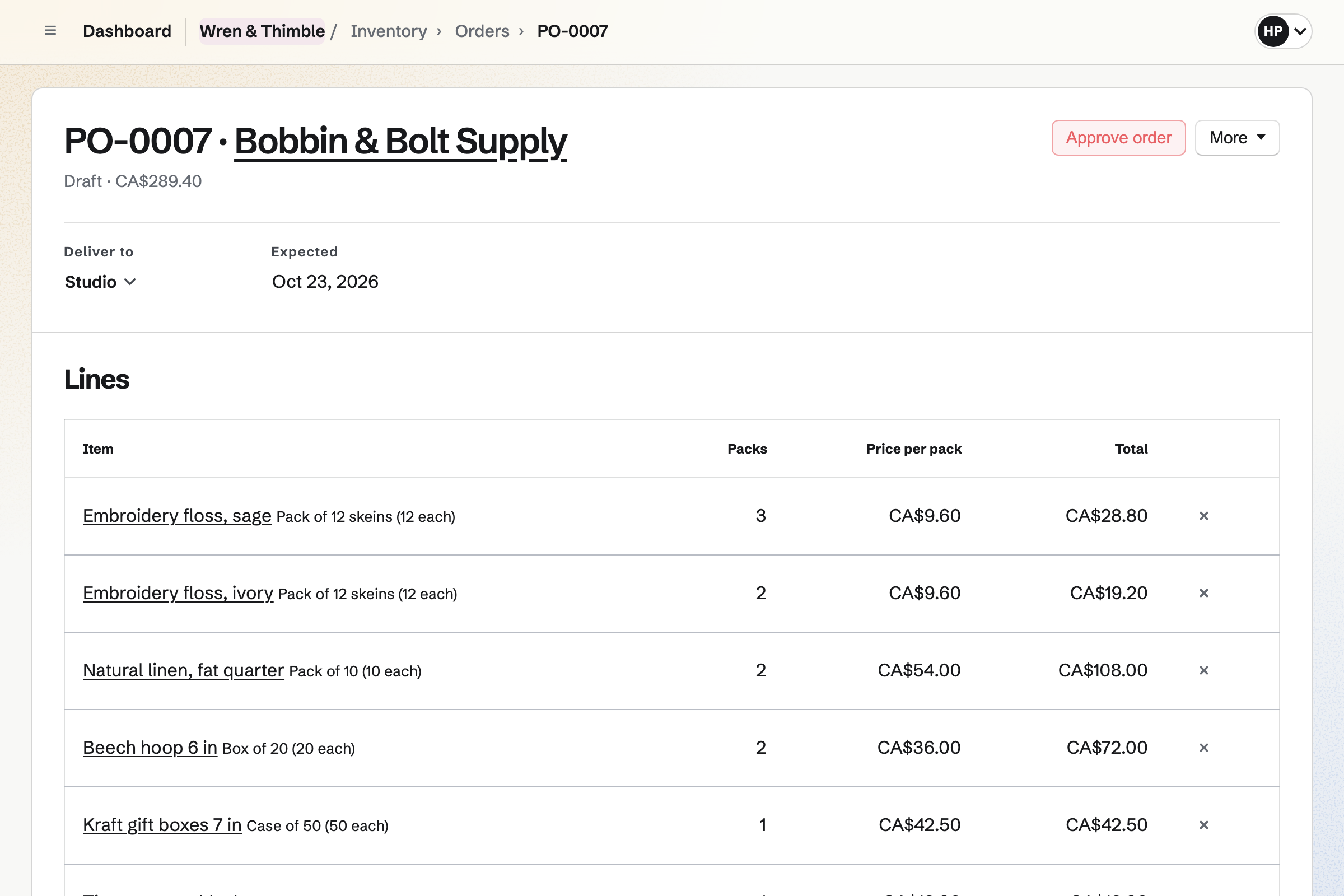
Inventory counts what your pieces are made and sent in. Yarn is in grams, beads in packs and mailing boxes in cases. You record deliveries and waste, and a count corrects the numbers. Your shop counts the finished pieces itself.
An item below its minimum will be listed with packs to order from its usual supplier. It counts what is already on order. You can turn the list into an order for each supplier. You email it from Magpie or mark it sent.
The same order also reaches shipping and your email list.
They check out without signing up first, and the money goes to your Stripe account. The order keeps what they entered in each personalisation field.
The packing slip lists the items and personalisation, without prices. Adding the shipment will email the buyer the carrier and tracking number. The shop charges the shipping rates you set, and does not buy labels.
If they ticked the box at checkout, they will be added when the order is paid.
With review requests on, the buyer will get one email asking for a review. It goes 3, 7, 14 or 30 days after the whole order has shipped. Their review will be marked as from a verified buyer.
The next time Accounting is opened, Magpie will add the sale, shipping, tax and Stripe's fee. The payout to your bank is added too. Each item's cost moves to Cost of goods sold.
You give the shop a name and the contact email buyers write to. Its address is made from the name. Help: Set up and publish a Store.
You connect your Stripe account. Checkout will stay off until Stripe says the account is ready. Help: Connect Stripe to receive money.
You import a CSV file of your listings, or add each one by hand. Then you give each an image and any personalisation fields. Help: Import and export products as CSV.
You add a shipping zone with its rates, then publish the shop. Help: Collections and shipping.
Store is on every plan, and Magpie adds no fee to sales. Stripe's processing fee is taken from each payment.
Working alone, you can run the shop without a team, on the free plan or Pro. Pro raises the file storage your downloads count toward, from 1 GB to 20 GB.
With someone helping, you can make the shop a team. A free team has places for 3 members, and the Team plan for 25.
A maker with a studio shop or storefront has staff and opening checks too. One stock list covers the shop and the online shop.
A vintage seller's pieces are second-hand, each one of a kind. They also sell on Poshmark, Depop, eBay or Vinted.
A market seller works mostly at markets, craft fairs and pop-ups. They have a code on the stall and a calendar of where they will be next.
An online store sells its own brand direct to customers at its own domain. It uses purchase orders, shipping profiles and discounts.
You can import products from a CSV file of your listings. The import reads Title, Description, Price, Quantity (or Stock), Tags and SKU, in any capitals. It ignores other columns, and lists every product it will add before anything changes. Each arrives as a draft, for you to add images and make live. A file can have up to 5,000 rows.
Magpie adds no fee to sales from your shop. Stripe's processing fee is taken from each payment. The rest goes to your Stripe account. Each order shows its fee and net amount.
Buyers pay into your own Stripe account, which you connect once. Stripe pays the balance out to your bank on its own schedule. Your Payments page lists each payout with its arrival date and amount. Opening one shows the orders, refunds and fees it paid.
Yes. Buyers check out as guests on Stripe's checkout page. They will get a private link to their order by email, with any files they bought. A buyer who is signed in to Magpie keeps the order under Your orders. They can reuse a saved address too.
A product can have up to 10 personalisation fields. Each is short text, long text, a choice from a list or a date. Each can be optional or required, and free or at an added price. What the buyer enters is checked before they pay. It appears on the order, the packing slip, the order emails and their own order page.
Yes. A Form's File question takes one file of up to 10 MB with each response. It can be a JPG, PNG, WebP, PDF or plain-text file. Only people who can see the Form's responses can download it. Once you agree the price, you record the order and send a payment link.
A digital product delivers files instead of being shipped. It can have up to 50 files, each up to 500 MB. Each edition, such as a pattern in two sizes, can have its own file. You set how many days buyers can download them, and how many times. Replacing a file can email a link to every buyer who can still download it.
Yes. With Sell when out of stock on, a piece keeps selling after its stock runs out. Payment is taken when the buyer orders. An Expected to ship date can be shown from the product page to the order emails. The Pre-orders tab on Orders lists these orders.
Shipping zones group the countries, states or postal codes you send to. Each zone's methods can be a flat rate, free, or free over an order amount. They can also charge by weight or by order amount. Shipping profiles give large or heavy pieces methods of their own. Checkout shows each method with a delivery estimate from your handling time and its transit time.
Yes. With Quote requests on, the cart shows Request a quote. The buyer sends their name, email, a message and the items in their cart. You reply by email, then record an order at the prices you agree. It can send a payment link, or you can make a draft invoice instead.
Each order can get one email asking for a review. It goes 3, 7, 14 or 30 days after the whole order has shipped. Only buyers can review, and each review is marked as from a verified buyer. New reviews wait for you to publish them, unless you choose to publish them at once. Your public reply will appear under the review.
Your shop has a Magpie address made from its name, such as /shop/north-star-pottery. It can also be shown at a domain you own, such as shop.example.com. Magpie lists the DNS records to add, and gets a security certificate. Visitors to the Magpie address will be sent to the same page at your domain. Email at the domain keeps working.
A discount gives a percentage or an amount off, free shipping, or buy X get Y. It can cover the whole order, chosen products or chosen collections. A buyer types its code in the cart. An automatic discount applies to every cart it fits. You can set start and end times, a minimum order and limits on uses.
Yes. A gift card sells fixed amounts and, if you choose, a custom amount within a range. The buyer can have it emailed to someone on a date they choose. A bought card never expires and carries no fee. It pays for items and shipping in your shop.
Stripe Tax can calculate each checkout's tax in your own Stripe account. It covers the places where your Stripe account has a tax registration. Buyers can enter a business tax ID, such as a VAT number. Each paid order keeps its tax, and Accounting records it under Sales tax payable. Registering, filing and paying the tax stay with you.
You record each sale made elsewhere as a new order. You choose how it was paid, such as Other. Its items leave stock as an online order's do. It is listed with your other orders. The books record its money in Undeposited funds until you record the deposit.
With the shop in a team, you give a helper only the permissions they need. See orders lets them open orders and print packing slips. Ship and edit orders lets them add shipments too. Refunds, products, stock and reports are separate permissions. The payment account and payouts are for you and the team's other admins only.
You give each variant a cost per item, which buyers never see. Each sale records that cost. Your shop's reports show sales, Stripe fees and margins for any dates. Each table downloads as a CSV file. Accounting moves the cost of each item sold from Inventory to Cost of goods sold.
Product pages give search engines each variant's price, availability and SKU. Each shop has a sitemap of its live products. Your shop's settings give feed addresses for Google Merchant Center and a Meta catalog. Facebook and Instagram shopping use the Meta catalog. Each live product has buy links with QR codes to share.
Yes. Products export as a CSV file with a row for each variant. Drafts and archived products are included. The orders list exports what it shows, one row per item. Your subscribers, your shop's reports and Accounting's reports export as CSV files too.
Create a Magpie account and set up your shop.