Small food and drink brands
A small food or drink brand makes hot sauce, jam or coffee in batches from recipes. It sells online and to shops.
Makers selling to shops
One online shop sells to shoppers and to the shops that stock you. Their orders come out of one stock count.
Get started free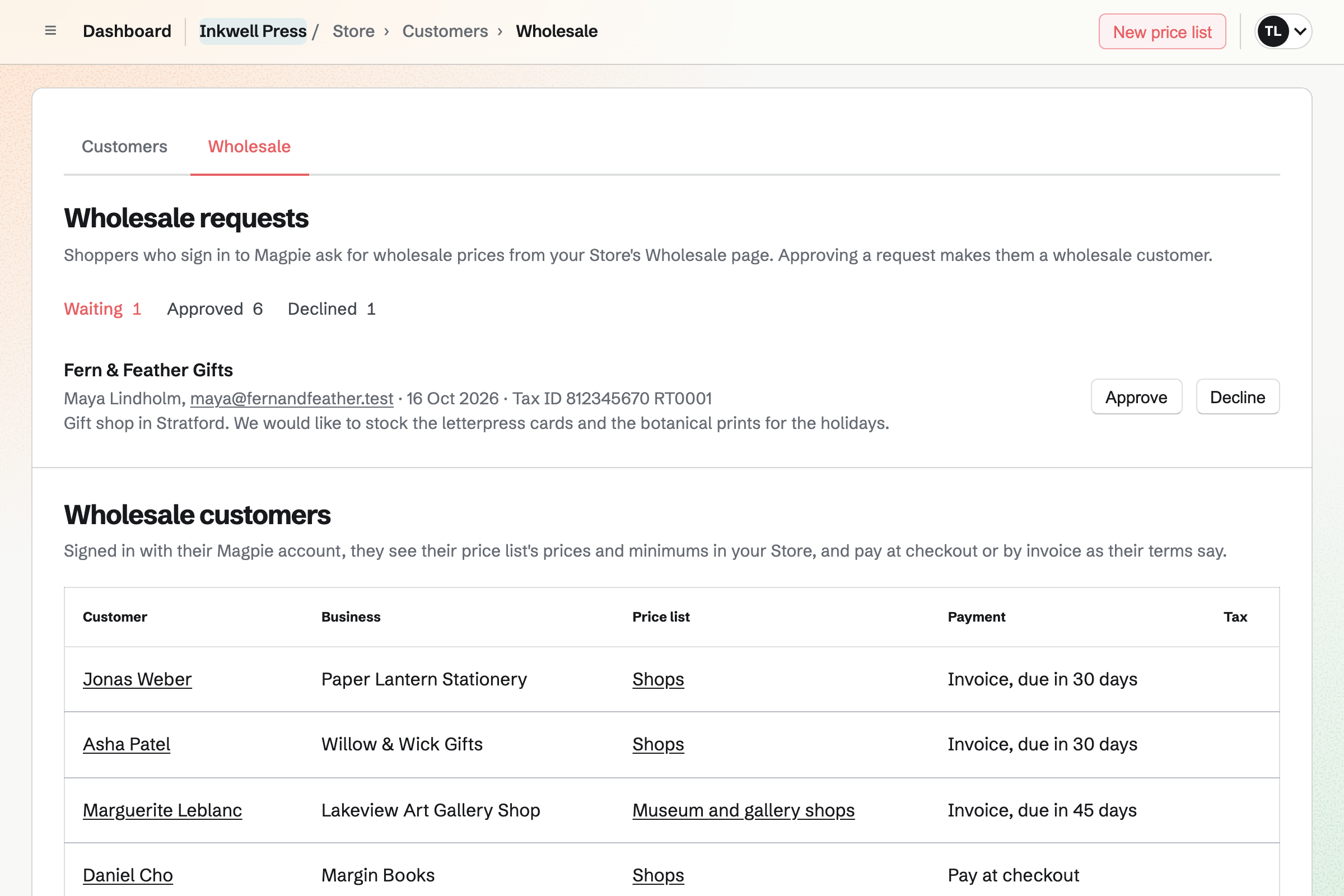
Store gives you one online shop for shoppers and for stockists. A shop signs in to Magpie and asks for wholesale prices from your Wholesale page. When you approve it, you choose its price list, payment terms and tax exemption.
A price list sets wholesale prices and minimums for the products you choose. Only an approved stockist, signed in to Magpie, sees them. At your own domain, your online shop shows retail prices. You can keep its Magpie address open for stockists.
Your online shop holds the items in a stockist's order as soon as it is placed. Shoppers cannot buy what a stockist has ordered. A large order can ship in several parcels. Magpie will email the stockist what is in each, with its tracking.
You can give each product a reorder point. When its available stock falls to it, Magpie will email you. Each product's stock history lists every sale, restock, delivery and count, with who made it.
Invoicing bills a stockist who chooses Pay by invoice at checkout. The invoice lists the items, shipping and any discount. It is due on receipt or 7, 14, 30, 45, 60 or 90 days after it is sent. Magpie will email it with a Pay online button.
A stockist pays the balance by card, or you record a bank transfer or cheque. When the invoice is paid in full, the order will be marked paid. With Stripe Tax on, only tax-exempt stockists are offered Pay by invoice.
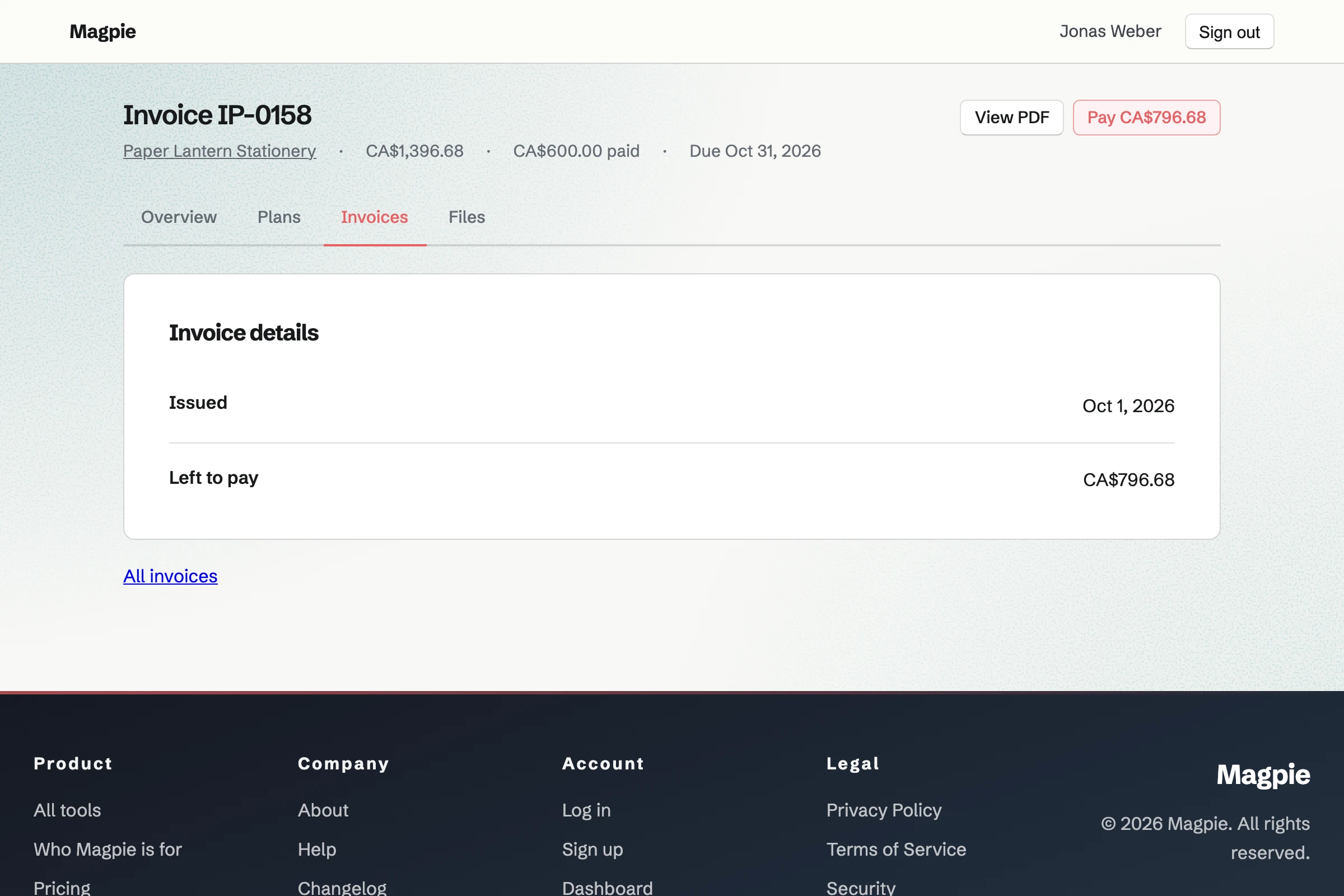
Contacts gives each stockist a page of its own. Stockists that pay by invoice will be added with their business names. You can add the others from their customer pages. Each contact page lists every invoice billed to the shop, beside your notes and calls.
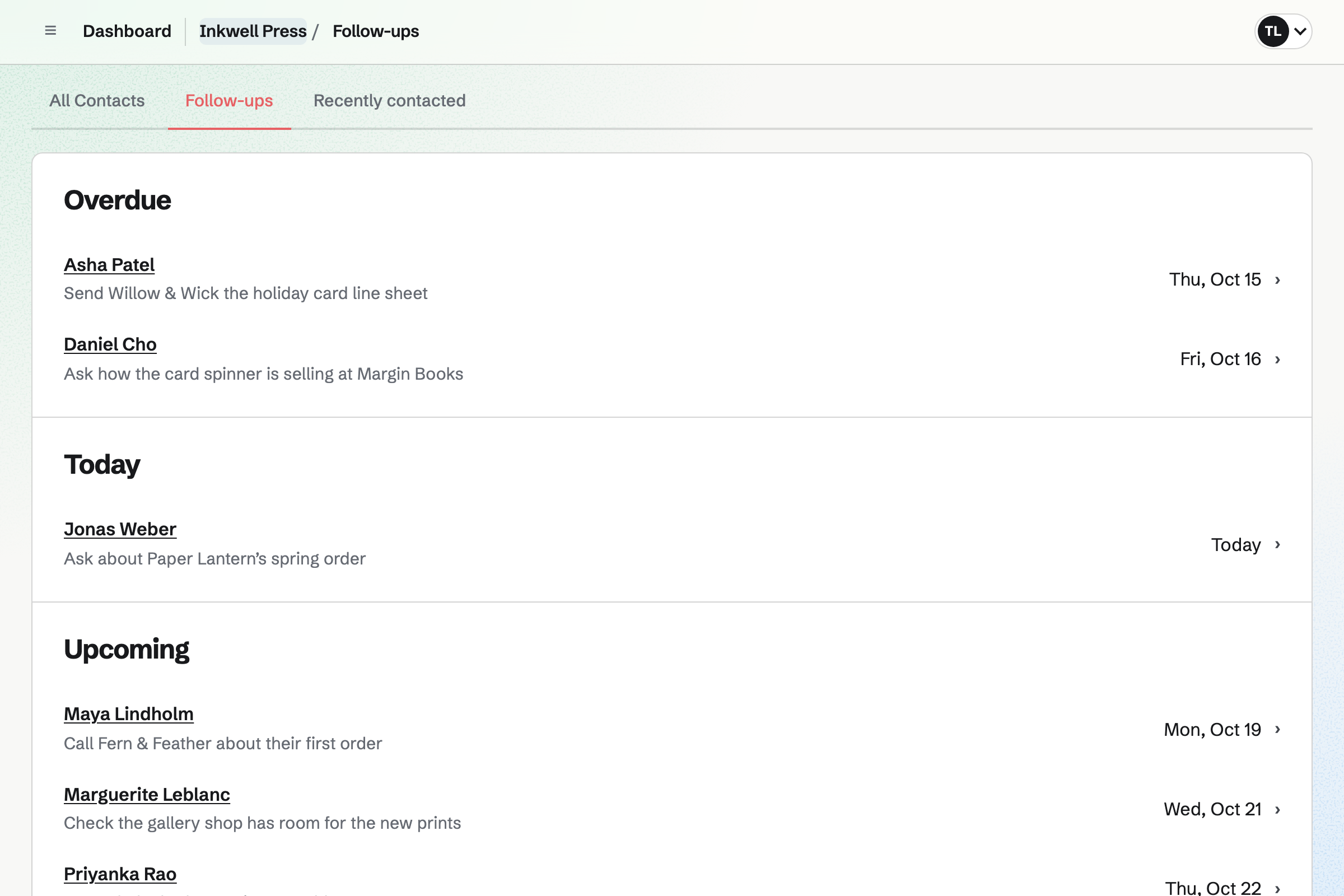
A follow-up has a date and a reason, such as asking about the spring order. Each one adds a To-do, and is listed as overdue, due today or upcoming. A saved segment lists the stockists with no order for a number of days.
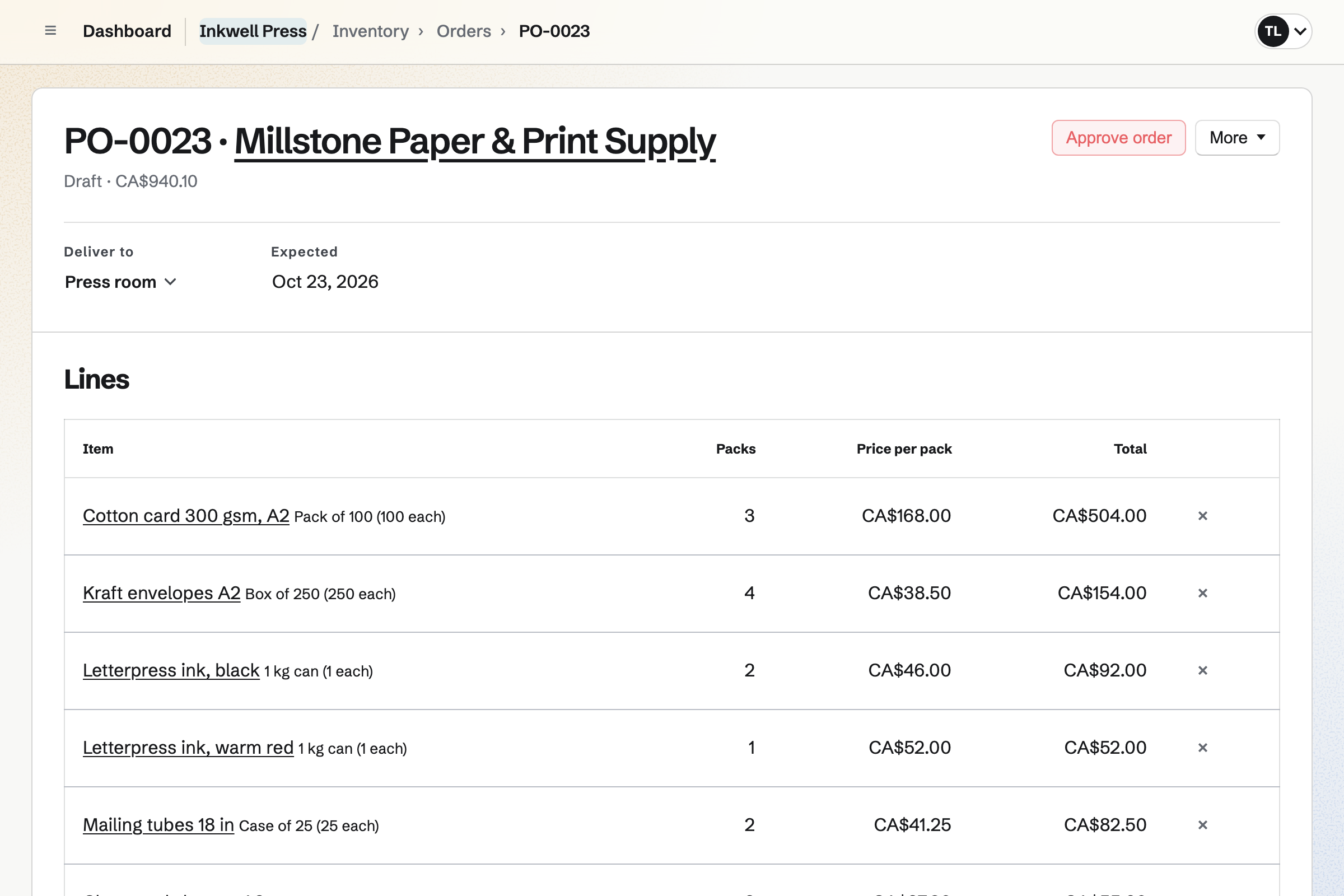
Inventory keeps track of your materials and packaging. Paper is counted by the box, ink by the cartridge and mailing tubes by the case. Each one is on its supplier's list, at that supplier's price per pack.
From what is below its minimum, you start an order for each supplier. You can email it from Magpie. Receiving the delivery will add it to stock at the price charged. Anything short or charged at another price is listed until it is settled.
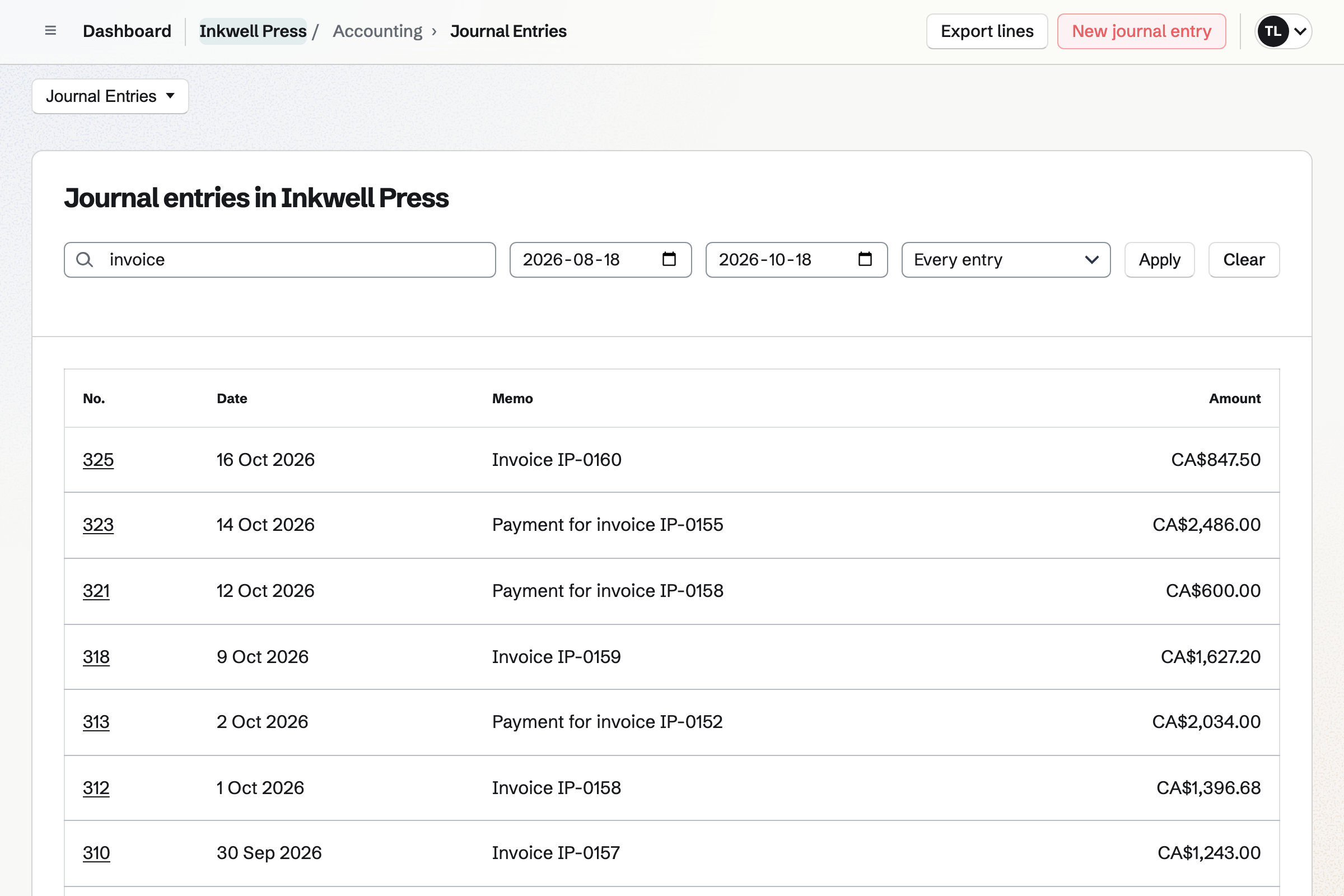
Accounting adds your orders and invoices to the books when you open it. A stockist's invoice counts as a sale, and as money owed until it is paid. Each order records the cost of goods for products with a cost per item.
The Accounts receivable report groups unpaid invoices by how long past due they are. Income by customer shows the income from each stockist between two dates.
Each step starts from what the one before it made.
A shop signs in to Magpie and sends a request from your Wholesale page. Magpie will email you.
Approving makes it a wholesale customer, and you choose its price list and terms. Magpie will email the shop.
The shop signs in and sees its prices and minimums in the cart. It chooses Pay by invoice and places the order. The items are held for it.
Magpie will make the invoice, due on the shop's terms. It is emailed with a button to pay online. The shop will be added to your contacts.
You can ship before the invoice is paid. The items will leave stock, and Magpie will email the shop the tracking.
The shop pays online by card, or you record its bank transfer. Once it is paid in full, the order will be marked paid.
Your books will record the invoice as owed to you, then its payment. The order's cost of goods is recorded too.
You give it a name, add your products with a cost per item, and connect Stripe. Help: Set up and publish a Store.
You make a price list with each product's wholesale price and minimum. Help: Wholesale customers, price lists and pay by invoice.
You add your logo and business details to your invoices, and check the reminder schedule. Help: Send and configure invoices.
You turn on wholesale requests and send shops your Wholesale page. Then you approve each request and choose its terms. Help: Wholesale customers, price lists and pay by invoice.
Store, Invoicing, Contacts, Inventory, Daily Operations and Accounting are on every plan. The Free plan allows 100 contacts and 5 invoices a month. Invoices for stockists' orders never count toward that limit. Pro and the Team plan have no limit on either.
A free team has places for 3 members, and the Team plan has 25. Magpie adds no fee to your online sales or to invoices paid online. Stripe's processing fee applies to each card payment.
A small food or drink brand makes hot sauce, jam or coffee in batches from recipes. It sells online and to shops.
An online store sells to shoppers more than to shops. Its shop is at its own domain, with shipping profiles, reviews and discounts.
A maker with its own counter sells in person and online, from one stock count. Its staff work on a rota.
Yes. A stockist signed in with the account you approved sees its own prices and minimums. Everyone else sees your retail prices, even someone who types the stockist's email address at checkout. Wholesale prices show at your online shop's Magpie address, not at your own domain. You can keep that address open for stockists.
Once you turn on wholesale requests, your online shop's footer will link to a Wholesale page. A shop signs in to Magpie there, or creates an account first. It sends its business name, an optional tax ID and a message. Magpie will email you, and you approve or decline the request. The shop is emailed either way, and a declined shop can ask again.
Yes. Each product on a price list can have a minimum, from 1 to 100. It is the least a stockist on that list can order. The cart shows the minimum, and checkout will not go ahead with fewer. Shops on another price list can have other minimums, or none.
Yes. You can make a price list for each kind of stockist, such as shops and galleries. A list sets wholesale prices for the products you choose, and a percentage off the rest. Each shop is on one list. A change to a list applies to every shop on it, not to past orders.
Yes. You set each stockist to pay at checkout or by invoice. An invoice is due on receipt or 7, 14, 30, 45, 60 or 90 days after it is sent. With invoice terms, the shop chooses Pay by invoice and places the order without a card. Magpie will then email the shop its invoice.
Yes. An order paid by invoice holds its items, and you ship it when you are ready. The items leave stock with the first shipment. Magpie will email the shop what is in each parcel, with its tracking. When the invoice is paid in full, the order will be marked paid.
The invoice email has a Pay online button. The shop sees the total, what has been paid and the balance. It pays by card into your Stripe account, without signing in. You record a bank transfer or cheque with its date and reference. A part payment leaves the invoice Partly paid until the total is reached.
Yes. Magpie will email the shop a reminder on the due date, then 7 and 14 days after. That is for invoices emailed from Magpie, and you can change the schedule. Each reminder shows the balance due, with the PDF and a Pay online button. Reminders stop once the invoice is paid in full, or if you turn them off.
You mark the shop tax exempt on its customer page. You upload its certificate there, as a JPG, PNG, WebP or PDF up to 10 MB. Only people who manage customers can download it. With Stripe Tax on, it is charged no tax and can pay by invoice. Checking the exemption is up to you.
Yes. You make the line sheet in Presentations, with a slide for each product or collection. You add each product's photos, wholesale price and minimum. Once you publish it and share it by link, a buyer opens it without signing in. You can also export a PDF, one slide per page, to attach to an email.
Yes. You record a new order with the products, quantities and the price you are charging. You add the shop, its address, the shipping and how it paid. If it has not paid yet, Magpie can email it a payment link for the total. The items are held until it pays.
Yes. Once you turn on quote requests, the cart shows Request a quote. The shop sends its cart with a message, and the request is listed with your quotes. From a quote, you can record an order with its items and prices. You can also make a draft invoice at the quoted prices.
Yes. Each shop's customer page lists its orders and what it has spent after refunds. It also shows its first and last order. Its contact page lists every invoice billed to it, with status and total. The Income by customer report shows the income from each shop between two dates.
Yes. You can list customers tagged stockist with no order for a number of days. Saved as a segment, it shows the shops that match on the day you open it. A follow-up on a shop's contact, with a date and a reason, adds a To-do.
Yes. Each product has one stock count, and a stockist's order holds its items. Shoppers can buy only what is still available. When a product's available stock falls to its reorder point, Magpie will email you. Your stock page lists what is on hand, available and on order.
Yes. A discount code applies after the wholesale price. You can limit a discount to a segment of customers, such as your stockists. Checkout checks the buyer's email address against the segment. So a code for a segment of stockists works only for the shops in that segment.
You can cancel the order before it ships, while its invoice has no payments. Cancelling voids the invoice and stops its reminders. The items return to stock, where shoppers and other shops can buy them again.
Yes. Your invoice list adds up what is outstanding and overdue from the balances still due. The list shows each invoice's balance due. The Accounts receivable report groups what is owed by how long past due it is. Money in on an imported bank statement can be recorded as an invoice's payment.
Yes. You add your accountant by their email address or Magpie handle. They join the team as a guest with Accounting only. They keep the books with you. They cannot open anything else, such as your online shop, its orders or its customers.
Yes. You give each person only the Store permissions they need, such as Ship and edit orders. Changing price lists needs Manage products, because they set product prices. Answering requests and changing a shop's terms needs Manage customers.
Create a Magpie account and set up your online shop.