Thrift and vintage shops
A thrift store has a storefront with opening hours and staff on a rota. Its stock sells in the shop and online.
Vintage sellers and resellers
You can run the shop on your own, from one Magpie account. Someone who helps you list and ship can work with you in a Magpie team.
Get started free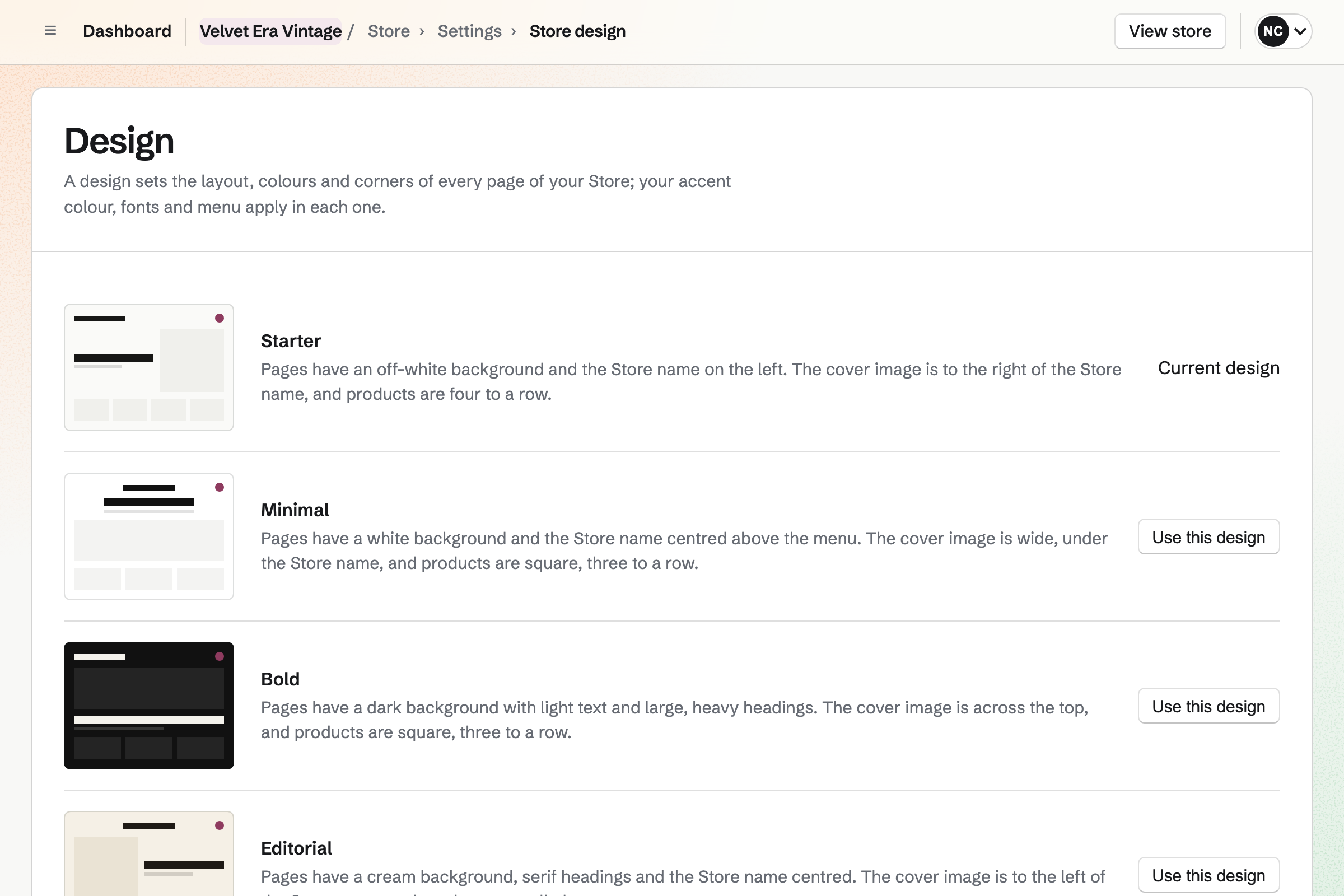
Store gives you a shop of your own. Buyers pay into your Stripe account. Each listing has the piece's photos, price, tags and specifications, such as Condition: light wear. You can paste its measurements from a spreadsheet as a size chart.
With its stock tracked and set to 1, each piece will sell only once. A checkout in progress holds it, so nobody else can check out with it. You record a marketplace sale by hand. The piece then leaves stock the same way.
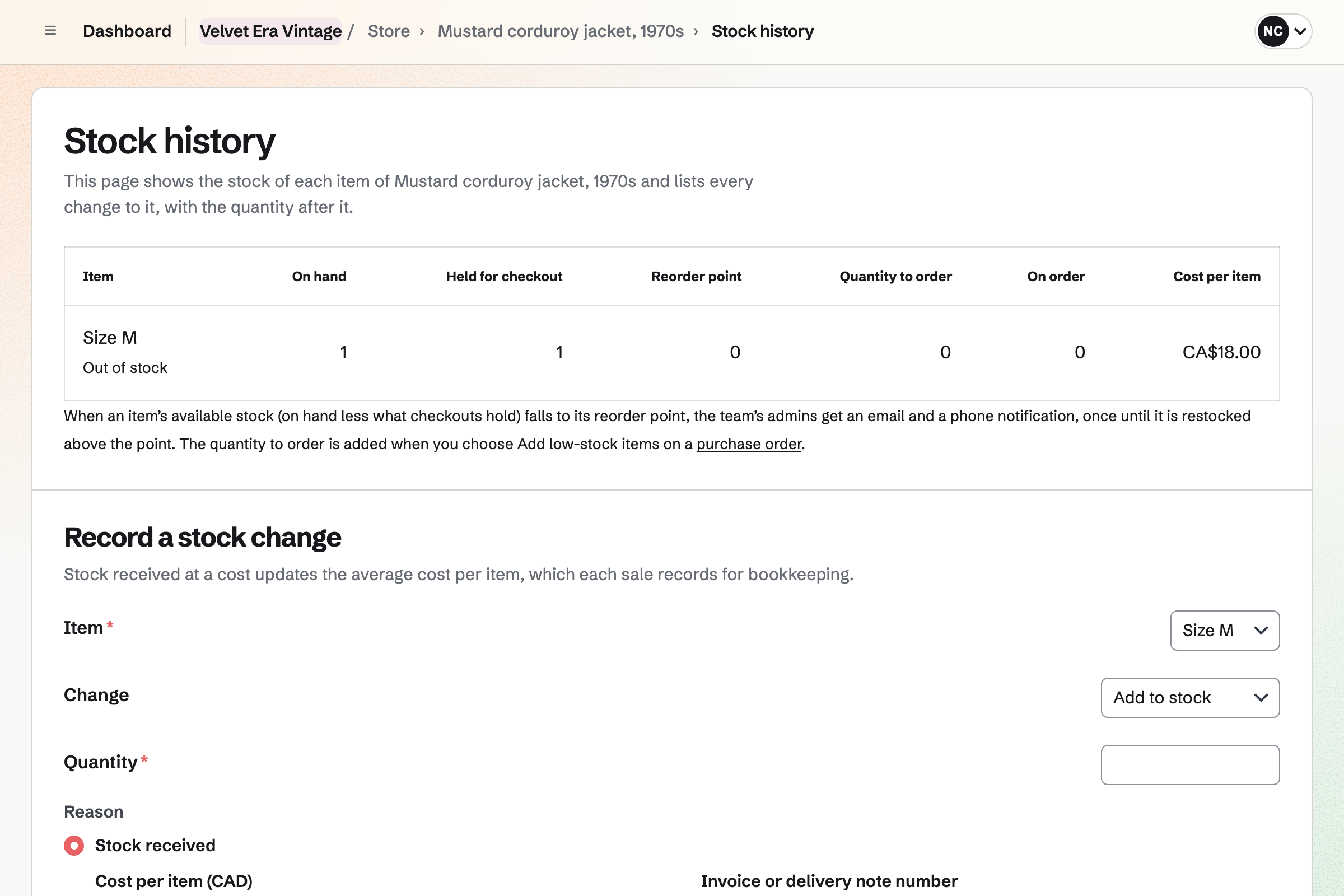
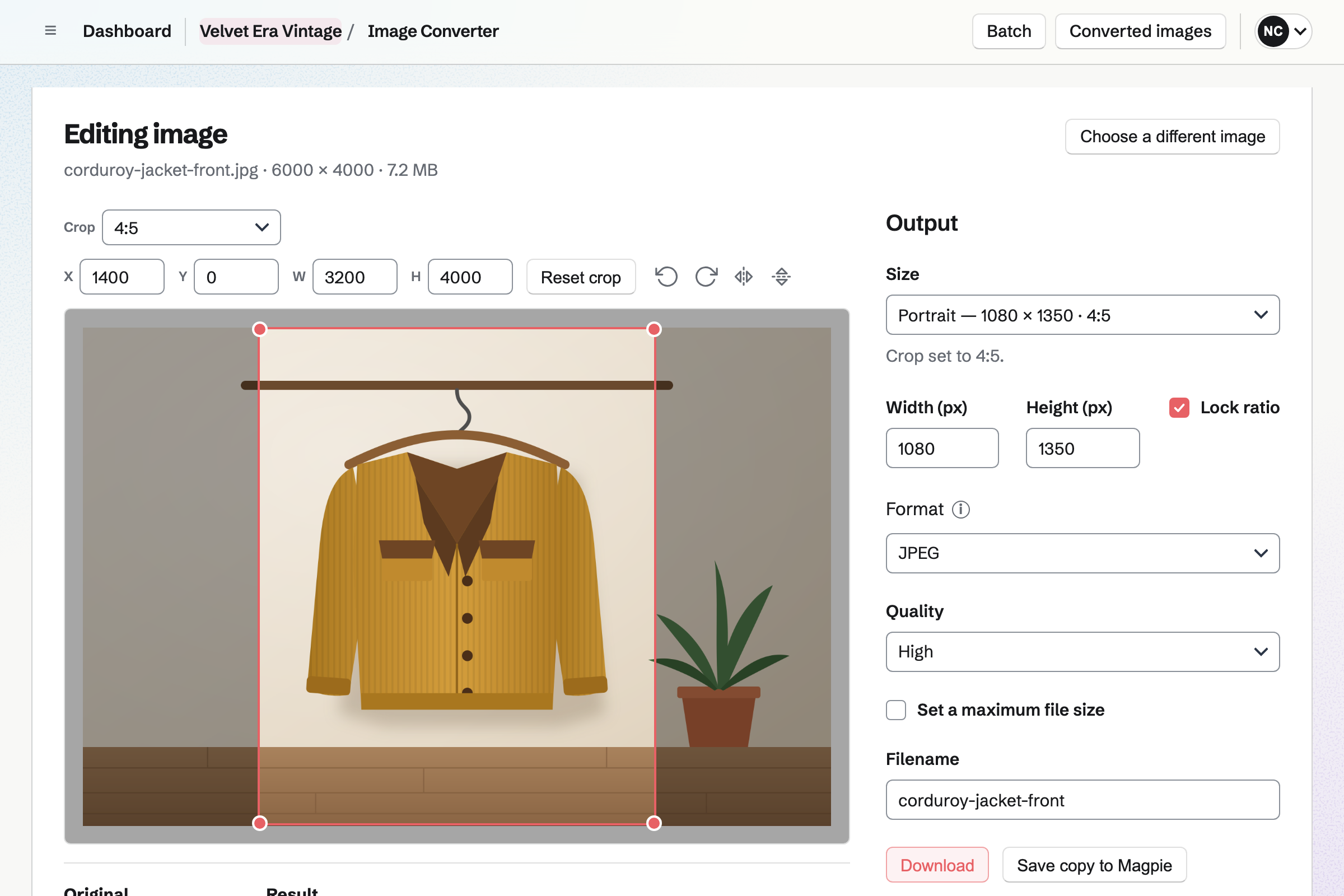
Image Converter applies one set of rules to a folder of photos. It crops each from the centre to one shape, such as 4:5. It also sets their size, format and names. You can save them to Your images, for your listings and posts.
One photo can also be cropped by eye, rotated and saved in several sizes. iPhone HEIC photos are converted to JPEG. By default, Magpie removes camera and location information from each photo.
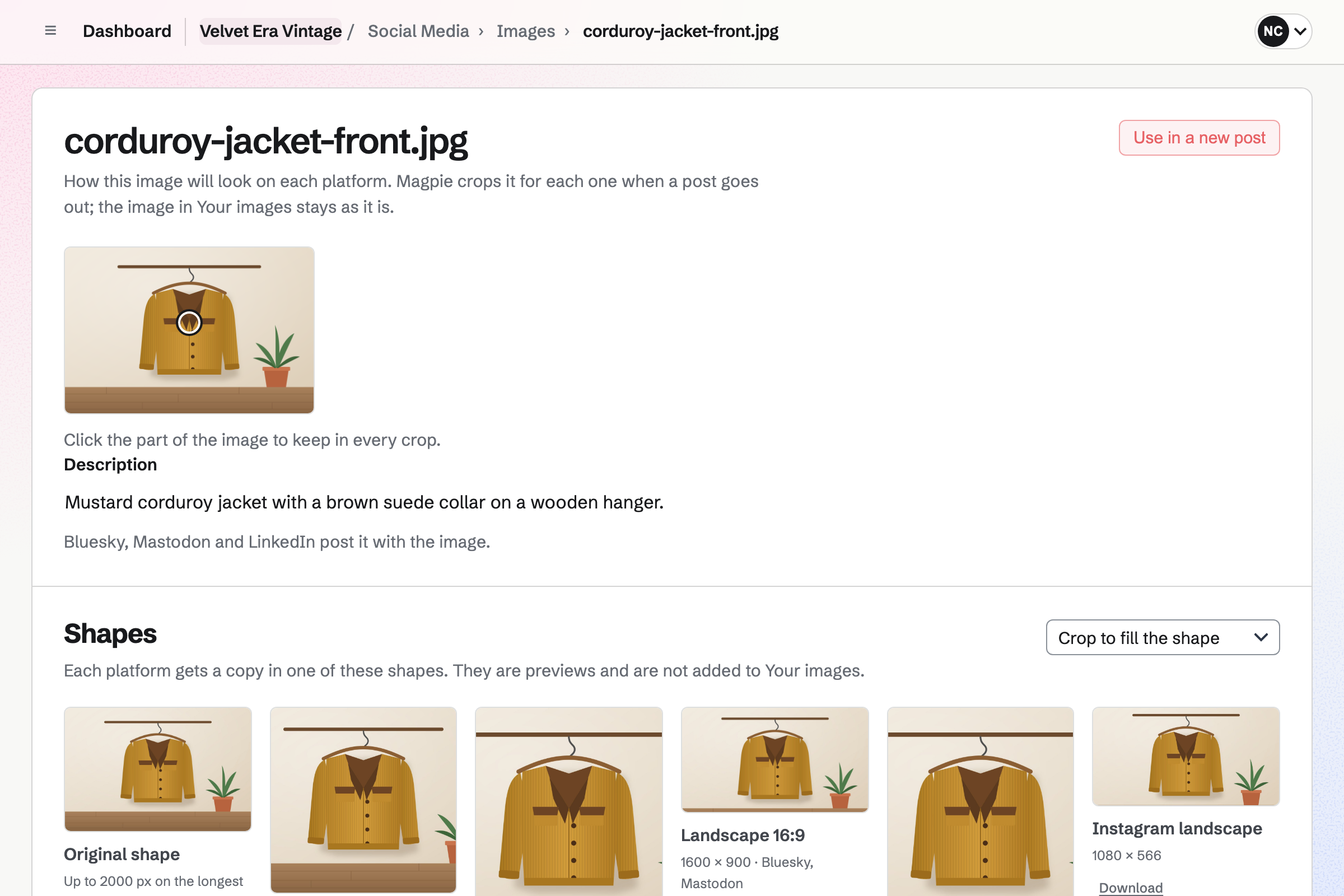
Social Media starts a post from any live listing in your shop. It fills in the piece's name, its address and up to four photos. Magpie will publish it to Bluesky, Mastodon and LinkedIn at the time you choose.
For Instagram and X, Magpie will email a reminder at the post's time. On a phone, Magpie copies the caption and opens the share sheet with the photos. Each photo for Instagram is cropped to the account's shape, around the point you choose.
Expenses records what selling costs you, such as postage and mailers. Each expense has its amount, date, receipt, category and payment method. You can add your own categories, such as Packaging or Marketplace fees.
You can upload a receipt from your phone's camera and fill in the rest later. Magpie totals your spending by category and merchant, for any dates. Accounting adds each expense to the books.
Accounting keeps the shop's books, including what each piece cost you. You give each piece a cost per item, which buyers never see. Your shop's reports show each piece sold with its sales, cost and margin.
A sale moves the piece's cost from the Inventory account to Cost of goods sold. You add what you paid to that account from your imported card statement. A bank rule can do this for each shop you buy from.
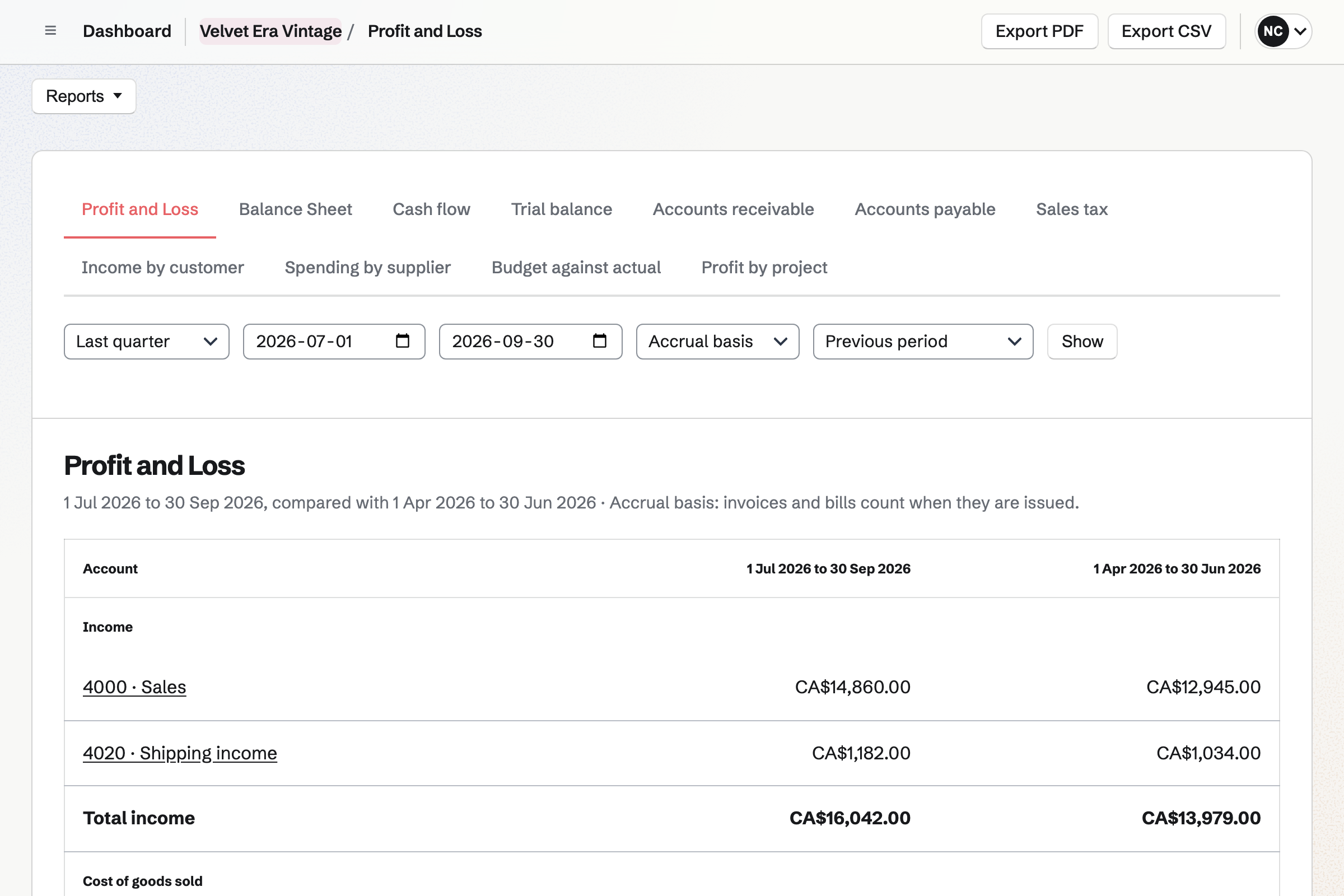
Image Converter crops and resizes the whole folder in one batch. It saves the results to Your images.
Its photos come from Your images, and its stock is 1. Its cost per item is what you paid for it.
Magpie fills in the post with the piece's name, its address and up to four photos.
A sale in your shop takes it out of stock. You record a marketplace sale by hand, and it leaves stock the same way.
Adding the shipment will email the buyer the carrier and tracking number. You record the postage as an expense.
A sale in your shop arrives in a Stripe payout. A marketplace sale waits in Undeposited funds until you import the bank statement with its payout. You record that payout as a deposit, with the marketplace's fees under Fees kept.
Your shop's reports show what the piece sold for, less what it cost you.
You give the shop a name and the contact email buyers write to with questions. Help: Set up and publish a Store.
You connect one Stripe account, which receives what buyers pay at checkout. Help: Connect Stripe to receive money.
You add a shipping zone with its rates, such as a flat rate. Then you write your shipping and returns policies. Help: Collections and shipping.
You add each piece with its photos, price, cost and a stock of 1. Then you make it live. Help: Create products, options, and inventory.
You can publish the shop once it has a contact email, a live piece and shipping. Checkout will open once Stripe is ready.
Magpie adds no fee to sales from your shop. Stripe's processing fee is taken from each payment.
Working alone, you can run the shop without a team, on the free plan or Pro. Pro raises the storage your product photos count toward, from 1 GB to 20 GB.
With someone helping, you can make the shop a team. A free team has places for 3 members, and the Team plan for 25.
On the free plan, Accounting has 2 bank and card accounts. A paid plan has any number.
A thrift store has a storefront with opening hours and staff on a rota. Its stock sells in the shop and online.
A handmade seller makes each piece instead of finding it. Their shop offers personalisation, downloads and custom order requests.
A market seller sells at stalls, fairs and pop-ups. A QR code on the stall opens their online shop.
An online store sells a brand of its own at its own domain. It reorders stock with purchase orders.
Yes. Your shop gets an address made from its name. It has a home page, a page for each piece, a cart and checkout. You choose its design (Starter, Minimal, Bold, Editorial and Boutique), logo, accent colour and fonts, and can add pages such as About. A domain you own, such as shop.example.com, can show the shop too.
Magpie adds no fee to sales from your shop. Buyers pay on Stripe's checkout page, into your own Stripe account. Stripe's processing fee is taken from each payment. Each order shows its fee and the net amount. Your Stripe account is the seller, responsible for refunds, disputes, tax and customer service.
You connect your Stripe account, with the identity, business and bank details Stripe asks for. Buyers pay into that account. Stripe pays the balance out to your bank on its own schedule. Your Payments page lists each payout with the payments, refunds and fees it paid.
You turn on Track stock and set the stock to 1. A checkout in progress holds the piece, so nobody else can check out with it. Once it sells, it cannot be bought again, and your shop's lists mark it Sold out. Remove from store makes it a draft again. Archive takes it out of your shop and keeps its orders.
You record the sale with New order and choose the piece. You enter the price it sold for, and choose Other as how it was paid. The order is created paid, and the piece leaves stock and stops selling in your shop. The sale counts in your reports under Recorded by hand. A tag or a note on the order can name the marketplace.
Each piece can have up to 50 specifications, shown on its page. Each is a name and a value, such as Condition: light wear or Fabric: wool. A size chart is a table under its own heading. You can paste it from a spreadsheet, or type rows with columns separated by |. You write the rest in the description.
You can import a CSV file of up to 2 MB and 5,000 rows. A row whose SKU matches a piece changes it, and other rows add draft products. Magpie lists every change before anything changes. Duplicate product copies a piece's details, specifications and tags to a new draft. Edit in a table changes the prices, costs and stock of many pieces together.
With Quote requests on, the cart shows Request a quote. The buyer sends their cart and a message, and you will get an email. Once you agree a price, you record the order and send a payment link. Magpie will make a Stripe payment page that works for 24 hours. The pieces are held until it is paid or you cancel the order.
A shipping zone groups the countries, states or postal codes you ship to. Its methods can charge a flat rate, or by weight or order amount. A method can also be free over an order amount, local pickup or local delivery. The buyer chooses at checkout. Adding a shipment will email the buyer the carrier and tracking number.
You can choose No online returns in your shop's settings. Otherwise, buyers can ask for a return from their order page after shipping. You choose the window: 14, 30, 60 or 90 days. Your returns and shipping policies are shown below the products on your shop's home page. A refund you give goes back through Stripe or as store credit.
Your shop's settings give feed addresses for Google Merchant Center and a Meta catalog. Facebook and Instagram shopping use the Meta catalog. Each feed lists every published piece, with an image, its price and availability. Your shop also has a sitemap. Each product page gives search engines the piece's price and availability.
Yes. You give each piece a cost per item, which buyers never see. Your shop's reports list each piece sold with its sales, cost and margin, for any dates. A piece sold without a cost shows its margin as Unknown. Marketplace sales you record by hand count too, and every table exports as a CSV file.
You enter it on the piece as its cost per item. A sale moves that cost from the Inventory account to Cost of goods sold. You add what you paid to that account when you import your card statement. You can also enter a bill on that account, with its receipt attached. Check the rules where you file.
Yes. You can set a piece that is not live to publish at a date and time. A collection, with its own page in your shop, can be published the same way. You can schedule the newsletter email and the posts for the same time.
A discount gives a percentage or an amount off, free shipping, or buy X get Y. It can cover the whole order, chosen pieces or chosen collections. Buyers type its code in the cart, or it applies automatically. You set its start and end times and a limit on uses. A compare-at price shows a piece's earlier price beside its price now.
Yes. Buyers check out as guests, and will get a private link to their order by email. A buyer signed in to Magpie can keep the order under Your orders. They can also reuse a saved address and save pieces to a wishlist.
Yes. When an order is paid, you will get an email. You can turn it off in your shop's settings. The order is listed under To ship until you add a shipment.
You can make a team for the shop and invite your helper. You give them only the shop permissions they need. Manage products lets them list pieces, and Ship and edit orders lets them pack and ship. See reports, which shows costs and margins, is a separate permission. Payouts are for you and the team's other admins only.
Your shop's checkout can show a box asking buyers whether they want news and offers. A buyer who ticks it will be added to your newsletter when the order is paid. Anyone can also subscribe on your newsletter's signup page. You can import a list from Mailchimp, Substack or a CSV file. Each import records how its people agreed.
Yes. Your images is the image library your listings and posts choose from. It takes HEIC and HEIF photos from an iPhone and converts them to JPEG. It also takes JPG, PNG, GIF and WebP files. Image Converter can crop and resize a folder of them to one shape first.
Create a Magpie account and set up your shop.