Etsy and handmade sellers
An Etsy or handmade seller sells online only, with personalised listings, downloads and custom orders. There is no counter to staff.
Makers with a shop
The studio, its shop and its staff work in one Magpie team. Each batch you record adds its pieces to what your shop can sell.
Get started free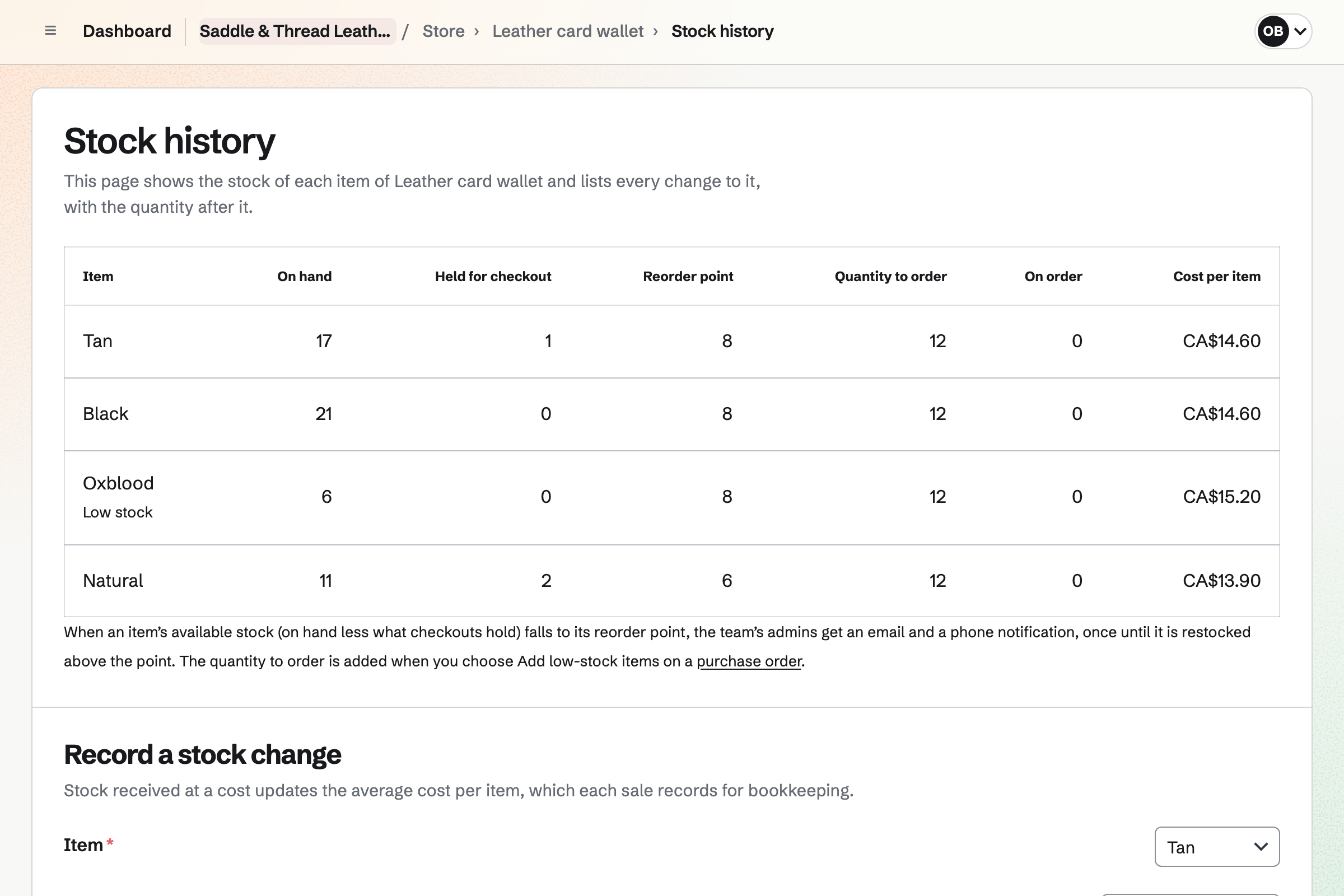
Store gives the studio an online shop, and records the sales you make at the counter. Each piece you make has one stock count. A counter sale takes from it, as an online order does. Your online shop will offer only what is left.
Counter sales can be paid in cash or on your own card terminal. Online buyers pay on Stripe's checkout page, into your Stripe account. They can collect their order from the studio.
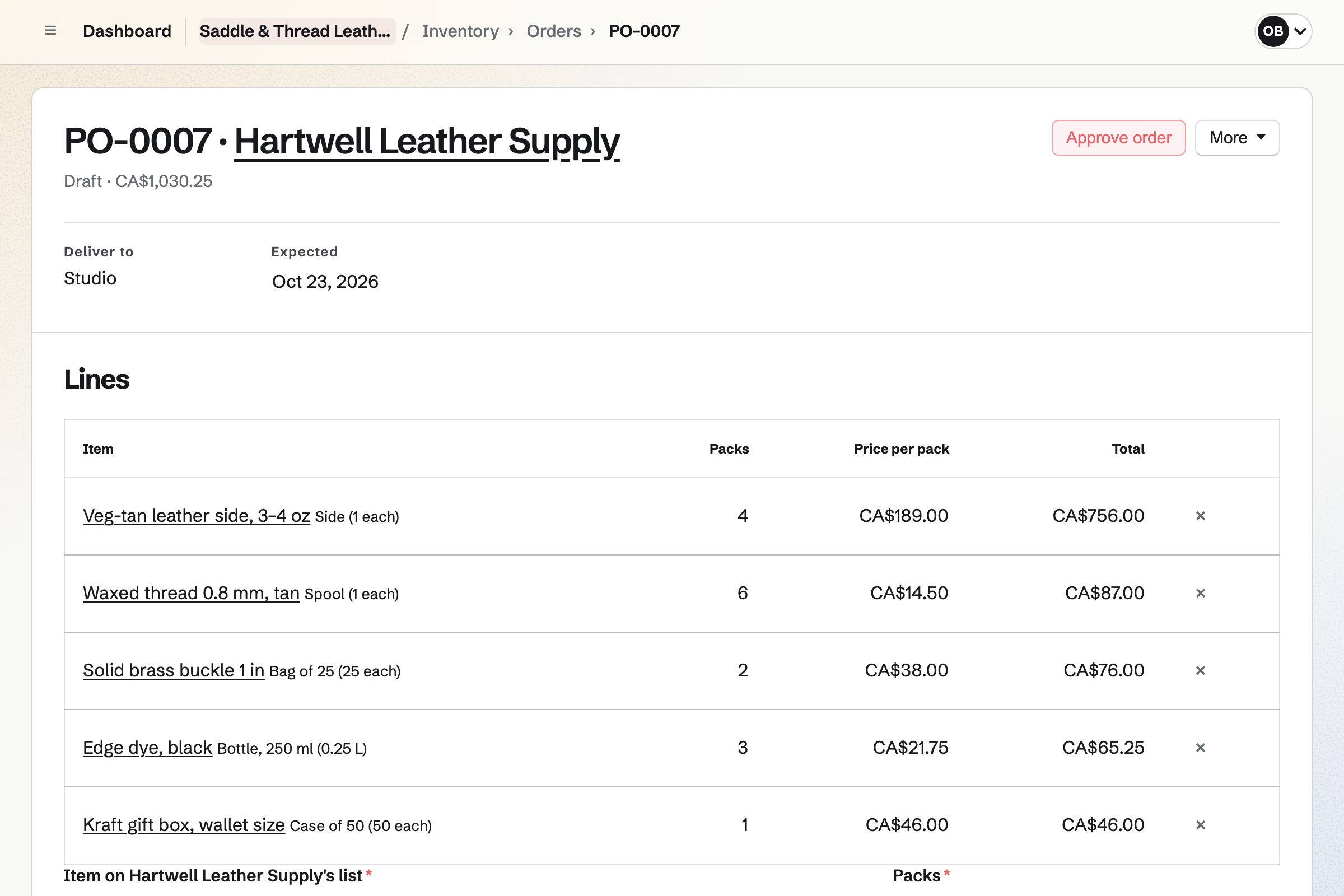
Inventory lists your materials, with the finished pieces beside them. Hides and spools are counted one by one, and dye by the litre. From what is running low, you can draft an order for each supplier.
You link each finished piece to its product in your online shop. Each sale in the shop will then come off the piece's stock. Stock you add, such as a batch you made, will set what the shop can sell.
Daily Operations keeps a recipe for each piece you make in batches, listing its materials. Recording a batch will take those materials out of stock and add the pieces. It also sets the linked product's stock in your shop.
A studio starts with its own opening and closing routines. Opening checks the extraction and the machine guards. Closing checks that benches are clean and tools are put away. A shift lead confirms opening and closing, and the logbook keeps notes for the next shift.
Staff Scheduling gives the studio its rota. You can add your own positions, such as Counter and Studio. Each person needs only a name to go on the rota. Shifts stay drafts until you publish the week.
People you invite will see their own shifts. They can swap them, ask for cover and ask for time off. Close to a shift's start, they can start tracking their time from it. Reports can show when each person started and stopped against their shift.
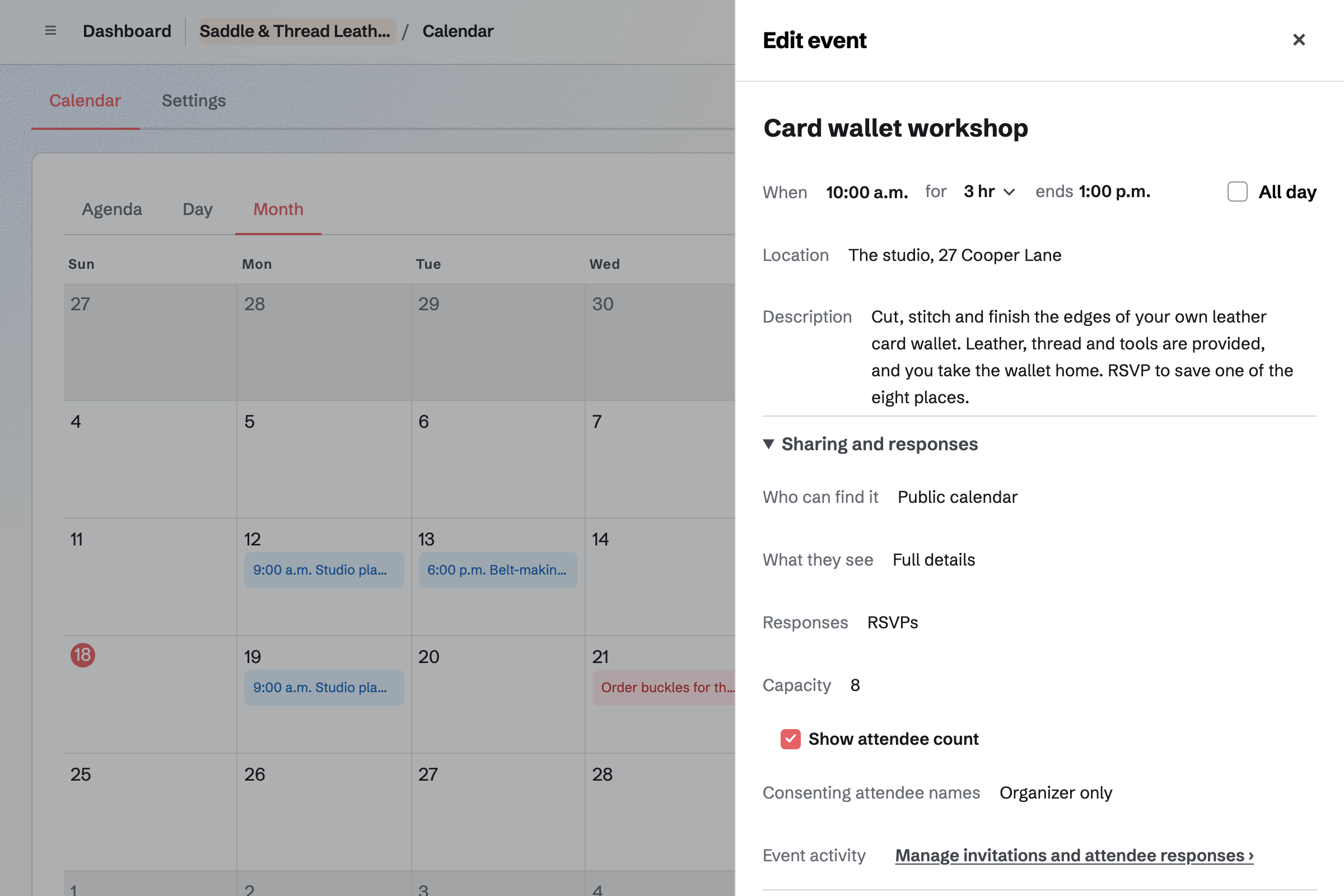
Calendar gives each workshop an event page. You can list it on your public calendar, or open it to anyone with the link. When the RSVPs reach its capacity, the page will say it is full.
People RSVP while signed in to Magpie. Someone new can create an account from the event's page. For a paid workshop, a paid Form takes a fixed amount from each person. They pay into your Stripe account without signing up first.
Once each finished piece is linked to its product, nothing is typed twice.
You receive the delivery on its supplier order. The materials will be added to stock at the price charged. That updates each material's average cost.
You record what was made. The materials used leave stock, and the finished pieces are added. A failed batch takes its materials out as waste and adds nothing.
Your shop's stock for each linked piece is set to the new count. The counter and the online shop both offer the new pieces.
An online order or a counter sale takes the piece out of your shop's stock. Inventory records the same sale.
The next time you open Accounting, it will add paid orders, Stripe's fees and payouts. A cash sale is recorded in Undeposited funds until you record the deposit.
You create a team for the studio and name your online shop. Then you connect Stripe. Help: Set up and publish a Store.
You record what the studio holds now. Then you link each finished piece to its product in your shop. Help: Sell Inventory stock in Store.
You set up Daily Operations as a workshop or studio. Then you add a recipe for each piece you make in batches. Help: Plan prep, keep recipes and log waste.
You add your staff to the rota and publish a week of shifts. Help: Plan and publish a staff schedule.
A studio with staff is a team. The Team plan is one price for the whole team, with 25 member places. A free team has 3. Someone on the rota takes a place only after accepting an invitation to see their shifts.
The Team plan has 5,000 Calendar events, and a free team has 100. Magpie adds no fee to sales in your shop. Stripe's processing fee is taken from each payment. Magpie's fee on a paid Form is 1% of each payment.
An Etsy or handmade seller sells online only, with personalised listings, downloads and custom orders. There is no counter to staff.
A thrift or vintage shop sells second-hand pieces at the counter and online. Each piece is one of a kind.
A boutique sells stock bought in from other makers and brands, in sizes and colours. It does not make what it sells.
Yes. Each piece is a product in your shop, with its stock tracked. A sale at the counter takes from that stock as an online order does. Checkout holds what an online buyer is buying while they pay. When the last one sells, your online shop will show it as Sold out.
You choose New order in your shop and add what was bought. Payment can be cash, your own card terminal, a bank transfer or a cheque. The order is created paid, and its items leave stock. The customer can be emailed an order confirmation. In the books, the money is kept in Undeposited funds until you record the deposit.
You record each Etsy sale in your shop as a new order, paid by Other. Its items will leave stock as a sale in your own shop does. When the product is linked to an Inventory item, that item's stock goes down too. You can tag the order etsy, and Orders will list those sales together.
Yes. A recipe's page shows its cost, counting each material at its average cost. A material with no average cost yet counts at its usual supplier's price. Only people who can change Inventory see it. Your shop's reports show the margin on what sold, from a cost per item you set.
Yes. Your shop's reports show each product's units sold, sales, page views and margin, for any dates. They also show sell-through. Sell-through divides the units sold by those units plus what is on hand now. You can download each table as a CSV file.
Yes. Sending an order will email the supplier each line in their packs, with its product code. It also gives the date you need it, and replies will go to whoever sent it. You can also mark an order as sent another way. On delivery, anything short, refused or charged at another price is listed under Differences.
Inventory shows costs, prices and stock values only to people who can change it. Each person gets only the shop permissions you give, such as recording counter sales. The payment account and payouts are only for you and other admins. You also choose their areas, such as your shop but not Accounting.
Yes. You turn on Require payment on a Form and set one amount. Each person answers its questions, then pays by card on Stripe's page. You can close the Form when the workshop is full, and its responses are kept. Magpie's fee on a paid Form is 1% of each payment.
For a free workshop, people RSVP on its event page while signed in to Magpie. Someone new creates an account from that page. For a paid workshop, a paid Form takes their answers and payment. They pay on Stripe's page without signing up first. A Form asks people to sign in only if you turn that on.
Your public calendar lists every event you set to Public calendar. It is at your meeting page's address, followed by /calendar. It can show how many people are going, if you show the attendee count. Each event also has its own page to share. You can start a Social Media post about it from the event.
Yes. You add local pickup with the studio's address and pickup times. Its instructions can say which door to use. Buyers who choose it give no shipping address. When you mark the order ready, Magpie will email them the address and times.
Create a Magpie account and make a team for the studio.