Vintage sellers and resellers
A vintage seller sells second-hand pieces on Poshmark, Depop, eBay or Vinted. They have no shop of their own.
Thrift and vintage shops
The shop, its staff and its volunteers work in one Magpie team.
Get started free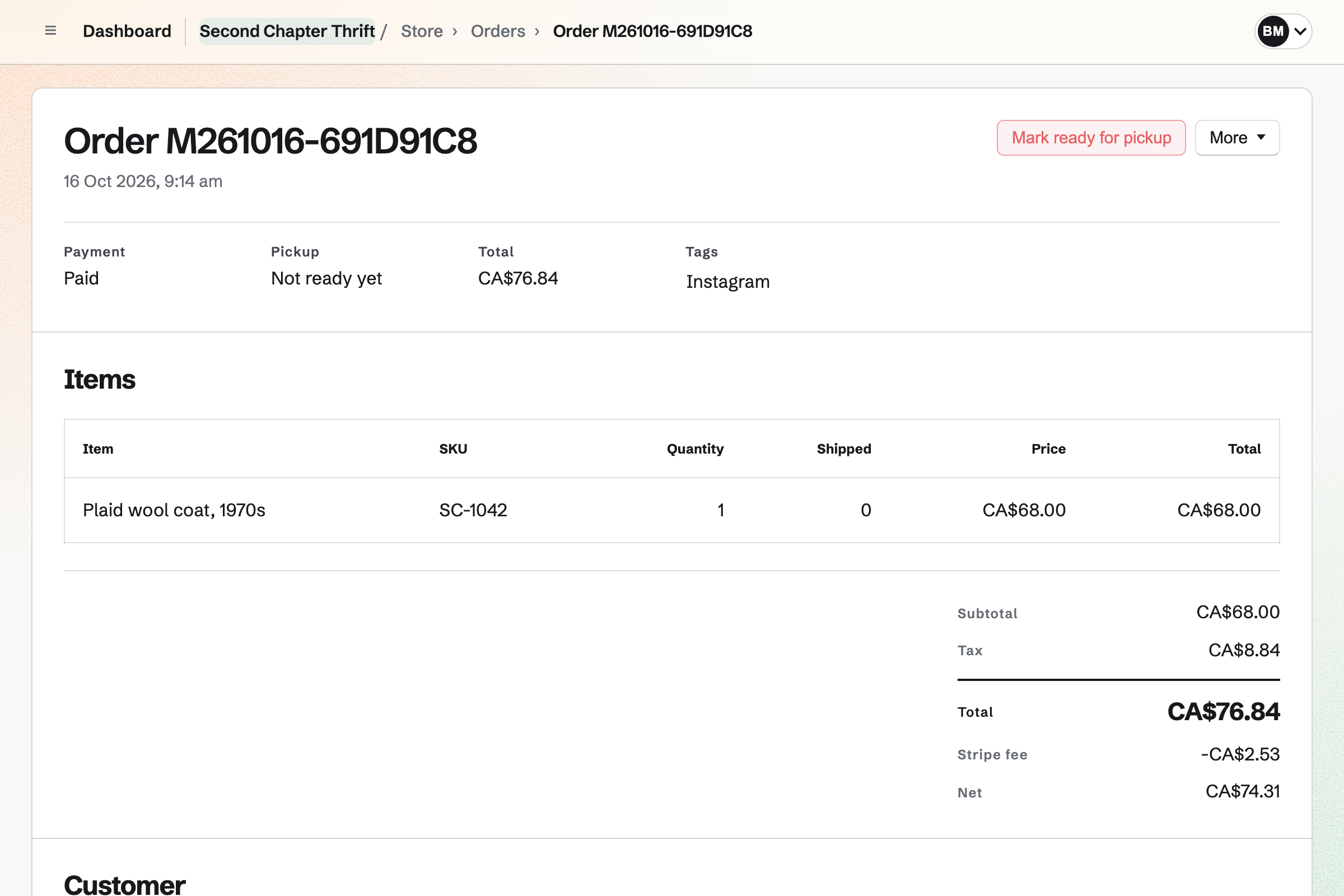
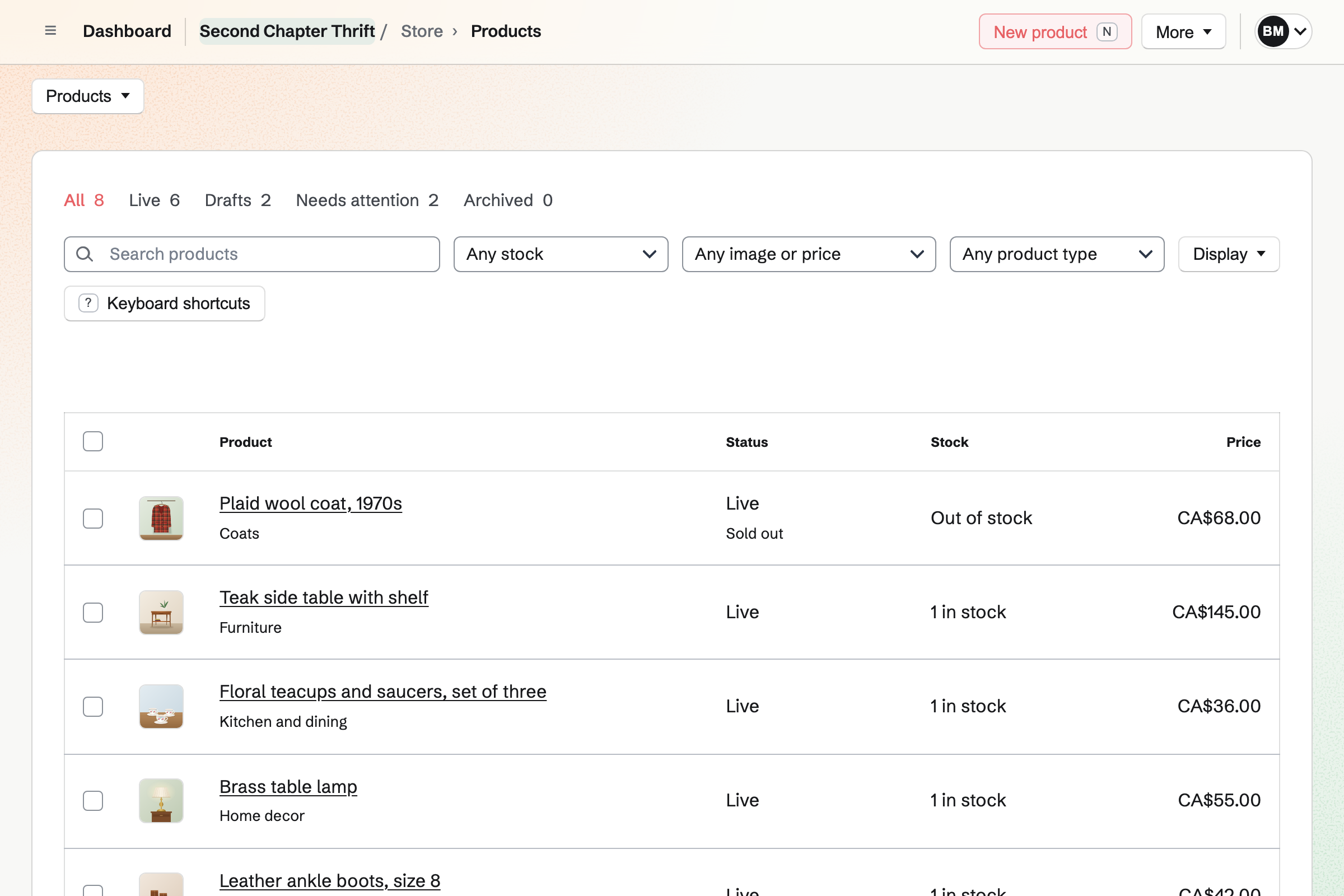
Each piece has a stock of 1, so the first sale takes it.
You add photos, a price, the brand and the measurements. Then you make the piece live, and Magpie can start a social post from it.
The buyer pays on Stripe's checkout page, into your own Stripe account. Your online shop will then show the piece as Sold out.
You record the sale, paid in cash or on your own card terminal. The piece can then no longer be bought online.
A buyer who chooses local pickup gives no shipping address. When you mark it ready, Magpie will email them the shop's address and pickup times.
Paid orders, Stripe's fees and payouts are added to the books. Cash sales are held in Undeposited funds until you record the deposit.
Store puts your pieces online, each with a stock of 1. Each piece has photos, a price, its brand and details such as Material: wool. You can copy a listing as a new draft for the next similar piece.
Shoppers can search your online shop and filter by brand, price and tag. A collection can list what is in stock and published in the last 7 days. New pieces will join it, and sold ones will leave it.
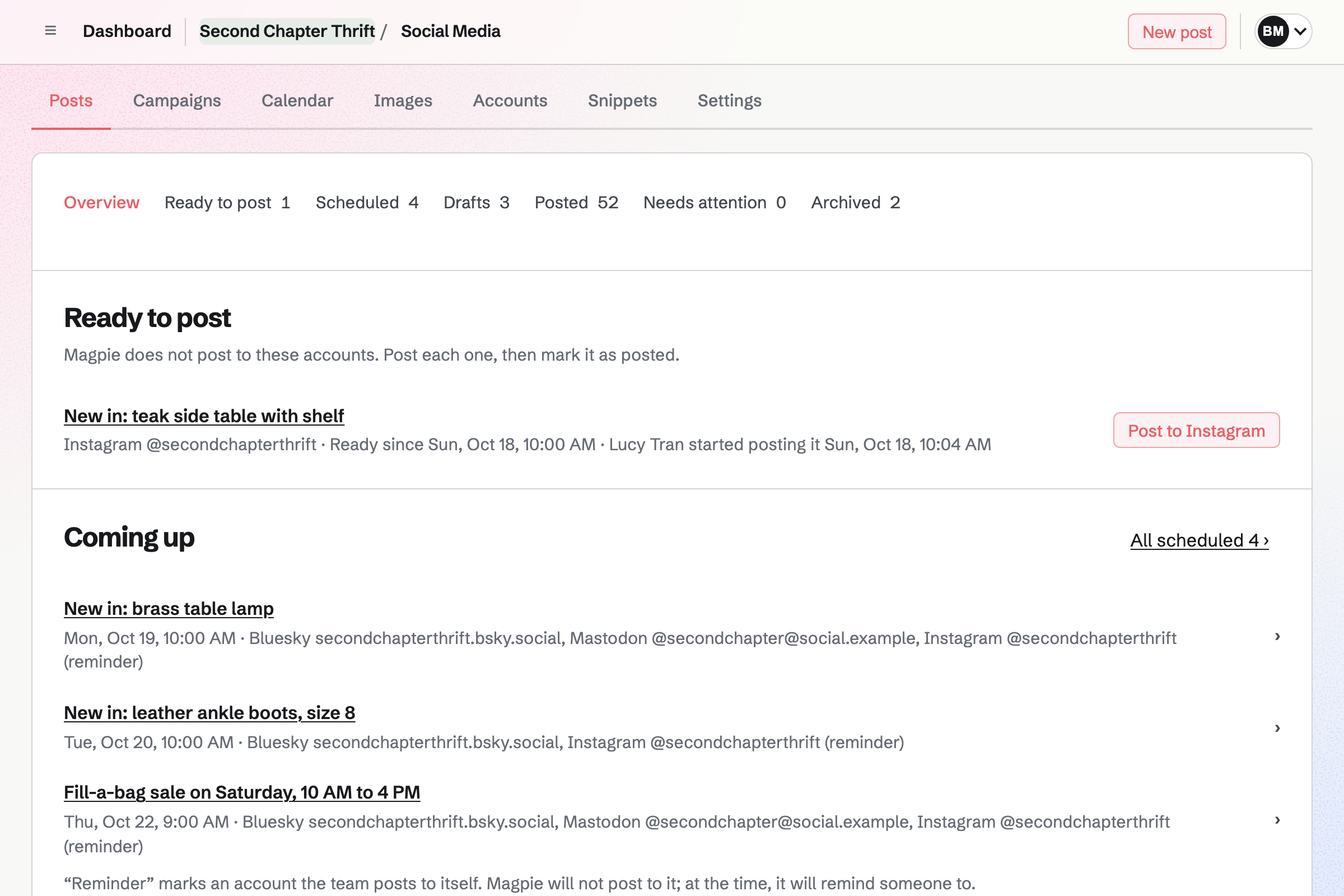
Social Media starts a post from a listed piece, with its name, link and photos. You write the post once for all your accounts. Each account shows a character count as its platform counts it.
Posts to Bluesky, Mastodon and LinkedIn will be published at the time you choose. For Instagram and X, Magpie will email you a reminder. On your phone, Magpie copies the text and opens the share sheet with every photo.
Staff Scheduling gives the shop its rota, with starter positions such as Cashier and Stock. You add each person by name, as an employee, a seasonal worker or a volunteer.
Shifts stay drafts until you publish the week. People you invite will then see their own shifts. They can swap, ask for cover, take open shifts and ask for time off. Magpie checks every change against their time off, their availability and your rules.
Daily Operations gives the shop its routines, ready to use. A retail store starts with an opening round, an afternoon restock and a closing round. Opening covers the lights, the card terminals and the front windows.
You can edit each routine and add a step, such as checking the donation bin. A step can be a tick, a photo or a written answer. A shift lead confirms opening and closing. The logbook passes notes to the next shift.
Websites gives the shop a website you build from sections. One section lists your pieces, with their photos and current prices. Each links to the piece in your online shop. The section can show one collection, such as New this week.
Publishing puts every page online at once. You can put the website at the shop's own domain, such as example.com. The online shop can be at shop.example.com. Email at the domain will keep working.
You create a team and invite the people who run the shop with you. Help: Personal and team work.
You name the online shop and add a contact email, local pickup and your first pieces. Then you connect Stripe. Help: Set up and publish a Store.
You choose the Shop business type and add each person by name. Then you publish a first week. Help: Plan and publish a staff schedule.
You choose Retail store and enter the shop's opening hours. You keep the starter routines you want and give shift leads their role. Help: Run each day's opening, closing and checks.
A shop with staff or volunteers is a team. The Team plan is one price for the whole team, with 25 member places. Someone on the rota takes a place only after accepting an invitation to see their shifts.
The Team plan also has mailboxes at the shop's domain. It has room for 100 guests, such as your accountant. A free team has 3 member places and 10 guests, without mailboxes.
Magpie adds no fee to online sales. Stripe's processing fee is taken from each card payment.
A vintage seller sells second-hand pieces on Poshmark, Depop, eBay or Vinted. They have no shop of their own.
A boutique sells new stock in sizes and colours, bought from suppliers. It reorders when stock runs low.
A market seller sells from a stall at markets and craft fairs. A public calendar shows where they will be next.
A bookshop sells books, records or games. People RSVP to its readings and launches as public events.
Yes. Each piece has a stock of 1. An online checkout holds it while the buyer pays. Once it has sold, online or at the counter, Magpie refuses any other sale. Your online shop will show it as Sold out.
You record it as a new order and choose how it was paid. That can be cash, your own card terminal, a bank transfer or a cheque. The order is created as paid, and the pieces leave stock. Magpie can email the customer an order confirmation. The books hold the money in Undeposited funds until you record the deposit.
Yes. You record the order, which holds the piece, and choose to send a payment link. Magpie makes a Stripe payment page for its total, which you can email to the customer. The link works for 24 hours. Once they pay, the piece leaves stock, and cancelling the order puts it back.
Yes. Buyers pay on Stripe's checkout page and get a private link to their order by email. A buyer who is signed in to Magpie can also keep the order under Your orders. They can reuse a saved address too.
Yes. You add local pickup with the shop's address and pickup times. It can include instructions, such as which door to use. Buyers who choose it are not asked for a shipping address. When you mark the order ready, Magpie will email them the address, times and instructions.
Yes. Shipping zones set where you ship, by country, state or postal code. A rate can be flat, free, free over an amount, or by weight or order amount. You add a shipment with its carrier and tracking number. Magpie will email the customer the parcel's contents and tracking.
You can copy a listing as a new draft, with its photos, tags and specifications. A CSV file of up to 2 MB and 5,000 rows adds many drafts at once. Pasted JSON does the same. Then you tick them and make them live together. Any without a photo or a price stays a draft, with the reason shown.
Yes. Shoppers can filter by brand, and search engines are given the brand too. Specifications such as Material: wool or Length: 72 cm are listed on the piece's page. You can paste a size chart from a spreadsheet. Shoppers can filter by tags such as 1970s or denim, and collections can match them.
The piece stays in your online shop, marked Sold out. You can make it a draft again, or archive it. Either way, its orders keep their records. One list shows every live piece that has sold out. You can tick them and archive them together.
Yes, with fixed amounts and, if you choose, a custom range. The buyer can have the card emailed to someone on a date they choose. Its holder spends it in your online shop. A bought card never expires and carries no fee. You can also issue store credit, or refund an order as store credit.
Yes. You can choose No online returns. You can also allow returns for 14, 30, 60 or 90 days after shipping. Your returns policy is shown below the product list, with the contact email. Checkout can ask buyers to agree to a page, such as your terms of sale.
Yes. You add each volunteer by name and mark them as a volunteer. They need only a name to be given shifts. A volunteer who accepts your invitation will see their own shifts. They can then swap shifts and ask for time off.
Each person sees their published shifts under My shifts on the website. Magpie will email them about changes. Their shifts also appear on their personal calendar in Magpie, unless they turn that off. A subscription address works with Google Calendar, Apple Calendar and Outlook.
Yes. Each shop is a stock location, and a transfer moves a piece between them. A sale you record by hand takes stock from the shop you choose. Online, a piece can be bought while any shop has it. The rota and the daily checks have locations of their own too.
Yes. Reports show net sales, orders, Stripe's fees and what was paid out, for any dates. They also show each product's units and sales. Each table downloads as a CSV file. Each Monday, Magpie can email you last week's sales beside the week before.
Yes. You invite your accountant by email address. They open your books and nothing else of the team. An entry from an invoice or an expense links to a read-only summary of it.
Yes. You can put the website at a domain you own, such as example.com. The online shop can be at shop.example.com. You add the DNS records Magpie lists, or Magpie adds them when it hosts your DNS. Email at the domain will keep working, and Mail can host it too.
Create a Magpie account and make a team for the shop.