Coffee shops and cafés
A coffee shop makes coffee and food on site, with prep lists and recipes. It sells its beans online.
Corner shops and newsagents
The shop, its part-timers and the family who help out work in one Magpie team.
Get started free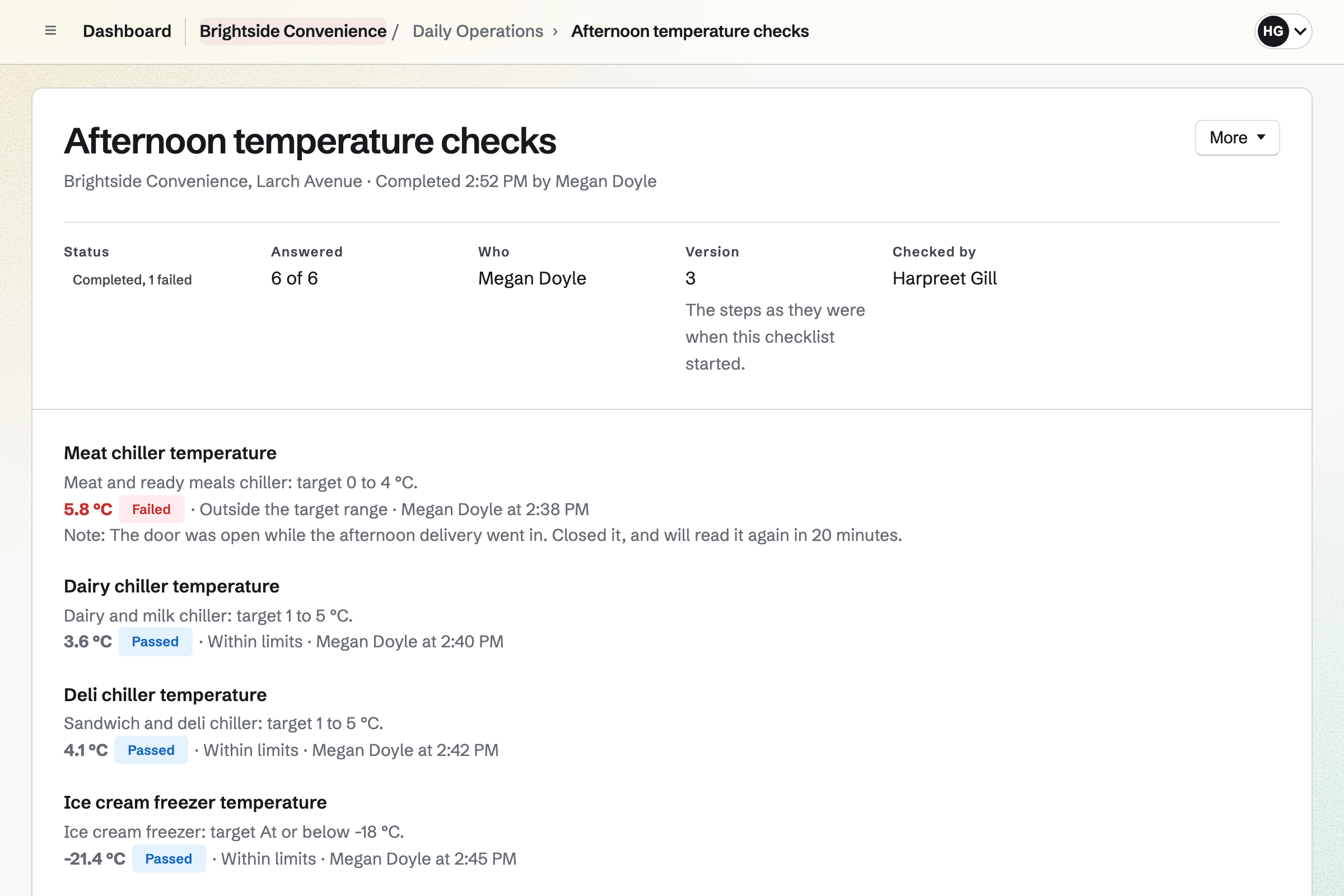
Daily Operations gives the shop starter routines for grocery and food retail. Opening covers the chilled display and freezer temperatures, and anything past its use-by date. The temperatures are taken again at 3 pm. Closing covers rotating the stock and counting what was thrown away.
Each fridge and freezer has the limits you set. A reading out of range will open an incident with the steps to take. One outside a critical limit will alert you, the shift leads and the managers.
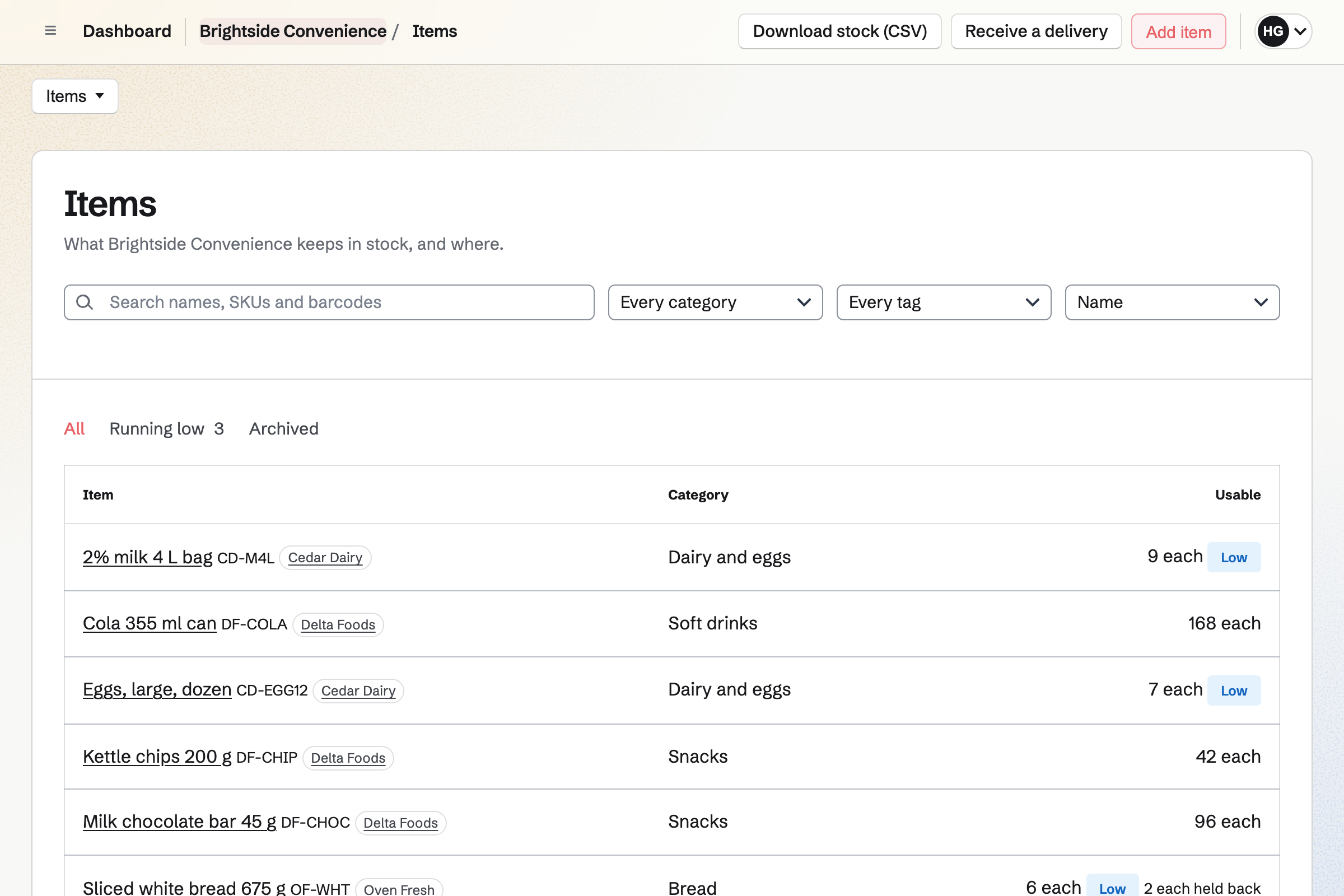
Inventory keeps each wholesaler's list in its cases and prices. Anything below its minimum is listed as running low. From that list, you start an order for each supplier. You email it from Magpie, or mark it as sent by phone or on its website.
Receiving a delivery records what arrived, with each lot's expiry date. Anything short or refused is listed under Differences. You can count all the shop's stock, or one category such as soft drinks.
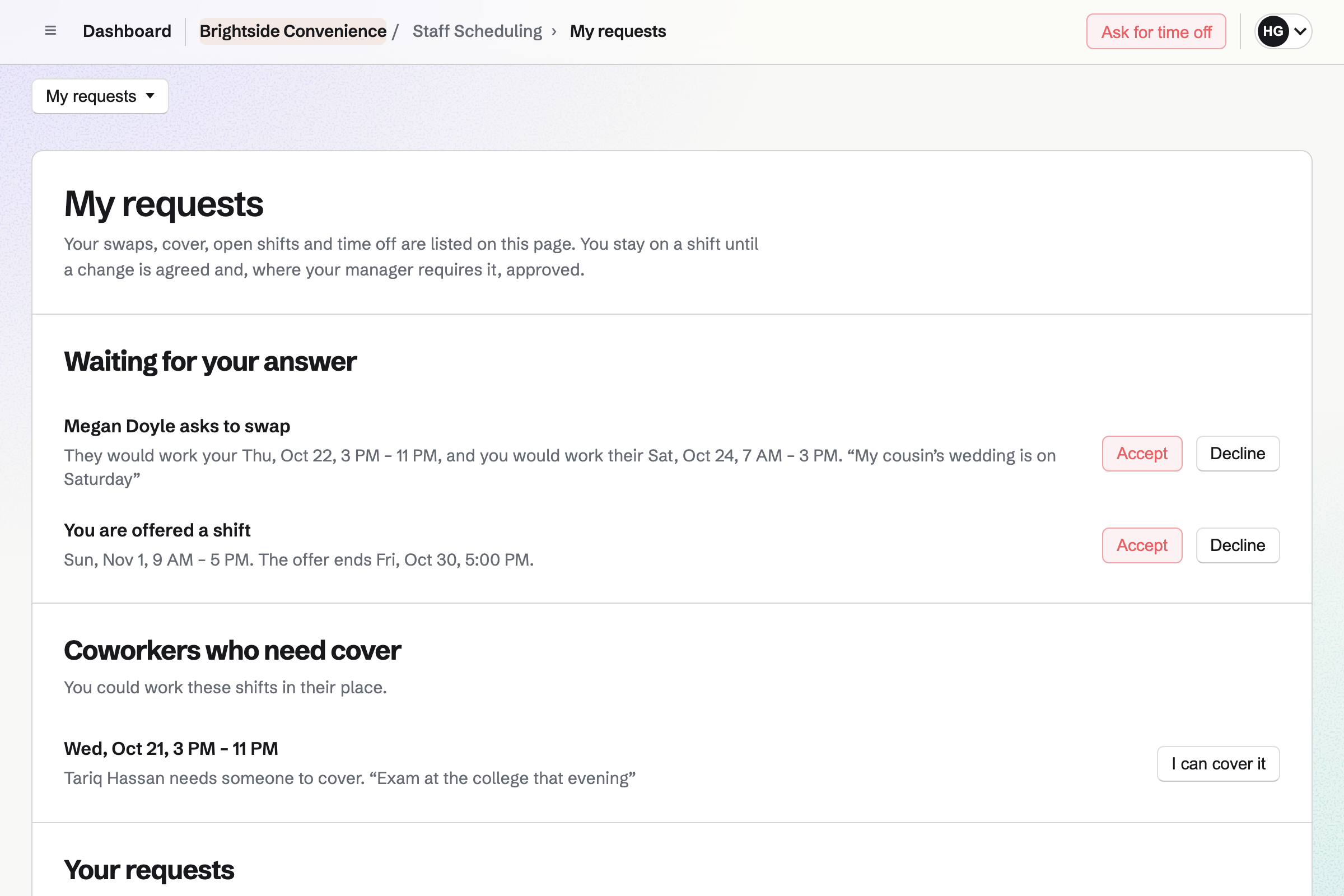
Staff Scheduling plans the shop's rota. Each person sets their usual week and the dates that differ. Magpie can propose people for open shifts from their availability and preferred hours. Every shift is checked against time off, availability and your limits on rest and hours.
Shifts stay drafts until you publish the week. Staff can swap shifts, ask for cover and ask for time off. When a request is settled, Magpie will change the published rota and tell everyone involved.
Hiring gives each job a public page with its description, pay, location and closing date. Applicants apply on the job's own form, without signing up first. Publishing the job lists it on your job board.
You move applicants through the job's stages, and schedule interviews when every interviewer is free. Once you hire someone, you can put them on the rota's staff list.
Websites is Magpie's site editor. The shop's website is built from sections, with a header, footer and navigation every page shares. You can write the hours, the address and what the shop stocks.
Publishing will put every page online at once. You can put the website at a domain the shop owns. A QR code on the door can open it.
The shop's checklists and its orders work from one stock.
The delivery checklist asks whether everything arrived, and for the chilled items' temperature. Your staff check the packaging and dates, and photograph the delivery note.
You receive it on the supplier's order, with each lot's expiry date. It will be added to the shop's stock. Its price will move each item's average cost.
The opening checklist asks for anything past its use-by date to be removed. You log it as waste with a reason, and it will come out of stock.
Counting a category corrects each line to what was found. A large difference changes the stock only once you approve it.
Magpie lists the packs to order from each item's usual supplier. It allows for what is already on order.
You choose Grocery or food retail and enter the opening hours. Then you confirm each fridge's limits. Help: Record temperatures.
You add each supplier with its delivery days and the time to order by. Then you add the items it sells you, in its packs and at its prices. Help: Order from suppliers and receive deliveries.
You add the items you keep and record the opening stock. Help: Keep track of stock.
You start the rota from the Shop starter and add each person by name. Then you publish a week. Help: Plan and publish a staff schedule.
A shop with staff is a team. The Team plan is one price for the whole team. It has 25 member places and mailboxes at the shop's domain. A free team has 3 members and 5 invoices a month, without Mail.
Staff take a member place when they join to see their shifts and checklists. Someone who is only on the rota takes none. Staff who join use only the rota, the checklists and Team chat, unless you choose others.
A coffee shop makes coffee and food on site, with prep lists and recipes. It sells its beans online.
A thrift or vintage shop sells second-hand pieces at the counter and online. Each piece is one of a kind.
A boutique sells clothing, gifts and home goods, in the shop and online. Its stock comes in sizes and colours.
Magpie will open an incident at the shop, with the steps written for that fridge. The incident lists a follow-up reading to take. A reading outside a critical limit will alert you, the shift leads and the managers. If nobody acknowledges it, the alert is sent again after the time you set.
Yes. Reports count the readings for each fridge and freezer over up to 366 days. They show the total, how many were out of range and the days with none. Download CSV exports every reading for the same dates, in °C and as typed.
Yes. When you turn on Expiry dates for an item, each delivery records when it expires. The item's page lists each lot with its date. The opening checklist asks for anything past its use-by date to be removed. You log it as waste with the reason Expired, and it will come out of stock.
Yes. The Waste page lists the shop's waste for a range of days. It shows totals by reason and by item, and downloads as a CSV file. Whoever logged the waste can undo it for 10 minutes. You or a manager can correct it later.
Yes. Each supplier has its own list, in its packs and at its prices. An item that several suppliers sell is ordered from its usual one. Magpie starts a separate order for each supplier. Its email lists each line with the supplier's product code and your account number.
You record it as a delivery, from any supplier or none. You choose each item, the quantity and the total cost. The stock is added at once, and its cost moves each item's average cost.
Yes. With Hide the expected quantities turned on, whoever counts sees only the lines to fill in. A count can be saved as often as needed. A line that differs by more than the percentage you set needs your approval. Until then, its stock does not change.
High and critical incidents are emailed to you and the shop's managers. A shift lead can confirm opening or closing with a checklist unfinished. The reason they give is sent to you and the managers. The shop's Today page shows what is done, what is late and what needs a manager.
Yes. You make an invoice for the customer's papers and make it recurring. The same lines will then be invoiced and emailed every month, with a PDF. The customer can pay by card from the invoice when you take card payments. You can record cash or a cheque too.
Yes. You give each person or position an hourly rate. Before you publish, the review will show the week's estimated pay. Reports show labour cost, as a CSV file too. The estimates use base rates, and you choose who sees them with Sees pay rates.
Yes. Each shop is a location with its own hours. Each routine runs at one shop or at both, as you choose. On the rota, people are set up for the shops they work at. Each shop keeps its own stock, and a move takes stock from one to the other.
Yes. Store sells your products online, and buyers pay on Stripe's checkout page. Buyers can choose local pickup from the shop. Each online product can take its stock from the same item on your shelves. An online sale and a count then change the same number.
Create a Magpie account and make a team for the shop.