Virtual assistants and online business managers
A virtual assistant helps several clients with their tasks, calendars and posts.
Social media managers and content marketers
Each client's posts, content calendar and newsletter are kept in a team for that client. You make the team and invite the client, or the client invites you into theirs.
Get started free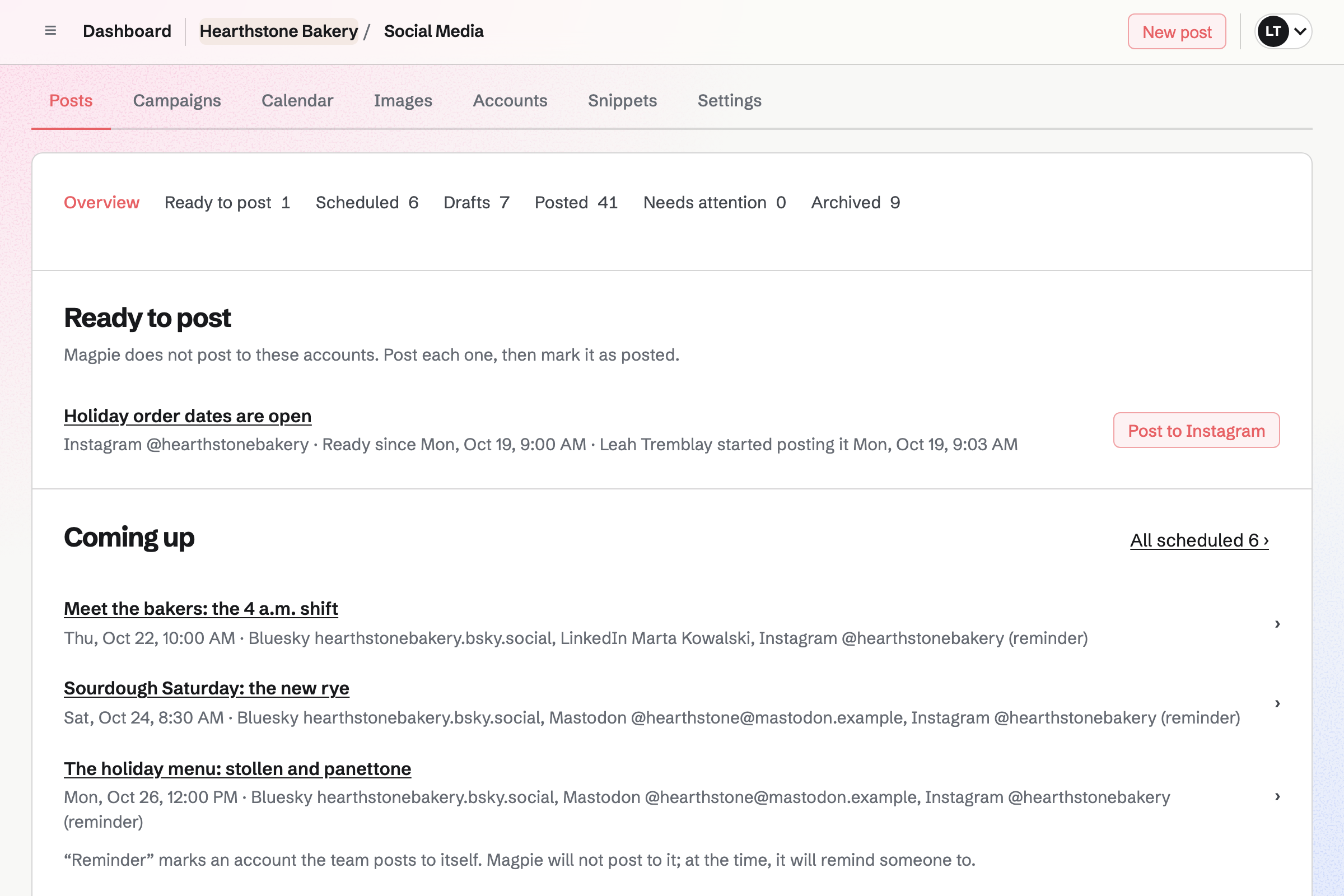
Proposals turns your retainers into a proposal the client signs online. Magpie's social media starter has three monthly plans, by accounts and posts a month. A one-off setup fee covers the accounts and brand templates.
You can see each time the proposal is opened. When the client signs, Magpie can start the monthly invoices and a Time Tracking project.
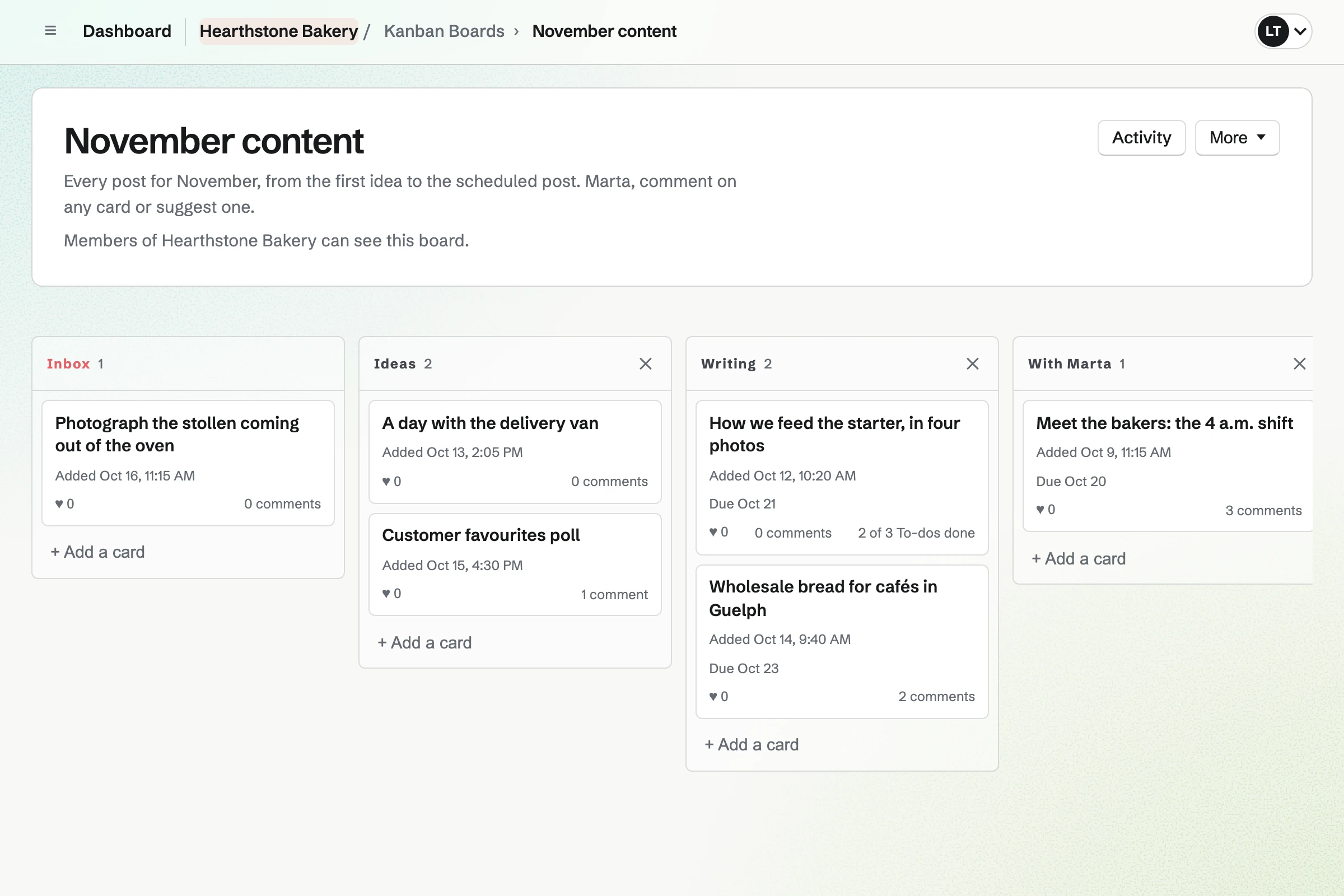
Kanban Boards holds the month's content as cards, from ideas to scheduled. Each card has a due date, the draft caption and its images. You move it along as the post takes shape.
You can open the board to the client to view, comment and suggest ideas. Their suggestions arrive in the board's Inbox column for you to review.
Design Canvas is Magpie's design editor. Its social starters include a square announcement post, an event story and a profile banner. Each is the size its platform expects, and every word and colour can be changed.
A client's own layout can be saved as a team starter. A finished graphic saves as a PNG to Your images, ready to add to a post.
Social Media posts to the accounts connected to the client's team. Bluesky, Mastodon and LinkedIn posts go out at their time. For Instagram and X, Magpie reminds you and opens the platform with the post filled in.
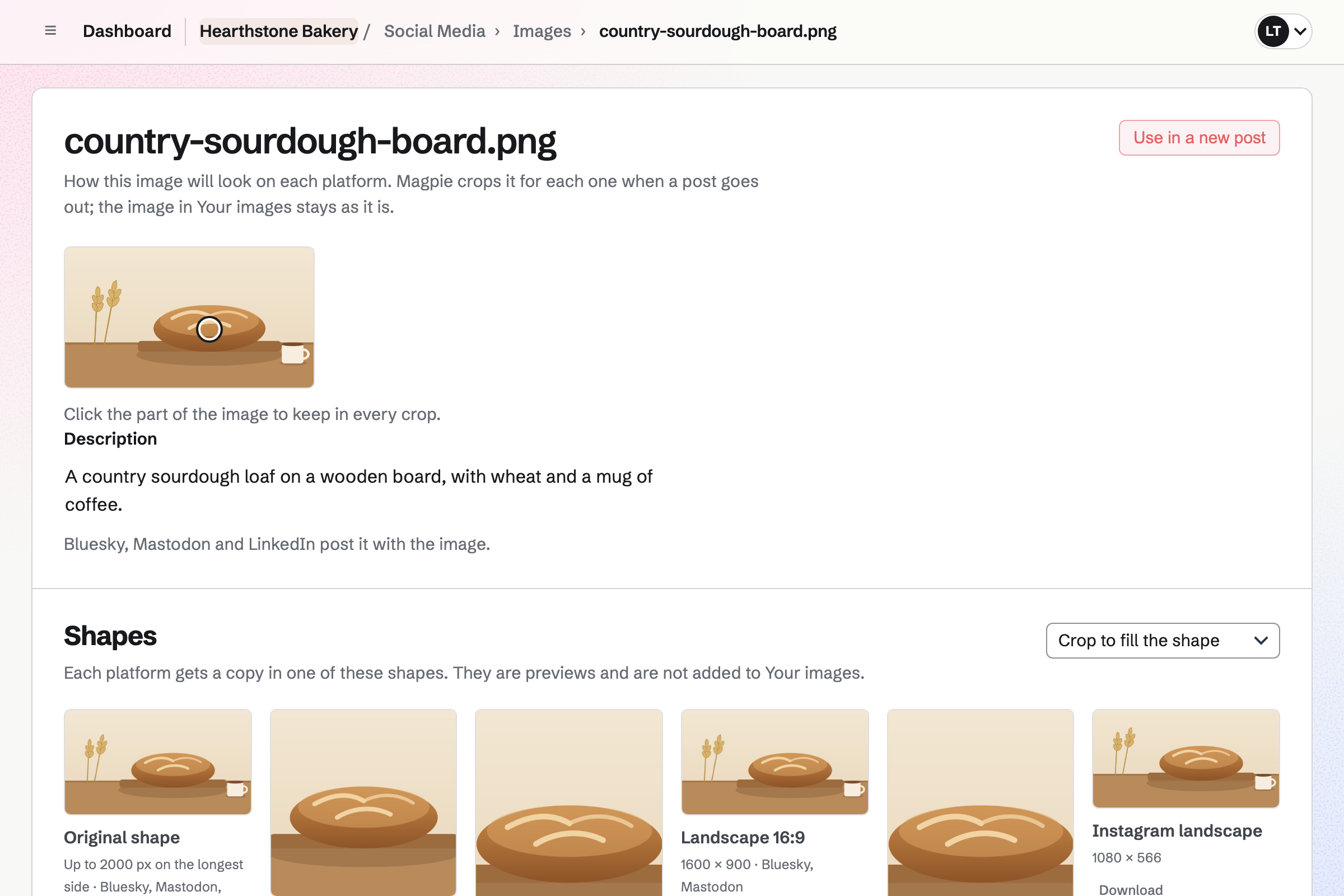
Each account can have its own caption. Instagram's shapes are cropped around a focal point you set on each photo. A campaign schedules its finished posts at your posting times, with UTM tags on its links.
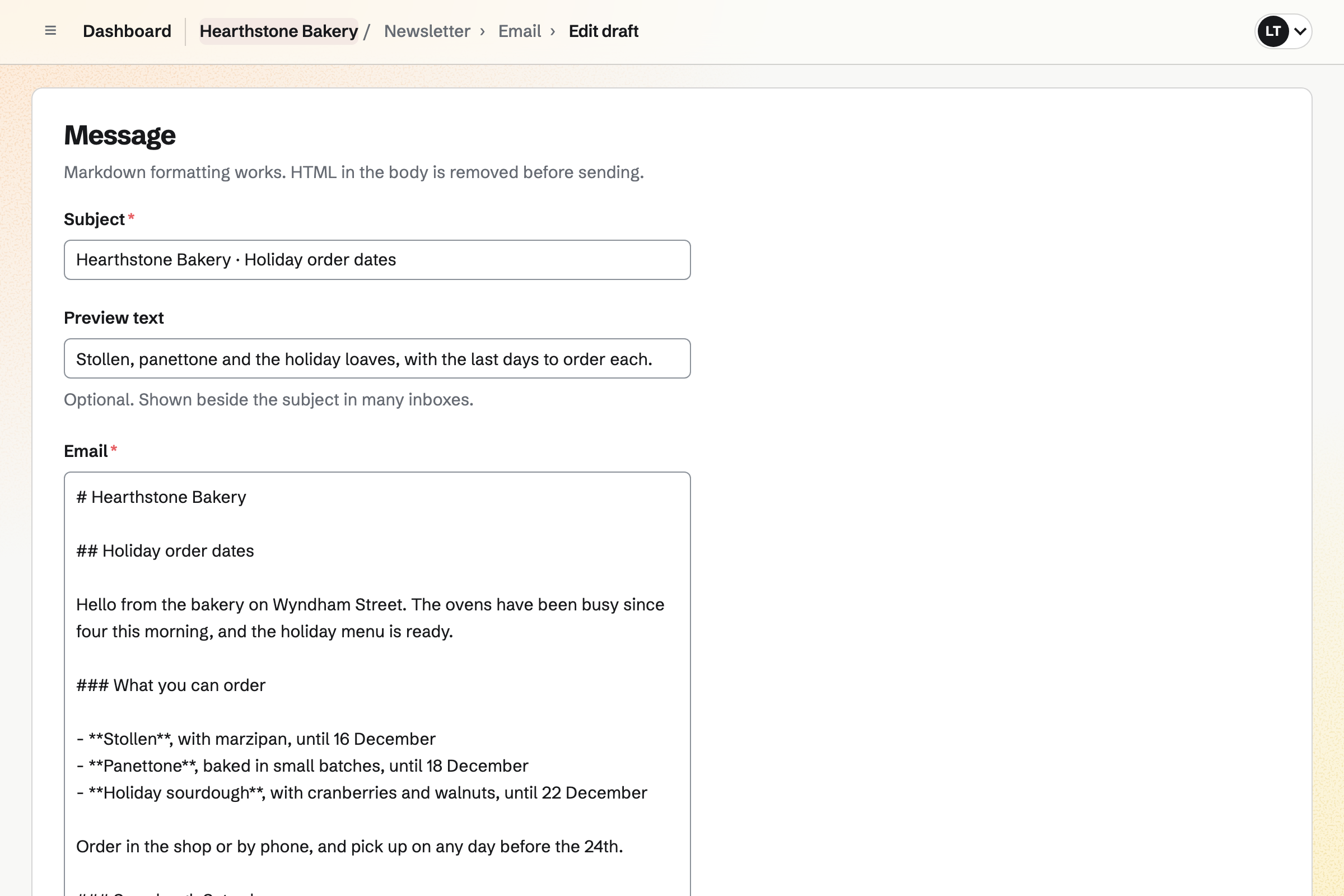
Newsletter gives each client's team one newsletter, with a sign-up page and double opt-in. You write each issue, send yourself a test and schedule it.
Once it is sent, its web copy can become a draft post in Social Media. The newsletter's page counts the subscribers and the copies delivered.
Invoicing issues each client's retainer invoice every month, from the accepted proposal. A client who saved a card when signing is charged when it is issued.
Ad spend you pay for a client can go on their invoice, as a reimbursable expense. Clients pay by card into your own Stripe account, with no Magpie fee.
The client's team holds their content. Your proposals and invoices stay in your own Personal.
You plan the month's posts as cards on the client's content calendar.
The client comments on the cards and suggests ideas of their own.
You make each graphic from a starter and save it to Your images.
You write the posts in a campaign, and mark each one finished.
Schedule campaign puts the finished posts at the next posting times.
Instagram and X posts arrive as reminders, ready to post by hand.
The retainer invoice is issued on its date and charged to the client's card.
You make a team for the client and invite them. Help: Create and manage a team.
You connect the client's Bluesky, Mastodon and LinkedIn, and add Instagram and X. Help: Connect social accounts.
You choose the times of day the client's posts go out. Help: Write, schedule and publish social posts.
You connect your Stripe account, so clients can pay by card. Help: Connect Stripe to receive money.
You open the social media starter, set your plans and setup fee, and save it. Help: Proposal starters, saved sections and the price list.
A social media manager working alone fits Pro, for your own work in Personal. Pro also raises how many teams you can own, such as one for each client. A team on the Team plan does not count towards that number.
Each client's team is on the Free plan or the Team plan. A free team has places for 3 members.
On the free plan, you can send 5 proposals and create 5 invoices a month. Magpie adds no fee to invoice payments. Prices are on the Pricing page.
A virtual assistant helps several clients with their tasks, calendars and posts.
An agency runs several clients' work with a team of its own.
A photographer quotes each shoot with packages and delivers the photos.
A video creator makes and publishes videos of their own.
Yes. Each client's accounts are connected to a team for that client. A post goes only to its own team's accounts, so it never reaches another client. You move between clients with the team selector.
Magpie publishes to Bluesky, Mastodon and LinkedIn at the scheduled time. LinkedIn connects a personal profile. For Instagram and X, Magpie emails a reminder at the time. Its button opens each account's posting page, and you mark the post as posted.
Yes. Every account uses the post's text until you write separate text for it. Each account shows a character count as its platform counts it. A caption that is too long stops the post until it is fixed.
Yes. You write the posts in a campaign and mark each one finished. Schedule campaign puts them at the client's next free posting times, in the campaign's order. Drafts not marked finished stay drafts.
Yes. You set a focal point once, and every cropped shape keeps it near the middle. Instagram gets portrait, square, landscape or story. Show the whole image fills the rest of the shape with a colour instead. Each shape can also be downloaded.
Yes. You can open the content calendar to the client to view, comment and suggest cards. By default, only the team's admins schedule and publish. When only the client is an admin, they schedule each post.
Yes. Design Canvas has starters for an event story, a profile banner and a video thumbnail. Each is the size its platform expects. A finished design saves as a PNG to Your images, ready to add to a post.
Yes. A campaign adds UTM tags to its links. The platform is the source, social is the medium, and the campaign's name is the campaign. Your analytics tool then tells the visits apart. A Link-In-Bio List counts the clicks on each of its links.
Yes. Snippets are saved pieces of text, and Insert snippet adds one where the cursor is. A post keeps its own copy. Editing a snippet later does not change posts already written.
The post shows the reason and Retry for that account. Accounts that already published are not posted again. Magpie emails the person who scheduled the post and the person who wrote it.
Yes. Your Personal calendar can show every scheduled and published post from the teams you work in. Each post is labelled with its team's name and colour.
Yes. A Store product, a public Calendar event and a sent newsletter each have a share button. It starts a draft post with the item's name and address, ready to rewrite.
Yes. You record the ad spend in Expenses as reimbursable, for that client. Add unbilled expenses puts it on their invoice. It is marked billed once the invoice is issued.
Magpie adds no fee to invoice payments. Stripe's processing fee is taken from each card payment. The rest goes to your own Stripe account.
Create a Magpie account and make a team for your first client.