Bakeries and home bakers
A bakery takes pre-orders, plans the bake and logs its checks.
Butchers, delis and fishmongers
The shop, its cutting room and its counter staff work in one Magpie team.
Get started free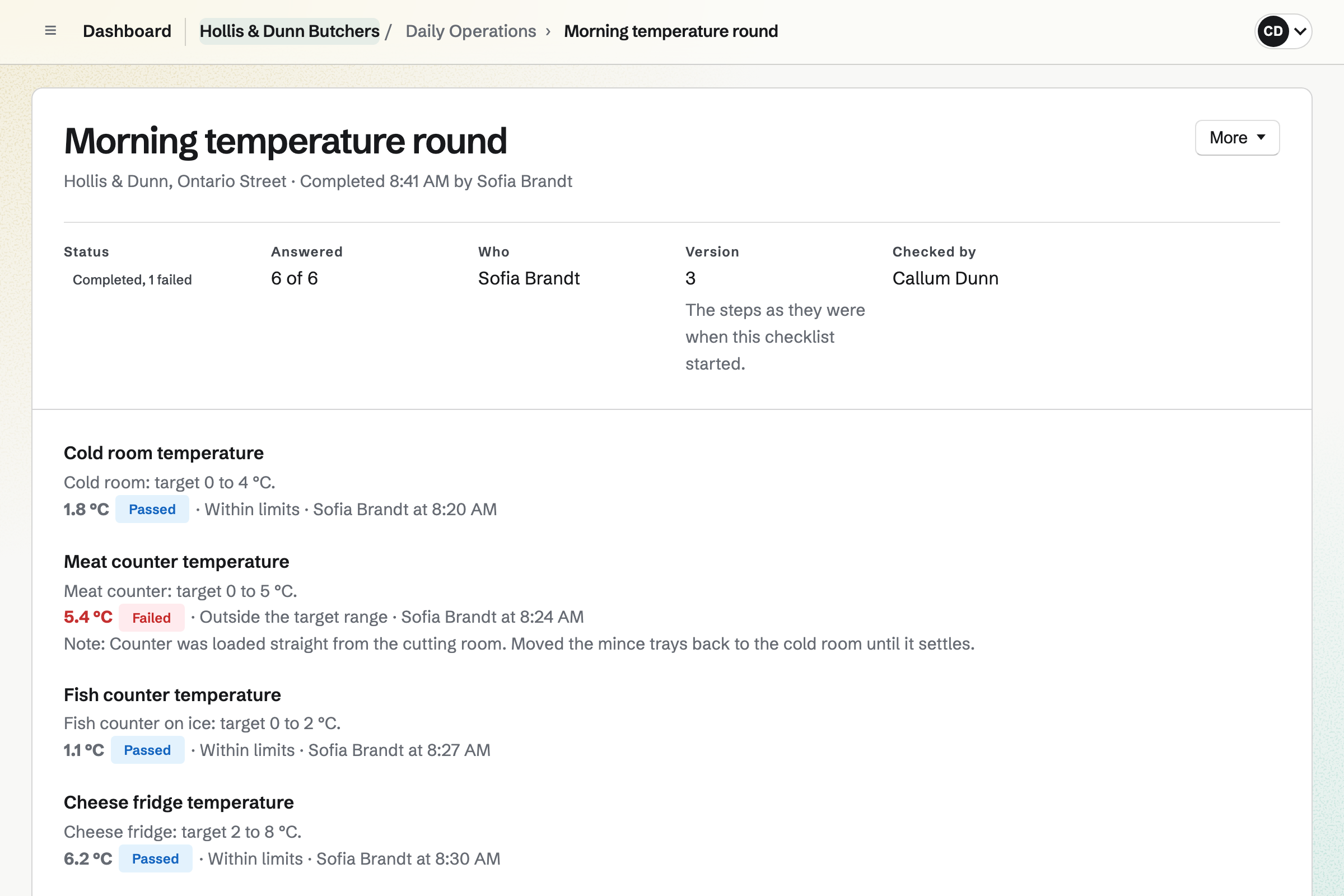
Daily Operations creates each checklist at the time you set, from opening to closing. A temperature round lists each fridge, the cold room and the counter, with its limits. A reading out of range opens an incident, with what to do.
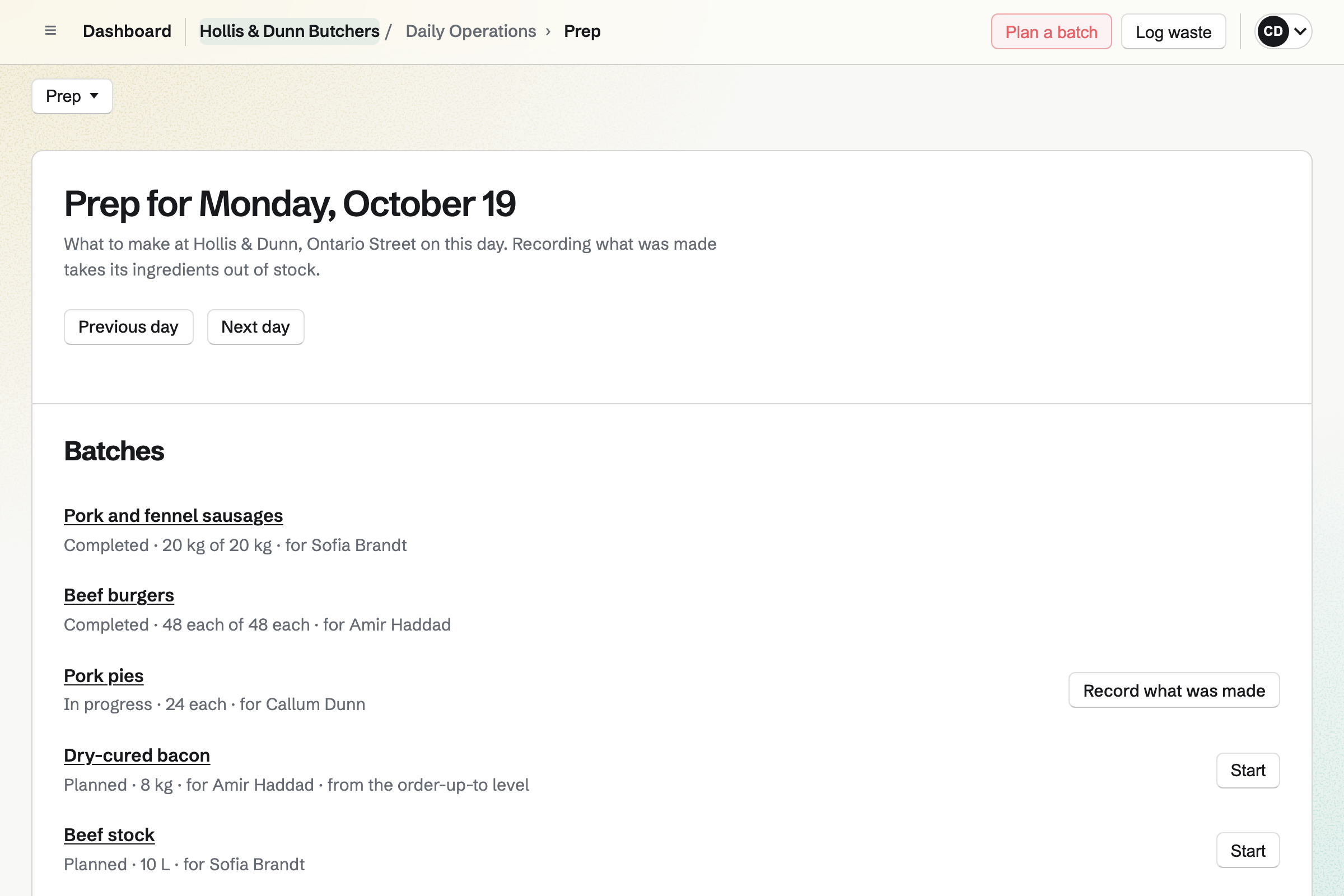
Recipes hold your sausage and pie mixes, with their allergens. Recording a batch takes the meat out of stock and adds the sausages. Each batch has a batch code and a use-by date.
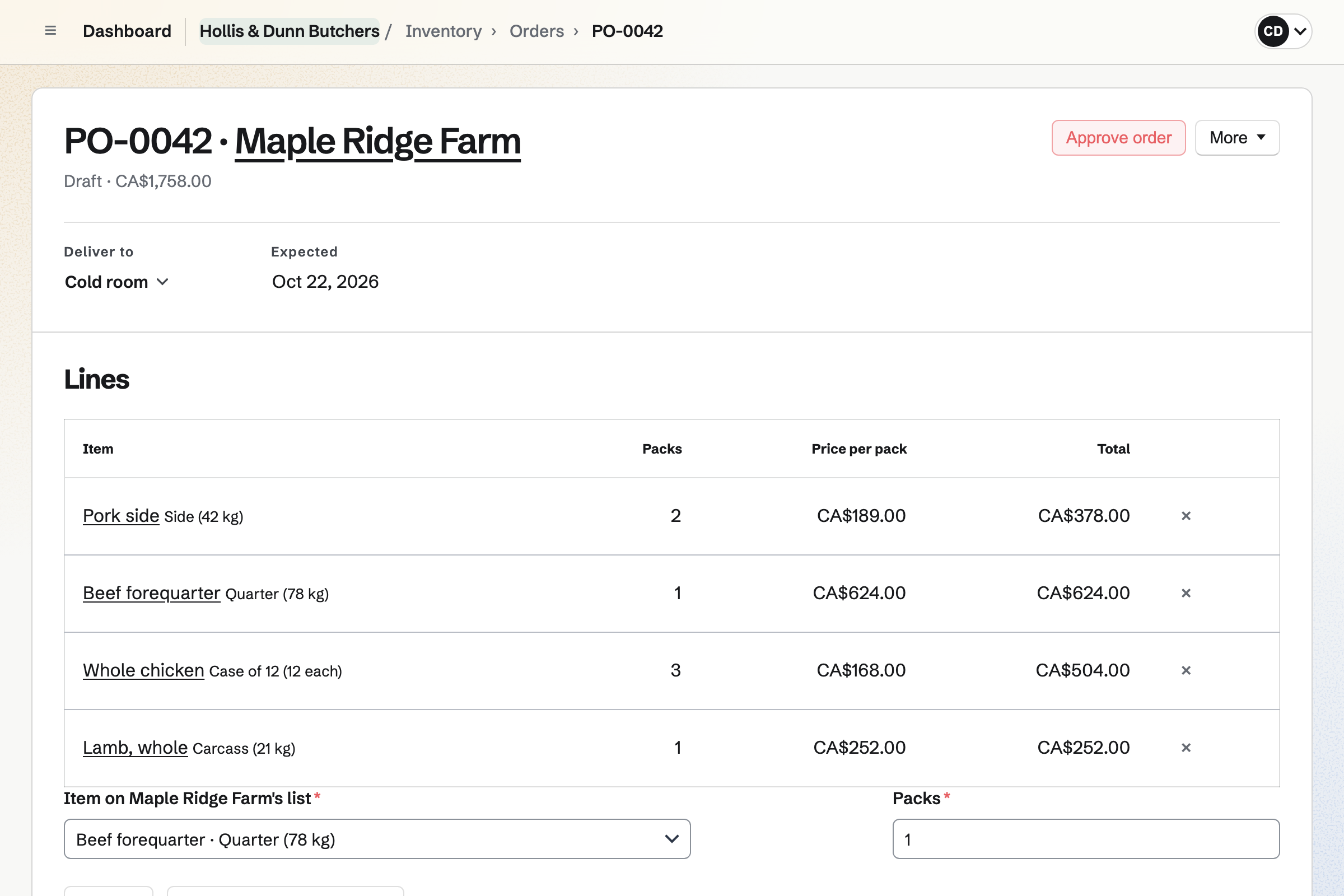
Inventory counts each item in its own unit: kilos of pork, grams of cheese. Receiving a delivery records its lot and its use-by date.
A purchase order goes to the farm or wholesaler by email. Waste is logged with a reason, and stock can be held back for a recall.
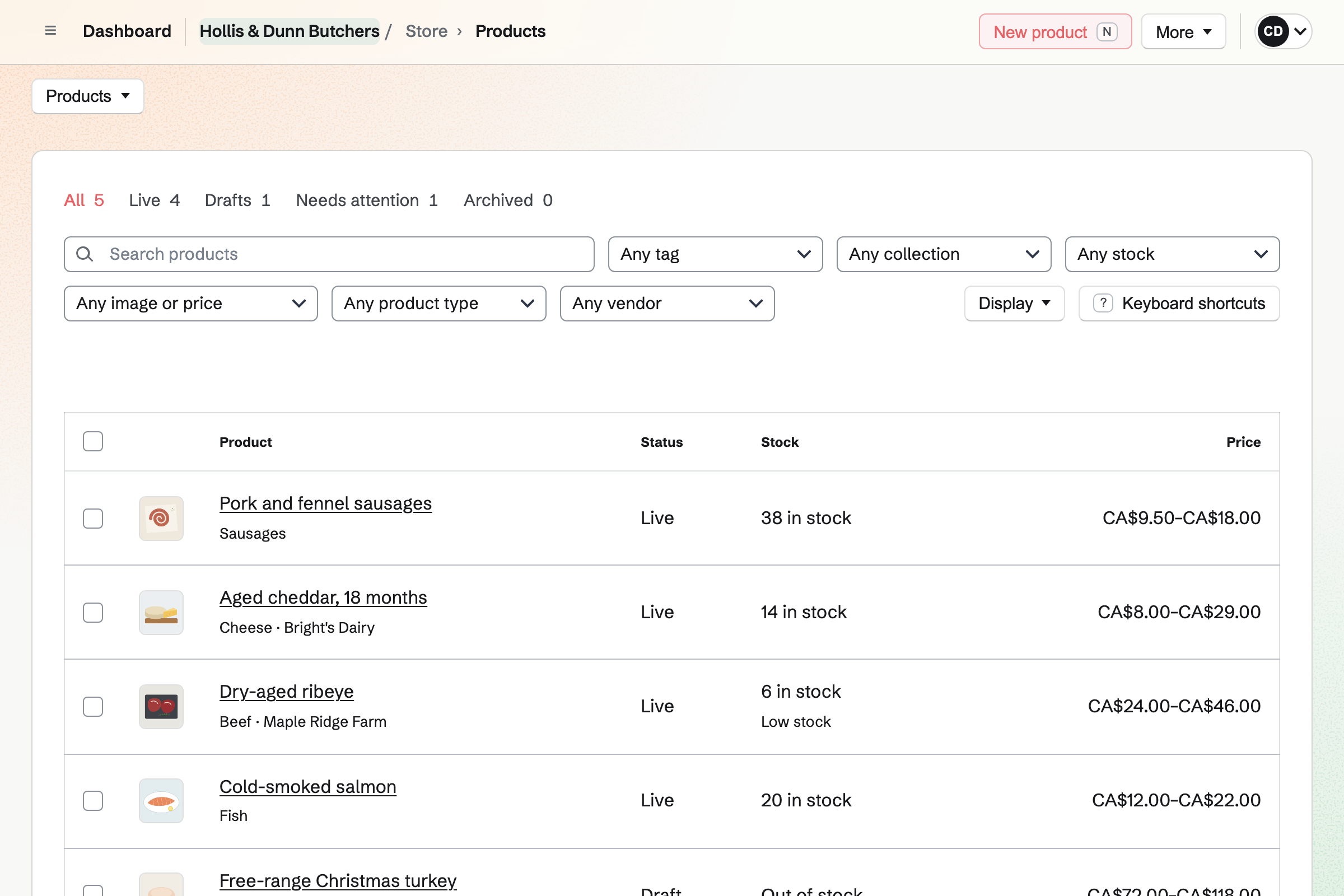
Store is the shop's online shop. Holiday turkeys and hams take orders weeks ahead, in set weights. A question on the product asks which day they will collect.
A 500 g pack of sausages takes its weight out of Inventory as it sells. Marking an order ready emails the customer to come and collect it.
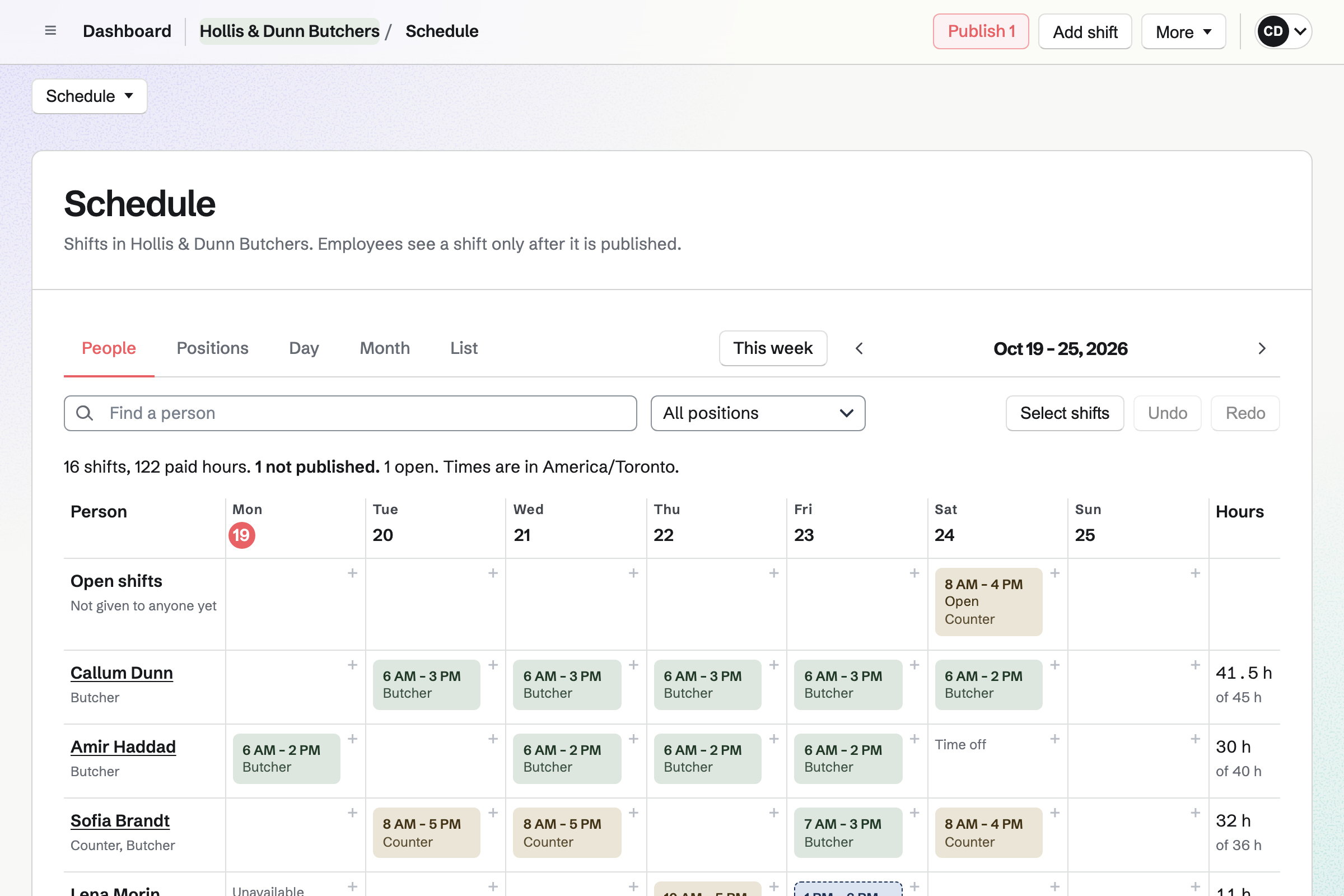
Staff Scheduling plans the week by position, such as butcher, counter and driver. You publish it, and each person sees their own shifts.
Staff can swap shifts and ask for time off. You choose which requests wait for your decision. An open shift lets someone take an extra day before Christmas.
Each step changes the stock the next one counts on.
A purchase order goes to the farm for two pork sides.
Receiving records the kilos, the lot and the use-by date.
The morning round logs the cold room's temperature.
The sausage recipe makes 20 kg, taking the pork out of stock.
500 g packs sell online, each taking its weight from the sausages.
You mark the order ready, and the customer collects it at the counter.
You start from the food shop routines and set your opening hours. Help: Routines and checklists.
You add each fridge, the cold room and the counter, with their limits. Help: Record temperatures.
You add each cut, fish and cheese in kilos or grams. Help: Keep track of stock.
You add your packs and holiday orders, with their set weights. Help: Create products, options, and inventory.
You add local pickup with the shop's address and times. Help: Collections and shipping.
You connect your Stripe account, so customers can pay by card. Help: Connect Stripe to receive money.
A shop with staff fits the Team plan, one price for up to 25 members.
Magpie adds no fee to your shop's sales. Stripe's processing fee is taken from each card payment. Prices are on the Pricing page.
A bakery takes pre-orders, plans the bake and logs its checks.
A corner shop plans its rota, checks its fridges and counts its stock.
A farm sells its produce online and at the market, in set weights.
A small food brand makes batches and sells to shops and online.
Yes. Each fridge, freezer, cold room or counter is a temperature point with its own limits. A round creates a checklist at the time you set. Each reading keeps who took it and when.
A reading outside its target opens an incident. One outside a critical limit opens a critical incident. Each asks for a follow-up reading, and the location's shift leads and managers hear first.
Yes. A recipe lists its ingredients from Inventory, its method, how long it keeps and its allergens. Costs are shown to managers only. A new version is used only once a manager chooses it.
Yes. Receiving a delivery records its lot and use-by date. Each batch you make gets a batch code and a use-by date from its recipe.
Yes. A product has options, such as 250 g, 500 g and 1 kg. Each has its own price. Linked to Inventory, each sale takes that weight out of stock.
Yes. Sell when out of stock lets the turkeys take orders before they arrive. Customers pay when they order. A Pre-orders tab lists every order still to collect.
Yes. The product can ask for a date, as one of its questions. The answer shows on the order, beside the weight they chose.
Yes. Hold back keeps the stock in its place but stops it counting as usable. It is listed on the item until you release it or log it as waste.
You choose New order, pick the items and record how the customer paid. The order is created paid, and the items leave stock.
Yes. Hiring gives the shop a public job board, with a page for each job. Each job has its own application form, which can ask for a CV.
Magpie adds no fee to your shop's sales. Stripe's processing fee is taken from each card payment. The rest goes to the shop's own Stripe account.
Create a Magpie account and add your first temperature round.