Etsy and handmade sellers
A handmade seller runs a shop of their own beside Etsy.
Starting a side business
The business can have its own team from day one, apart from your other work. Or it can start in Personal.
Get started free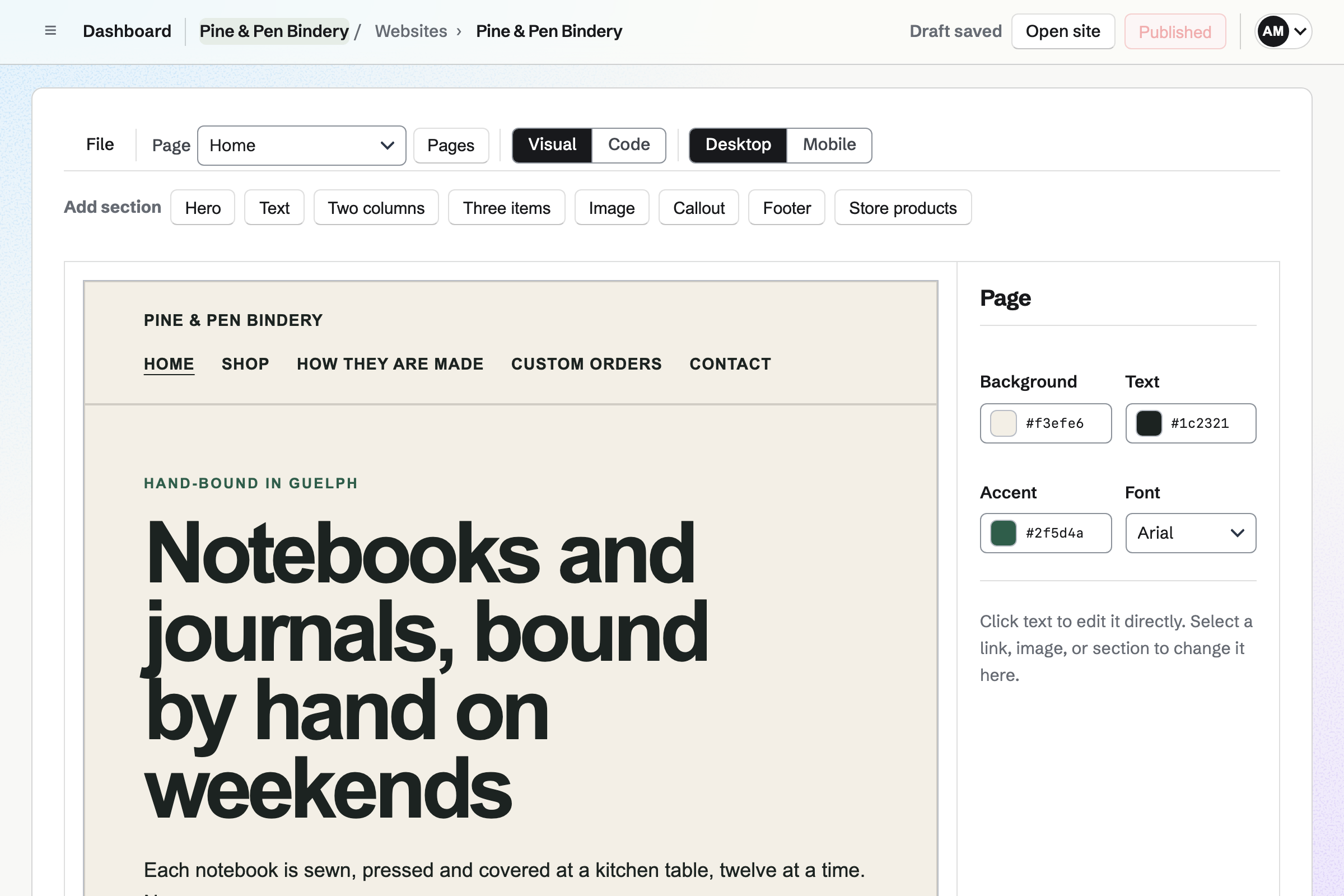
Websites is Magpie's site editor. You build each page from sections, such as a hero, three items and a callout. A section can list the products in your shop.
Mobile shows each page at phone width before you publish. Your own domain is connected from its settings, and Magpie can host its DNS.
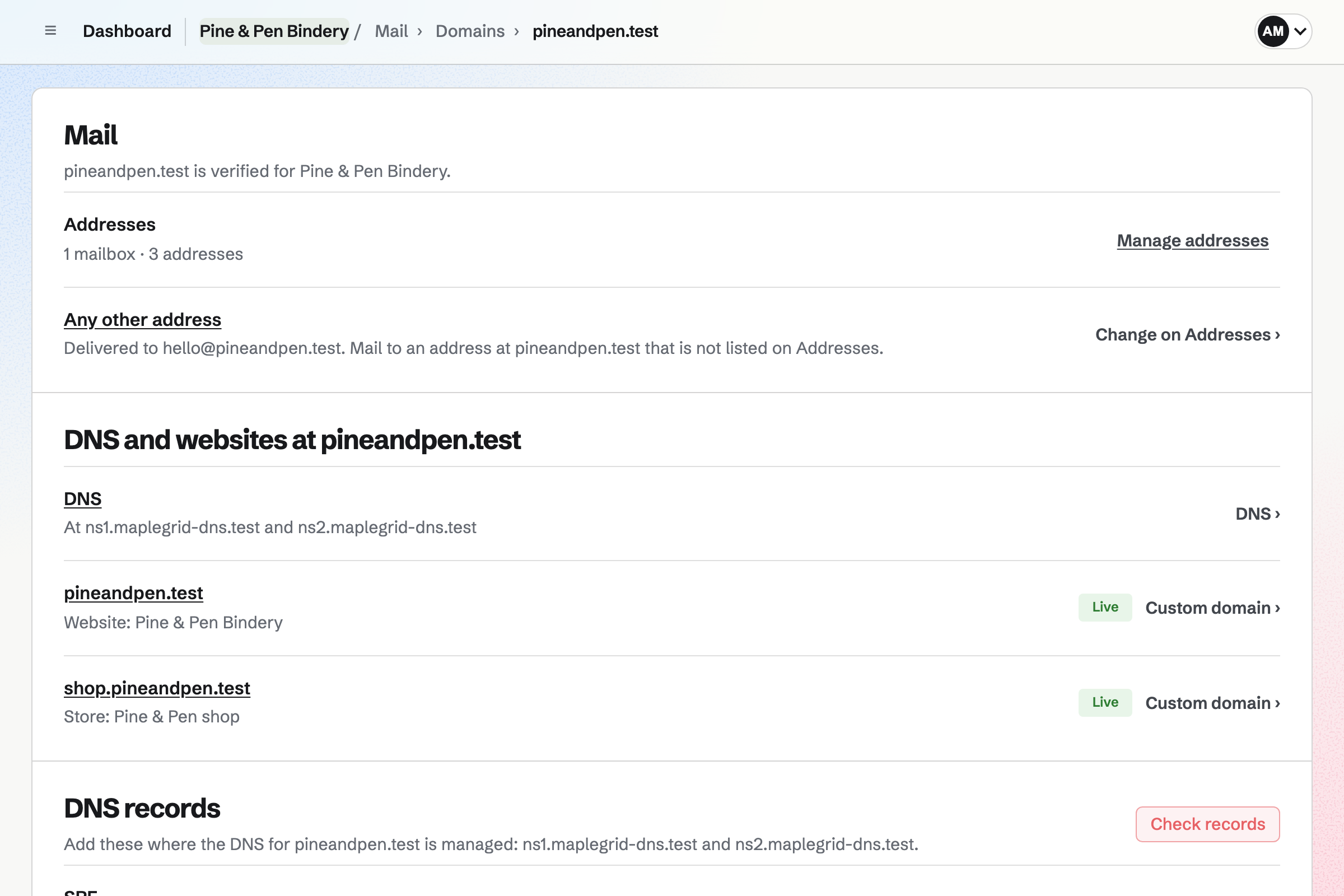
Mail gives the business mailboxes at its own domain, such as hello@ and orders@. An alias sends another address to the same inbox.
A catch-all takes mail sent to any other address at the domain. You read and answer it all in Magpie, beside your work.
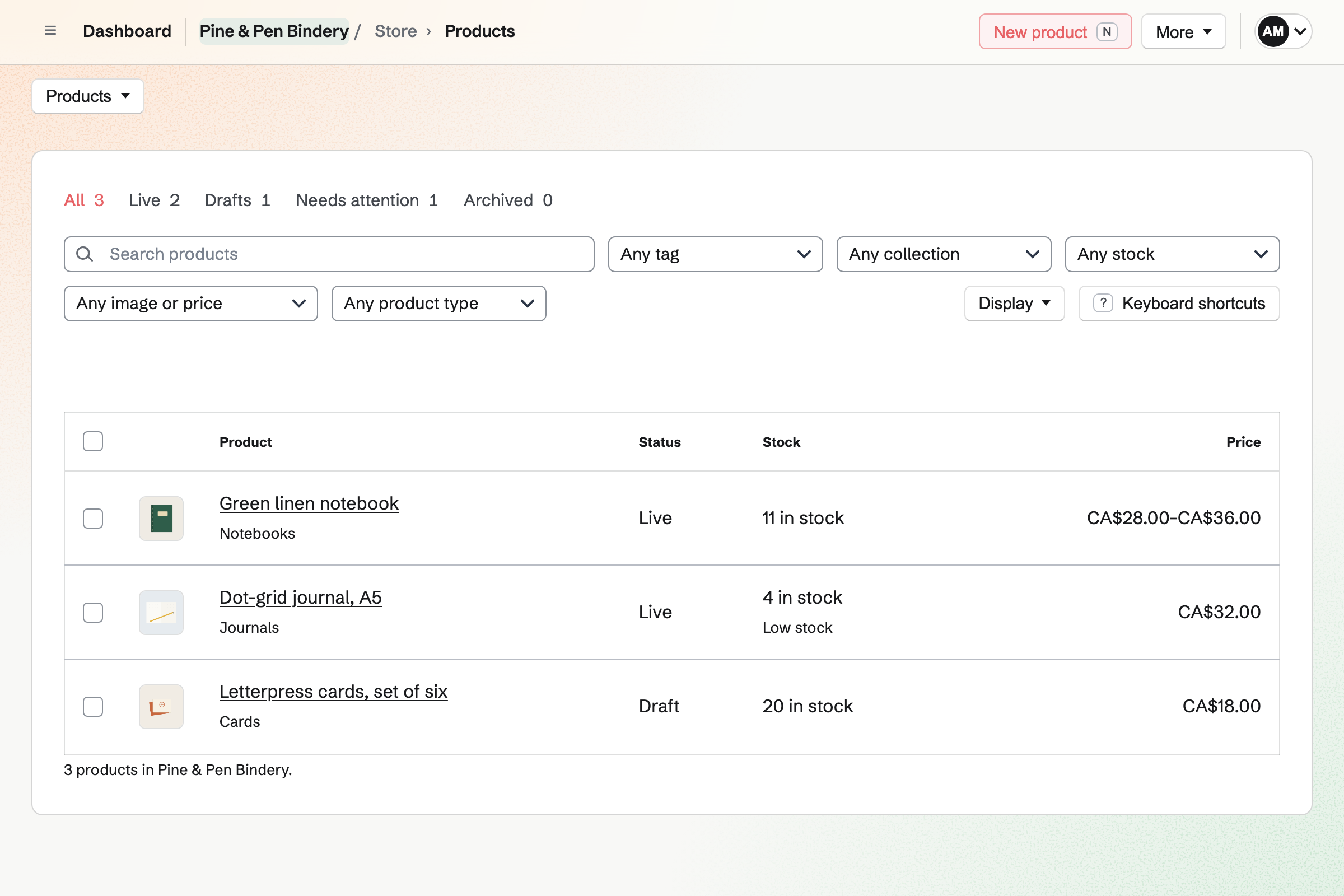
Store is your online shop. Each product has its photos, price and stock, and can come in sizes or colours. Buyers pay by card, and the money goes to your own Stripe account.
Shipping, local pickup and discount codes are set up once. Magpie adds no fee to your sales.
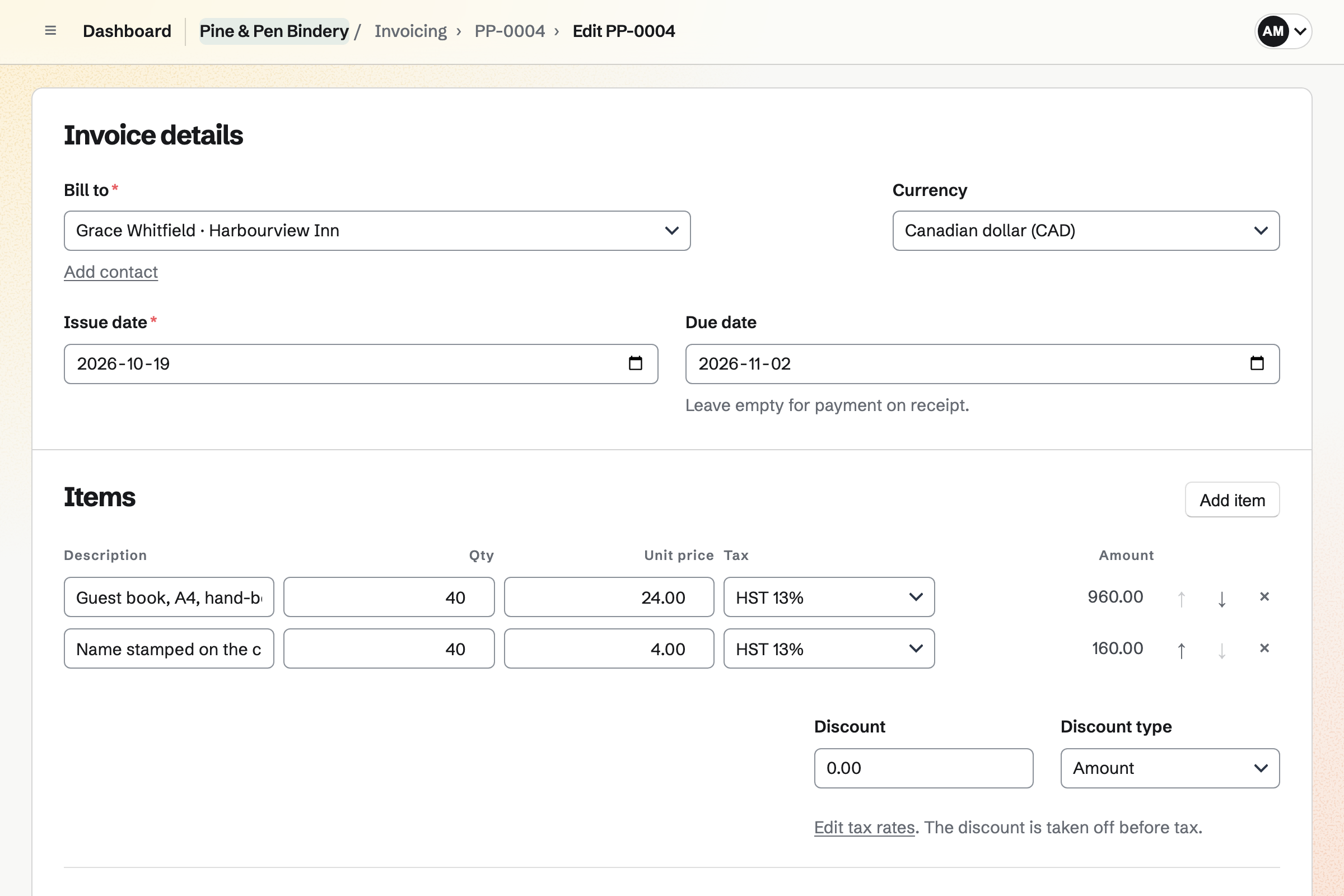
Invoicing bills a client with your business details and tax rates on each invoice. The invoice email lets them pay by card.
You see what is paid, unpaid and overdue. A partly paid invoice shows what is left.
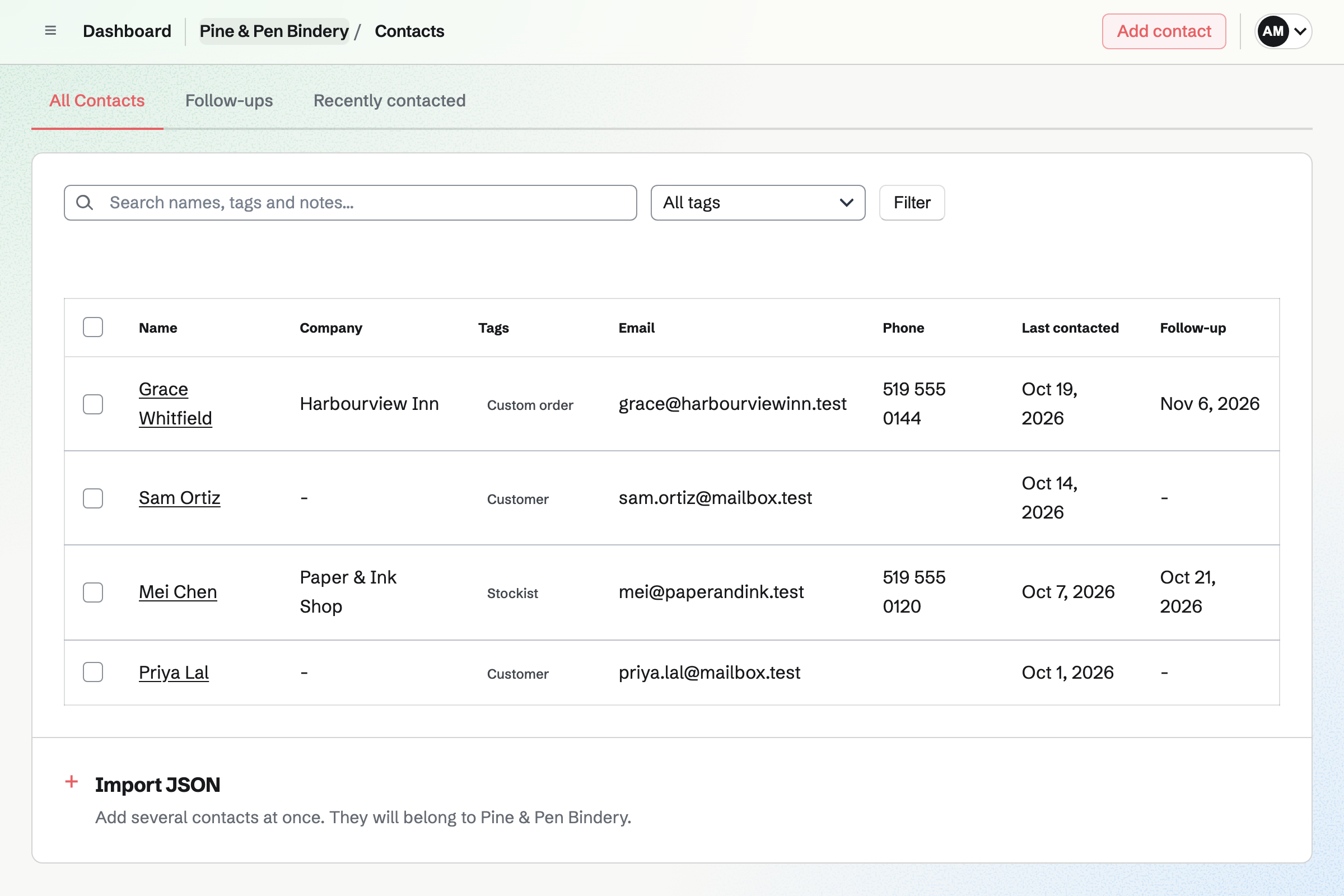
Contacts keeps a page for each customer. Their invoices and notes appear in its history, newest first.
A follow-up sets the day to get back to them, such as after a first order. The follow-ups list shows what is due.
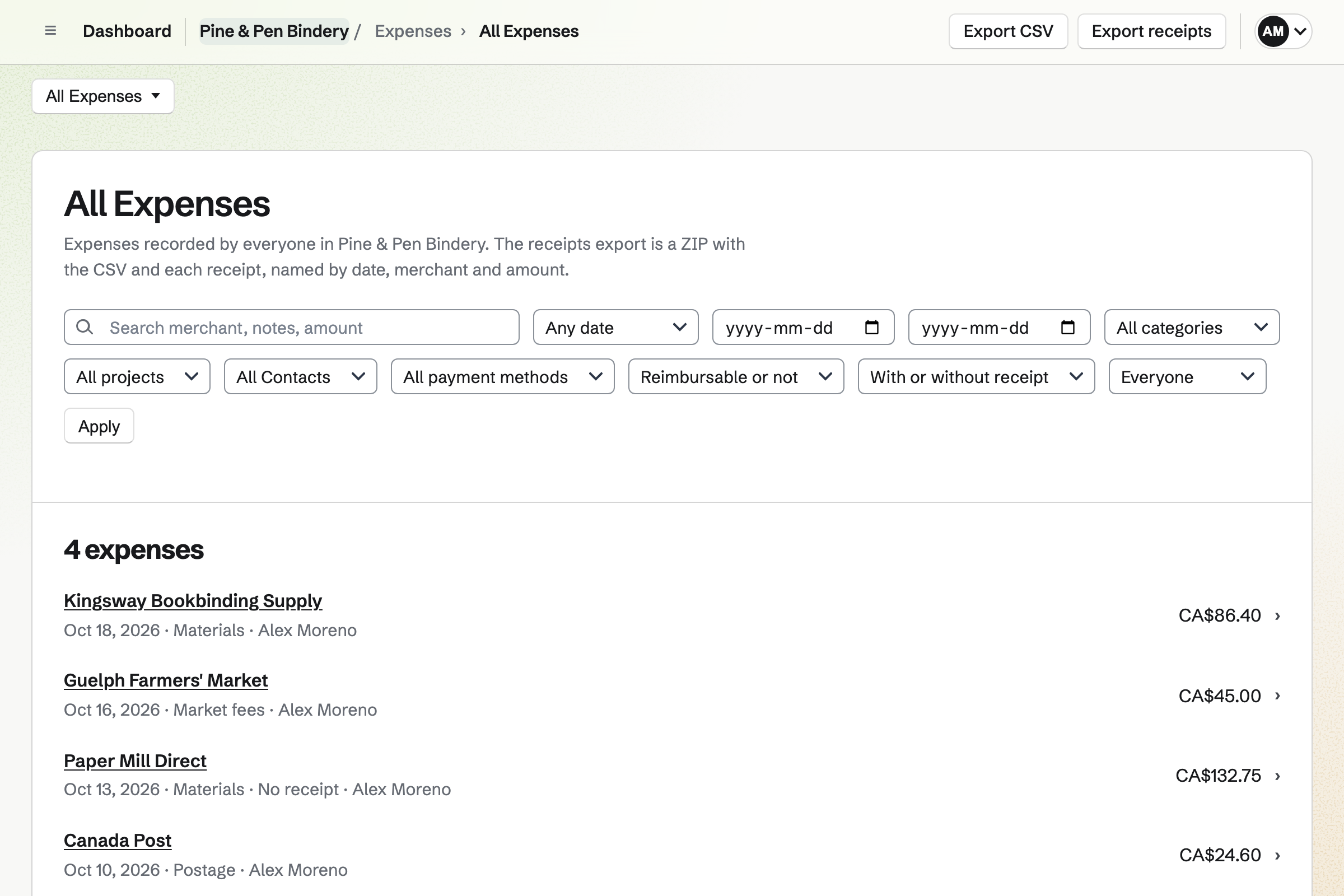
Expenses records what the business spends, with a category and the receipt. Receipt Inbox takes the photo now and the details later.
Accounting adds your sales, invoices and expenses to the books. Its profit and loss shows how the year went.
Each step starts from what the last one made.
You build the website and connect your domain.
Mail gives you hello@ at the same domain.
Your first products go live in the shop, with a section on the site.
A customer pays by card, and becomes a contact.
The cost of materials goes in Expenses, with a photo of the receipt.
The sale and the expense reach the books, and profit and loss shows the month.
You make a website and add your sections. Help: Build and publish a website.
You connect the domain you own, for the site and for Mail. Help: Connect your own domain to Mail.
You name your shop, add your products and publish it. Help: Set up and publish a Store.
You connect your Stripe account, so customers can pay by card. Help: Connect Stripe to receive money.
You add your expense categories and the first receipts. Help: Track expenses and receipts.
You can start on the free plan, with 1 website and 5 invoices a month. Mail at your own domain needs Pro in Personal, or the Team plan for a team.
Magpie adds no fee to your shop's sales or invoice payments. Stripe's processing fee is taken from each card payment. Prices are on the Pricing page.
A handmade seller runs a shop of their own beside Etsy.
A freelance illustrator quotes commissions and sells prints.
An online store with a brand of its own runs its catalogue, orders and stock.
A startup founder builds a company with a team.
Yes. Mail gives the business its own mailboxes at its domain, such as hello@. You read them in Magpie, apart from your personal address.
Yes. You add records at your current provider, or let Magpie host its DNS. The same domain serves your website and Mail.
Yes. Card payments go through your own Stripe account, which you connect once. The money goes to you, and Magpie adds no fee.
Yes. Store sells your products, and Invoicing bills clients for your time. Both can reach the same Stripe account and the same books.
Yes. On a phone, the file chooser offers the camera. Receipt Inbox keeps the photo until you add the details. JPG, PNG, WebP and PDF receipts are kept.
Yes. Accounting's profit and loss shows income and expenses for any dates. It can compare them with an earlier period. Your sales and invoices are added to the books on their own.
Yes. You make a team for the business and invite the people who join you. Notes, Documents and some other work can move from Personal into the team.
Magpie adds no fee to your shop's sales or invoice payments. Stripe's processing fee is taken from each card payment. The rest goes to your own Stripe account.
Create a Magpie account and build your first page.