Moving house
People moving within one country book the removal firm, keep the lease and label the boxes.
Moving abroad
The people moving together plan the move in one Magpie team. Family back home can join as guests, each in their own conversation.
Get started free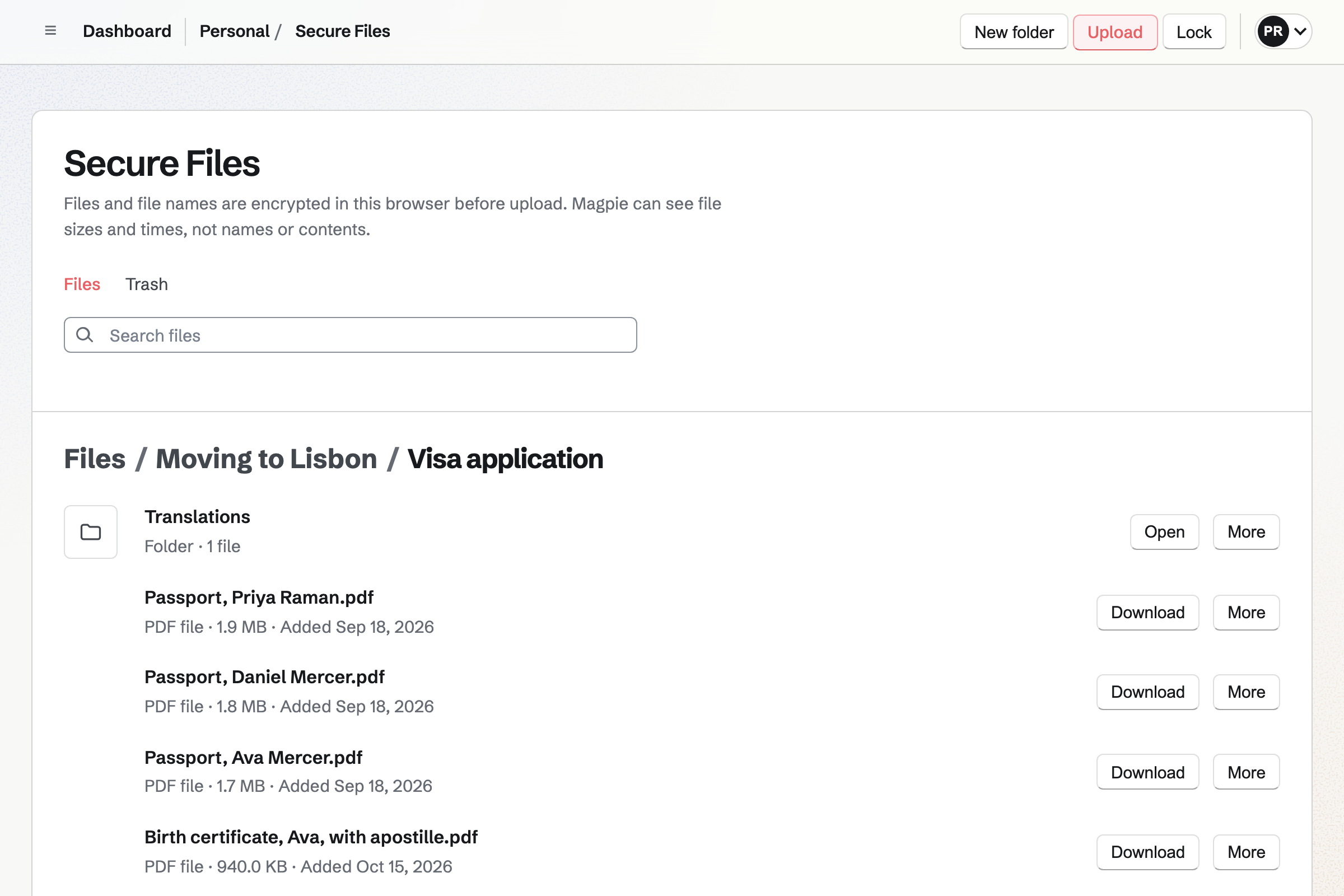
Secure Files keeps your scans of passports, birth and marriage certificates and police certificates. Your browser encrypts each file and its name before Magpie stores it. You open them in any browser, with your vault password.
Your new country's rules set which papers you need, and which need an apostille. A secure link sends one scan to whoever asks, such as a translator. The link expires when you choose.
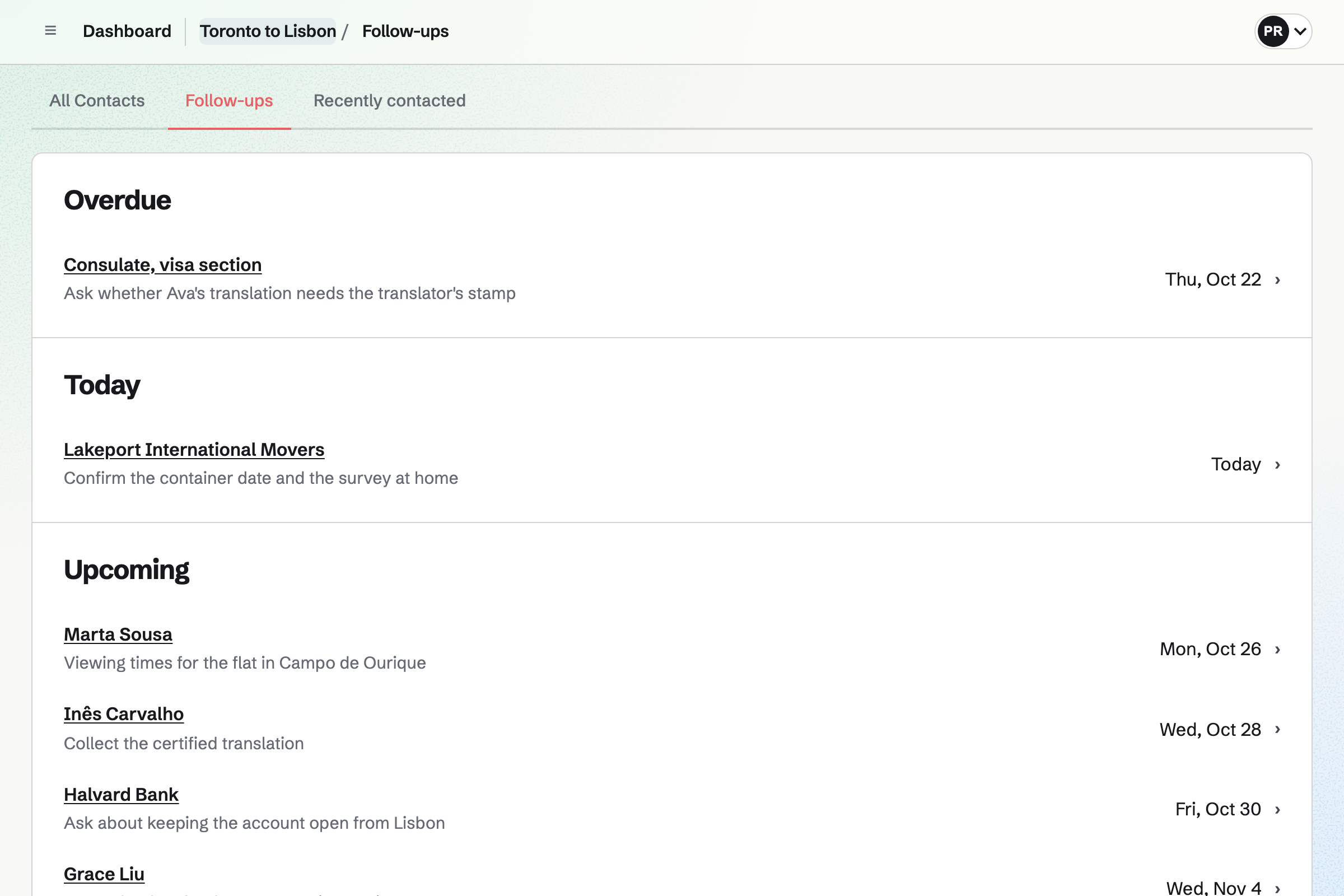
To-dos holds the move's checklist, in Lists such as the visa papers. Each To-do has the day you plan it and, if it needs one, a deadline. Your own To-dos show the jobs given to you, and the ones nobody has taken.
Magpie times each reminder in the time zone of the person doing the job. You can also share a List with a relocation agent outside the team. They see that List and nothing else.
Contacts keeps everyone the move depends on, from the visa section to the shipping company. A contact can hold a phone number for each country, each with a label.
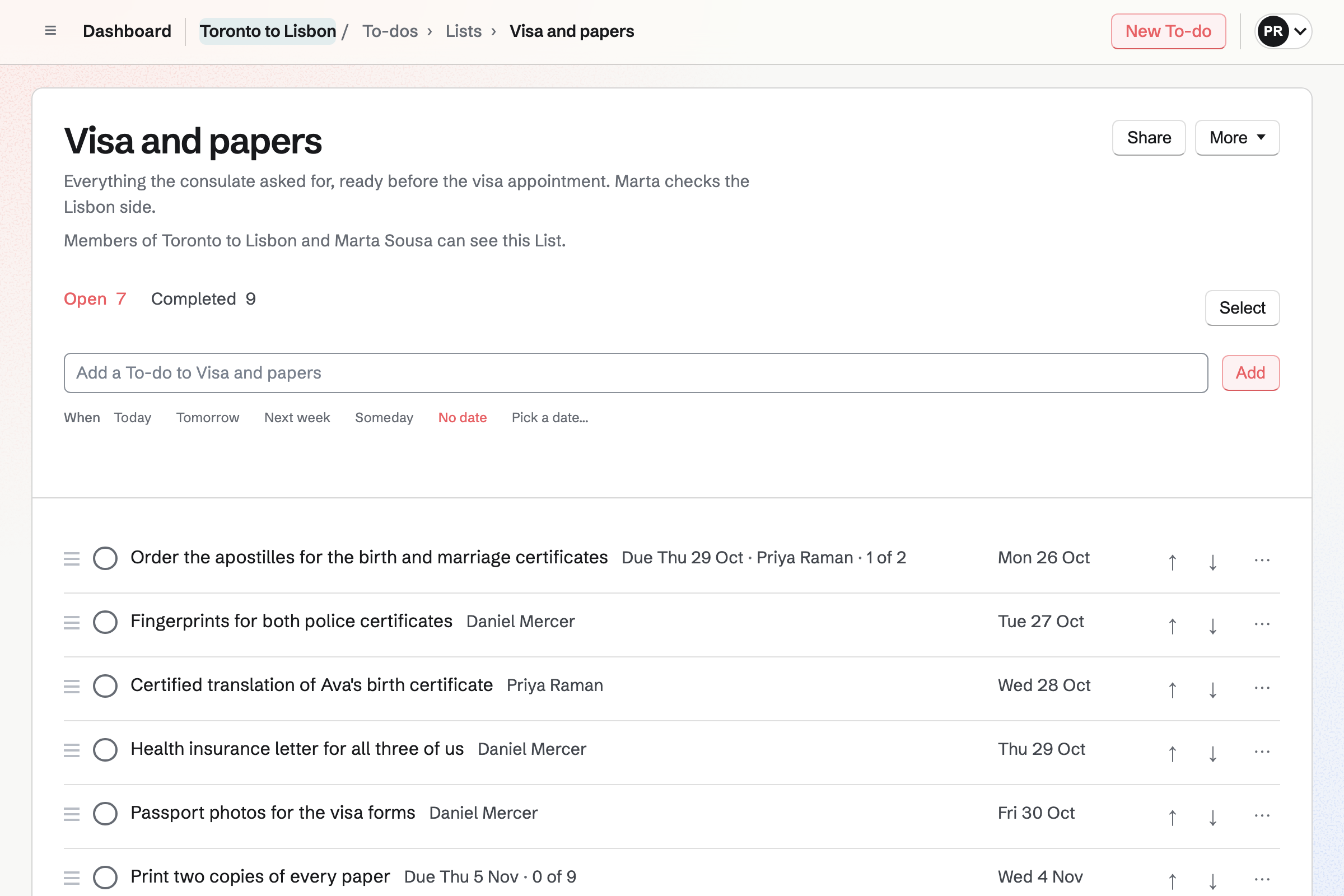
You note each call, with what was said. A follow-up is a To-do with a date and a reason, such as chasing a translation. The follow-ups list puts the overdue ones first, then today's, then the rest.
Spreadsheets keeps the move's budget: the visa fees, the shipping quote and the first month's rent. One cell holds the exchange rate, and a formula converts each line. When you change the rate, every line and total changes with it.
Another sheet can list the shipment box by box, with a value for each. Each sheet exports as a CSV file.
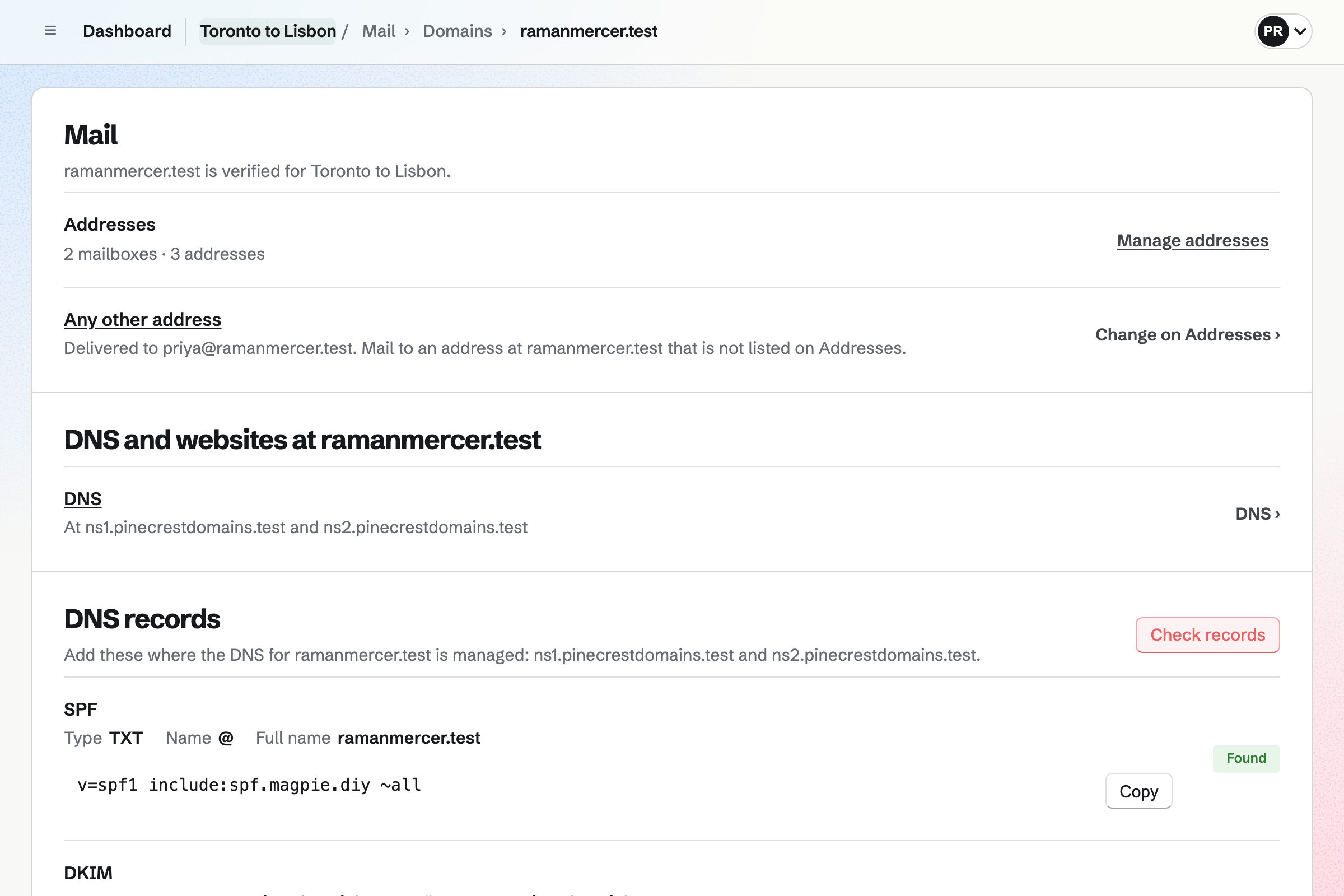
Mail gives each of you an address at a domain you own, such as name@yourfamily.com. The bank and the movers have one address for you, before and after the move. You read and write your mail in the browser.
An alias such as home@ can deliver to both your mailboxes. Each of your own mailboxes can stay private to you.
Walkie Talkie keeps every voice message as a recording. Messages they have not heard are marked Not heard, and Play unheard plays them oldest first. On your own message, Who has heard shows whether they have listened.
You invite each parent by email, and they can accept with a free Magpie account. They see their conversation with you and nothing else. Walkie Talkie works in the browser.
You add each paper it asks for as a To-do, with its deadline.
You scan each paper into your encrypted files as it arrives, with its apostille.
A secure link sends the birth certificate. You will see when it was downloaded.
Your note of the call goes on the consulate's contact. Its follow-up is a To-do, and can have a reminder.
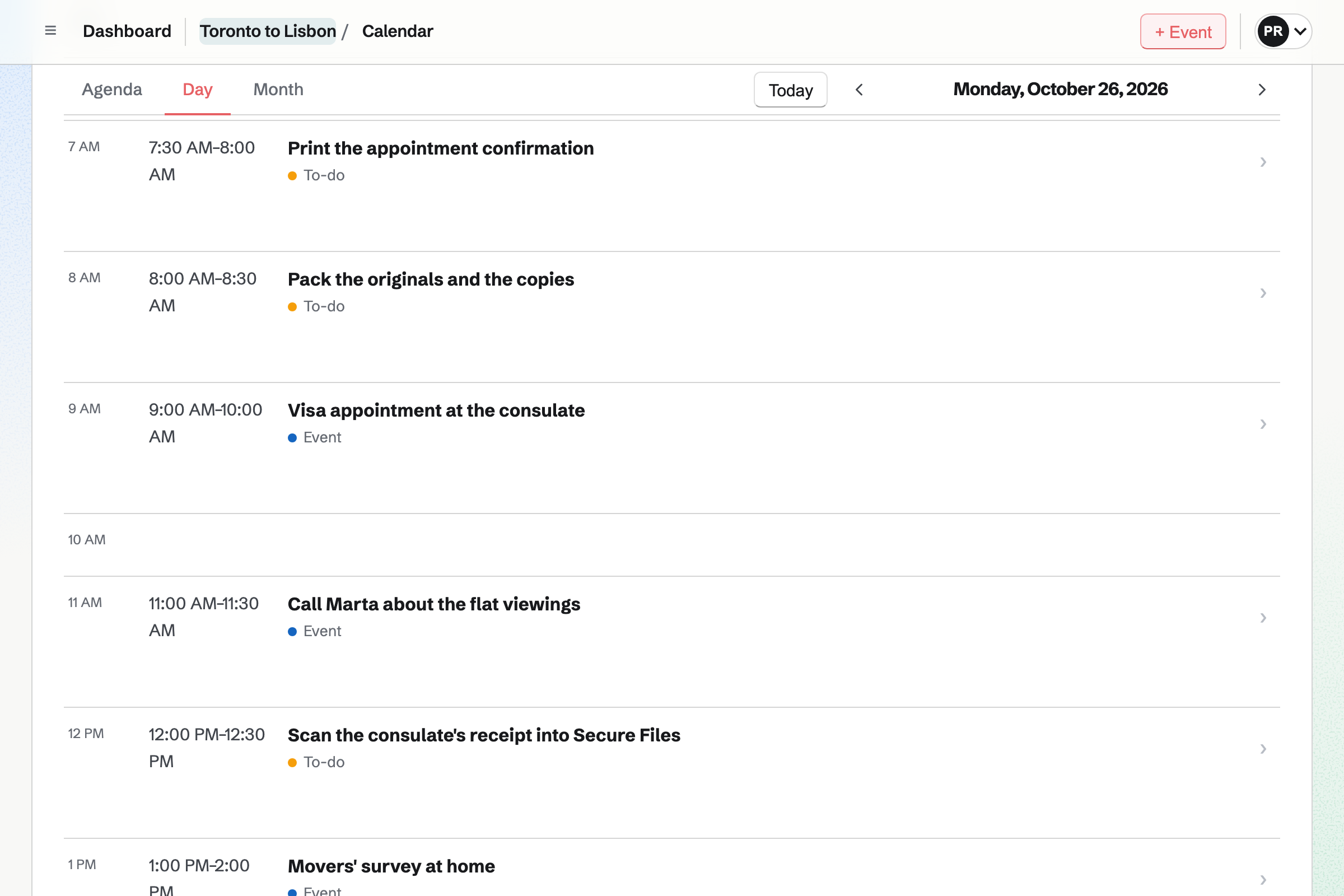
The appointment is on the move's calendar, beside the day's To-dos.
You invite whoever is moving with you. Help: Create and manage a team.
Secure Files uses your vault's key, so the vault comes first. Each of you uploads your own scans. Help: Secure Files.
Each job goes in with its day, its deadline and who is doing it. Help: Use To-dos.
Each parent will be emailed an invitation to a conversation with you. Help: Talk with Walkie Talkie.
The free plan gives a team 3 member places, such as a couple and their teenager. The team keeps up to 100 contacts and 100 calendar events.
Parents you invite to a conversation are guests, and take no place. The free plan has room for 10 guests, and Pro for 100.
Mail needs Pro for your own address, or the Team plan for the move's team. Secure Files is on every plan. Your scans count toward your file storage, 1 GB on the free plan and 20 GB with Pro.
People moving within one country book the removal firm, keep the lease and label the boxes.
A household shares one calendar, chores that repeat and a family chat.
Someone leaving Big Tech moves their email, passwords and documents to Magpie.
Yes. Secure Files encrypts each scan and its name in your browser before Magpie stores it. Magpie cannot read them. You open them with your vault password. Each person's files are their own, so each of you keeps your own copies.
Yes. You sign in to Magpie in any browser and enter your vault password. Secure Files then opens with your folders and files, decrypted in that browser. Each file can be up to 2 GB.
Your recovery key lets you choose a new vault password. You saved it when you set up the vault. Your files stay encrypted as they were. Magpie has no copy of the key or of your vault password.
Yes. A secure link sends one file to anyone, without them signing up first. It expires after an hour, a day, 7 days or 30 days. It can allow just one download, and ask for a passphrase. The link shows when its page was opened and when the file was downloaded.
Yes, when the form is a PDF. PDF Editor opens it in your browser, and it is not uploaded to Magpie. You type in its fields, tick its boxes and export the filled-in PDF. You can save it straight to your encrypted files.
Yes. Each To-do in the move's team can be given to one of you. Your own To-dos show the jobs given to you, and the ones nobody has taken. Each reminder will be emailed to the person doing the job, in their own time zone.
Yes. A To-do can have a deadline as well as the day you plan to do it. Today lists everything due in the next 7 days. A reminder can come at 9:00 the day before, in your own time zone. Deadlines also show on the move's calendar.
Yes. You share a List by their handle or email address, as Can view or Can edit. Someone new will get an email invitation, and can accept with a free Magpie account. They see that List and nothing else in the move's team.
Yes. Each call goes on the consulate's contact as a note, with its date. Logging a call moves Last contacted forward. A pinned note stays near the top of the contact. The contacts search finds words in every note.
Yes. A contact holds several phone numbers, email addresses and postal addresses. Each one has a label you choose, such as the country it is in. One of each kind is the primary, and Mail suggests your contacts as you write.
Yes. Each contact can have a follow-up: a To-do with a date and a reason. The follow-ups list groups every open one as Overdue, Today, Upcoming or No date. Marking one done in either place completes it.
Yes. A spreadsheet can keep each cost in the currency it is charged in. The exchange rate goes in one cell, and a formula converts each line. SUM adds up each column. When you change the rate, every total changes with it.
Yes. Expenses keeps each payment with its receipt, in the currency it was paid in. The overview shows this month's total in each currency, and reports keep the currencies apart. Your expenses export as a CSV file, or as a ZIP with the receipts.
Yes. A spreadsheet can list each box, what is in it and its value. A formula totals them at the foot. Each sheet exports as a CSV file to send to the shipping company. You can share the spreadsheet with someone outside the team, who sees only that file.
Yes, when the address is at your own domain. Mail sends and receives email at a domain you own. You read and write it in the browser. The domain's mail will keep arriving where it does now until you switch it to Magpie. Mail needs Pro, or the Team plan for a team.
Yes. An alias such as home@ can deliver to both your mailboxes. Each of you will then get every message sent to it. Your own mailboxes can stay private, each opening only for the person it belongs to.
Yes. Walkie Talkie keeps each voice message as a recording, for them to play later. Your parents see which ones they have not heard, and Play unheard plays them oldest first. A recording can be up to 60 minutes. They can reply by voice or in writing.
Yes. Walkie Talkie works in the browser, on Magpie's website. You invite them by email, and they accept with a free Magpie account. They see their conversation with you and nothing else of your work.
Yes. Video Chat starts a timed call for two people in the browser. A call lasts 2 or 5 minutes on the free plan, or 2, 5 or 10 with Pro. You send her the four-letter code or the link. Both of you sign in to Magpie to join.
Yes, for websites that give a QR code or a setup key. Password Vault keeps it with the login, and shows the current code. Recovery codes can be a record of their own. Both are encrypted in your browser, and open wherever you sign in.
Yes. The move's team has a calendar that both of you see. It shows the team's events and every dated To-do. Each of you sees the times in the time zone of the device you are using. An event can also be private, seen only by the person who made it.
Yes. A second List can hold the jobs for the first weeks, each with its day. The new landlord and your child's school go in the same contacts as the movers. Reminders you set after changing your account's time zone will use the new one.
Create a Magpie account, then a team for the people moving with you.