Freelance writers and editors
A writer or editor quotes by the page and has clients review drafts on the page.
Translators and interpreters
A freelance translator uses Magpie without a team. A small agency can work in one Magpie team.
Get started free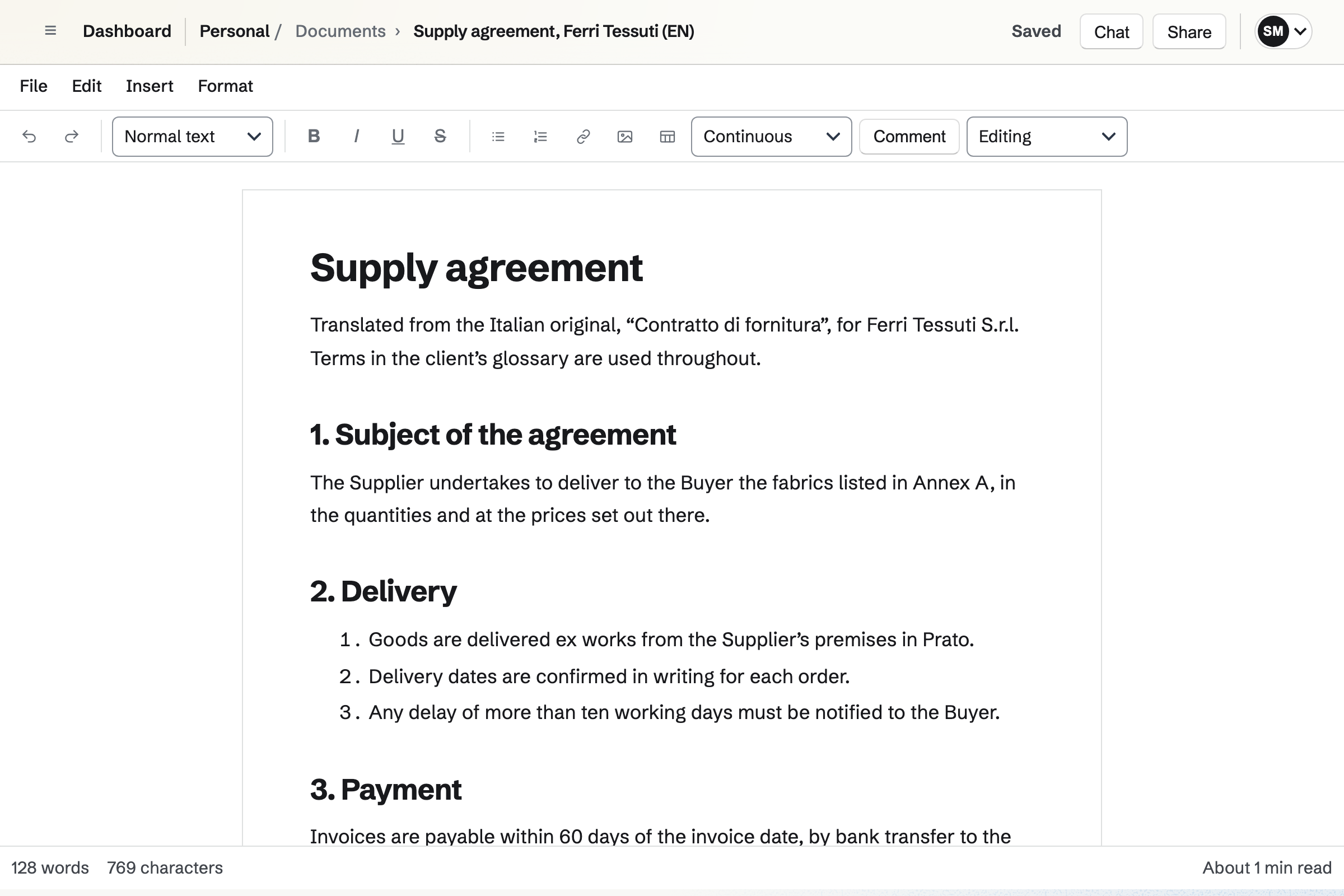
Documents imports a source file in .docx, .odt or Markdown, with comments and tracked changes. You write the translation in the editor, with styles, tables and footnotes.
A client or reviser can read it and suggest changes on the page. You export it as DOCX or PDF, with or without the suggestions.
Spreadsheets keeps the source term, the target term and a note in columns. A filter finds every term that contains a word, and lookups find a term across sheets.
You can share one glossary with a client to read or edit. It imports and exports CSV, so a glossary can become a deck in Flashcards.
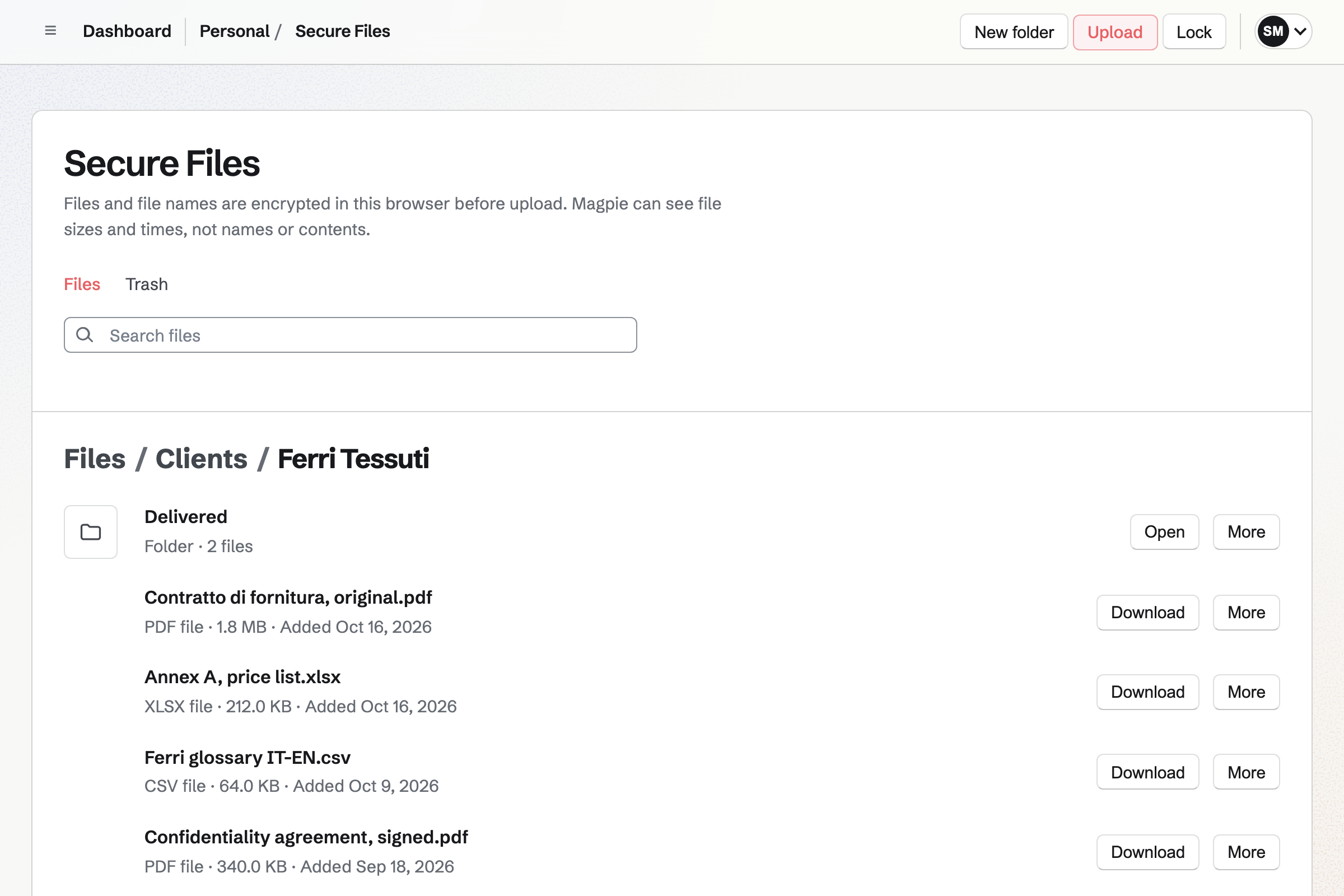
Secure Files encrypts each file and its name in your browser before it is stored. Magpie cannot open them without your password. Folders keep each client's files apart.
You send a file of up to 2 GB by a link. It expires after an hour, a day, a week or 30 days. It can allow one download and need a passphrase.
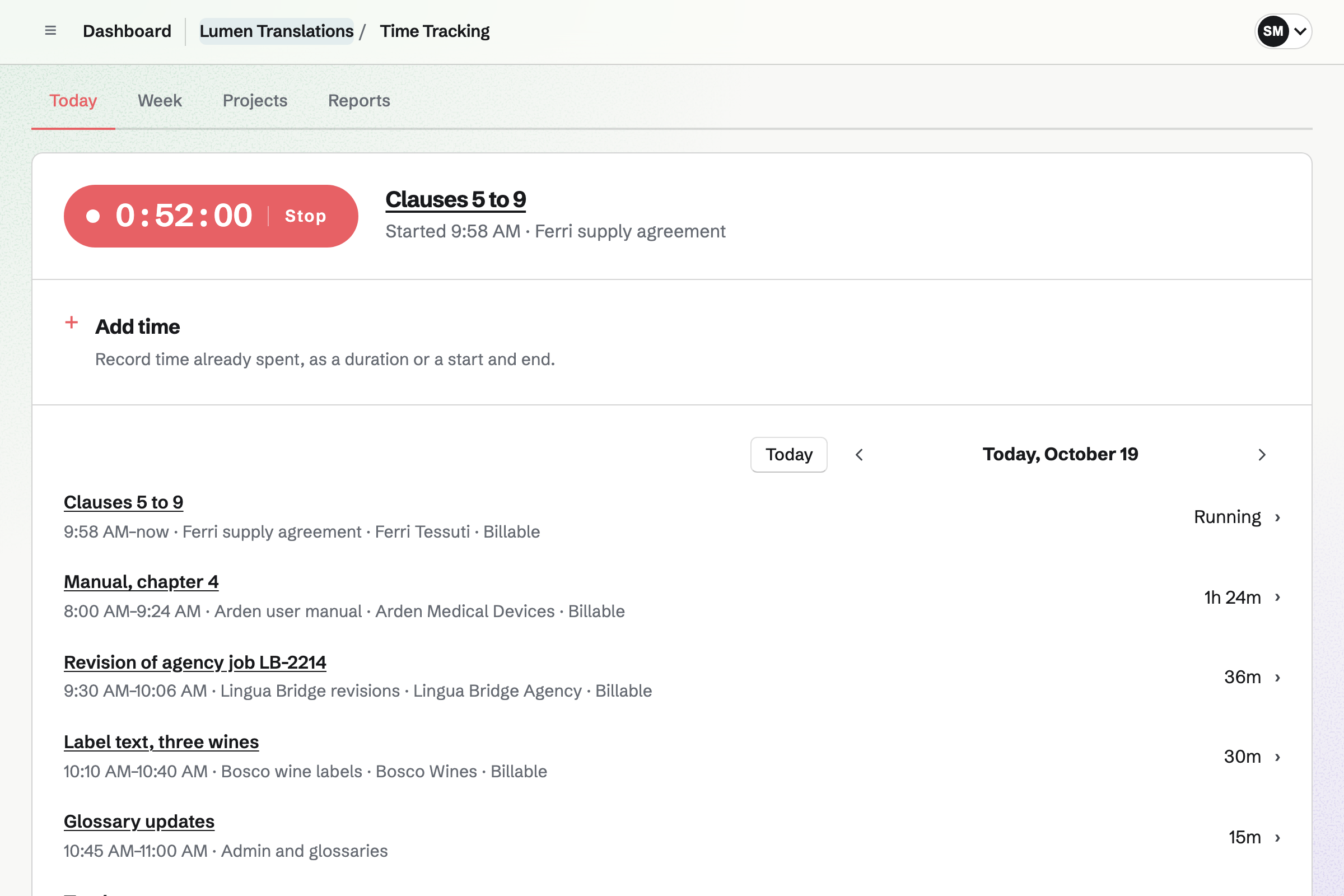
Time Tracking gives each job a project, with an hourly rate and a budget of hours. A timer runs while you translate or proofread, or you add the time afterwards.
Rounding can be exact, or to 5, 6, 10 or 15 minutes. Reports total your billable hours by client, and export as CSV.
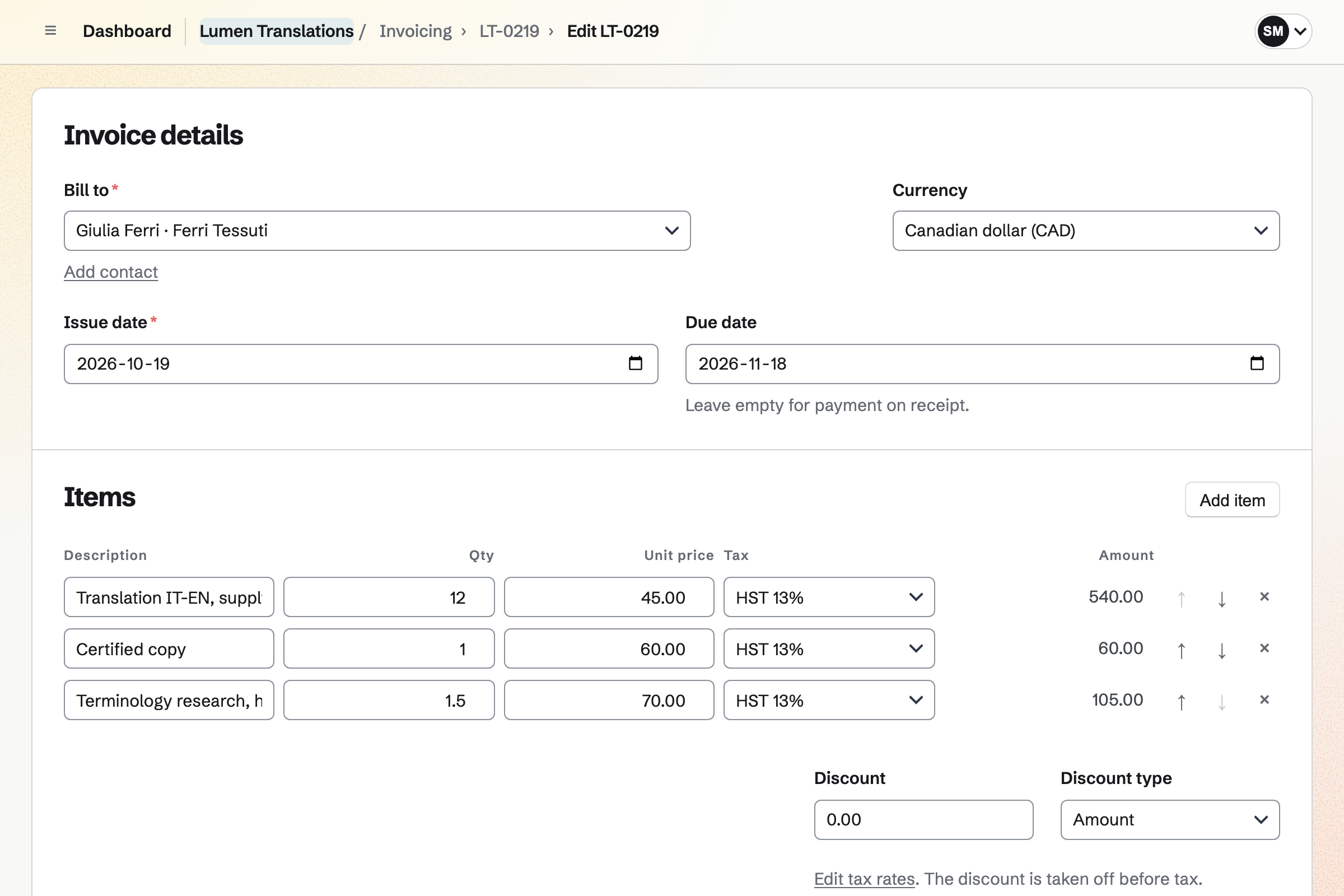
Invoicing bills each job with a line per document or per page, at your rate. Add unbilled time puts your recorded hours on the invoice too.
Each line uses one of your tax rates. Clients pay by card from the email, into your own Stripe account. Reminders go out until each invoice is paid.
Contacts gives each client and agency a page of their own. Its activity lists every invoice and the documents they signed.
A pinned note keeps their preferences, such as British or American spelling. A default hourly rate on the contact is used for their time.
The client's contact page lists each invoice.
The client's contract arrives as a scanned PDF. PDF Editor makes the source text searchable.
You write the translation in a document, beside the client's glossary in a spreadsheet.
A timer runs on the job's project while you work.
A reviser suggests changes on the page, and you accept or reject each one.
You export the final translation as a PDF and deliver it by a secure link.
You bill the pages and the hours. The client pays by card from the email.
You add your name, address and tax number for invoices. Help: Send and configure invoices.
You connect your Stripe account, so clients can pay by card. Help: Connect Stripe to receive money.
You set up your Password Vault, which unlocks Secure Files. Then you make a folder for each client. Help: Secure Files.
You import each glossary as a CSV file into a spreadsheet. Help: Create and edit a spreadsheet.
A freelance translator working alone fits Pro, without a team. It has no limit on invoices or contacts, and raises your file storage from 1 GB to 20 GB. Secure Files counts toward it.
A small agency fits the Team plan, one price for up to 25 members. On the free plan, you can create 5 invoices a month and keep 100 contacts.
Magpie adds no fee to invoice payments. Stripe's processing fee is taken from each.
A writer or editor quotes by the page and has clients review drafts on the page.
A virtual assistant works in several clients' teams and bills the hours every month.
A language tutor takes bookings for lessons and shares flashcard decks with students.
Yes. Documents imports a .docx file of up to 25 MB, with its comments and tracked changes. Pictures inside the file are not imported. You export the translation as DOCX, ODT, Markdown, HTML or plain text, or download a PDF.
Yes. You share the document as Can review, and they comment and suggest changes on the page. You accept or reject each suggestion. They open only that document.
Yes, as a spreadsheet with a column per language and one for notes. Filters find terms that contain a word, and lookups find a term across sheets. Find and replace works across every sheet.
Yes, as CSV or TSV files of up to 5 MB. An Excel file is saved as CSV first. Each sheet exports as CSV too.
Yes. Flashcards imports a glossary from a CSV file, and each card can ask both ways. Spaced repetition schedules each card's next review from how well you knew it.
Yes. PDF Editor recognises the text of a scanned PDF in your browser, in 15 languages. You can then search and copy it. It can misread words, so you check the result.
Yes. Compare PDFs lists the words added and removed on each page between two PDFs. It runs in your browser, so the files are not uploaded.
Secure Files encrypts each file and its name in your browser before it is stored. Magpie cannot unlock them without your password. Files of up to 2 GB each are kept in your own folders.
Yes. A secure link expires after 1 hour, 1 day, 7 days or 30 days. It can allow only one download and need a passphrase you give separately. You can revoke it at any time.
Both. An invoice line has a quantity and a price, such as 12 pages. Add unbilled time puts your recorded hours on the same invoice, at the client's rate.
Yes. You track every job for the agency on its projects, then invoice the month's hours together. Add unbilled time lists your billable entries for that client.
Yes, up to two hours. Meetings gives you a page where clients book a free time, with lengths you choose. With Zoom connected, each new meeting gets a Zoom call.
Yes. You send your NDA as a PDF to sign. Each signer gets their own link by email. When everyone has signed, Magpie will email them the signed PDF and a certificate.
Magpie adds no fee to invoice payments. Stripe's processing fee is taken from each card payment. The rest goes to your own Stripe account.
Create a Magpie account and add your business details.