Social media managers and content marketers
A social media manager runs several clients' accounts, campaigns and images.
Virtual assistants and online business managers
Your business works in Personal, or in a team of its own once you hire help. Clients who use Magpie can invite you into their teams, for the areas you help with.
Get started free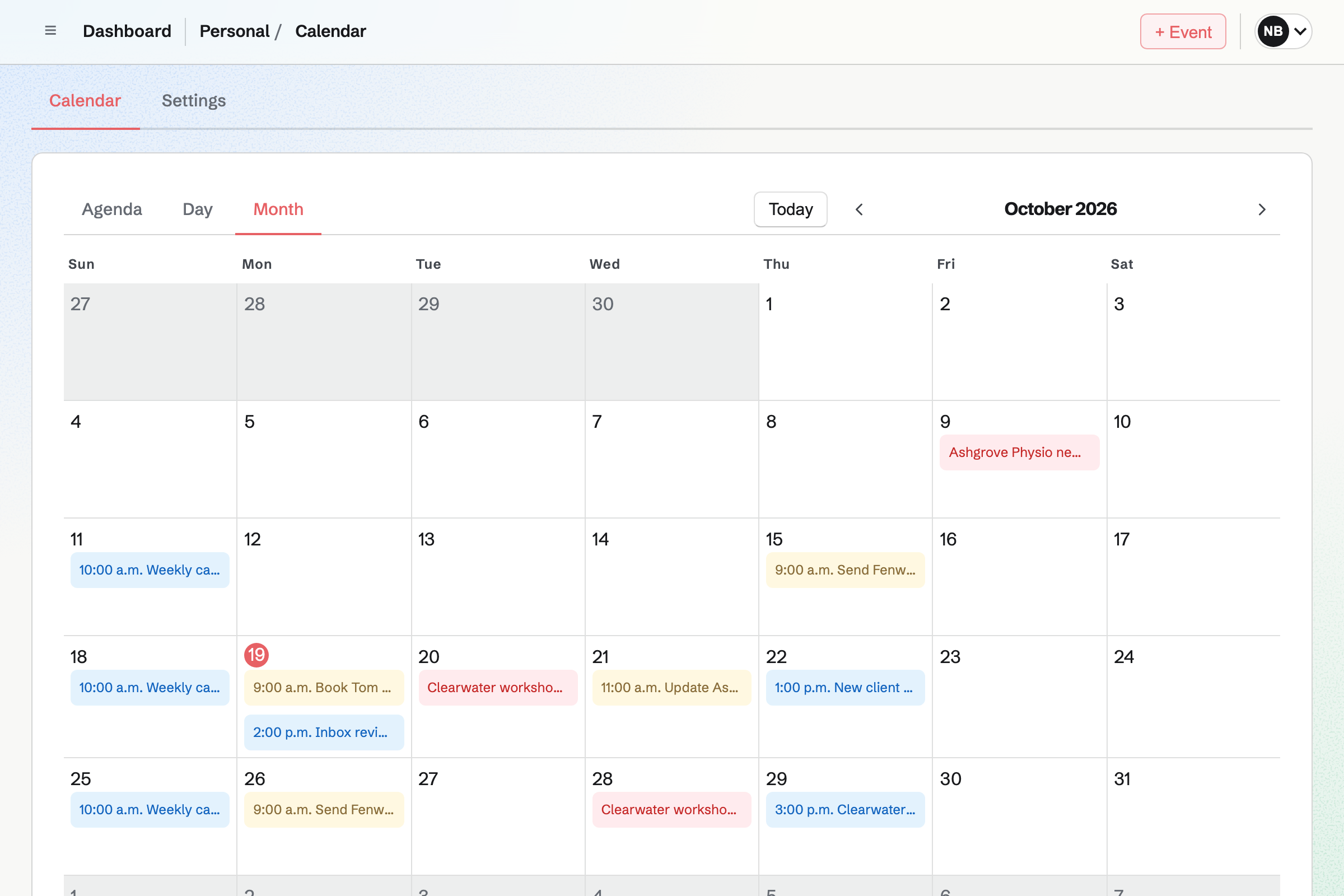
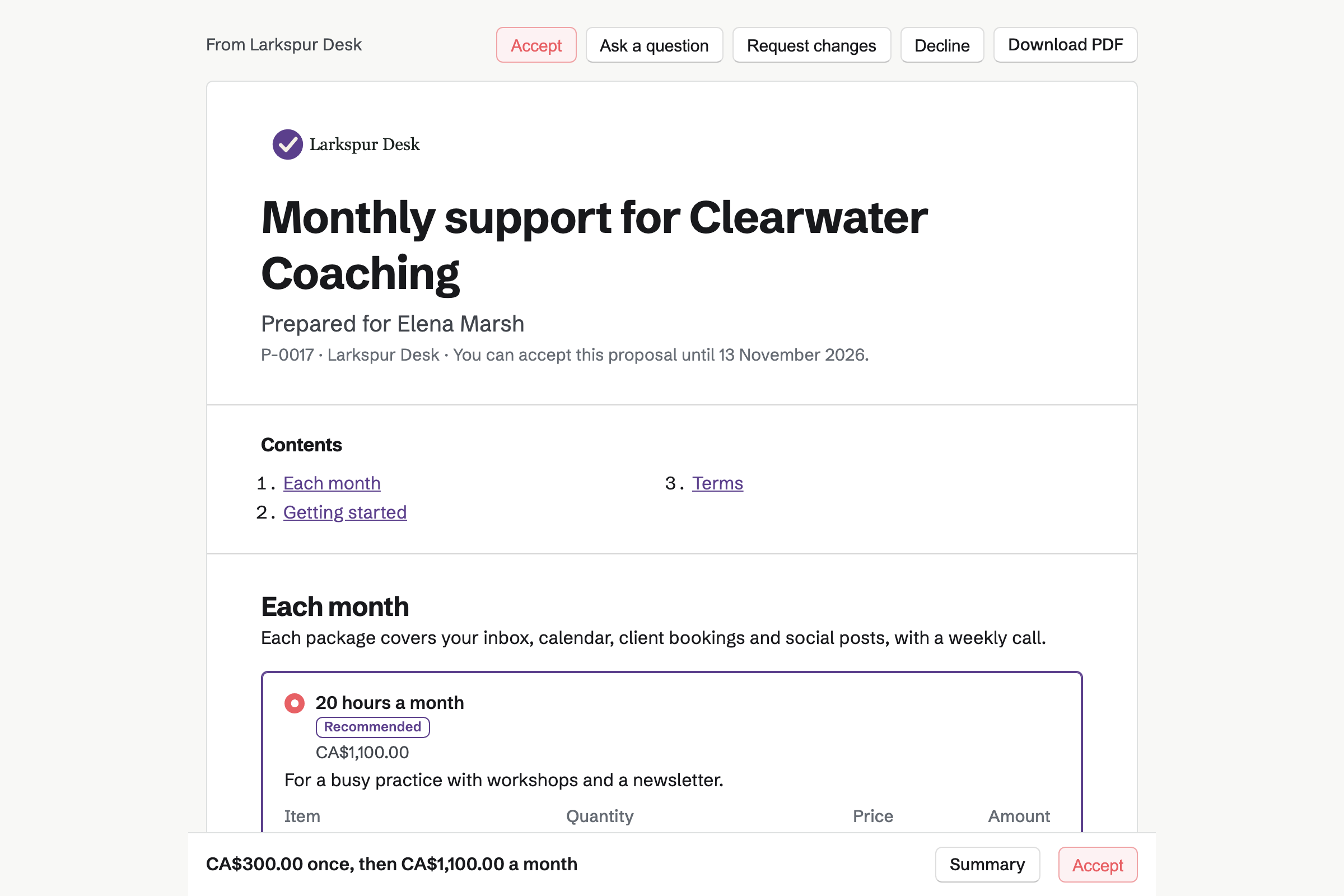
Proposals turns your fees into a quote the client signs online. Magpie's retainer starter has a monthly fee and an optional line for extra hours. It adds a one-off onboarding fee.
When the client accepts, Magpie can make their Time Tracking project. It can start the monthly invoices too. The client can save a card for those invoices.
To-dos is one list across Personal and every team you are in, your clients' included. You can see each client's tasks or all of them at once.
A To-do has a time, a deadline and reminders. Recurring tasks repeat on their own, such as a client's Friday invoicing. A List can be shared with one client, who sees nothing else of yours.
Calendar gives each team its own calendar of events and To-dos. The team is in each page's address. One tab can show a client's calendar, and another your client calls.
Your Personal calendar can be your content calendar, with the posts scheduled in every client's team. With Google Calendar connected, each team's events can be added to your Google calendar.
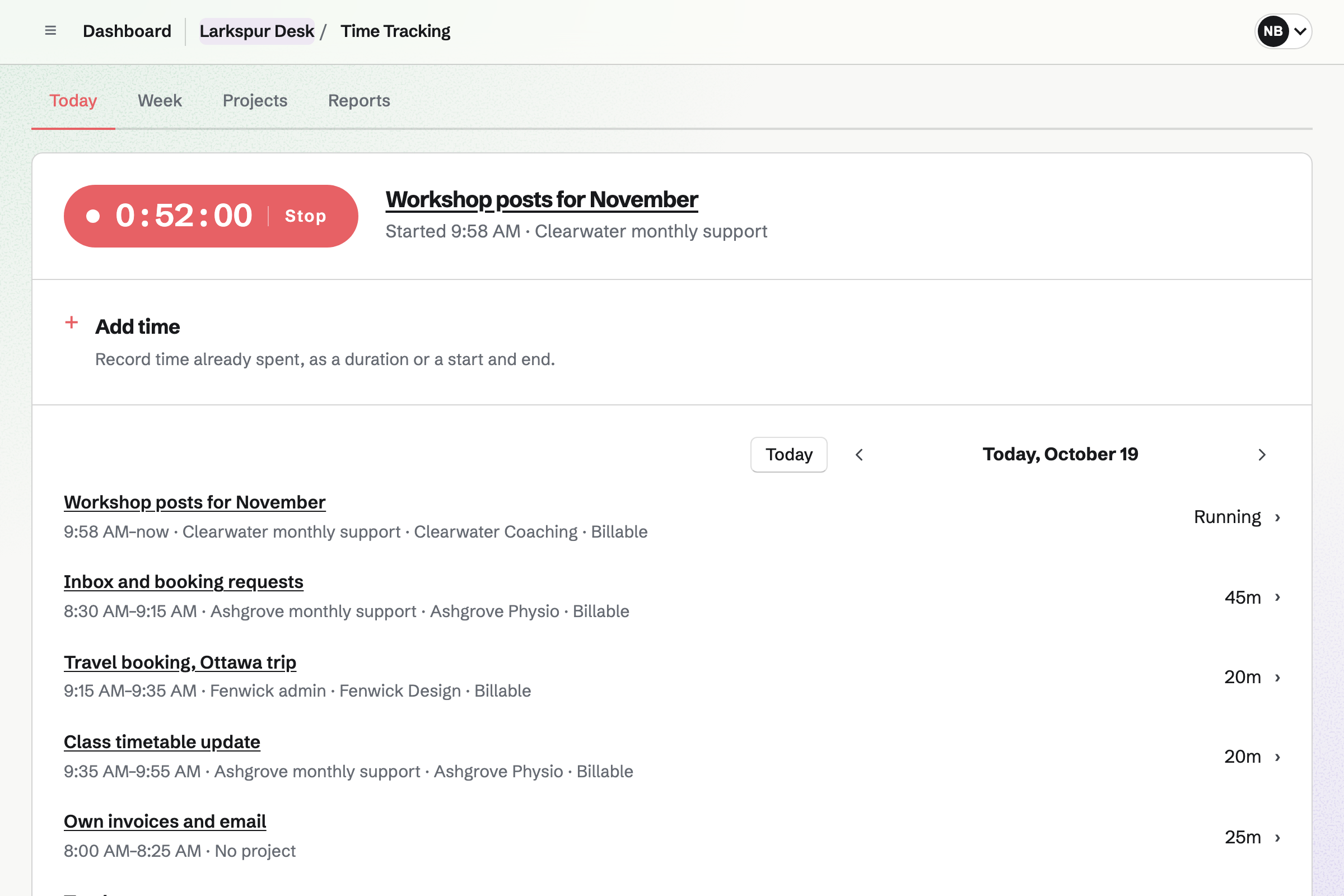
Time Tracking runs one timer across Personal and every team, shown in the page bar. You start it on a client's project, a To-do or a calendar event.
Each client's project has a rate and a budget of hours. It shows how much is used. Reports total the hours by client, with the billable amount, and export as CSV.
Invoicing issues each client's retainer invoice every month, from the accepted proposal. A client who saved a card is charged when it is issued.
Hours over the retainer go on an invoice with Add unbilled time. Clients pay by card into your own Stripe account.
Social Media posts from the accounts a client connected to their team. You write each post, with its own text for each account. Bluesky, Mastodon and LinkedIn posts go out at their time.
The client chooses whether you can schedule and publish, or only write. You can batch a launch's posts in a campaign, and schedule the ones marked finished.
Everything you do for them is kept in their own team.
The client invites you into their team as a guest, with To-dos, Calendar and Social Media.
Their To-dos appear in your own list, beside every other client's.
You write the month's posts in a campaign, and schedule the ones marked finished.
Your timer runs on their project while you work, wherever you are in Magpie.
On the first of the month, the retainer invoice is issued and charged to their card.
You add the hours over the retainer to an invoice with Add unbilled time.
You add your name, address and tax number for invoices. Help: Send and configure invoices.
You connect your Stripe account, so clients can pay by card. Help: Connect Stripe to receive money.
You open the retainer starter, set your monthly fee and hourly rate, and save it. Help: Proposal starters, saved sections and the price list.
You give each client's project its rate and an hour budget. Help: Time Tracking projects, rates and tags.
A virtual assistant working alone fits Pro, for your own work in Personal. It has no limit on proposals, invoices or contacts.
Working in a client's team costs you nothing. You are their guest, and take none of their member places. A free team has room for 10 guests, and a paid one for 100.
On the free plan, you can send 5 proposals and create 5 invoices a month. Magpie adds no fee to invoice payments. Prices are on the Pricing page.
A social media manager runs several clients' accounts, campaigns and images.
A bookkeeper collects each client's statements every month and works in their books.
A consultant quotes each engagement and shares an action plan with the client.
Yes. The client invites you as a guest. They choose the areas you can use, such as To-dos and Calendar. Some areas, such as Documents, can be limited to the records they share with you. Their team appears in your team selector, marked Guest.
Yes. Your To-dos list includes the To-dos assigned to you in every team, and shared Lists. You do not need to open each client's team to see what is due.
Yes. The team is in each page's address, so each browser tab keeps its own team. One tab can show a client's calendar and another your own.
Yes. One timer runs across Personal and every team. It stays in the page bar when you switch. Each entry belongs to a client's project, at its rate. Reports total the hours by client.
Yes. A monthly line in an accepted proposal starts a recurring invoice. If the client saved a card when signing, each invoice is charged to it. If a charge is declined, Magpie emails the client a link to pay.
Yes. Add unbilled time lists your billable hours for the client. You tick the hours over the retainer, and each becomes an invoice line. Hours on an issued invoice are locked.
Yes. The client connects their accounts to their team and gives you Social Media. You write each post, with its own text for each account. When the client lets editors schedule and publish, you schedule it too. Posts to Bluesky, Mastodon and LinkedIn go out at their time.
Yes. Your Personal calendar can show the social posts from every team. Each is labelled with its team's name and colour.
In your own Password Vault, encrypted in your browser with your own vault password. It keeps logins, recovery codes and two-factor codes, and imports from Chrome, Bitwarden or 1Password.
Yes. You share one List with them as Can view or Can edit. They join as a guest and see only that List.
Magpie adds no fee to invoice payments. Stripe's processing fee is taken from each card payment. The rest goes to your own Stripe account.
Create a Magpie account and add your business details.