Freelance illustrators
An illustrator quotes commissions, bills milestones and sells prints and downloads.
Graphic and brand designers
A designer working alone uses Magpie in Personal. A studio and its designers can work in one Magpie team.
Get started free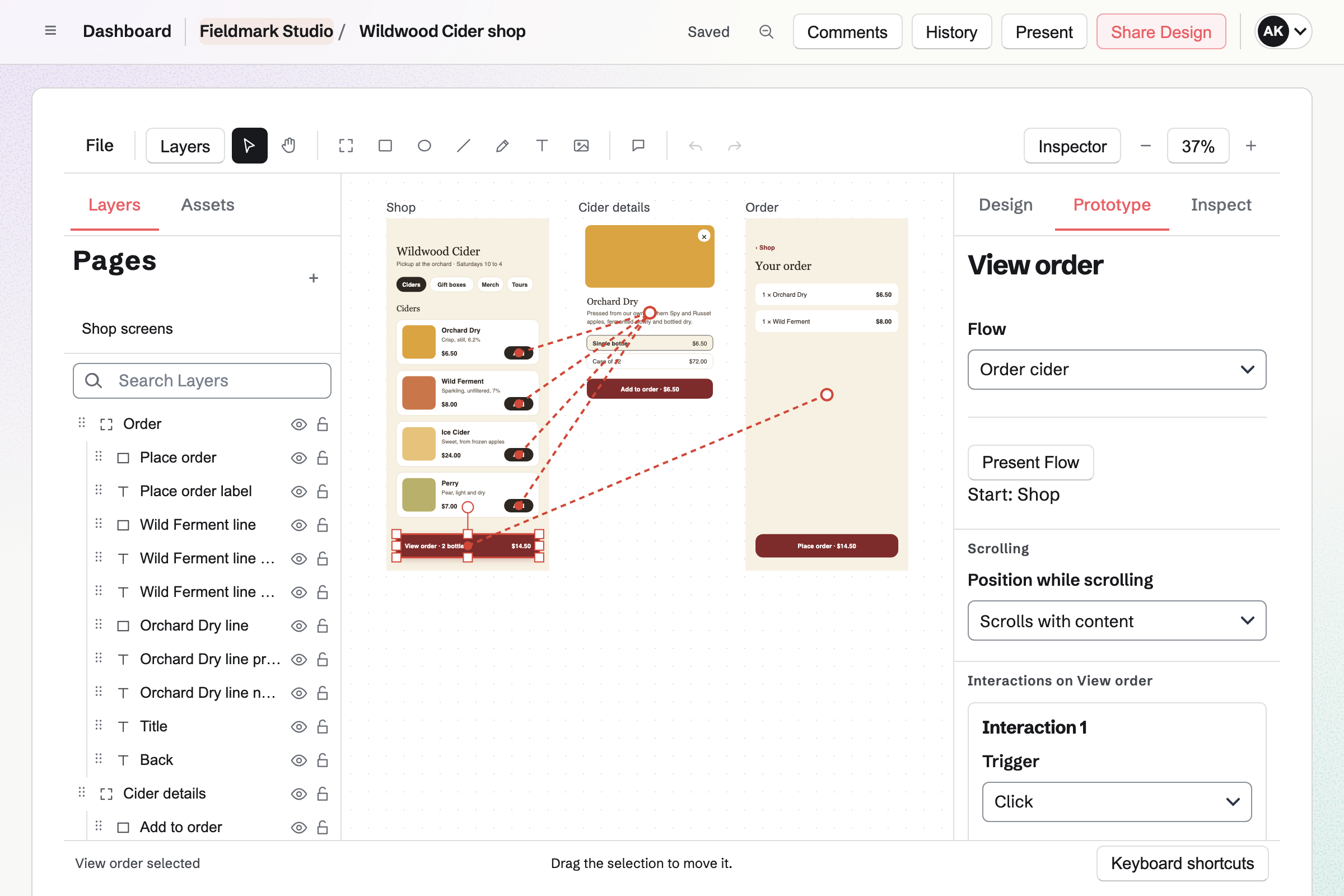
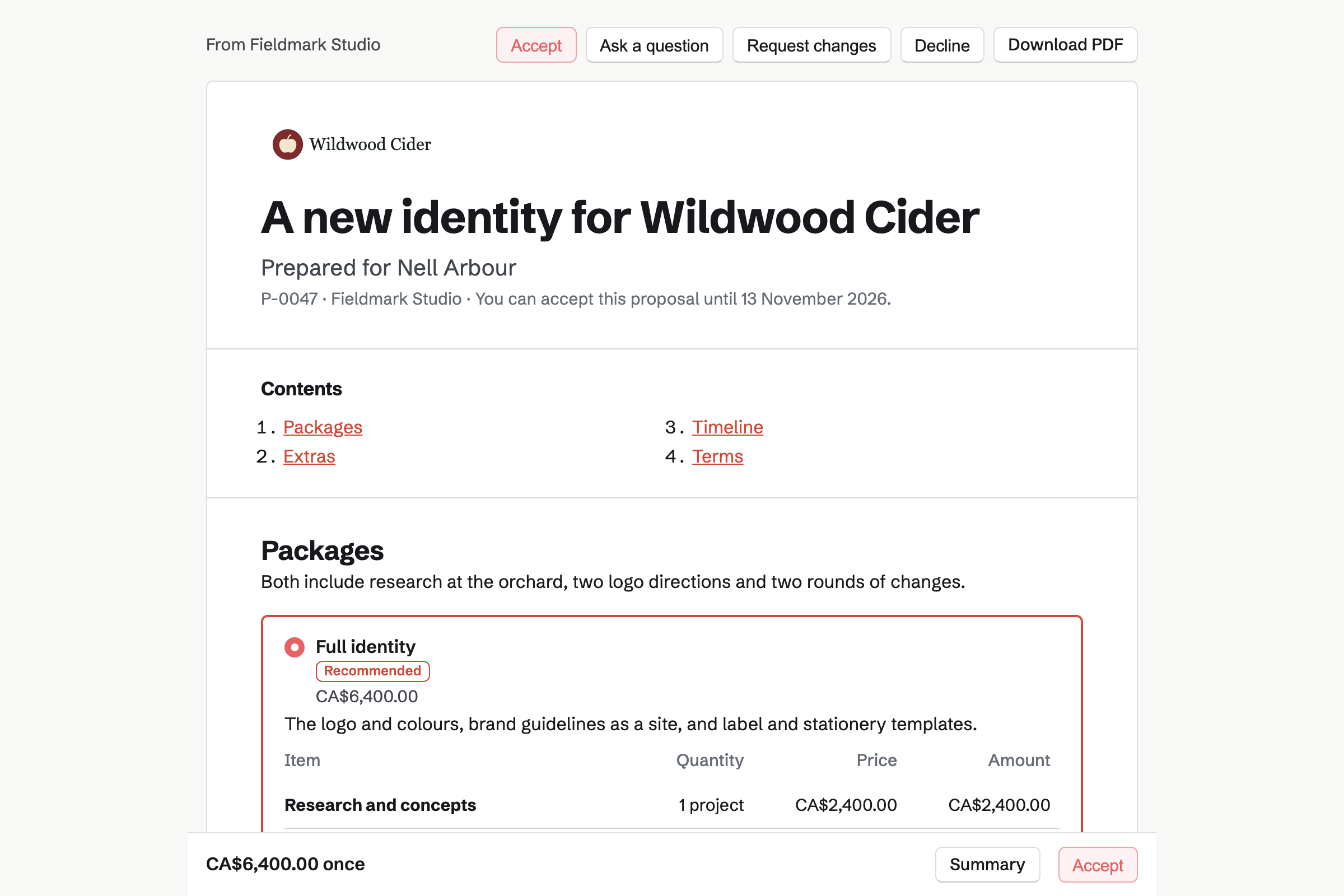
Proposals turns the brief and your fees into a quote the client signs online. Magpie's branding starter offers a logo and colour palette, or a full identity with brand guidelines. Its timeline runs from research and concepts to the final files.
The starter asks for 50% at signing and the rest with the final files. The deposit's invoice is issued when the client signs. The work starts once it is paid.
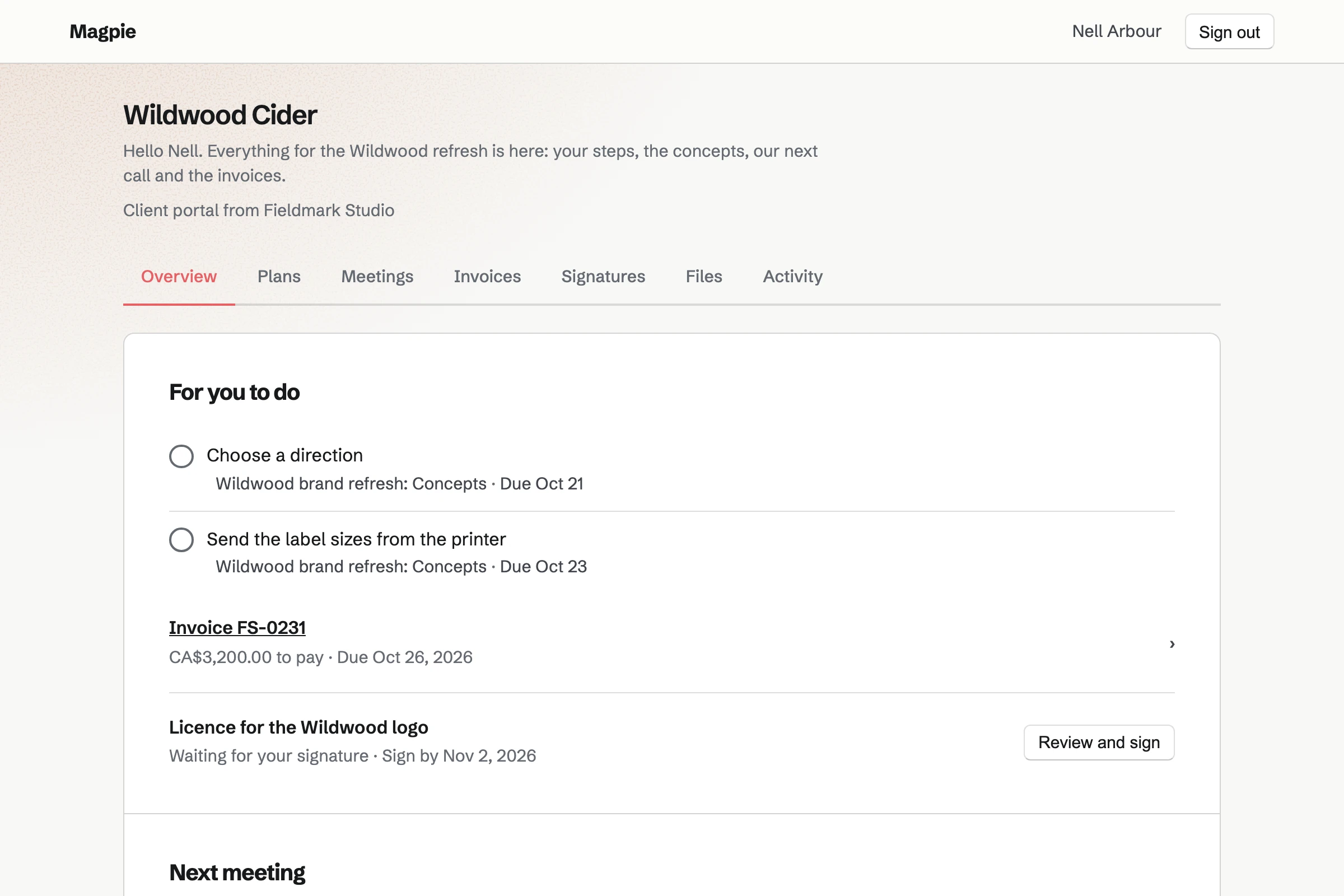
Client Portal gives each client a private page of their own. A plan lists the steps of the project, such as choosing a direction. The client ticks theirs, and uploads their references beside your files.
Their Overview lists their open steps, the invoices to pay and the documents to sign. Final files of up to 500 MB each are shared there.
Design Canvas is Magpie's design editor, with components, styles and variables. Frames come in phone, tablet, desktop and slide sizes. Each file keeps named versions and branches.
A prototype link opens the screens you choose, clickable, for anyone who has it. You can invite a client to comment on the design itself. Exports are SVG, PNG, JPEG, WebP or PDF.
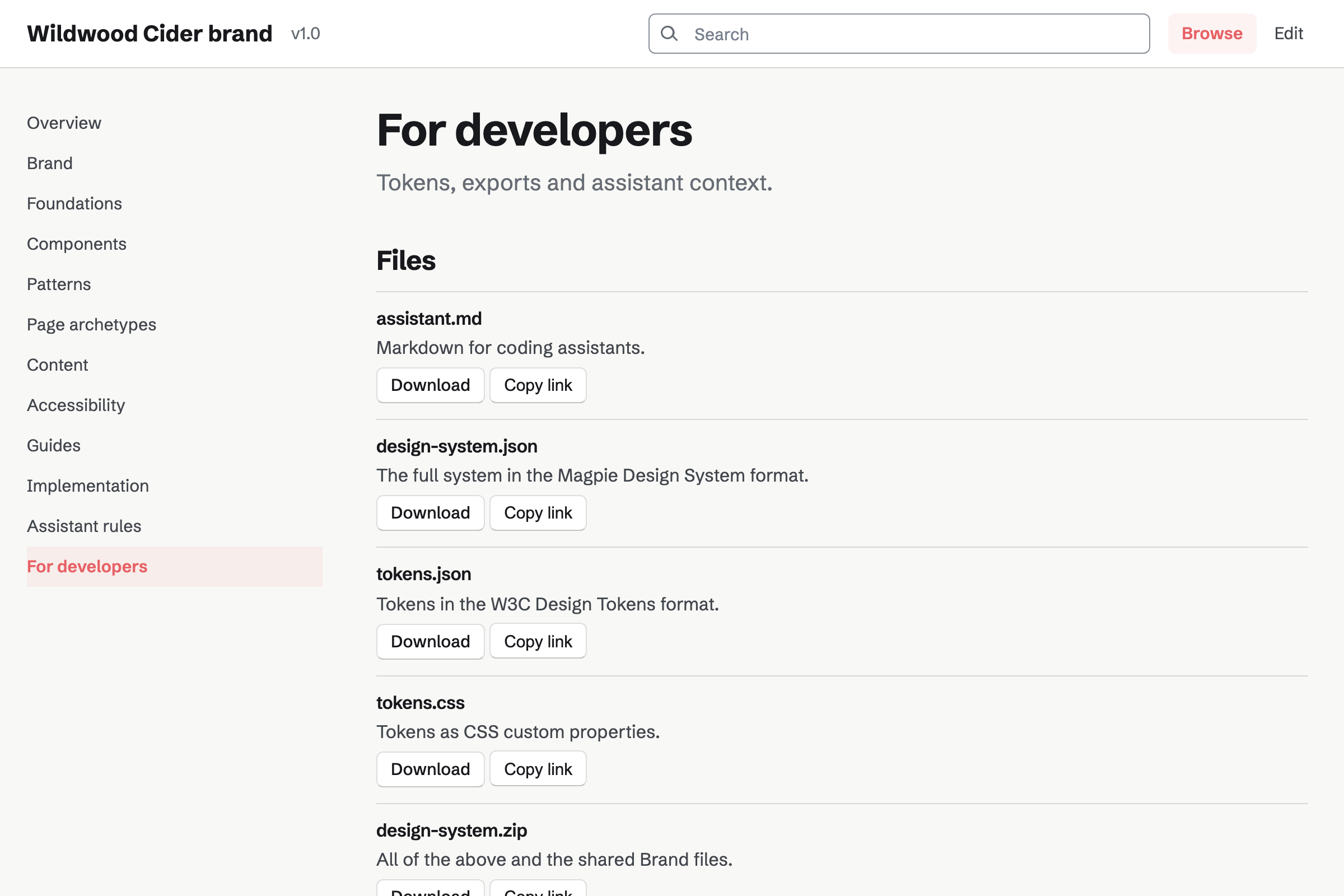
Design System holds the brand: the logos with their usage notes, the palette and the typography. A HEX colour shows its RGB and HSL values, and CMYK can be added.
You share it at its own address, and anyone with the address can open it. The client downloads every brand asset as one ZIP. Developers get the colours as design tokens and CSS.
Presentations holds your concepts deck, with pictures and speaker notes. Present opens it full screen, skipping hidden slides.
Publishing it gives a link anyone can view without signing in. Export PDF gives one slide a page, for the client's files.
Invoicing turns each payment of the proposal into an invoice. The final payment takes the balance. Clients pay by card from the email or their portal.
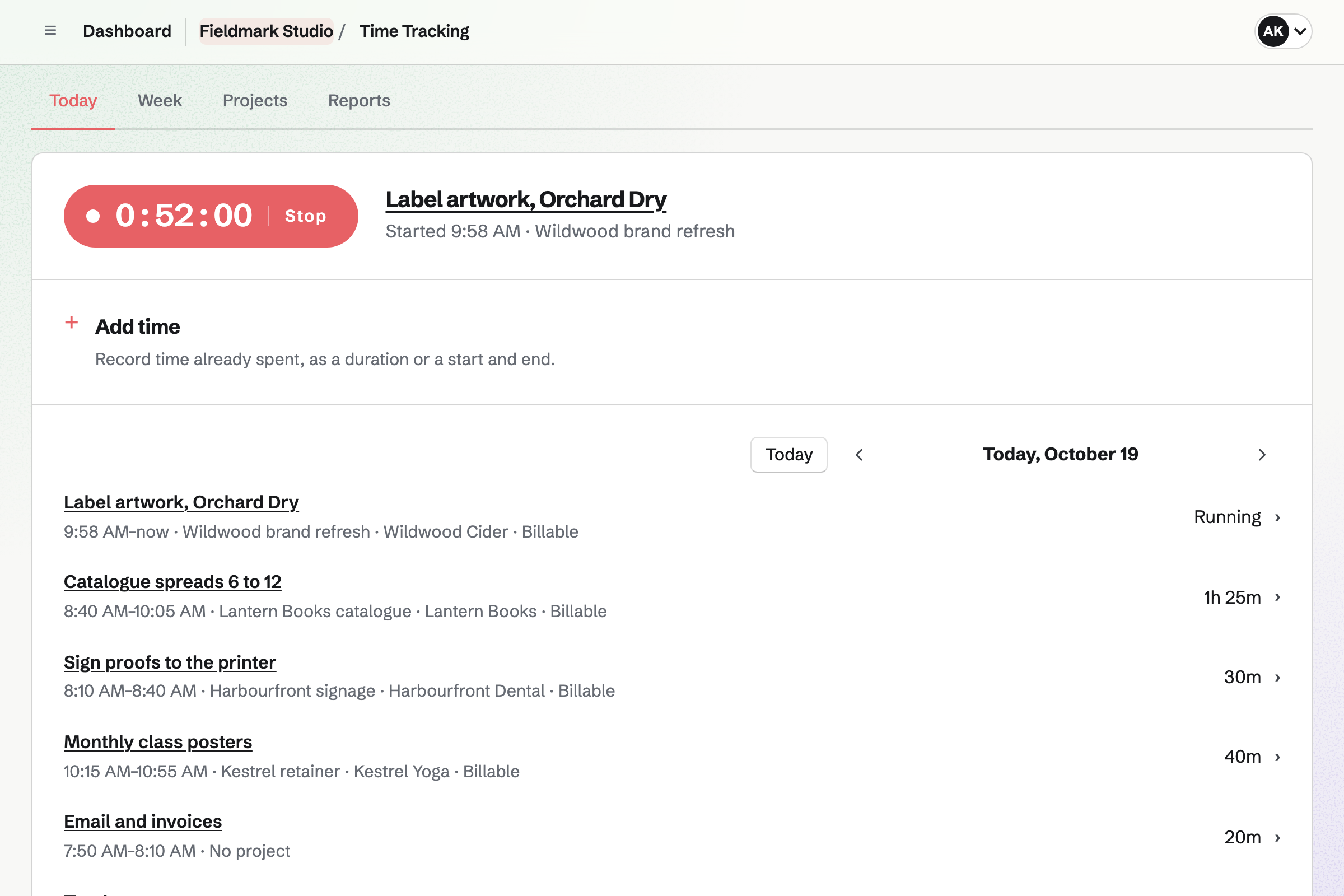
Time Tracking records your hours on each project, at its rate. Add unbilled time puts the hours for extra revisions on the next invoice.
The client's contact page lists the proposal and every invoice.
You start from the branding starter. The client chooses the full identity, signs and pays the deposit.
When the work starts, Magpie can share the proposal and its invoices in the client's portal.
You present two directions from a deck. The client ticks the step that chooses one.
You draw the logo and the screens, and share a clickable prototype by link.
You share the brand site, and the client downloads every logo and font as a ZIP.
You bill the balance, and the client pays it by card.
You add your studio's name, address and logo for invoices. Help: Send and configure invoices.
You connect your Stripe account, so clients can pay by card. Help: Connect Stripe to receive money.
You open the branding starter, set your packages and save it as your own. Help: Proposal starters, saved sections and the price list.
You make one for your next client and fill in its Brand section. Help: Keep brand assets in the Brand section.
A designer working alone fits Pro, for your own work in Personal. It has no limit on proposals, invoices or contacts, and raises your file storage from 1 GB to 20 GB.
A studio fits the Team plan, one price for up to 25 members. Each designer's file storage is their own. On the free plan, you can send 5 proposals and create 5 invoices a month.
Magpie adds no fee to deposits or invoice payments. Stripe's processing fee is taken from each. Prices are on the Pricing page.
An illustrator quotes commissions, bills milestones and sells prints and downloads.
A web designer builds and hosts client sites at their own domains, from a Git repository.
An agency runs several clients at once, with retainers, boards and a team in chat.
Yes. A proposal offers 2 to 4 packages, with one marked Recommended. Magpie's branding starter has a logo and colours, or a full identity with guidelines and templates. The client chooses one and signs with a drawn or typed signature.
Yes. The first payment can be a deposit, as a percentage or an amount. Its invoice is issued when the client signs. They can pay it by card straight away. The work can be set to start once it is paid.
You can present them from a deck, full screen, and send the published deck's link. You can share a prototype link that opens the screens you choose. Files go in the client's portal, where they tick the step that chooses a direction.
Yes. You invite them to the one design file as a commenter. Their comments are pinned to the canvas, numbered, and can be resolved and reopened. They see that file and nothing else of yours.
Yes. Present a flow and Magpie makes a link to it. Anyone with the link can click through the screens without signing in. It shows only the frames the flow reaches, not your other pages or comments.
SVG, PNG, JPEG, WebP or PDF, at 1× to 4×. You can export a selection or a whole page. Raster and PDF exports use the fonts installed on your computer.
Yes. You name a version and restore it later, which adds a new checkpoint. A branch lets you try a direction and merge it back into the main file.
Yes. A design system's Brand section holds the logos with usage notes, the palette and the typography. You share it at its own address, unlisted or public. Anyone with the address can open it without signing in.
Yes. Download brand assets gives every shared file as one ZIP, up to 250 MB. Logos can be SVG, PDF or ZIP files, and fonts WOFF, WOFF2, TTF or OTF.
Yes. The design system exports its design tokens as JSON and as CSS variables. Its shared page copies a colour's value, name or CSS variable. There is a file written for coding assistants too.
Yes. A client portal shares up to 20 files at once, each up to 500 MB. Secure Files sends one file of up to 2 GB by a link that expires.
Yes. You track the hours on the client's project, at its rate. Add unbilled time puts them on the next invoice as lines. A recurring invoice can bill a monthly retainer.
Yes. Image Converter makes several sizes and formats from one image, downloaded as a ZIP. Favicon Generator makes every website icon from one image.
Magpie adds no fee to deposits or invoice payments. Stripe's processing fee is taken from each card payment. The rest goes to your own Stripe account.
Create a Magpie account and add your studio's details.