Landscapers and lawn care
A landscaping company designs and builds gardens, and runs crews on weekly rounds.
Gardeners and garden maintenance
The round, the quotes, the bills and the mower's services are in your own Magpie account. Someone who works the season with you can join you in a team.
Create account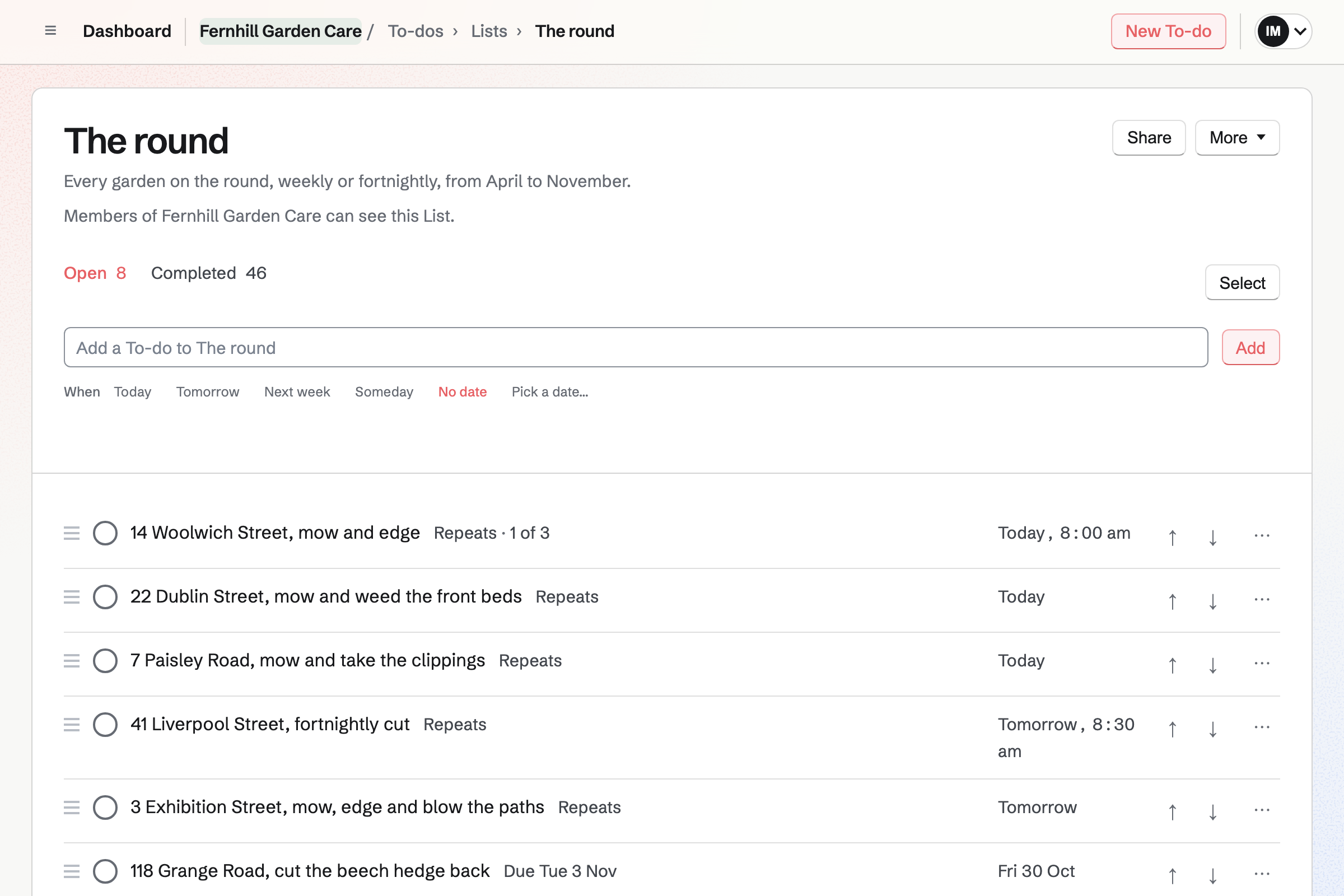
To-dos keeps the round as a List, with each garden a To-do that repeats. You type it as you would say it: 14 Woolwich Street, mow and edge, every Tuesday. A fortnightly garden repeats every two weeks.
Today lists the gardens due, and you drag them into the order you drive. Ticking off a cut schedules the next one. A garden missed for rain says Overdue and stays on Today. Its next cut keeps its usual day.
Contacts keeps each customer with their address and phone number. A pinned note keeps the access notes at the top of their page. The page lists every proposal and invoice too.
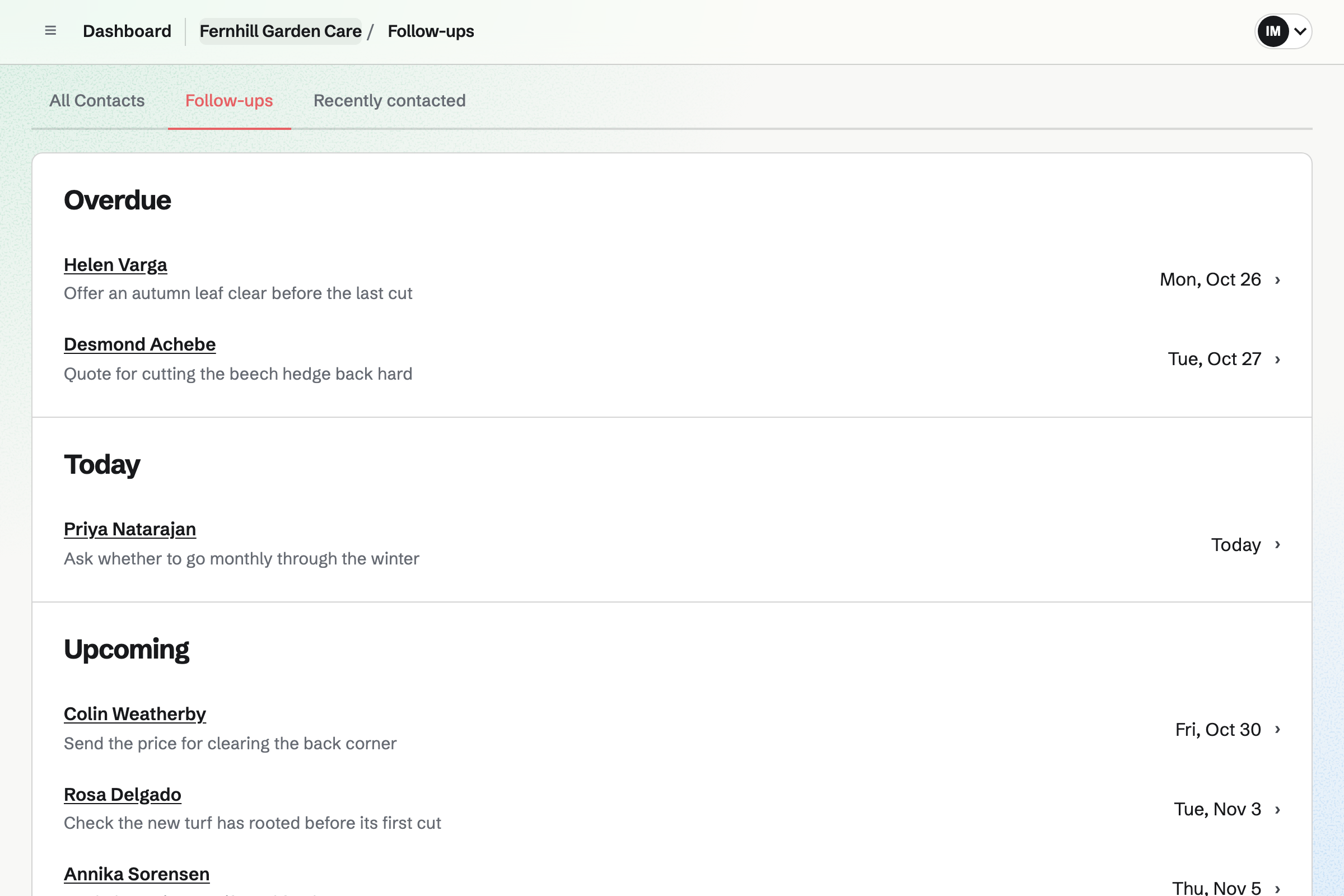
A follow-up has a date and a reason, such as an autumn leaf clear. Follow-ups lists every open one as Overdue, Today or Upcoming. A tag such as Fortnightly filters the list.
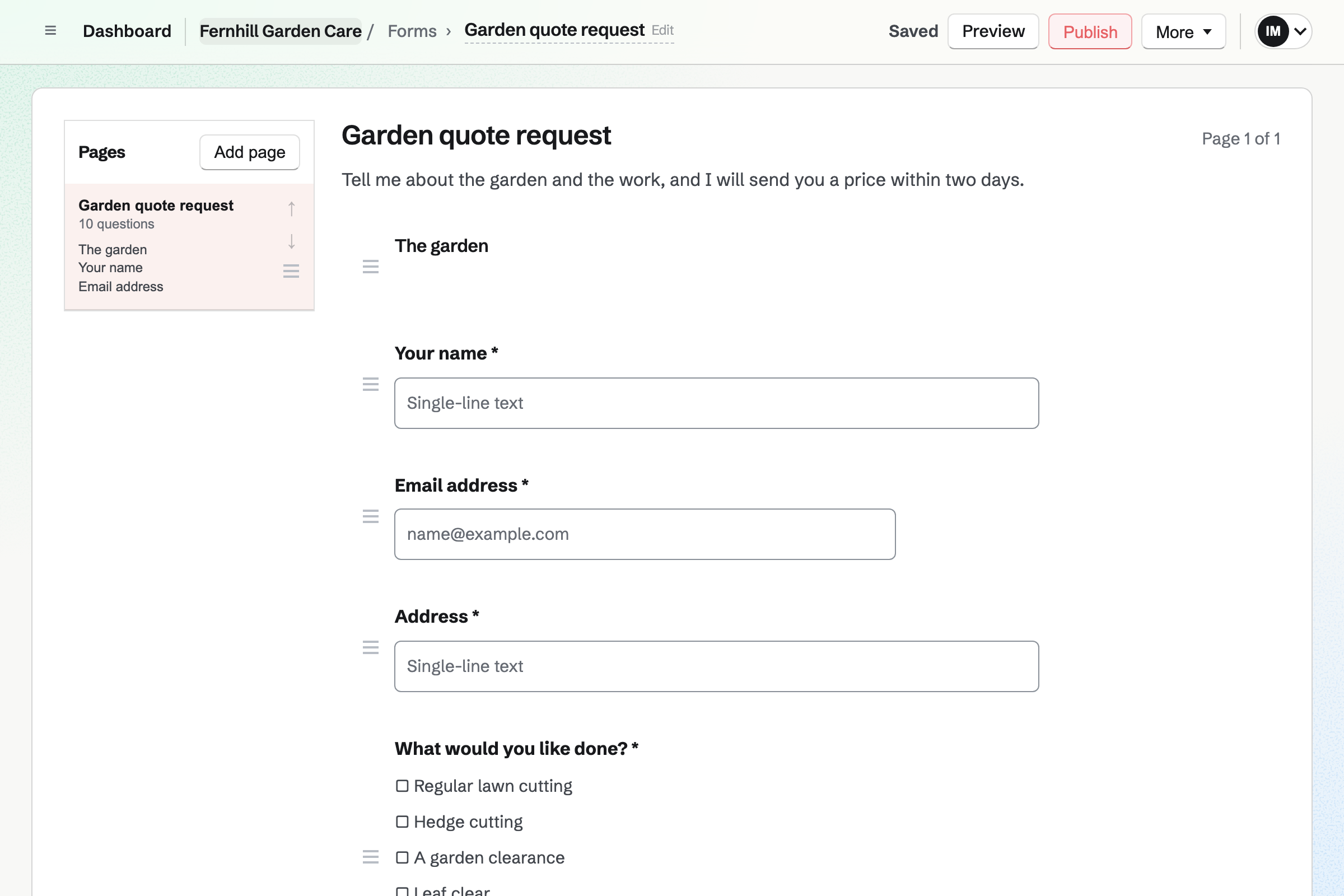
Forms builds your quote request: the address, the work and how often. Boxes cover lawn cutting, hedge cutting, a clearance and a leaf clear. A File question takes photos of the garden. A yes or no asks whether the green waste goes.
Each request is emailed to you, and the responses are kept in one list. A regular cut goes on the round, and a clearance gets a quote.
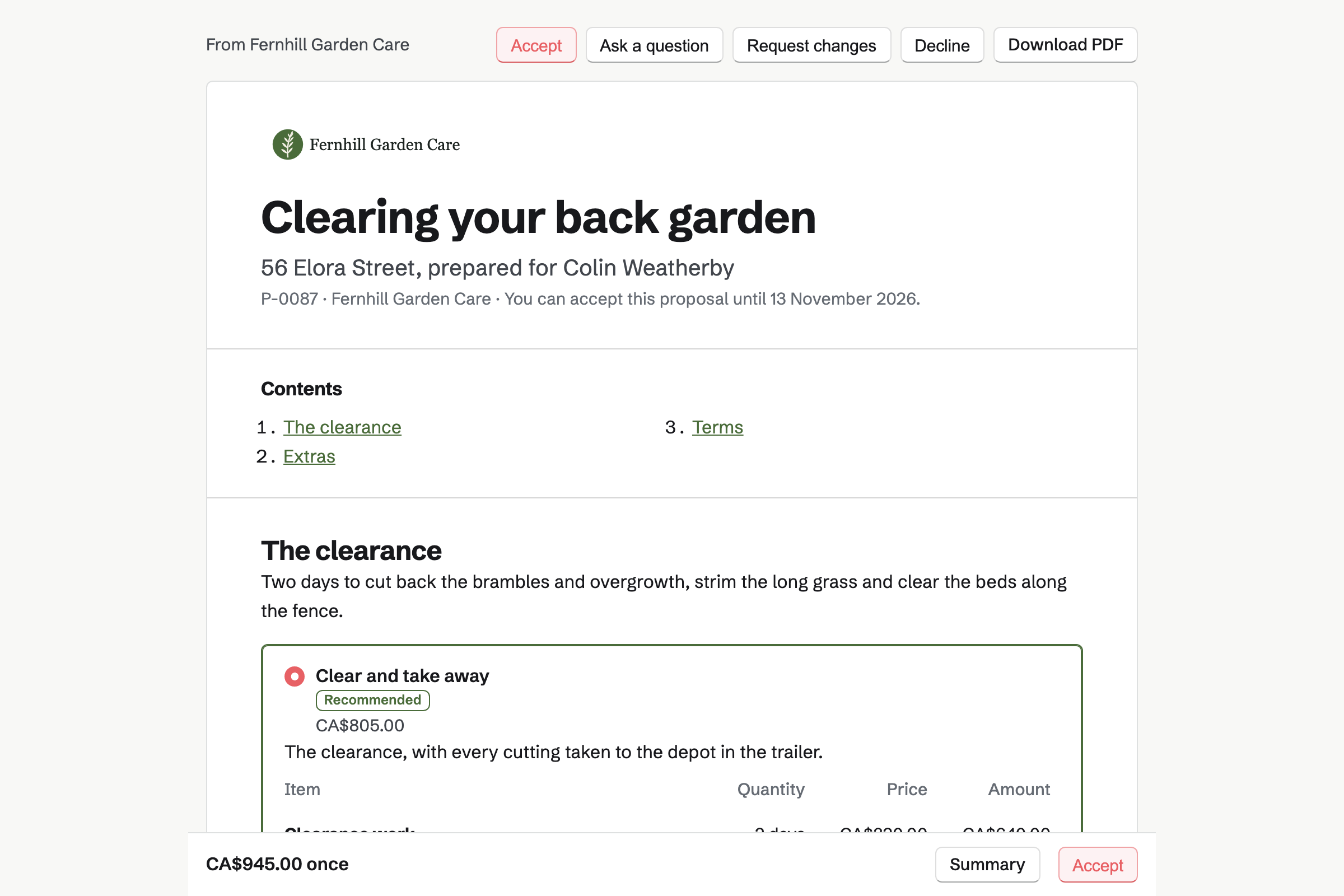
Proposals sets out a clearance or a hedge cut as packages, each with its price. One package leaves the cuttings bagged; the other takes them away by the trailer load. The customer chooses and signs on the page.
An optional line can offer a fortnightly cut for the season, billed monthly. When the customer adds it and signs, Magpie will start the monthly invoices. You see when the proposal is opened.
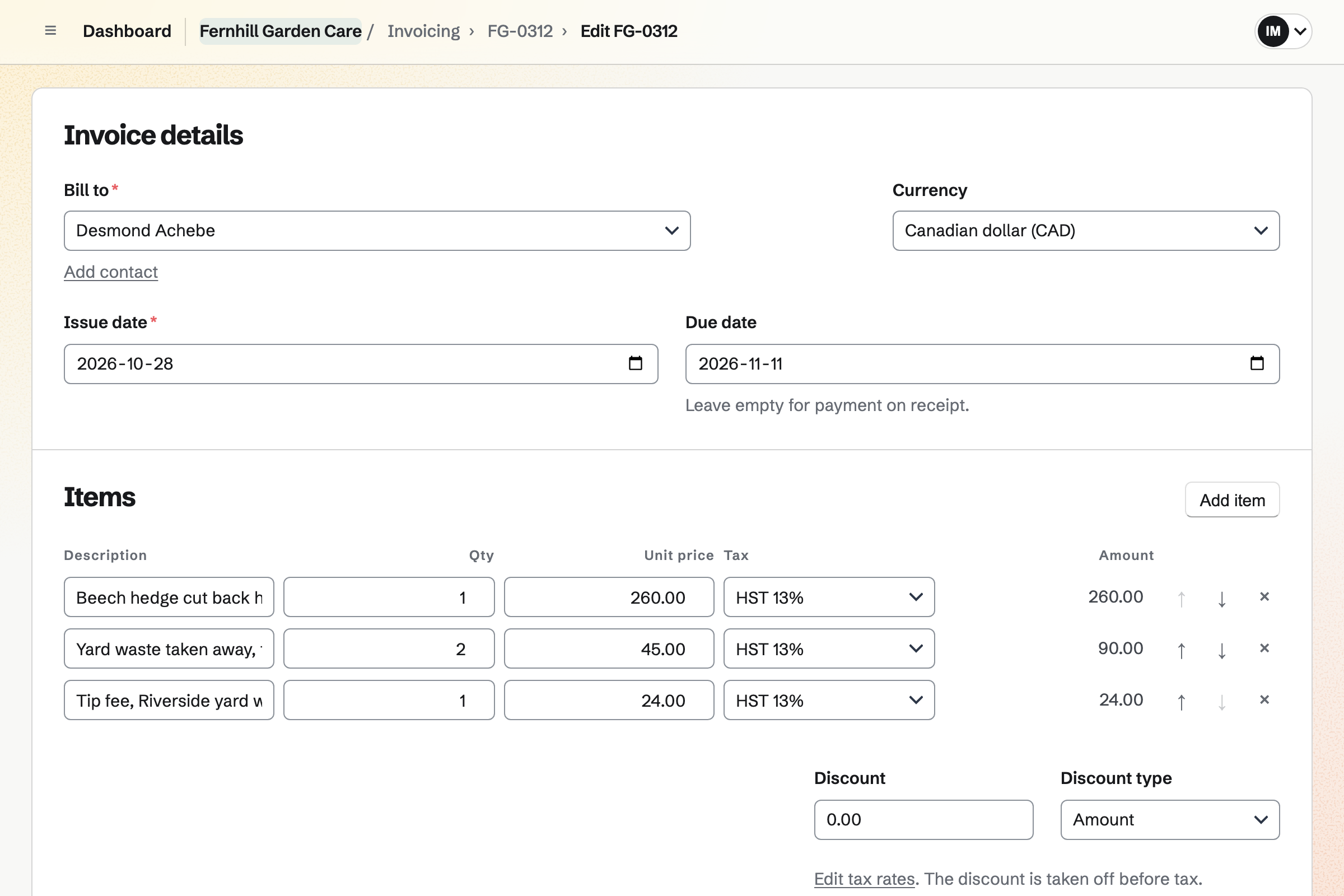
Invoicing bills a regular on a recurring invoice, with the same lines every month. A schedule can stop after a set number, such as eight from April to November. Pause holds the invoices over winter until you resume.
A hedge cut or a clearance is an ordinary invoice. Its tip fee comes from your receipts. Card payments go to your own Stripe account, with no Magpie fee. Cash or a transfer is recorded by hand.
Asset Tracker keeps the mower, the strimmer, the hedge trimmer and the trailer. Each has its serial number and condition. A machine's receipt, manual and warranty are kept on its page.
Start maintenance records a machine in for its service, with the day it is due back. End maintenance notes what was done, and the history lists every service. A To-do that repeats every year reminds you before spring.
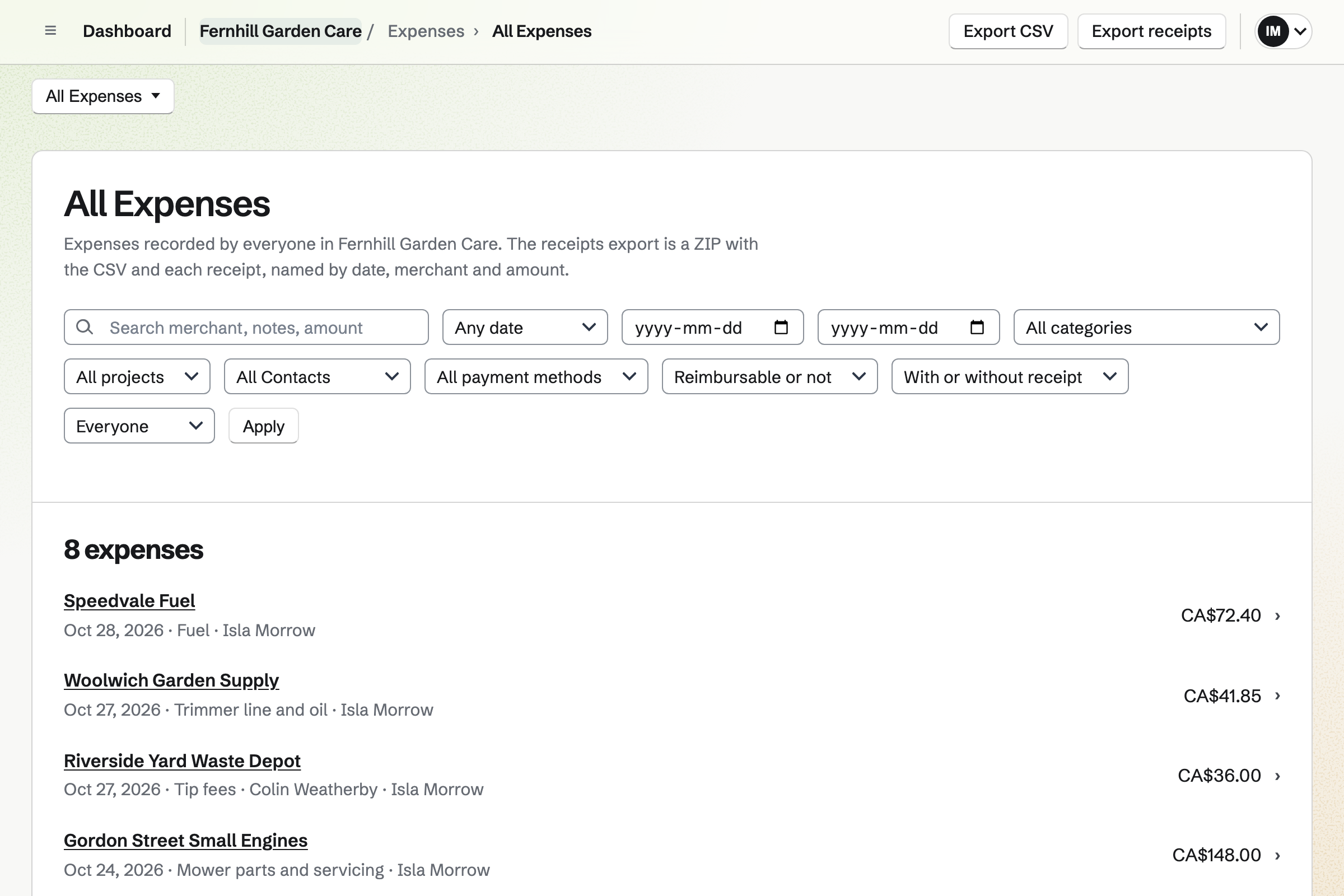
Expenses keeps each receipt, photographed on your phone. Categories such as Fuel, Tip fees and Mower parts total what the month cost. Receipt Inbox holds a receipt until you add its details.
Plants or compost bought for one customer can be marked reimbursable, with their name. The cost goes on their next invoice as a line. Each expense is added to the books.
Each step uses what the step before it recorded.
The customer sends photos of the overgrown garden on your Form.
You send a proposal: two days' clearance, three trailer loads and an optional fortnightly cut.
They add the fortnightly cut and sign. Magpie starts the monthly invoices for the season.
A timer records the days, and the tip receipt is marked for this customer.
The invoice adds the tip fee from your receipts. It is paid by card from its link.
You add the garden to the round, every two weeks, and pin the side gate's code.
You add each customer with their address, and pin the access notes. Help: Keep a contact list.
You make a List for the round, and add each garden as a repeating To-do. Help: Use To-dos.
You make each regular's invoice recurring every month, for the season. Help: Recurring invoices.
You connect your Stripe account, so customers can pay by card. Help: Connect Stripe to receive money.
A gardener working alone fits Pro, for your own work in Personal. The free plan includes 5 invoices a month, 5 proposals and 100 contacts; Pro has no limit.
Someone who works the season with you can join a team. A free team has up to 3 members. Magpie adds no fee to invoices. Stripe's processing fee is taken from each card payment.
A landscaping company designs and builds gardens, and runs crews on weekly rounds.
A window cleaner keeps a round of houses that come due every four or eight weeks.
A plumber or electrician quotes each job online and bills it on site by card.
A cleaning company puts cleaners on a rota at each client's site, with a checklist.
A plant nursery or garden centre sells plants online, with a rota for its staff.
A grower sells produce online for pickup and local delivery, and at markets.
A community garden takes plot applications, bills yearly plot fees and plans work days.
Yes. The round is a List. Each garden is a To-do in it that repeats every week or every two weeks. Its title says the work, such as mow and edge. Each customer is also a contact, with their address and a pinned note for access.
Today lists every To-do planned for today or earlier. Each garden appears on the day its cut is due. One from an earlier day says Overdue. Dashboard shows the start of the list too, and you can tick gardens off there.
Yes. On Today you drag each garden into your own order, or use the buttons. The order is kept on every device you use.
A garden you did not reach says Overdue. It stays on Today until you tick it off. Its next cut keeps its usual day, a week or a fortnight on.
Yes. You choose another repeat on the garden's To-do, such as every Thursday. The cuts after it follow the new repeat. One cut can also move to another day on its own page.
You can change a garden's repeat to every month for the winter, or to Never. Cuts already done are kept. In spring you set it back to every week or every two weeks. The monthly bills can be paused at the same time.
In a note on the customer's contact, pinned at the top of their page. A tag such as Side gate groups the gardens that share one. The contacts search finds words in notes too, such as compost heap.
Yes. Make recurring on a regular's invoice starts a schedule with the same lines. Magpie issues and emails the invoice every month, with a Pay online button. Reminders follow until it is paid. You can change the lines, pause it or end it.
Yes. A schedule can stop after a set number, such as eight from April to November. Pause stops the invoices until you resume them in spring. Months missed while paused are not invoiced.
Yes. Each invoice has a payment link. The invoice's page shows it, so you can send it another way, such as a text. The customer pays the balance by card on their phone. The payment is recorded on the invoice, and Magpie emails them a receipt.
Magpie adds no fee. Stripe's processing fee is taken from each payment. The rest goes to your own Stripe account, and Stripe pays it out to your bank.
Yes. Record payment on the invoice takes the amount, the date and the method, such as Cash. Reminders stop once the invoice is paid in full.
Yes. Invoicing has named tax rates, such as HST or VAT, each with a percentage. Each line uses one of them or no tax. Magpie works out the tax you set up; registering and filing stay with you.
Yes. Payment reminders go out on the days you choose, before and after the due date. Each has the Pay online button and the balance still due. They stop when the invoice is paid in full. You can turn them off for one invoice.
Yes. Your quote request Form can take a photo or a PDF of up to 10 MB. Only the people who can see the Form's responses can open it. Each request is emailed to you, and the responses are kept in one list.
You send a proposal with packages, such as clear and bag, or clear and take away. Each has its lines: the days' work and the trailer loads. Optional lines add a hedge cut. The customer chooses, signs on the page, and Magpie emails you both the signed PDF.
Yes. An optional line can be a fortnightly cut billed monthly. When the customer adds it and signs, Magpie starts a recurring invoice for it. You can set how many invoices it sends, one for each month of the season.
Yes. The proposal's payment schedule can start with a deposit, invoiced when the customer accepts. They pay it by card into your own Stripe account. The rest is invoiced when the job is done.
Yes. You mark the expense as reimbursable and choose the customer. Add unbilled expenses then puts it on their next invoice as a line. It is marked billed when the invoice is issued.
Yes. You photograph each receipt on your phone, up to 10 MB each. A receipt can wait in Receipt Inbox until you add its details. Totals export as CSV, with the receipts as a ZIP file.
Yes. Asset Tracker keeps each machine with its serial number and condition. Start maintenance records it in for a service, with the date it is expected back. End maintenance notes what was done, and the machine's history lists every service. Its receipt and warranty are kept on its page.
Yes. A To-do that repeats every year, such as Service the mower, comes back each spring. A reminder emails you on its day, or a day before its Deadline. Ticking it off schedules next year's.
Yes. A follow-up on a customer has a date and a reason, such as a leaf clear. Follow-ups lists every open one as Overdue, Today or Upcoming. Each is a To-do, with the usual reminders.
Yes. Calendar shows each garden's To-do on the day it is due. A clearance or a site visit is an event. Agenda, Day and Month show the same entries. Your Google Calendar events can be shown beside them.
Yes. Start timer on the job's To-do starts a Time Tracking timer with its title. It keeps going if you close the browser. You can also add time afterwards, such as 3h 30m.
Yes. You make a team and invite them. Each garden's To-do can then be assigned to one of you. They see their gardens on their own Today, and Team To-dos shows you everything. A free team has up to 3 members.
Yes. Social Media schedules posts to Bluesky, Mastodon and LinkedIn at the time you choose. For Instagram, Magpie reminds you and opens the post filled in. Each photo is cropped to Instagram's shapes around a point you set.
Yes. A dynamic QR code opens any address, such as your quote request Form. You can point it somewhere else after the sign is made. Its page counts the scans. The code downloads as SVG, PNG or PDF.
Yes. Accounting adds each invoice, payment and expense to the books, linked to its record. You import your bank statement as a CSV file and match each line. Profit and Loss and the Sales tax report run for any period. Check the rules where you file.
Create a Magpie account and add your first garden.