Web designers and developers
A web designer builds clients' websites and hands them over.
Small agencies (design, marketing, development; 3 to 15 people)
An agency works in one Magpie team. Clients see their own portal and proposals, and are never added to your team.
Get started free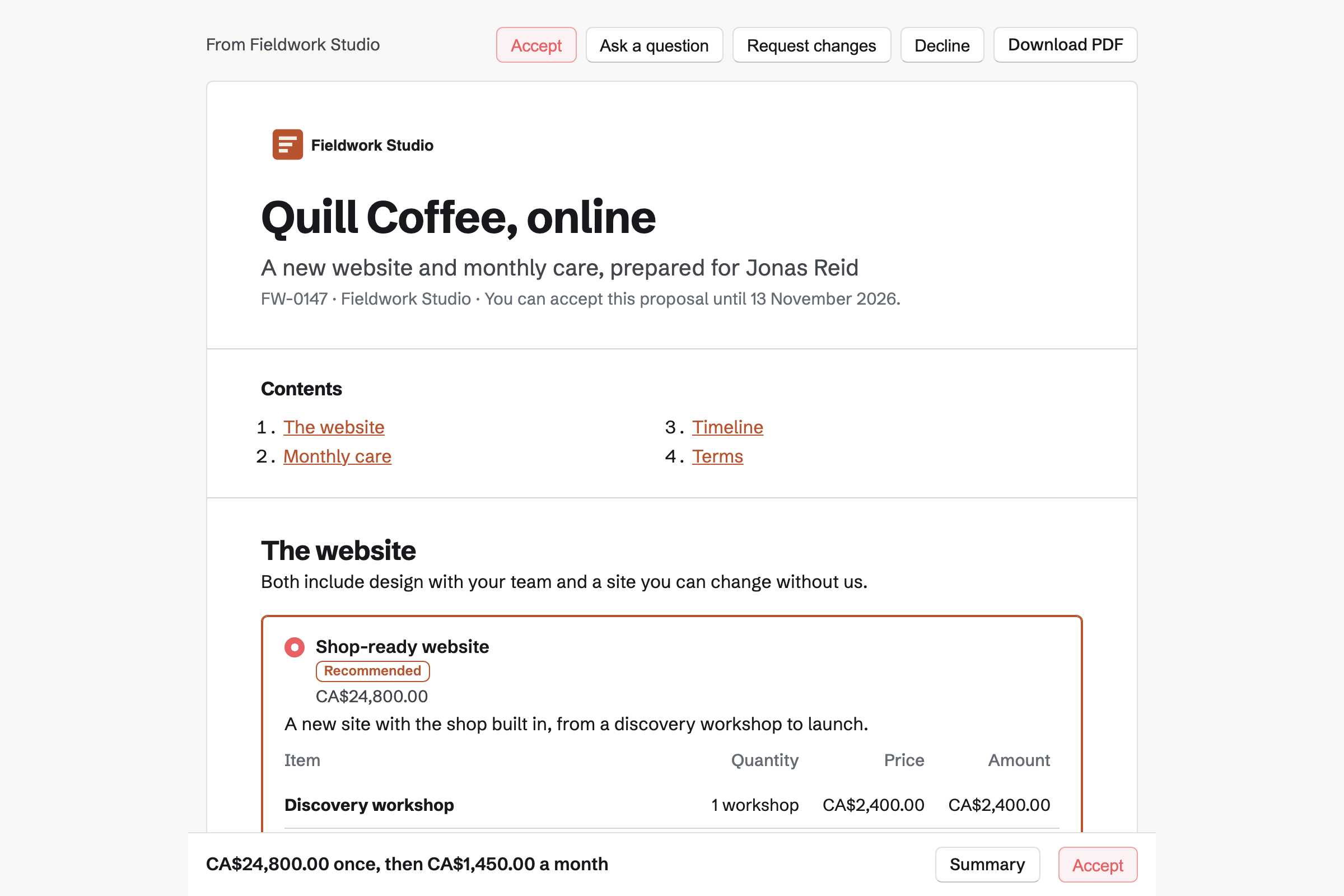
Proposals builds each proposal from sections: a cover, pricing, a timeline and terms. A line can be billed once or monthly. An optional line lets the client add it.
Each recipient gets their own link, and you see when it is opened. The client signs and pays the deposit by card. Monthly lines become a recurring invoice.
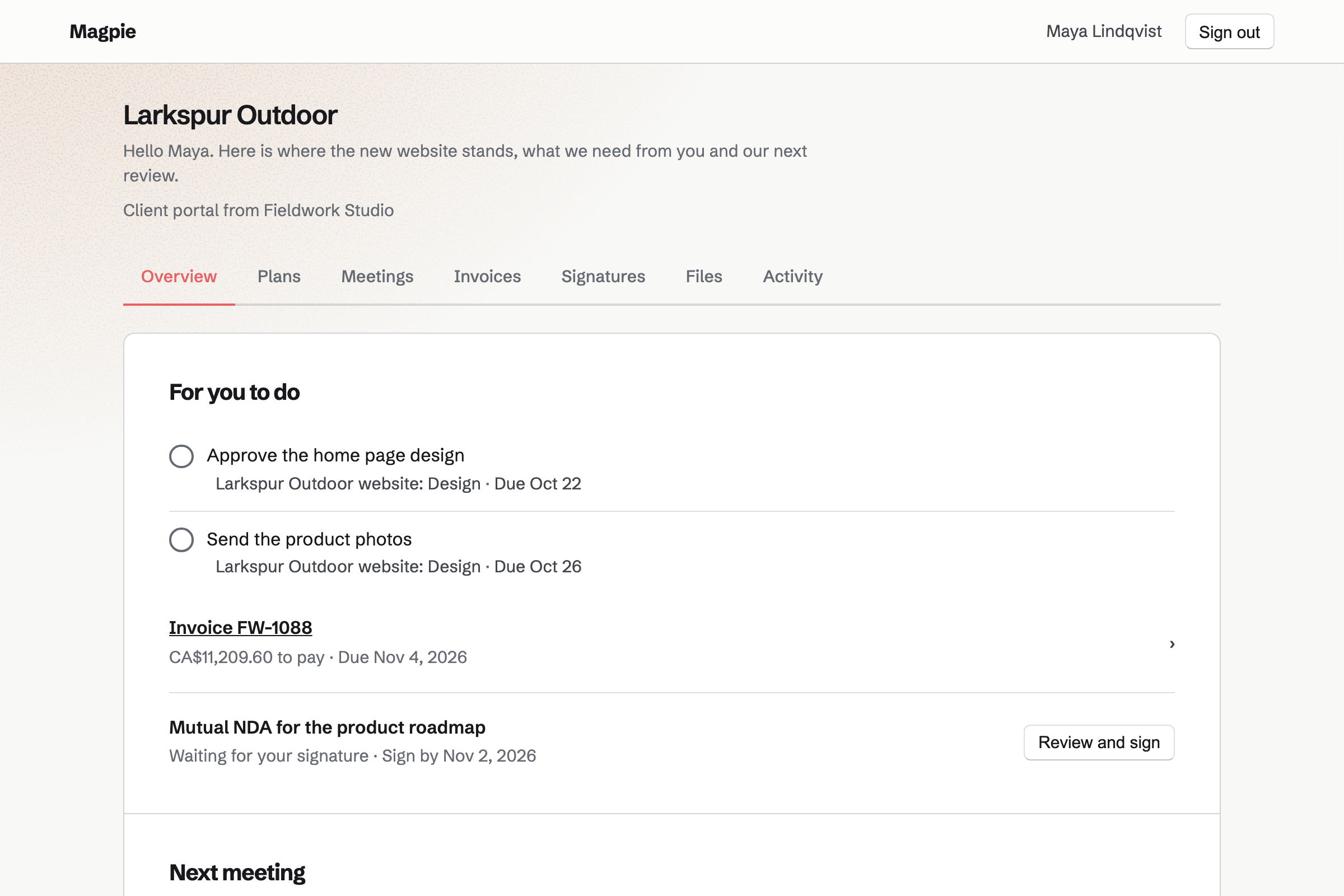
Client Portal gives each client a page of their own. It holds a plan of stages and steps. Steps for the client to do are listed first.
Their invoices, the files you share, your next meeting and anything to sign are there too. Clients sign in with a link or a code sent by email.
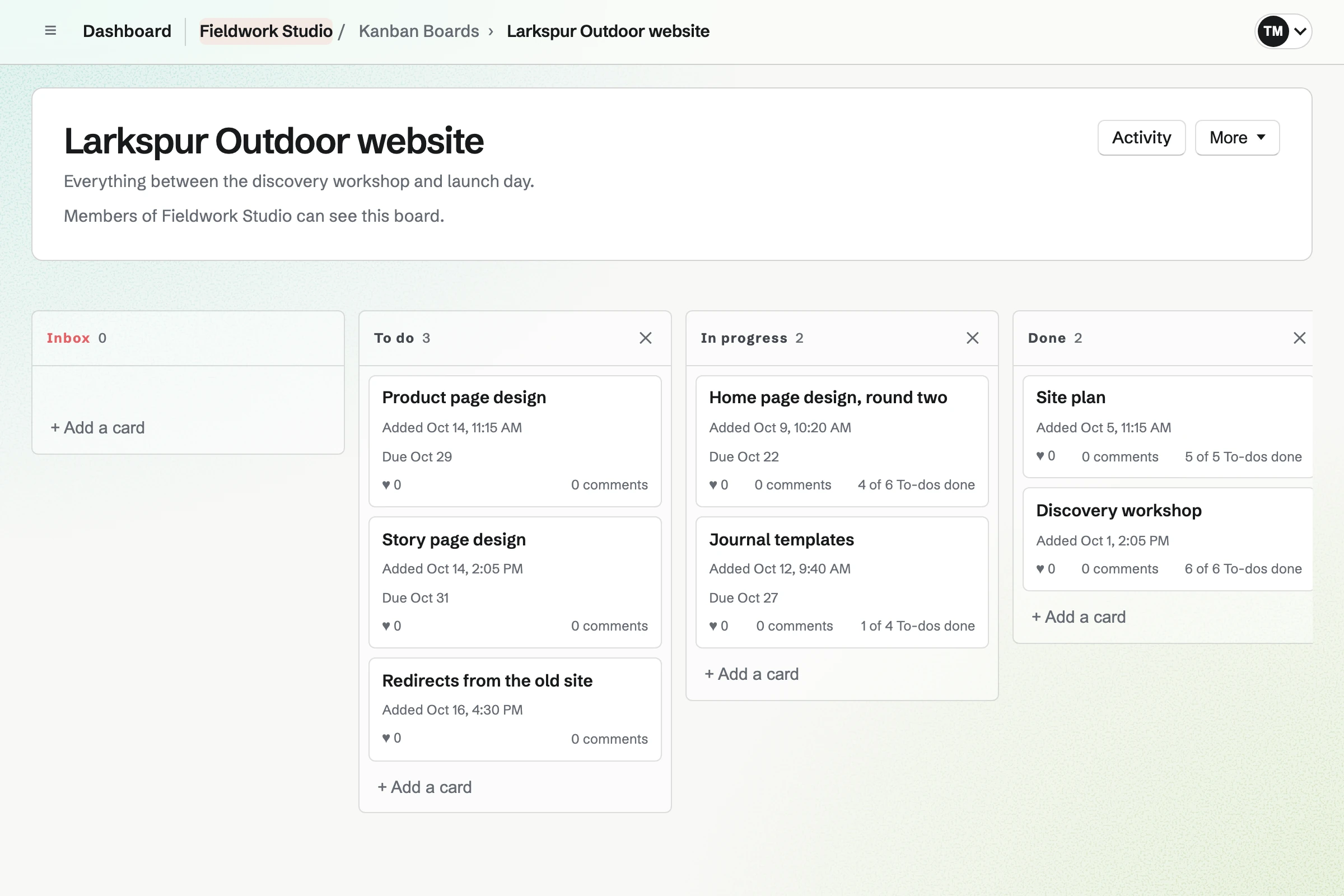
Kanban Boards holds each project as cards in columns. Each card has an assignee, a due date and To-dos. Cards keep their comments and pictures.
Outside access can let a client see the board without changing it. For bug reports and sprints, Issues tracks the work instead.
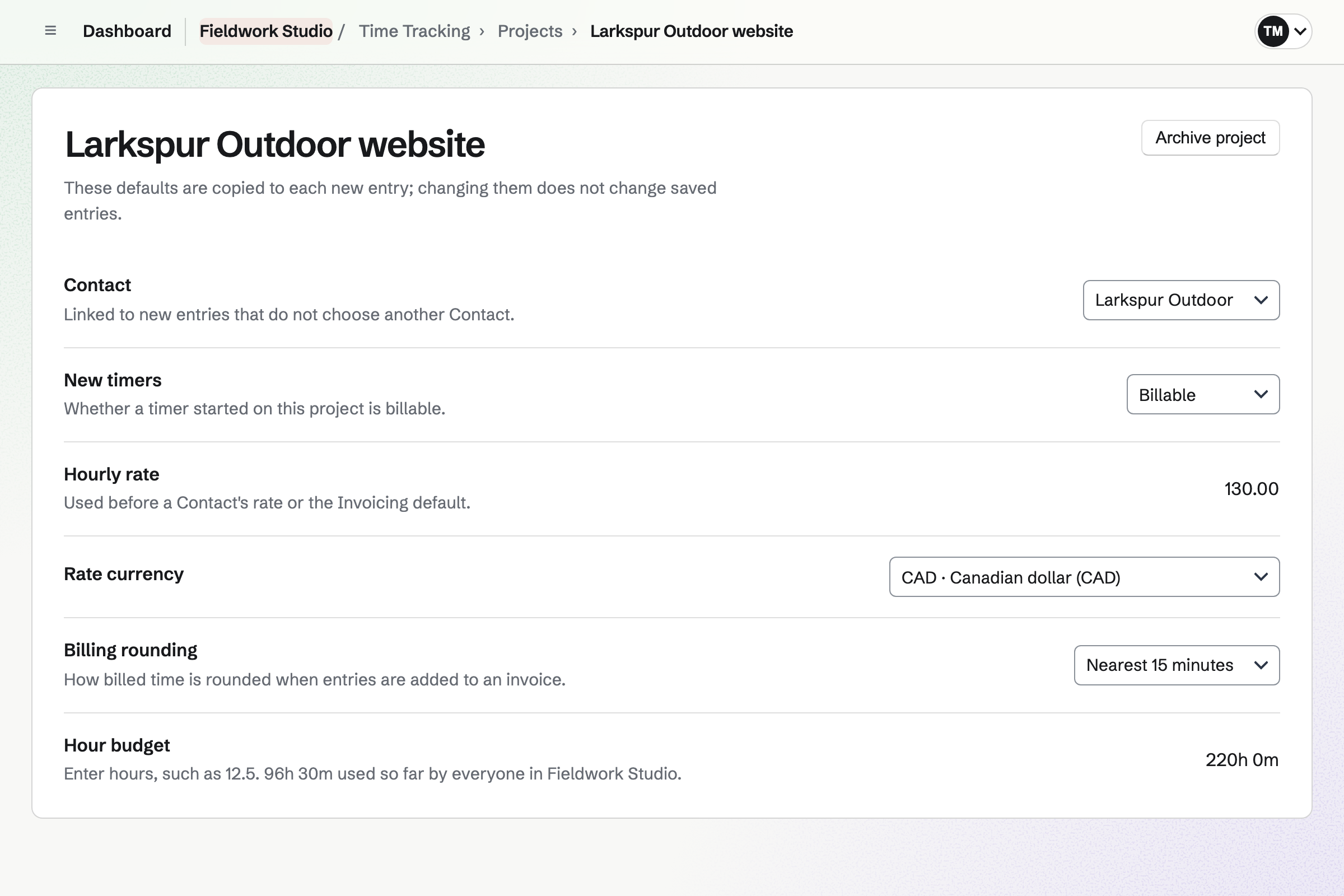
Time Tracking runs a timer that keeps going after the browser closes. Each project has its own rate, rounding and budget of hours.
Reports total the hours by client, project and person, and export as a CSV file.
Invoicing issues the retainer's invoice on its date. It can charge the card the client saved when they accepted. Add unbilled time puts tracked hours onto an invoice as lines.
Clients pay by card, into your own Stripe account, with no Magpie fee.
Team chat gives the studio channels, threads and direct messages. Admins create the channels.
A client can join one channel as a guest. They see that channel and nothing else in the team.
The client chooses the extras, signs and pays the deposit.
Their portal shows the plan and what you need from them.
The project runs on a board, and the hours are tracked.
The tracked hours go onto the project's invoices.
From launch, the monthly care bills itself.
You invite everyone who works there. Help: Create and manage a team.
You connect your Stripe account for deposits and invoices. Help: Connect Stripe to receive money.
You start from a starter or a past proposal. Help: Prices, packages and payments in a proposal.
You choose what the client sees. Help: Create a Client Portal.
An agency fits the Team plan, with everyone in the studio a member. A client in a chat channel joins as a guest and takes no member place.
Magpie takes no fee on deposits or invoice payments. Stripe's processing fee applies to each card payment. Prices are on the Pricing page.
A web designer builds clients' websites and hands them over.
A social media manager runs several clients' accounts.
A consultant scopes, delivers and bills client work.
A software startup plans, builds and ships as a small team.
Yes. The payment schedule splits the total into a deposit, later payments and a final payment. The client pays the deposit by card through your Stripe account.
Yes. A line can be billed monthly, quarterly or yearly. When the work starts, those lines become a recurring invoice.
Yes, when the client chose automatic payment as they accepted. Each invoice is then charged when it is issued. A declined card emails the client a Pay link.
Yes. A pricing section can offer 2 to 4 packages, and optional lines the client adds. The total updates as they choose.
Yes. You see when it is opened, and how long each section is read. Follow-ups can go out if it is not answered.
Yes. Their portal shows the plan's stages and steps, with what is done and what is next. Steps for the client to do are listed first.
Yes. Each project has a budget of hours, and shows how many are used. Reports total the hours by client, project and person.
Yes. A team admin can invite a client into one channel as a guest. They see that channel and nothing else in the team.
Yes. You share a document with the client as Can review. They comment and suggest changes without changing the text.
Magpie takes no fee on deposits or invoice payments. Clients pay through your own Stripe account, and Stripe's processing fee applies.
Create a Magpie account and make a team for the studio.