
Bakeries and home bakers
A bakery with a shop has staff, a rota, opening checks and fridge readings.
Home bakers and cake makers
Your shop, enquiries, quotes and the week's email are in your own Magpie account. A helper who boxes orders on a market day can join you in a team.
Create account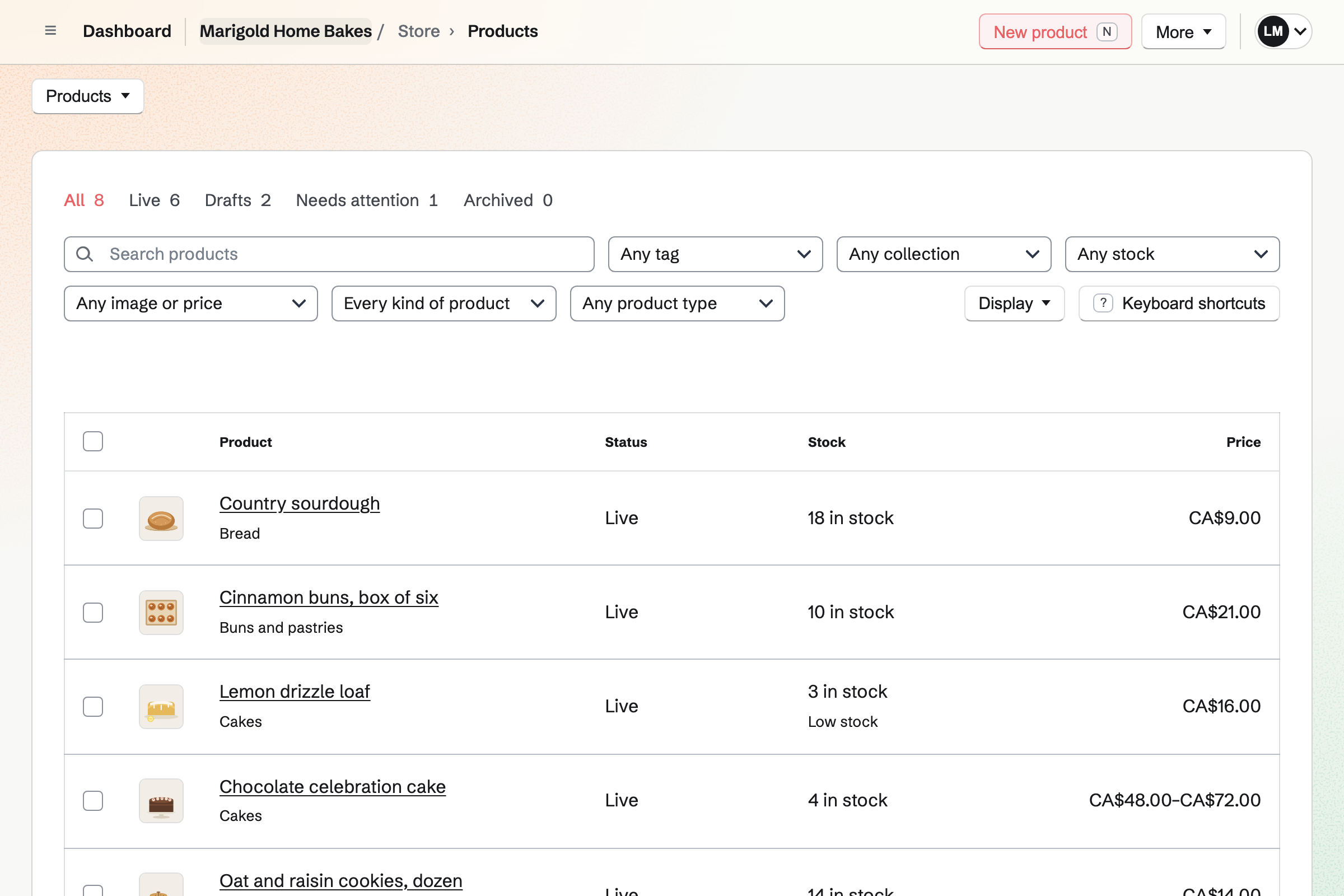
Store is your online shop, and each bake is a product with its own stock. A loaf stops selling when its stock is gone. A field on a cake asks for the message to pipe on it. Buyers pay by card into your Stripe account.
Local pickup shows your address and pickup times at checkout, with no shipping address asked. Local delivery goes to the postal codes you list, on the days you deliver. Orders close at your cutoff, and buyers choose a delivery date at checkout.
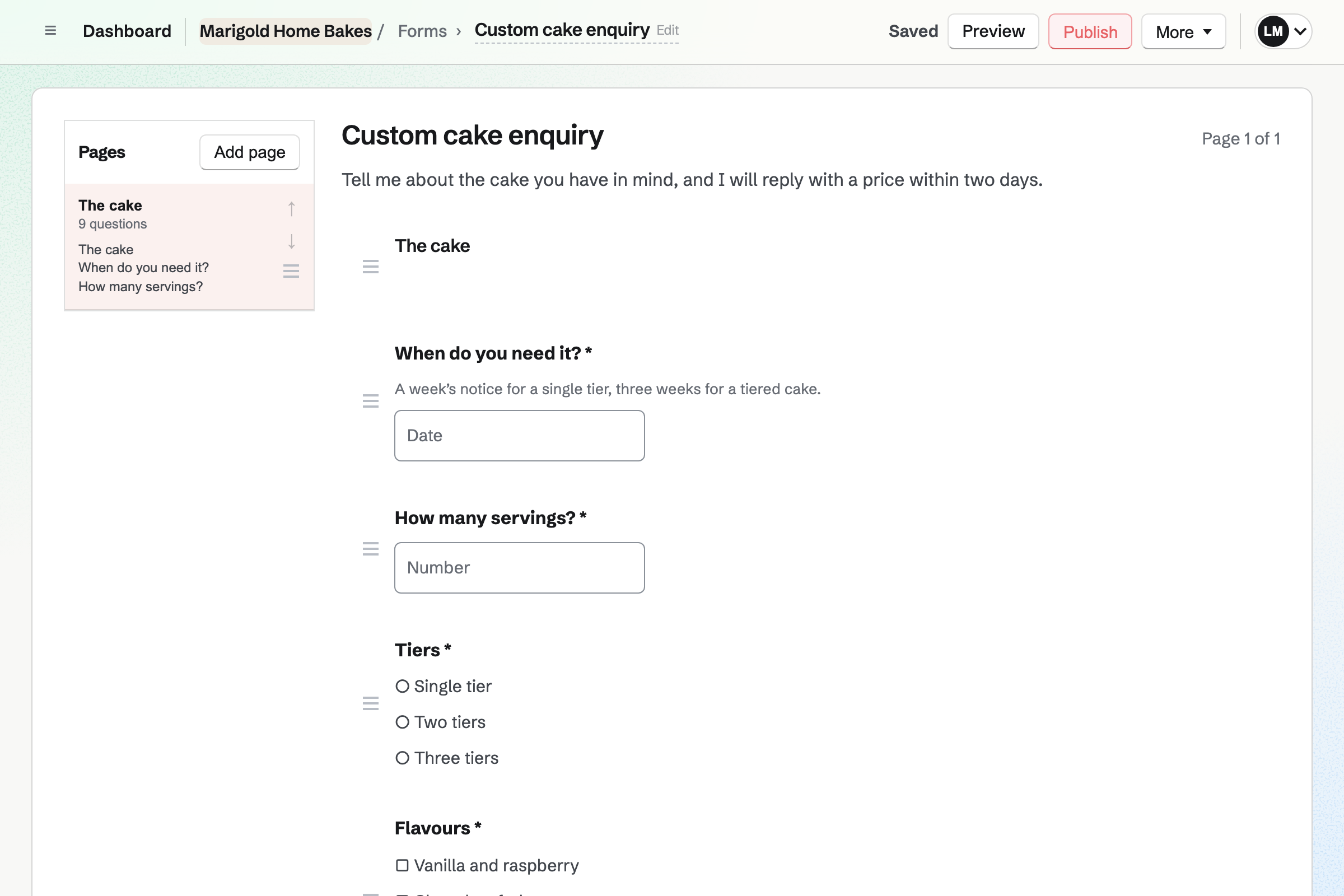
Forms builds your custom cake enquiry. It asks for the date, the servings and the flavours from a list. A File question takes a photo of the design the customer has in mind. The tier questions can show only when someone chooses a tiered cake.
Each enquiry is emailed to you, and the responses are kept in one list. Once you agree the price, you record the order and send a payment link. The customer pays by card, and the order is marked paid.
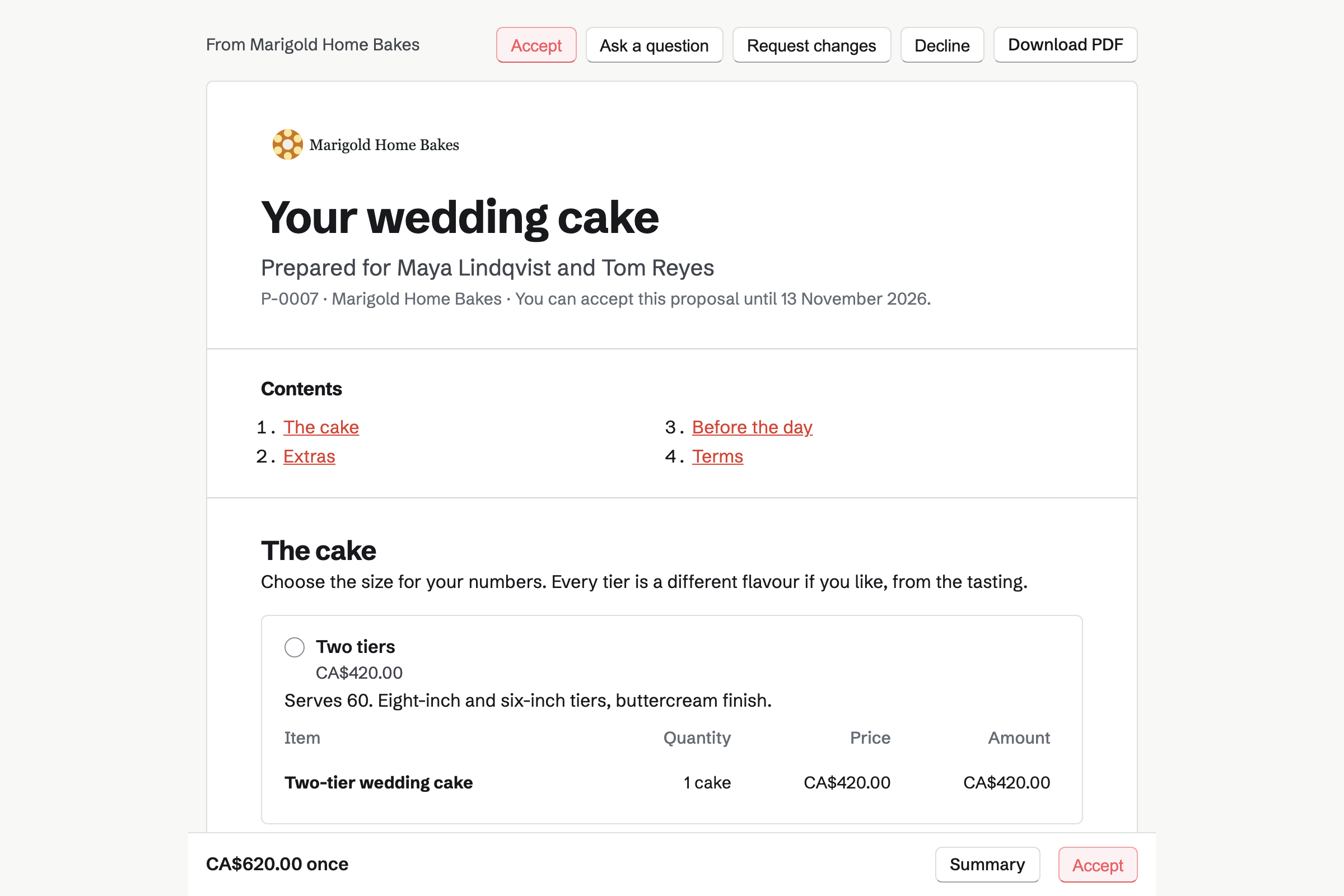
Proposals sets out the cake as packages: two tiers, three or four, each with its price. Optional lines add sugar flowers or a dessert table. The couple choose, sign on the page and pay the deposit by card.
The balance is invoiced on a date you choose, such as two weeks before the wedding. You see when the proposal is opened, and the couple can ask a question on it.
Invoicing bills the rest of a wedding cake on its date, with reminders until paid. An office's cupcake order goes on an invoice of its own, with your tax rate. Sending emails the PDF with a Pay online button.
Card payments go to your own Stripe account, with no Magpie fee. A bank transfer or cash is recorded by hand. A café that takes your loaves can be billed every month on a recurring invoice.
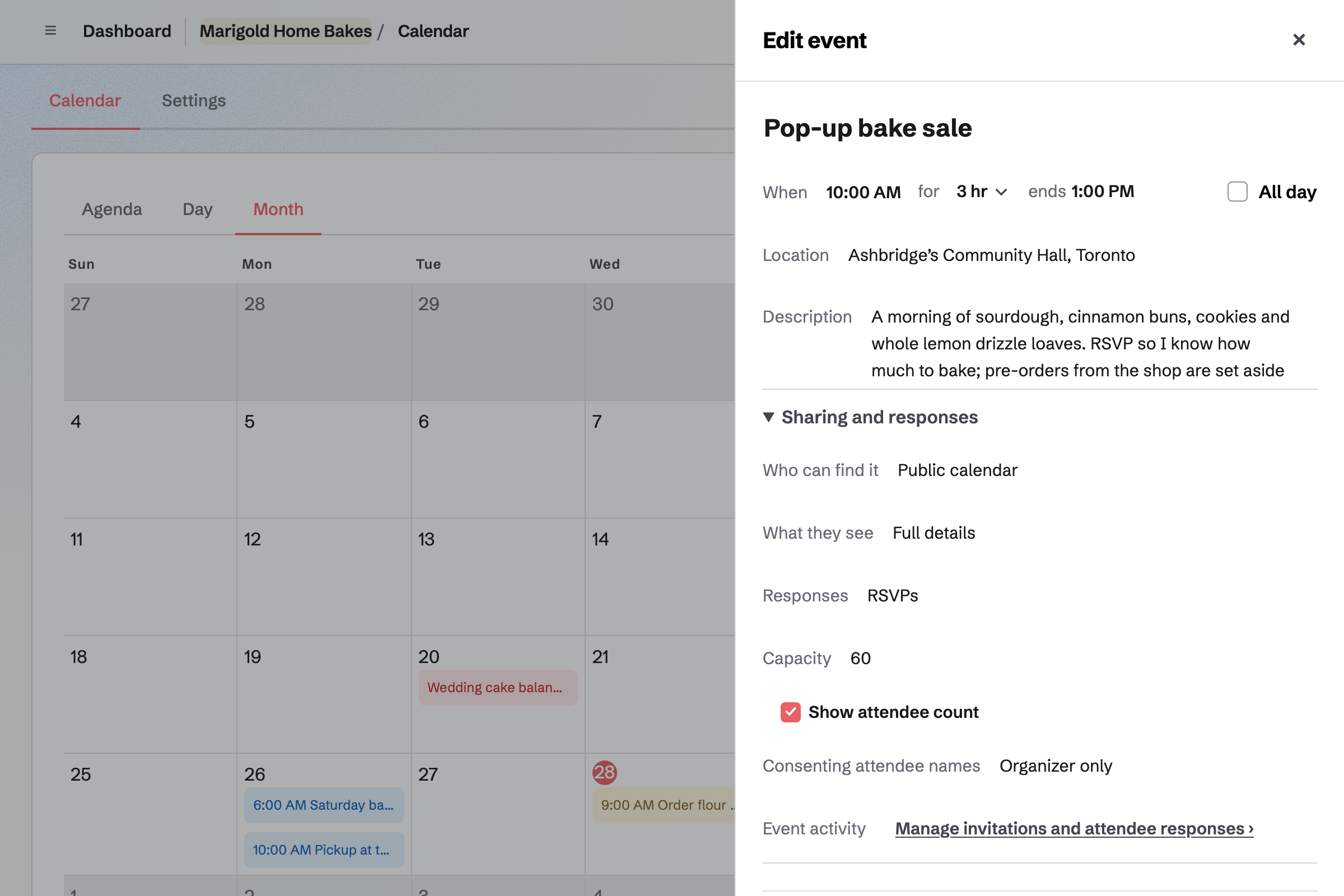
Calendar lists each market and pop-up as a public event. Your public calendar is at an address of your own, to put in your bio. Each event's page shows the date, the time and the place.
A tasting evening or a decorating class can take RSVPs, up to the seats you set. Sharing an event starts a social media post about it.
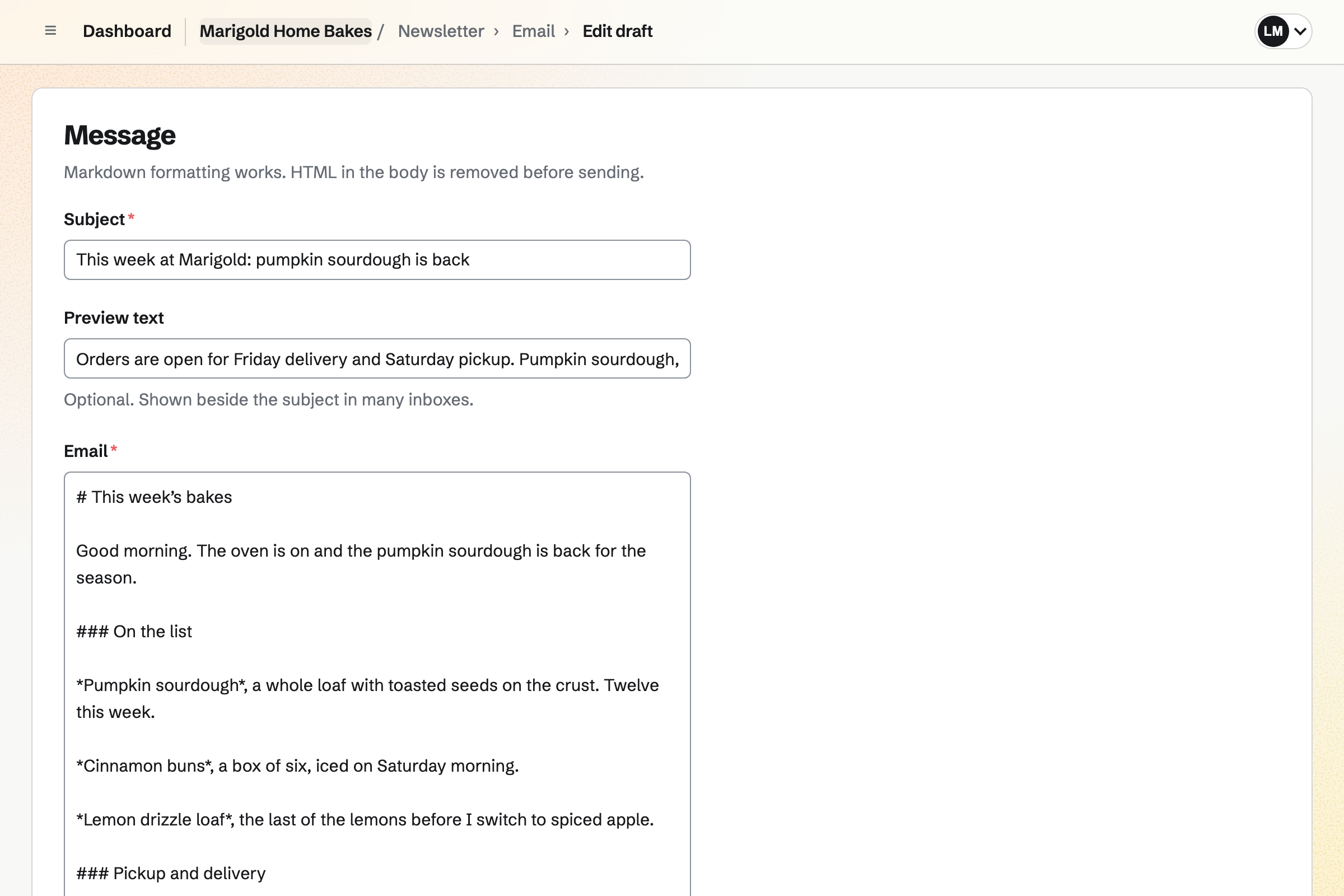
Newsletter gives you a sign-up page with double opt-in, and checkout can ask buyers to subscribe. You write the week's list, send yourself a test and schedule it for Monday morning. Each bake can link to its page in the shop.
A sent email has a web copy, which can start a social media post. The newsletter's page counts the subscribers and the copies delivered.
Each step starts from what the one before it made.
Monday's bakes go live in the shop at the time you set, each with its stock.
The newsletter goes out the same morning, with a link to each bake.
A loaf sells until its stock is gone, and each cake carries its message.
Delivery orders close at your cutoff, and Local deliveries lists them soonest first.
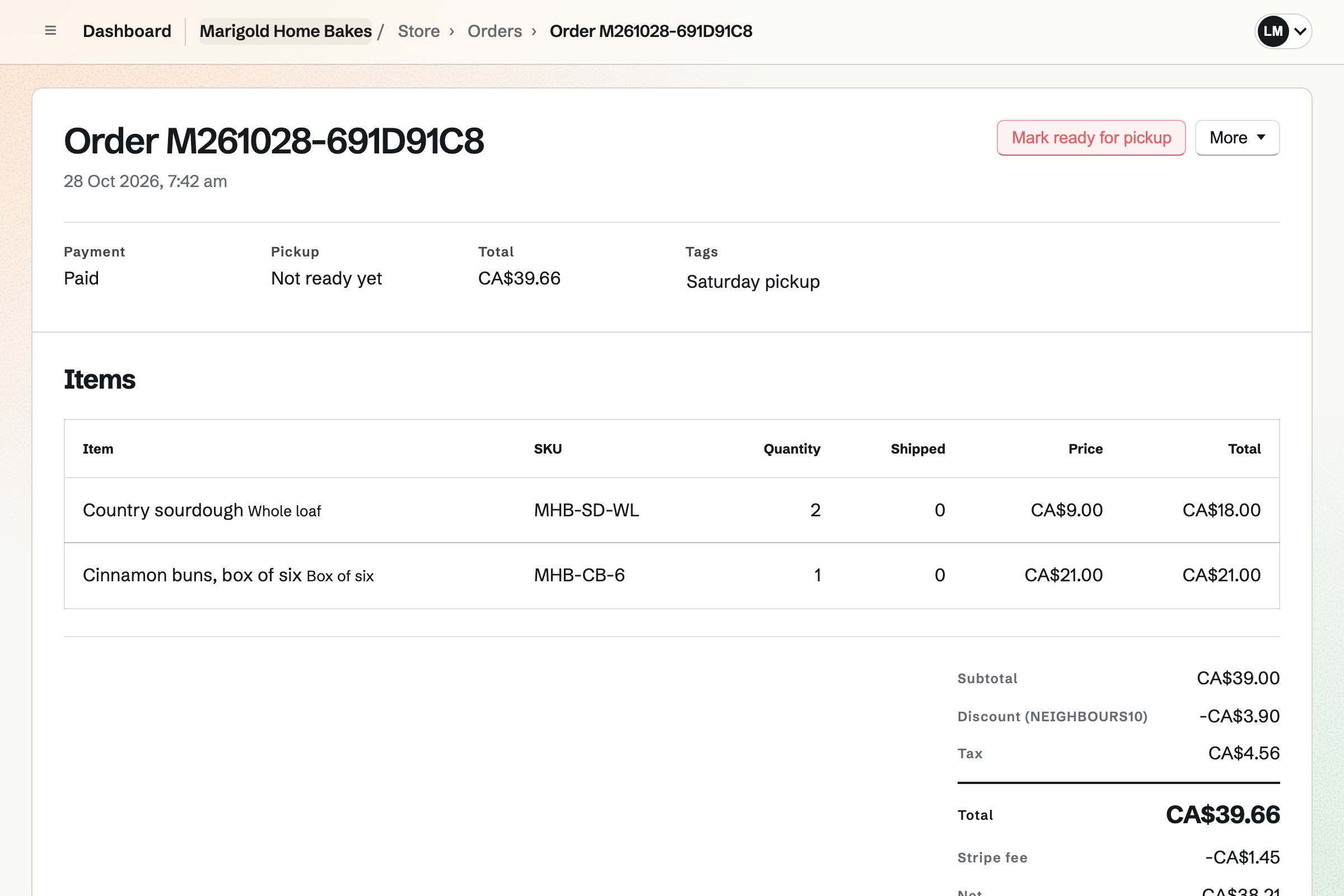
Marking an order ready emails the customer your address and pickup times.
Each paid order is in the books with Stripe's fee, and the week's receipts beside it.
You name the shop, add pickup at your door and your delivery days with a cutoff. Help: Collections and shipping.
You add each bake with its stock, and a message field on the cakes. Help: Create products, options, and inventory.
You add the date, servings, flavour and photo questions, then publish the Form. Help: Build, publish, and share a form.
You start the newsletter and choose it for the sign-up box at checkout. Help: Start and configure a newsletter.
You connect your Stripe account, so customers can pay by card. Help: Connect Stripe to receive money.
A baker working alone fits Pro, for your own work in Personal. The free plan includes 5 invoices a month and 5 proposals, and Pro has no limit. Pro also raises the newsletter's monthly allowance.
Magpie adds no fee to your shop's sales, invoices or deposits. Stripe's processing fee is taken from each card payment. Prices are on the Pricing page.
A bakery with a shop has staff, a rota, opening checks and fridge readings.
A caterer with chefs and servers quotes each event per head and plans the prep.
A personal chef books cook days at clients' homes and bills them with the groceries.
A food producer makes jars in batches and sells them to the shops that stock them.
A market seller works mostly at stalls and fairs, with a calendar of where next.
A grower sells weekly boxes with delivery dates, and people sign up for the season.
A handmade seller sells pieces and downloads online, and takes custom order requests.
Yes. Each bake is a product with its own stock, and stops selling when it is gone. Local pickup shows your address and pickup times at checkout. A required Date field can ask which day they will collect. When you mark an order ready, Magpie emails the customer the address and any instructions.
Yes. A bake that is not live can go live at a date and time you set. Monday at eight works. A collection, such as this week's list, can be published at a set time too. You can also take a bake off the shop and keep it for next week.
Yes. With Sell when out of stock on, a product keeps selling past zero. Customers see an expected date, if you set one, on the product page and their order. Every order with items not yet baked is listed under Pre-orders. Payment is taken when they order.
Yes. Local delivery goes to the postal codes you list, on the days you deliver. You set how many days' notice you need and a cutoff time. Buyers choose one of the next 14 delivery days at checkout. Delivery can have a fee, or be free over an order amount.
Yes. A pickup method has your address, your pickup times and a note such as which door. Buyers see the address when they choose it, and Stripe asks for no shipping address. Pickup can be free or carry a price.
Yes. A personalisation field on a cake asks for the message to pipe on it. It takes short text, and can be required, free or at an added price. The order, its emails and the packing slip show what they wrote.
Yes. A long text field on a product asks for dietary notes as they buy it. The product page can show a specification such as Allergens: wheat, eggs, milk. Each recipe in Daily Operations records its allergens too.
Yes. An option such as Size gives 6 inch and 8 inch their own price and stock. A second option, such as Flavour, works the same way. Each combination is an item customers choose.
Yes. A gift card product sells fixed amounts and, if you choose, a custom amount. The buyer can have it emailed to someone on a date they pick. The holder spends it in your shop, and it never expires.
They answer your custom cake Form. It asks for the date, the servings and the flavours. A File question takes a photo of the design. A question about tiers can show only when they choose a tiered cake. Each enquiry is emailed to you, and the responses are kept in one list.
You record the order at the price you agreed, and choose to send a payment link. Magpie emails the customer a Stripe payment page for the total. The link works for 24 hours, and the order is marked paid when they pay. One Custom cake product covers every one, at whatever price you agree.
Yes. The quote is a proposal with a payment schedule that starts with a deposit. The deposit's invoice is issued when the couple accept, and they pay it by card. The balance is invoiced on a date you choose, such as two weeks before the wedding.
Yes. A pricing section offers 2 to 4 packages, such as two tiers or three, and they choose one. Optional lines add sugar flowers or a dessert table. A line priced by the guest lets them set the number within the range you allow. The total follows each choice.
Yes. An invoice bills the office with lines for the cupcakes and delivery, and your tax rate. Sending it emails the PDF with a Pay online button. Reminders go out until it is paid. A café that takes your loaves can be billed every month on a recurring invoice.
Yes. Each market is an event on your public calendar, at an address of your own. The event's page shows the date, the time and the place. Share event starts a social media post about it.
Yes. A stall sale is recorded as an order, paid in cash or on your card terminal. Its items come out of the same stock as the shop.
Yes. A QR code opens any address, such as your shop or one bake's page. A dynamic code can be pointed somewhere else after the sign is printed. Its page counts the scans.
Yes. Newsletter gives you a sign-up page with double opt-in, and checkout can ask buyers to subscribe. You write each email in Markdown, send yourself a test and schedule it. A sent email has a web copy to share.
Yes. Promote on Social Media starts a post from a live bake, with its link and photos. For Instagram, Magpie emails you a reminder at the post's time. On your phone, the posting page copies the text and opens the share sheet. Bluesky, Mastodon and LinkedIn are posted for you.
Yes. Daily Operations keeps each recipe with its ingredients, method, yield, how long it keeps and allergens. It works out what a batch costs from its ingredients in Inventory. A buttercream or a syrup can be a recipe inside another.
Yes. You photograph each receipt on your phone, up to 10 MB each. Receipt Inbox keeps receipts you photograph first and enter later. Categories total what the month cost.
Yes. Accounting adds each paid order, deposit and invoice payment to the books, with Stripe's fees. Your expenses are in the same books. Profit and Loss shows the month's income and costs, and exports as PDF or CSV.
Magpie adds no fee to your shop's sales, deposits or invoice payments. Stripe's processing fee is taken from each card payment. The rest goes to your own Stripe account, and Stripe pays it out to your bank.
Yes. Customers check out on Stripe's checkout page without signing up first. Magpie keeps each order in a free Magpie account for their email address. A custom cake enquiry is answered without signing up first too.
Yes. A discount code takes a percentage or an amount off, or gives free shipping. It can be limited by dates, a minimum order and a number of uses. The customer types it in their cart.
Yes. When a bake with counted stock sells out, its product page asks for an email address. Magpie sends one email when it can be bought again. You see how many people are waiting.
Yes. Remove from store takes the week's bakes off the shop and keeps them as drafts. Each can go live again at a date and time you set. Orders already paid keep their pickup or delivery details.
Create a Magpie account and add this week's bakes to your shop.