
Coffee shops and cafés
A café serves coffee at the counter, with a rota and opening checks.
Coffee roasters
The roastery, its roasters and its packers work in one Magpie team.
Create account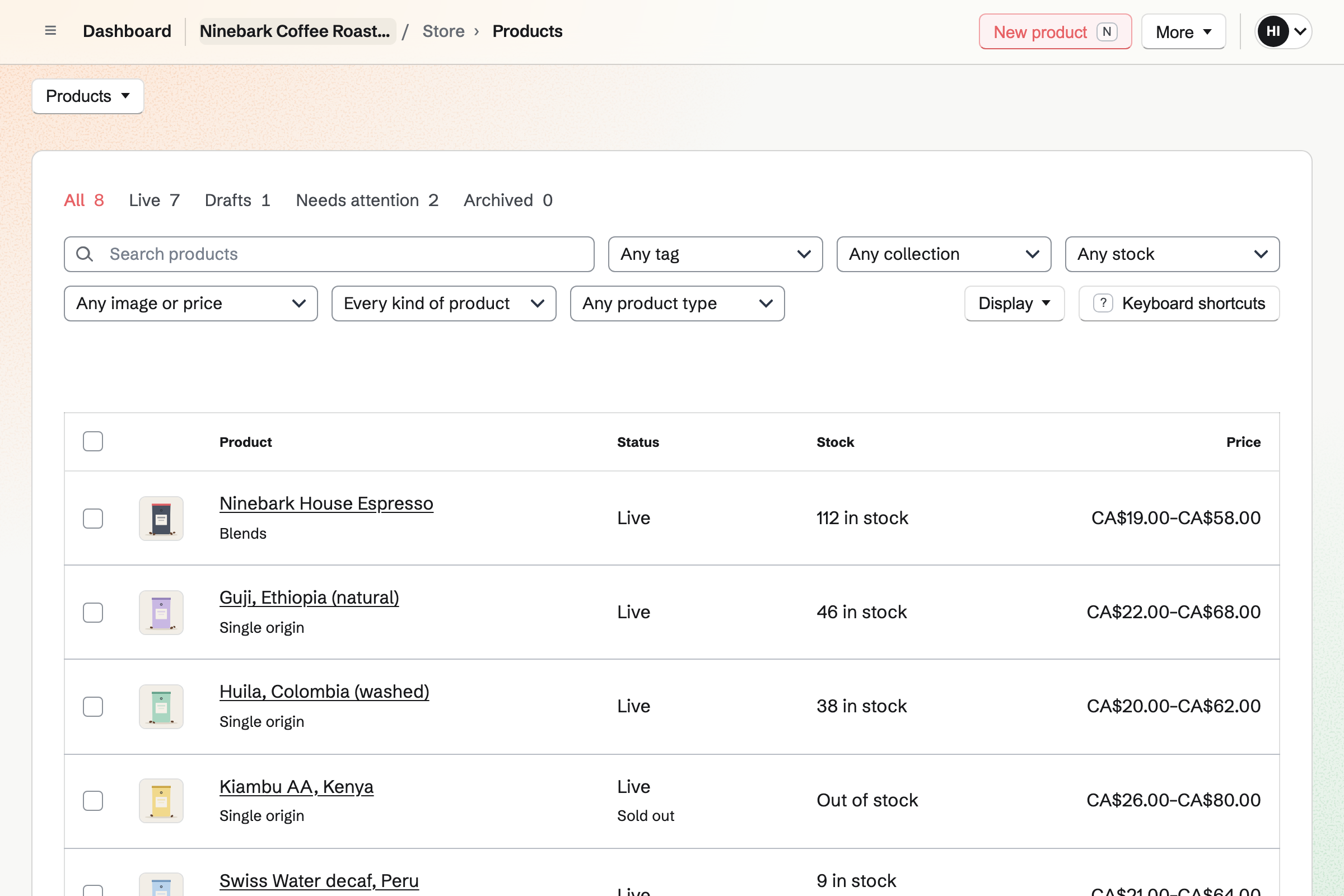
Inventory is the roastery's stock list. Green coffee is counted by the kilo, in the bags your importer sells. Each coffee has a minimum. Running low lists the bags to order when one falls below it.
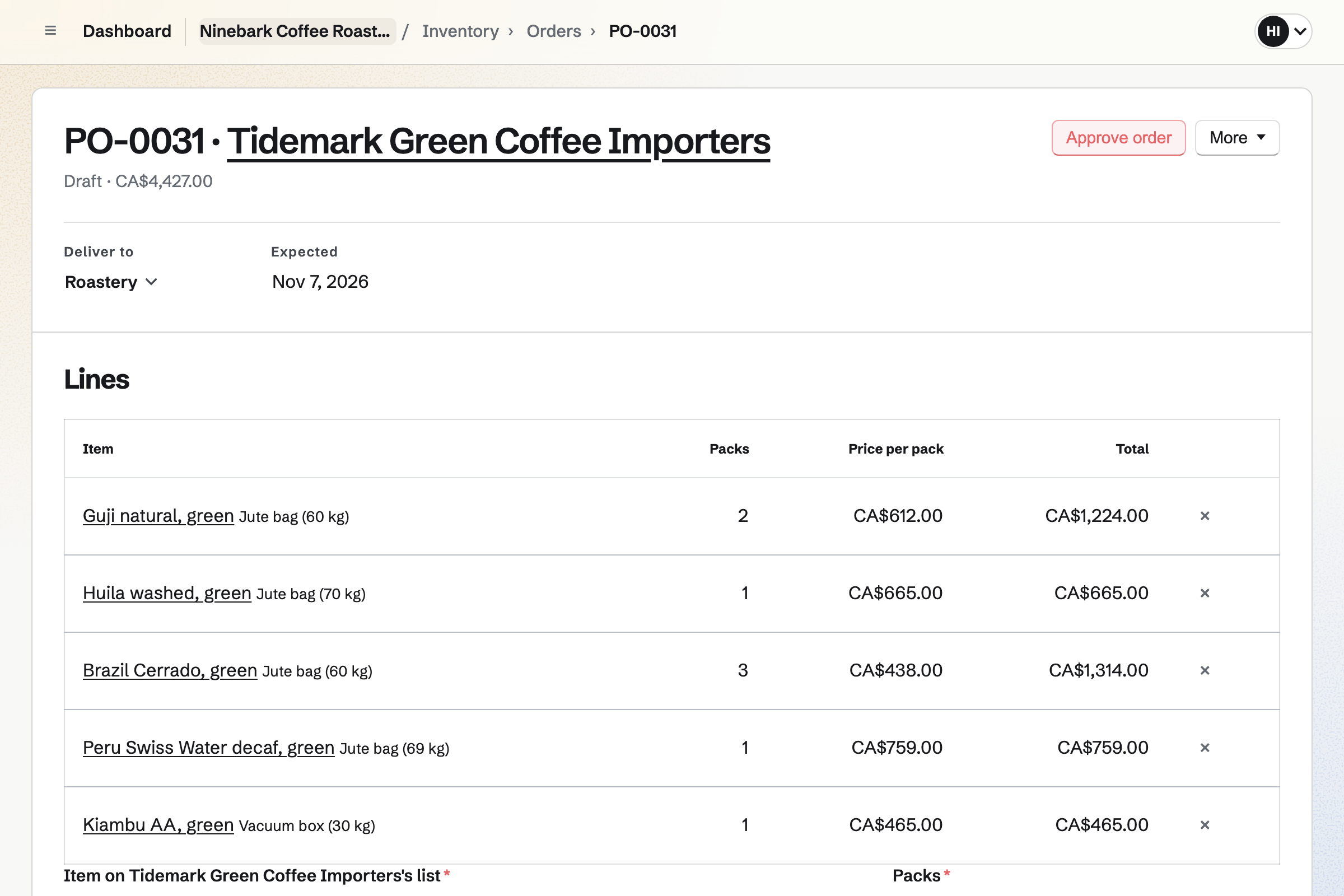
A purchase order goes to the importer by email, in their bag sizes and prices. Receiving it adds the coffee to stock at what it cost. Each delivery can keep the importer's lot code.
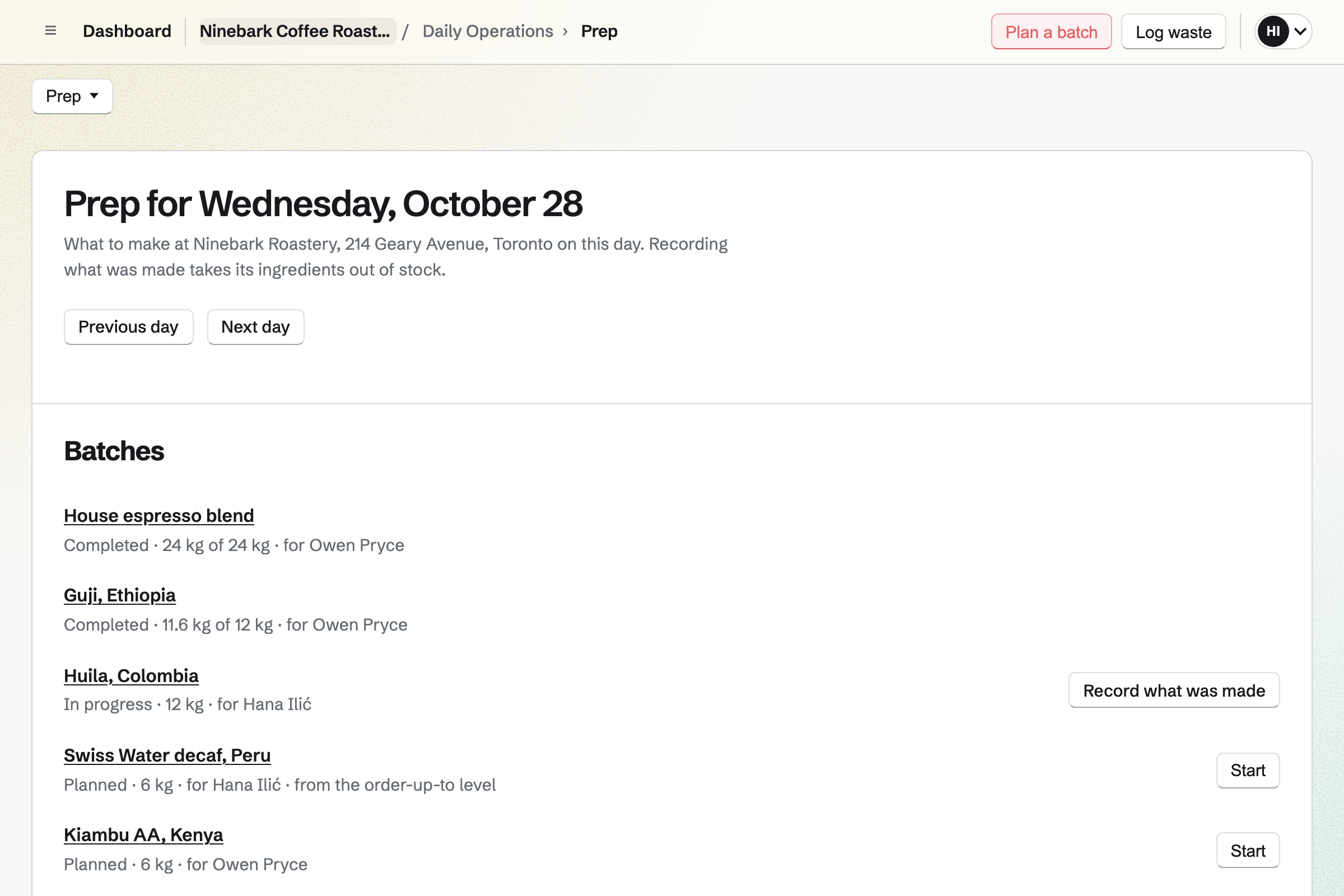
Daily Operations plans the roastery's day. A recipe lists the green coffee in one roast, such as a blend's three origins. It also names the roasted coffee it is kept in stock as.
Recording a roast takes its green coffee out of stock. The roasted coffee is added as a lot named with the roast date. You set how long a coffee keeps, and each lot gets its use-by date.
Store is the roastery's online shop. Options such as Size and Grind make each combination an item with its own price. A 250 g bag and a 1 kg bag are two sizes. Whole bean, espresso and filter are three grinds.
Every bag sells from the same roasted coffee in your stock list. Each roast you record will show in the shop. Specifications show the origin, the process and the tasting notes.
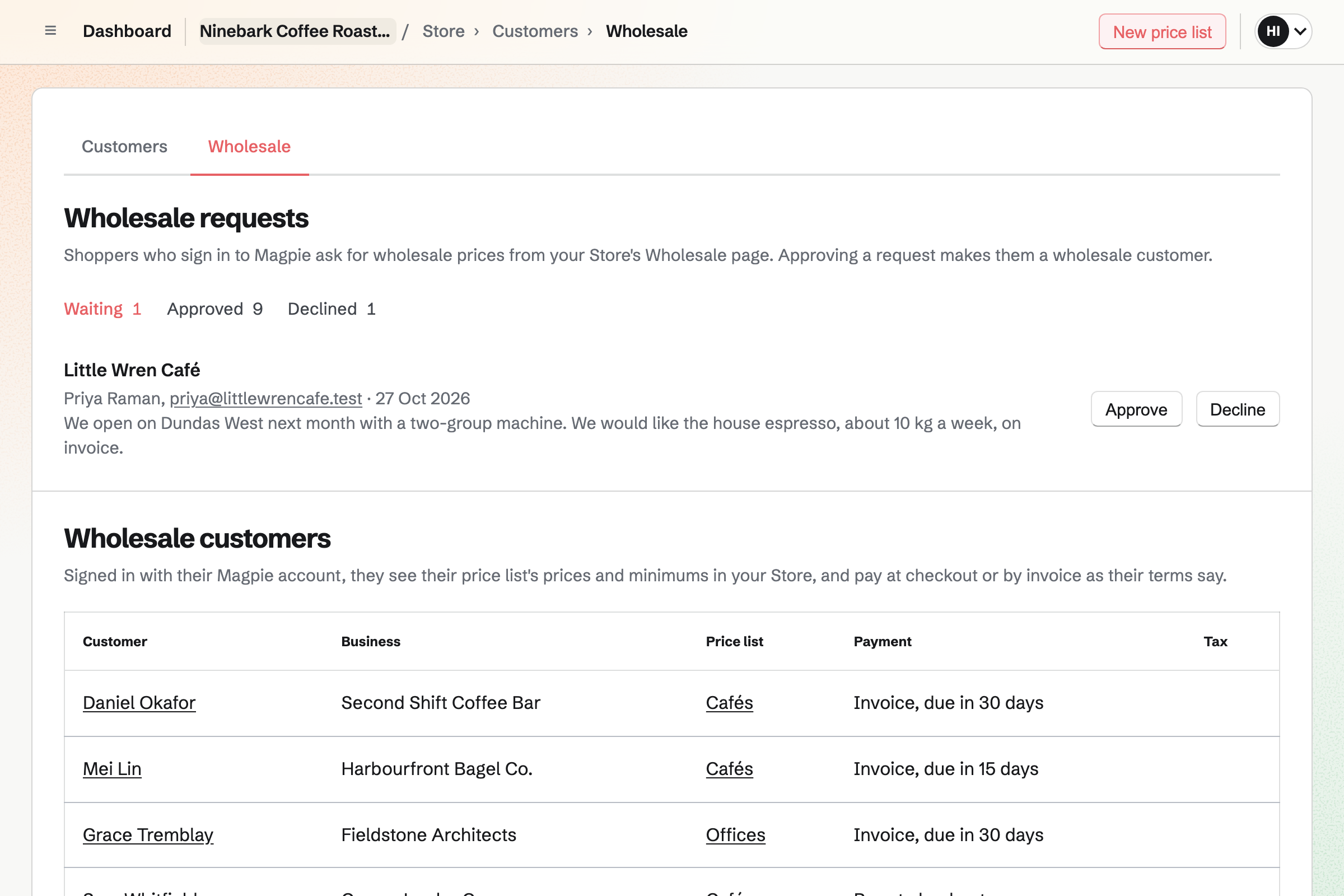
A café you supply is a wholesale customer with its own price list. Its buyer signs in to Magpie and sees the café's prices and minimums. A minimum can ask for at least five 1 kg bags of the house espresso.
At checkout the café chooses Pay by invoice. Magpie emails the invoice, due on receipt or 7, 14, 30, 45, 60 or 90 days later, with a link to pay online. You can ship before it is paid.
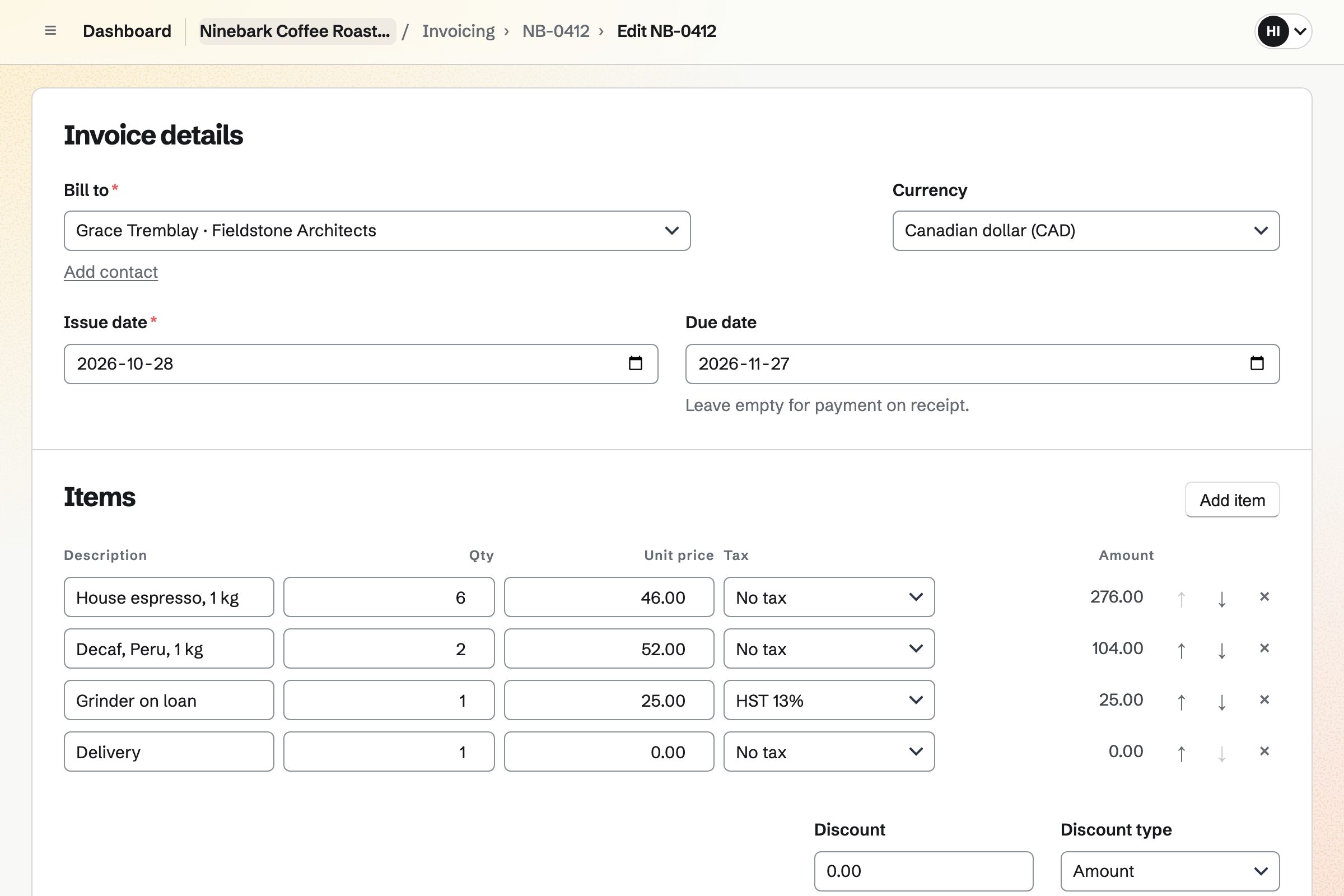
Invoicing bills an office for its bags and the grinder you lent it. Made recurring, the invoice will be issued and emailed with the same lines every month. You can change the lines when the office orders more.
Reminders go out until each invoice is paid. The office pays by card from the email, into your own Stripe account. Magpie adds no fee. A bank transfer is recorded by hand.
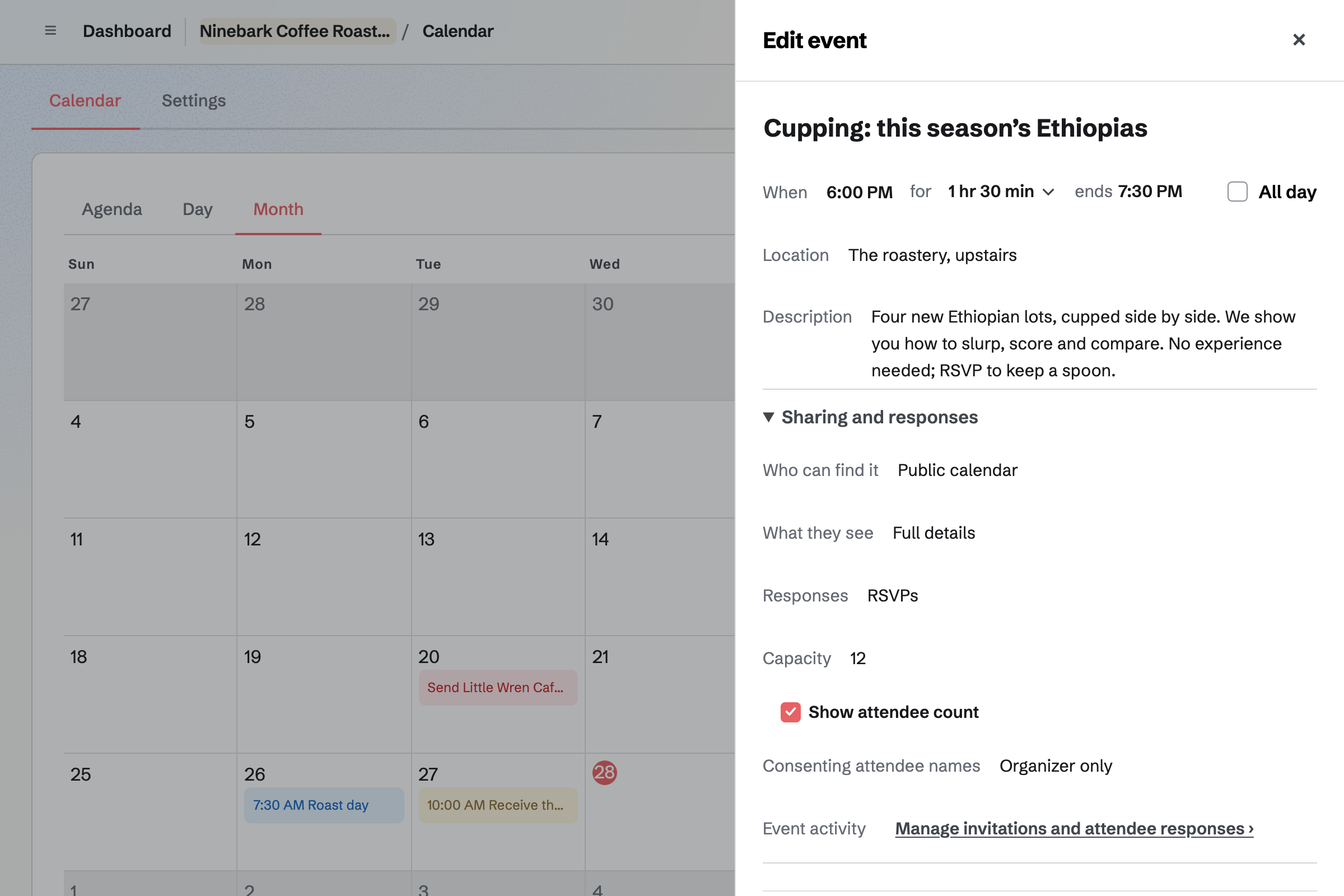
Calendar gives the roastery a public calendar. A cupping of this season's coffees is an event with RSVPs and a capacity. The event's page says when it is full. People RSVP while signed in to Magpie.
The page can show how many people are going. Sharing an event starts a social media post about it.
Asset Tracker gives each machine a page: the roaster, the grinders and the bag sealer. A grinder you lend is checked out to the café's contact, with a due date.
Start maintenance records the roaster in for repair, with the date it is expected back. Your weekly chaff and afterburner clean, a Daily Operations routine, can be linked to the roaster.
Each step starts from what the one before it made.
Two bags of a natural Guji arrive on the importer's order, with their lot code. The green coffee goes into stock at its cost.
You record Monday's roast. The green coffee leaves stock, and the roasted coffee is added with its roast date.
The Guji goes live in the online shop, by the bag, whole bean or ground. Each bag sold comes out of the roasted coffee.
This season's Ethiopias go on the public calendar as a cupping for twelve.
A café orders the Guji in 1 kg bags at its wholesale price, on invoice.
The online orders, the café's invoice and its payment are in the books.
You add each green coffee in kilos, and each importer with its bag sizes. Help: Order from suppliers and receive deliveries.
You set up the roastery as a location, and list the green coffee each roast uses. Help: Plan prep, keep recipes and log waste.
You add each coffee with its sizes and grinds, and link each to its roasted coffee. Help: Sell Inventory stock in Store.
You give each café a price list and invoice terms. Help: Wholesale customers, price lists and pay by invoice.
You connect your Stripe account, so customers and cafés can pay by card. Help: Connect Stripe to receive money.
A roastery with staff fits the Team plan, one price for up to 25 members. It has no limit on invoices, and room for 5,000 calendar events.
A free team has up to 3 members and 5 invoices a month. Invoices for cafés' orders in your shop do not count toward that limit.
Magpie adds no fee to your shop's sales or to invoices. Stripe's processing fee is taken from each card payment. On a paid Form for a class, Magpie's fee is 1% of each payment. Prices are on the Pricing page.
A café serves coffee at the counter, with a rota and opening checks.
A small food brand makes jars and bottles in batches, and sells to stockists.
A maker who sells mostly to shops works from line sheets, price lists and stockists' terms.
A brewery pours its own beer in a taproom, runs events and sells bottles to shops.
A market seller sells at stalls and fairs, with an online shop between events.
Yes. A coffee has a Grind option, with choices such as Whole bean, Espresso and Filter. Each choice is an item the customer picks before adding it to their cart. The order and its packing slip show the grind.
Yes. A Size option makes each bag size an item with its own price, weight and SKU. With Size and Grind together, every combination is its own item.
Yes. Each item is linked to the coffee's roasted stock. One sale uses 250 g or 1 kg of it. Every sale takes that much out. The shop shows as many bags as the roasted coffee allows.
Yes. You plan the day's roasts, then record what each one made. Its green coffee leaves stock. The roasted coffee is added as a lot named with the roast date. The lot's use-by date comes from how long you say the coffee keeps.
Yes. A recipe lists each green coffee in the blend, with how much goes into one roast. Recording the roast takes each of them out of stock.
Yes. A recipe's page shows what it costs from each green coffee's average cost. The roasted coffee from each roast is valued at what went into it. You and your managers see the costs, and other staff do not.
You record it as a failed batch. Its green coffee is taken out of stock as waste, and nothing is added. The Waste page totals what was lost by reason and by coffee.
Each green coffee has a minimum and an order-up-to level. Running low lists every one below its minimum, counting what is already on order. It works out how many of the importer's bags bring it back up.
Yes. Each importer has its bag sizes, its prices and its lead time. A purchase order is emailed to them with each line and the date you need it. Receiving the delivery adds the coffee to stock at its cost.
Yes. With Lots or batches turned on, each delivery records its lot code. The green coffee's stock page lists each lot.
Yes. Specifications are name and value pairs on the product page. Origin: Guji, Ethiopia and Process: Natural are two. The tasting notes, the altitude and the roast level can be specifications too.
Yes. When a coffee sells out, its page offers a back-in-stock email. Each person who asks will get one email when it can be bought again. You see on the product how many people are waiting.
Yes. A bundle sells several products as one, at its own price. Its parts can be a 250 g whole bean bag of each coffee. Each sale takes every part out of stock.
Yes. Your shop's footer can link to a page where cafés ask for wholesale prices. You approve each café and choose its price list. Its buyer signs in and sees the café's prices. A price list can take a percentage off everything else.
Each café's invoice is due on receipt, or 7, 14, 30, 45, 60 or 90 days after it is sent. At checkout the café chooses Pay by invoice. Magpie emails the invoice with a link to pay online. When it is paid in full, the order is marked paid.
Yes. A price list gives each coffee a minimum quantity, such as five 1 kg bags. The cart shows the minimum, and checkout will not go ahead with fewer.
Yes. You make an invoice with the office's bags and any grinder hire, and make it recurring. It will be issued and emailed with the same lines every month. Reminders go out until each one is paid.
Yes. You send the office a proposal with its coffee as a monthly line. When it is accepted, the monthly line becomes a recurring invoice. If the office saves a card on accepting, each invoice is charged to it.
Yes. Asset Tracker gives each grinder a page, with its serial number and condition. You check it out to the café's contact, with a date it is due back. Its history lists every checkout and repair.
Yes. A weekly routine for the chaff and the afterburner can be linked to the roaster. Start maintenance records it in for repair, with the date it is expected back. An incident about it can take it out of service.
Yes. You add local pickup with the roastery's address and pickup times. When you mark an order ready, Magpie emails the customer the address, times and any instructions.
Yes. Local delivery goes to the postal codes you list, on the weekdays you choose. An optional cutoff time moves later orders to the next day. Buyers choose a delivery day at checkout.
Yes. Each bag size has its shipping weight in grams. A shipping method can charge a flat rate, by weight or by order amount. It can also be free over an amount you set.
Yes. You put the cupping on the roastery's public calendar and turn on RSVPs. You can set a capacity, and the event's page says when it is full. People RSVP while signed in to Magpie.
Yes. A Form for the class charges one amount by card on Stripe's page. Each response shows that it is paid. You close the Form when the seats are gone. Magpie's fee on a paid Form is 1% of each payment.
You record each sale as a new order, with the bags and how it was paid. The order is created paid, and its bags leave the same stock.
Yes. A gift card sells fixed amounts and, if you choose, a custom amount. The buyer can have it emailed to someone on a date they pick. The holder spends it in your online shop.
Magpie adds no fee to your shop's sales or to invoices. Stripe's processing fee is taken from each card payment. The rest goes to the roastery's own Stripe account.
Create a Magpie account and make a team for the roastery.