Lawyers and small law practices
A law practice fills in standard agreements, sends them to sign and bills its hours.
Accountants and bookkeepers
The practice and its staff work in one Magpie team. Each client has a portal. Clients who keep their books in Magpie can invite you in.
Get started free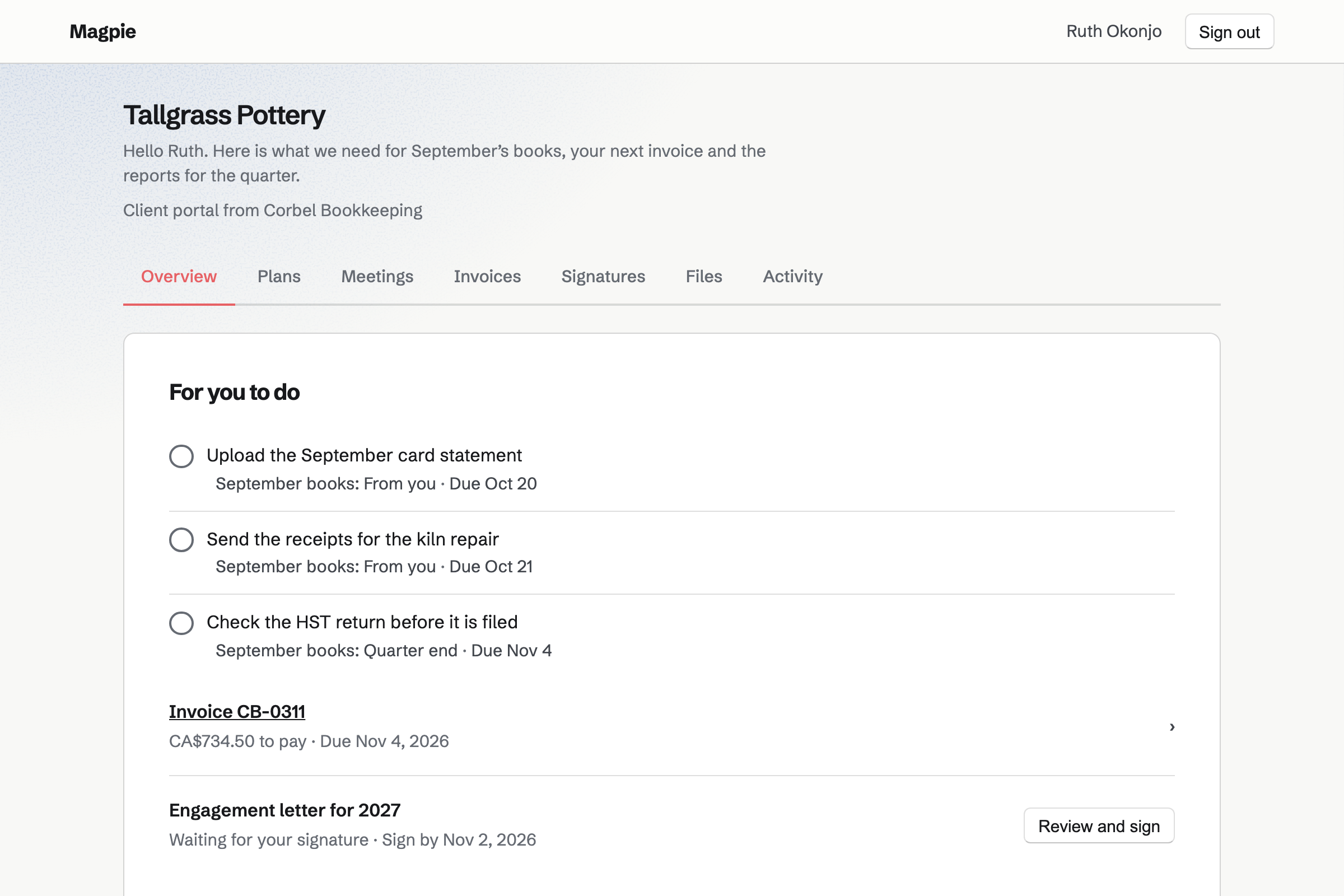
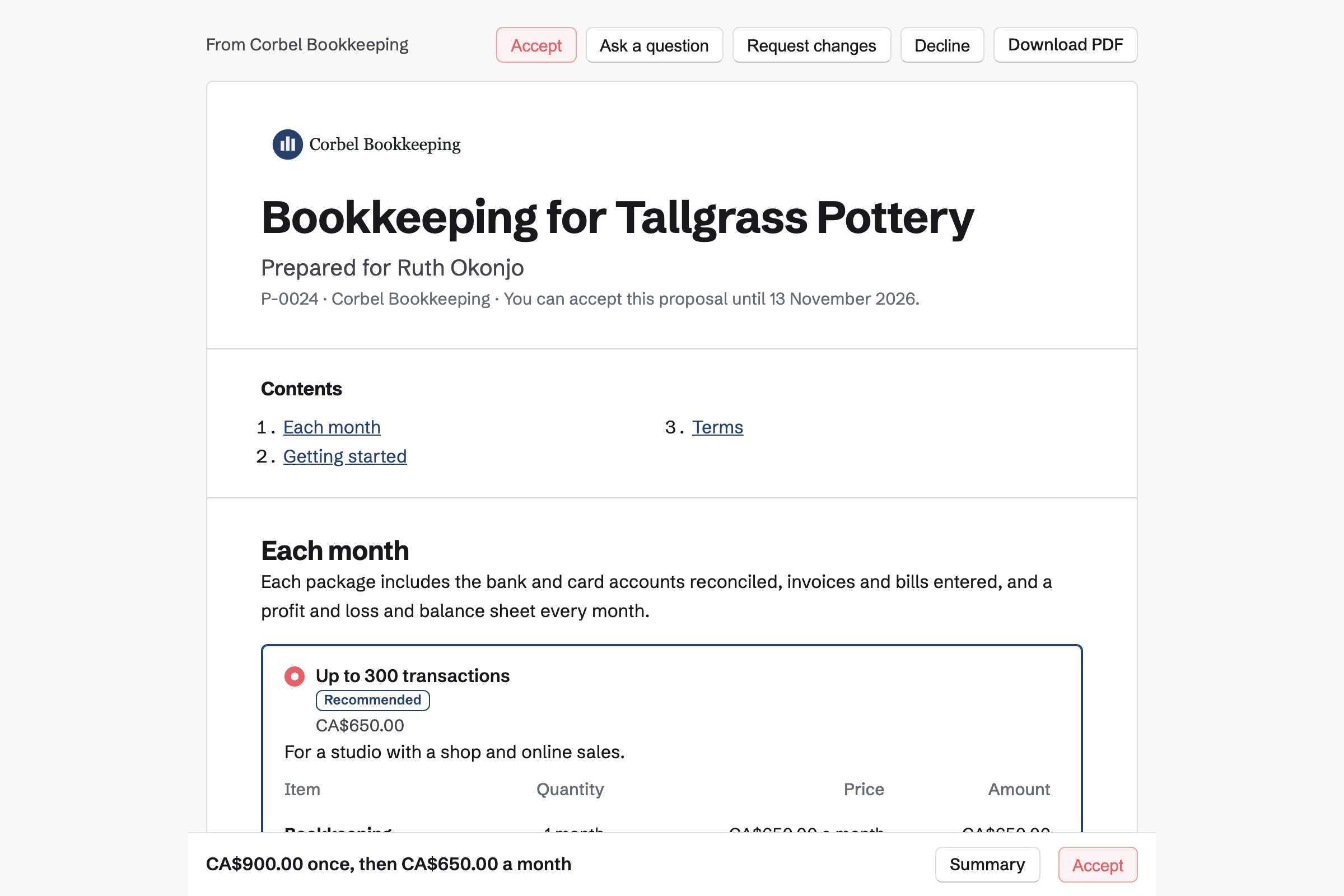
Proposals turns your fees into a quote the client reads and signs. Magpie's bookkeeping starter prices each month by transaction volume, in three packages. Catch-up work and payroll are optional add-ons.
When the client signs, Magpie will start the monthly invoices. The starter asks the client to put a card on file, which each invoice will charge.
Client Portal gives each client a private page of their own. A plan lists the month-end steps, such as sending the bank statements. The client ticks theirs off, and their files appear beside yours with who uploaded each.
You can save a month's plan as a starter, with each step's due date. Their Overview also lists the invoices to pay and the documents to sign.
Accounting is Magpie's double-entry bookkeeping. A client can add you as their accountant. You then open their books and nothing else of theirs. You switch between clients in turn.
You import bank statements as CSV files, code each line and reconcile the account. Every report exports as a PDF or a CSV file. You can close a period so nothing changes before a date.
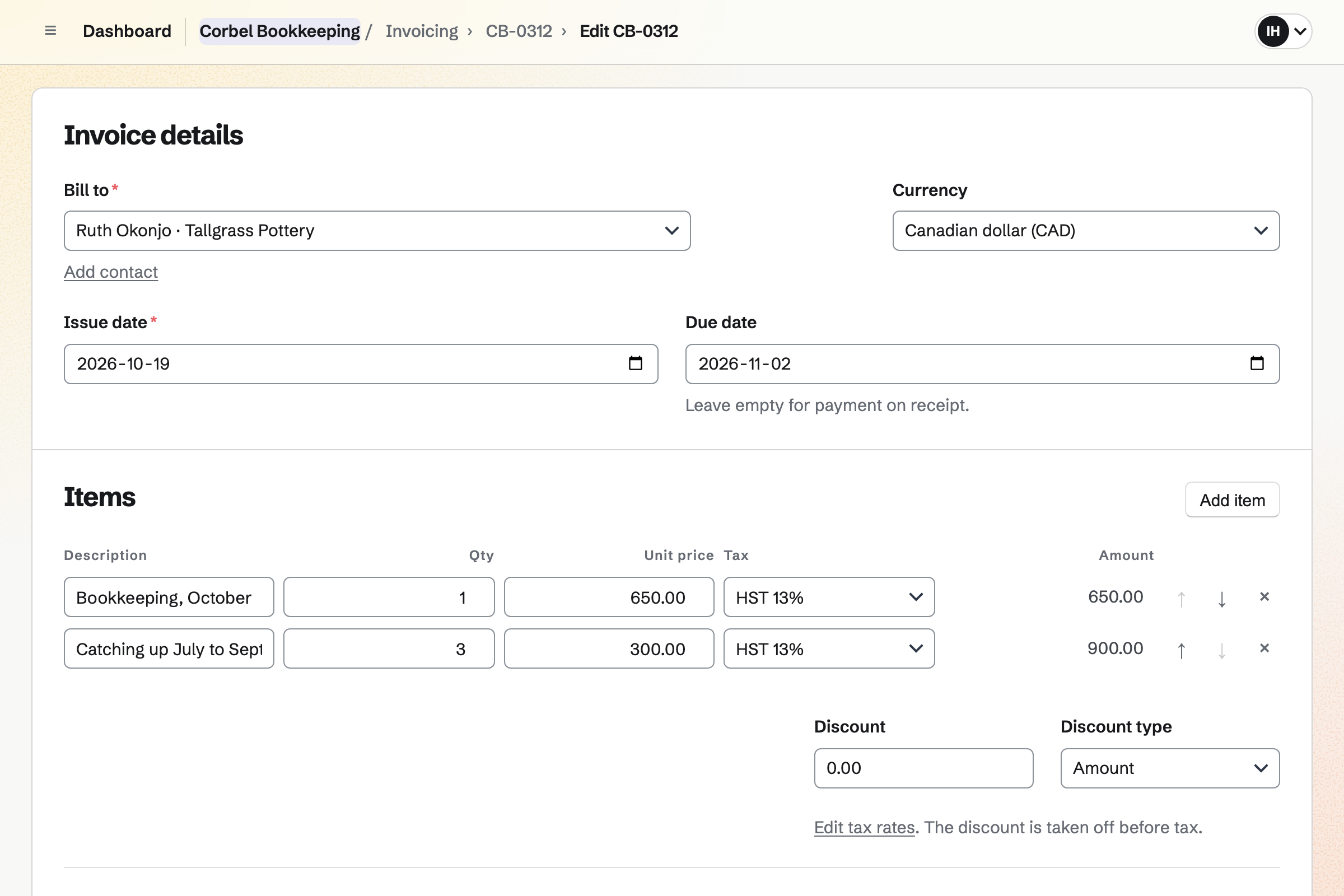
Invoicing turns an accepted proposal's monthly lines into a recurring invoice. Each invoice is charged to the card the client saved when they signed.
For out-of-scope work, you add your unbilled hours to an invoice as lines. Card payments go to your own Stripe account, with no Magpie fee.
E-Signatures sends a PDF you already use to each person who signs. You place their signature, date and name fields. Saved as a starter, the letter is ready for the next client.
Signers get a reminder every 3 or 7 days until they sign. When everyone has, Magpie will email them the signed PDF and a certificate.
Meetings gives you a page where clients book time with you. You choose the kinds of call and your weekly hours. Times busy in Google Calendar are not offered.
With Zoom connected, each new meeting gets its own Zoom link. A meeting you share in a client's portal shows there with Join meeting.
The client's portal shows them where each month stands.
A new plan from your starter lists the month's steps, each with its due date. Magpie emails the client when you share it.
The client uploads their statements to the portal and ticks the step.
In their Magpie books, you import the statements, code each line and reconcile.
You export the month-end reports as PDFs and share them in the portal.
You close the month, so nothing changes on or before its last day.
The month's invoice will be charged to the client's saved card.
You create a team and invite your staff. Help: Create and manage a team.
You connect your Stripe account, so clients can pay by card. Help: Connect Stripe to receive money.
You open the bookkeeping starter and set your own packages and terms. Help: Proposal starters, saved sections and the price list.
You list a month's steps, for you and for the client, with due dates. Help: Reuse your process with starter plans.
You create the portal from the client's contact and invite them. Help: Create a Client Portal.
A practice with staff fits the Team plan, one price for up to 25 members. It has no limit on proposals or invoices. A bookkeeper working alone can use Pro, which removes the same limits.
Working in a client's books costs you nothing. You are their guest, and take none of their member places. A free team has room for 10 guests, and a paid one for 100.
Mail at your own domain needs Pro or the Team plan.
Magpie adds no fee to invoice payments. Stripe's processing fee is taken from each. Prices are on the Pricing page.
A law practice fills in standard agreements, sends them to sign and bills its hours.
A consultant quotes each engagement and shares an action plan with the client.
A virtual assistant works in several clients' teams and bills the hours every month.
Yes, when a client keeps their books in Magpie. They add you under Accountants in Accounting's settings. You then open their books and nothing else of their team. You switch between clients from the team selector, where each is marked Guest.
Everything Accounting does. You can import bank statements, code each line, reconcile accounts and enter bills and journal entries. You can run every report, record a sales tax return and close a period. Entries from the client's invoices and expenses show you a read-only summary.
Profit and loss, balance sheet, cash flow and trial balance. There are also aged receivables and aged payables. Income by customer, spending by supplier and profit by project are there too. Each exports as a PDF or a CSV file. Profit and loss can show each month, for up to 24 months.
Yes. You import the chart of accounts and a trial balance, each as a CSV file. The accounts are matched by number, then by name. Open invoices and bills come over as the totals owed.
You import each statement as a CSV file, and Magpie guesses the columns. Overlapping imports are not added twice. Each line can be coded, matched to an existing entry or paid against an invoice. Bank rules code repeating lines for you.
Yes. Closed through blocks any entry on or before the date you set, reversals included. Recording a sales tax return can close its period too. The books' activity shows who changed what.
Yes, through their portal. Clients upload files on its Overview or Files section, up to 20 at once. Each upload shows who sent it and when. Only the client's portal and your team can see them.
Yes. You save a month's plan as a starter, with steps such as sending the statements. A new plan from it sets each due date that many days from today. The client sees their steps under For you to do.
Yes. An accepted proposal's monthly lines become a recurring invoice. Each one is issued on its date and charged to the client's saved card. You can change the lines, pause the schedule or end it.
Yes. You track your hours on the client's project, at its rate, rounded as you choose. Add unbilled time then puts those hours on the client's next invoice as lines. Time on an issued invoice is locked.
Yes. You send your letter as a PDF, up to 25 MB, and place each signer's fields. Each signer gets their own link by email. When everyone has signed, Magpie will email them the signed PDF and a certificate of completion.
Yes. Secure Files sends a file of up to 2 GB by a link. The link expires after 1 hour, 1 day, 7 days or 30 days. It can allow one download and need a passphrase. The file is encrypted in your browser before it is stored.
Yes. You connect the domain to Mail and add mailboxes, each with 5 GB of storage. A shared mailbox such as hello@ opens for every member. A private one opens for one person. Aliases deliver to one or several mailboxes.
Yes. Your meeting page lists the kinds of call you offer, and clients choose a free time. Times busy in Google Calendar are not offered. With Zoom connected, each new meeting gets a Zoom link.
Magpie adds no fee to invoice payments. Stripe's processing fee is taken from each card payment. The rest goes to your own Stripe account. Each payment is added to the practice's own books in Accounting.
Create a Magpie account and make a team for the practice.