Consultants
A consultant works with one client for weeks, with an action plan and billed hours.
Public speakers and keynote speakers
You run your speaking business from one Magpie account. An assistant or a manager can join you in a team.
Get started free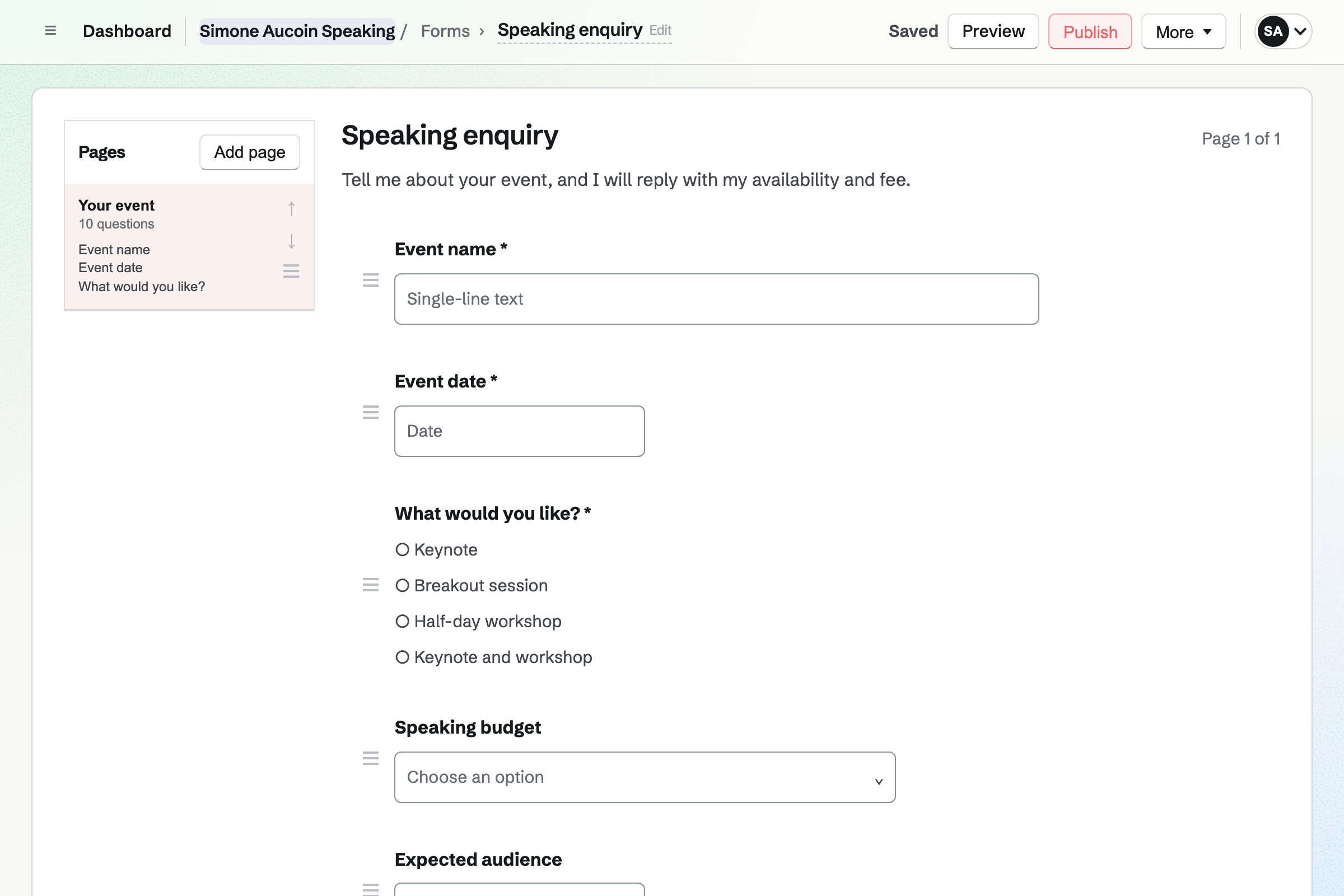
The organizer's contact lists the proposal, the briefing call and each invoice as they happen.
An organizer fills in your speaking enquiry form. You are emailed their answers.
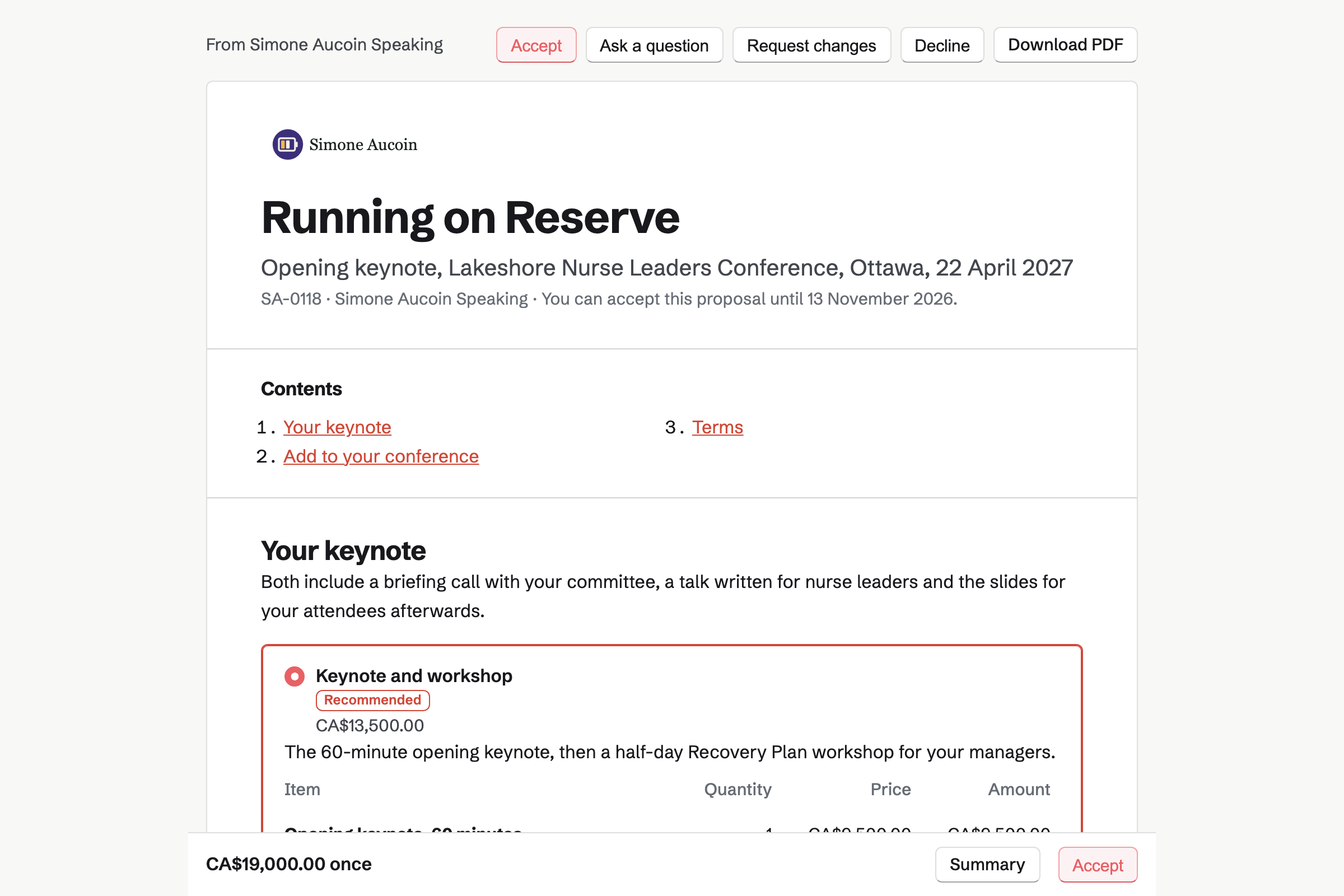
You send the organizer a proposal. They pick the keynote, or the keynote and a workshop.
They sign online, and the deposit invoice will be issued at once. They can pay it by card.
The accepted proposal can offer them a time for your briefing call.
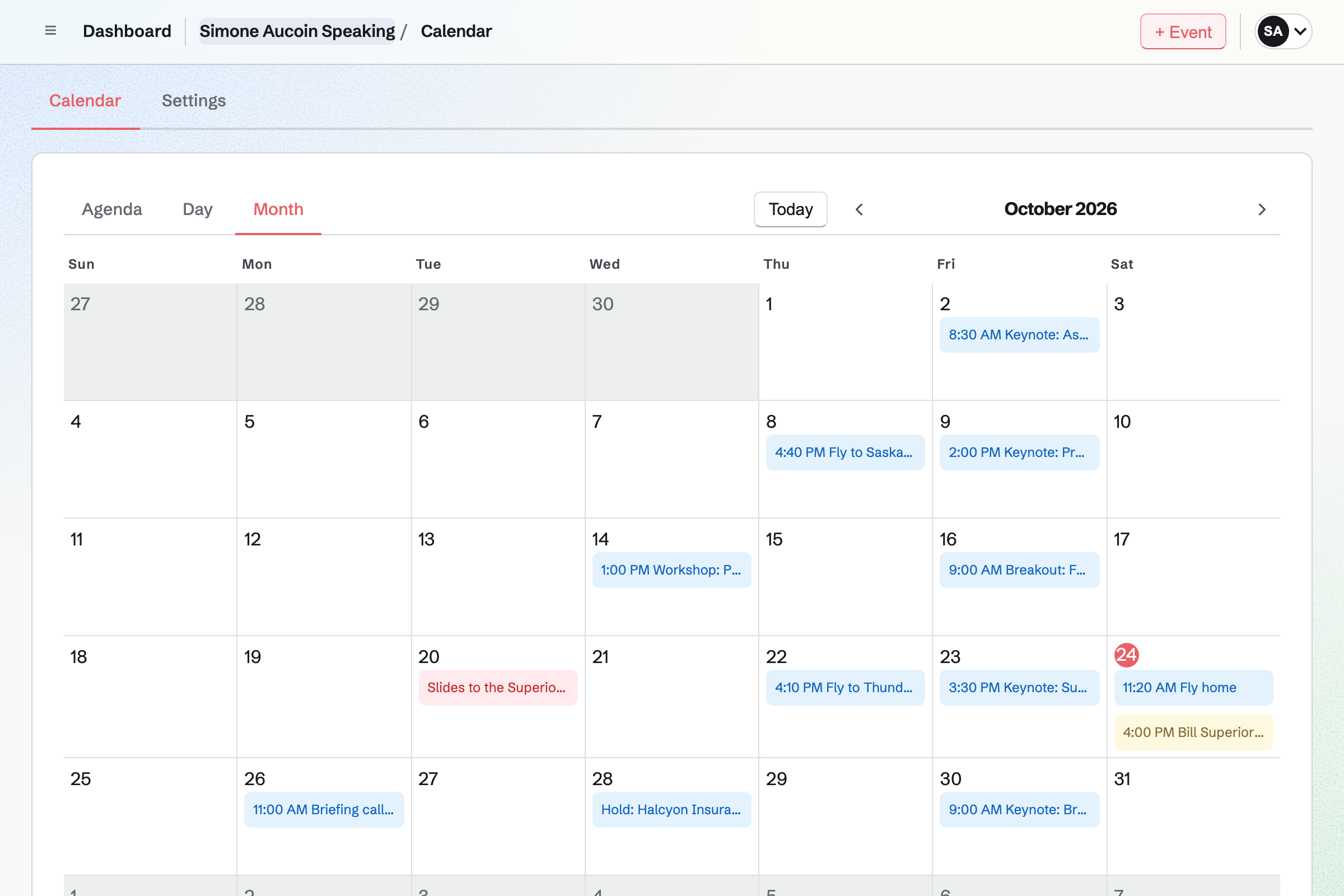
You add the talk to your calendar. A connected Google Calendar can get a copy too.
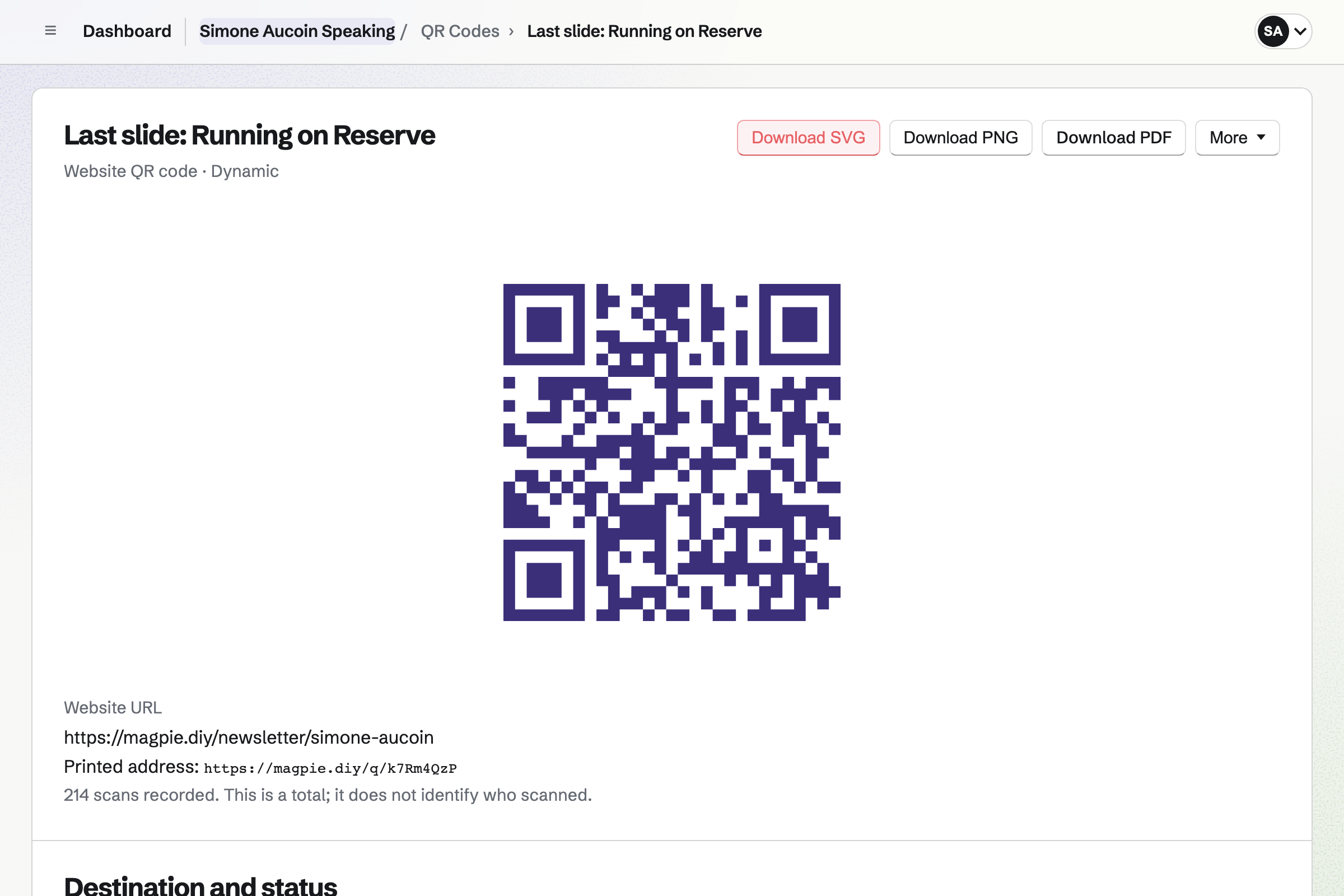
You present the deck from your browser. The last slide has a QR code to your newsletter.
Each person who scans it and confirms their address will become a subscriber.
After the event, you bill the final payment. Your travel costs go on an invoice of their own.
Forms gives you a speaking enquiry form, to link from your website. Organizers pick a keynote, a breakout or a workshop. They answer without signing up first.
You are emailed each enquiry, and mark it Reviewed once you reply. A question can appear only for one choice, such as the length of a workshop.
Proposals sets out your fee as packages: Keynote, or Keynote with a half-day workshop. Copies of your book can be an option, and the organizer sets how many.
Your showreel plays in the proposal. Your AV rider is a file to download. The organizer signs online, and the deposit invoice will be issued at once.
Calendar keeps each talk as an event, with the venue and the times. A date you hold for an organizer can go on it until they sign.
Once Google Calendar is connected, it gets a copy of each talk within about a minute. Nobody can book a call on your meeting page during a talk.
Presentations holds your slides in 16:9, with text, pictures and shapes. Present opens the deck in a new tab, and F makes it full screen. In the green room, you can run through it on your phone.
Export PDF makes one page per slide for the venue's laptop. After the talk, you publish the deck and turn on its link. Anyone signed in to Magpie can view it, and someone new gets a free account.
QR Codes makes the code, which you add to your last slide as a PNG. It can open your newsletter's sign-up page, a feedback Form or your published slides.
A dynamic code counts its scans, without recording who scanned. You can change where it goes after the talk without changing the slide.
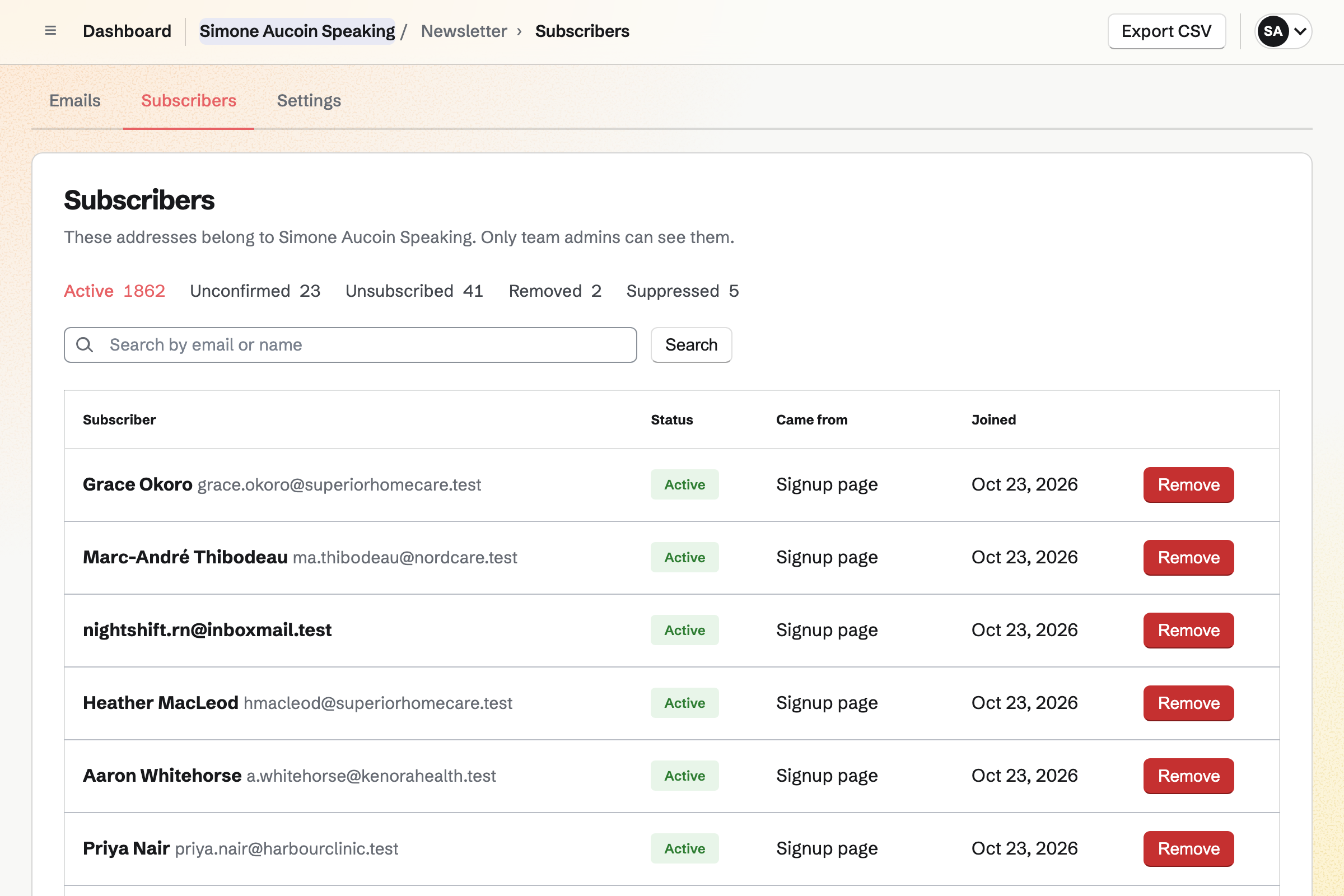
Newsletter keeps your list. The sign-up page asks only for an email address. Nobody needs a Magpie account to subscribe. Each address will become active once its owner confirms it.
Each subscriber shows when they joined and where they came from. You write each email in Markdown, and send it now or schedule it.
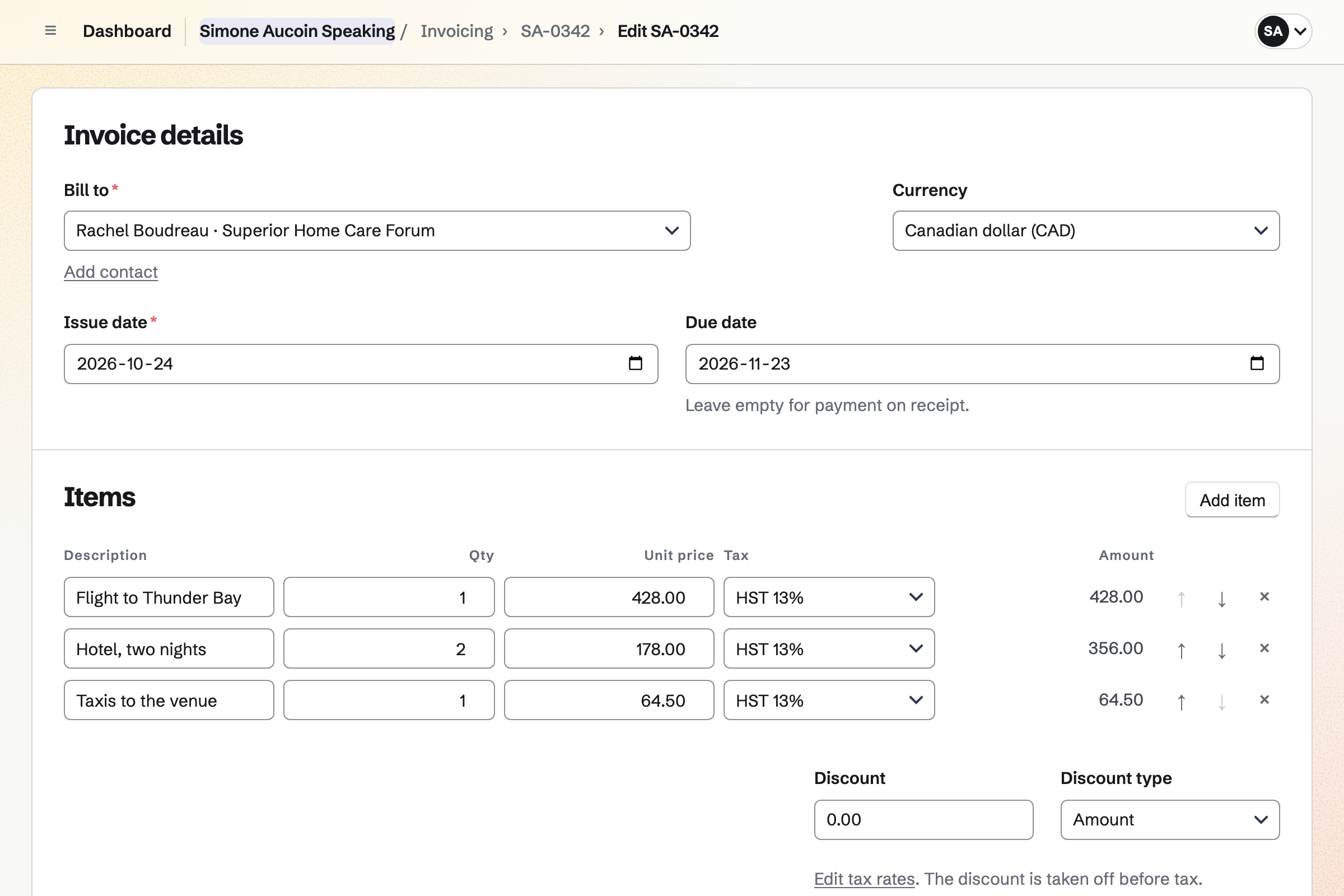
Invoicing bills the proposal's final payment when you choose, for whatever is left. Organizers pay by card into your own Stripe account. A bank transfer or a cheque is recorded by hand.
Your flights and hotels are recorded as expenses for the organizer, with their receipts. They go on an invoice of their own. Each will be marked billed when the invoice is issued.
You start from the Request form and add the date, the audience and the budget. Then you publish it. Help: Build, publish, and share a form.
You write your packages, the book option and your terms once. Then you save them as a starter. Help: Proposal starters, saved sections and the price list.
You connect your Stripe account, so organizers can pay by card. Help: Connect Stripe to receive money.
You give it a name and copy the address of its sign-up page. Help: Start and configure a newsletter.
You point a dynamic code at the sign-up page, then add its PNG to the slide. Help: Create and scan QR codes.
Pro is for a speaker working alone, in Personal. A business with an assistant or a manager fits the Team plan. It is one price for up to 25 members.
On the free plan, you can send 5 proposals and create 5 invoices a month. Invoices that a proposal makes do not count. Pro and the Team plan raise your newsletter's subscriber limit.
Magpie adds no fee to invoice payments. Stripe's processing fee is taken from each card payment.
A consultant works with one client for weeks, with an action plan and billed hours.
An author writes and formats the book itself, and sells the ebook and signed paperbacks.
A podcaster records remote guests, and each episode reaches podcast apps through its feed.
A DJ or a band is booked for a wedding, with the couple's must-play list.
Yes. Your speaking enquiry form has its own address, to link from your website. It can ask for the event, the date, the audience size and your budget ranges. Organizers answer without signing up first. You are emailed each enquiry, and can mark it Reviewed once you reply.
Yes. A pricing section can offer 2 to 4 packages, such as Keynote, and Keynote with a half-day workshop. One can be marked Recommended. An optional line, such as a breakout session, goes in a section of its own. The totals change with each choice the organizer makes.
Yes. A line can let the organizer choose the quantity, within the range you allow. Books for 250 attendees then go on the same proposal as your fee. The totals and the payments are worked out again with each change.
There are two ways. A flat travel fee can be a line in the proposal. Or you bill flights and hotels at cost after the event. You record each as an expense for the organizer, with its receipt. Add unbilled expenses then puts them on an invoice.
Yes. The proposal's payment schedule can start with a deposit, such as half the fee. Its invoice will be issued when the organizer signs, and they can pay it by card. You bill the balance when you choose.
Yes. The proposal's valid-until date is the last day it can be accepted, which ends your hold. Magpie can remind the organizer a few days before then. Change valid-until date gives them more time. Your calendar can show the hold as an event.
Yes. A Video section plays your showreel from YouTube, Vimeo or Loom on the organizer's page. A Files section holds your AV rider and one-sheet, up to 25 MB each. Testimonials from past organizers can have a section too.
Yes. Your terms are a section of the proposal. The organizer signs it with a drawn or typed signature. Several people can sign, such as the organizer and their finance lead. Everyone is emailed the signed PDF and a signing certificate.
Yes. Your meeting page offers a Meeting Type, such as a 30-minute briefing call. Organizers choose a time in the hours you set. An accepted proposal can offer it on its page and in the acceptance email. With Zoom connected, each call gets its own link.
Yes. Once Google Calendar is connected, your talks can be added to it. Each one appears within about a minute. Your Google events show on your Personal calendar in Magpie. Times that are busy in Google cannot be booked on your meeting page.
Yes. Each slide is 16:9, with text, pictures, shapes and arrows. Present opens the deck in a new tab, without the editing controls. The right arrow or Space moves to the next slide, and hidden slides are skipped. On a phone, a swipe moves between slides.
Export PDF makes a PDF of the deck, one slide per landscape page. It leaves out hidden slides, so it matches the talk you give. You can email it to the AV team before the event.
Yes. A hidden slide stays in the deck. It is skipped when you present, and left out of the PDF. Duplicate makes a copy of the deck for one event. Your original stays as it was.
Yes. You publish the deck, then turn on its link. Anyone with the link can view it once they sign in to Magpie. Someone new gets a free account. Later edits stay in your draft until you publish again.
Yes. You download the code as a PNG and add it to the slide as a picture. It can open your newsletter's sign-up page, a Form, your published slides or any website. A dynamic code can point somewhere new without a new picture.
Yes. A dynamic code counts every scan, as a total on the code's page. It does not record who scanned, or where. One code for each event shows how many scanned at that talk.
Yes. The code opens your sign-up page, which asks only for an email address. Nobody needs a Magpie account to subscribe. Each person confirms by email, then becomes an active subscriber. You can import the list you already have from Mailchimp, Substack or a CSV file.
Yes. Forms has a Feedback form to start from, and a Rating question takes a score. A QR code on your last slide can open it. The Summary counts each score, and lists the comments with links to their responses.
Yes. Store sells the paperback, and the workbook as a download. Each product has a buy link and a QR code. A text field can ask who to sign a copy to. Buyers pay by card into your own Stripe account, and Magpie adds no fee.
Yes. Screen Recorder records the tab you present in, with your camera in a bubble. A teleprompter can scroll your script, and stays out of the recording. With Pro, a recording can be up to 30 minutes long. The organizer can watch it from its link, and download the MP4 if you allow it.
Yes. Bill the final payment, on the accepted proposal, issues an invoice for whatever is left. The organizer can pay it by card from the email. A bank transfer or a cheque is recorded by hand, with its reference. On the invoice's page, you can turn on reminders, which stop once it is paid.
Magpie adds no fee to invoice payments, deposits included. Stripe's processing fee is taken from each card payment. The rest goes to your own Stripe account, which pays it out to your bank.
Yes. Your speaking business can be a Magpie team, with your assistant as a member. Members with edit access read the enquiries and send proposals. They can add dates to the calendar too. Card payments still go to the Stripe account you connect.
Yes. Outreach sends a short series of plain emails to the organizers you choose. They go one at a time, from your own Mail address. A reply stops the series for that person. It needs Pro, or the Team plan for a team.
Create a Magpie account and publish your enquiry form.