Social media managers and content marketers
A social media manager posts for clients on their own accounts. Each month is planned on a content calendar.
Publicists and PR consultants
A publicist working alone needs no team, and a firm of two or three shares one. Clients get a portal of their own, and never see your media list.
Get started free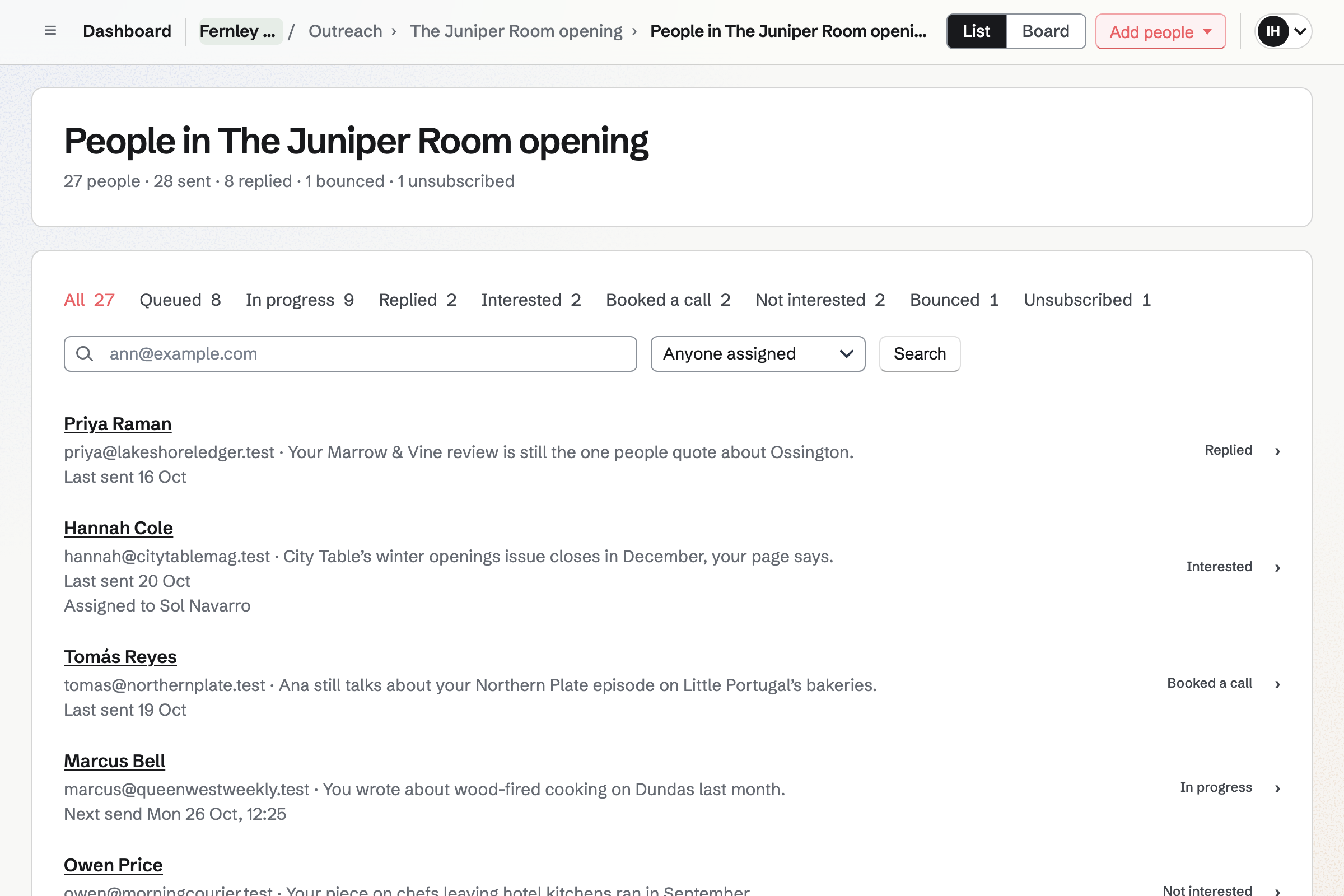
The chef signs your proposal online. Magpie starts the monthly invoices and a project for your hours.
The restaurant's portal sets out the weeks to opening night. The chef's own steps come first: a bio and kitchen photos.
The chef suggests new wording on the press release, and you accept it.
Each food writer tagged restaurants gets the pitch from your address. It opens with a line about their work.
A critic answers, and the follow-ups to the critic stop. You mark them Interested, with a follow-up to send the menu.
You save the critic's review to the restaurant's collection, which the chef opens by link.
You share the month's coverage report in the restaurant's portal. The retainer's next invoice goes out on its date.
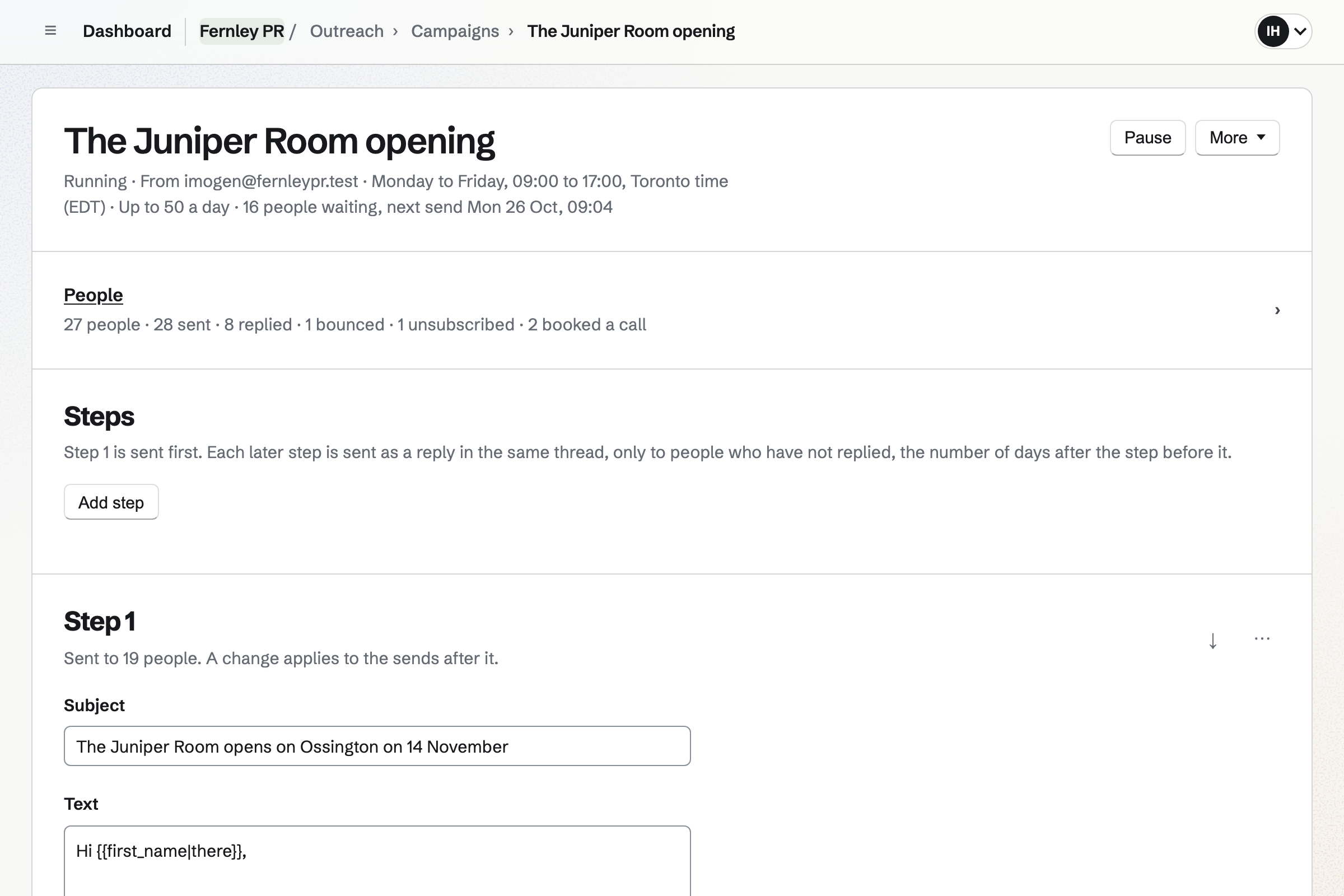
Outreach sends your pitch from your own Mail address, as a plain email. It goes to one journalist at a time, inside the hours you set. Each can open with the line you wrote about that journalist.
Follow-ups go a few days apart, as replies in the same thread. When a journalist answers, nothing more will be sent to them. Their reply will arrive in your mailbox. You mark them Interested, Not interested or Booked a call.
Every pitch ends with an unsubscribe link. A journalist who uses it will get nothing more from any of your campaigns.
A pitch sends up to its daily cap, 50 unless you change it, spread through those hours. Its page shows who is waiting and when the next email goes. It counts the journalists who replied, bounced or unsubscribed.
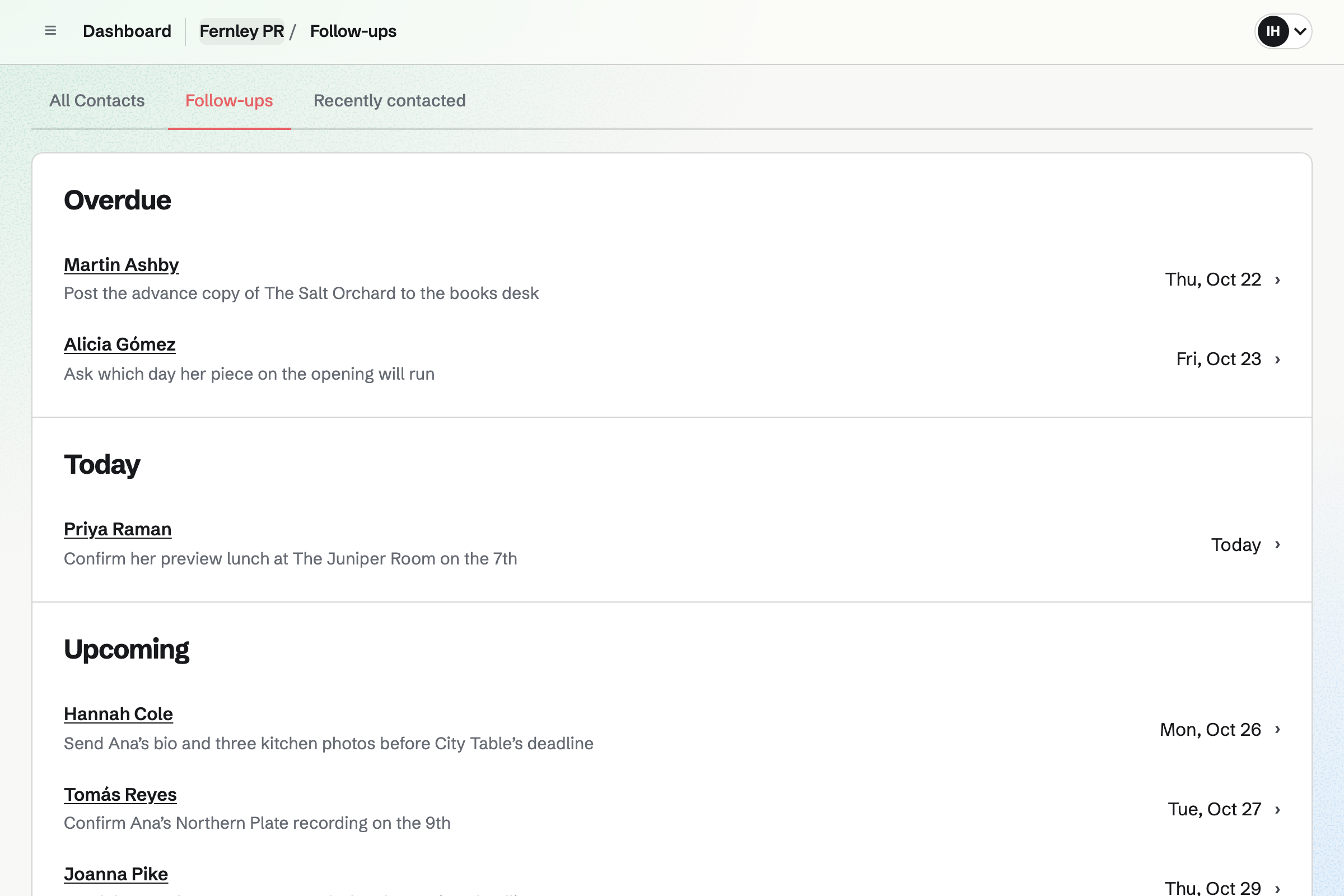
Contacts holds the journalists you add, each with their outlet and addresses. A tag marks their beat, such as food or books. A pinned note keeps how they like to be pitched.
Each journalist's page lists every pitch they had from you, and where it stands. Your notes from calls are on the same page. A follow-up, such as sending photos before a deadline, goes into To-dos for its date.
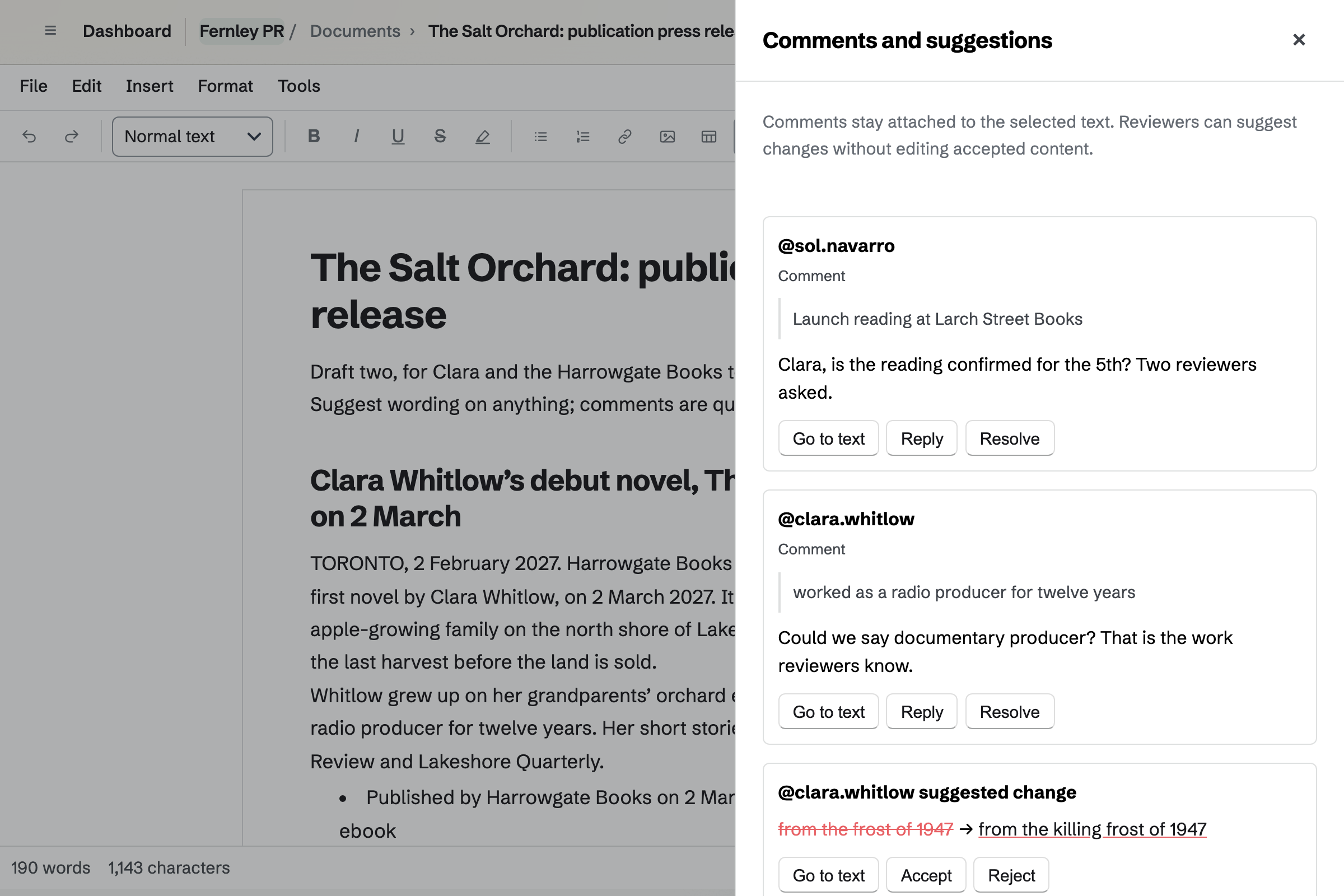
Documents holds each press release, shared with the client to review. They leave comments and suggest their own wording. They open that document and nothing else of yours. The text will change only when you accept a suggestion.
A named version keeps the wording you both agreed. The final release downloads as a PDF, or as a Word file without the comments.
Bookmarks keeps the articles, reviews and episodes that run, in one collection for each client. Magpie fetches each page's title, description and picture. The browser button saves the article you are reading.
A public collection is a page of the client's coverage, newest first. Anyone with its link can open it, and it shows no notes or tags. An export lists every piece with its collection and the date you saved it.
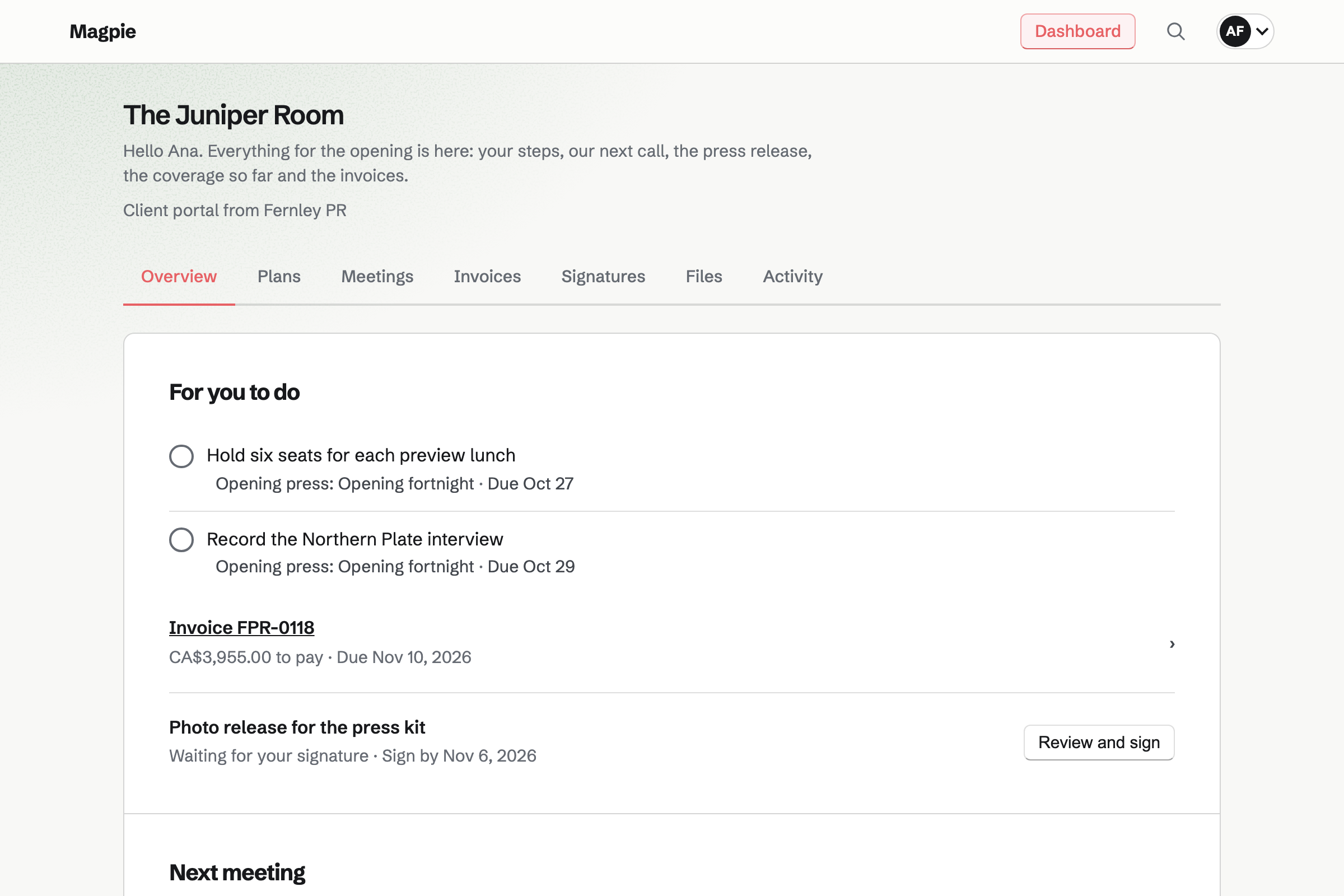
Client Portal makes each client a page of their own. The plan sets out the launch in stages, with steps for you and steps for them. Their own steps, such as sending a bio and photos, are listed first.
A goal can count the pieces of coverage you agreed, as you record each one. In the portal, the client uploads photos and you share the coverage report and invoices.
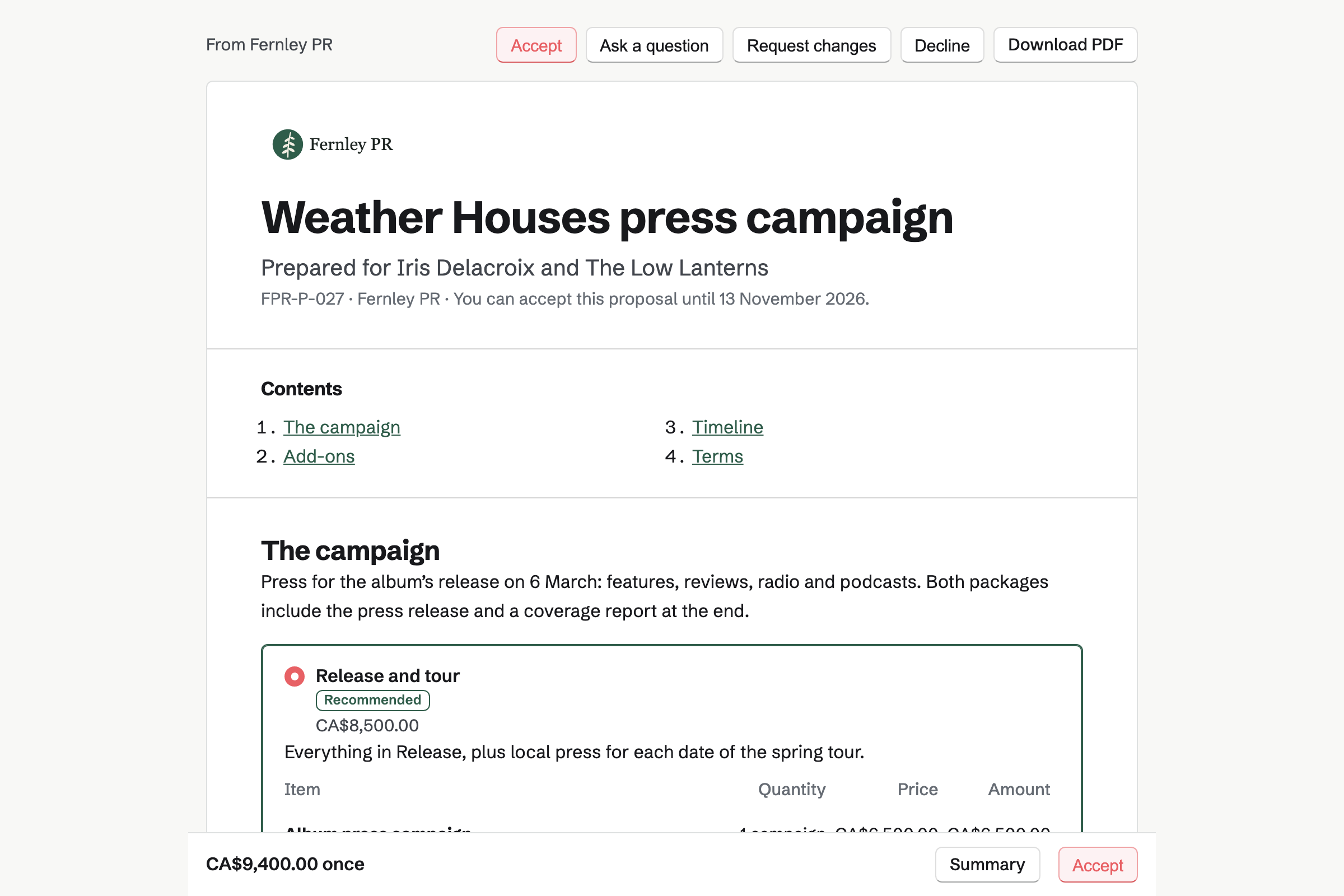
Proposals sends your quote for a launch or a retainer, for the client to sign online. A launch can offer packages, such as an album's release with or without the tour. The client pays the deposit by card when they sign.
Magpie's marketing retainer starter has a monthly fee, and extra hours the client can add. When the work starts, the monthly invoices begin, with a project for logging your hours. The proposal's activity shows each time the client opens it.
Invoicing turns the retainer's monthly fee into a recurring invoice when the work starts. With automatic payment chosen at signing, Magpie will charge the client's card on each date. Otherwise each invoice is emailed with a Pay link.
A courier you paid for the client can go on an invoice to them. Each invoice can also be shared in the client's portal, where they pay it.
You add your domain and a mailbox to send pitches from. Help: Connect your own domain to Mail.
You connect your own SMTP server, such as Amazon SES or Postmark. Or you rent a server, and Magpie sets it up. Help: How Outreach sends.
You add a spreadsheet of journalists to your first pitch, with a line about each. Help: Add people to an Outreach campaign.
You connect Stripe, so retainers and deposits can be paid by card. Help: Connect Stripe to receive money.
You invite the client and share their launch plan. Help: Create a Client Portal.
Outreach and Mail at your own domain need a paid plan. Pro is for one person's own work, and the Team plan for a firm. Pro has no limit on contacts. The Team plan has 25 member places.
Personal or a team can keep 10 campaigns that are not archived, each with up to 2,000 journalists. Clients you share a release with join as guests and take no member place. Pro and the Team plan allow 100 guests.
Card payments for retainers and deposits go to your own Stripe account. Magpie adds no fee, and Stripe's processing fee applies.
A social media manager posts for clients on their own accounts. Each month is planned on a content calendar.
An agency of three to fifteen people runs each client's project on a board. It tracks everyone's hours by client.
A consultant books a discovery call, then shares an action plan in the client's portal.
A freelance writer quotes by the page or the piece, and clients mark up drafts.
A local news site writes and edits its own stories. Each edition goes to its readers by email and on the web.
Yes. You write a line about each journalist you add, such as a review they wrote. The pitch puts it where you placed it, with their first name and outlet. A pitch starts only once every journalist has a line. Words you set as a fallback are used where a line is missing.
Yes. A pitch has up to 10 emails, and each follow-up is a reply in the same thread. You choose how many days apart they go. When a journalist answers, nothing more will be sent to them. Their reply will arrive in your mailbox, and the Replies page lists every reply.
Yes. Each pitch is an ordinary email from your Mail address at your own domain. It is kept in your Sent folder, with no tracking image. It goes out through your own SMTP server, such as Amazon SES or Postmark. Magpie can also set up a server you rent for it.
An automatic reply, such as an out-of-office, is not counted as a reply. It moves that journalist's next follow-up 3 days later, once for each step. A real reply from them stops the follow-ups.
Every pitch ends with an unsubscribe link, which opens a page with one Unsubscribe button. Gmail, Outlook, Yahoo and Apple Mail can show their own Unsubscribe button. It works in one click. Either way, the journalist will get nothing more from any of your pitches. When someone asks by phone, you switch on Do not email on their page.
Yes. A journalist still being pitched is held back when you add them to another pitch. The page names the pitch they are in, and one button adds them anyway. A critic pitched for one restaurant is not added to another client's by mistake.
Yes. A pitch can go to one journalist on their own, with its own follow-ups. Their reply stops it, and you mark them Interested or Not interested. You start the pitch to the rest of your list when you choose.
As many as the pitch's daily cap: 50 unless you change it, up to 2,000. They go one at a time, spread through the days and hours you set. One pitch can go to 2,000 journalists. Your mail server's own limits apply too.
Yes. You add a CSV file or a pasted list of up to 5,000 journalists to a pitch. Columns can hold each one's email, name, outlet and the line about them. Each address becomes a tagged contact, or is matched to the one that has it. You say where the list came from, and Magpie keeps that with it.
Yes. Each journalist is a contact, with their outlet as the company. A tag marks each beat, such as food or books. Choosing a tag lists only those journalists, and search finds everyone at one outlet. Everyone with a tag can be added to a pitch at once.
Yes. Their contact page lists each pitch they are in, its stage and when you last wrote. Each one opens what was sent, their replies and the links they followed. Your notes from calls are on the same page, newest first.
Yes. You set a follow-up on their contact page, with a date and a reason. It becomes a To-do, which can have an email reminder. Contacts lists every open follow-up as Overdue, Today or Upcoming.
Yes. The client gets the release with Can review access. They leave comments and suggest their own wording. The text will change only when you accept a suggestion. They open that document and nothing else of yours.
Yes. Secure Files shares a file such as a novel's proofs, up to 2 GB, by a link. The journalist needs no Magpie account to download it. The link expires within 30 days, and can allow one download or need a passphrase. You see when its page was opened and when the file was downloaded.
Yes. Their portal shows the plan for the launch, with each stage and step. Their own steps, such as a bio and photos, come first under For you to do. They tick them off, and you see what they did under Client activity. They sign in with a link or a code emailed to them.
Yes. Each piece that runs is a bookmark in the client's collection. You save it with the browser button, or by pasting its address. Magpie fetches its title, description and picture. A tag can mark the kind of piece, such as a review or an interview.
Yes. A public collection is a page of the client's coverage, newest first. It shows each piece's title, site and description, and never your notes or tags. Anyone with its link can open it, and search engines may list it. A goal in their portal can also count the pieces against the number you agreed.
Yes. Presentations builds the report as a deck, with text, pictures and shapes on each slide. Export PDF makes a page for each slide. You share the PDF in the client's portal. A published deck can also be shared by a link the client opens signed in.
Yes. The monthly fee in a signed proposal becomes a recurring invoice. A client who chose automatic payment as they signed will be charged on each date. Others pay from the invoice's email. You can pause, change or end the invoices from the schedule.
Yes. A proposal can offer 2 to 4 packages, such as an album's release with or without the tour. The client chooses one, signs and pays the deposit by card. The rest is invoiced on dates you set, or when you bill it.
Yes. Time Tracking keeps a project for each client, with its rate and a budget of hours. A timer runs while you work, or you add the time later. A report totals the month's hours for each client, and downloads as CSV. Billable hours can go on an invoice with Add unbilled time.
Yes. A Calendar event can take RSVPs up to the places you set. You invite each journalist by email, and see every answer with their address. They answer Going or Not going on the event's page, signed in to Magpie. Someone without an account gets a free one when they sign in.
Yes. You assign each journalist in a pitch to the colleague who looks after that client. The list and the board of a pitch filter by who each journalist is assigned to. Everyone in your firm who uses Outreach sees the replies.
Magpie adds no fee to retainers, deposits or invoices. Each card payment goes to your own Stripe account, less Stripe's processing fee. Each paid invoice is listed on the client's contact page with what is still owed.
Create a Magpie account and connect your domain to Mail.