Comic shops
A comic shop sells new comic day's releases, and holds signings.
Board game and tabletop game shops
The shop, its counter staff and its game night hosts work in one Magpie team.
Get started free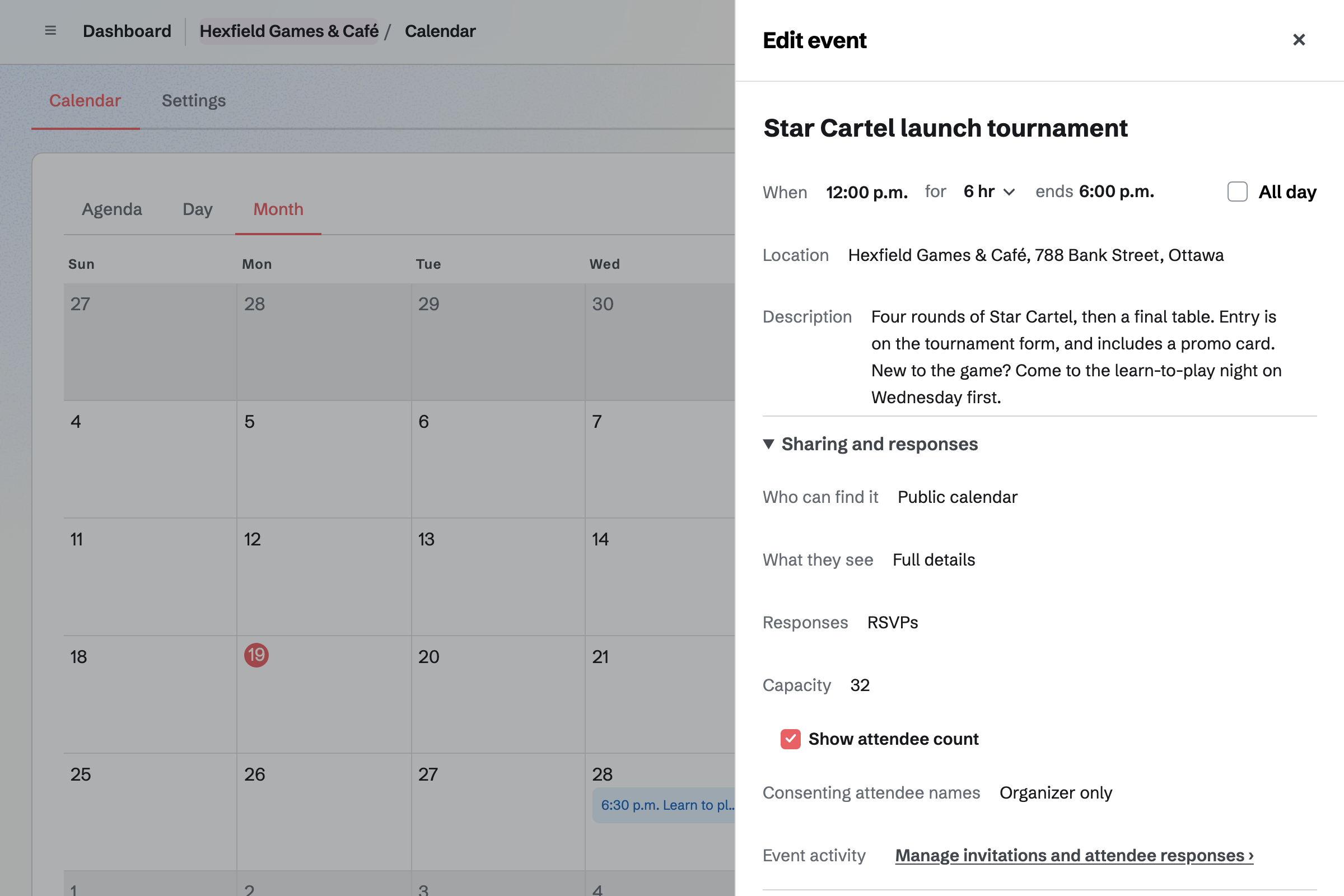
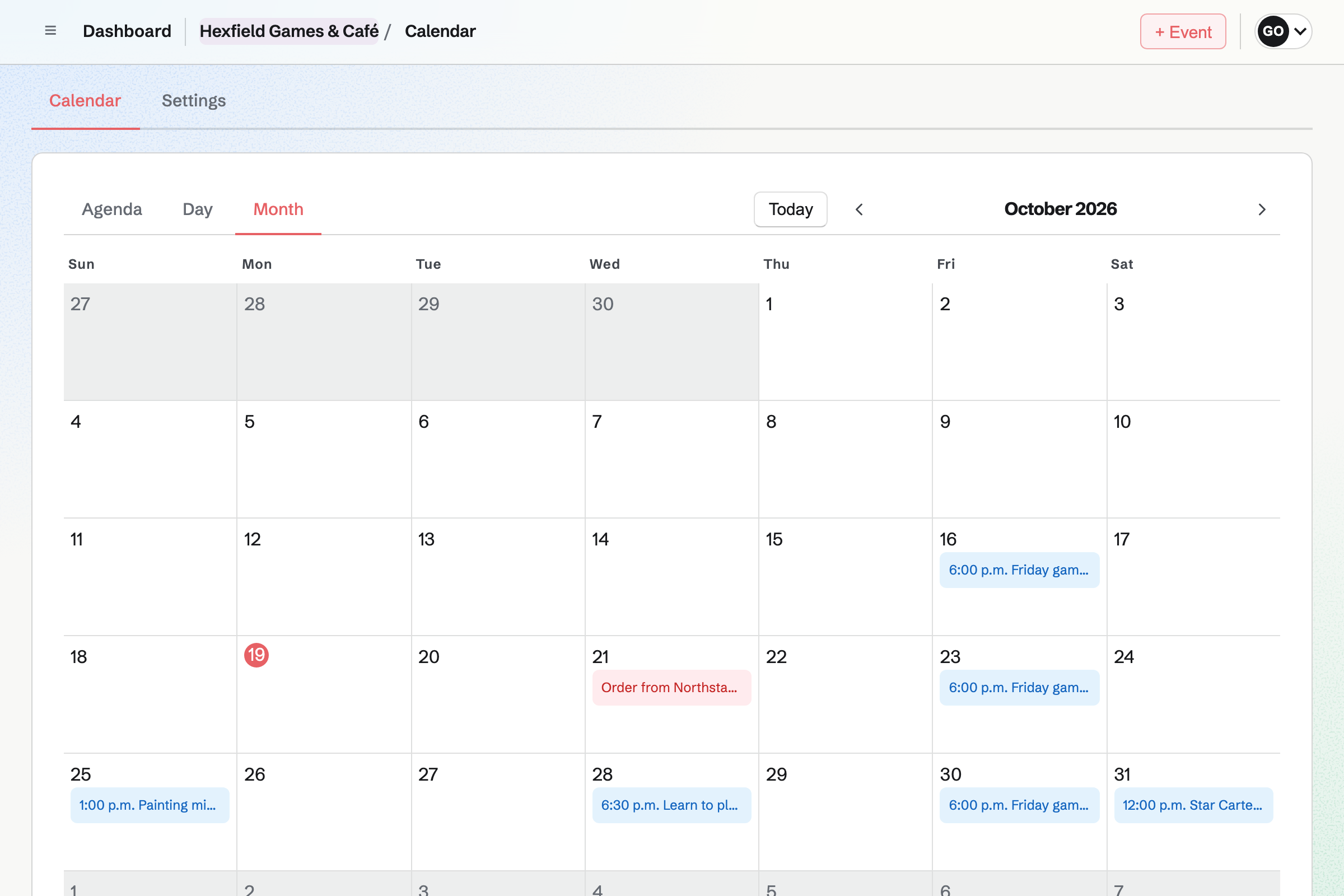
Calendar gives the shop a public calendar of its game nights, tournaments and learn-to-play nights. You turn on RSVPs and set a capacity. The event's page says when it is full.
The event's page can show how many players are coming. Sharing an event starts a social media post about it.
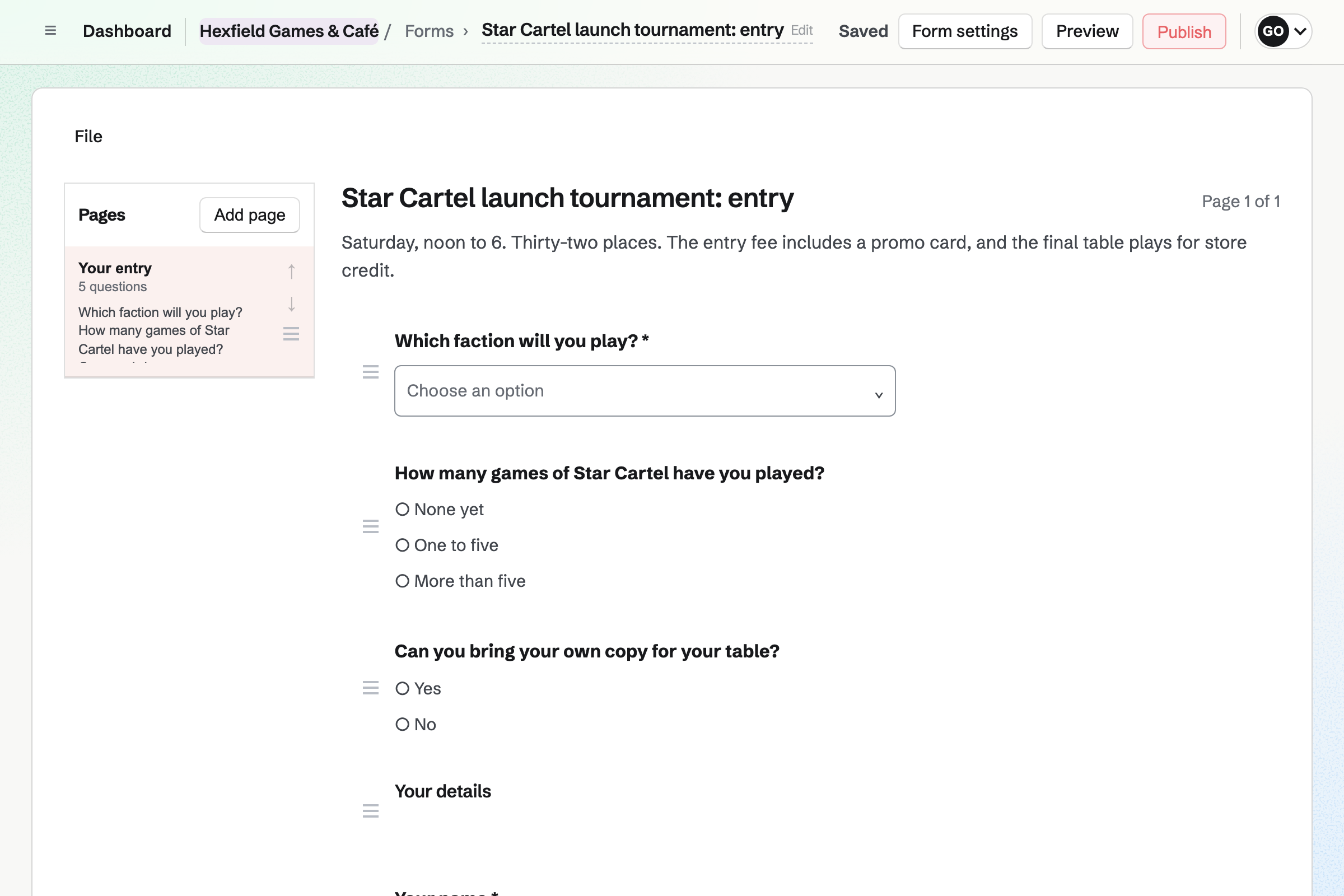
Forms builds an entry form for a tournament, with questions such as each player's deck. A paid Form charges one amount, paid by card on Stripe's page.
Each entry shows Paid, and you close the Form when the bracket is full. The entries download as a CSV file for your pairings.
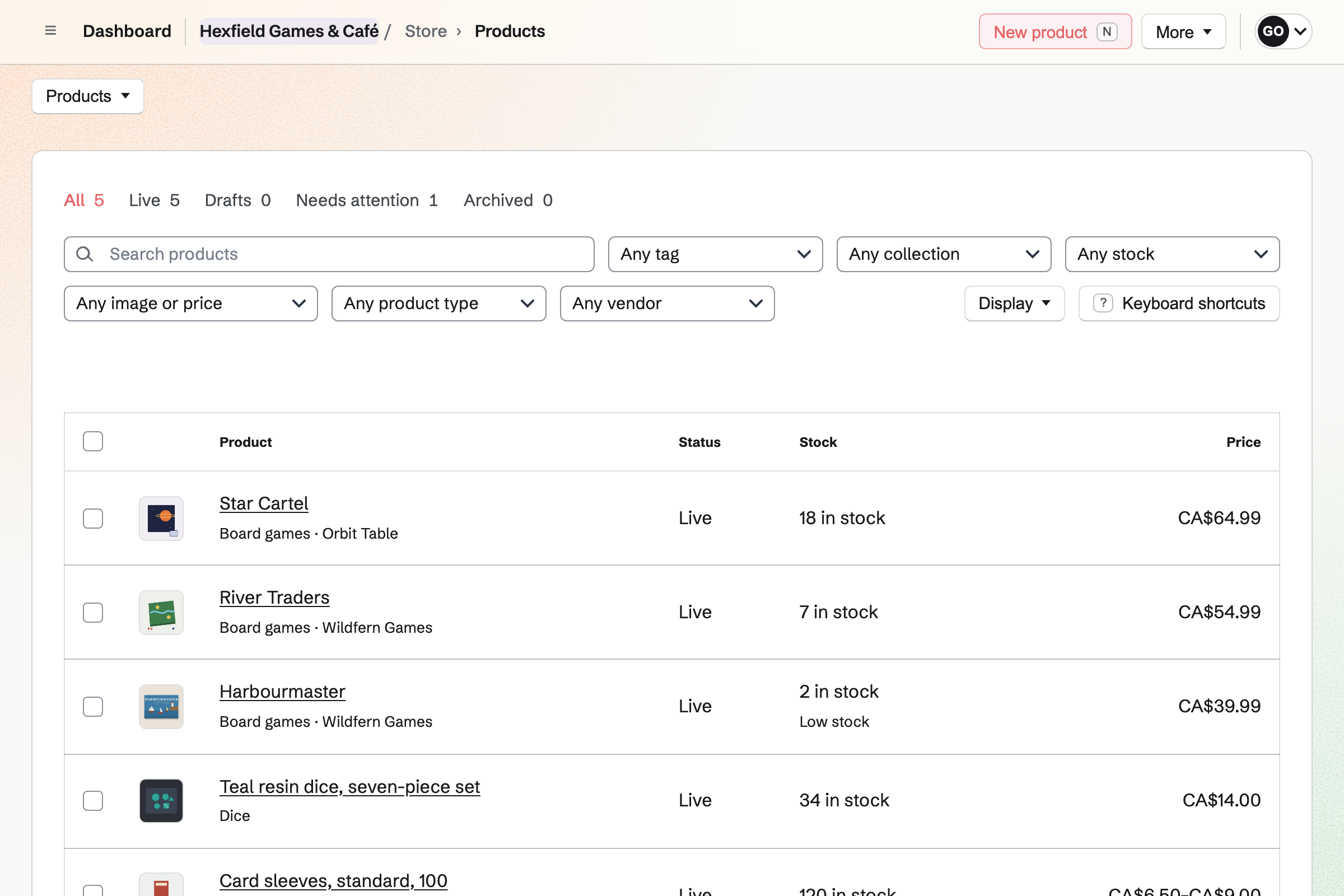
Store is the shop's online shop. A new release can take orders before it arrives, with the date it should ship. Customers pay when they order.
Online orders can be picked up at the shop. A sale at the counter is recorded as an order.
Message Boards gives the shop a public board. Anyone can read it, and players signed in to Magpie post, reply and vote.
Posts sort by Hot, New or Top. A call for a fourth player gets replies under it. You can remove any post or comment.
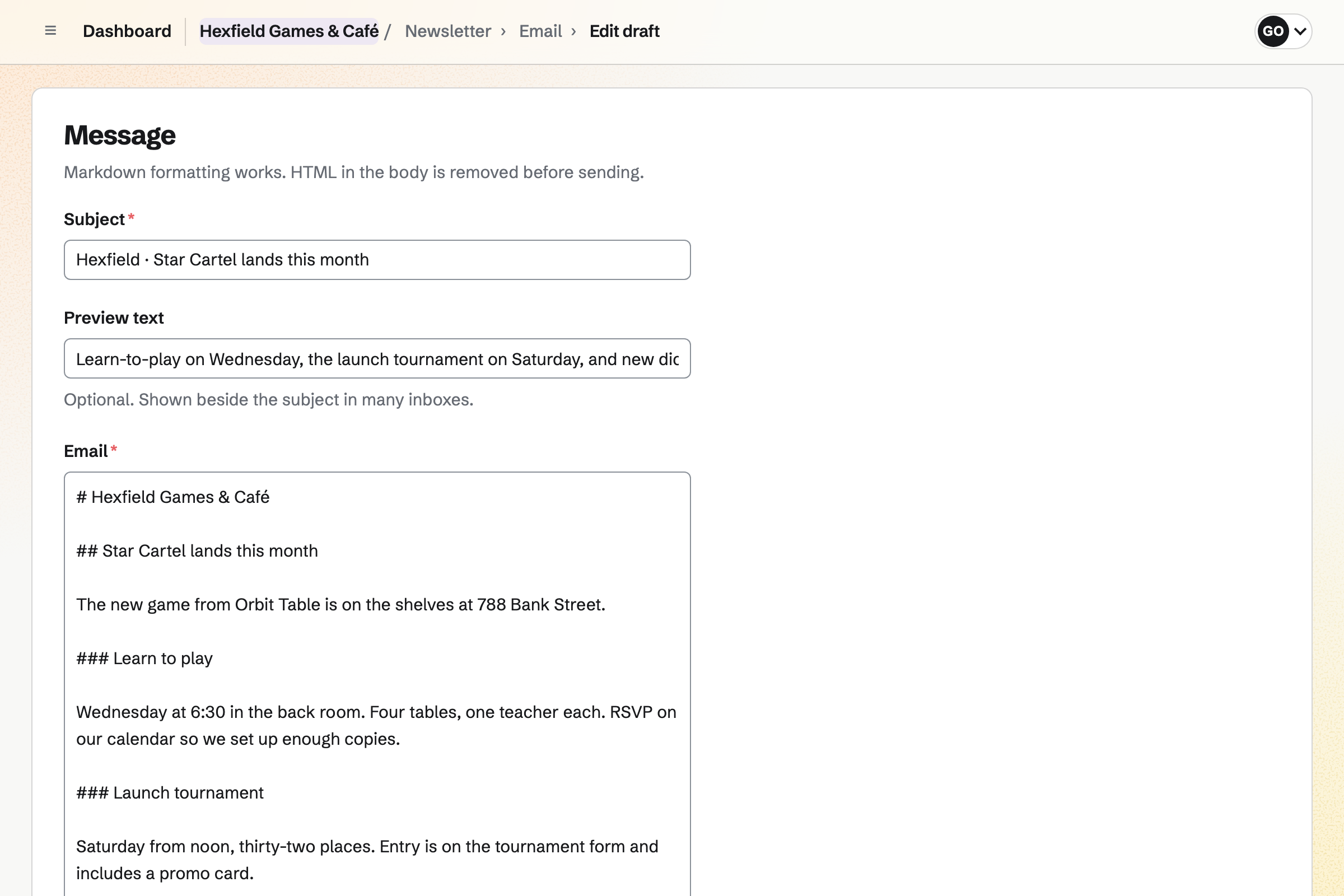
Newsletter gives the shop a sign-up page with double opt-in. Checkout can ask buyers to subscribe too. You write each issue, send yourself a test and schedule it.
A sent issue has a web copy, which can start a social media post. The newsletter's page counts the subscribers and the copies delivered.
Each step starts from what the last one made.
The new game takes pre-orders online, with the date it should ship.
A purchase order to the distributor is received, and the stock counts up.
A learn-to-play night goes on the calendar, with RSVPs up to the tables.
The newsletter and a post tell your players.
Entries for the launch tournament come in through a paid Form.
Players who want a regular table find each other on the shop's board.
You add your games, dice and sleeves with their barcodes and stock. Help: Create products, options, and inventory.
You add the distributors you order from. Help: Suppliers and purchase orders.
You add the month's game nights and tournaments, with RSVPs. Help: Create public and private calendar events.
You make a public board for your players. Help: Create and use message boards.
You connect your Stripe account, so players can pay by card. Help: Connect Stripe to receive money.
A shop with staff fits the Team plan, one price for up to 25 members. It has room for 5,000 calendar events and higher newsletter limits.
Magpie adds no fee to your shop's sales. Stripe's processing fee is taken from each payment. On a paid Form for a tournament, Magpie's fee is 1% of each entry. Prices are on the Pricing page.
A comic shop sells new comic day's releases, and holds signings.
A bookshop sells new books online and at the till, and runs author events.
A café plans the rota, keeps its checks and sells beans online.
A community organizer runs events and a members' board for a group.
Yes. You put the game night on the shop's public calendar and turn on RSVPs. You can set a capacity, and the event's page says when it is full. People RSVP while signed in to Magpie.
Yes. You make a Form for the tournament that charges one amount. Each player pays by card on Stripe's page, and their entry shows Paid. You close the Form when the bracket is full. Magpie's fee on a paid Form is 1% of each payment.
Yes. The Form's responses download as a CSV file, with each player's answers. You open it in the spreadsheet or tool you pair with.
Yes. Sell when out of stock lets a game take orders before it arrives. An expected ship date is shown, and customers pay when they order. A Pre-orders tab lists those orders until the stock arrives.
Yes. Most per customer limits how many one email address can buy across its orders. The product page shows the limit, and the cart refuses more.
Yes. A public Message Board can be read without an account. Anyone signed in to Magpie with a handle can post, reply and vote. You and the board's creator can remove any post or comment.
You choose New order, pick the items and record how the customer paid. The order is created paid, and the items leave stock.
Yes. Each supplier has its lead time. A purchase order goes by email or as a PDF, and Add low-stock items fills it. Receiving it adds the stock at its cost, and makes the supplier's bill.
Yes. You add local pickup with the shop's address and pickup times. When you mark an order ready, Magpie emails the customer the address, times and any instructions.
Yes. A gift card sells fixed amounts and, if you choose, a custom amount. The buyer can have it emailed to someone on a date they pick. The holder spends it in your online shop.
Yes. When a game with counted stock sells out, its product page asks for an email address. Magpie sends one email when it can be bought again. You see how many people are waiting.
Magpie adds no fee to your shop's sales. Stripe's processing fee is taken from each card payment. The rest goes to the shop's own Stripe account.
Create a Magpie account and put up your first game night.