Hair salons and barbershops
A hair salon books stylists and barbers by the appointment, with a shop.
Makeup artists and mobile beauty
An artist working alone uses Magpie in Personal. A team of artists can work in one Magpie team.
Get started free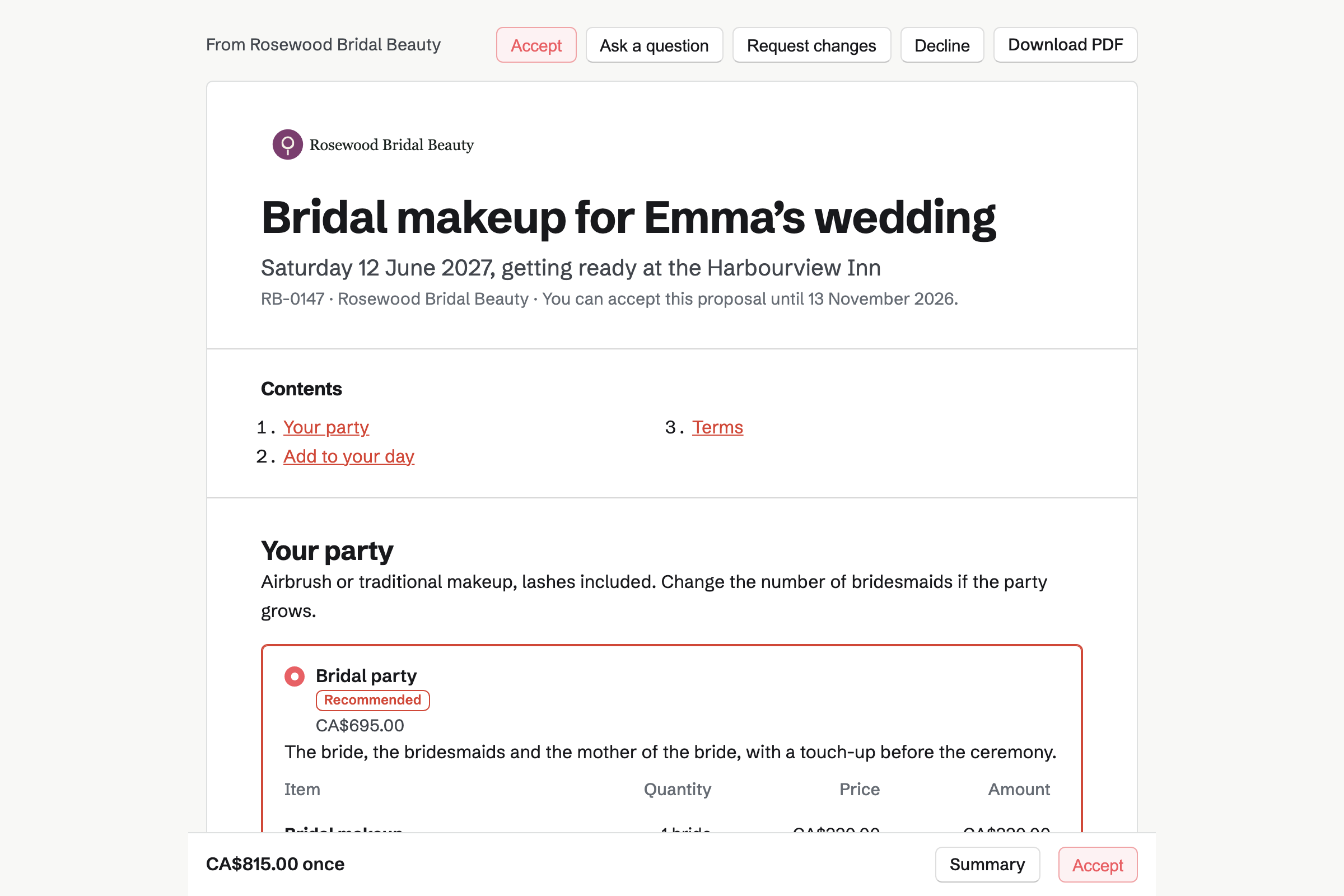
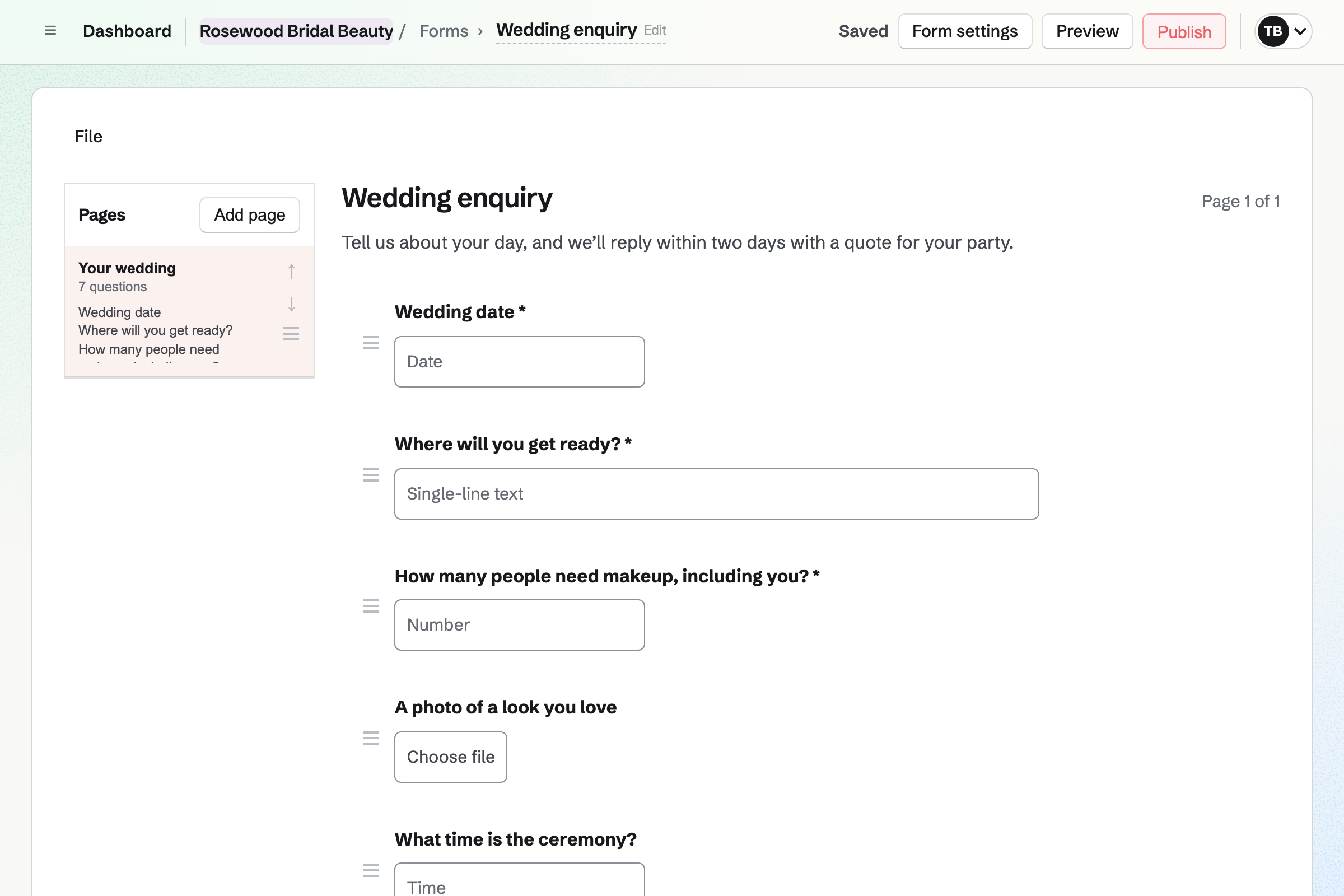
Forms builds your enquiry page, with questions such as the wedding date and the getting-ready address. A file question takes a photo of the look they love.
You are emailed each enquiry, and mark it Reviewed once you reply. The answers download as a CSV file.
Proposals turns your rates into a proposal the client reads and signs. Bridal makeup, each bridesmaid and the mother of the bride are lines. The client can change the numbers.
A trial and an early start can be options they add. The deposit invoice is issued as they sign, and the balance when you choose.
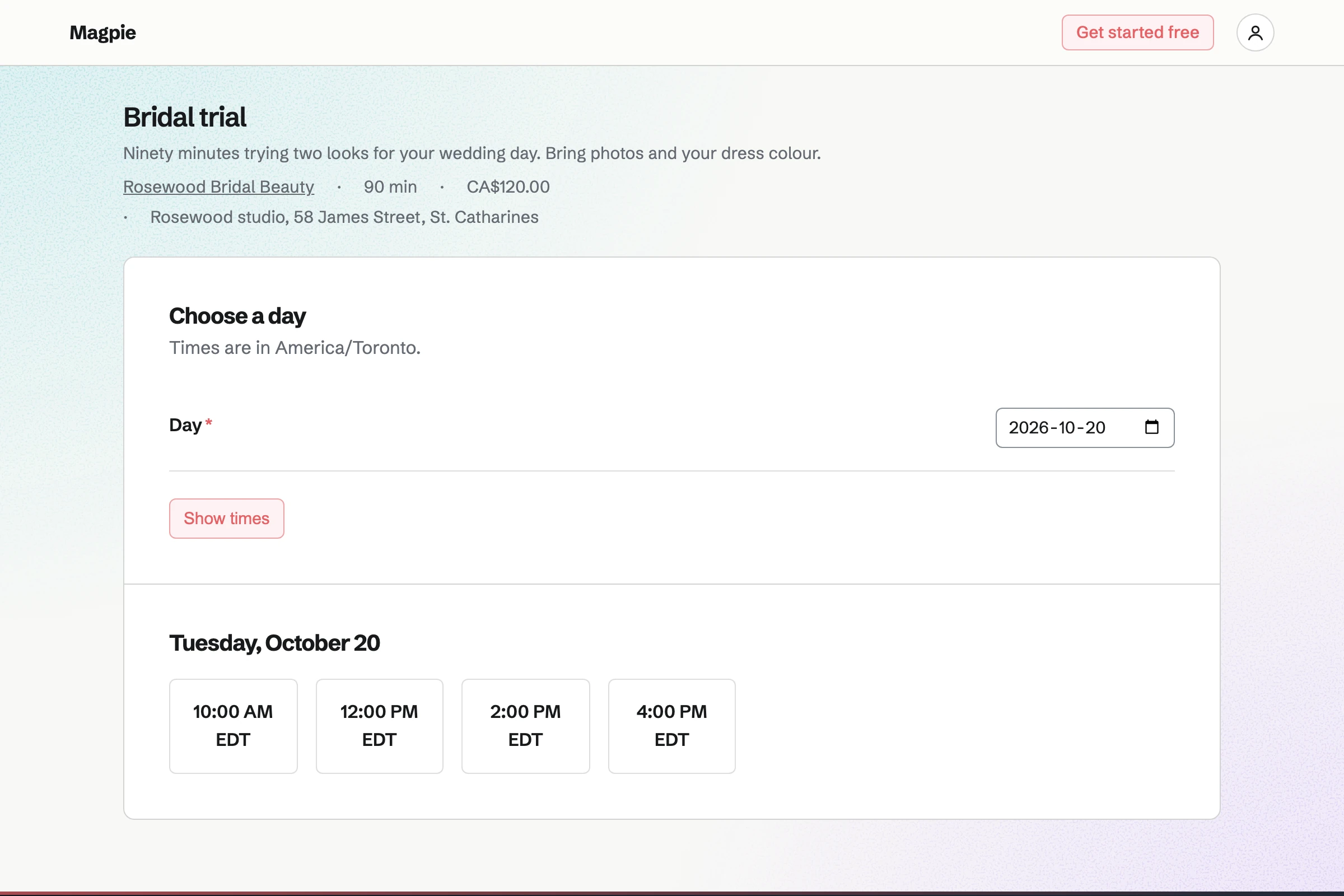
Appointments gives you a booking page. Each service has its length and price, such as a 90-minute bridal trial. Clients choose a free time, and the confirmation lets them reschedule.
Your calendar's events keep wedding mornings off the booking page. A buffer keeps time free to travel between clients.
Contacts keeps a page for each client. A pinned note holds their skin type, allergies and the products used at the trial. Their trial, proposal and invoices appear in its history.
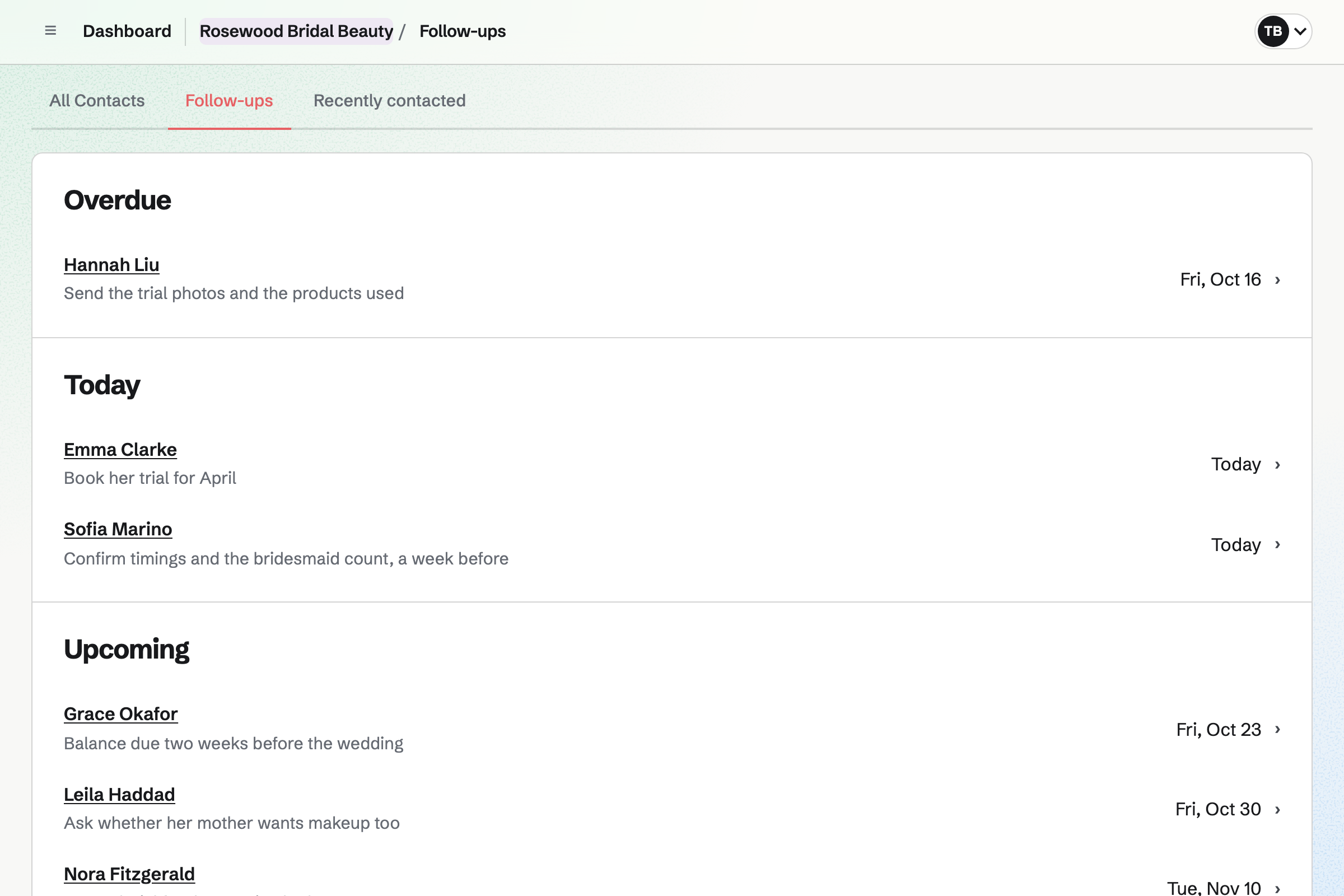
A follow-up sets the day to call, such as a week before the wedding. The follow-ups list shows what is overdue, due today and coming up.
Invoicing bills the proposal's final payment when you choose, for whatever is left. Extras on the day, such as a touch-up kit, go on as lines.
Clients pay by card into your own Stripe account, with no Magpie fee.
Social Media posts to Bluesky, Mastodon and LinkedIn at the time you choose. For Instagram, Magpie reminds you and opens it with the post filled in.
Instagram's portrait and square shapes are cropped around a focal point you set on each photo. A campaign holds a season's posts, and schedules them at your posting times.
Everything about one wedding stays on the client's contact.
The bride sends the date, the venue and the size of the party.
You quote the party by the person, and the client signs with a deposit.
The bride books a trial on your booking page.
Skin notes and the products used go in a pinned note.
The wedding morning is on your calendar, so nobody books it.
You bill the balance before the day, and it is paid by card.
You add the questions you ask every bride, and publish it. Help: Build, publish, and share a form.
You add your trial and lessons, with their lengths and prices. Help: Set up Appointments.
You save your rates per person and your deposit in a starter. Help: Proposal starters, saved sections and the price list.
You connect your Stripe account, so clients can pay by card. Help: Connect Stripe to receive money.
You connect Bluesky, Mastodon or LinkedIn, and add Instagram. Help: Connect social accounts.
An artist working alone fits Pro, for your own work in Personal. A team of artists fits the Team plan, one price for up to 25 members.
Bookings are unlimited on every plan. On the free plan, you can send 5 proposals and create 5 invoices a month.
Magpie adds no fee to invoice payments. Stripe's processing fee is taken from each card payment. Prices are on the Pricing page.
A hair salon books stylists and barbers by the appointment, with a shop.
A photographer quotes the day with packages, and delivers the photos.
An event planner runs the whole day, from the venue to the suppliers.
Yes. Your enquiry form asks for the wedding date, the venue and how many need makeup. A file question takes a photo of the look they love. You are emailed each one.
Yes. The proposal has a line for the bride and one for the bridesmaids. Each is at your rate per person. The client can change the number of bridesmaids. A trial or an early start can be options.
Yes. The proposal's payment schedule takes a deposit when the client signs. Its invoice is issued at once, and they can pay it by card. You bill the balance when you choose.
Yes. Your booking page lists the trial with its length and price. The client chooses a free time, and needs only a name and an email address.
Yes. Times taken by events on your calendar are not offered. A wedding morning on your calendar keeps that time free.
Yes. A service's location can say that you come to them. A buffer before and after each appointment keeps time free to travel.
In a pinned note on their contact, near the top of the page. It can hold their skin type, allergies and the products from the trial.
Yes. Magpie reminds you at the time and opens Instagram with the post filled in. You mark it as posted. Bluesky, Mastodon and LinkedIn posts go out on their own.
Magpie adds no fee to invoice payments. Stripe's processing fee is taken from each card payment. The rest goes to your own Stripe account.
Create a Magpie account and make your enquiry form.