Tour guides and outdoor adventure companies
A tour company runs guided trips, with its guides and its gear.
Riding schools, stables and livery yards
The yard, its instructors and its grooms work in one Magpie team.
Get started free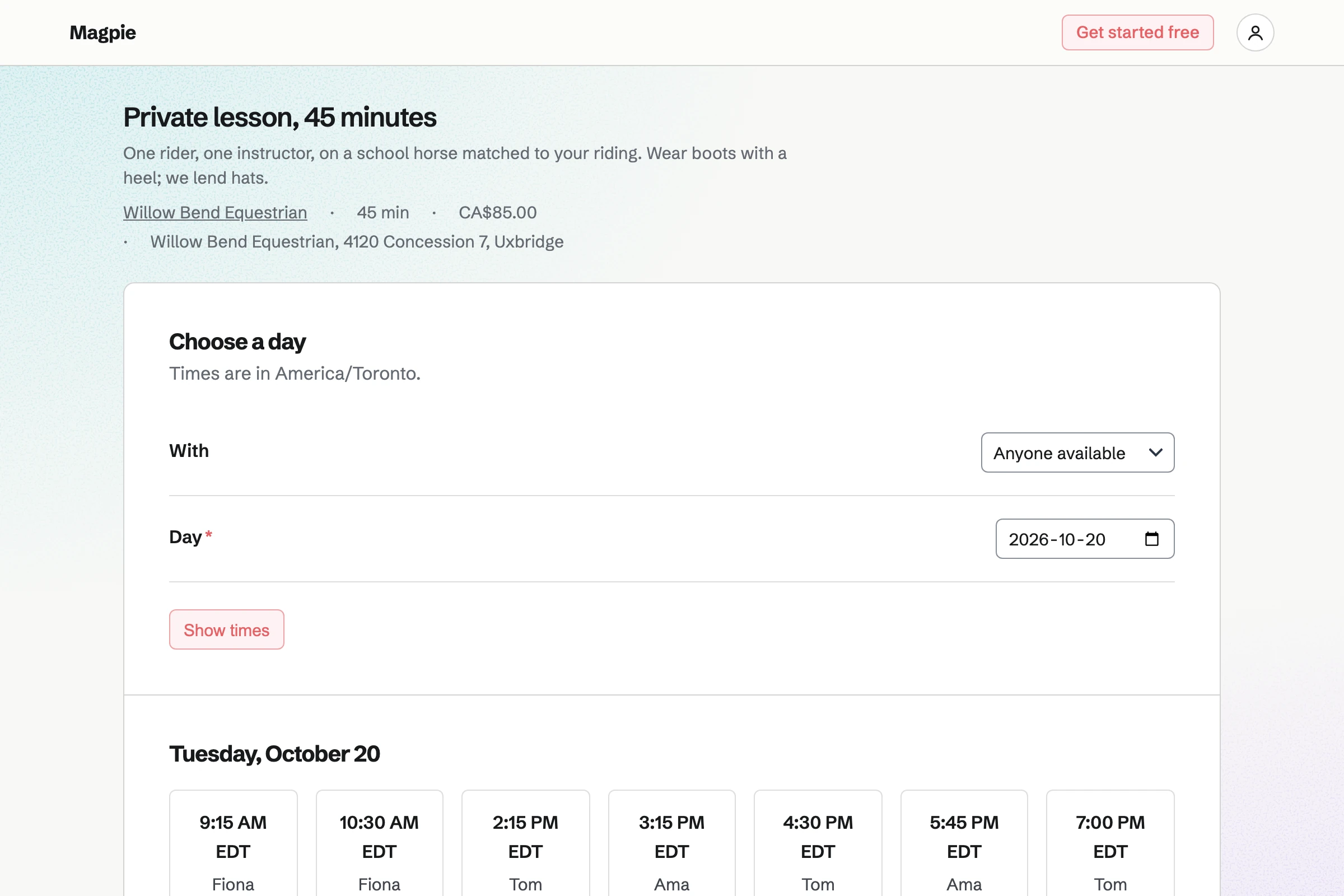
Appointments gives the yard a booking page. Each lesson has its length and price, such as a 45-minute private lesson. The rider chooses an instructor, or anyone available, and a free time.
A lesson can need the arena, kept in Resource Booking, so two lessons never share it. Group lessons can be calendar events, with RSVPs up to the horses you have.
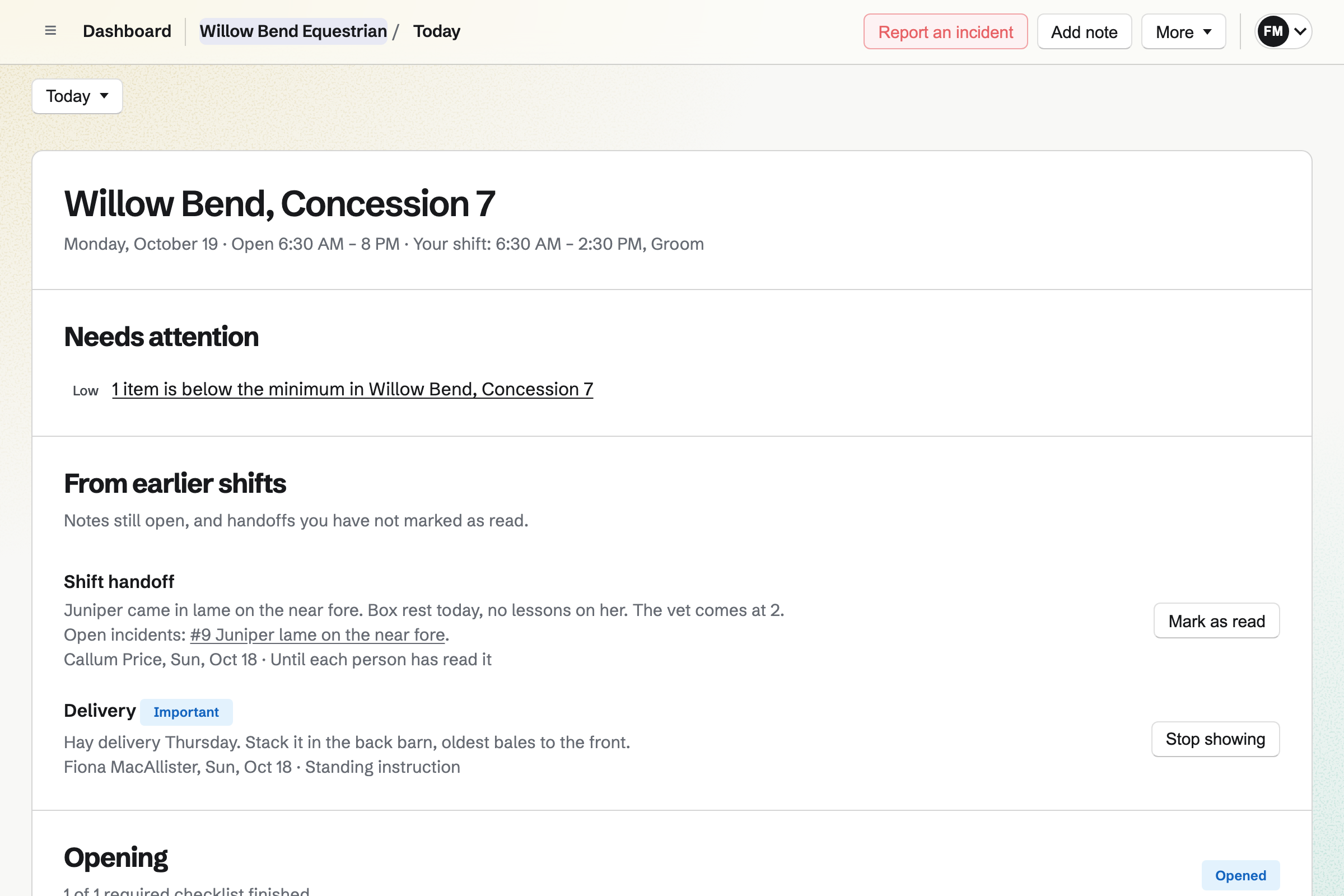
Daily Operations turns your yard routines into checklists at set times, such as the morning feed. A step can ask for a note or a photo when something is wrong.
A lame horse can be an incident, with what to do and by whom. Handover notes carry over to the evening shift.
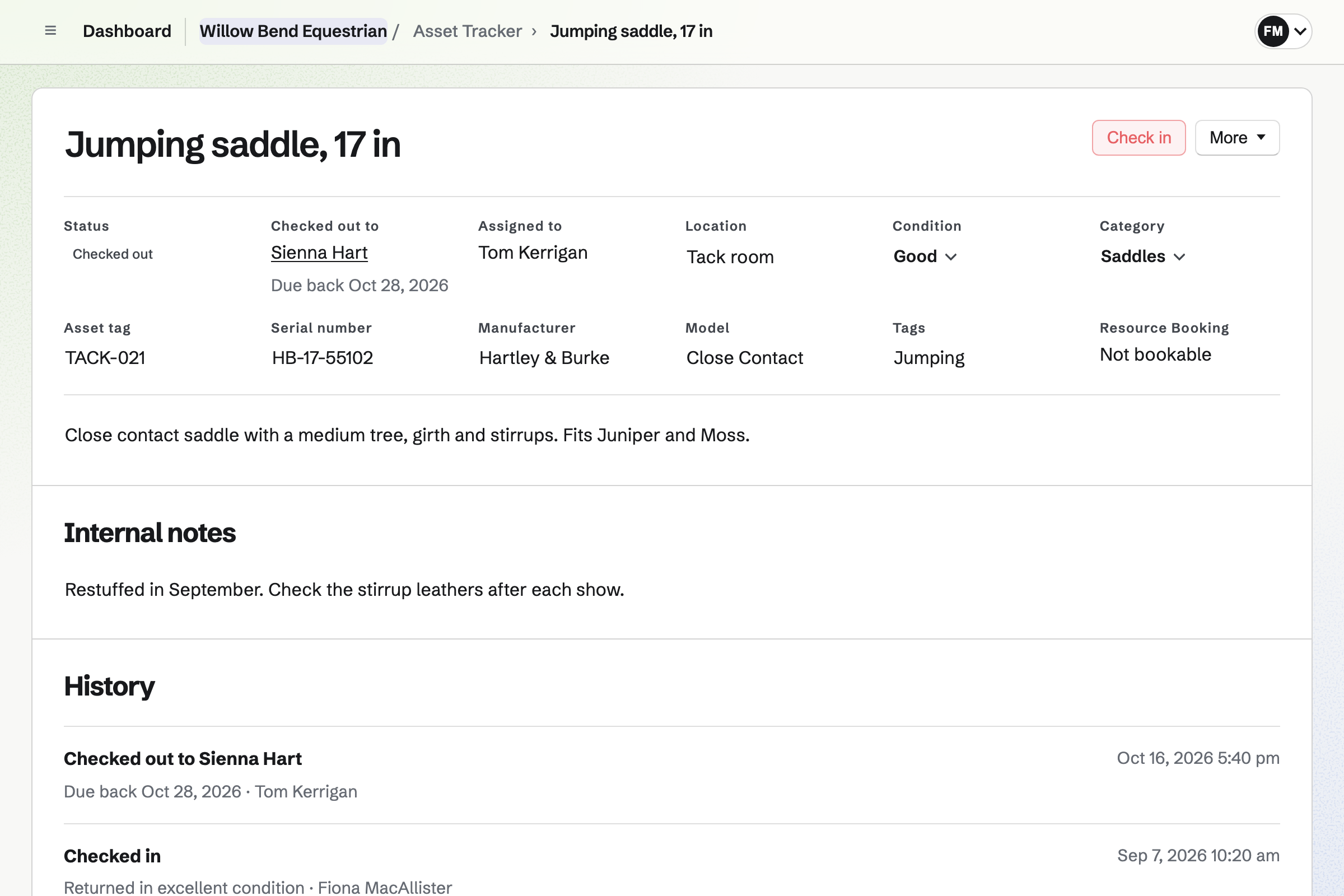
Asset Tracker lists your tack and equipment, with a tag, a location and a condition. An item can be checked out to a rider, with a due-back date.
Maintenance records why a saddle went to the saddler and when it should be back. Its history keeps every check-out, check-in and repair.
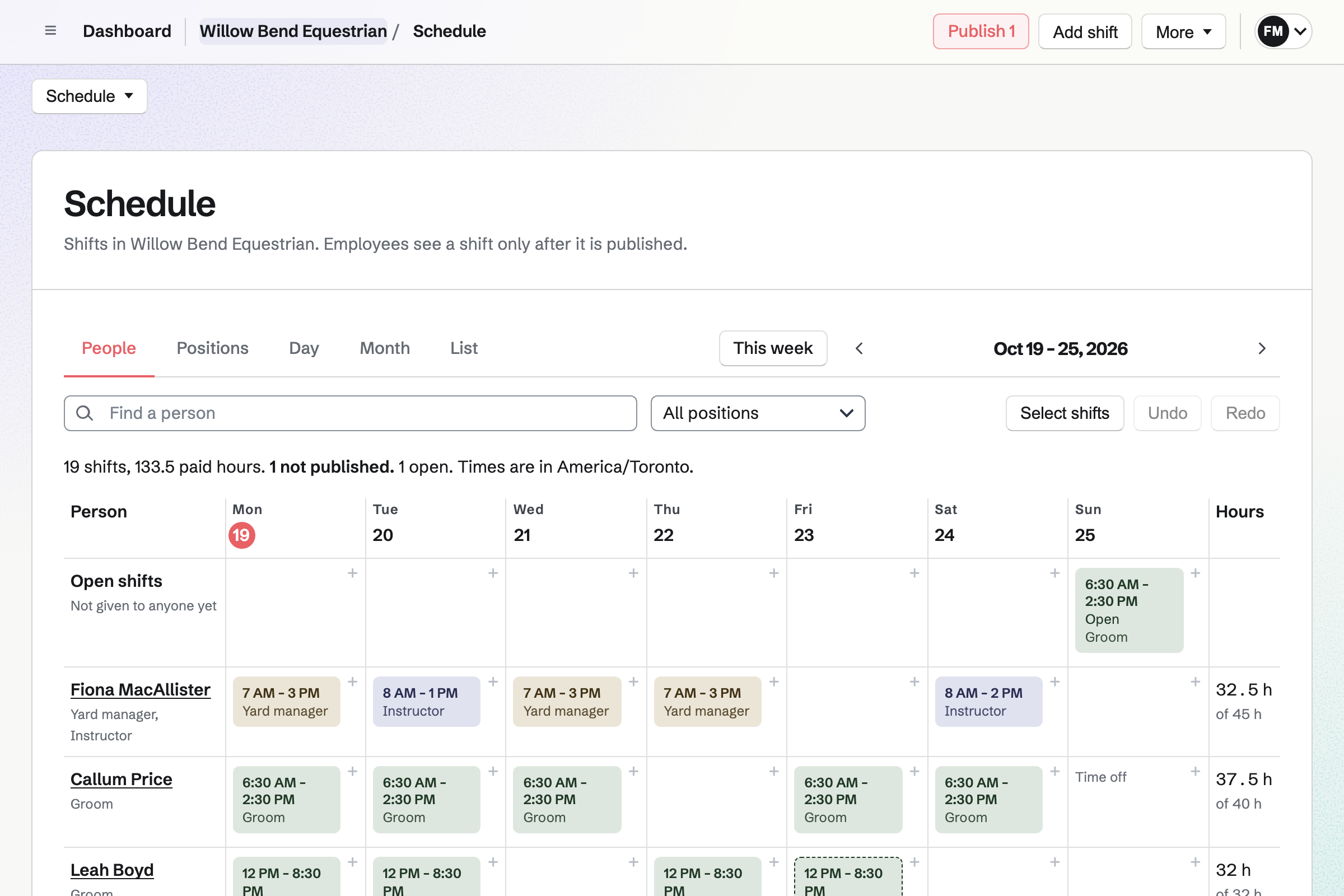
Staff Scheduling plans the week by position, such as groom, instructor and yard manager. You publish it, and each person sees their own shifts.
Staff can swap shifts and ask for time off. You choose which requests wait for your decision. An open shift lets someone cover the weekend feeds.
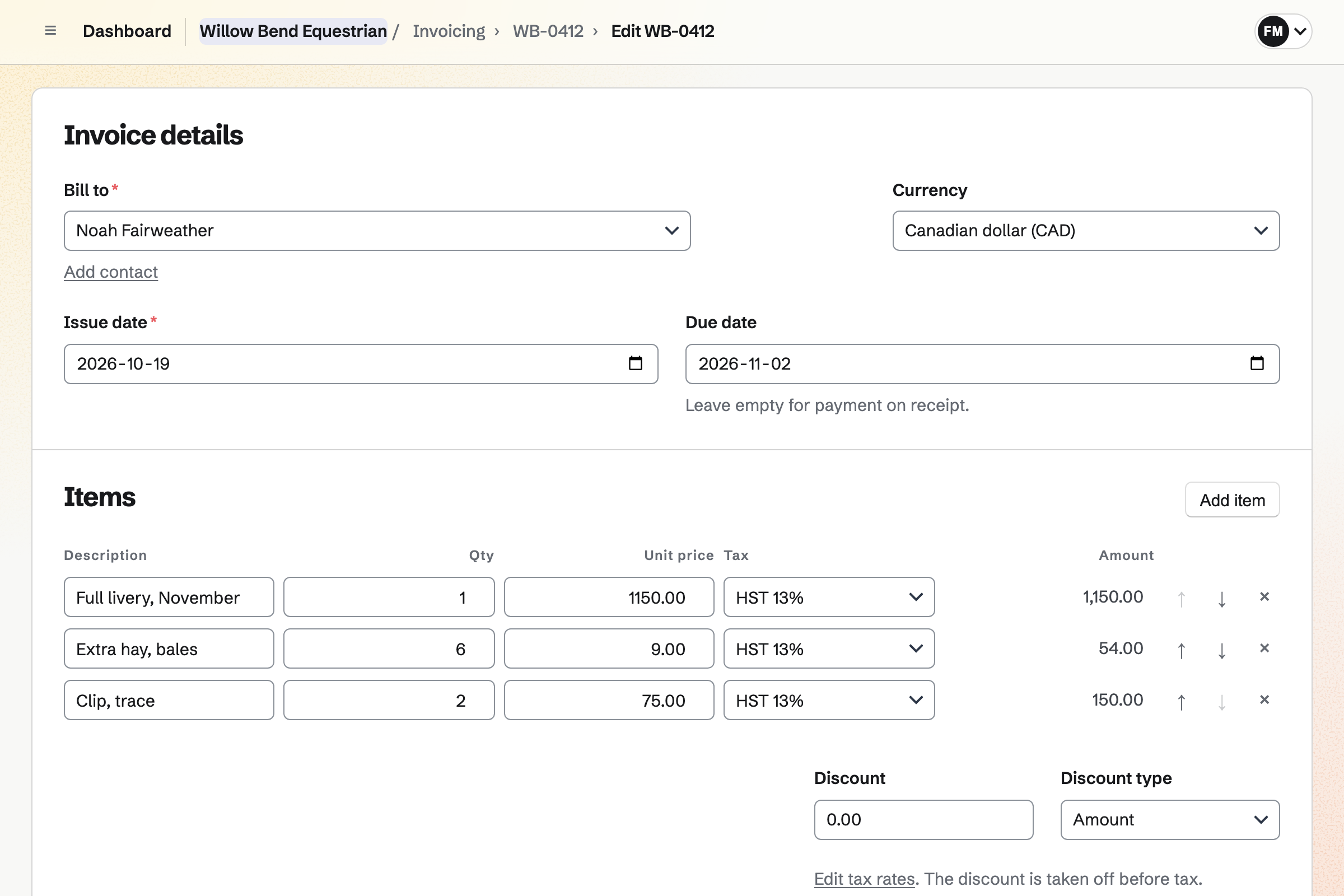
Invoicing repeats each livery invoice every month, with its stable and feed lines. An owner can also sign a proposal with monthly lines. Each invoice is then charged to their saved card.
Extras, such as clipping or a lesson, go on as lines of their own. Clients pay by card into your own Stripe account, with no Magpie fee.
Each step starts from what the last one made.
The rider fills in the new rider form, with their experience.
You send the waiver from its starter, and they sign online.
They book a private lesson with an instructor, when the arena is free.
Tacking up and the morning feed are ticked off on the day's checklists.
A saddle that needs restuffing goes to the saddler, recorded as maintenance.
Lessons are billed at the end of the month, and paid by card.
You add your lessons, instructors and their hours. Help: Set up Appointments.
You add the arena, with its hours, for lessons to reserve. Help: Add resources and set their hours and rules.
You add the feeds, mucking out and checks, with their times. Help: Routines and checklists.
You upload the waiver and place the rider's fields once. Help: Signing starters.
You connect your Stripe account, so clients can pay by card. Help: Connect Stripe to receive money.
A yard with staff fits the Team plan, one price for up to 25 members. Bookings are unlimited on every plan.
On the free plan, you can create 5 invoices a month. Magpie adds no fee to invoice payments. Stripe's processing fee is taken from each card payment. Prices are on the Pricing page.
A tour company runs guided trips, with its guides and its gear.
A sports club runs its members, fixtures and coaching.
A farm sells its produce online and at the market.
Yes. Your booking page lists each lesson with its length and price. The rider chooses an instructor, or anyone available, then a free time. The confirmation lets them reschedule or cancel.
Yes. A lesson can need one resource, such as the arena, from Resource Booking. A time is offered only when the arena is free too.
Yes, as calendar events. You turn on RSVPs and set a capacity, such as the horses you have. The event's page says when it is full. Riders RSVP while signed in to Magpie.
Yes. You keep the waiver as a signing starter, with the rider's fields placed. Each new rider gets a request from it, with reminders until they sign. A certificate of completion is kept with the signed PDF.
Yes. A recurring invoice repeats the livery lines each month and is emailed on its date. An owner can also sign a proposal with monthly lines. Each invoice is then charged to their saved card.
In a pinned note on the owner's contact. It can hold the horse's feed, farrier and vet details. Their invoices are listed on the same page.
Yes. Each routine creates a checklist at the time you set, such as the morning feed. Grooms tick each step, and late or missed checklists are marked.
Yes. A step can report an incident when it fails. The incident lists what to do, who does it and by when.
Yes. Each saddle and bridle is an asset with a tag, a location and a condition. You check it out to a rider with a due-back date, or send it for maintenance.
Yes. You plan the week by position and publish it. An open shift lets anyone in that position take it. Staff can swap shifts and ask for time off.
Magpie adds no fee to invoice payments. Stripe's processing fee is taken from each card payment. The rest goes to the yard's own Stripe account.
Create a Magpie account and add your first lesson.