Pet shops and groomers
A groomer takes bookings for each service online, and sells food and toys from the shop.
Dog walkers and pet sitters
A walker working alone uses Magpie without a team. A business with several walkers works in one Magpie team.
Get started free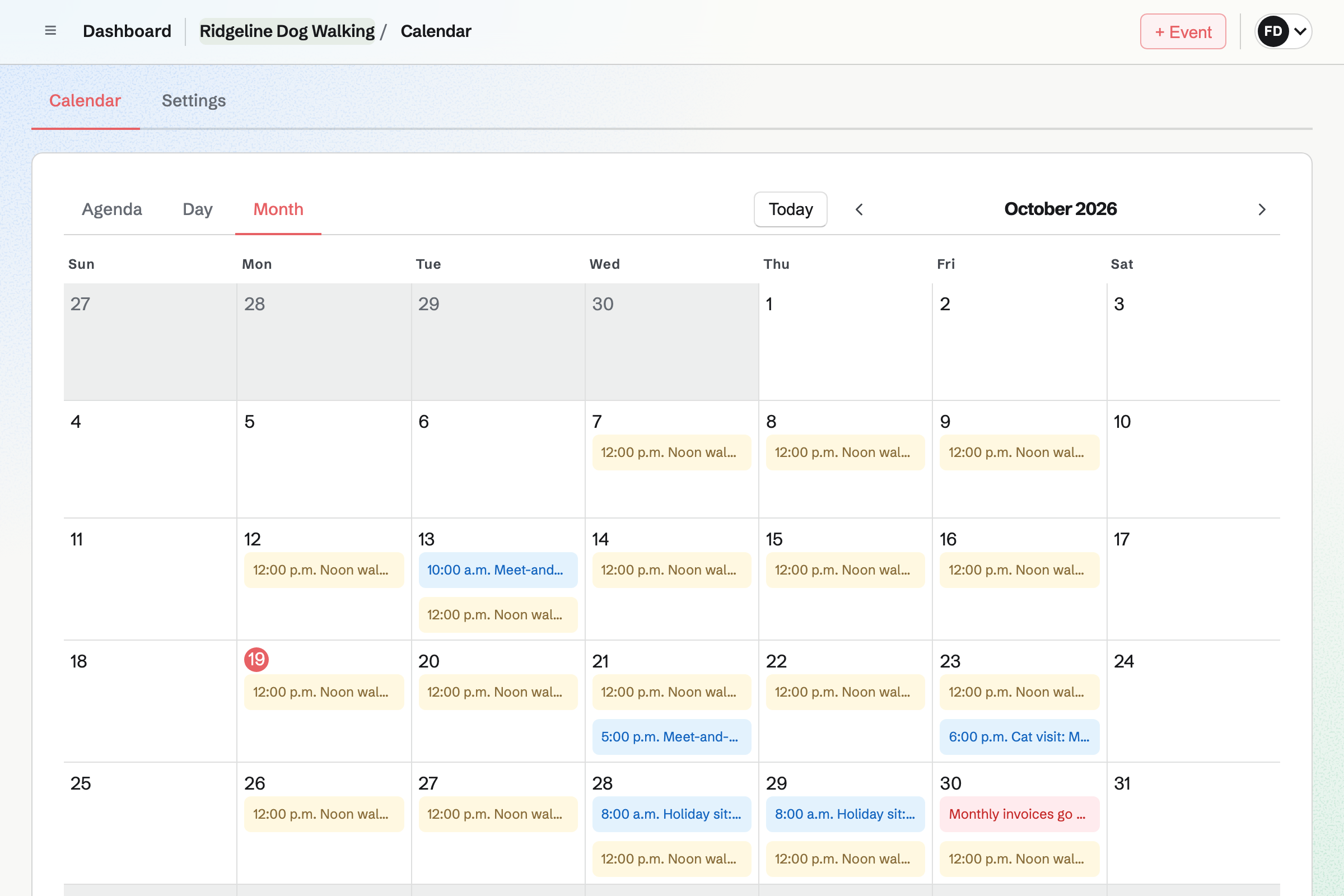
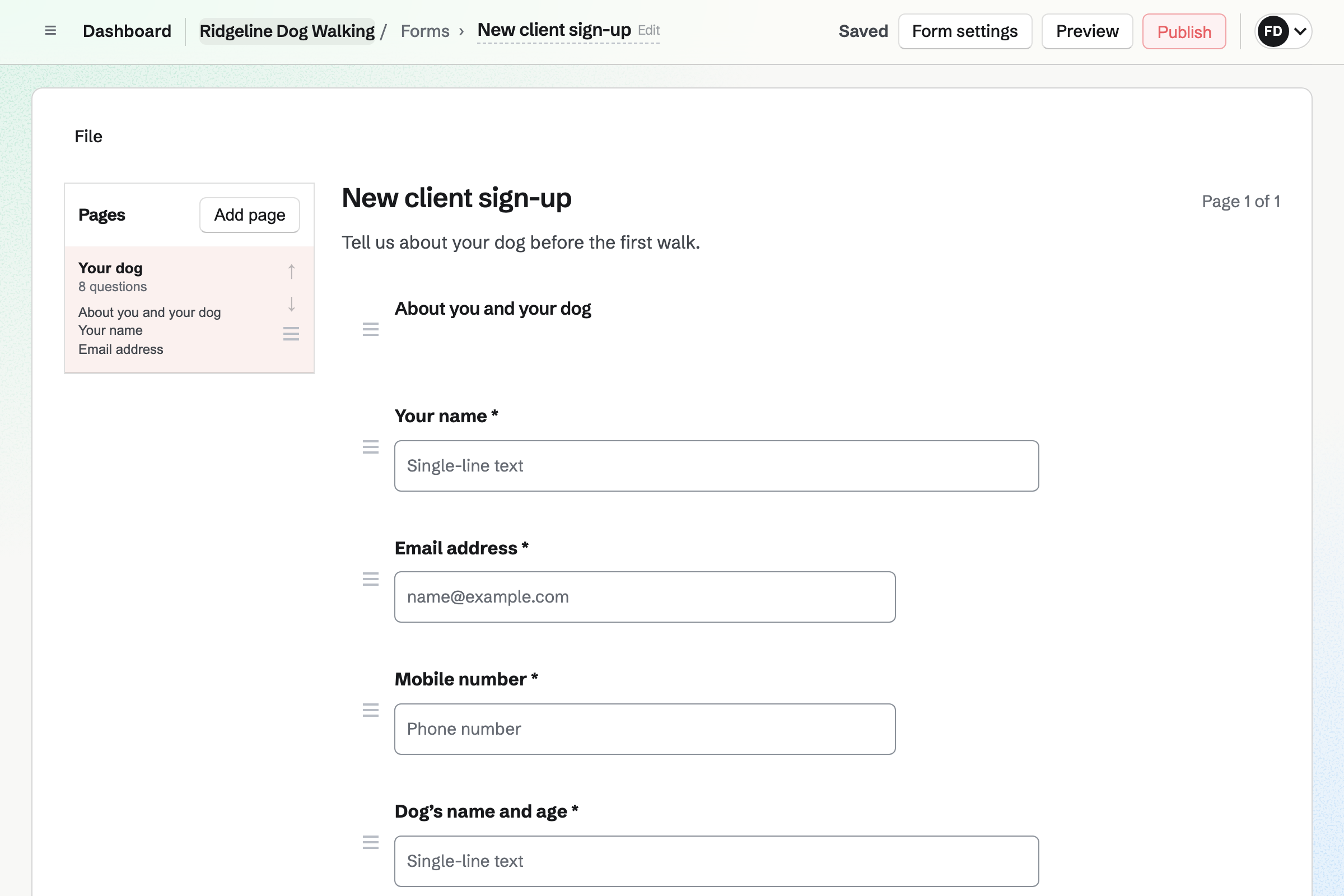
Forms gives you a sign-up Form with your own questions. It can ask for the dog's recall, feeding and medication, and the vet's name and number. A question can appear only after an earlier answer.
An owner can attach a file, such as a vaccination record. Magpie will email you each response, and you can download them all as a CSV file.
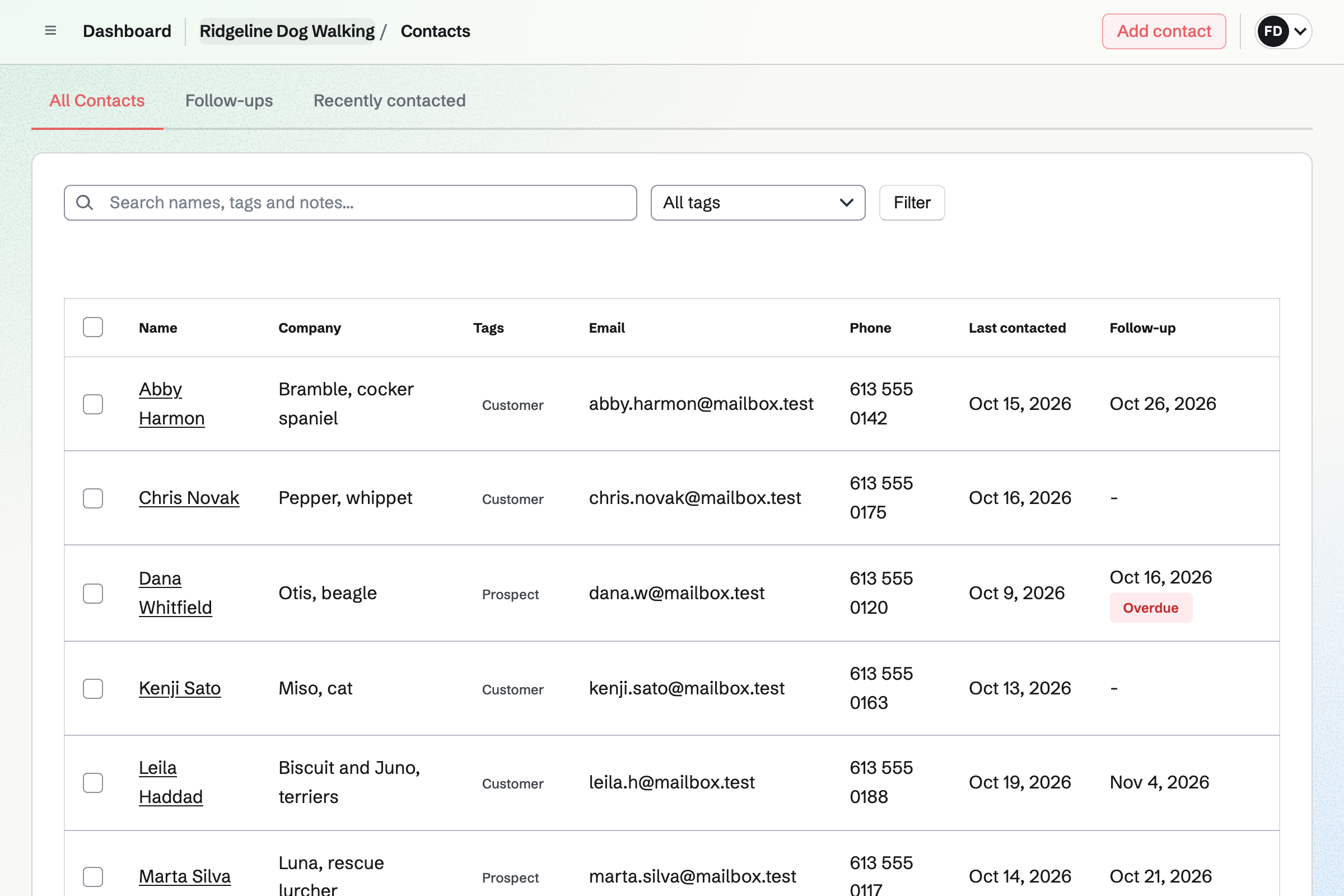
Contacts gives each owner a page of their own. A pinned note keeps what you need on every walk, such as the dog's allergies.
Its activity lists your notes and calls, and each invoice sent or paid. A follow-up reminds you to call on a date, such as before a holiday sit.
Calendar shows each walk as a To-do on its day and time. A regular walk can repeat every weekday, every week or every two weeks. Each can remind the walker an hour or 15 minutes before.
In a team, each walk has the walker it is assigned to. A drop-in, a pet sit or a meet-and-greet goes in as an event, with its address.
Walkie Talkie sends voice messages, recorded as you hold to talk, and text messages too. You invite an owner from outside your team. They see only their conversation with you.
If you lose signal in the park, the recording carries on and sends when signal returns. Who has heard shows whether the owner has listened.
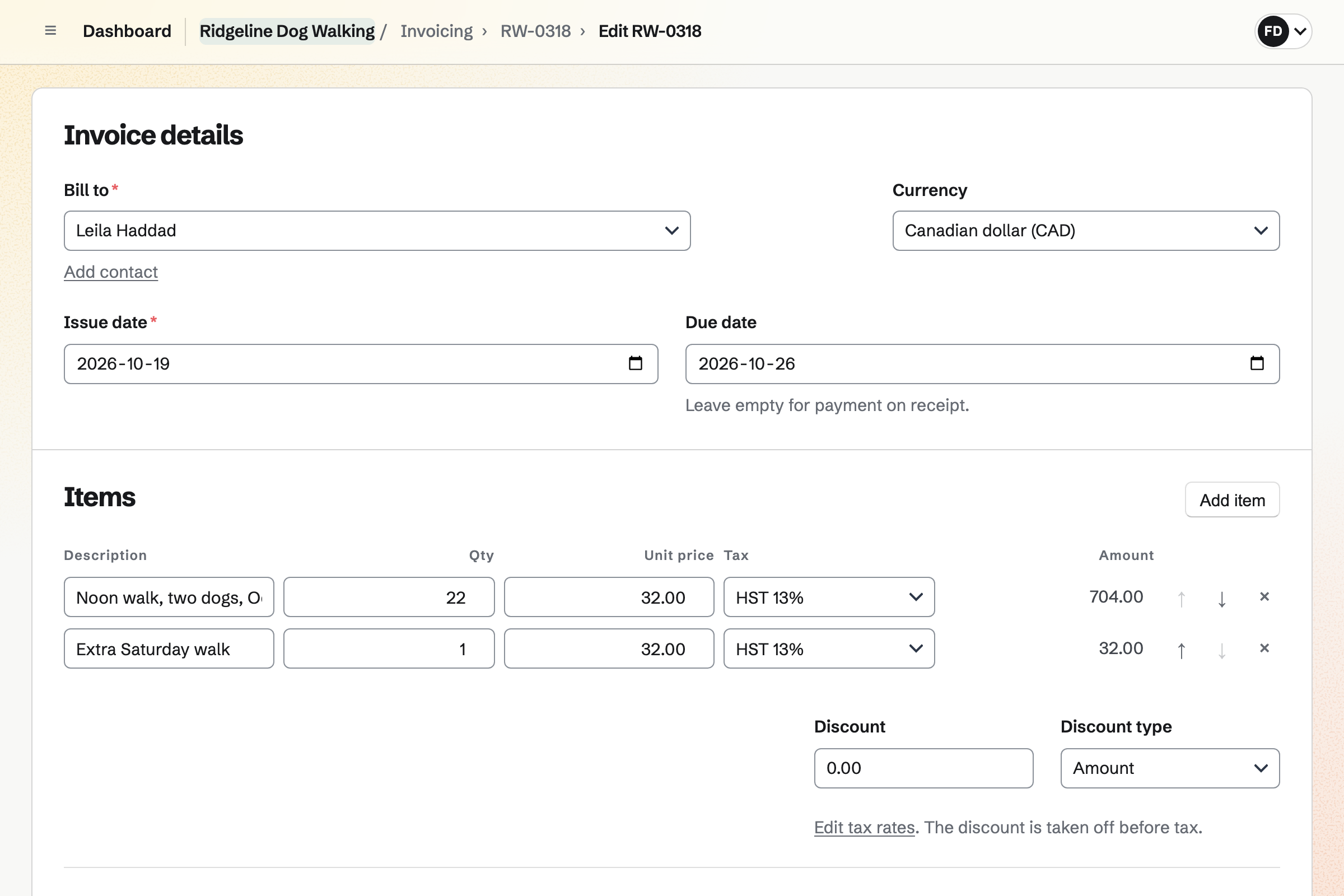
Invoicing bills each owner for the month's walks, with the number of walks and your rate. Once it is recurring, it goes out every month until you change or end it.
Owners pay by card from the email, into your own Stripe account. Reminders go out until each invoice is paid. Cash is recorded by hand.
The owner's contact page holds the details as you go.
The owner fills in your Form, with the dog's habits and the vet. Magpie will email you the answers.
They book a meet-and-greet on your booking page. Magpie adds them as a contact.
You pin the dog's details, such as feeding and medication, to the owner's contact page.
You add the midday walk as a To-do that repeats every weekday, for its walker.
After each walk, the walker sends the owner a voice message.
At the start of each month, the owner's invoice is sent, with a Pay online button.
You choose the questions for a new client and share the Form's address. Help: Build, publish, and share a form.
You connect your Stripe account, so owners can pay by card. Help: Connect Stripe to receive money.
You add each walk as a To-do that repeats, with its time and reminder. Help: Use To-dos.
You invite each owner to a conversation in Walkie Talkie. Help: Talk with Walkie Talkie.
A walker working alone fits Pro, the paid plan for your own work. It has no limit on invoices or contacts. A business with several walkers fits the Team plan, one price for up to 25 members.
Owners you talk with join as guests and take no member place. A free plan has room for 10 guests, and a paid one for 100.
On the free plan, you can create 5 invoices a month and keep 100 contacts. Magpie adds no fee to invoice payments.
A groomer takes bookings for each service online, and sells food and toys from the shop.
A cleaning company plans each crew's shifts and runs a checklist at every house.
Yes. Each walk is a To-do with its day and time. It can repeat every day, every weekday, every week or every two weeks. It shows on your calendar on each date.
Yes. A To-do can remind you at its time, 15 minutes before or an hour before. Reminders are emailed to the person the walk is assigned to.
Yes. In a team, each walk is assigned to one walker. It shows in their To-dos and on the team calendar. They get its reminders.
Yes. You write them in a note on the owner's contact page and pin it. The pinned note stays near the top of the page. Search covers your notes, so you can find a dog by name.
Yes. A sign-up Form asks your own questions, such as the dog's habits and the vet's number. It can have several pages, and a question can appear after an earlier answer. Magpie will email you each response.
Yes. A File question takes a PDF or a photo of up to 10 MB. Only the people who can see the Form's responses can open it.
Yes. Walkie Talkie sends voice messages, recorded while you hold to talk, and text messages too. You invite the owner from outside your team, and they see only their conversation with you.
The recording carries on on your phone, and sends when the connection returns. A recording that was cut off is offered to you again, so it is not lost.
Yes. Who has heard shows who has played each message. The owner can play unheard messages in a row, at the speed they choose.
Yes. Appointments gives you a booking page with your services, such as a 30-minute meet-and-greet. The owner chooses a free time. Magpie will email them a confirmation with a link to reschedule or cancel.
Yes. You make an invoice with the month's walks, then make it recurring. Magpie will send an invoice with the same lines every month, with a Pay online button. You can change the lines, pause it or end it.
Yes. Each invoice email has a Pay online button. The money goes to your own Stripe account. Magpie adds no fee; Stripe's processing fee applies. You can also record cash or a bank transfer by hand.
Yes. You send an ordinary invoice with a line for each night or drop-in. Reminders go out until it is paid.
Yes. You add each expense with its amount and date, and photograph the receipt on your phone. A receipt can wait in the Receipt Inbox until you fill in the details.
Yes. A Link-In-Bio List is one public page of links, such as your sign-up Form. It counts the clicks on each link.
Create a Magpie account and publish your sign-up Form.