
Board game and tabletop game shops
A board game shop fills game nights and tournaments, and sells new releases to its players.
Toy shops
The shop and its staff work in one Magpie team. The shelves and the online shop share one stock.
Create account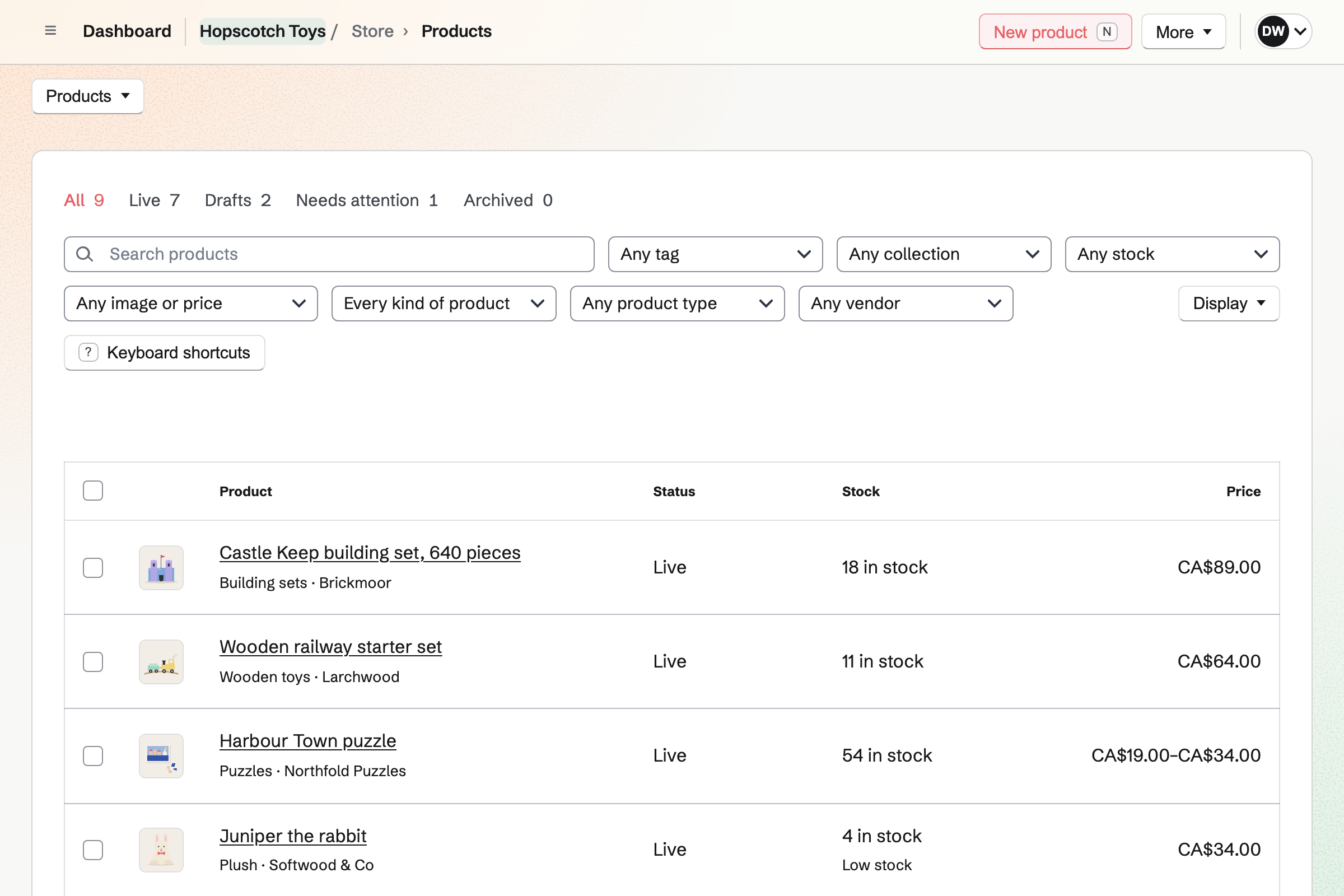
Store is the shop's online shop. Each toy has a brand, a type such as Puzzles and an age tag. Shoppers filter by brand, type and tag. A collection can gather every toy for ages 3 to 5.
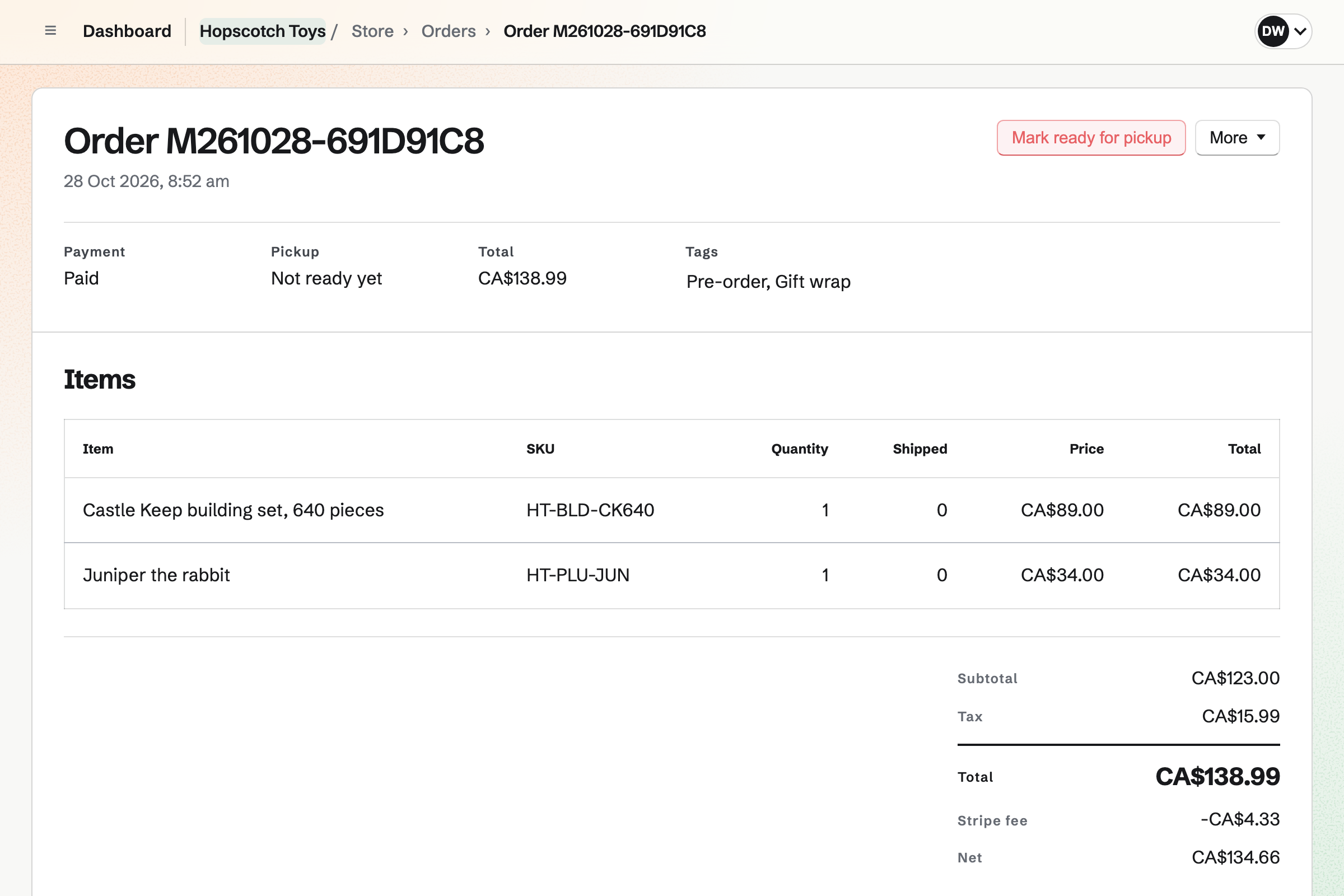
A gift wrap choice adds its price. A gift message field takes the card's words for the packing slip. A sale at the counter is recorded as an order.
A toy still on its way can sell on back order, with its expected date. Customers pay when they order, and a Pre-orders tab lists them until the stock is in. A hot toy can be limited to one per customer.
Online orders can be collected at the shop. When you mark one ready, Magpie emails the customer. Local delivery goes to the postal codes you list, on a day the buyer chooses.
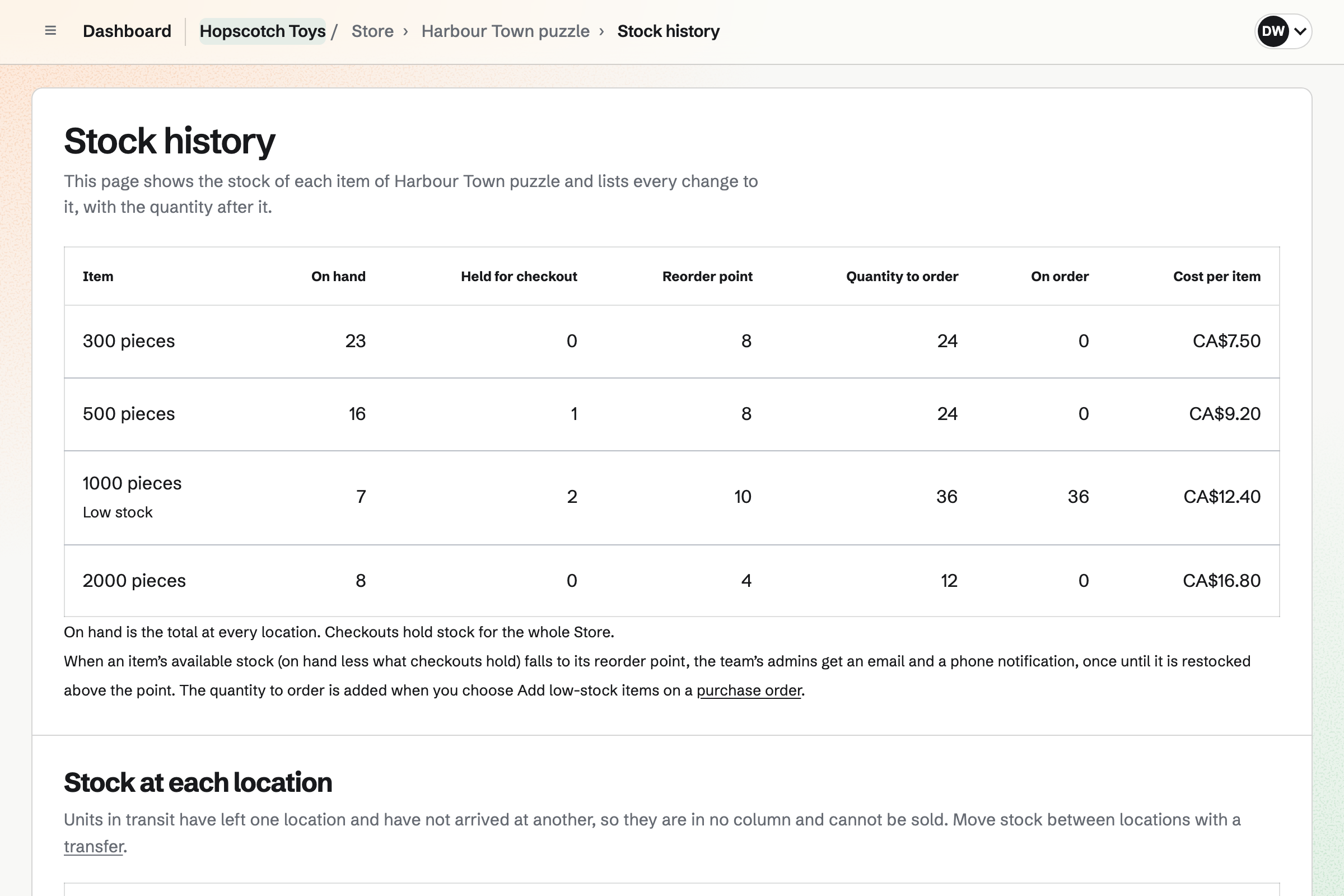
Each toy has a reorder point. When its stock falls to it, you get an email. The Stock page lists what is low. A purchase order to the distributor fills itself with the low toys.
It goes as a PDF or by email. Receiving the delivery adds the stock at its cost and makes the distributor's bill. Stock can be kept on the shop floor and in the stockroom, and moved between them.
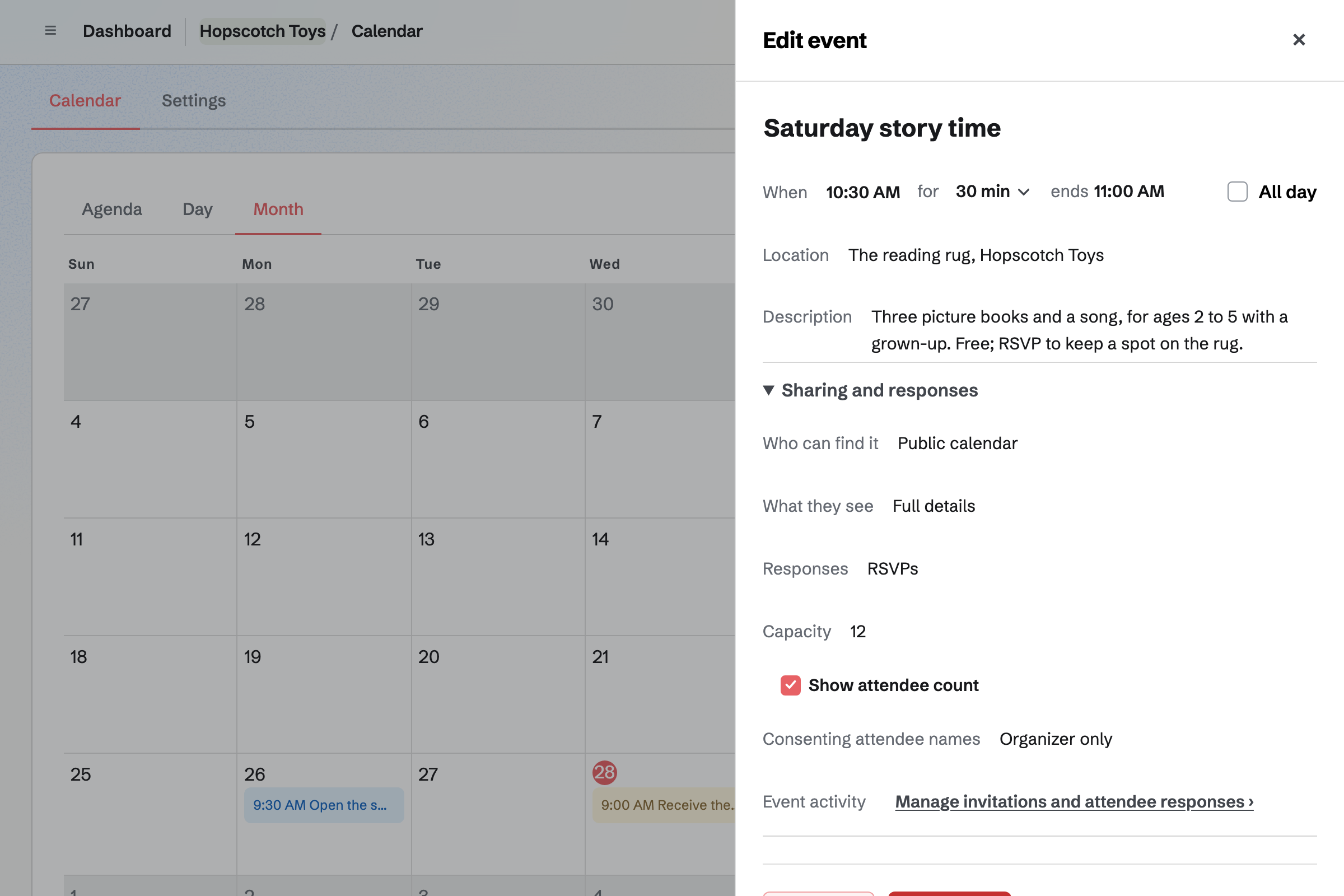
Calendar gives the shop a public calendar of its Saturdays. You turn on RSVPs and set a capacity. The event's page says when it is full. Parents RSVP while signed in to Magpie.
The page can show how many are coming. Sharing an event starts a social media post about it.
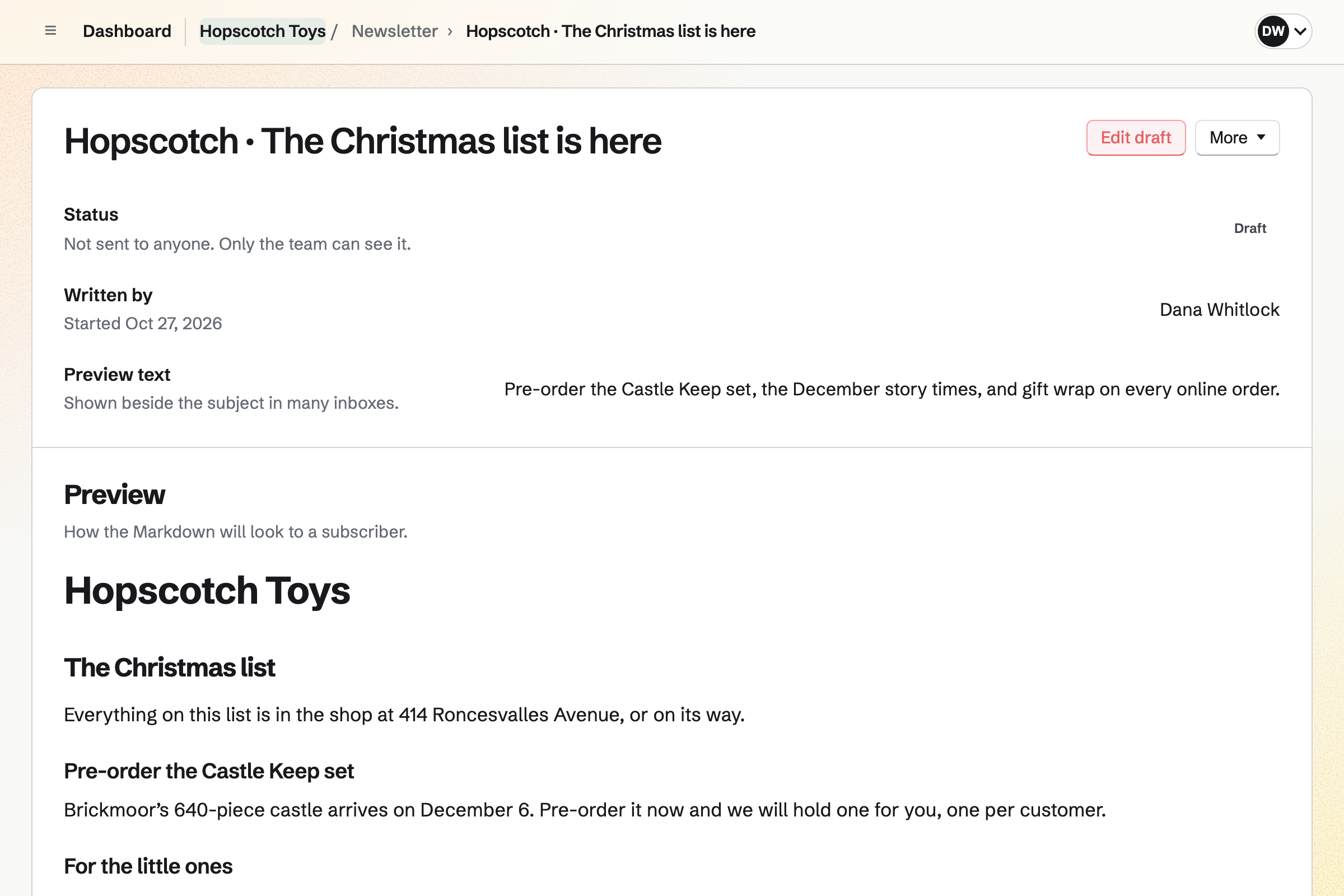
Newsletter gives the shop a sign-up page with double opt-in. Checkout can ask buyers to subscribe too. You write the Christmas list in November, send yourself a test and schedule it.
A sent issue has a web copy, which can start a social media post. The newsletter's page counts the subscribers and the copies delivered.
Each step starts from what the last one made.
A purchase order goes to the distributor, with the date it is expected.
The toy takes pre-orders online, one per customer, with the date it should ship.
The Christmas list newsletter puts it at the top, and a post goes out.
The delivery is received, the stock counts up from the pre-orders, and the bill is made.
Each order's packing slip shows its gift wrap and the card's words.
You mark each pickup order ready, and Magpie emails the customer.
The sales, the Stripe fees and the distributor's bill are in the books.
You add each toy with its brand, its type and an age tag. Help: Create products, options, and inventory.
You add the distributors you order from, with their lead times. Help: Suppliers and purchase orders.
You add local pickup with the shop's address and times. Help: Collections and shipping.
You add each Saturday with RSVPs and a capacity. Help: Create public and private calendar events.
You name the newsletter and open its sign-up page. Help: Start and configure a newsletter.
You connect your Stripe account, so customers can pay by card. Help: Connect Stripe to receive money.
A shop with staff fits the Team plan, one price for up to 25 members. It has room for 5,000 calendar events and higher newsletter limits.
Magpie adds no fee to your shop's sales. Stripe's processing fee is taken from each card payment. Prices are on the Pricing page.
A board game shop fills game nights and tournaments, and sells new releases to its players.
A bookshop sells titles by ISBN, takes pre-orders for publication day and fills author events.
A gift shop or boutique counts every size and colour, and plans the shop floor's rota.
A comic shop takes pre-orders for new comic day and emails each week's list.
A craft supply shop sells by colourway and dye lot, and fills its classes.
A childcare provider plans the setting's rota, bills the fees and emails the parents.
Yes. Each toy can carry a tag such as Ages 3+, and shoppers filter by it. A collection can gather every toy tagged Ages 3+, on a page of its own. Specifications such as Age: 3+ and Pieces: 1000 are listed on the toy's page.
Yes. Each toy has a vendor, which shoppers see as its brand. They filter the shop by brand, and search finds a brand's name. A collection can gather one brand's toys on a page of its own.
Yes. Sell when out of stock lets a toy take orders before it is in. The date it is expected to ship is shown, and customers pay when they order. A Pre-orders tab lists those orders until the stock arrives.
Yes. Most per customer limits how many one email address can buy across its orders. Most per order limits one order. The toy's page shows the limit, and the cart refuses more.
Yes. Personalisation fields on a toy ask for them when it is bought. A choice from a list, such as Gift wrap, can add to the price. A long text field takes the card's words. What the customer entered shows on the order, the packing slip and the order emails.
Yes. A parent signed in to Magpie saves toys to a wishlist of up to 200 products. They share its link with the family. Whoever opens the link signs in to Magpie and sees the toys. The parent's name and email address stay private.
Yes. When a toy with counted stock sells out, its page asks for an email address. Magpie sends one email when it can be bought again. You see how many people are waiting for each toy.
Yes. You add local pickup with the shop's address and pickup times. Buyers who choose it give no shipping address. When you mark an order ready, Magpie emails the customer the address, times and any instructions.
Yes. Local delivery goes to the postal codes you list, free over an amount you set. You choose the days you deliver and a cutoff time. The buyer picks a delivery day at checkout, and the order shows it.
Each toy has a reorder point and a quantity to order. When its stock falls to the point, you get an email within a few minutes. The Stock page lists every low toy, furthest below its point first.
Yes. Each distributor has its lead time. A purchase order goes by email or as a PDF, and Add low-stock items fills it. Receiving the delivery adds the stock at its cost, and makes the distributor's bill.
Yes. Each location holds its own stock, and a toy's stock page shows both. A transfer moves boxes from the stockroom to the shop floor. A buyer can buy a toy while either location has it.
Setting a toy's stock to what you counted is recorded as a stock count correction. Each change is in the toy's stock history, with who made it.
You choose New order, pick the toys and record how the customer paid. That can be cash, or a card on your own terminal. The order is created paid, and the toys leave stock.
Yes. A gift card sells fixed amounts and, if you choose, a custom amount. The buyer has it emailed to the parent on a date they pick, with a message. The holder spends it in your online shop. A bought card never expires.
An automatic discount takes a percentage or an amount off a collection or chosen toys. It runs between the start and end times you set, with no code to type. A toy with a compare-at price above its price counts as on sale. A collection can list every toy on sale.
Yes. You approve the nursery as a wholesale customer, with a price list and invoice terms. Its buyer signs in to Magpie and sees those prices. At checkout they choose Pay by invoice. The invoice is emailed with a Pay online button.
Yes. You put story time on the shop's public calendar and turn on RSVPs. You can set a capacity, and the event's page says when it is full. Parents RSVP while signed in to Magpie, and can sign up from the event's page.
Yes. Each Saturday's session is its own event on the public calendar, with its own capacity. The calendar lists the Saturdays to come. Sharing a session starts a social media post about it.
Yes. Newsletter gives the shop a sign-up page with double opt-in. Checkout can ask buyers to subscribe too. You write the list in Markdown, send yourself a test and schedule it. A sent issue has a web copy to share.
Yes. A toy's page starts a post with its name, address and photos. Posts to Bluesky, Mastodon and LinkedIn go out at the time you choose. For Instagram, Magpie reminds you and opens the post filled in. Each photo is cropped to Instagram's shape around a point you set.
Yes. You add each person by name as a seasonal worker with a last day. After it they get no shifts. Each person sees their own published shifts, and can swap one or ask for cover.
Yes. Daily Operations gives a retail store its routines, ready to use, with steps you can change. Opening checks the windows and the entrance, the shelves and the prices. A midday restock faces up the shelves. Closing records damaged toys and ends with the alarm set.
Yes. Inventory counts the shop's own supplies, such as rolls of paper and packs of bags. Each has a minimum, and Running low lists what to order from its usual supplier. Draft orders starts an order for each supplier, which you email from Magpie.
Yes. You choose how long after shipping the buyer can ask: 14, 30, 60 or 90 days. They ask from their order page, and you approve the return and record what arrived. You refund the way they paid, or as store credit: a gift card emailed to them.
Yes. Magpie emails each buyer after their order ships, asking for a review of each toy. Every review is marked as from a verified buyer. You publish, hide and reply to reviews, and a toy's page shows its rating.
Yes. Your shop has a feed address for Google Merchant Center and one for a Meta catalog. Each feed lists every live toy with an image, its price and its availability. The feeds update as your toys change.
Yes. A dynamic QR code opens any address, such as your newsletter's sign-up page. You can point it somewhere else after the window is printed. Its page counts the scans.
Yes. Buyers pay on Stripe's checkout page. Magpie keeps each order in a free Magpie account for their email address. The order confirmation's button opens it. Signed in, a buyer can reuse a saved address and save toys to a wishlist.
Yes. Your shop's reports list each toy's units sold, sales and margin for any dates. Sell-through shows units sold as a share of those units plus what is on hand. Each table downloads as a CSV file, and a weekly summary can be emailed to you.
Magpie adds no fee to your shop's sales. Stripe's processing fee is taken from each card payment. The rest goes to the shop's own Stripe account.
Create a Magpie account and make a team for the shop.