
Art supply shops
An art supply shop sells paints and paper, and takes framing orders on the side.
Picture framers
You, your framers and your counter staff work in one Magpie team.
Create account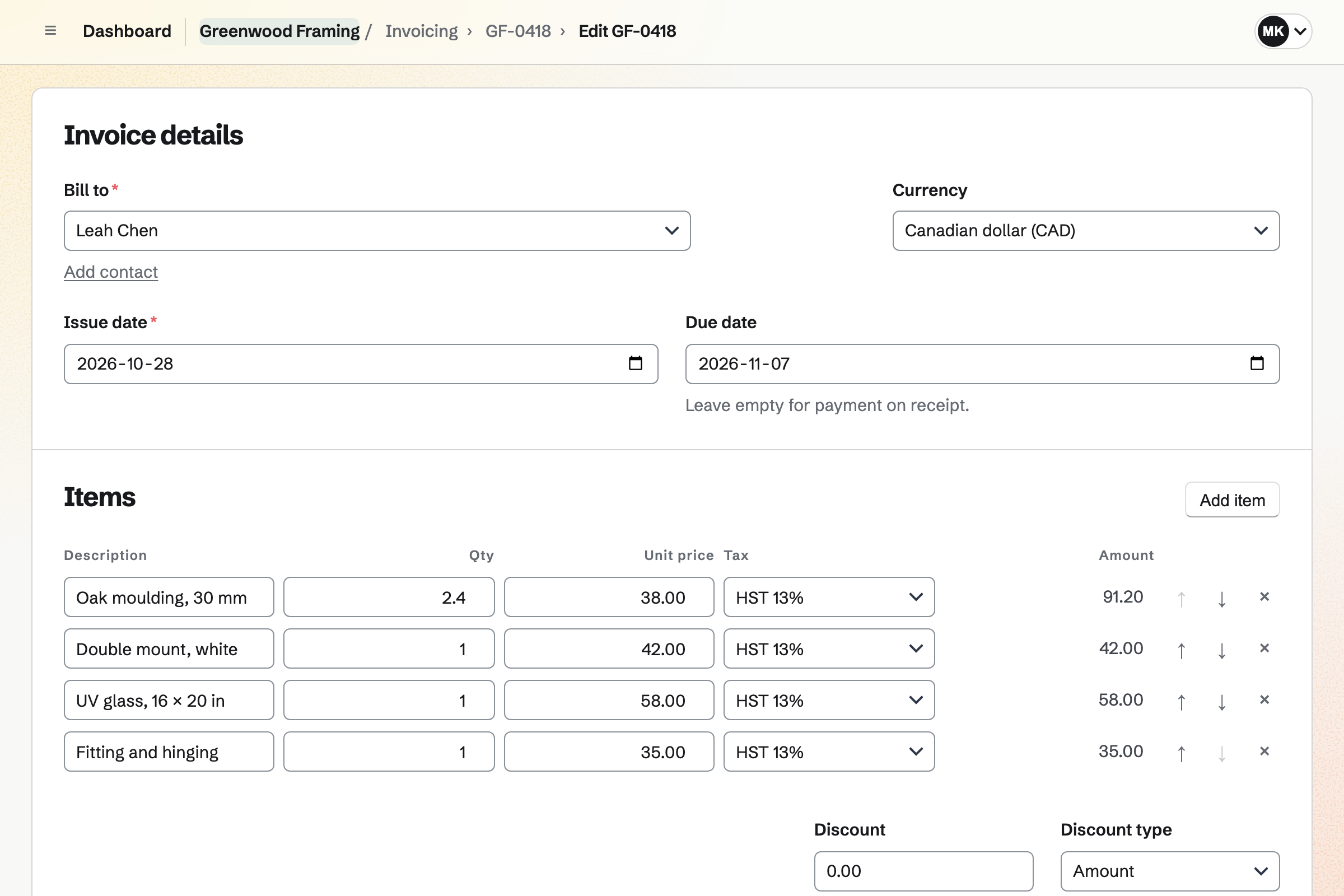
Invoicing bills the customer for each frame, line by line. The moulding is a length in metres at your price per metre. The mount, the glass and the fitting are lines of their own. The due date can be the collection day.
Sending the invoice emails the PDF and issues it. A deposit paid at the counter is recorded as a part payment. The invoice shows Partly paid and the balance due. At collection the customer pays the balance by card from the invoice's link.
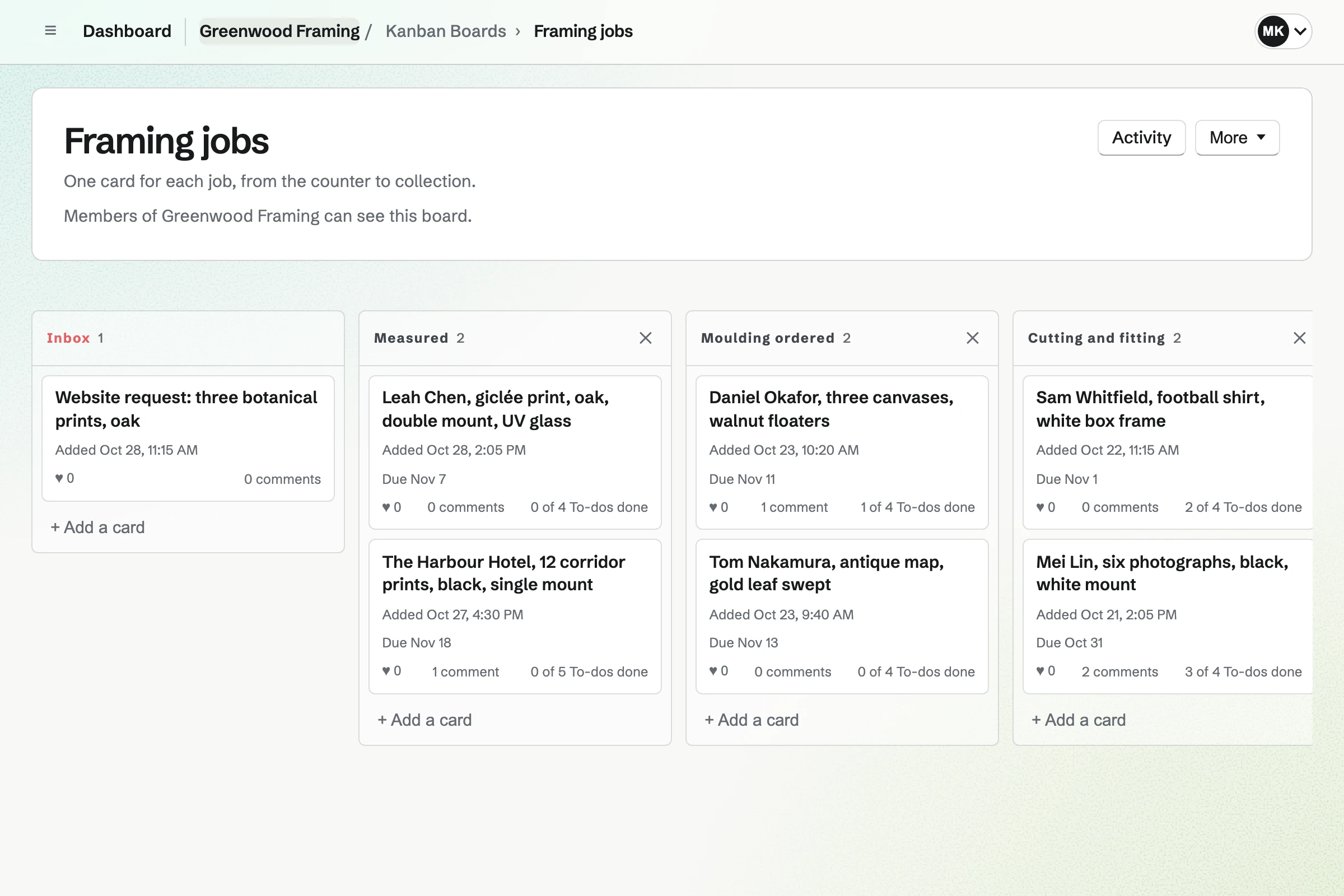
Kanban Boards gives the workshop a board with columns you name, from Measured to Collected. A card is one job. It holds the customer's name, a photo of the piece and the promised date. The spec is in its description.
A card's To-dos are the steps: cut the mount, join the frame, fit. Each framer is assigned their cards. A comment records a change the customer asked for. The board's activity lists every move.
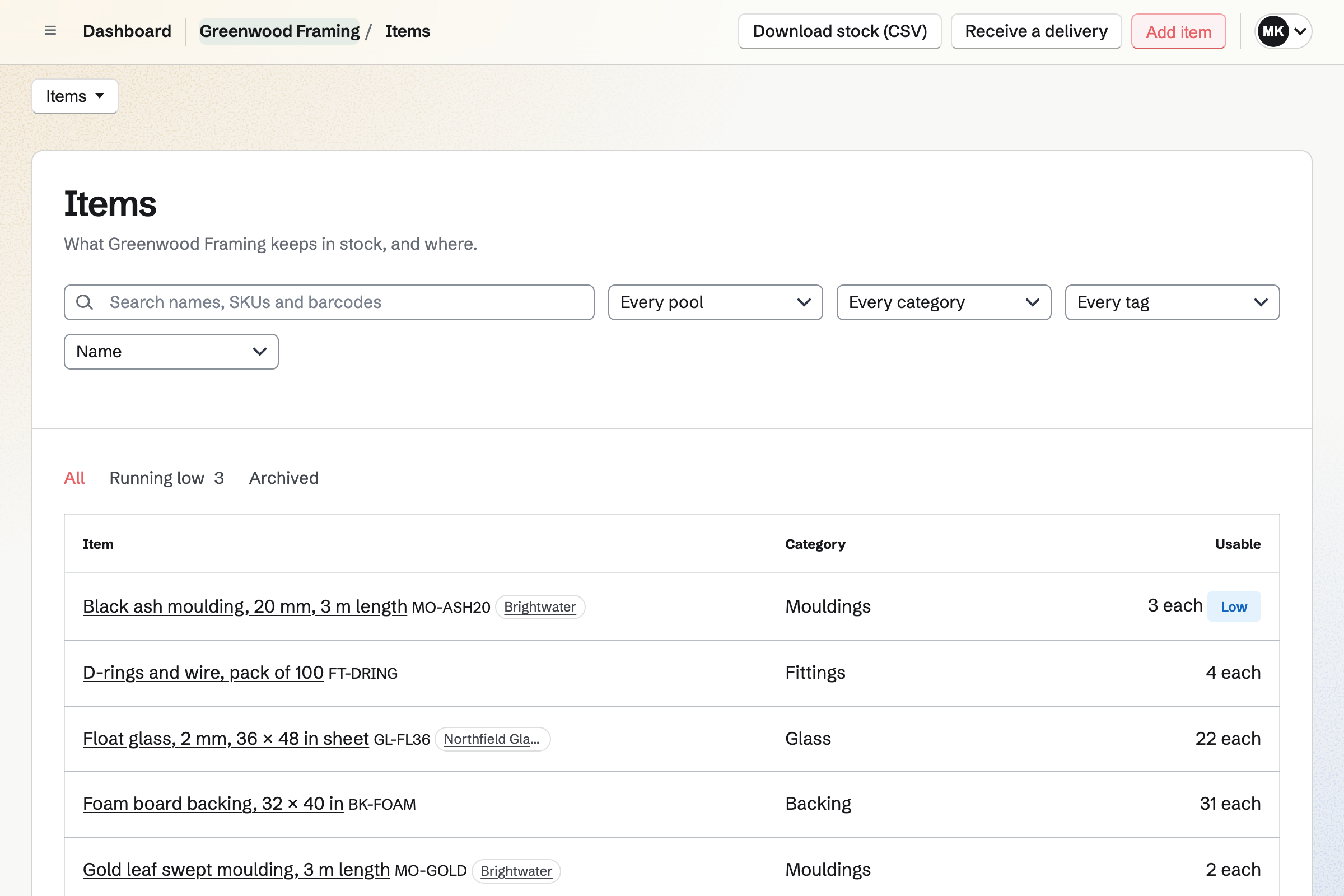
Inventory is the shop's stock list. Each moulding is an item counted by the length, and board and glass by the sheet. Each item has a minimum, in the workshop and on the shop floor. The list marks it Low below that.
Running low lists what to order from each supplier, in the supplier's packs. Draft orders starts the order, and you email it from Magpie. Receiving the delivery adds the lengths at their cost.
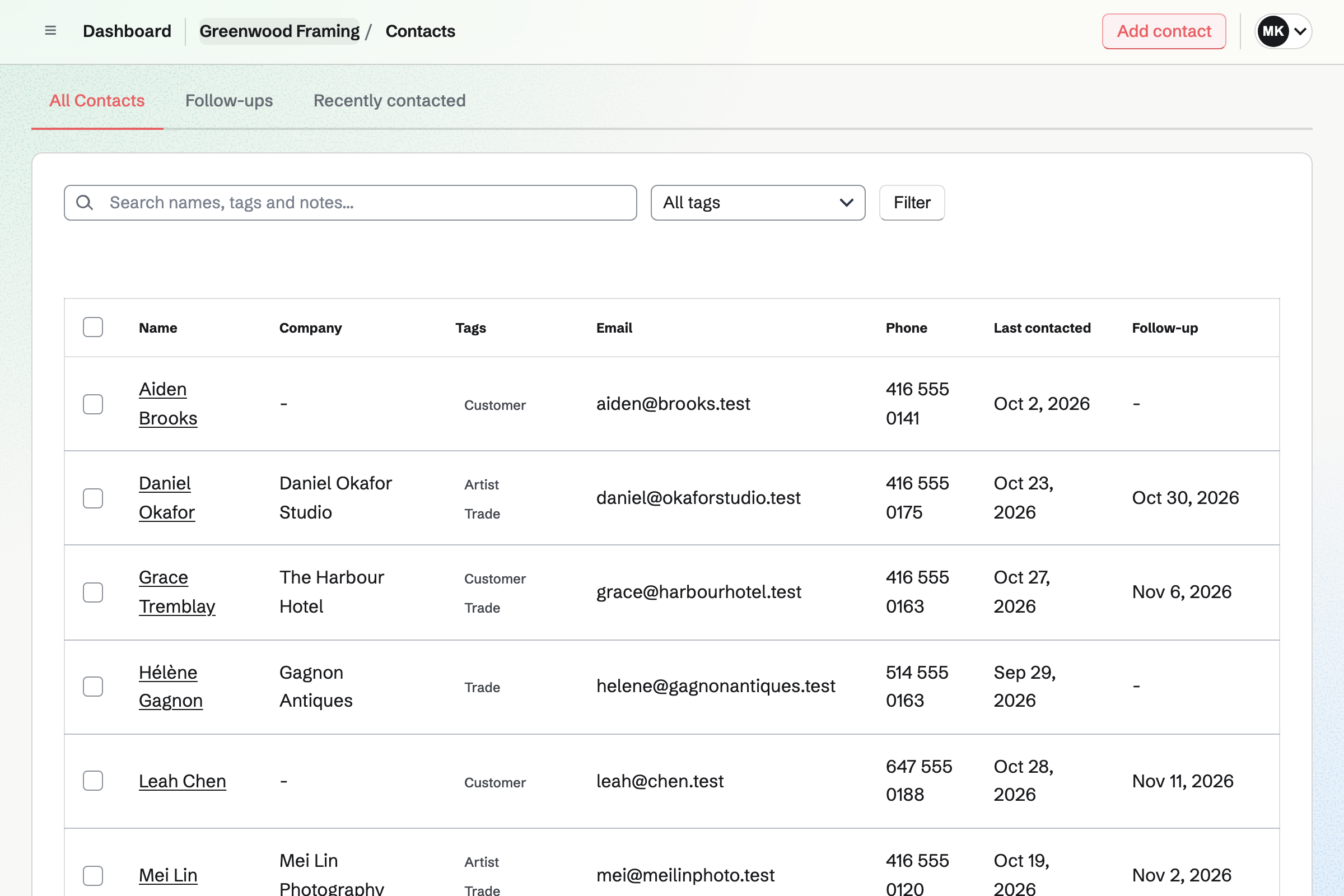
Contacts keeps each customer with every invoice and appointment in their history. A pinned note holds how they like their work framed, such as their usual moulding. A tag marks artists, galleries and trade customers.
A gallery's payment terms, such as 30 days, are set on its contact. Every invoice to it is due on them. A follow-up is a To-do with a date, such as a call before an artist's show.
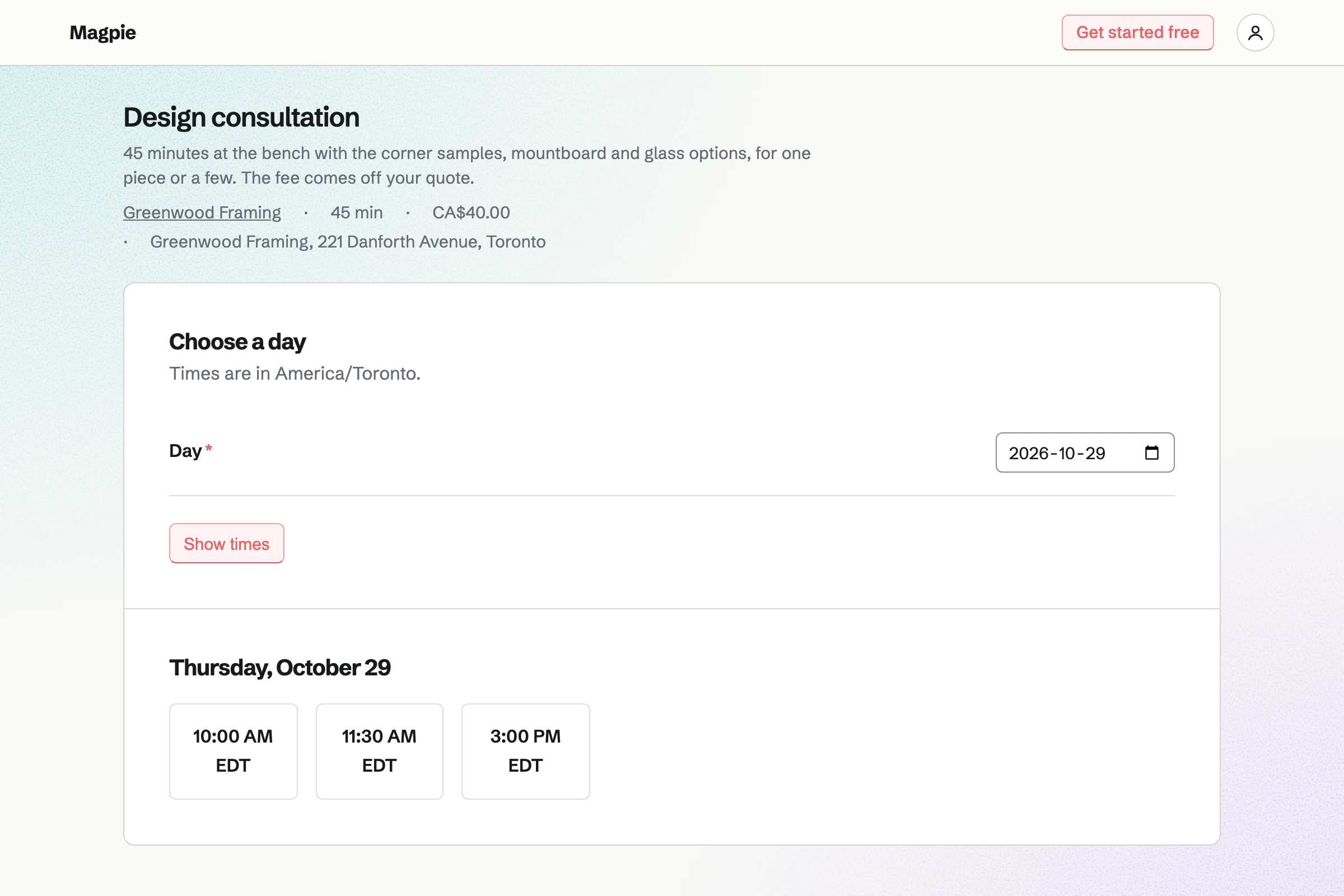
Appointments gives the shop a booking page. A consultation at the bench, with the moulding samples, has its length and price. Customers choose a day and a free time, and book without signing up first. A confirmation email lets them move or cancel.
A buffer keeps the bench clear between consultations. A walk-in coming back with the piece is added by hand, against the same hours.
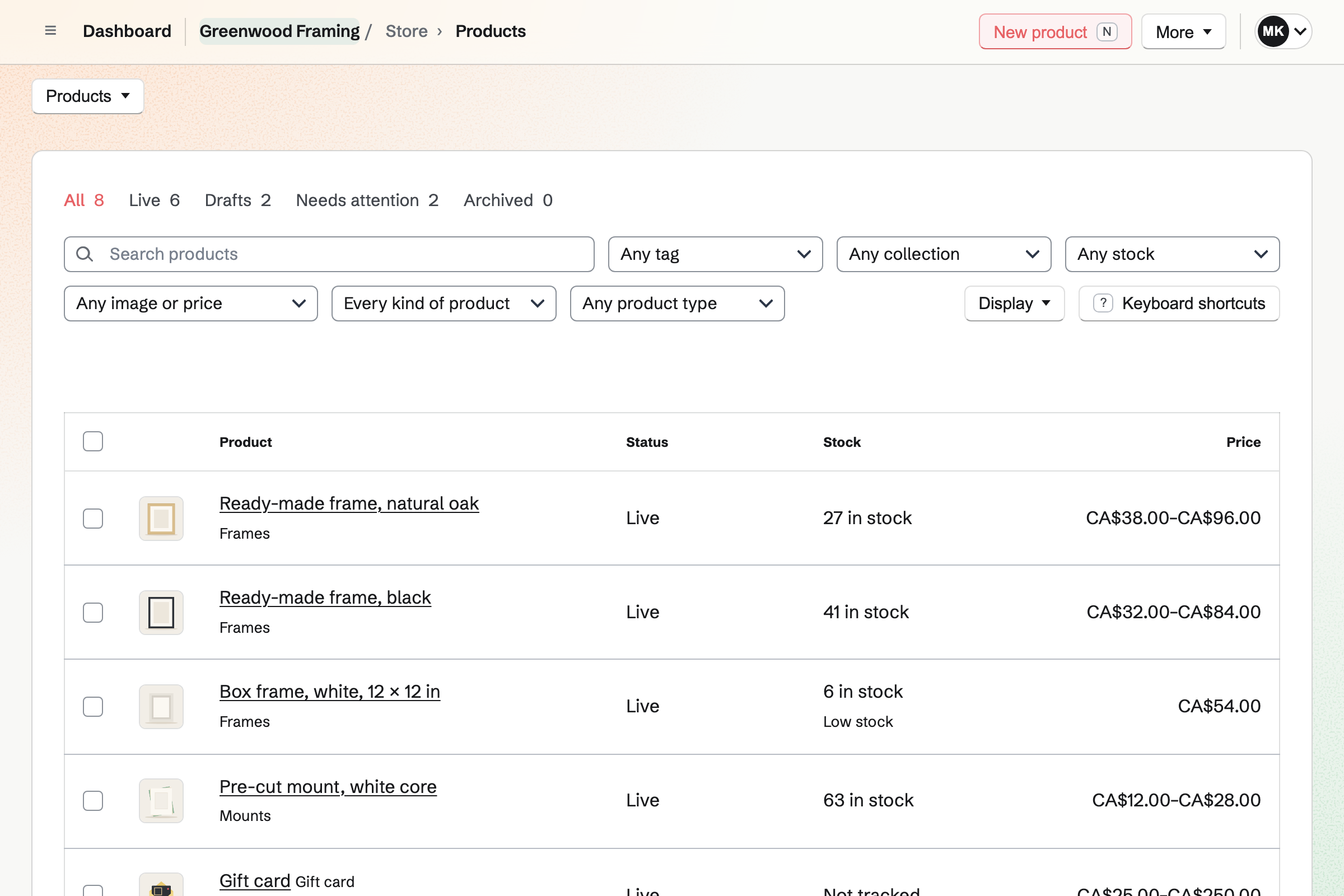
Store is the shop's online shop. A ready-made frame has Size as an option, and each size its own price and stock. Local pickup shows the shop's address at checkout. A gift card is sent by email, for a frame to be chosen later.
A sale at the counter is recorded as an order. Buyers pay by card into your own Stripe account, with no Magpie fee.
Each step starts from what the one before it made.
The print is measured, and the moulding, mount, glass and fitting are the invoice's lines.
The invoice is emailed, and the deposit paid at the counter is recorded on it.
The job's card goes on the board, with a photo of the print and its date.
The length is taken from stock, or ordered from the supplier when the rack is low.
The card moves to Ready to collect. The invoice goes out again with the balance due.
The customer pays the balance by card. The invoice and both payments are in the books.
You add each moulding as an item counted by the length, with its minimum. Help: Keep track of stock.
You add the moulding and glass suppliers you order from, with their packs and prices. Help: Order from suppliers and receive deliveries.
You name the columns for the way a job moves through the workshop. Help: Track work with Kanban boards.
You add a consultation as a service, with its length and your hours. Help: Set up Appointments.
You connect your Stripe account, so customers can pay by card. Help: Connect Stripe to receive money.
A shop with framers fits the Team plan, one price for up to 25 members. A framer working alone fits Pro, in Personal. The free plan includes 5 invoices a month and 1 boards. The paid plans have no limit.
Magpie adds no fee to invoices, deposits or your shop's sales. Stripe's processing fee is taken from each card payment. Prices are on the Pricing page.
An art supply shop sells paints and paper, and takes framing orders on the side.
An artist sells originals and prints, and takes commissions.
A gallery runs a Friends scheme and keeps a record of every object in its collection.
A tailor or repair shop takes each item in at the counter and bills the work.
A cabinet maker or fabricator quotes each job, takes the deposit and orders materials.
A print shop quotes signs and print runs, and has each proof signed off.
Yes. Each is a line on the invoice. The moulding's quantity is its length, such as 2.4 metres, at your price per metre. The mount, the glass, the backing and the fitting are lines with their own prices. Each line uses one of your tax rates or no tax.
Yes. You send the invoice, then record the deposit as a payment of part of the balance. It can be cash, card or a bank transfer. The invoice shows Partly paid, with the amount received and the balance due. Reminders show the balance, and you can turn them off for that invoice.
The invoice's email and its reminders have a Pay online button. Its page shows the payment link, to send another way. The customer pays the balance by card on their phone, without signing in. Cash is recorded by hand. Magpie adds no fee.
Yes. A new invoice's due date comes from the customer's payment terms, and you can enter another. Reminders go out on your schedule around the due date. Each invoice's reminders can be switched off.
Yes. Each job is a card on the workshop's board, assigned to a framer. It holds the customer's name, a photo of the piece, the promised date and the spec. The columns are the stages, and the card moves through them. Activity records every move.
Yes. A card takes up to 10 images, uploaded, pasted or dropped. The print, the corner sample against it and the mount colour can each be a photo.
Yes. Each card shows its due date on the board. Each framer sees the cards assigned to them. A card's To-dos, such as cut the mount, are also in To-dos with a reminder. Ticking one off in either place ticks off the same To-do.
Yes. Each moulding is an item in Inventory, counted by the length. Board and glass are counted by the sheet. Each item has a minimum, and the list marks it Low below that. A count corrects the list to what is on the rack.
Yes. Each supplier has a list of what it sells, in its packs and at its prices. Running low lists what to order, and Draft orders starts an order for each supplier. You email it from Magpie. Receiving the delivery adds the lengths at the price charged.
Yes. A customer's contact lists every invoice sent, paid or voided, and every appointment. Each links to its record. A pinned note stays at the top with how they like their work framed. The search finds a moulding's name in a note, so you know who had it last.
Yes. A contact tagged Customer has payment terms, such as 30 days, and a billing address. Every invoice to the gallery is due on those terms. A tag such as Trade marks them in the list. The trade price is what you put on the quote.
Yes. A proposal lists each work with its frame as a line. It can offer packages instead, such as ash or walnut for the whole show. The gallery chooses, signs on the page and pays the deposit by card. The balance is invoiced when you bill it.
Yes. Your booking page lists a consultation with its length and price. The customer picks a day and a free time, and enters a name and email address. They book without signing up first. A confirmation email has a link to move or cancel.
Yes. New appointment adds a booking by hand, with the customer's name and email address. It is checked against your hours and the other appointments like one from the booking page. The booking goes on your Calendar and into the customer's contact.
Yes. A Form on your website asks what the piece is, its size and the moulding wanted. A File question takes a photo of the work. Each request is emailed to you, and the responses are kept in one list.
Yes. A frame is a product with Size as an option. Each size is an item with its own price, SKU and stock. An item with counted stock stops selling at zero. Buyers pay by card on Stripe's checkout page without signing up first.
Yes. Local pickup shows the shop's address and times at checkout, and asks for no shipping address. When you mark an order ready, Magpie emails the customer the address and any instructions.
Yes. A shipping profile groups the products that ship their own way, such as large frames. A cart with one of them is offered that profile's rates. Rates can be flat, by weight or by order amount.
Yes. A gift card sells fixed amounts and, if you choose, a custom amount. The buyer can have it emailed to someone on a date they pick. The holder spends it in your online shop.
You choose New order, pick the items and record how the customer paid. The order is created paid, and the items leave stock.
Yes. Duplicate makes a new draft from any invoice, with the same lines, notes and terms. You change the sizes and the length of moulding, then send it.
Yes. Invoicing has named tax rates, such as HST or VAT, each with a percentage. Each line uses one of them or no tax. A combined rate such as GST + PST shows each tax on its own line.
Magpie adds no fee to invoices, deposits or your shop's sales. Stripe's processing fee is taken from each payment. The rest goes to your own Stripe account, and Stripe pays it out to your bank.
Yes. Social Media schedules posts to Bluesky, Mastodon and LinkedIn at the time you choose. For Instagram, Magpie reminds you and opens the post filled in. Each photo is cropped to Instagram's shapes around a point you set.
Yes. Staff Scheduling shows the week by person, with positions such as Counter and Bench. Shifts are drafts until you publish, and then each framer sees their own. They can swap a shift or ask for cover.
Yes. Accounting adds each invoice, its payments, each online order and each Stripe payout to the books. You import the bank statement as a CSV file and match it. The moulding supplier's bill is entered as a bill. The reports show what the month made.
Create a Magpie account and make a team for the shop.