Gyms, climbing gyms and boxing clubs
A gym runs classes, members and the front desk.
Co-working spaces, makerspaces and studio collectives
Your staff work in one Magpie team. Members of the space join it as guests, with the areas you give them.
Get started free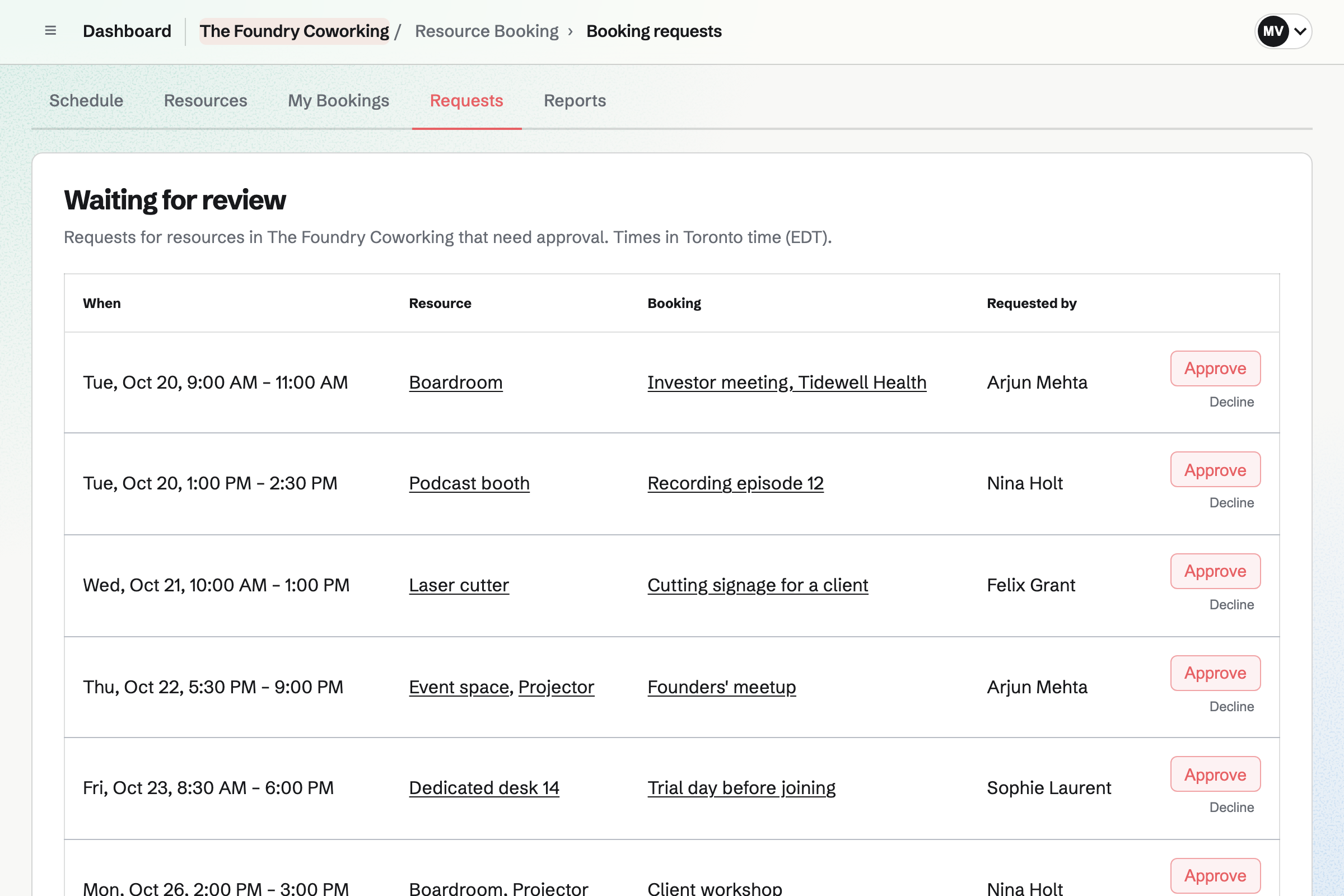
Resource Booking holds each desk, room and machine with its open hours and rules. The rules set the longest booking, the notice and how far ahead. Other members' bookings show as Busy.
A room can confirm bookings at once or wait for an admin's approval. A report shows how much each one is used.
Invoicing repeats a member's plan as a recurring invoice, issued and emailed on its date. Members pay by card from the email, into your own Stripe account.
A plan sent as a proposal can charge the card the member saves when they accept. Magpie adds no fee to the payments.
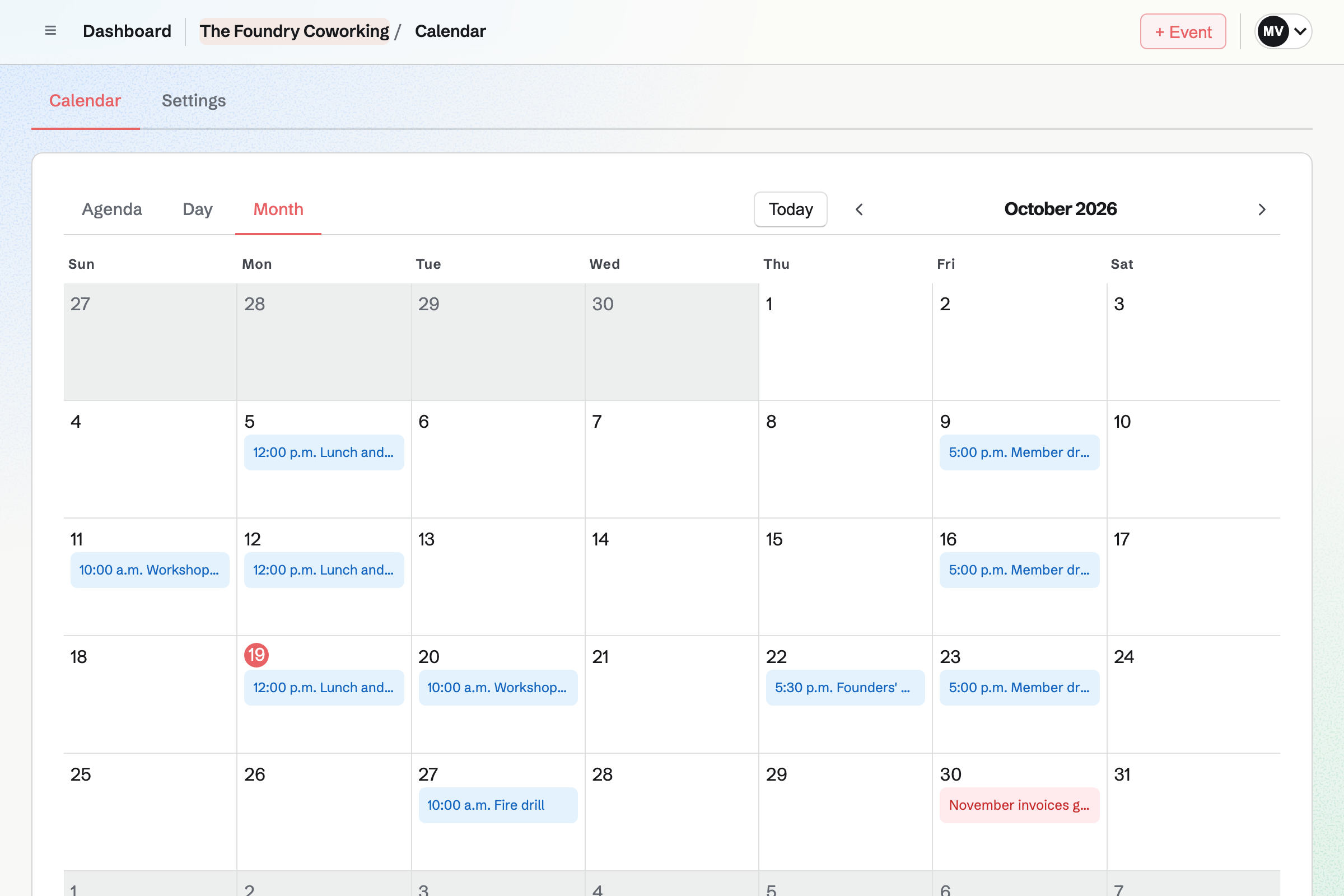
Calendar holds lunch and learns, member drinks and inductions. An event can take RSVPs up to the room's capacity.
Members you give the Calendar see the team's events. A public event has its own page for anyone you invite.
Message Boards gives members a board of posts and replies, private to your space. People post, reply and vote.
A post's author, the board's creator and your admins can remove a post.
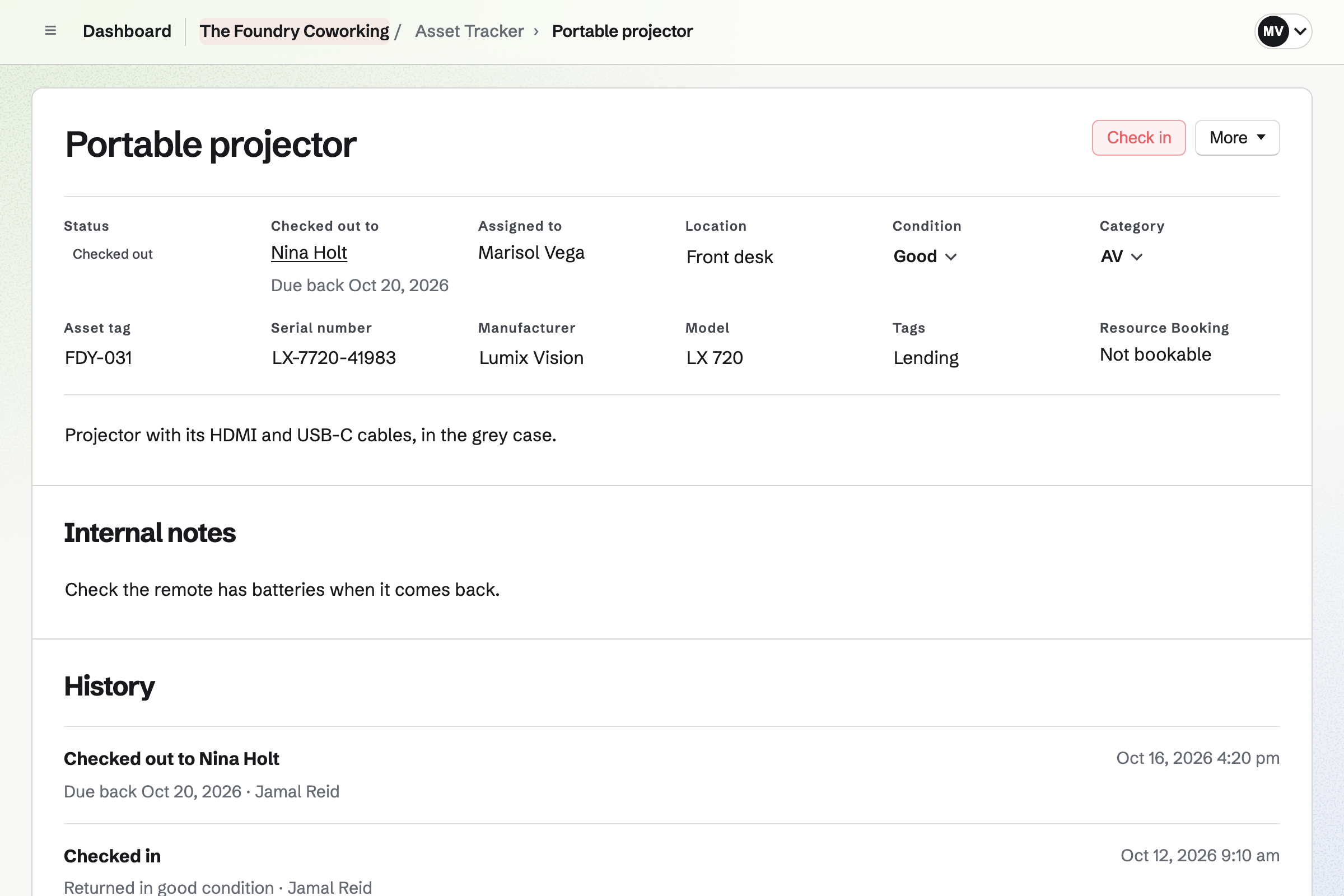
Asset Tracker keeps each item with its tag, serial number, location and condition. You check an item out to a member's contact, with a due date. Overdue items have their own list.
An item can be bookable in Resource Booking. A booking is blocked while it is checked out.
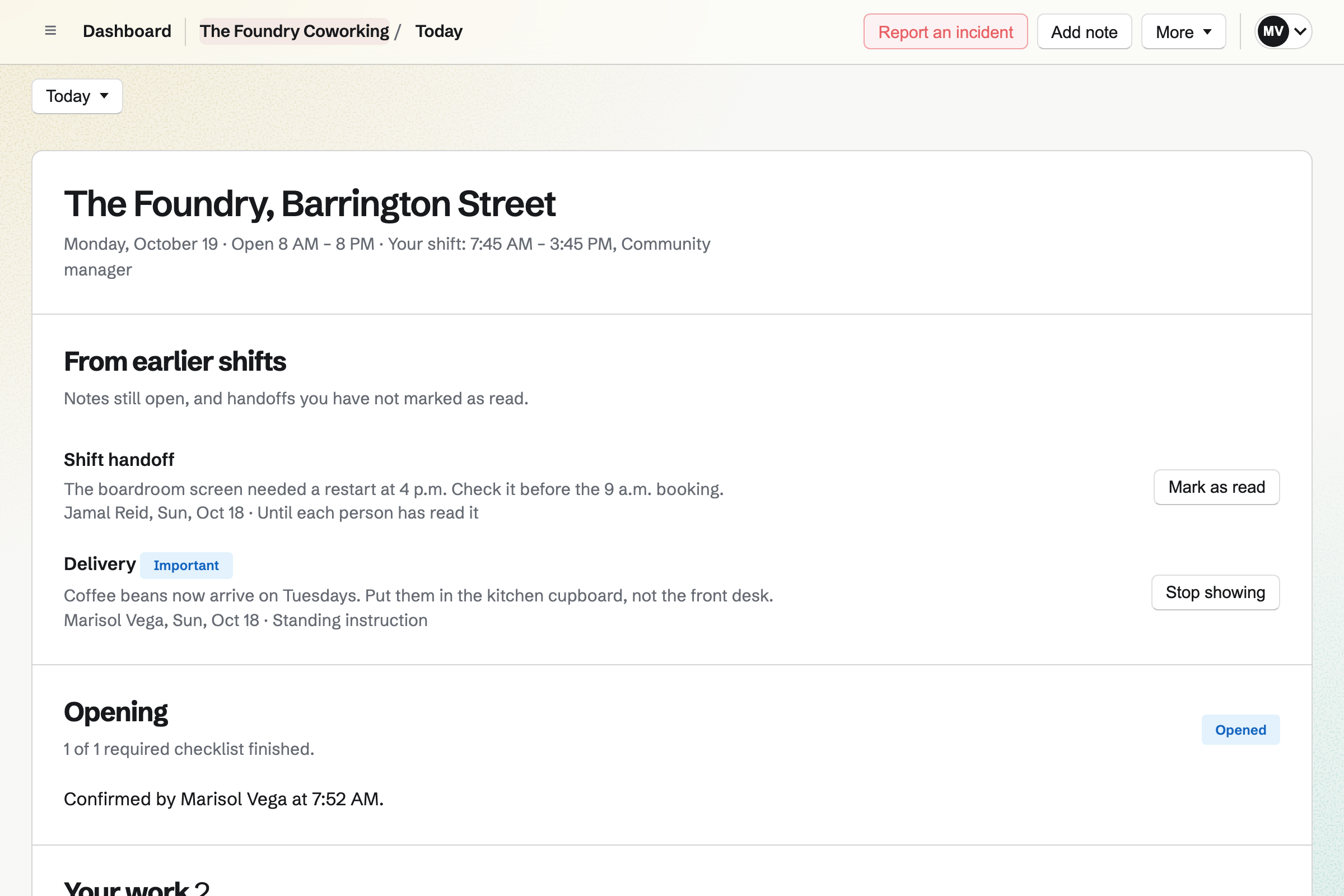
Daily Operations gives your staff the day's checks, such as the morning walkthrough. Each appears when it is due.
Problems become incidents, and a note can wait for the next shift. A workshop starter includes checks such as machine guards and emergency stops.
They ask for a tour on your website's form.
A desk is booked for them for the day.
They accept their plan as a proposal and save a card.
They join your team as a guest, with booking and the calendar.
Their plan's invoice is issued and charged.
You set each one's hours, rules and approval. Help: Add resources and set their hours and rules.
You invite each member as a guest, with the areas they use. Help: Guests on a team.
You make each member's first invoice repeat. Help: Recurring invoices.
You choose the checklists and when they are due. Help: Run each day's opening, closing and checks.
Your staff fit the Team plan, each a member of the team. Members of the space join as guests and take no member place.
A team on a paid plan can have up to 100 guests. Magpie adds no fee to invoice payments, and Stripe's processing fee applies. Prices are on the Pricing page.
A gym runs classes, members and the front desk.
A community group lists events, signs up volunteers and talks on a board.
An arts group puts on its shows, rehearsals and classes.
A research group shares instruments, data and papers.
Yes. Members you give Resource Booking book desks, rooms and machines within your rules. Other members' bookings show as Busy.
Yes. Each resource either confirms bookings at once or waits for an admin's approval. Requests wait on their own page, with Approve and Decline.
Yes. A recurring invoice issues each member's plan on its date and emails it. A plan accepted as a proposal can charge the member's saved card.
Yes. Asset Tracker checks an item out to a member's contact, with a due date. Overdue items have their own list, and check-in records the condition.
Yes. Daily Operations shows each checklist when it is due, with its steps. Problems become incidents, and notes wait for the next shift.
Yes. An event takes RSVPs up to a capacity, and members who use the Calendar see it. A public event has its own page.
Yes, as an admin. You book it yourself in Resource Booking, with a note of who it is for.
Create a Magpie account and make a team for the space.