Teams inside a company
A team inside a company works in Magpie alongside the company's own systems.
Research groups and labs
The lab works in one Magpie team. A co-author at another university can be given just the paper you share.
Get started free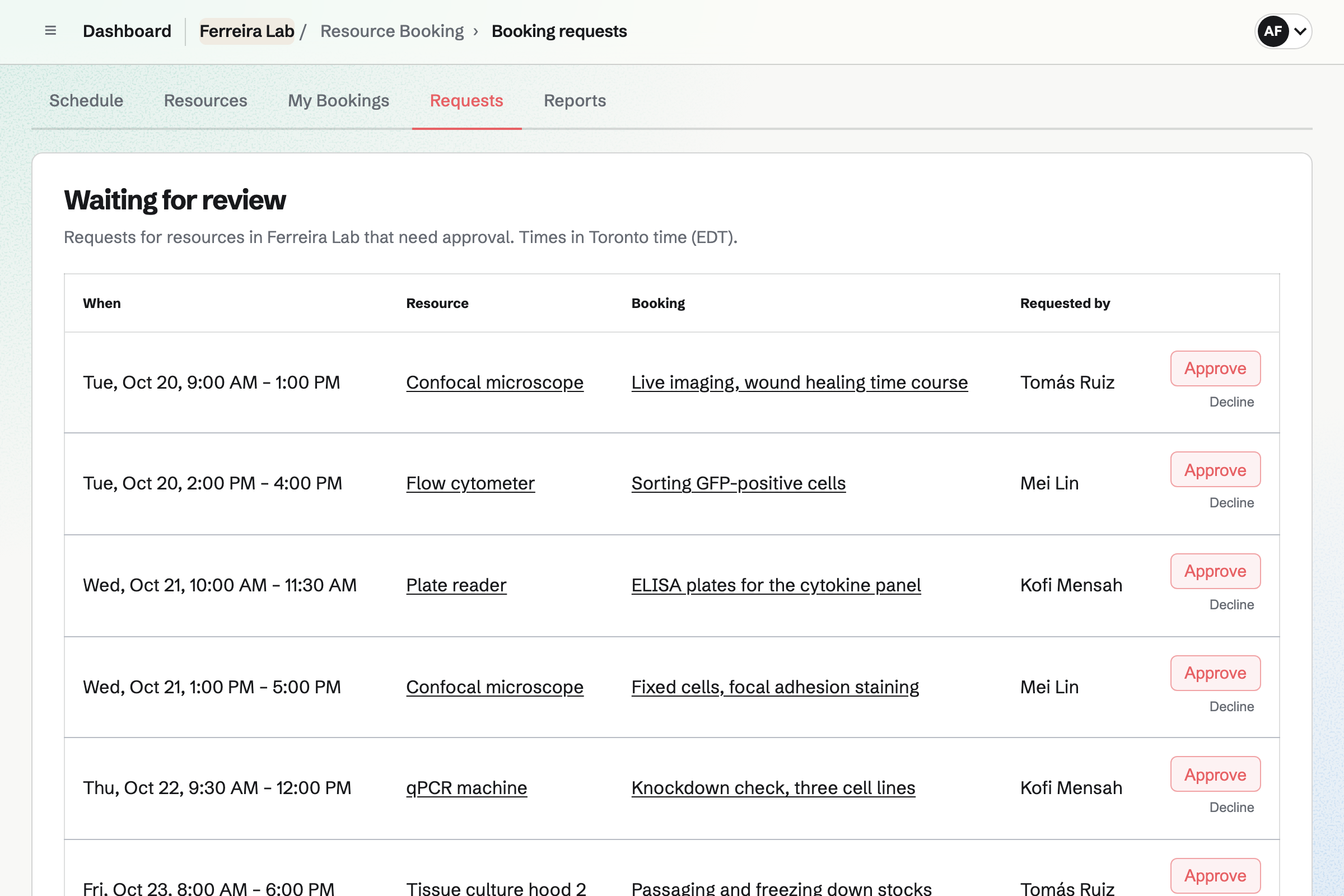
Notes keeps each protocol as a team note, in Markdown with tables and checklists. Everyone in the lab can open it.
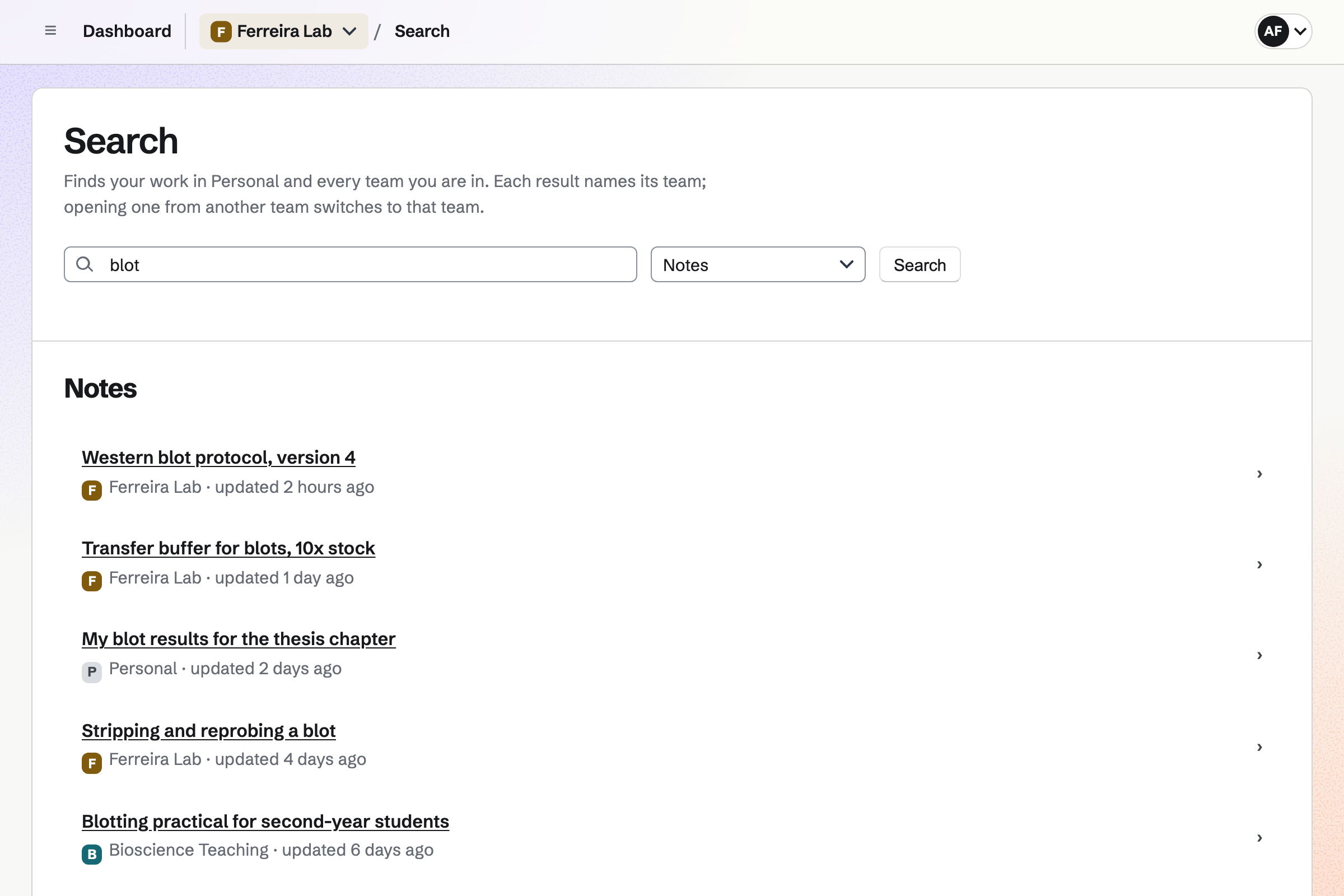
Search looks through the lab's notes and your own at once. A checklist line can become a To-do, such as ordering more agarose.
Resource Booking holds the lab's shared instruments, such as the confocal and the plate reader. Each one has its own rules, such as the longest booking and cleanup time after it.
An instrument can need your approval before a booking stands. Reports show how much of its open hours each one was used.
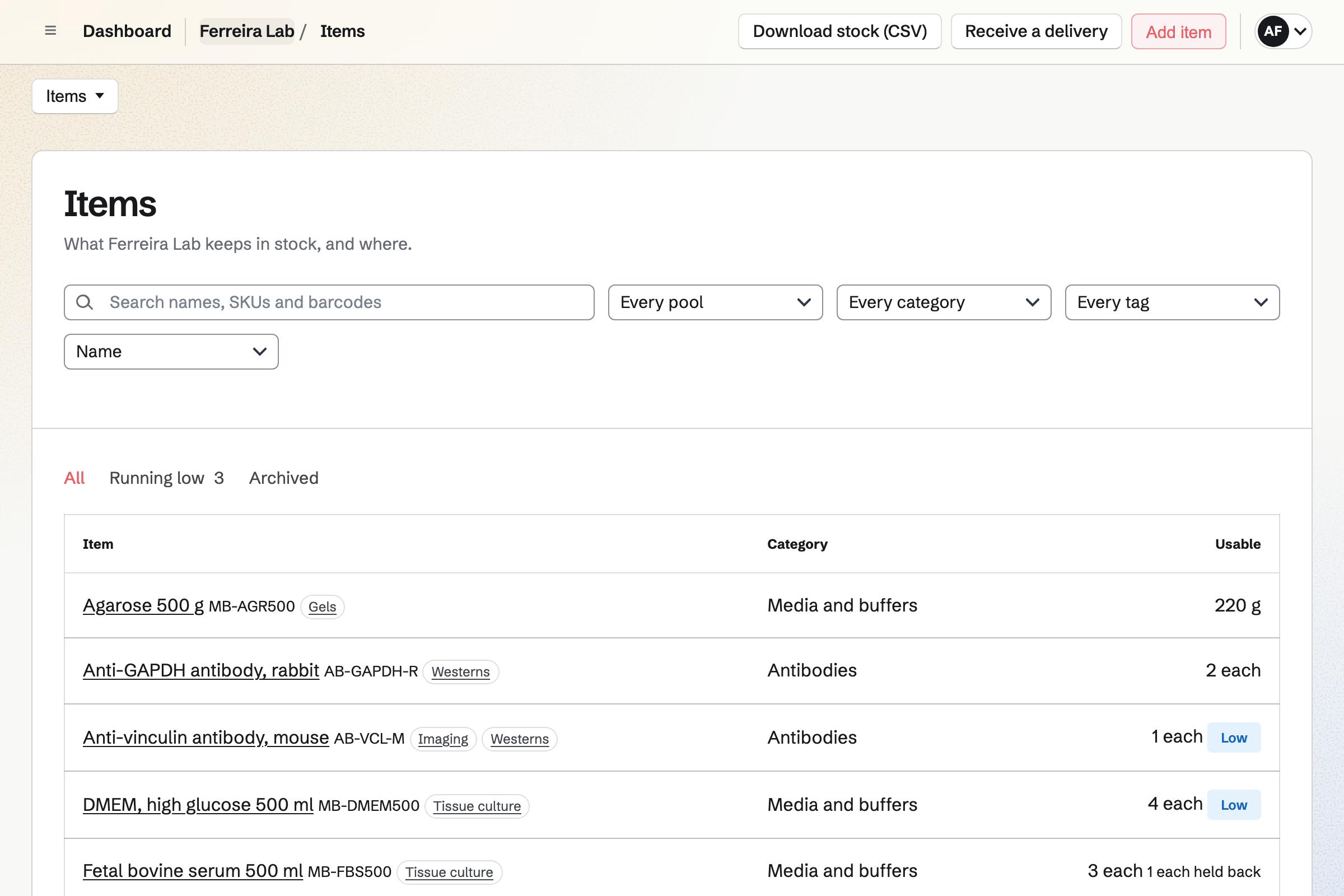
Inventory counts reagents, antibodies and plastics in each place they are kept. An item can keep each delivery's lot number and expiry date.
Items below their minimum become draft orders to each usual supplier. An order over a total you set waits for your approval.
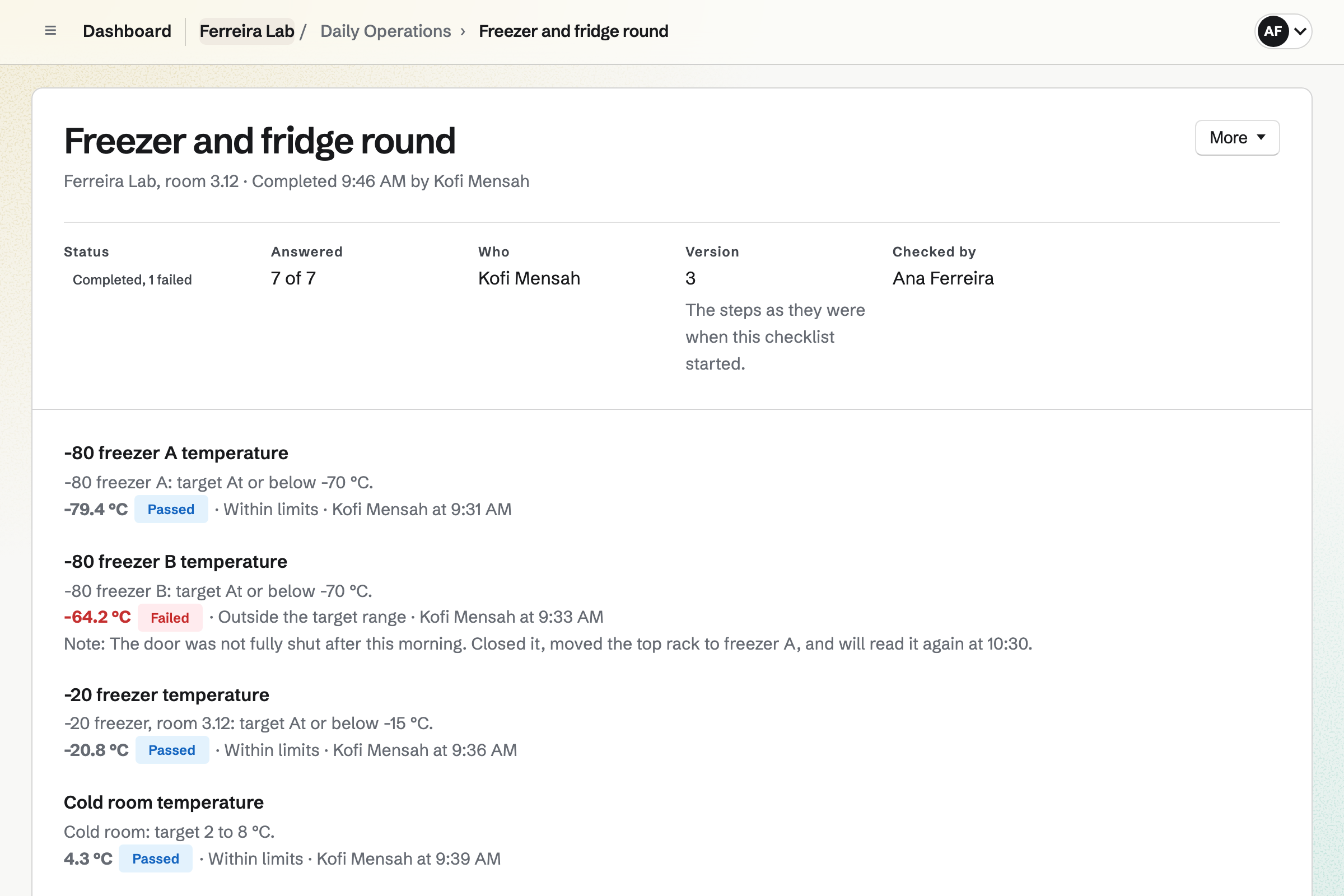
Daily Operations gives the lab a round of checks, such as the -80 freezers. Each reading is kept with its limits and who took it.
A reading outside its range opens an incident. The incident lists what to do and a reading to take again.
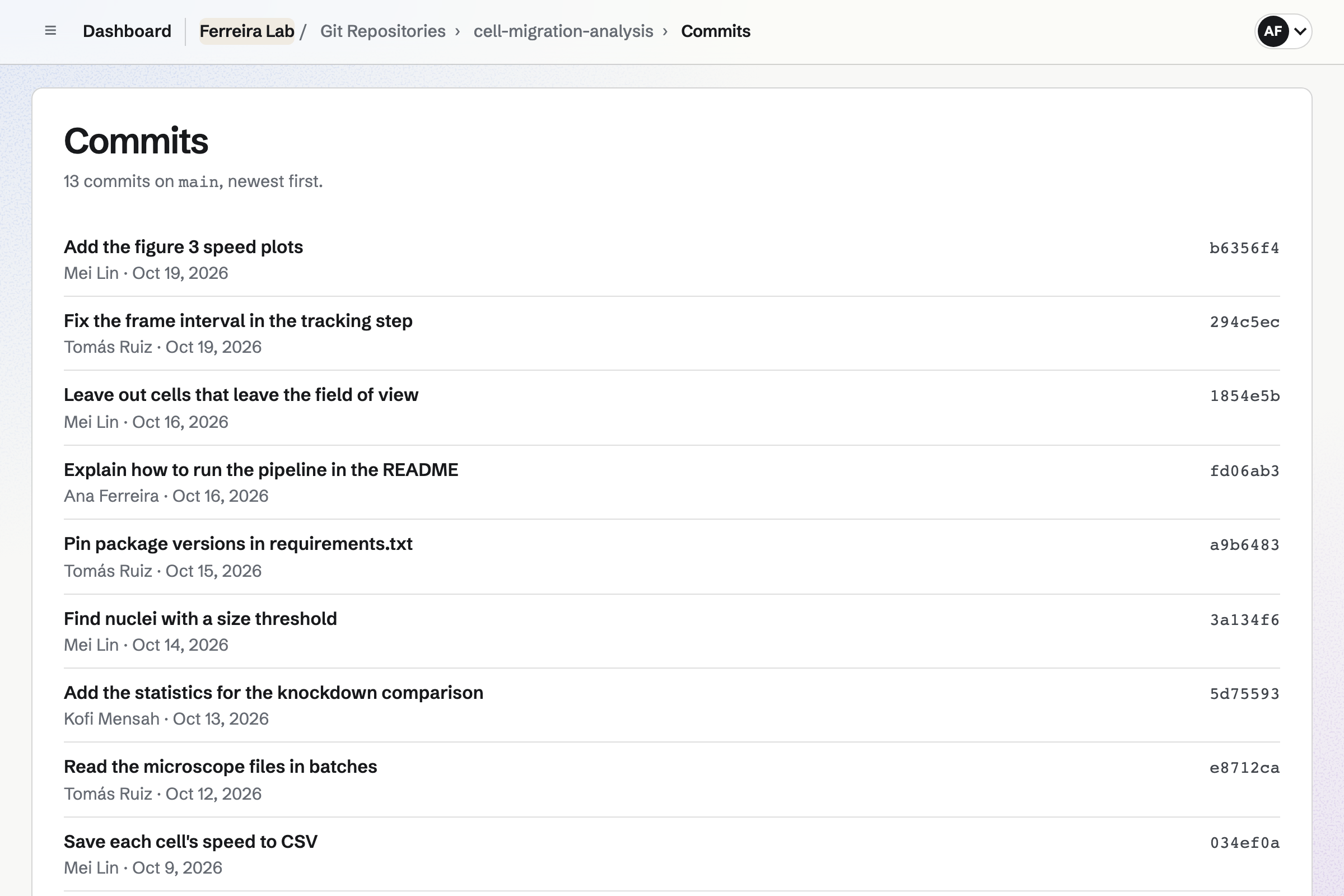
Git Repositories hosts the lab's code, cloned and pushed over HTTPS with a token. The repository's page lists each commit with its author.
A repository can be public, so anyone can read and clone the code behind a paper. Its README is shown as its front page.
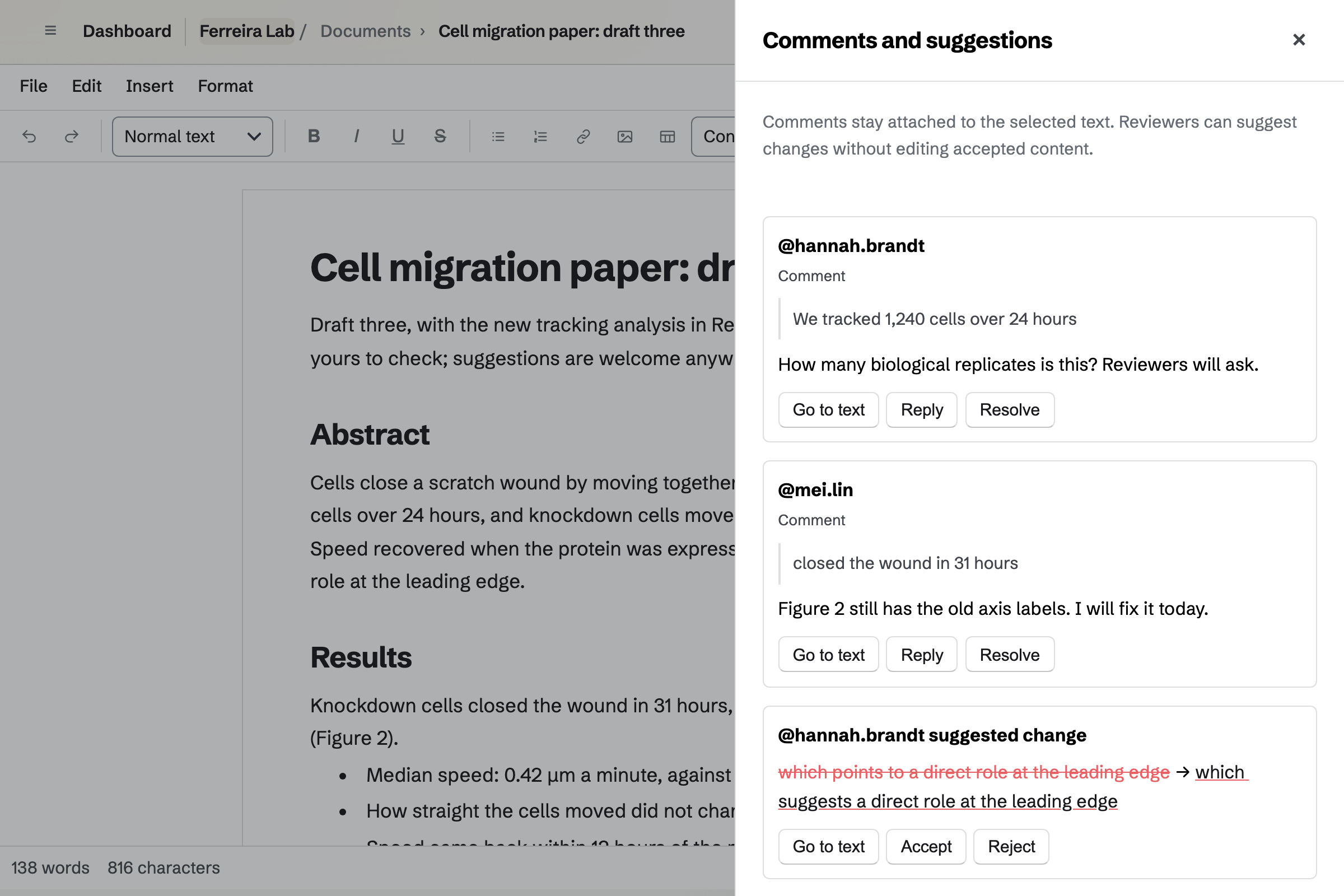
Documents is where the lab writes its papers, with footnotes and numbered figures. A list of references can follow the text. Suggested changes wait until someone accepts them.
A co-author at another university can be given only that paper, to review or edit. The finished paper exports to Word or PDF.
The method is written up as a note the lab can find.
The instruments are booked, and reagents come out of stock.
The freezers holding the samples are read on schedule.
The scripts are pushed to the lab's repository.
Co-authors review the draft, and the code is made public with it.
You set each one's hours and rules. Help: Add resources and set their hours and rules.
You record what is in each fridge and freezer. Help: Keep track of stock.
You add each freezer with its limits. Help: Record temperatures.
You write it as a team note. Help: Write and organize notes.
A lab fits the Team plan, which has 25 member places. A co-author given one paper joins as a guest, and takes no place. Prices are on the Pricing page.
A team inside a company works in Magpie alongside the company's own systems.
A school or a teacher runs classes, coursework and the parents' newsletter.
Yes. Each instrument has open hours and a longest booking. It can keep setup and cleanup time free around each one. Magpie checks every booking against them, and against the bookings already made.
Yes. An instrument can be set to need approval. Each request then waits until you approve or decline it.
Yes. Reports show each instrument's booked time against its open hours, between any two dates.
Yes. An item can record a lot code and an expiry date with each delivery. Its page lists each lot in each place, with its expiry date.
Yes. Each supplier has a list of what you buy from them, with their codes and prices. Magpie emails each order to the supplier. A delivery that arrives short is recorded as it arrived.
Yes. A routine asks for each freezer's reading when it is due. A reading outside its range opens an incident, with what to do next.
Yes. You can share the paper with them to review or to edit. They see that paper and nothing else in the lab's team.
Yes. A public repository has a page anyone can read without signing in. Anyone can clone it, and only people with write access can push to it.
Yes. You can invite them to the team as guests with Resource Booking only. A guest takes no place on the plan.
Create a Magpie account and make a team for the lab.