HR and office managers at small companies (15 to 50 people)
An HR or office manager hires and looks after a small company.
Recruiters and small staffing agencies
An independent recruiter works in Personal. A small agency works in one Magpie team.
Get started free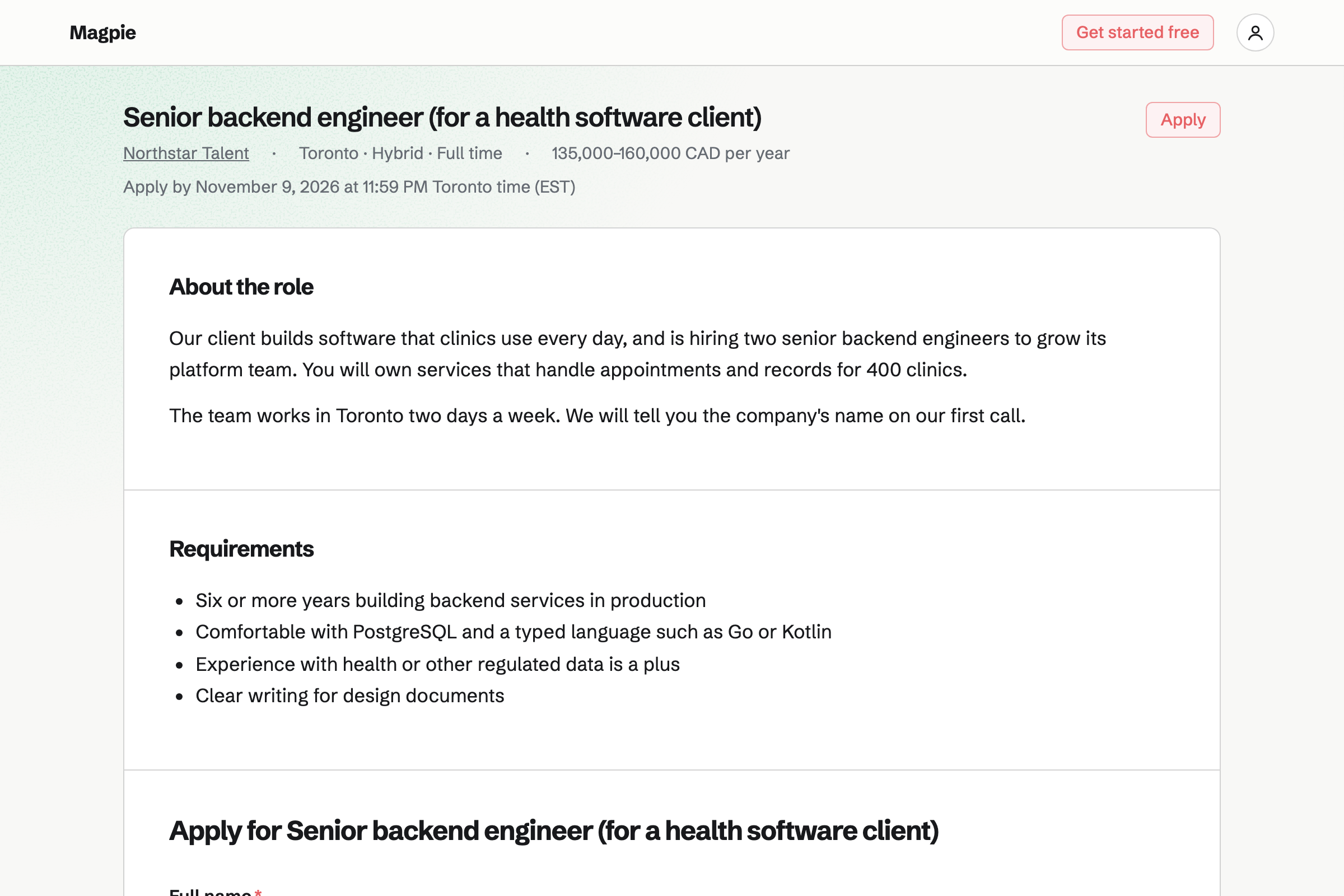
Hiring publishes each role on your job board, with its own application form. You set the stages for each role, such as screening call and shortlist sent.
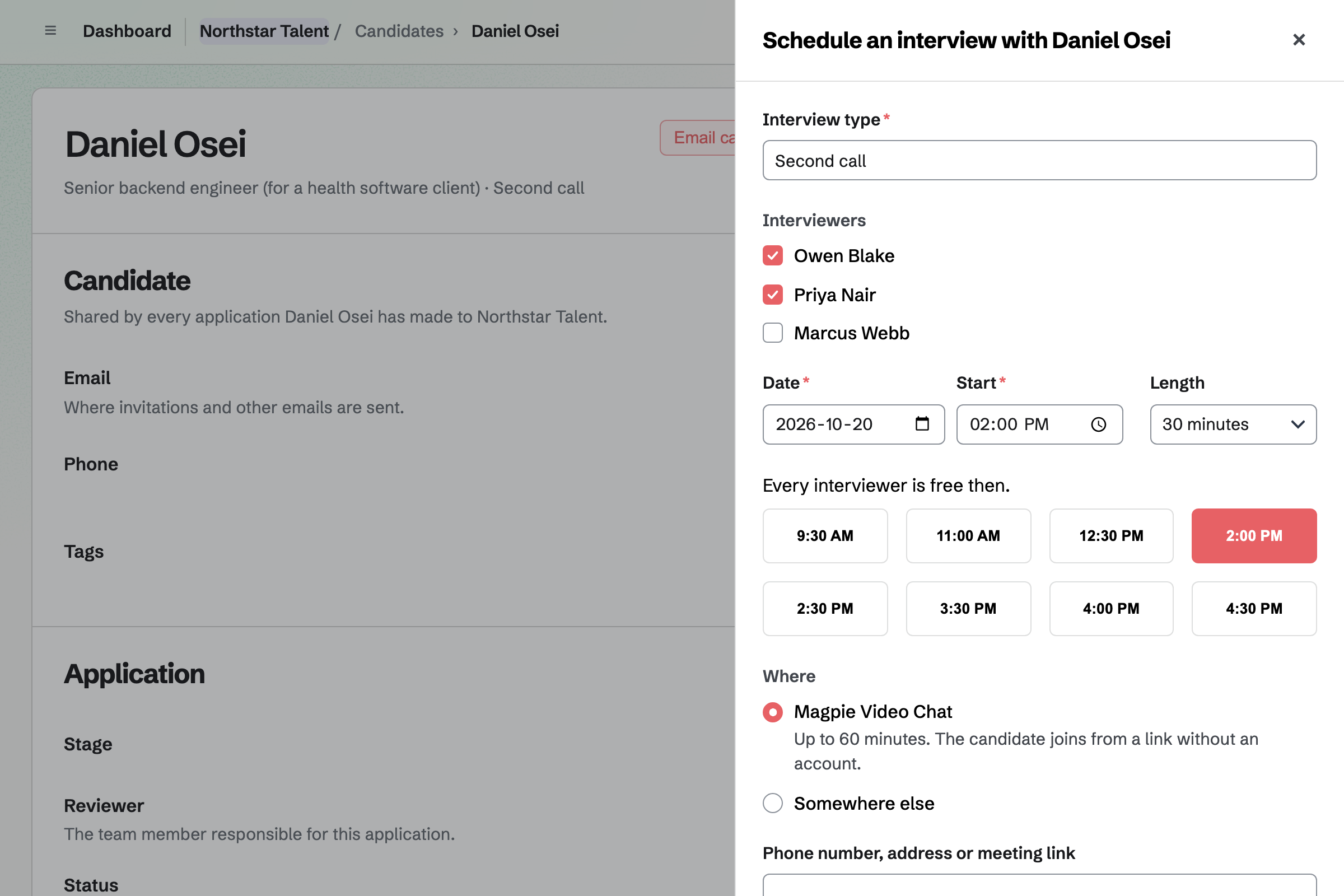
Scorecards record each interviewer's view before they see the others'. Interview scheduling finds a time when every interviewer is free.
Contacts keeps each client and candidate with tags and notes on every conversation. A follow-up is a To-do with a date, such as a check-in after a start.
A client's invoices and signed terms show on their page.
Meetings gives you a page with your meeting types, such as a 20-minute screening call. Times busy in your Google Calendar are left out.
A booked call can carry a Zoom or Google Meet link. Reminders go out before it.
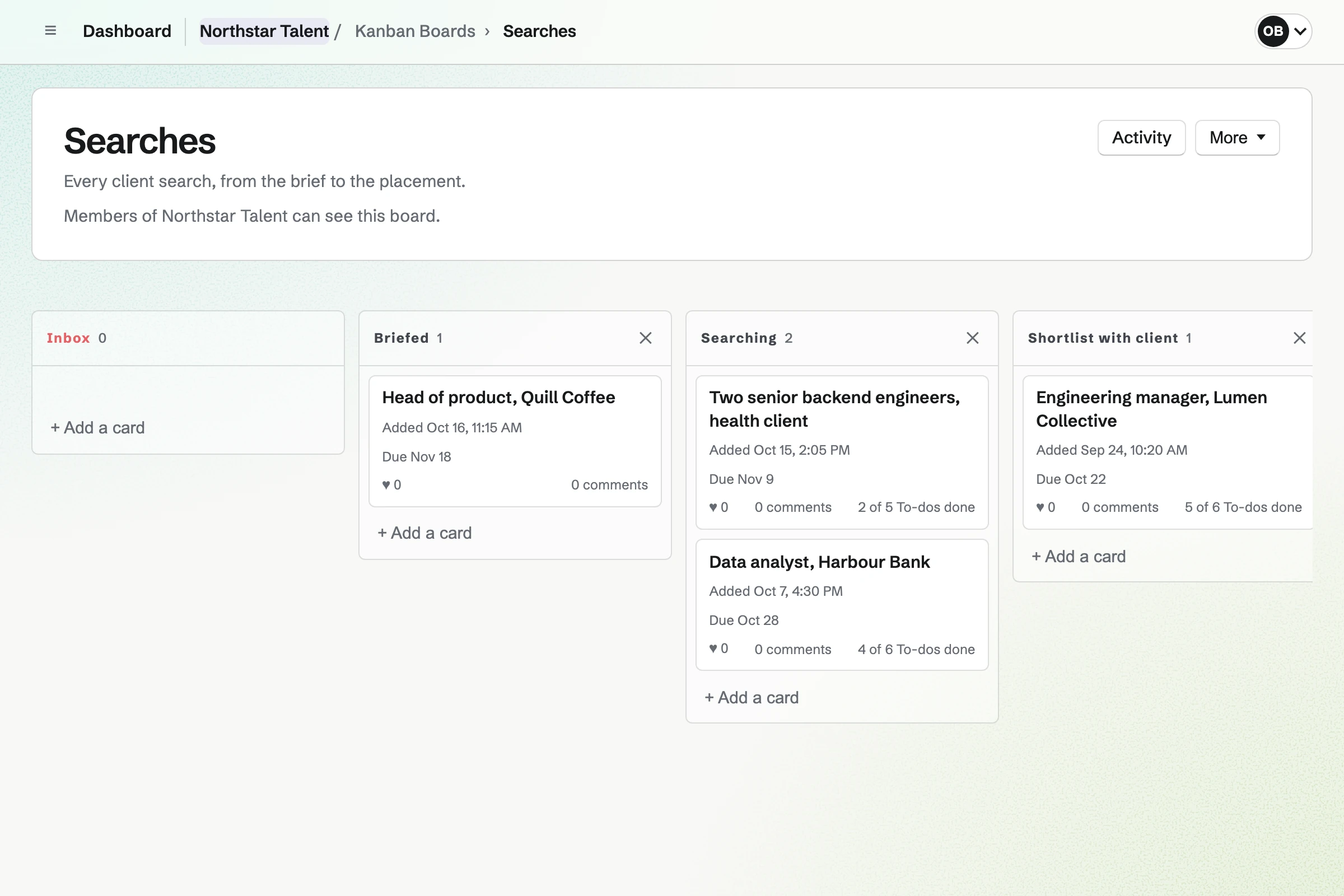
Kanban Boards holds each client search as a card, in columns such as Searching and Placed. Each card has a due date and To-dos.
Comments stay on the card, so your colleagues see where each search stands.
E-Signatures sends your terms of business PDF, with fields placed for each signer. A starter keeps the document, so the next client needs only a name and an email.
Everyone gets the signed PDF and a certificate of completion.
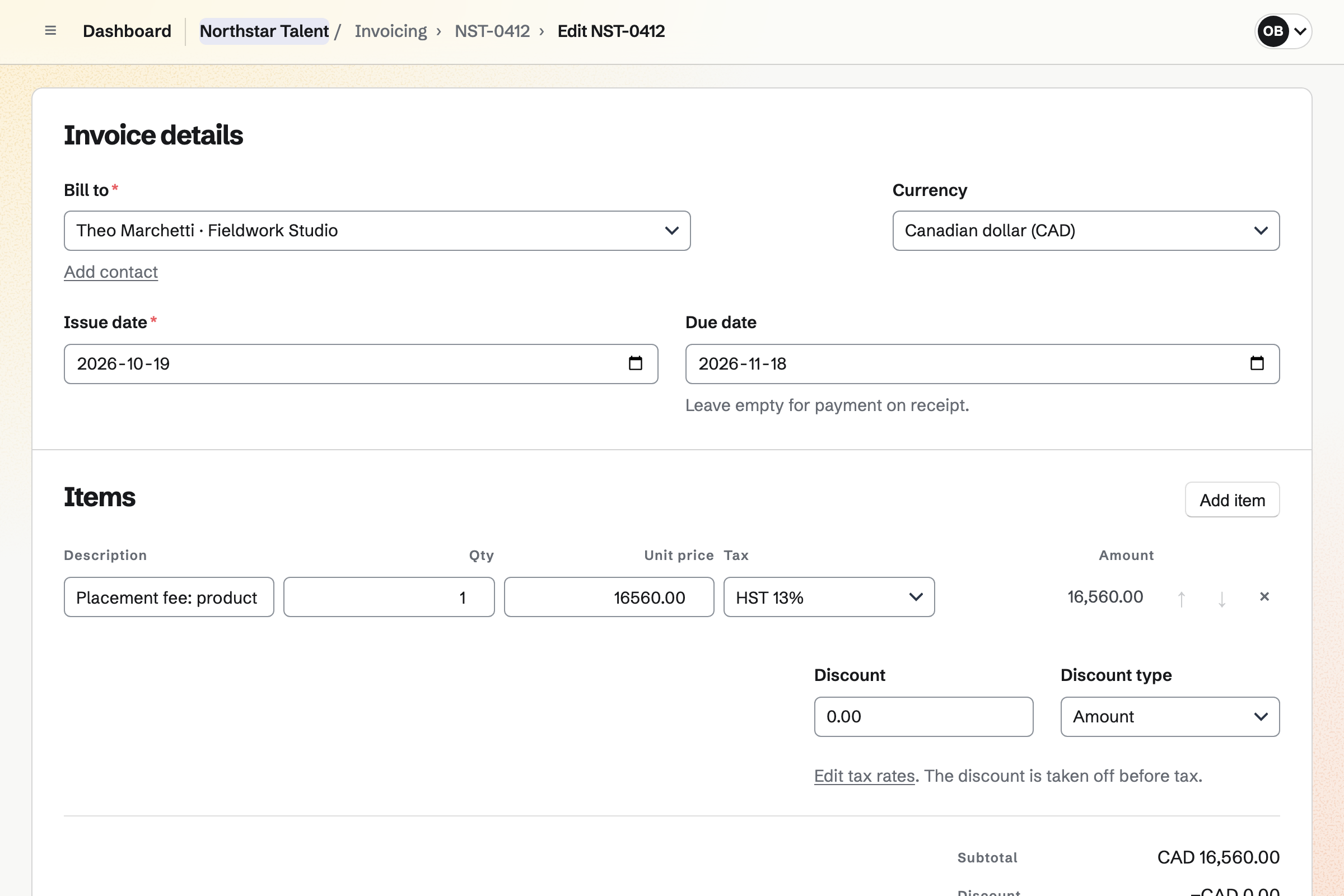
Invoicing bills the fee with its tax and payment terms. Clients pay by card from the email, or by bank transfer you record.
Card payments go into your own Stripe account, with no Magpie fee.
The client signs your terms of business.
The role goes on your job board, and the search on your board.
Candidates book a screening call in your hours.
Candidates move through your stages, with scorecards.
When the candidate starts, the placement fee is invoiced.
You write the role and choose its stages. Help: Create a job and publish its page.
You add a screening call and connect your calendar. Help: Set up and share your meeting page.
You place the signers' fields once. Help: Signing starters.
You connect your Stripe account for card payments. Help: Connect Stripe to receive money.
An independent recruiter fits Pro, for your own work in Personal. An agency with several recruiters fits the Team plan.
Candidates and clients are not added to your team. Magpie adds no fee to invoice payments. Prices are on the Pricing page.
An HR or office manager hires and looks after a small company.
A consultant scopes, delivers and bills client work.
Yes. Each role has its own page and application form on your job board. The page can describe the client without naming them.
Yes. Each role has its own stages, such as screening call, shortlist sent and client interview. Candidates move between them.
Yes. Your meeting page offers the times you are free, checked against your Google Calendar. A booked call can carry a Zoom or Google Meet link.
Yes. Interview scheduling finds a time when every interviewer is free. It can add a Magpie Video Chat link. The candidate joins from the link.
Yes. E-Signatures sends your terms PDF with the fields placed. Everyone gets the signed PDF and a certificate of completion.
Yes. An invoice holds the fee with its tax and payment terms. Clients pay by card from the email, or by bank transfer you record.
Create a Magpie account and publish your first client role.